During fairseq training:

reason:
sacrableu wrong version.
terms of settlement:
pip install sacrebleu==1.5.1
During fairseq training:
reason:
sacrableu wrong version.
terms of settlement:
pip install sacrebleu==1.5.1
Error reporting:
syntax error: non ASCII character ‘\ XE5’ in file
Solution:
Add
# -*- coding:UTF-8 -*-
AttributeError: ‘Settings’ object has no attribute ‘ROOT_ URLCONF’
If you encounter this problem. There are the following prerequisites,
1. You deploy with uwsgi + Django
2. You have modified the settings configuration file path, for example, create a dev.py file in a new place for configuration
Then you have to look at the configuration in uwsgi.ini. Whether the settings in the WSGI file is the configuration file you want.
Recently, an error has occurred during communication ESR is reported by clicking sproxy → source → ESR when publishing the Po agent class. The following is the error message. Figure 1 shows the Chinese environment and Figure 2 shows the English environment:
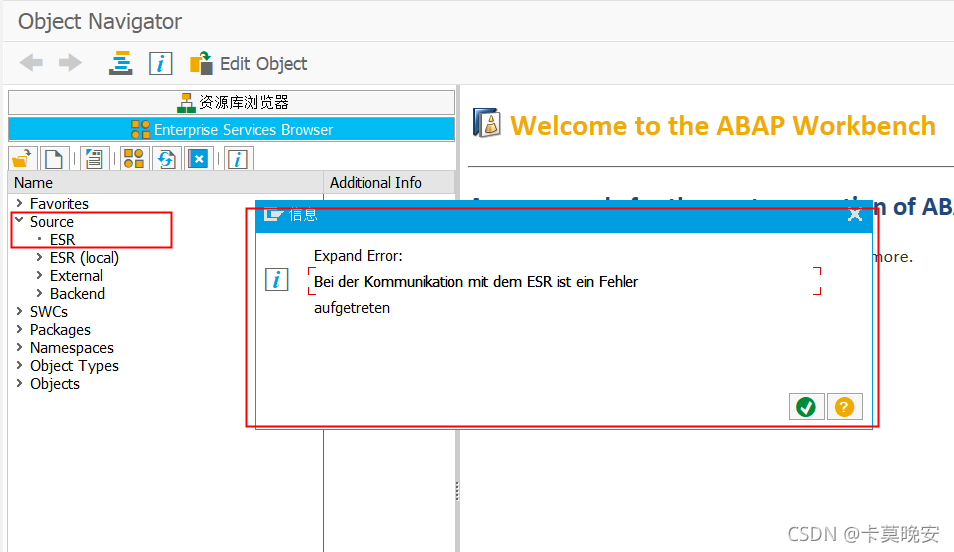
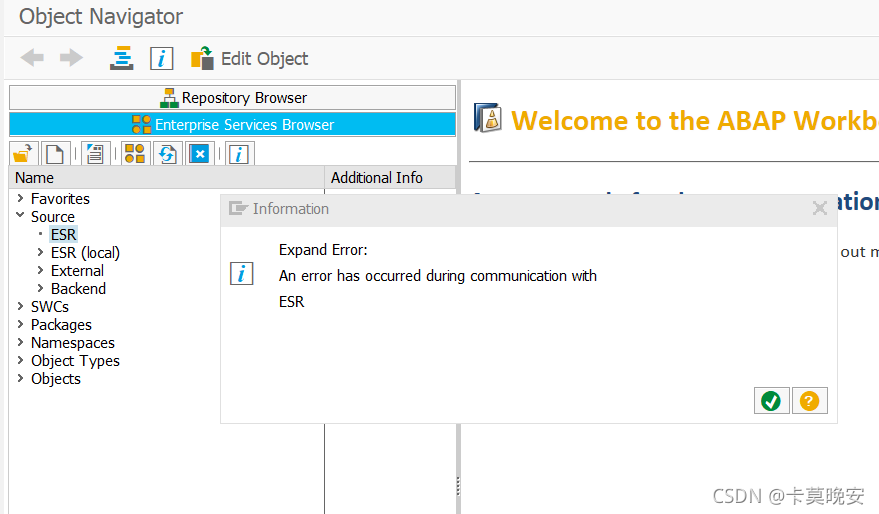
Query SAP notes and try to solve the problem. It is found that the description of notes: 2957501 – an error has occurred during communication with ESR is consistent with the problem.
Sm59: SAP was checked step by step according to the method provided in notes_ PROXY_ ESR connection;
SPROX_ CHECK_ IFR_ CONNECTION -> Enterprise Services Builder data not understood
SPROX_ CHECK_ IFR_ ADDRESS -> Cannot determine Repository Version, An error has occurred during communication with ESR
SPROX_ CHECK_ IFR_ RESPONSE -> Requested Repository is down., An error has occurred during communication with ESR
SPROX_ CHECK_ HTTP_ COMMUNICATION -> HTTP communication functioning
The error report provided is consistent with the document, and the method provided in notes: 2370153 is used to solve the problem.
Solution: view sm59: SAP in Po_ PROXY_ The ESR service found that the Po account was locked, and the unlocked account sproxy returned to normal.
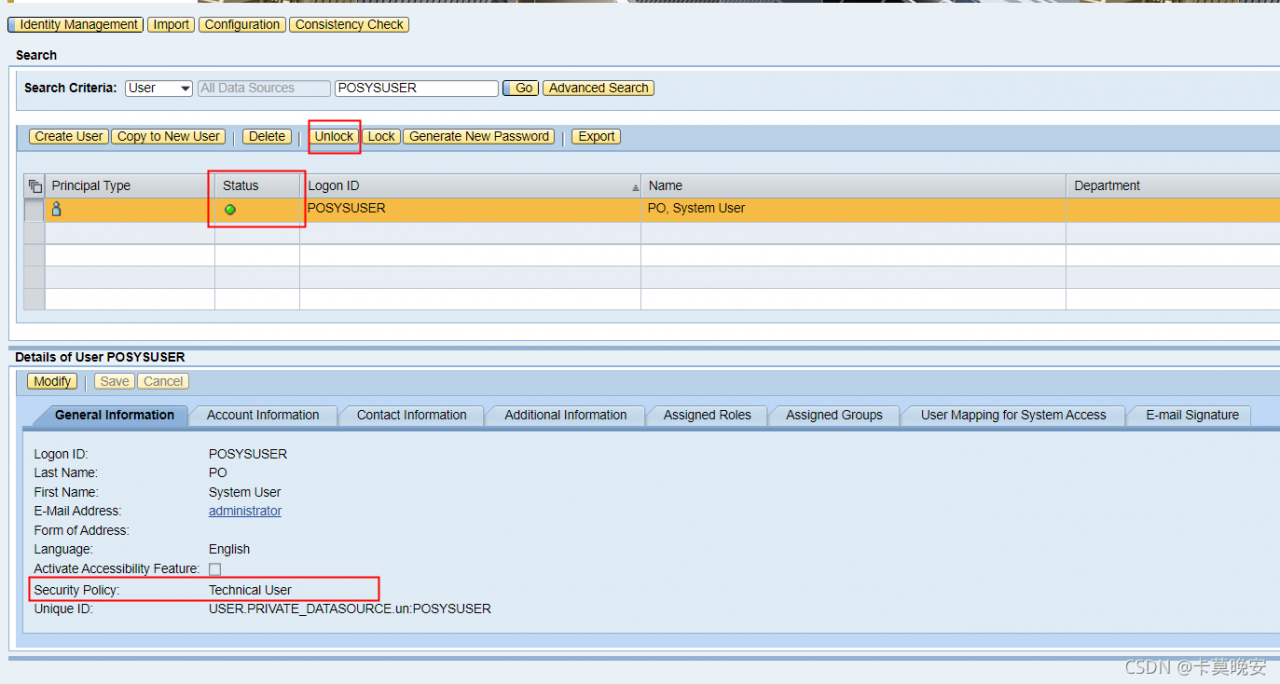
Extension: create/lock/unlock/modify password, etc. change the address of Po user:
http://< server>:& lt; port>/ startPage → User Management

If memory is occupied by other tensorflow programs, you can use nvida SMI to view the occupied processes, and kill – 9. Otherwise, you need to use the following methods:

Problem: when compiling GLOG 0.50, you should set the cross compiler. After setting the compiler, you will always report title errors. Enter the cross compiler on the Linux command line, but you can recognize the cross compiler;
The files for cross compiling are as follows:
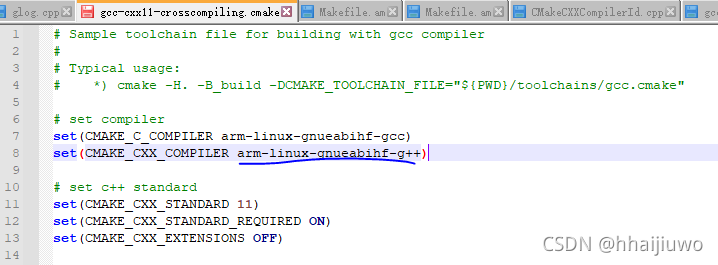
the cross compiler can be recognized on the command line:
ubuntu0compile:~/glog-master/_build$ arm-linux-gnueabihf-g
arm-linux-gnueabihf-g++        arm-linux-gnueabihf-gcc-ar      arm-linux-gnueabihf-gcov        arm-linux-gnueabihf-gprof
arm-linux-gnueabihf-gcc         arm-linux-gnueabihf-gcc-nm      arm-linux-gnueabihf-gdb
arm-linux-gnueabihf-gcc-4.9.4   arm-linux-gnueabihf-gcc-ranlib  arm-linux-gnueabihf-gfortran
However, the following errors are reported during compilation:
ubuntu0compile:~/glog-master$ sudo cmake -H. -B_build -DCMAKE_TOOLCHAIN_FILE="${PWD}/toolchains/gcc-cxx11-crosscompiling.cmake" && cd -
-- The CXX compiler identification is unknown
CMake Error at CMakeLists.txt:11 (project):
  The CMAKE_CXX_COMPILER:

    arm-linux-gnueabihf-g++

  is not a full path and was not found in the PATH.

  Tell CMake where to find the compiler by setting either the environment
  variable "CXX" or the CMake cache entry CMAKE_CXX_COMPILER to the full path
  to the compiler, or to the compiler name if it is in the PATH.


-- Configuring incomplete, errors occurred!
See also "/home/glog-master/_build/CMakeFiles/CMakeOutput.log".
See also "/home/glog-master/_build/CMakeFiles/CMakeError.log".
The fundamental reason is that the cross compiler cannot be found. Under the path, only the directory of the cross compiler is set, either reset the environment variable, or set the path of the cross compiler to an absolute path; The problem is solved by setting the absolute path
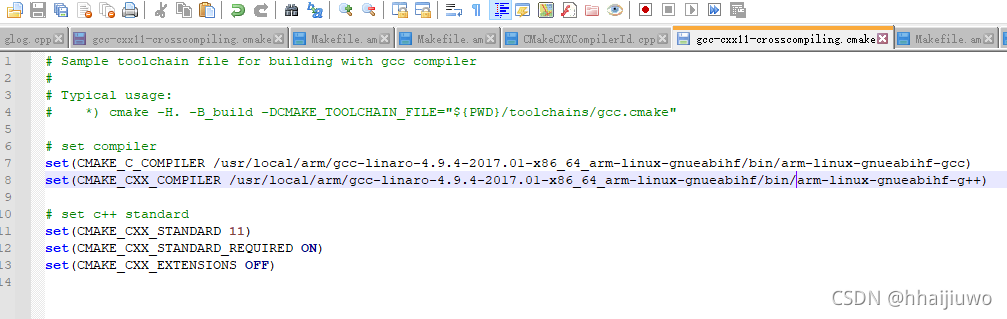
Write custom items here
Problem Description: solution: export and import
Problem Description:
Docker: error response from daemon: driver failed programming external connectivity on endpoint lamp
Solution:
When the dacker service starts, the defined connection daocker is deleted.
restart the docker to systemctl restart the docker
Export and import
Export
If you want to try this editor, you can edit it at will in this article. When you have finished writing an article, find the article export in the upper toolbar and generate a. MD file or. HTML file for local saving.
Import
If you want to load an. MD file you have written, you can select the import function in the upper toolbar to import the file with the corresponding extension,
continue your creation.
Question content:
Syntax Error: Error: PostCSS plugin postcss-pxtorem requires PostCSS 8.
Migration guide for end-users:
https://github.com/postcss/postcss/wiki/PostCSS-8-for-end-users


 @ ./src/styles/index.less 4:14-228 15:3-20:5 16:22-236
 @ ./src/main.js
 @ multi (webpack)-dev-server/client?http://192.168.7.176:8081&sockPath=/sockjs-node (webpack)/hot/dev-server.js ./src/main.js
Problem solving:
npm i [email protected]
ERROR: JAVA_ HOME is not set and could not be found.
Background
Solution
export JAVA_HOME=/opt/module/jdk1.8
An error was reported when running the code today…
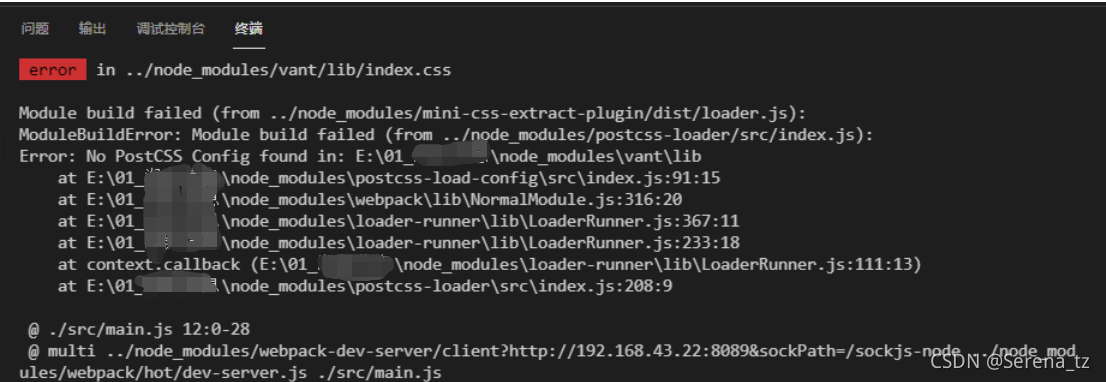
error: no postcss config found...
probably means that this configuration is not found in my file
solution: add a file named postcss. Config. JS in the root directory, and add the code in the file:
module.exports = {
}
Then use the NPM run serve instruction to run the project successfully.
A new PCB is created, and the following error is prompted when importing the network table:
ERROR(24) File not found
Packager files not found
And
ERROR(102) Run stopped because errors were detected
This is because of the path problem. The path address in the red box below must be placed in the folder of the three files in the network table.
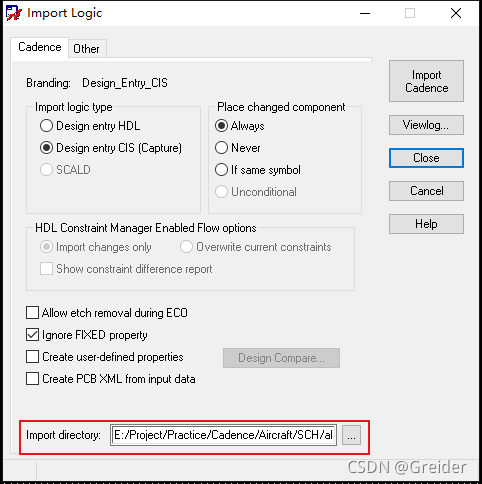
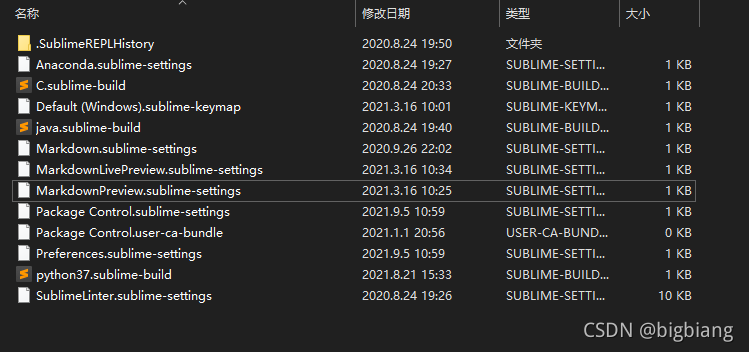
This problem is caused by not deleting the corresponding configuration when uninstalling the markdown related plug-ins
simply delete the corresponding configuration file
Preference -> Browse packages…
delete the corresponding markdown configuration file in the user folder