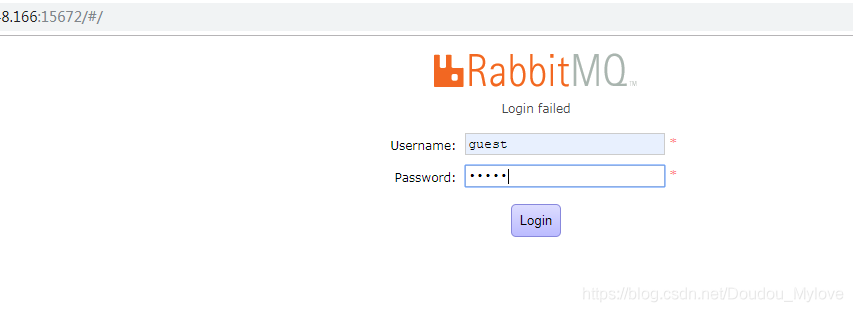
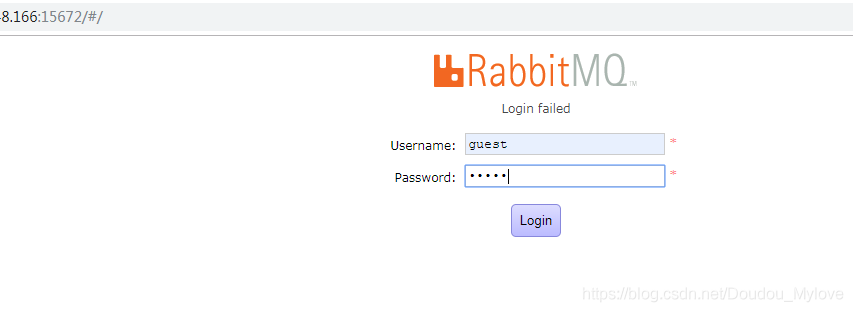
rabbitMQ logon failure
check log found error
tail /var/log/rabbitmq/rabbit\@VM-OR-rabbit-MQ.log
=ERROR REPORT==== 12-Mar-2019::10:13:56 ===
webmachine error: path=”/api/whoami”
“Unauthorized”
solution:
look at the list of users
[root@VM-OR-rabbit-MQ ~]# rabbitmqctl list_users
Listing users …
guest (administrator)
Create an admin user with a password of admin[root@VM-OR-rabbit-MQ ~]# rabbitmqctl add_user admin admin
Creating user “admin” …
is set to administrator
[root@VM-OR-rabbit-MQ ~]# rabbitmqctl set_user_tags admin administrator
Setting tags for user “admin” to [administrator] …
[root@VM-OR-rabbit-MQ ~]# rabbitmqctl list_users
Listing users …
admin/administrator
guest (administrator)
Restart the rabbitmq service:[root@VM-OR-rabbit-MQ ~]# service rabbitmq-server restart
Restarting rabbitmq-server: SUCCESS
rabbitmq-server.
retest rabbitMQ login success
Category Archives: How to Fix

NFS mount error: mount.nfs mount system call failed
may be a version mismatch, the solution is simple, with parameter vers=3
mount -t nfs -o vers=3,nolock,rw remote_ip:remote_dir local_dir
welcome to follow the official account

Forced shutdown of VMware wrokstation error (failed to get exclusive lock on the configuration file —)
today I accidentally shut down the VMware. Exe process in the process. It doesn’t matter if I shut it down.
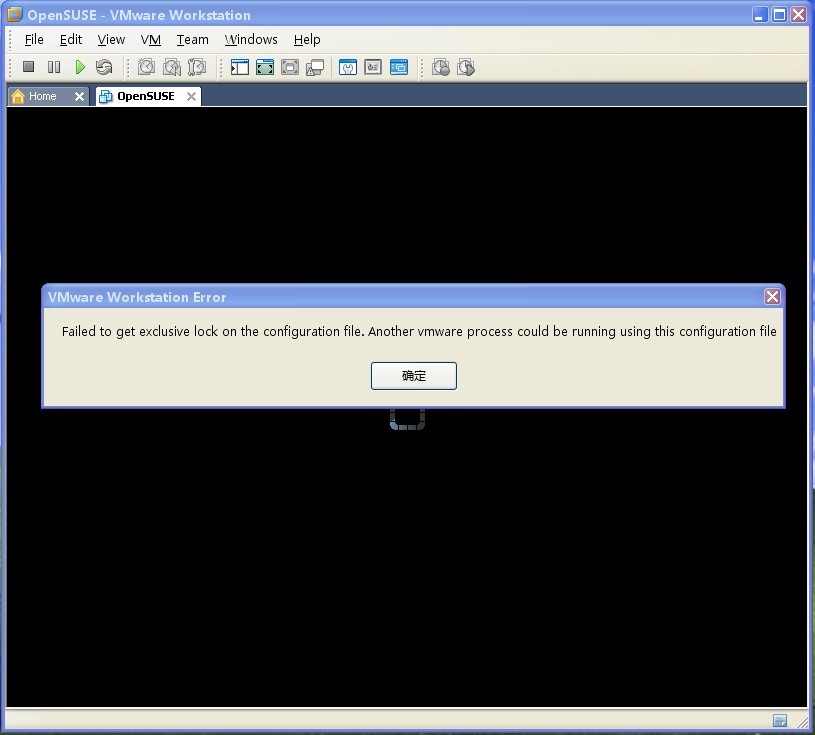
said that a running process was using the “configuration” file and was unable to obtain the lock for the configuration file, causing a failure.
know the error, we can solve the problem, there is a process using this file, then we go to the process to look, of course, the first thing we think of is, is the virtual machine process. Three virtual machine processes were actually found in the process manager,
vmware – usbarbibrator. Exe
vmware – unity – helper. Exe
vmware – VMX. Exe
my first instinct was vmware. Exe,kill it, really, the virtual machine is up. 
Server Tomcat v7.0 server at localhost failed to start
maybe everyone will encounter Server Tomcat v7.0 Server at localhost failed to start,
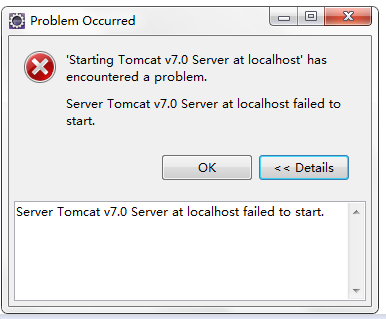
after many studies, Delete the @webservlet (” /AddServlet “) sentence from the servlet file (generally under Java Resources\ SRC \ package name \ servletnaming. Java) and run the program again to eliminate the problem of Tomcat startup failure. There is another situation . Tomcat cannot be started in eclipse when the tomcat service in the server is started. Step – open task manager – click on the service options – find tomcat7 – right click to stop. 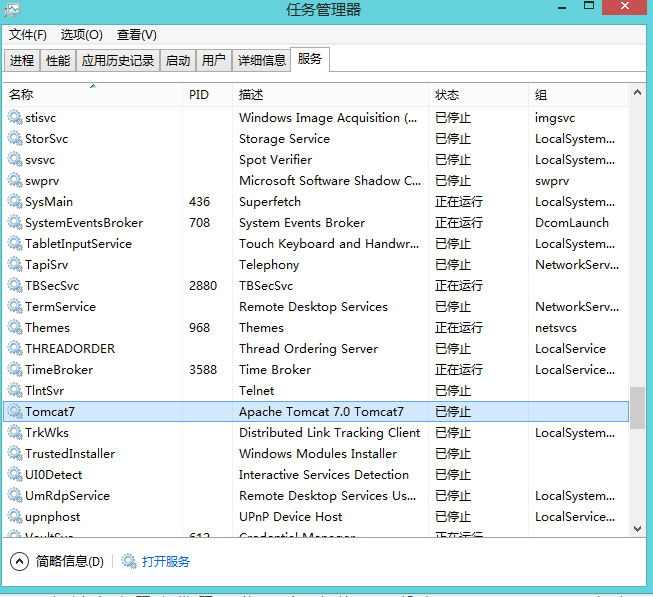
There are two other possibilities:
> when you create a servlet file in your project, a tag will automatically appear @webservlet (” /** “) // drop this tag around the class definition to see if you can fix the problem;
if you are using the campus network to run the agent, is not allowed, you need to turn off the agent before you can;
failed to find Build Tools revision 23.0.2 Install Build Tools 23.0.2 and sync project
Error:Cause: failed to find Build Tools revision 23.0.2
Install Build Tools 23.0.2 and sync project
error description: AndroidStudio opens the project to display this error;
error cause: buil-tools version 23.0.2
is configured in build.gradle of an open project module
buildToolsVersion "23.0.2"but build-tools 23.0.2
is not in the SDK
solution:
first: download build-tools version 23.0.2 through SDK manager;
second: configure the downloaded build tools version information in SDK manager;
reference: AndroidStuido view installed SDK API and Tools version
Exchange 2016 OWA login exception
today, I received an alert message from the script. There is an Exchange server OWA that cannot log in!
did a manual test and found a real problem with the following error message:

check the logs for this server and find the following information
1. The request to access OWA has received 500 internal server error at the HTTP level (error refers to the OWA backend problem)
(2) POST /owa/auth.owa & ClientId=D743AEEDADF24394B3932A43FD81A704& CorrelationID=< empty>; & cafeReqId=4d419796-dfb2-4242-bfc3-33558bd9c81c; & encoding=; 443 test0001 127.0.0.1 Mozilla/5.0 + + Windows NT + 6.3; +WOW64; Trident +/7.0; + the rv: 11.0) + + Gecko like https://localhost/owa/auth/logon.aspx?replaceCurrent=1& ureason=5& reason=0 302 0 0 0
2018-10-19 02:377.0.0.1 GET /owa & ClientId=D743AEEDADF24394B3932A43FD81A704& CorrelationID=< empty>; & ClientRequestId=636755132782181904& cafeReqId=62c96cbe-fa86-42dd-afde-30ba14ededb5; & encoding=; 443 test0001 127.0.0.1 Mozilla/5.0 + + Windows NT + 6.3; +WOW64; Trident +/7.0; + the rv: 11.0) + + Gecko like https://localhost/owa/auth/logon.aspx?replaceCurrent=1& ureason=5& reason=0 500 0 0 31
2, then get the OWA terminal display error
NegotiateSecurityContext failed with for host ‘bjmail6.sohu-inc.com’ with status ‘LogonDenied’
3. Check the Event log
Event ID 1309 is from the Web Event of ASP.NET 4.0.30319.0, the specific information is as follows (the author selects the problem section for demonstration)
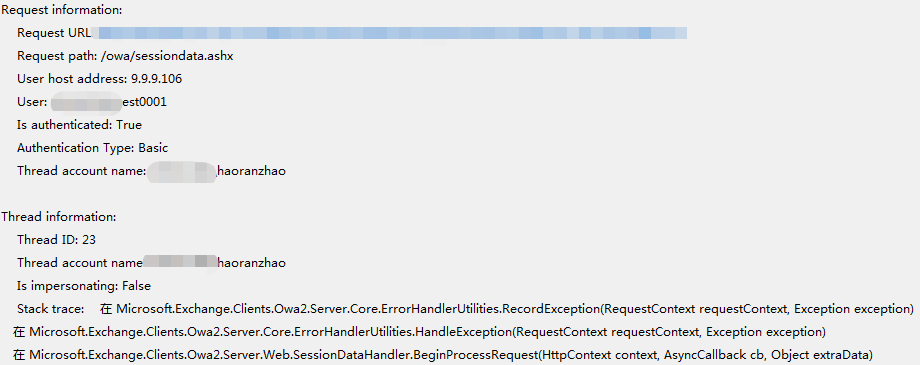
through the analysis of the log, I found that Thread account name was actually my domain account, which is obviously wrong, the correct one should be the SYSTEM account
by the above three concludes that the problem should be Exchange, OWA problem back-end IIS virtual directory
check my IIS configuration
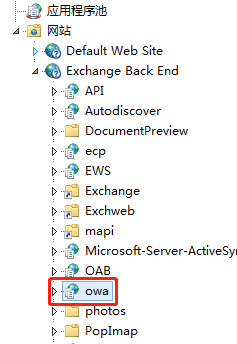
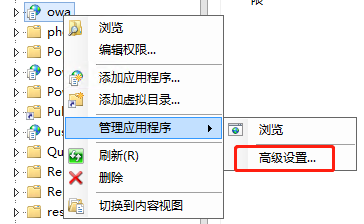
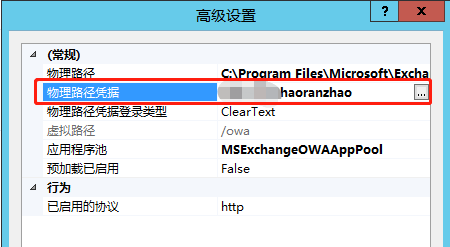
found the problem, OWA’s physical path credentialis actually my account, the correct configuration here is
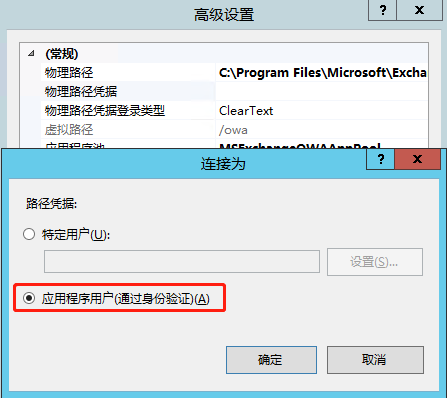
reconfigure and restart IIS or OWA application pool. After the restart, test again and find that the user can access normally. After observation for a period of time, the above problem log does not appear again, and then the problem is considered to be solved successfully.
reproduced in: https://www.cnblogs.com/zhr1217/p/9835445.html
VirtualBox installation enhancement error “modprobe vboxguest failed”
1. Install kernel-devel, and update the kernel and kernel-devel to the same version
# yum install -y kernel-devel gcc //安装kernel-devel和gcc编译工具链
# yum -y upgrade kernel kernel-devel //更新kernel和kernel-devel到最新版本
# reboot //重启,重启时,选择最新版本的内核启动
2. Start with the new version of the kernel and delete the old version
//启动之后
# uname -r //查看当前启动的内核版本

# rpm -qa | grep kernel-[0-9] //查看全部的内核

# yum remove 旧版本内核 //删除旧版本内核Android resource compilation failed (How to Fix)
there are many reasons for this problem on the Internet, I will not say more, the following is my more stupid solution, you can try; 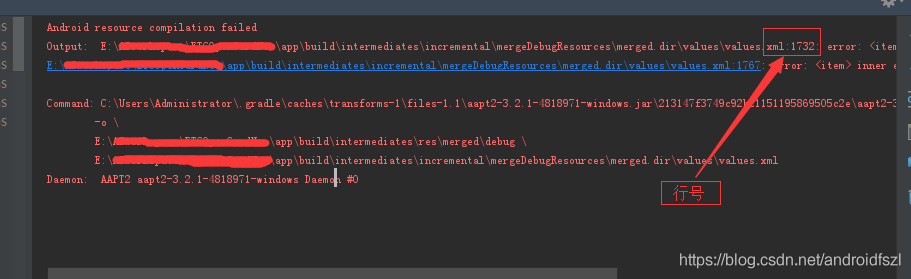
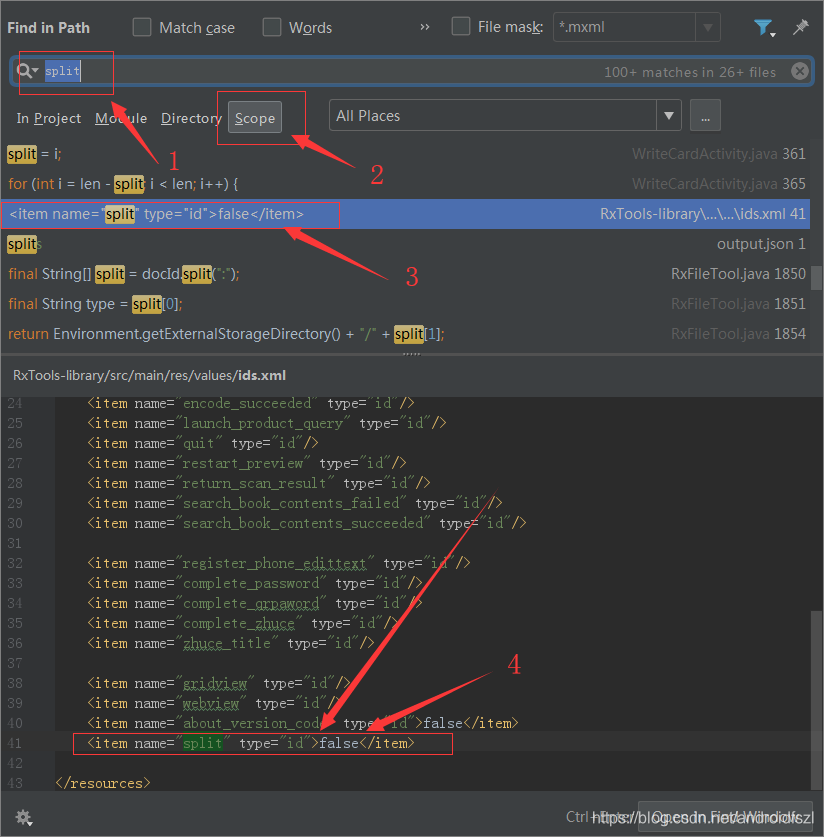
when you see this problem, you might have a line of files that you can click on, and click on the error.
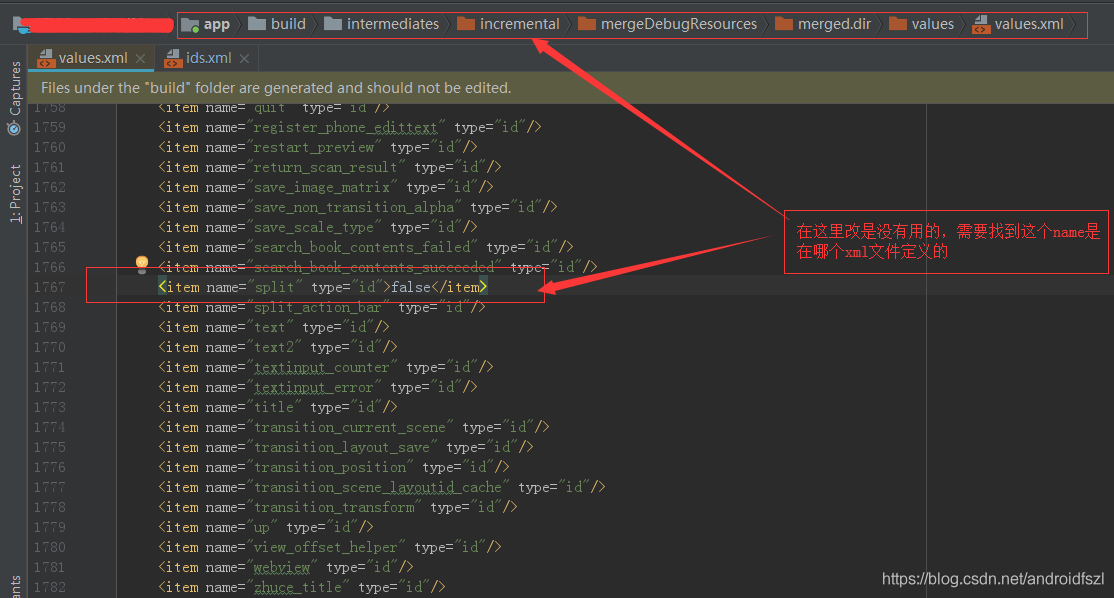
if there is no place to click, you can also find the specific place according to the directory and “line number”;
>
>
>
>
>
>
>
>
>
>
>
>
>
>
>
>
>
>
>
>
>
>
error:

, if you don’t know how to change it, you can go to baidu;
is basically the point where the problem is solved (if that’s the only place you’re wrong).
and I’m not done here, but you see, I have two wrong lines here.
let’s fix the wrong one and run it:
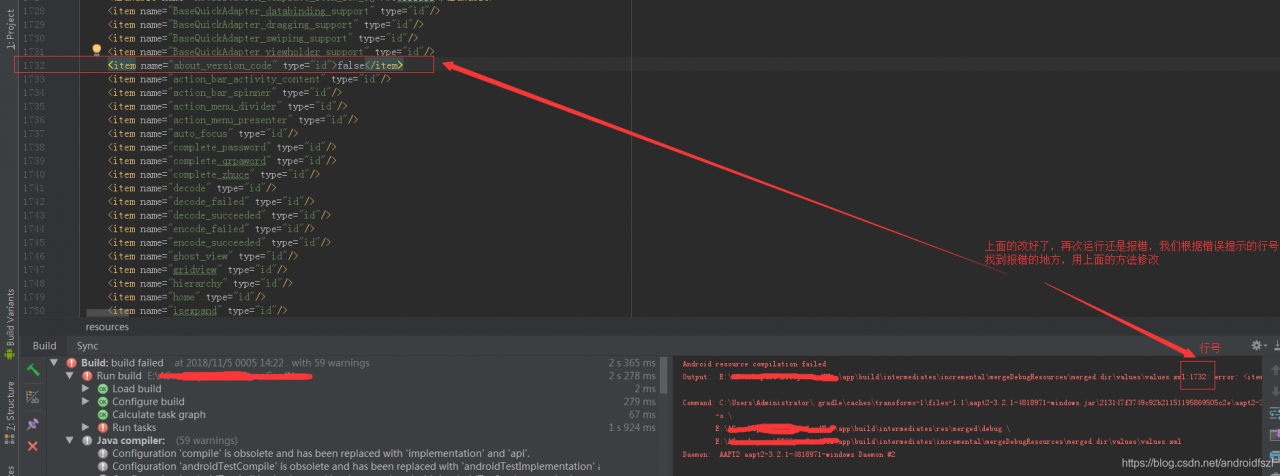
take a look, it was reported wrong, this time there is no reverse can click, and then jump to the reported wrong position;
but it doesn’t matter, there’s a table of contents and a corresponding line number, we can still find the error location. Then, using the above method, search for areas where the format is wrong, and change it to the correct one:

is modified, and it will run normally.
dyld: lazy symbol binding failed: Symbol not found: _clock_gettime
after using MAC brew to install PHP mongodb extension, initialize new mongodb \Driver\Manager() to directly report an error:
dyld: lazy symbol binding failed: Symbol not found: _clock_gettime
solution: force brew to install PHP mongodb
from source code
brew install –build-from-source php71-mongodb
Opencv problem: opencv error: assertion failed (! Empty()) in detectmultiscale
Problem description:
in the process of using OpenCV on ROS to realize face detection, the following problems are encountered:

:
OpenCV Error: Assertion failed (! Empty ()) in detectMultiScale, the file/TMP/binarydeb/ros – kinetic – opencv3-3.3.1/modules/objdetect/SRC/cascadedetect CPP, Line 1698
the terminate called after throwing an instance of ‘CV: : Exception’
I () :/TMP/binarydeb/ros – kinetic – opencv3-3.3.1/modules/objdetect/SRC/cascadedetect CPP: 1698: error: (215). empty() in function detectMultiScale
Aborted (core dumped)
OpenCV cascade detector, Cascadedetect error, XML path reading error, found in the original code face_cascade did not read. XML file. As follows:
cv::CascadeClassifier face_cascade;solution:
Find the location of the XML file related to face recognition and add the XML file to face_cascade. As follows:
cv::CascadeClassifier face_cascade = cv::CascadeClassifier("/home/opencv/opencv-3.4.4/data/haarcascades/haarcascade_frontalface_default.xml");after modification, code debugging passed, problem solved.
The XML file here is also optional, with haarcascade_eye.xml for eye recognition, and so on.
Aptana studio 3 installation
1. Download aptana studio 3.6.1 installation package
2. Installation Failed to correctly acquire intaller_nodejs_windows.msi file: CRC error?The main thing is that the current version of Aptana requires a Node version between 0.8.X and 0.11.x. I recommend a 0.10.x version of Node. https://nodejs.org/download/release/v0.10.13/
install this. 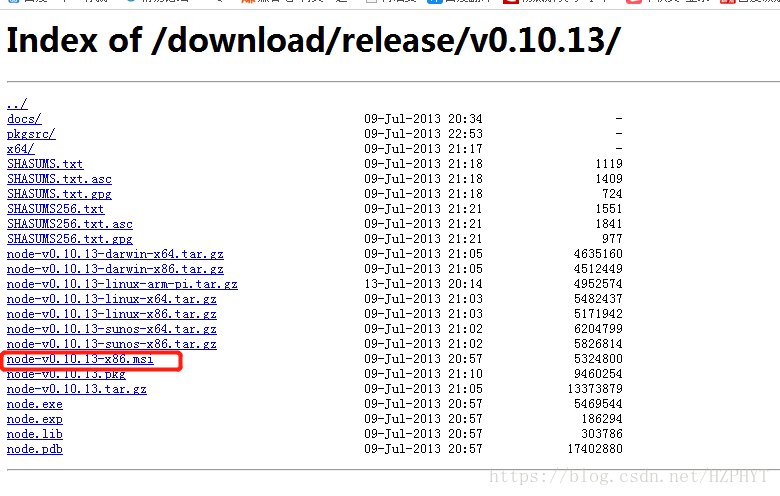
3. After successful installation, what is the reason if Failed to load the JNI Shared library?Mainly on your computer to install the JDK 64 – bit, aptana need is 32-bit JDK, to replace the JDK to reconfigure the path, too much trouble, so, we can install a 32-bit JDK, http://www.oracle.com/technetwork/java/javase/downloads/jdk8-downloads-2133151.html
install this. 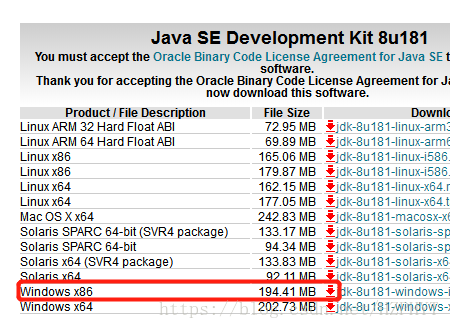
4. Find the aptanastudio3.ini configuration file under the installation path of aptana, and add -vm C:/Program Files (x86)/Java/jre1.8.0_171/bin/javaw.exe in front of -vmargs. This path is javaw
in the bin under the installation path of the 32-bit JDK
aptanastudio3.ini configuration file contents are as follows:
-startup
plugins/org.eclipse.equinox.launcher_1.3.0.v20130327-1440.jar
--launcher.library
plugins/org.eclipse.equinox.launcher.win32.win32.x86_1.1.200.v20140116-2212
--launcher.XXMaxPermSize
256m
--launcher.defaultAction
openFile
-name
Aptana Studio 3
-vm
C:/Program Files (x86)/Java/jre1.8.0_171/bin/javaw.exe
-vmargs
-Xms128m
-Xmx512m
-Xverify:none
-Declipse.p2.unsignedPolicy=allow
-Declipse.log.size.max=10000
-Declipse.log.backup.max=5
-Djava.awt.headless=true
5. And then how do aptana studio3 sinize it?
(1). Enter aptana studio3, click install new software option
in help
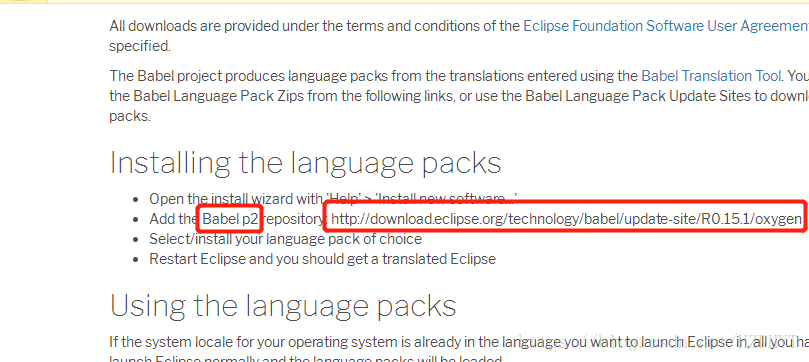
(2). Open http://www.eclipse.org/babel/downloads.php, found that two parameter
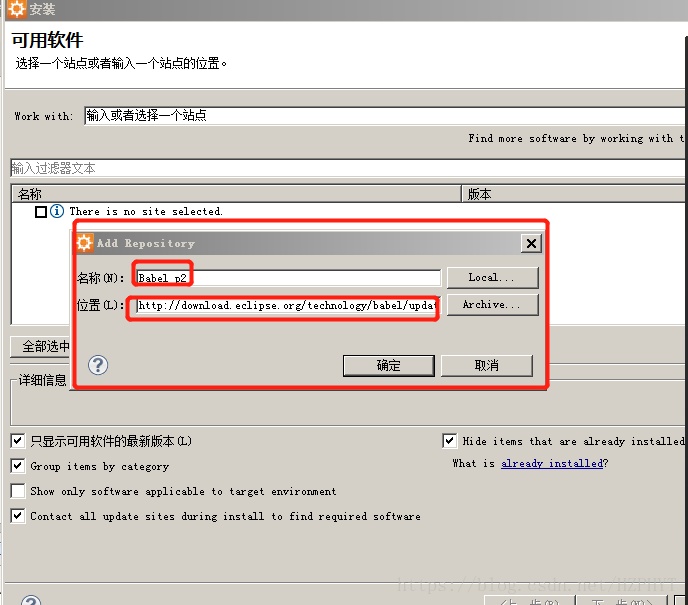
(3). Fill the two parameters into the box that pops up by clicking the add button, as shown in figure
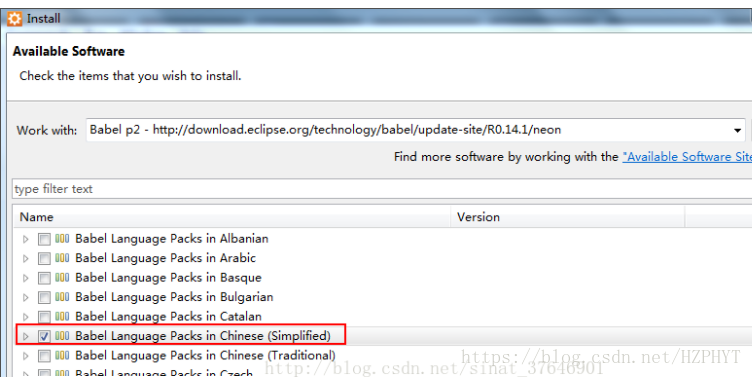
(4). Then wait a moment and select Chinese(Simplified)
(5). Then all the way to next, restart the software to see the Chinese version of Aptana.
IntegrityError at ** NOT NULL constraint failed: learning_logs_topic.owner_id
in chapter 19 of python from introduction to practice, models add the user attribute of topic in learning_logs, that is, the topic created by the logged user, then the owner attribute of this topic is the logged user, code: Owner = model.foreignkey (User,on_delete= model.cascade), owner is the ForeignKey of User (pthon version 3.7.4, django version 2.2.6) and is coming up after makations:
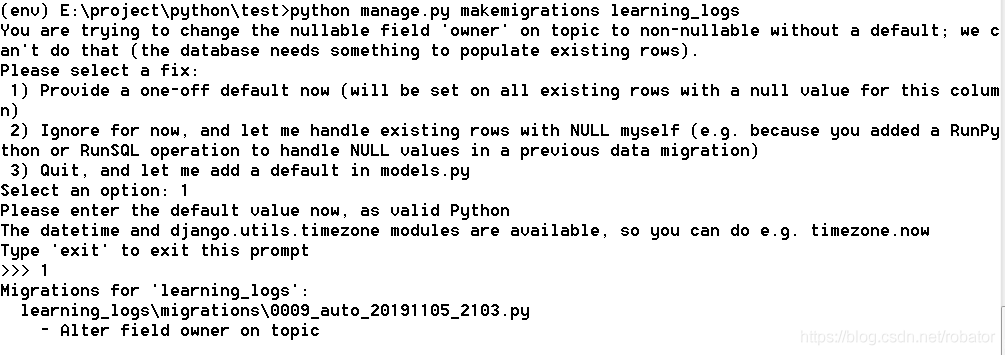
, then select the option of ‘1)’, then select the user ID of 1, namely ll_admin, then the attribution user ID of the original topic is 1, namely ll_admin. The following error occurs when executing new_topic:
IntegrityError at /new_topic/ NOT NULL constraint failed: learning_logs_top.owner_id, error site as follows:
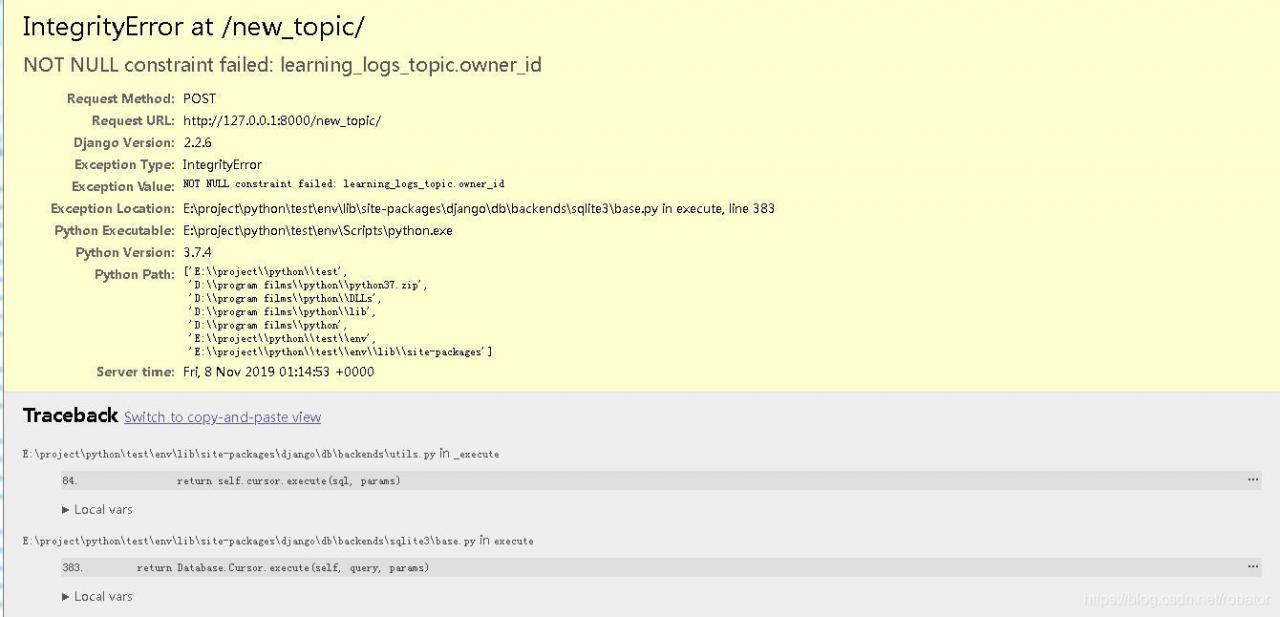
, of which topic model source code is as follows:
class Topic(models.model) :
text= model.charfield (max_length=200)
date_added= model.datetimefield (auto_now_add=True)
owner= model.foreignkey (User,on_delete= model.cascade)
def the __str__ (self) :
return self. The text
topicform source as follows:
class TopicForm (forms. ModelForm) :
class Meta:
model = Topic
fields = [‘ text ‘]
labels = {‘ text: “‘}
: new_topic under the learning_logs folder views. Py source code is as follows:
def new_topic(request) :
if request. Method! : = ‘POST’
form = TopicForm ()
the else:
form = TopicForm (request. POST).
if the form is_valid () :
form. The save ()
the return HttpResponseRedirect(‘learning_logs:topics’)
context={‘form’:form}
return render(request,’learning_logs/ new_top.html ‘,context)
this error shows null value limitation error: owner, owner is the attribute just added in models. Although the owner attribute is added in the existing topic, the newly added topic does not have an owner attribute, so an error is reported.
is solved as follows:
(1) add null=True to the models.py attribute, allowing this attribute to be empty
becomes owner= model.foreignkey after modification (User,on_delete= model.cascade, null=True). After modification, the error does not occur, but the owner of the newly added topic is null, and
is not intended by design
(2) adds the default value inside models.py.
modified owner= model.foreignkey (User,on_delete= model.cascade, default=1), and the modified error will not occur, but the owner of newly added topic is always the User with ID 1, and it is not the desired
(3) modify TopicForm and add owner field
modified TopicForm into the following:
class TopicForm (forms. ModelForm) :
class Meta:
model = Topic
fields = [‘ text, ‘the owner’]
labels = {‘ text ‘:’, ‘owner’ : ‘}
After
is modified, the user will select the owner of the new topic, as shown below:

although the current logged in user can choose the owner of this topic, the user can also choose other non-logged in users, which increases the risk of error
(4) in the views. Py new_topic view, get the current user with request.user and assign a value to form
is to add a line after if form.is_valid() :
form.instance.owner=request.user,
def new_topic(request) :
if request. Method! : = ‘POST’
form = TopicForm ()
the else:
form = TopicForm (request. POST).
if the form is_valid () :
form. The instance. The owner = request. User
Form. The save ()
return HttpResponseRedirect (reverse (‘ learning_logs: switchable viewer ‘))
the context = {‘ form: form}
the return render(request,’learning_logs/new_topic.html’,context)
USES the instance parameter of the Form to get the owner attribute and assigns the current user obtained by requset.user to the owner of the instance. After the modification, the program realizes the predetermined function
(5) also takes advantage of the instance parameter, but at the time of the generated Form, the modified new_topic view is as follows:
def new_topic(request) :
if request. Method! : = ‘POST’
form = TopicForm ()
the else:
form = TopicForm (request. POST)
topic = topic ()
topic. The owner = request. User
form = TopicForm (request. POST, the instance = topic).
if the form is_valid () :
form. The save ()
return HttpResponseRedirect (reverse (‘ learning_logs: switchable viewer ‘))
The context = {‘ form: form}
return render (request, ‘learning_logs/new_topic. HTML, context)
becomes a topic, then assign the value to the owner, and then assign the topic to the instance parameter, which costs a lot of space and time, but also achieves the predetermined function.