
There was a problem installing vue3.0. The problem still exists after exiting and reinstalling.
Solution: execute the following code to clear the NPM cache
npm cache clean –force
There was a problem installing vue3.0. The problem still exists after exiting and reinstalling.
Solution: execute the following code to clear the NPM cache
npm cache clean –force

$ gcc -fno-stack-protector -m32 -o hello hello.c
In file included from hello.c:3:
/usr/include/stdio.h:27:10: fatal error: bits/libc-header-start.h: No such file or directory
   27 | #include <bits/libc-header-start.h>
      |          ^~~~~~~~~~~~~~~~~~~~~~~~~~
compilation terminated.
The reason is that the GCC environment is incomplete.
solve:
sudo apt-get install gcc-multilib
Problem background:
Similar to the figure below, the label is clearly closed, but still red.
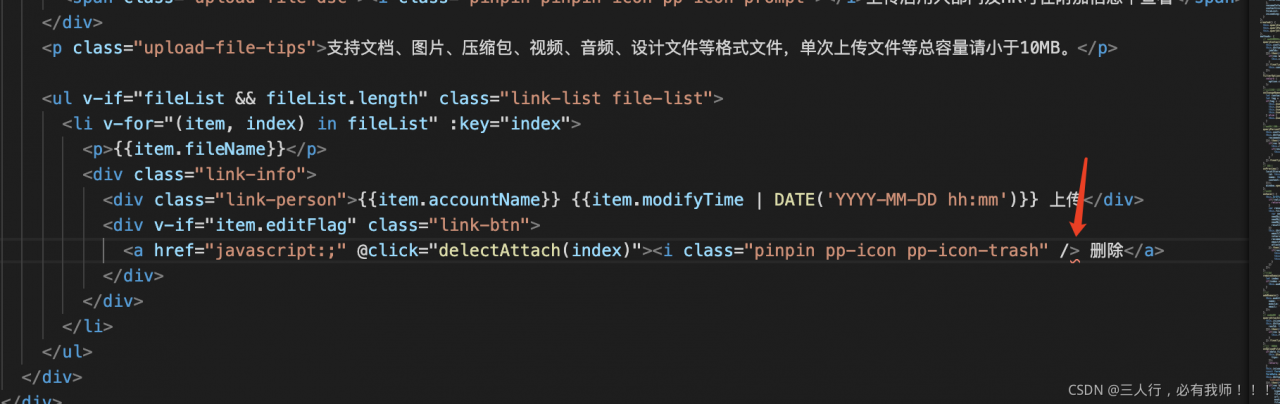
solve the problem:
In fact, there are no errors in the code. For example, after using the element UI or iView framework, you will find that some parts of vs code will automatically mark red wavy lines,
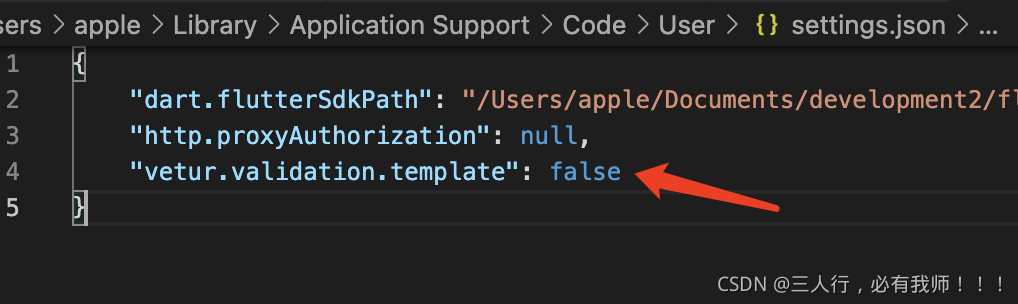
In fact, it is a syntax check problem for vuter. You only need to add it in setting.json
“vetur.validation.template”: false
Setting method:
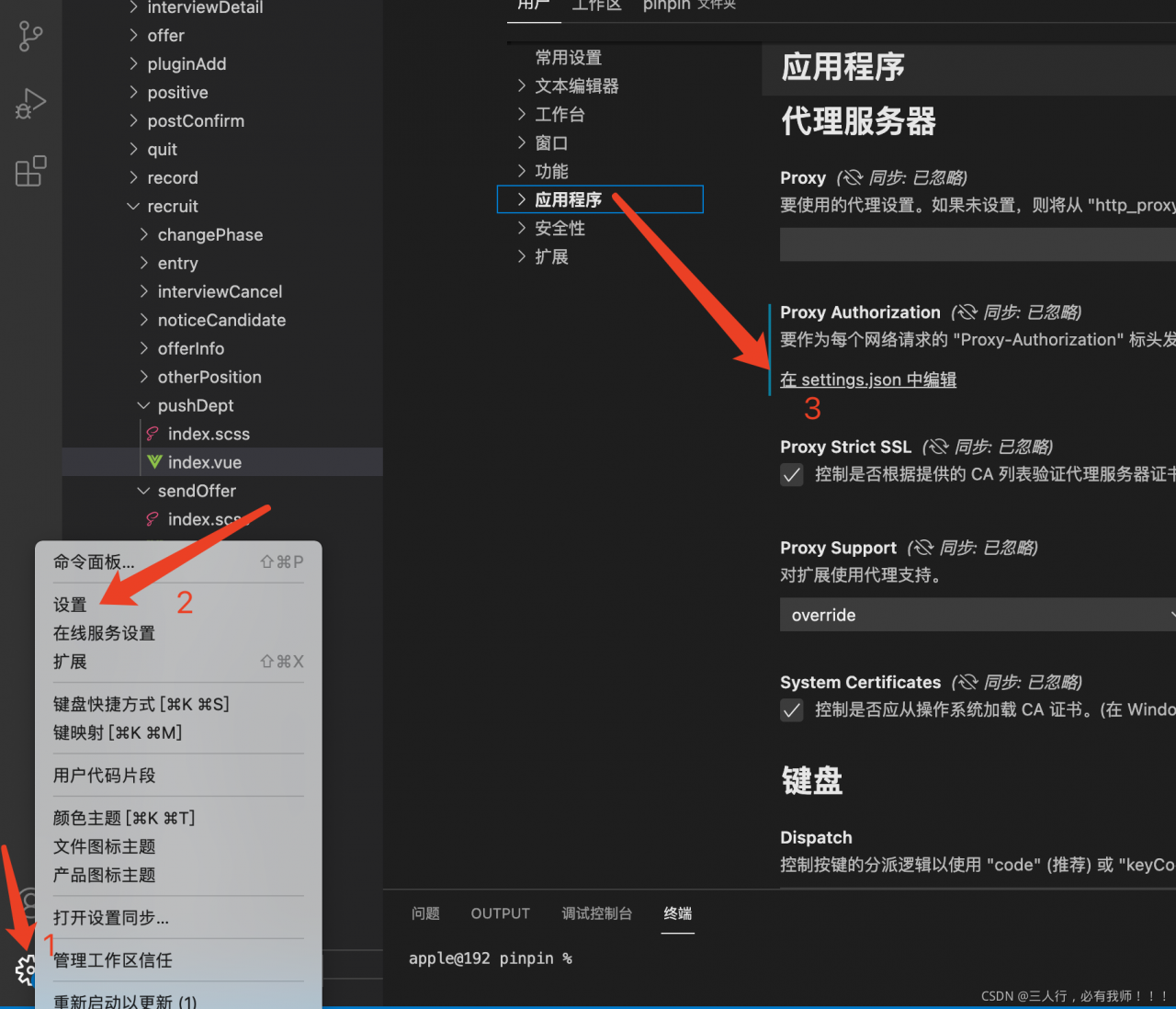
Create Vue cli project and report error command failed: Yarn
Solution 1:
Enter C:/users/administrator/in the windows environment
There is a file . Vuerc
Open this file to display
{
“useTaobaoRegistry”: true,
“packageManager”: “yarn”
}
Just manually change the configuration content yarn to NPM to change the package manager when the project is created
Solution 2:
Delete the. Vuerc file. When you create a Vue project for the first time, you will be prompted to select the configuration, and then select NPM.
Solution 3: enter CMD in Win + R to enter the command line interface
Enter command
npm install -g yarn
After success, the problem can be solved by re creating vue-cli4 project.
problem
#include "osgViewer/Viewer"
#include "osgDB/ReadFile"

int main(int argc, char** argv)
{
	osgViewer::Viewer viewer;
	viewer.setSceneData(osgDB::readNodeFile("cow.osg"));
	return viewer.run();
}
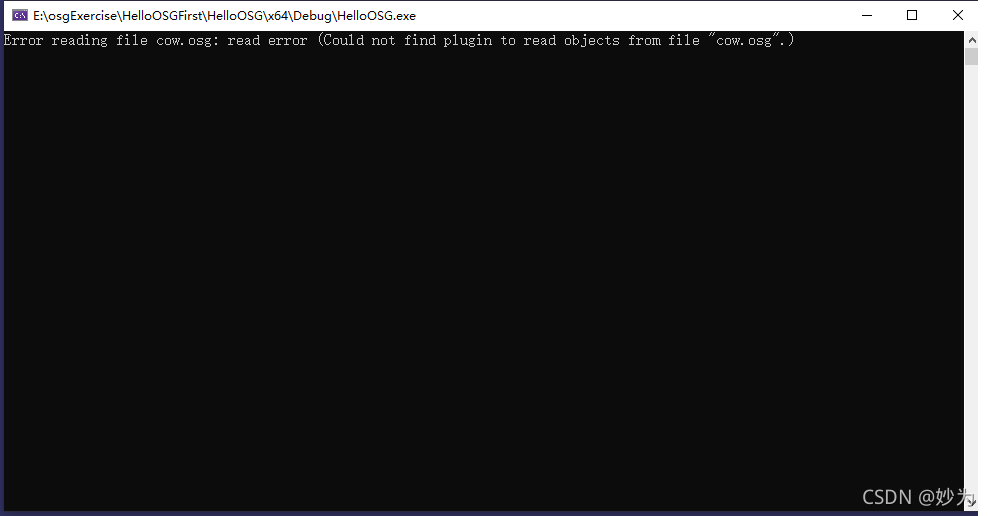
Error reading file cow.osg: read error (Could not find plugin to read objects from file “cow.osg”.)
reason
I compiled the library with osg3.6.5 on one machine, and then wrote the program. It runs normally, but it is copied to the other machine. The other machine is the library compiled with osg3.7.0, so it causes an error
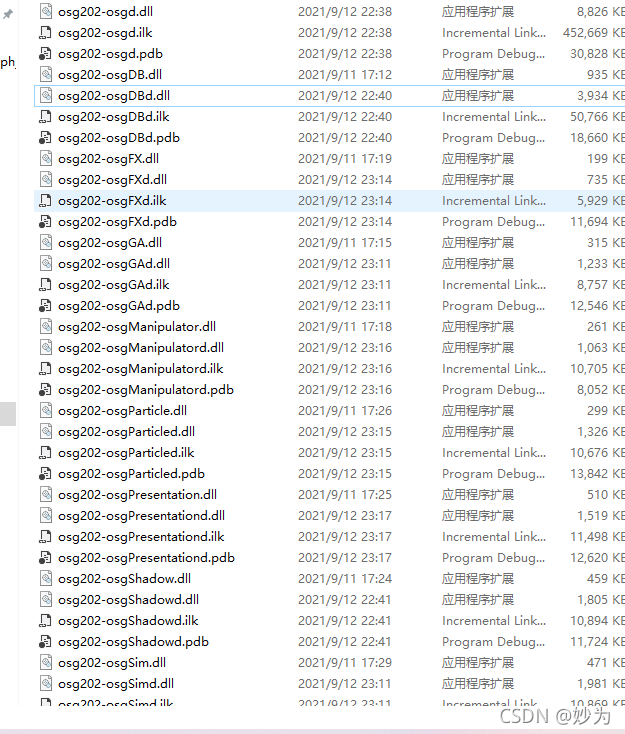
Osg3.6.5 library
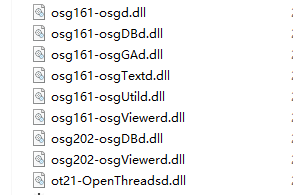
osg3.7.0 library
VS2008 compilation of an MFC project pop-up error, looking for a long time, did not find the problem.

resolvent,
According to the official article:/PGD (specify database for profile guided optimizations) | Microsoft docs
It says how to solve this problem,
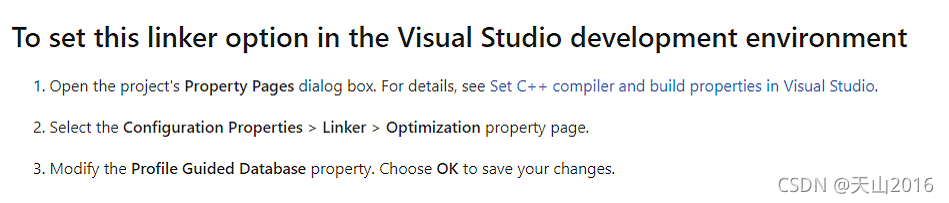
Setup steps,
1. Open the project property setting (right click on the solution project and select properties),
2. Select link = & gt; Optimization=> Profile Guided Database
3. Select & lt; inherit from parent or project defaults>, Click apply and confirm. Then compile and solve the problem.
Problem Description:
Red when starter starts springboot:
Error creating bean with name ‘indexController’
Error creating bean named ‘indexcontroller’
Error in bean of ‘sqlsessionfactory’: failed to instantiate bean through factory method

Problem solving:
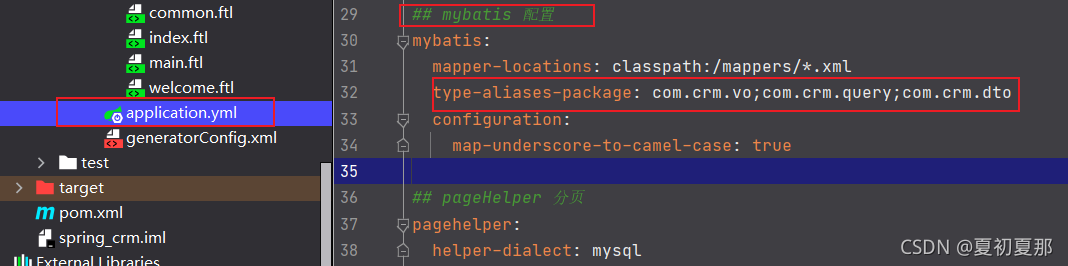
According to the error report, it can be seen that the mapper layer is not injected and the mapper instance cannot be found. First, check the springboot core configuration file application.yml. In the mybatis configuration structure, the bean is not configured in the custom scan package type aliases package. Just reconfigure it (the package name depends on the individual)
com.crm.bean;
Question
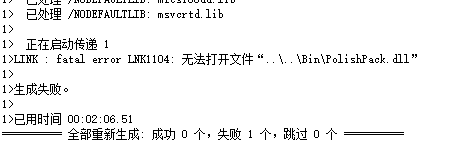
Error 580 error LNK1104: unable to open the file “… \ bin \ polishpack. DLL” D: \ VS2010 \ Polish \ Polish \ polishpack \ link
analysis
This problem occurs when I compile the dynamic link library. The DLL file should be the output file, but it cannot be opened
reason
This file is contained in the.. \ bin folder and the link library is being called by its registrar. This file is being called and the operating system cannot create a file with the same name
terms of settlement
Close the operation of other projects, delete the output DLL file, and recompile the output
during the deletion process, the registration service may be called and cannot be deleted. The shutdown method is very easy to use. Ha ha ha, chicken is a stupid way.
In the connect t cortex_ R4_ 0 and c674x processors fail to connect to the second one,
an error occurs:
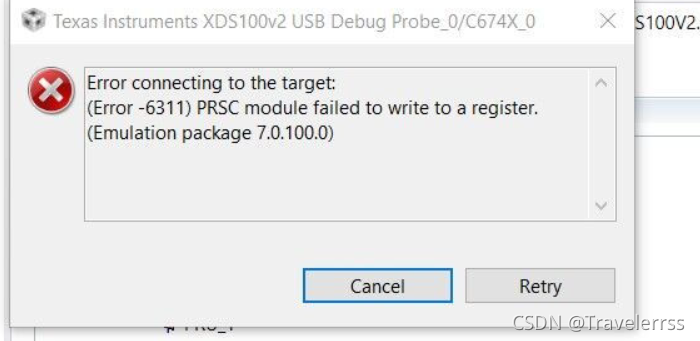
then the problem is solved. The solution turns down
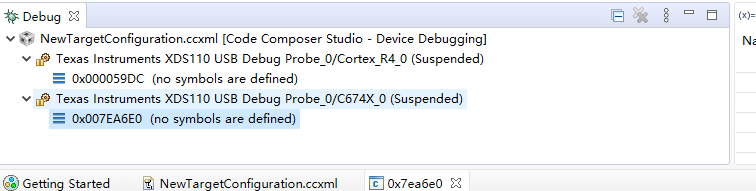
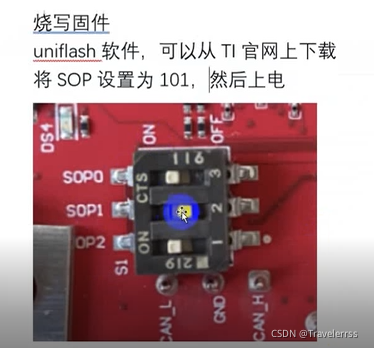
My reason is that the SOP was adjusted when burning binary files, but it was not changed back later. It should be changed back to 001
The Django project in normal operation was written before. After a period of time, when the project is run again, an error occurs when Python manage.py runserver is started:
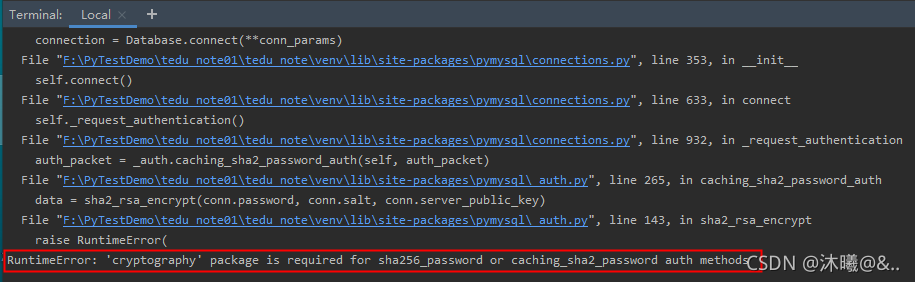
Reason: when connecting to the database, cryptography The package is required.
Solution: PIP install cryptography。
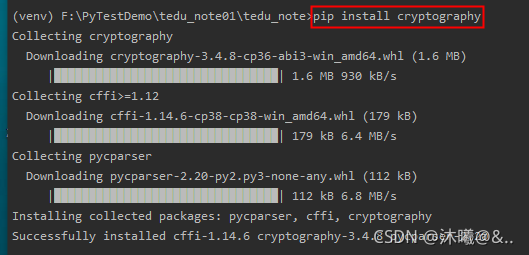
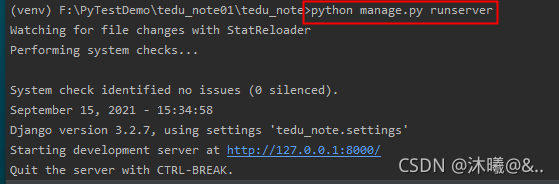
Run again to successfully resolve:
…2222312; and 20064; and to authenticauthenticauthenticauthenticauthenticauthenticauthenticauthenticauthenticauthenticauthenticauthenticauthenticauthenticauthenticauthenticauthenticauthenticauthenticauthenticauthentic2222222222222222222222222222222222222222222222220; and to your 20340; and to 382382382; and to 38203822222222222220; and to 3823820;.382222222222222220;.1997992;65292. usr/bin/python3
35;–coding: UTF-8
import os, sys
*25171;*24320;*20214
fd = os.open(“C:Users\ericDesktoppythonfoot.txt”, os.o.o. RDWR 124os.o. CREAT)
*22797;*21046;*20214;*2551;*36848;*31526;
d o u fd= os.dup(fd)
.20351; -29992; -22797; -21046; -30340; -20214; -2551; -36848; -31526; -20889; -20837;*
os.write(d.u fd, “This is test”.encode())
*20851;*38381;*20214
closerange(fd, d.u.fd)
print (“20851;”38381;”25152;”26377;”20214;”25104;”21151!!”
File, line 6.br> fd.open(“C:Users s\eric\Desktoppython\foot.txt”, as.O.R.WR124.o.o.CREAT
SyntaxErro: (unicoerror)’unicodeescapcan’codecan’t decodes in 2-3-3-position: trun244..23601;-26159;65306;SyntaxError:-652881;unicorn 38169;-3582365289; ‘Unico-Scape’int32534;’352991.30721;’222212080;’and.35861;’3072122222-30120013;’30340;* and 33410410;6530630130000;’260290290;UX br>382;’39064;’280-78530630620303030303030303030303030303030303030303030303030303030303030303030303030303030303030303030303030303030303030303030303030303030303030303030303030303030303030303030303030303030303030663;.xx26159;65292;x24517;.21435;.25481;.36716;.20041;20.br>26041;.27861;.19968;6530630621152;r242437821046;’2121991;.e36716;.20016;.20041;and 20999999990;.26041;.26041;.222222222222209999999999999999999999996;;;;,1963063066306669666669999999999999999999996ericDesktoppythonfoot.txt”, os.o. RDWR 124s.o.o. CREAT
26041; 27861; 653062.
fd open(“C:Users\eric Desktoppythonfoot.txt o.O.R.R.124s.O.CREAT
26041;<27861;
19977;65306;27491;<26012;<464;<27861 br> fd.open(“C:/Users/eric/Desktop/python/foot.txt”), O.b.
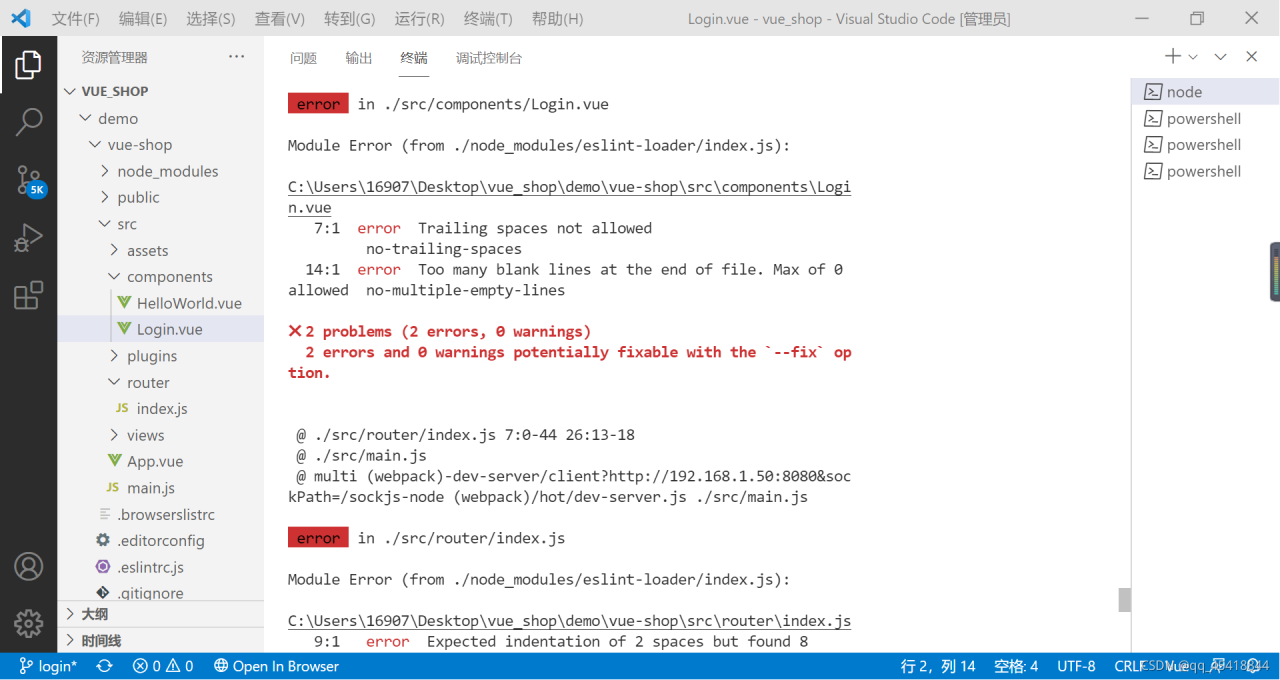
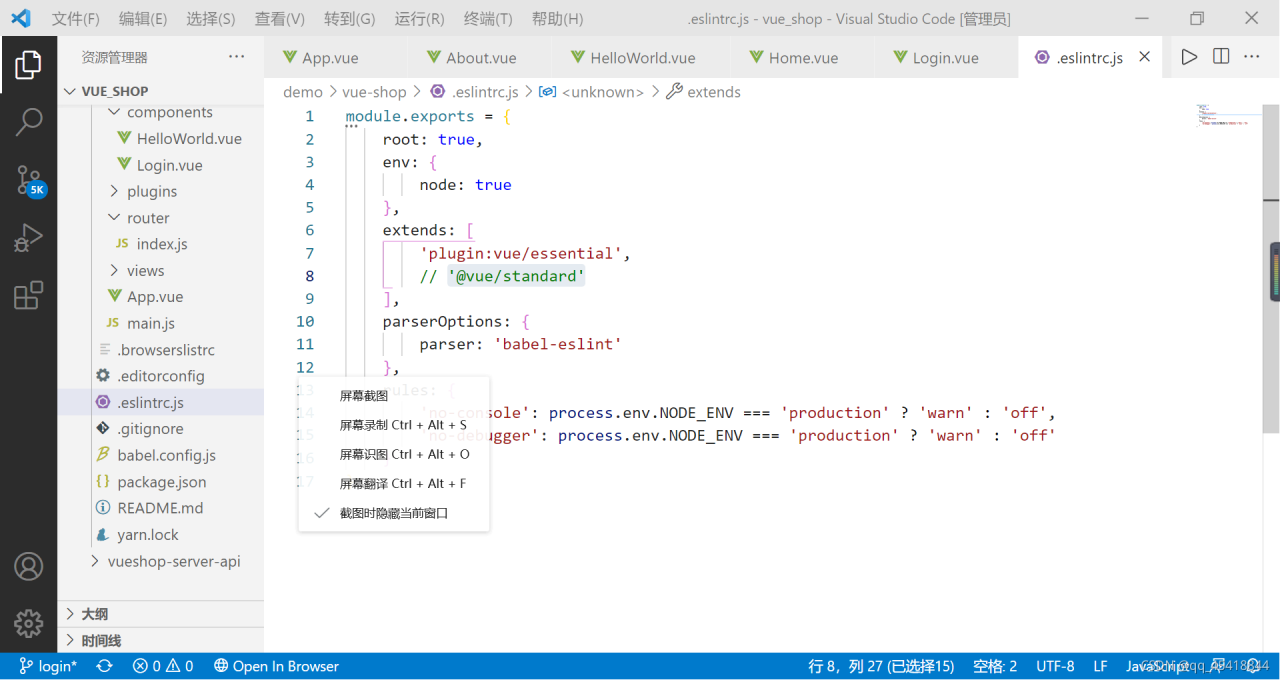
Originally, two spaces were needed, but there were actually eight. The appearance of eight spaces is generally caused by the tab key
Comment out this line: ‘@ vue/standard’
It is important to note that after modifying the. Eslintrc.js file, it can take effect only after restarting
according to the startup command of your project: NPM run serve