The error message is as follows
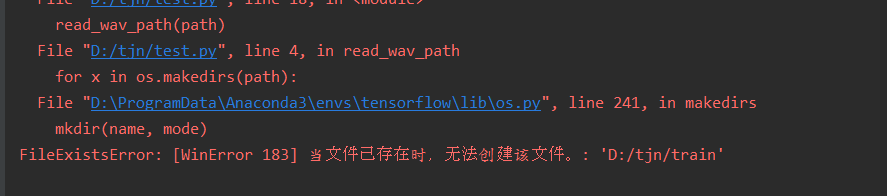
Error reason
Don’t know the difference between os.makedirs(PATH) and os.listdir(PATH)
The solution
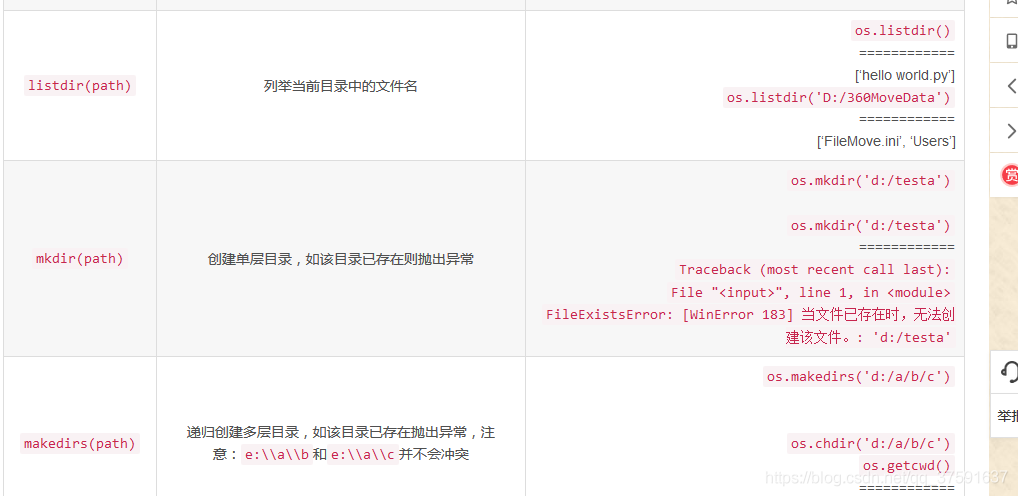
Error reason
Don’t know the difference between os.makedirs(PATH) and os.listdir(PATH)
The solution
from unrar import rarfileIf you are using an IDE like PyCharm on Windows, it will prompt you to import packages, or you can manually search for third-party libraries in the project Settings and install them.
It is recommended to use the PIP install rarfile and PIP install unrar commands to install these libraries if it is a Linux command environment.
However, you will notice that after doing the above, the Python program does not decompress and it will say Couldn’t find path to Unrar Library… An error caused the program to interrupt.
At that time, I was puzzled. I installed the library, why can’t I find it?
After several checks, from the Python – Unrar open source project official website learned that Python under the Unrar also relies on the RAR official library.
So, the next two Windows and Linux systems to introduce the solution steps.
Win:
1. Go to the RARLab official download library files, http://www.rarlab.com/rar/UnRARDLL.exe, and installation;
2. It is best to choose the default path for installation, usually in the C: Program Files (x86)\ Unrardll \ directory;
3. Then the important step is to add the environment variable, this computer (my computer) right click, properties, find advanced system Settings, advanced TAB click environment variable, in the system variable (note not user variable) in the new, variable name input UNRAR_LIB_PATH, must be exactly the same, the value of the variable should pay special attention to! If you are a 64-bit system, type C:\Program Files (x86)\ Unrardll \x64\ Unrar64.dll, if you are a 32-bit system, type C:\Program Files (x86)\ Unrard.dll.
4. Once you are sure to save your environment variables, restart your PyCharm with the same code and run it again without any errors. At this point the dependent libraries have been added to the system environment.
Linux needs to manually compile and generate the SO file itself, which is a bit more cumbersome:
1. In the same way, the first to download the Source file, but it’s not like a Win for you packaging good, you need to download the Source code: http://www.rarlab.com/rar/unrarsrc-5.4.5.tar.gz, namely RARLab website to download the list of UnRAR Source, you can download the latest version;
Make install-lib will automatically compile the library files. After the compilation is complete, use the make install-lib command to generate the libunrar.so file (usually under /usr/lib).
3. Finally, you still need to set the environment variable of your Linux system, find the profile file in the /etc/profile directory, which you can edit directly using the Vim /etc/profile command (even more convenient with WinSCP), add export UNRAR_LIB_PATH=/usr/lib/libunrar.so at the end of the profile, don’t put the comma in it. Save the variable successfully and then use the source /etc/profile command to make the variable effective.
4. If you run the py file again, you won’t get an error, at least you won’t get a warning that you can’t find the unrar library.
Sudo apt-get install g++ : sudo apt-get install g++ : sudo apt-get install g++ : sudo apt-get install g++ : sudo apt-get install
In conclusion, the normal order of installation should be to install the dependent libraries, configure the environment variables, and then PIP install unrar or import unrar libraries in the IDE. However, you can only make up for the error, and the final effect is the same.
References:
https://github.com/matiasb/python-unrar/blob/master/README.md
http://stackoverflow.com/questions/31834502/couldnt-find-path-to-unrar-library-in-linux
http://blog.csdn.net/big_talent/article/details/52367184
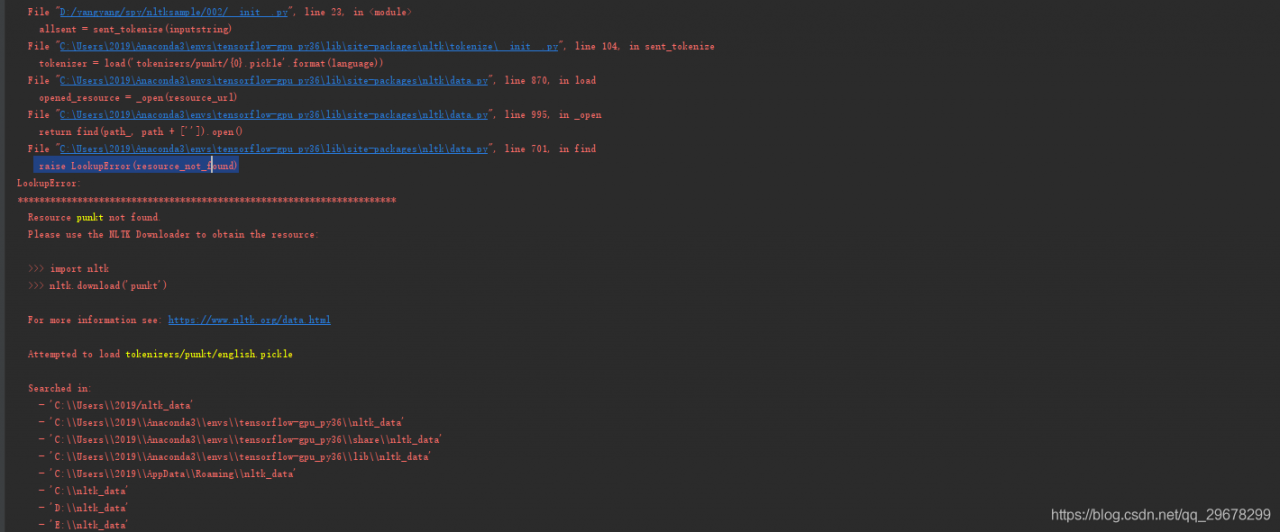


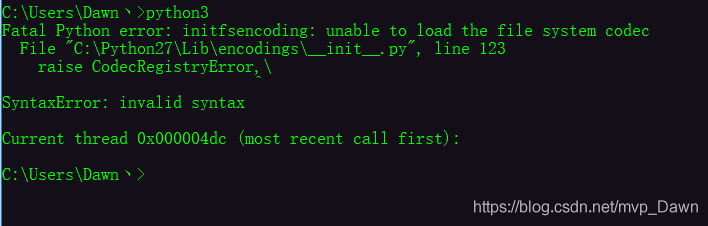

Appears during FETCH V8
E:\GitProject\svn_v8>fetch v8
Running: 'E:\GitProject\libcef\depot_tools\python276_bin\python.exe' 'E:\GitProj
ect\libcef\depot_tools\gclient.py' root
Traceback (most recent call last):
  File "E:\GitProject\libcef\depot_tools\\fetch.py", line 353, in <module>
    sys.exit(main())
  File "E:\GitProject\libcef\depot_tools\\fetch.py", line 348, in main
    return run(options, spec, root)
  File "E:\GitProject\libcef\depot_tools\\fetch.py", line 342, in run
    return checkout.init()
  File "E:\GitProject\libcef\depot_tools\\fetch.py", line 134, in init
    self.run_gclient('config', '--spec', self._format_spec())
  File "E:\GitProject\libcef\depot_tools\\fetch.py", line 76, in run_gclient
    return self.run(cmd_prefix + cmd, **kwargs)
  File "E:\GitProject\libcef\depot_tools\\fetch.py", line 63, in run
    print 'Running: %s' % (' '.join(pipes.quote(x) for x in cmd))
LookupError: unknown encoding: cp65001
LookupError: unknown encoding: cp65001
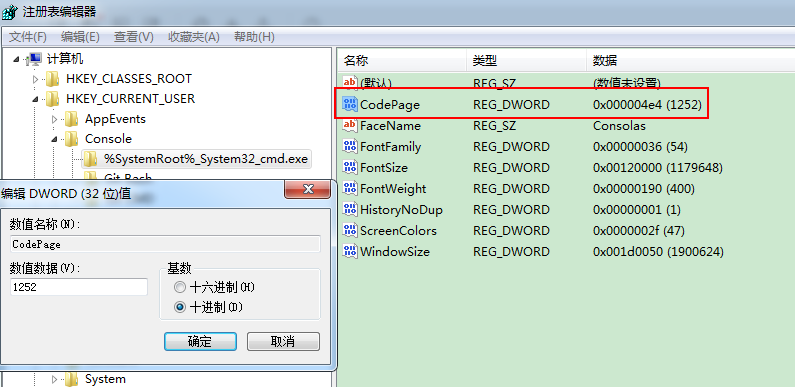
This error can be solved by changing the encoding mode:
chcp 1252You can also set the default character encoding
HKEY_CURRENT_USER\Console\%SystemRoot%_system32_cmd.exe\CodePage by modifying the registry CodePage value
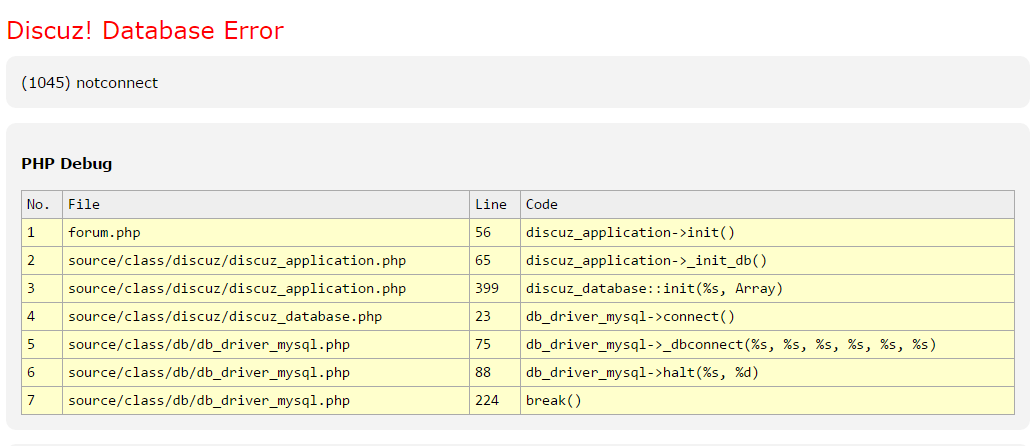
A long time ago in their own Tencent cloud server to take a Discuz forum to play, the results today accidentally opened and found the wrong report!
LookupError: Couldn’t find path to unrar library.
Mean to find unrar library paths, here we need to download the unrar library, in fact it is unrar. DLL this stuff, download url: http://www.rarlab.com/rar/UnRARDLL.exe or go to http://www.rarlab.com/rar_add.htm to find unrar. DLL download, should the need to compile under lunix.
The second step:
C:\Program Files (x86)\UnrarDLL = C:\Program Files (x86)\UnrarDLL = C:\Program Files (x86)\UnrarDLL = C:\Program Files (x86)\UnrarDLL = C:\Program Files (x86)\UnrarDLL = C:\Program Files (x86)\UnrarDLL = C:\Program Files (x86)\UnrarDLL = C:\Program Files (x86)\UnrarDLL = C:\Program Files (x86)\UnrarDLL = unrar.lib
Reproduced in: https://www.cnblogs.com/sea-stream/p/10329794.html
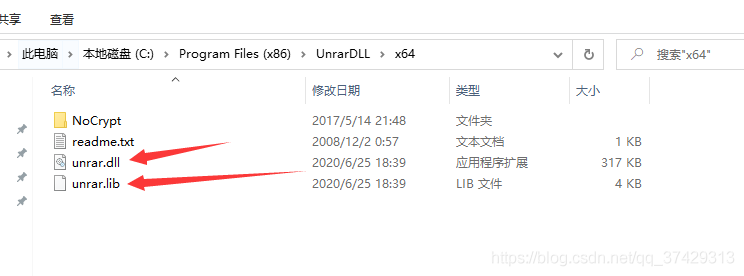
Appear this kind of circumstance, because unrar there is dependent on a file unrar. DLL download address
when the download is complete must be installed in the default folder
then will pop up after the completion of the installation folder,
C:\Program Files (x86)\ Unrardll \x64
br> a>
>
<>bb4
C:\Program Files (x86)\ Unrardll \x64
C:\Program Files (x86)\ Unrardll \x64
The original link: https://blog.csdn.net/ysy950803/article/details/52939708
Win:
Linux needs to manually compile and generate the SO file itself, which is a bit more cumbersome:
Sudo apt-get install g++ : sudo apt-get install g++ : sudo apt-get install g++ : sudo apt-get install g++ : sudo apt-get install
Source: author: acerola
CSDN
,
https://blog.csdn.net/ysy950803/article/details/52939708 copyright statement: this article original articles for bloggers, reproduced please attach link to blog!
The reason is that XLRD was recently updated to version 2.0.1 and only supports.xls files. So Pandas. Read_Excel (‘ xxx.xlsx ‘) will return an error.
You can install an older version of XLRD and run it in CMD:
PIP uninstall XLRD
PIP install XLRD ==1.2.0
You can also open the.xlsx file with OpenPyXL instead of XLRD:
Df = pandas read_excel (‘ data. XLSX, engine = ‘openpyxl)