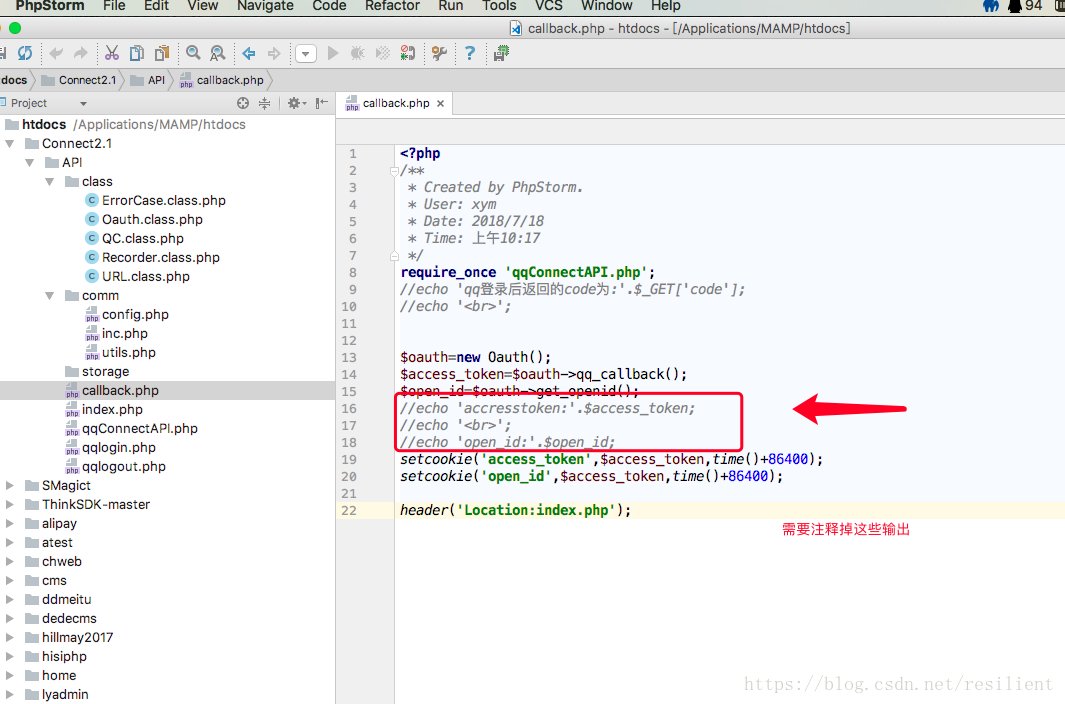
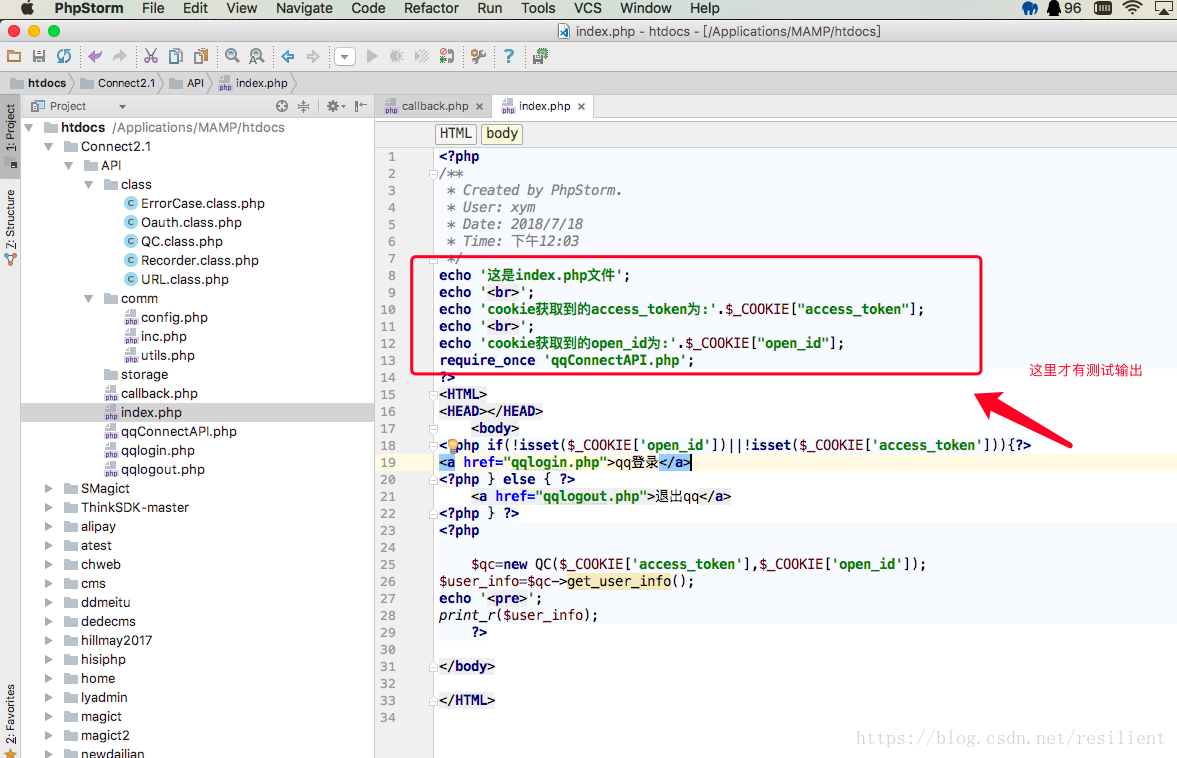
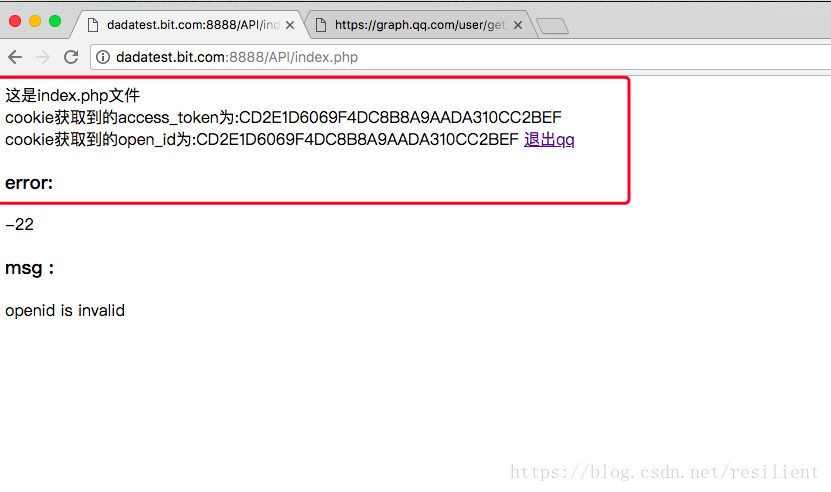
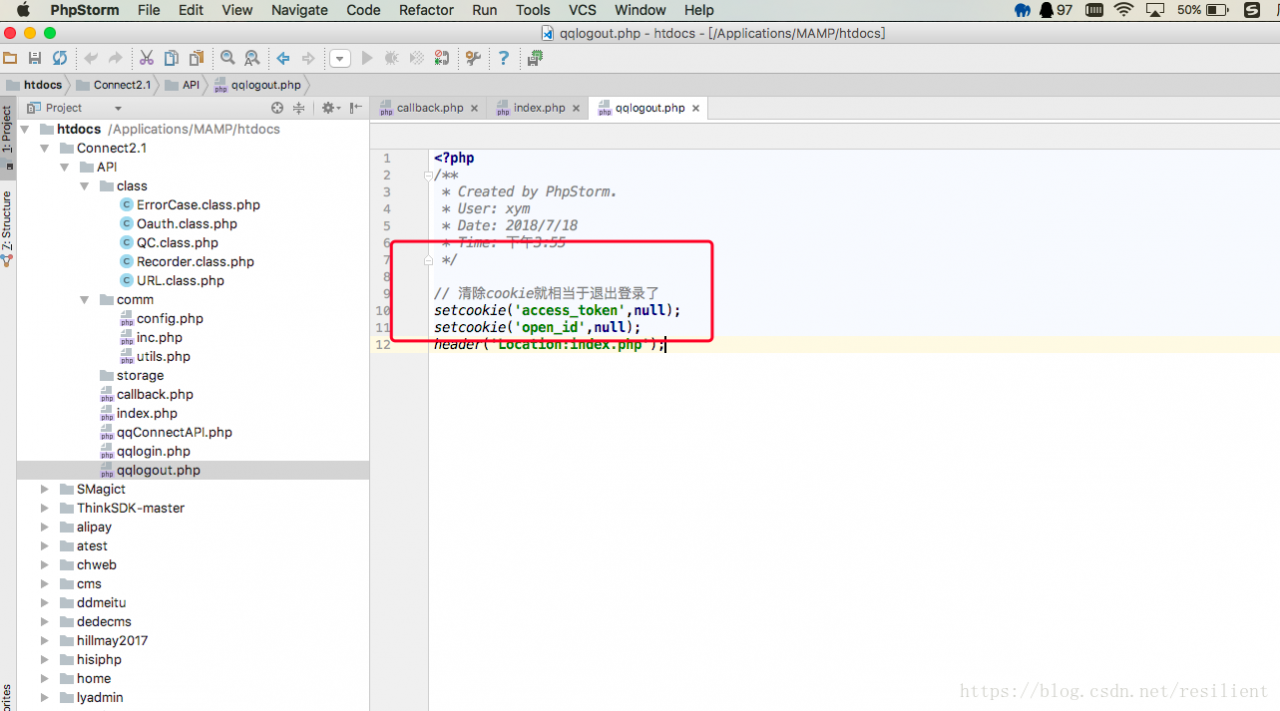
There should be no output before the cookie is printed
It is disgusting to encounter this exception. In Tomcat7 environment, this exception will be raised if the user’s name appears in Chinese when logging in. After the exception is caused, the user who cannot log in normally needs to delete the browser’s cookie information. Later, I checked the Internet and found out that the problem was Chinese transcoding. The abnormal information is as follows:
java.lang.IllegalArgumentException: Control character in cookie value or attribute.
    at org.apache.tomcat.util.http.CookieSupport.isV0Separator(CookieSupport.java:155)
    at org.apache.tomcat.util.http.Cookies.processCookieHeader(Cookies.java:323)
    at org.apache.tomcat.util.http.Cookies.processCookies(Cookies.java:157)
    at org.apache.tomcat.util.http.Cookies.getCookieCount(Cookies.java:98)
    at org.apache.catalina.connector.CoyoteAdapter.parseSessionCookiesId(CoyoteAdapter.java:913)
    at org.apache.catalina.connector.CoyoteAdapter.postParseRequest(CoyoteAdapter.java:683)
    at org.apache.catalina.connector.CoyoteAdapter.service(CoyoteAdapter.java:400)
    at org.apache.coyote.http11.AbstractHttp11Processor.process(AbstractHttp11Processor.java:964)
    at org.apache.coyote.AbstractProtocol$AbstractConnectionHandler.process(AbstractProtocol.java:515)
    at org.apache.tomcat.util.net.JIoEndpoint$SocketProcessor.run(JIoEndpoint.java:304)
    at java.util.concurrent.ThreadPoolExecutor$Worker.runTask(ThreadPoolExecutor.java:886)
    at java.util.concurrent.ThreadPoolExecutor$Worker.run(ThreadPoolExecutor.java:908)
    at java.lang.Thread.run(Thread.java:662)
Cookie is encoded by Unicode in Chinese and ASCII in English when storing the value, so the data needs to be transcoded when storing the Chinese value, and the data also needs to be transcoded when storing the value.
There are two solutions, one is a Cookie written in Java, and the other is a Cookie written in JavaScript.
The solution is as follows:
Java:
Encode: URLEncoder. Encode (name, “UTF-8”);
Decode.decode (name, “UTF-8”);
Decode.decode (name, “UTF-8”);
JavaScript:
Code: the escape (name);/encodeURI(name);
decode: unescape(name);/decodeURI(name);
The Servlet setting cookies to view the article: http://blog.csdn.net/twilight041132/article/details/46482983
Many people often make this mistake when learning cookies. Someone asked me this question today, so I will share with you the solution to this problem (there is no specific solution on the Internet).
error code:
Cookie cookie=new Cookie("name","value value2");
response.addCookie(cookie);
Error
Java. Lang. IllegalArgumentException: An invalid character [32] was present in the Cookie value
Error code:
Cookie c=new Cookie("name","value,value2");
response.addCookie(c);
Error:
Java. Lang. IllegalArgumentException: An invalid character [44] was present in the Cookie value
…
the exception can be seen that this problem belongs to the invalid parameters, looking at the back of the prompt content
the An invalid character [44] was present in the Cookie value
cookies are invalid characters in character [44], so we query ASCII code is 44 said
“, “said 32 Spaces so we only need to replace the value of the corresponding characters, or coding
in our store String value or a json String to the cookies first pass validateCookieValue this method, as shown below
private void validateCookieValue(String value) {

int start = 0;

int end = value.length();


if (end > 1 && value.charAt(0) == '"' && value.charAt(end - 1) == '"') {

start = 1;

end--;

}

char[] chars = value.toCharArray();

for (int i = start; i < end; i++) {

char c = chars[i];

if (c < 0x21 || c == 0x22 || c == 0x2c || c == 0x3b || c == 0x5c || c == 0x7f) {

throw new IllegalArgumentException(sm.getString(

"rfc6265CookieProcessor.invalidCharInValue", Integer.toString(c)));

}

}

}
we take a look at this way, when do array with value value to each of these characters is verified, which, according to the theory of the if statement is an exception is thrown directly, so there will be a we Control character in the cookie value or attribute. Among them, 0x21 and 0x22 are hexadecimal representation numbers, and the corresponding positions are 33 and 34 respectively;
First of all, do cookies contain ASCII encoding?Then we use GBK or UTF-8 encoding when we use parsing. When it comes to ASCII code 0X21 and 0X22, what is the corresponding character?We need to check the ASCII code comparison table. OK, let’s look at the corresponding ASCII table
In  , the two marked in red are randomly specified. I believe you will know why you reported that exception after reading the picture you bought.
br>>
lencoder. Encode (name, “UTF-8 “)
Urlencoder. Encode (name,” UTF-8 “)
Urlencoder.
URLDecoder.decode(cookies[i].getName(),”utf-8″)
preface
At present, the company has two platforms, one is for ordinary users to use the h5 client and provide enterprises with services of PCWeb side, the two platforms are sharing a set of login system and user system, over time, in order to distinguish between different business scenarios result in the field of the user system there is a large amount of redundancy, this time is about to start refactoring, the original user separation, but still use the same set of login system. In the process of reconstruction, because of the wrong judgment of the Cookie caused some problems, went a lot of detours, so I decided to record these problems, as a warning.
Cookie is a string of strings written by the server to the client browser, mainly including keys, values, expiration time, path and domain, here mainly says the use of domain.
1. Domain domain don’t fill in
The default is only valid under the current domain
2. The domain specified domain
The cookie is valid for the specified domain and for all subdomains under the domain. This means that the browser automatically puts the cookie in the request header when accessing a resource under a valid domain name
3. Implementation of SSO Single Sign-On
Suppose the login domain name is login.olang.cn, and the login sites need to be verified are a.olange.cn and b.olange.cn. When I access a.olange.cn, because I have not logged in at this time, I will jump to the login page on login.olange.cn. After submitting the login name and password, the verification is successful, and then I will start writing the token into the Cookie. Set the cookies’ domain to their parent domain olange. CN, so that browsers will carry the token when accessing a.olange. CN and b.olange. CN
4. Can the domain be set freely
Yes, but the browser won’t accept it. For security reasons, the browser will only store cookies from the current domain and its parent domain; the rest will be discarded.
I was really served, the installation of a day of various problems reported wrong, the installation of official website documents is completely not good, I search the tutorial on the net pull a lot of useless code.
Find out how it works and record it here.
1. Install tailwindcss
npm i tailwindcss
2. Install postcss
npm i postcss
3. Install postcss-loader (pay attention not to install too high version may cause compatibility problems)
npm i [email protected]
4. Add tailwindcss to postcss.config.js without creating a new tailwindcss
module.exports = {
  plugins: {
	tailwindcss: {},
    autoprefixer: {}
  }
}
5. New CSS is added and introduced
@tailwind base;
@tailwind components;
@tailwind utilities;
6. At this point you can use the official website style class name to test, if there is no problem with the other configuration of the official website.
s>eygen-t rsa-c “[email protected]”
In Enter, you can see the path to the generated SSH folder and find the two files below it, which are the secret keys of GitLab and GitHub respectively
the original: https://blog.csdn.net/laoxi_liu/article/details/82872717
Clear the username and password stored in Git
Issue: When vscode is not connected to the remote and the new key is still not working, it may be because you set the SSH key on Gitlab with another account. Even if you generate a new id_rsa.pub on this computer and set its value to Gitlab, this setting will not take effect. When you pull the code, you will find that Git will still log in with your old account.
: To try to clear the username and password stored in git, type the following command.
git config --global credential.helper wincred
Git will automatically save the user name and password you have entered.
Git’s configuration file is ~ /.gitconfig. GitConfig can be opened with Vim ~/. GitConfig from the command line of Git Bash and Mac under Windows.

Windows
git config --system --unset credential.helper
Mac
sudo git config --system --unset credential.helper
Reproduced in: https://www.cnblogs.com/sea-breeze/p/9174557.html
-r checks if the document exists and has “readable” permissions
-w checks if the document exists and has the permission to be writable
-x checks if the document exists and has “executable” permissions
-u checks if the document name exists and has the property “SUID”
-g checks if the document name exists and has the attribute “SGID”
-k checks if the document name exists and has a “Sticky bit” property
-s checks if the document exists and is a “non-blank file”
>
>
>
>
>
>
>
>
-nt (newer than) determines whether file1 is newer than file2
-ot (older than) determines whether file1 is older than file2
-ef determines whether file1 and file2 are the same file, which can be used to determine the hard link. The key is to determine if both files point to the same inode
4. About the comparison between two integers, for example test n1 -eq n2
-Eq equals two values.
-Ne is not equal.
-gt n1 is greater than n2 (greater than)
-lt n1 is less than n2 (less than)
-e e n1 is greater than or equal to n2 (greater than or equal)
-le n1 is less than or equal to n2.
5
The test-z string determines if the string is empty and returns true for empty
Test-n string determines that the string is not null and returns false for null
= test -r filename -a-x filename
= test -r filename -a-x filename
– A (and) is both true! Test-r file-a-x file = test-r file-a-x file = test-r file-a-x file = test-r file-a-x file = test-r file-a-x file = test-r file-a-x file = test-r file-a-x file
-O (OR) Either is true! Test-r file-o-x file = test-r file-o-x file = test-r file-o-x file = test-r file-o-x file = test-r file-o-x file = test-r file-o-x file = test-r file-o-x file
! Inverse state, such as test! -x file. Returns true if file does not have x
Shell script: eq-ne-gt-lt-gee-le
| operator | meaning |
|---|---|
| – eq | = = |
| – ne | ! = |
| -gt | > |
| -lt | < |
| -ge | > = |
| -le | < = |
[rename] [rename] [rename] [rename] [rename] [rename]
zsh: command not found: rename
So use Homebrew to install it first:
➜ ~ brew install rename
After that, you can directly use a simple one-line command to change the name of multiple files. The general format is as follows:
➜ ~ rename 's/old/new/' *.files
Ex. :
Change the prefix of batch PNG files from ‘ic_’ to ‘ic_setting_’ :
(ic_launcher.png -> ic_setting_launcher.png)
➜ ~ rename 's/ic_/ic_setting_/' *.png
Modify part names of batch files:
(ic_setting_launcher.png -> ic_launcher.png)
➜ ~ rename 's/_setting//' *.png
Supplement:
You can also use :
to change the first five letters to XXXXX (note ^… It’s five.
for i in `ls`; do mv -f $i `echo $i | sed 's/^...../xxxxx/'`; done
Usage is almost the same, the rest is up to us to flexibly use.