- execute first:
npm --add-python-to-path='true' --debug install --global windows-build-tools
- reexecution:
npm install --global node-gyp
npm --add-python-to-path='true' --debug install --global windows-build-tools
npm install --global node-gyp
Error command failed: yard
Solution 1: enter CMD in Win + R to enter the command line interface
Input command
npm install -g yarnAfter success, re create the vue-cli4 project to solve the problem.
Solution 2:
Enter the C/users/administrator/Windows environment
There is a file. Vuerc

Open this file to show
{
  "useTaobaoRegistry": true,
  "packageManager": "yarn"
}
Just manually change the configuration content yarn to NPM to change the package manager when creating the project
Solution 3:
Delete the. Vuerc file. When creating a Vue project for the first time, you will be prompted to select configuration, and then you can select NPM.
1. Error information
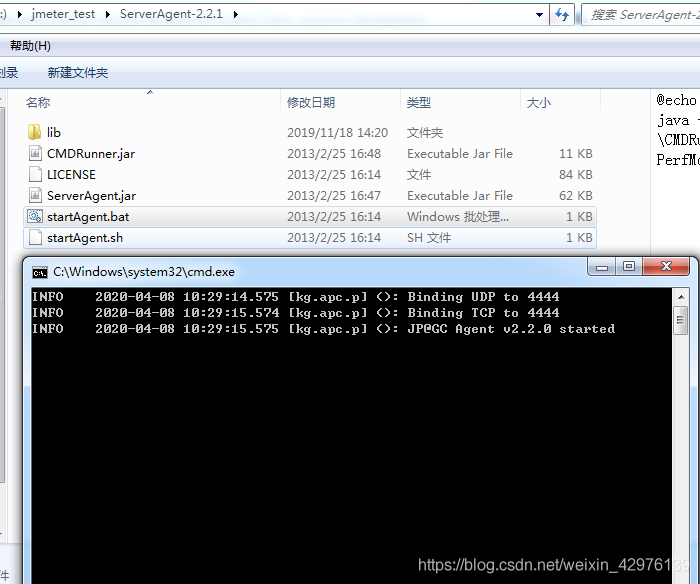
10:08:53 - ERROR: java.net.ConnectException: Connection refused: connect
2. The reason is that you need to download the serveragent and start the service
Error: cannot find module ‘node sass’
After the project is running, you can’t access the page normally by inputting the address, and you can’t check the command line to report an error
cannot find module ‘node sass’

the error indicates that the node sass module can’t be found.
Input command: cnpm install node-sass@latest After the installation, the problem is solved
For learning appium framework for the first time, when using uiautomatorviewer to locate Android App controls, you will occasionally see the following exception, which is usually Baidu. Most of them did not find the answer, so they gave up using this tool, chose other tools or gave up appium automation directly.
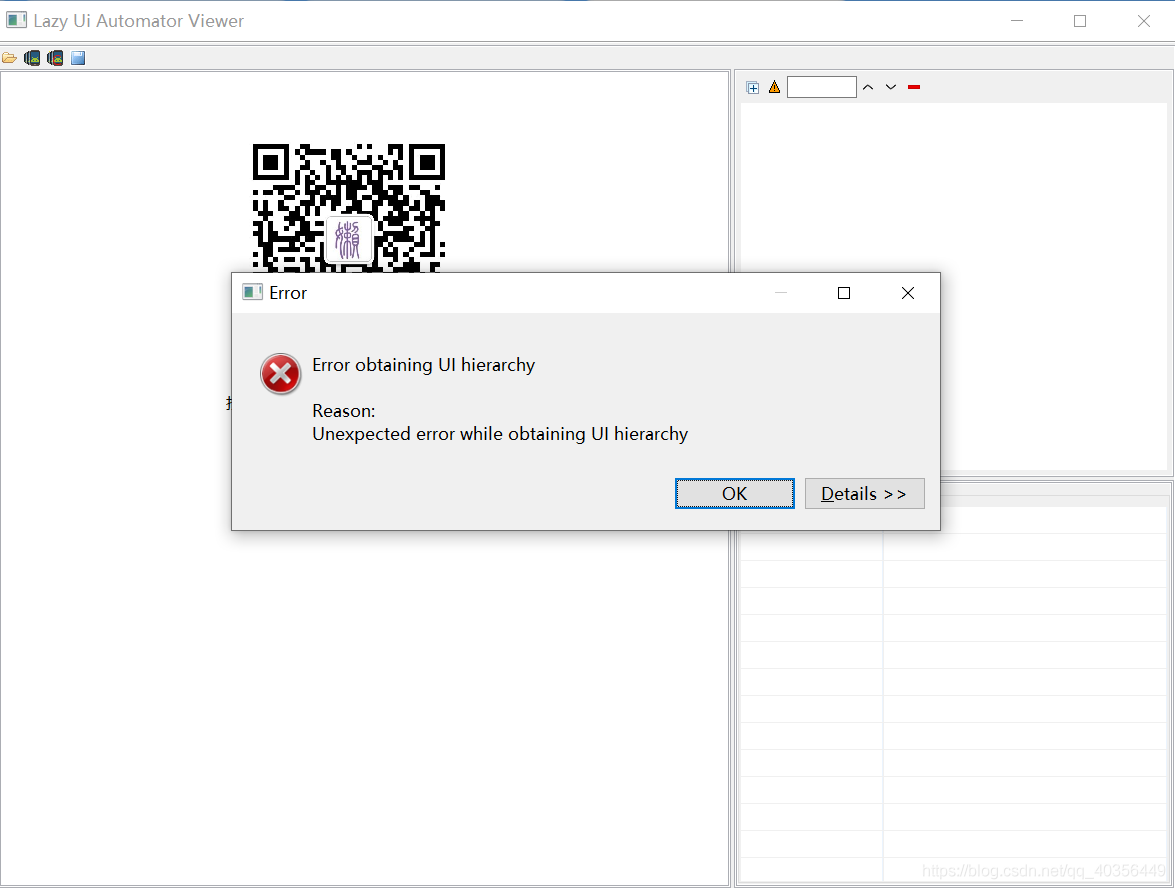
Some bigwigs will say that it’s too expensive for the novice research framework to let the developer change the internal (code) of the development package. In fact, in most cases, the mobile phone is not compatible. It’s better to change the mobile phone, but sometimes the mobile phone that can be used suddenly can’t be used. Here, there is a universal use to reduce the cost of novice learning
1: Build tools first
The method is as follows
Click directly on the CMD command line
adb shell uiautomator dump /sdcard/ app.uix
adb pull /sdcard/ app.uix E:/ app.uix
#Storage to disk e app.uix Folder, create one in disk E in advance app.uix Formatted folder
adb shell screencap -p /sdcard/ app.png
adb pull /sdcard/ app.png E:/ app.png
#Storage to disk e app.png Folder, create one in disk E in advance app.png Formatted folder
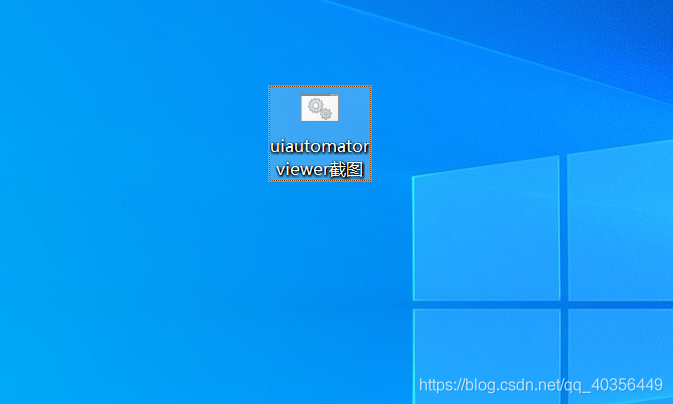
Because every time you have to write four lines of code, it’s troublesome, so you write a batch file.
Put it on the desktop and run it directly: (if you don’t know how to do bat, go to Baidu by yourself)
2: Using tools
1: First, connect the mobile phone to the ADB, open the page to be located, double-click the written tool, and then the mobile phone interface map will be intercepted successfully
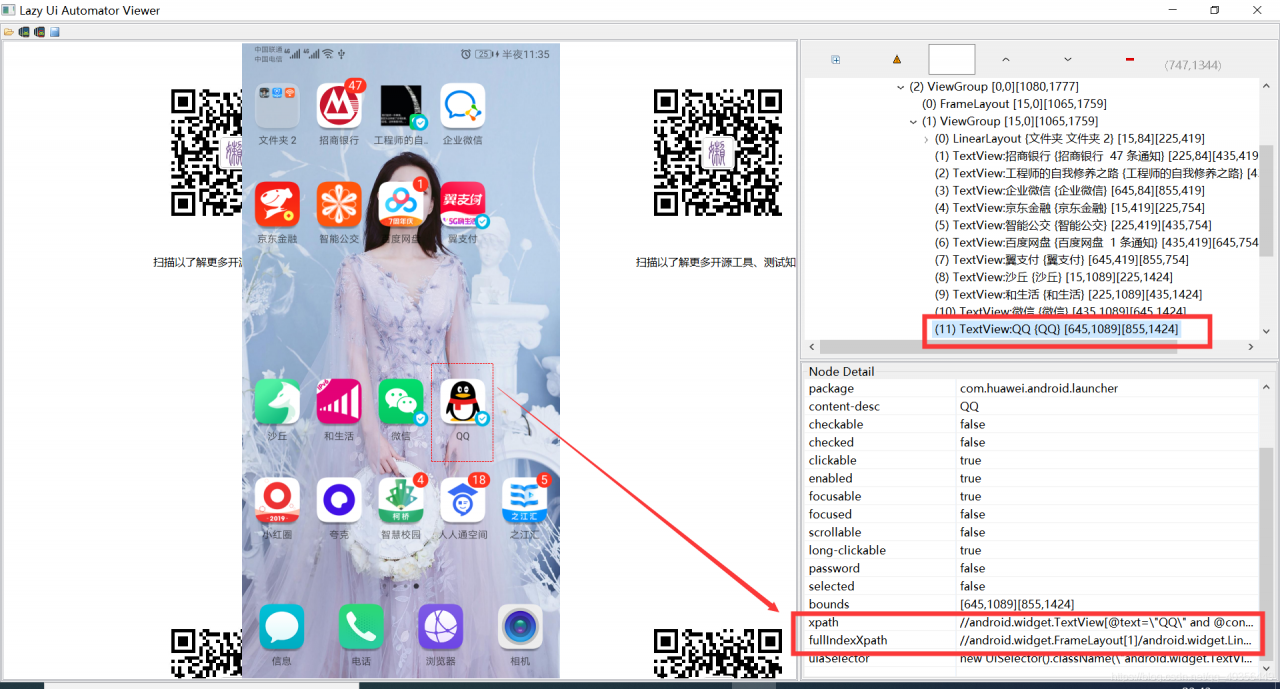
2: Open uiautomatorviewer.bat The operation is shown in the figure below
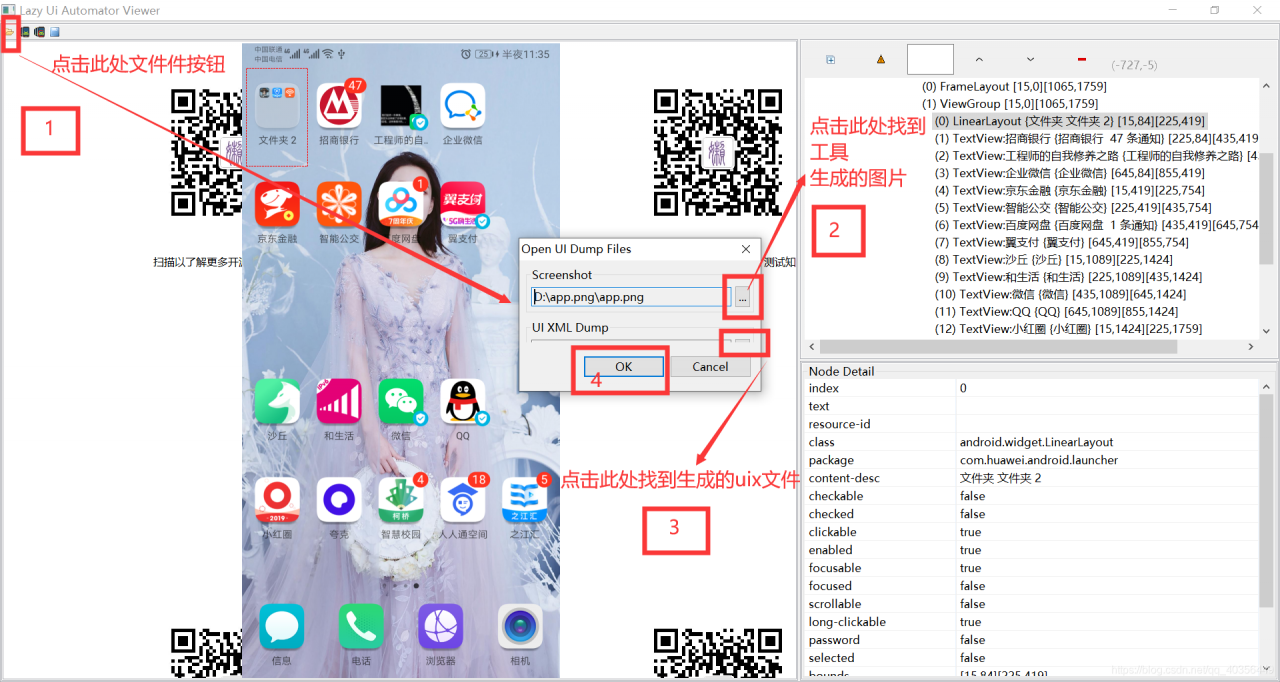
At this point, open the picture, you can locate the various elements of the page
Of course, some people still think that this kind of trouble, of course, there are other tools can also get page elements.
Zero division error: float division by zero
Error: Zero division error: float division by zero
Reason: the divisor is 0
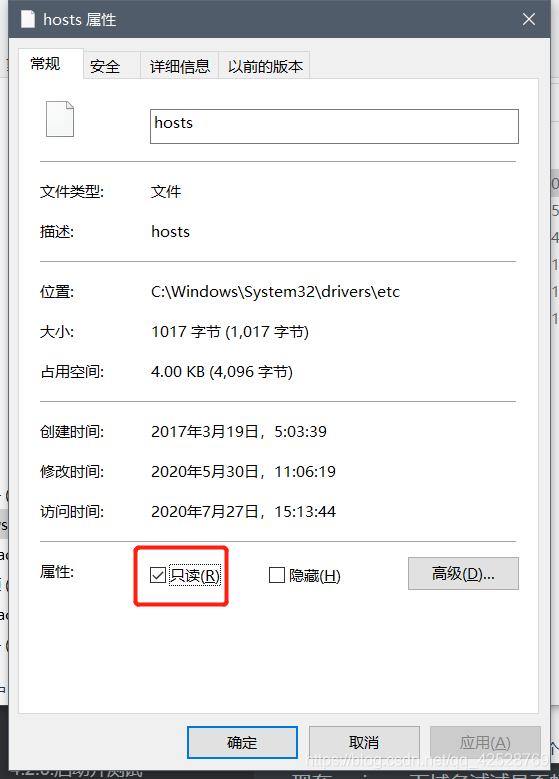
If switchhosts is running as an administrator, it will report an error. Just remove the read-only attribute of the file C: windows system32 drivers etc hosts !!!
NPM install error cb.apply is not a function
solve:
% appdata%  to delete NPM and NPM cache folder, and execute  NPM cache clean -- force  command
At this point, it should be OK. If not, perform the uninstall Node.js Re install.
If not!!
Change  yarn
Install yarn  NPM install - G yarn
 yarn install  instead of NPM install
then,
everything will be fine
When installing webpack dev server on the command line, errors are reported all the time, and it is OK to check many places, including the error information on the terminal,
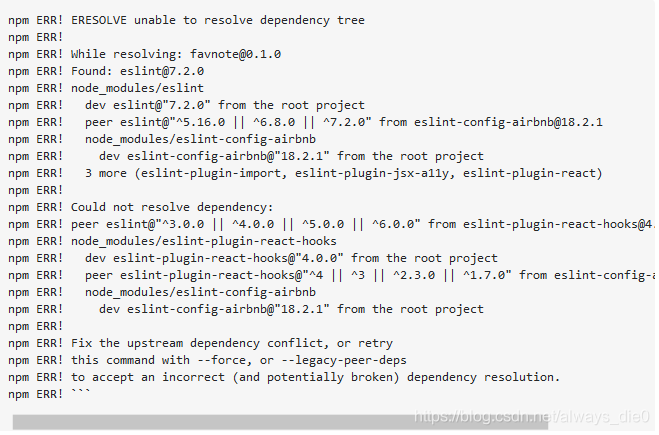
(this is not my error message, I forgot the screenshot, this is in the
https://stackoverflow.com/questions/64874754/unable-to-resolve-dependency-tree-with-esling-config-airbnb
(seen on the Internet)
I didn’t see anything,
Finally, I will save my folder except node_ All files except modules are sent to the person who successfully installed them, and they are asked to try whether they can be successfully installed on his computer. As a result, they can be installed
Therefore, it is considered that the plug-in incompatibility is caused by the high version of node
1. Use node – V to view the node version number
2. I installed 15.3.0 node.js Go to the latest version of the official website node.js There is a stable version of 14.15.1 on the Chinese website
3. In the control panel node.js After uninstalling, install with the lower version of the installation package (do not uninstall the higher version of the installation package) node.js Cannot install lower version)
4. Download the plug-in successfully….
Once MySQL was installed, an error was reported when executing MySQL – uroot – p123456: access denied for user ‘root’ @’localhost ‘
Scheme:
Use sudo to execute the command: sudo?MySQL – uroot – p123456
After entering mysql, give the corresponding user permission
pom.xml Depending on the error report, the problem of missing artifact XXX is solved
Possible causes pom.xml The dependency configuration format specifies that you manually download the corresponding jar and then install it to the local repository pom.xml After modification
Eclipse imports or creates a new Maven project, pom.xml An error is reported in the configuration file, missing artifact XXX jar. The problem is that the jar package is not found in the specified warehouse after Maven is started.
Possible causes
pom.xml Dependency configuration format description
// pom.xml
<dependencies>
		<dependency>
			<groupId>Package1</groupId>
			<artifactId>jarName</artifactId>
			<version>versionInJar</version>
		</dependency>
		<dependency>
			<groupId>Package2</groupId>
			<artifactId>jarName2</artifactId>
			<version>1.0.0</version>
		</dependency>
		......
</dependencies>
Groupid: the relative path of the dependent jar package. The parent-child directory is marked with “.” (example: package.packageNext ); artifactid: dependent jar package name; version: dependent jar package version.
Manually download the corresponding jar, and then install it to the local warehouse
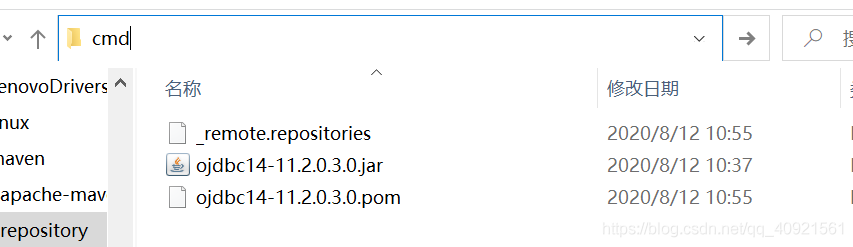 install here. Take Ojdbc14 as an example, after opening CMD, enter the command as follows: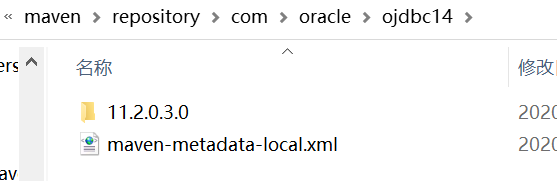
mvn install:install-file -Dpackaging=jar -DgroupId= com.oracle -DartifactId=ojdbc14 -Dversion=11.2.0.3.0 -Dfile=ojdbc14-11.2.0.3.0.jar -DgeneratePom=true
Command explanation:
install: compile and package the project to the local warehouse;
install file: install file;
– dgroupid= com.oracle : Specifies that the groupid of the current package is com.oracle ;
– dartifactid = Ojdbc14: Specifies that the current artifact ID is Ojdbc14;
– dversion = 11.2.0.3.0: Specifies that the current package version is 11.2.0.3.0;
– dversion = 11.2.0.3.0 -Dfile = D: ojdbc14-11.2.0.3.0.jar: Specifies the file location of the package to be typed (the reason why you want to open CMD in the path before is to avoid entering an excessively long path);
– dgeneratepom = true: whether to generate a POM file.
pom.xml After modification
<dependency>
			<groupId>com.oracle</groupId>
			<artifactId>ojdbc14</artifactId>
			<version>11.2.0.3.0</version>
</dependency>
Today, using JS to convert a $. Parsejson string to a JSON object will report an unexpected syntax error – unexpected token o in JSON at position 1. I couldn’t find the reason. After the ferry, I saw a sentence: there are strict requirements for JSON to convert objects into strings and store them locally, such as symbols or illegal strings, which may affect the later JOSN.parse The analysis of…
Change {type ‘:’name’} to {type ‘,’name’} and solve the problem
That’s right, JSON is sensitive to single and double quotation marks of strings, which leads to the single quotation mark in the real {} that reported the error…
****Replace single quotation marks with double quotation marks
var_ nstr = _ adrdata.replace (/’/g, ‘”’);