Category Archives: Error

ElasticSearch Create Index Error: mapper_parsing_exception Root mapping definition has unsupported parameters

elasticsearch version number: 5.6.14. This error has something to do with the ES version. You’d better explain the version number first so that some readers will not be invalid after operating according to my method
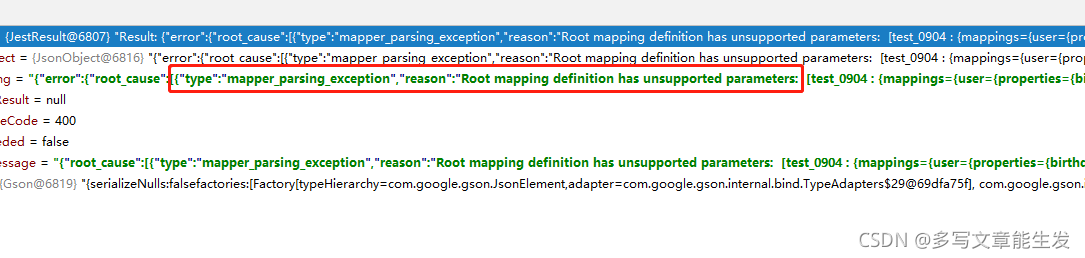
error mapping statement 1:

{
    "test_0904": {
        "mappings": {
            "user": {
                "properties": {
                    "birthday": {
                        "type": "date",
                        "store": true
                    },
                    "hobby": {
                        "type": "text",
                        "store": true
                    },
                    "id": {
                        "type": "long",
                        "store": true
                    },
                    "name": {
                        "type": "text",
                        "store": true
                    }
                }
            }
        }
    }
}

error mapping statement 2:

{
    "mappings": {
        "user": {
            "properties": {
                "birthday": {
                    "type": "date",
                    "store": true
                },
                "hobby": {
                    "type": "text",
                    "store": true
                },
                "id": {
                    "type": "long",
                    "store": true
                },
                "name": {
                    "type": "text",
                    "store": true
                }
            }
        }
    }
}

modified mapping statement:

{
    "properties": {
        "birthday": {
            "type": "date",
            "store": true
        },
        "hobby": {
            "type": "text",
            "store": true
        },
        "id": {
            "type": "long",
            "store": true
        },
        "name": {
            "type": "text",
            "store": true
        }
    }
}

To sum up, there are some differences in the structure of mapping statements supported by various versions of ES. Different versions have different statement writing methods. Some versions of parameters support and some versions do not support.
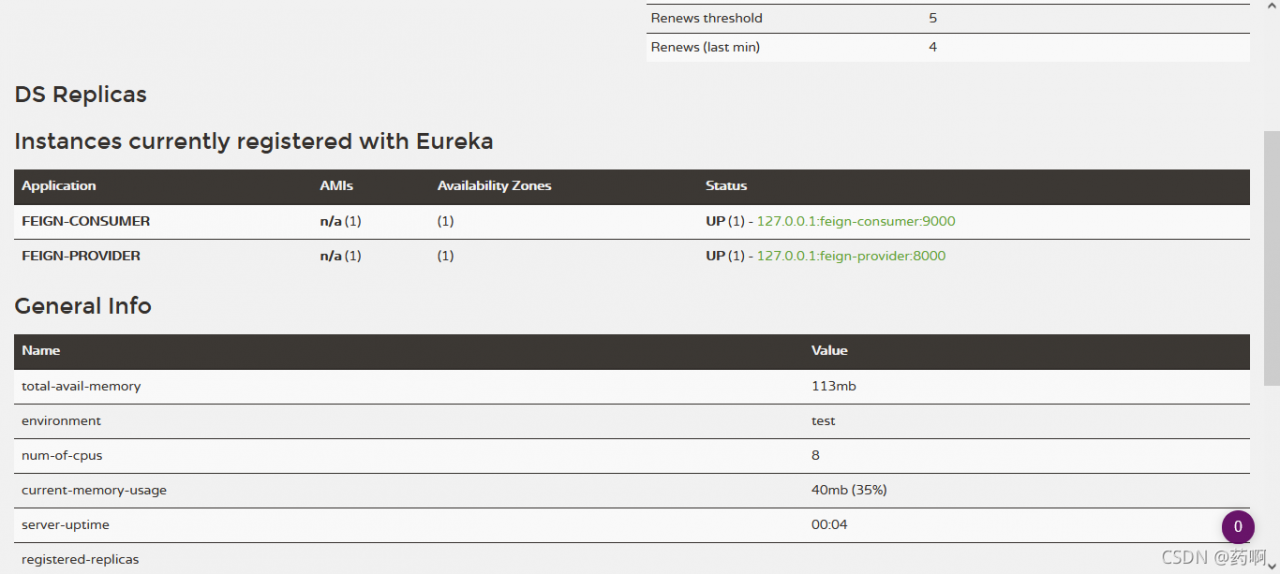
Unable to start embedded Tomcat [How to Solve]

Unable to start embedded Tomcat error reporting solution:

Such an error occurred when starting Eureka service. Finally, I found many methods on the Internet. After a brief understanding, it is due to the problem of JDK version. There are several dependencies after jdk9, but I use jdk13, so I will report an error. In this case, there are two solutions:

org.springframework.context.ApplicationContextException: Unable to start web server; nested exception is org.springframework.boot.web.server.WebServerException: Unable to start embedded Tomcat

1、 Reduce JDK to version 1.8

2、 The following dependencies are introduced into pom.xml:

 <dependency>
     <groupId>javax.xml.bind</groupId>
     <artifactId>jaxb-api</artifactId>
     <version>2.3.1</version>
 </dependency>
 <dependency>
     <groupId>com.sun.xml.bind</groupId>
     <artifactId>jaxb-impl</artifactId>
     <version>2.3.1</version>
 </dependency>
 <dependency>
     <groupId>org.glassfish.jaxb</groupId>
     <artifactId>jaxb-runtime</artifactId>
     <version>2.3.1</version>
 </dependency>

Next, you can see the familiar interface

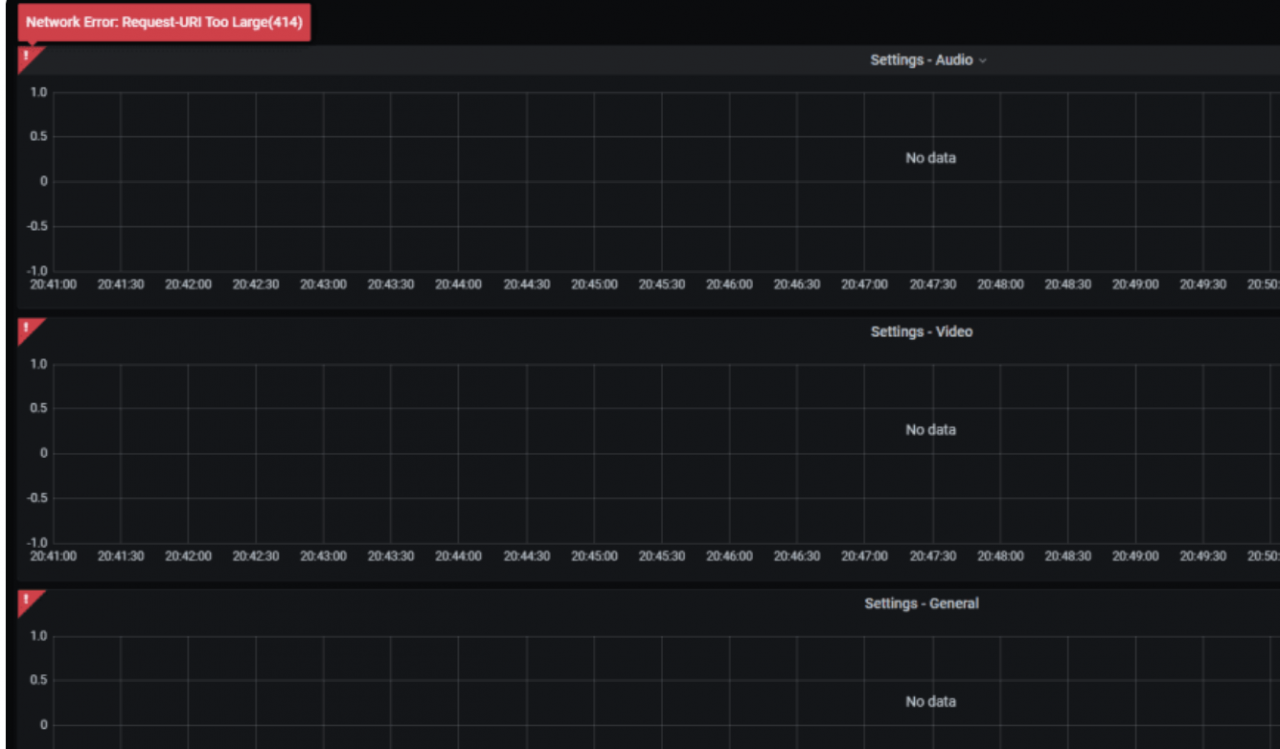
Grafana Error: 414 Request-URI Too Large [How to Solve]

Grafana error 414
Network error request URI too large

 INFO[09-03|06:26:09] Request Completed                        logger=context userId=1 orgId=1 uname=admin method=GET path=/api/datasources/proxy/61/api/v1/query_range status=414 remote_addr=ip time_ms=8 size=169 referer="http://ip:3000/d/qu-QZdfZz/kafka-jmx-overview?orgId=1&refresh=1m&var-env=prod&var-broker_id=All&var-percentile=All&var-topic=All&from=now-15m&to=now"

Solution:

Or add the domain name nginx configuration
client_header_buffer_size 512k;
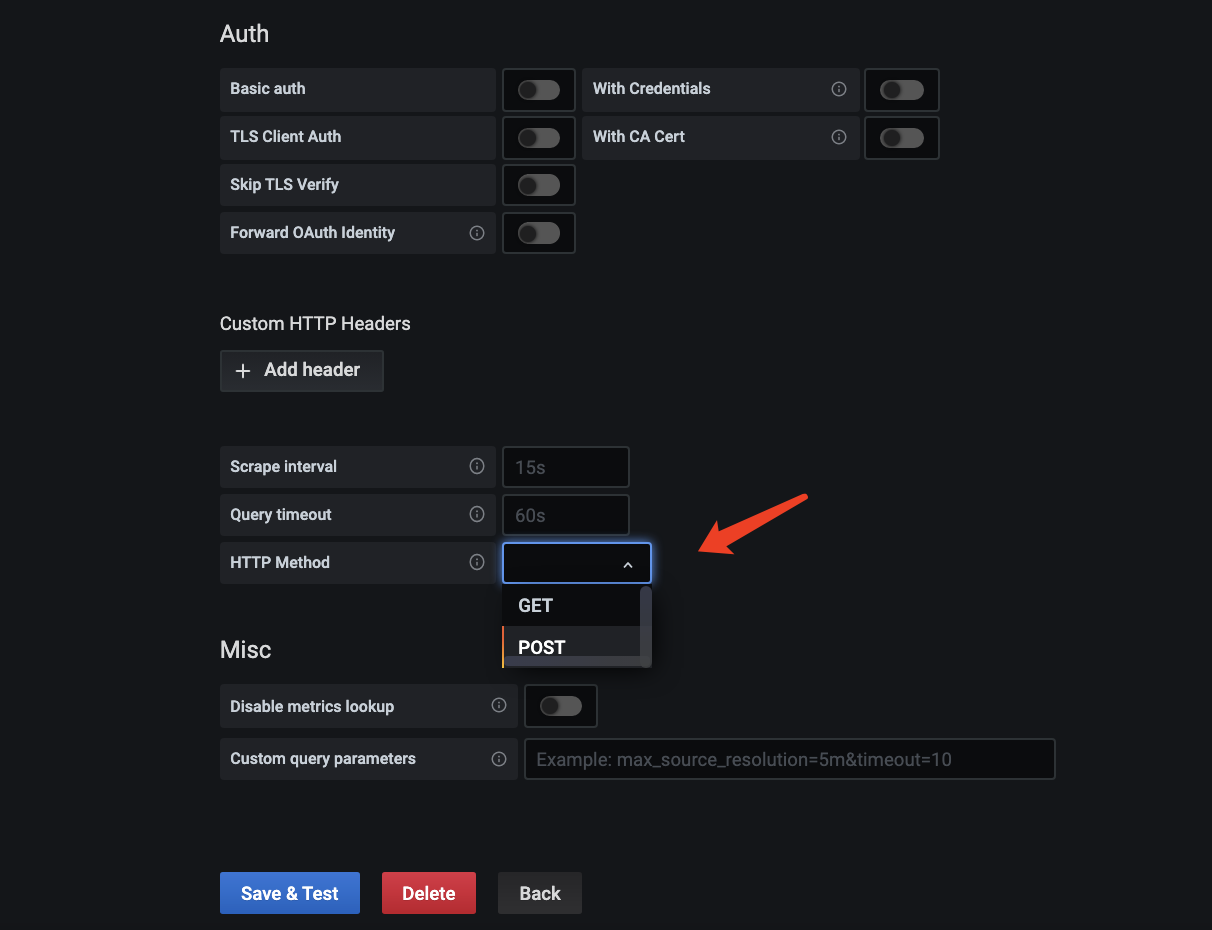
large_client_header_buffers 4 512k; Or change the configuration of the data source to post request. The default is get

Because the error report is a background error report, you need to modify the data source request type

Nacos Error: server is DOWN now, please try again later! [How to Solve]

Problem: After upgrading docker service and restarting docker service, nacos can start normally and the related configuration is still there. However, when starting the code, the server is DOWN now, please try again later!
Check the access_log.2021-09-02.log log as follows: Found app=unknow

0.11.25.205 – – [02/Sep/2021:14:46:30 +0800] “PUT /nacos/v1/ns/instance/beat?app=unknown&namespaceId=41ba0c0d-f13f-48a4-9ebf-7390dac6335c&port=8181&clusterName=DEFAULT&ip=10.11.25.205&serviceName=DEFAULT_GROUP%40%40hb-homepage&encoding=UTF-8 HTTP/1.1” 503 43 37 Nacos-Java-Client:v1.2.1 –
10.1.193.42 – – [02/Sep/2021:14:46:30 +0800] “GET /nacos/v1/cs/configs?dataId=alarm-unified.yml&group=DEFAULT_GROUP HTTP/1.1” 404 22 17 Java/1.8.0_111 –
10.1.193.30 – – [02/Sep/2021:14:46:31 +0800] “PUT /nacos/v1/ns/instance/beat?app=unknown&namespaceId=3a0e1249-fd7c-4fcb-b07f-9c209ce91fce&port=8112&clusterName=DEFAULT&ip=10.1.193.30&serviceName=DEFAULT_GROUP%40%40SFTP&encoding=UTF-8 HTTP/1.1” 503 43 3 Nacos-Java-Client:v1.2.1 –
10.1.193.30 – – [02/Sep/2021:14:46:31 +0800] “PUT /nacos/v1/ns/instance/beat?app=unknown&namespaceId=3a0e1249-fd7c-4fcb-b07f-9c209ce91fce&port=8112&clusterName=DEFAULT&ip=10.1.193.30&serviceName=DEFAULT_GROUP%40%40SFTP&encoding=UTF-8 HTTP/1.1” 503 43 11 Nacos-Java-Client:v1.2.1 –

Reason: The dada file under nacos stores user-defined configuration information. Among them, the protocol folder stores information such as the cache computer Ip. Because of the upgrade of container services, metadata changes, so the program can not start properly
Solution:
Delete the copied protocol folder, restart nacos, OK!

Jenkins reported an error when running the docker permission in the shell script

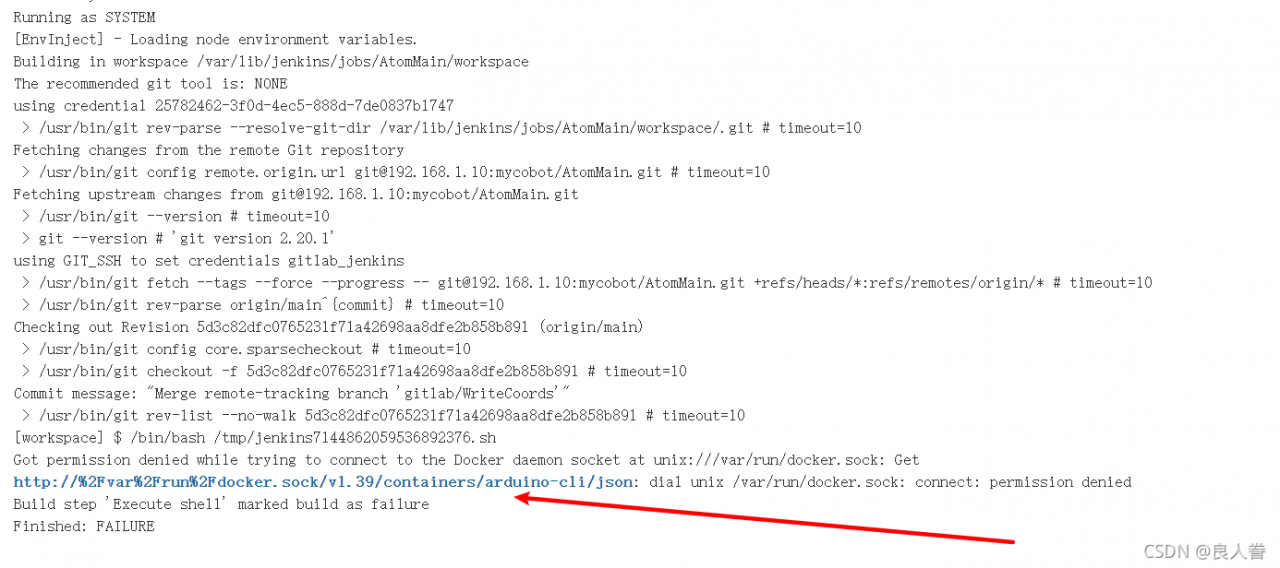
Errors are reported as follows

Got permission denied while trying to connect to the Docker daemon socket at unix:///var/run/docker.sock: Get http://%2Fvar%2Frun%2Fdocker.sock/v1.39/containers/arduino-cli/json: dial unix /var/run/docker.sock: connect: permission denied
Build step 'Execute shell' marked build as failure
Finished: FAILURE

Solution:

sudo gpasswd -a jenkins docker
sudo usermod -a G docker jenkins
chmod 777 /var/run/docker.sock

solve the problem

Flutter flutter doctor –android-licenses [How to Solve]

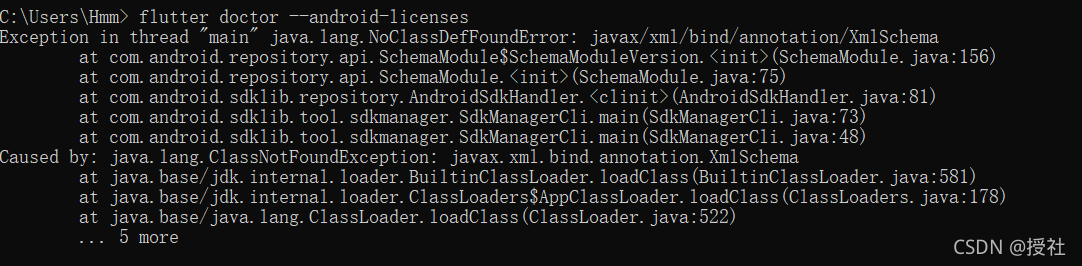
Error message

Solution:

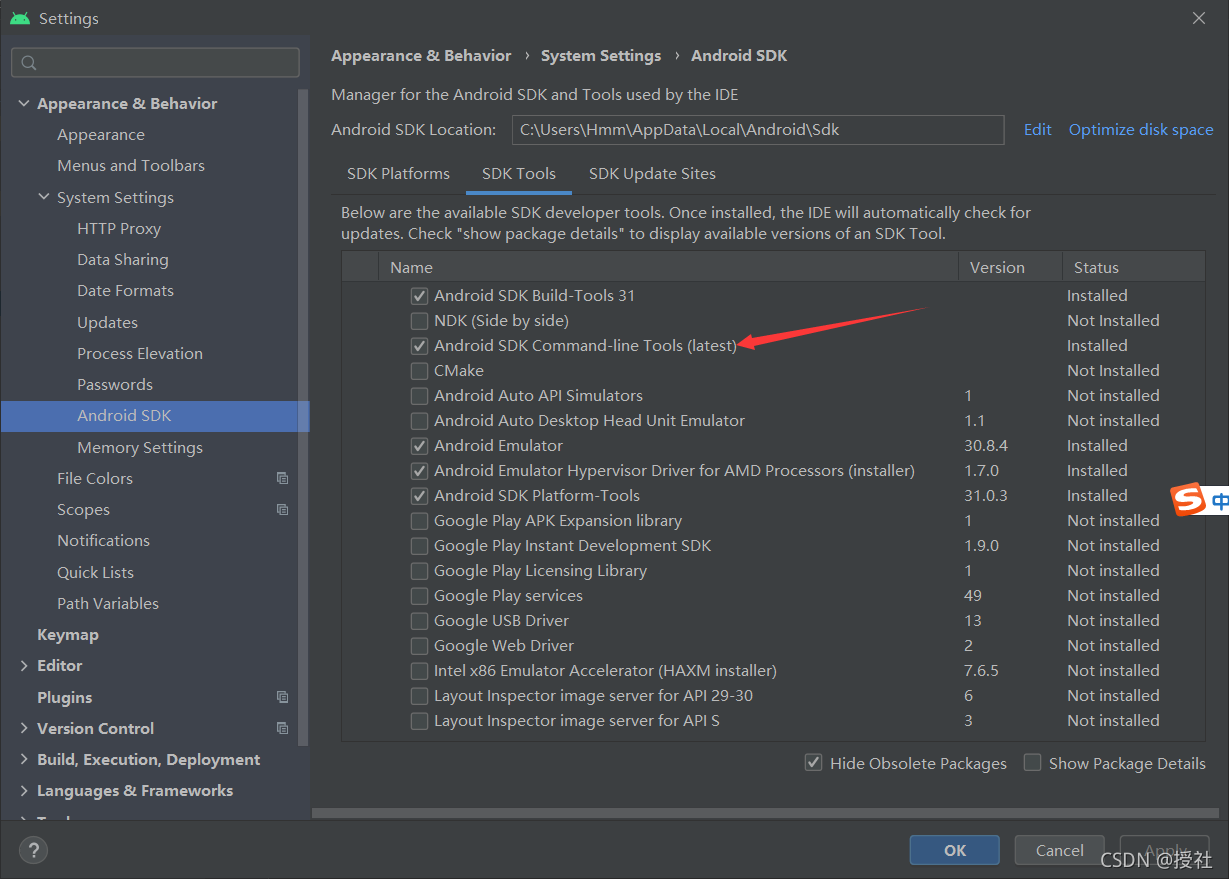
In androidstuido, file – > Setting-> Appearance-> System Setting-> Check whether it is installed under the Android SDK (as shown in the figure)

if not, directly click Android stuido to download
and then run the shuttle doctor — Android licenses to select y in the whole process

result

Execute the flitter doctor to check all √ to prove that it has been arranged

How to Solve Namedparameterjdbctemplate.queryforobject() Return Error

Project scenario:

tip: briefly describe the project background here:
for example, project scenario: example: communicate with mobile app through Bluetooth chip (hc-05), and transmit a batch of sensor data every 5S (not very large)


Problem Description:

The following code will report an error if it can’t be found in the database, and it doesn’t work whether you judge it to be empty or judge the length.

@Override
public String queryUserNameByUserId(String userId) {
	String sql = "SELECT username FROM info WHERE userId= :userId";
	MapSqlParameterSource source = new MapSqlParameterSource();
	source.addValue("userId", userId);
	return namedParameterJdbcTemplate.queryForObject(sql, source, String.class);
}

Cause analysis:

Queryforobject(), try to operate when querying data that must exist in the database.

Solution:

1. Try catch is not recommended
2. Change to list and judge to be empty, as follows.

@Override
public List<String> queryUserNameByUserId(String userId) {	//Modify
	String sql = "SELECT username FROM info WHERE userId= :userId";
	MapSqlParameterSource source = new MapSqlParameterSource();
	source.addValue("userId", userId);
    return namedParameterJdbcTemplate.queryForList(sql, source, String.class);	//修改
}

[Solved] TensorFlow Error: you must feed a value for placeholder tensor

Copy the placeholder this way:


input_placeholder = tf.placeholder(tf.int32, 
  [batch_size, sequence_len], 
  name="input")

copy_input = tf.Variable(initial_value=input_placeholder, 
  trainable=False)

Then this sentence reports an error:

sess.run(tf.global_variables_initializer())

Solution:
copy the placeholder in this way:

copy_input = tf.get_variable(
                initializer=tf.constant(0, shape=[batch_size, sequence_len]),    
                name="copy_placeholder",
                dtype=tf.int32, trainable=False)
copy_input.assign(input_placeholder)

[Solved] React import the Path of Image error: cannot find mouse ‘.‘

Problem Description: the error cannot find mouse ‘is reported when the picture path is introduced

const listArr = [
    {
        "title": "title 1",
        "icon" : "./../../img/icon1.png"
    },
    {
        "title": "title 2",
        "icon" : "./../../img/icon2.png"
    },
    {
        "title": "title 3",
        "icon" : "./../../img/icon3.png"
    },
];


listArr.map((item,index) => {
    return (
        <li key={index}>
            <img src={require(item.icon)} alt="" />    //error Cannot find moudle '.'
            {item.title}
        </li>
    )
})

Cause analysis: path variables cannot be written directly in require, but need to be written in path format

Path variables cannot be written directly in require. They need to be written in path format, which has been tested (<img src={require(`./../../img/${item.icon}`)} alt=”” />) That’s OK


Solution: < img src={require(`./../../img/${item.icon}`)} alt=”” />

const listArr = [
    {
        "title": "title 1",
        "icon" : "icon1.png"
    },
    {
        "title": "title 2",
        "icon" : "icon2.png"
    },
    {
        "title": "title 3",
        "icon" : "icon3.png"
    },
];


listArr.map((item,index) => {
    return (
        <li key={index}>
            <img src={require(`./../../img/${item.icon}`)} alt="" />
            {item.title}
        </li>
    )
})