Author Archives: Robins

[Solved] Seata Error: endpoint format should like ip:port

Abnormal scene

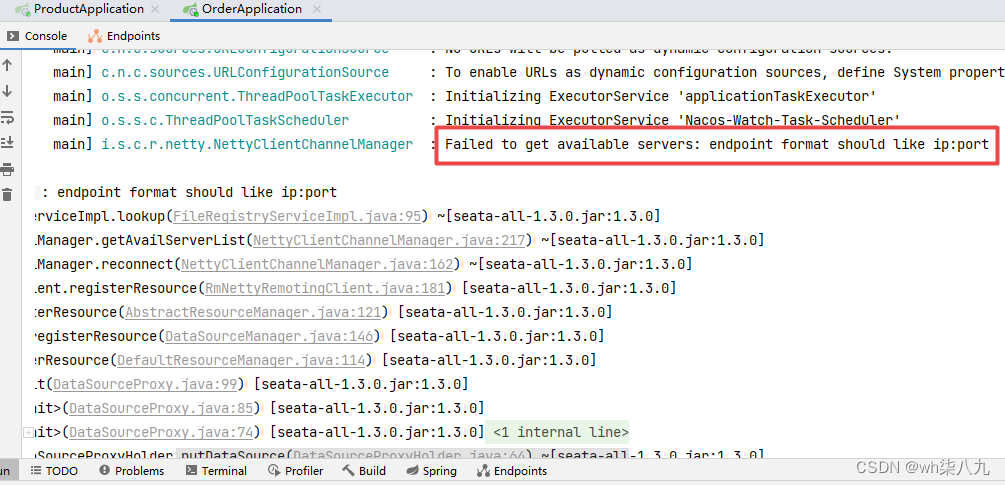
Failed to get available servers: endpoint format should like ip:port

Cause of error

Ensure that the versions are consistent. The server version downloaded by Seata must be consistent with the dependent version introduced by Maven

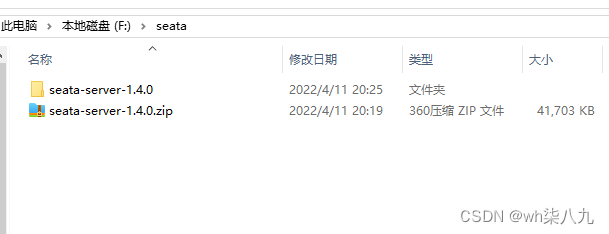
Locally installed version

I use seata1 locally Version 4.0

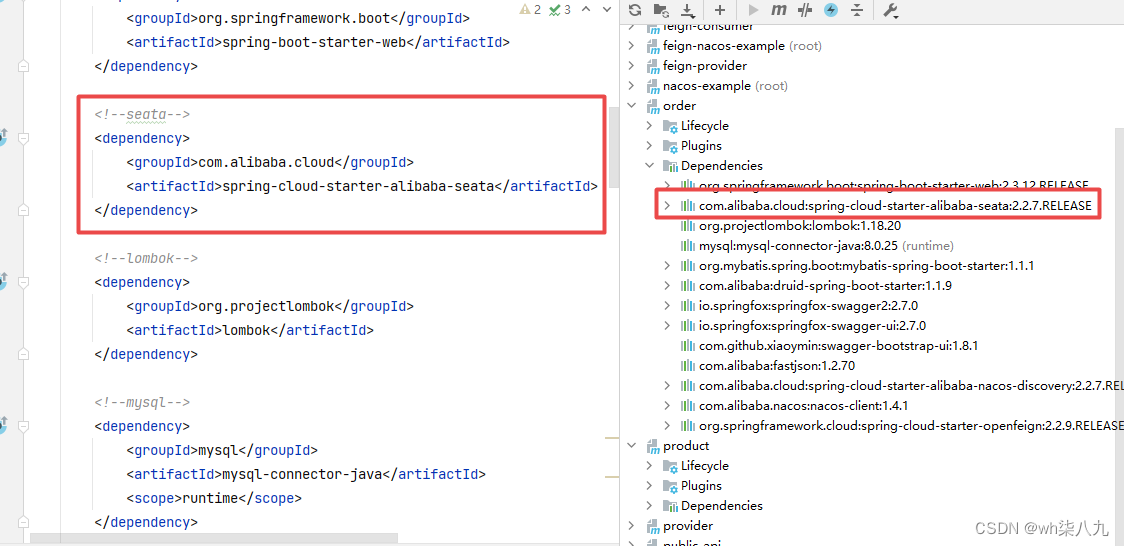
Maven import version

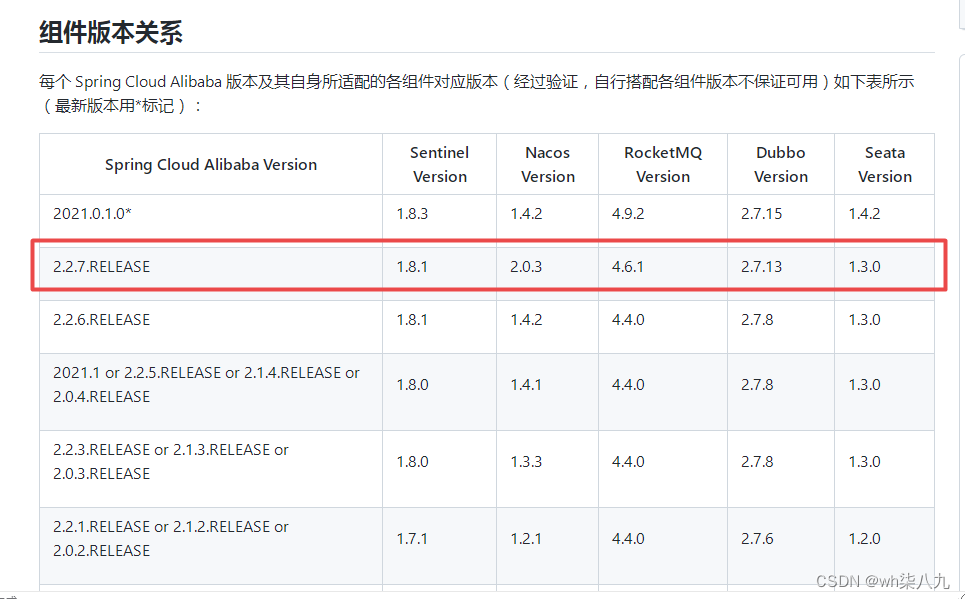
The imported version is cloud version 2.2.7, which encapsulates Seata
Correspondence between Seata and cloud

How to solve

Just keep the locally installed version of Seata consistent with the version imported by Maven. After I change the imported version of maven, I can introduce Seata version 1.4.0.

 <!-- https://mvnrepository.com/artifact/io.seata/seata-spring-boot-starter -->
 <dependency>
     <groupId>io.seata</groupId>
     <artifactId>seata-spring-boot-starter</artifactId>
     <version>1.4.0</version>
 </dependency>

Of course, you can also go to the official website of Seata to download the corresponding seata1.3 version to Maven.
[Solved] ApiPost Error: org.springframework.web.multipart.MultipartException

Want to know what about ApiPost? I tested the interface of list query written by myself. I don’t need to pass in parameters or header. Postman can be adjusted. As a result, it always reports the error: org.springframework.web.multipart.MultipartException.
detailed error reports are as follows:

org.springframework.web.multipart.MultipartException: Failed to parse multipart servlet request; nested exception is java.io.IOException: The temporary upload location [C:\Users\qinguangqian\AppData\Local\Temp\tomcat.1854001921343907511.8888\work\Tomcat\localhost\lovol\usr\local\webServer\temp] is not valid

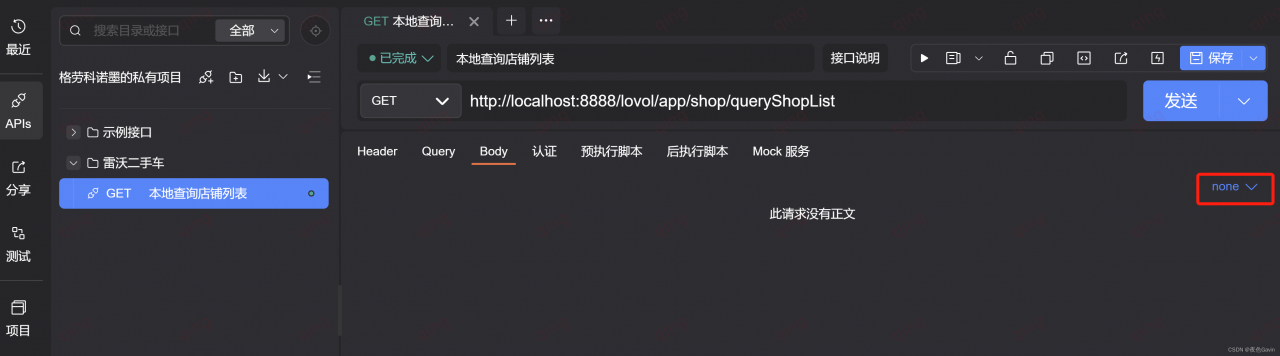
Finally, it is found that ApiPost uses the body type parameter by default, and the format is set to none

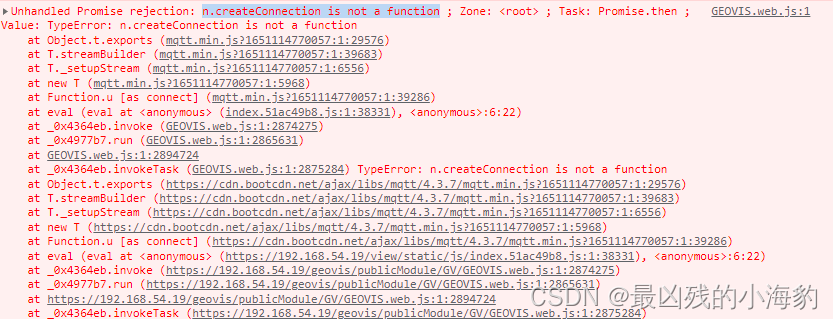
[Solved] mqtt.js Error: n.createConnection is not a function

Reason: This is a version problem, 4.2.X+ (this is also the problem when I use the latest version, which may be improved in the future)

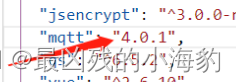
Solution: use the lower version, I use 4.1.X is OK.

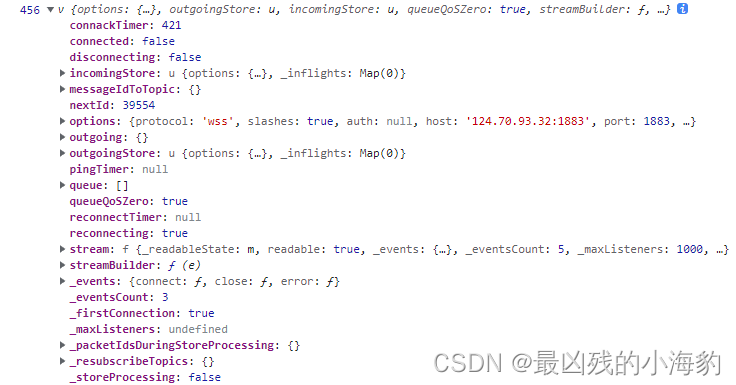
Here is the output of the client after the connection is successful

Vue solution:
Vue installation. Not only the version needs to be modified, but also the ^  in front of the version needs to be removed (in packpage.json), but there is no Vue test. You can try it (a picture of other blogs is cut here)

[Solved] JSON.parse() Error: Unexpected end of JSON input

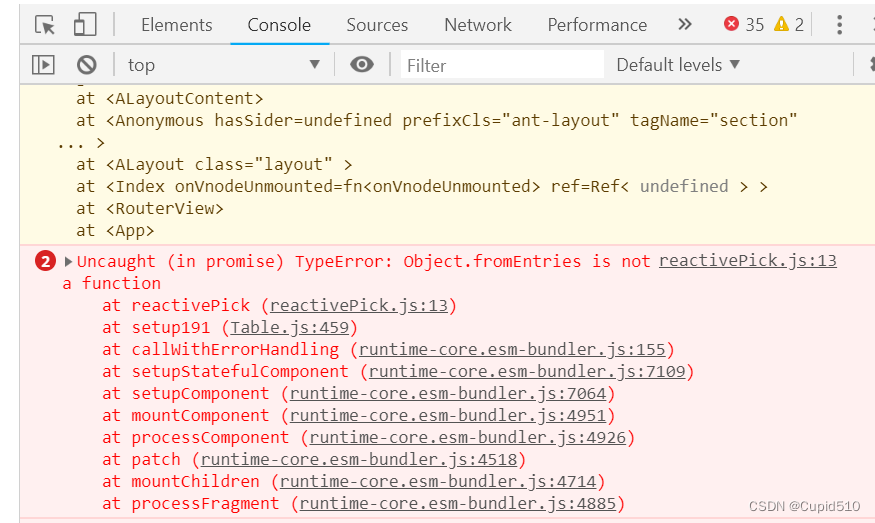
Error returned during JSON.parse() conversion due to conversion characters or other special characters in the data of the converted JSON.stringify().

Solution:

encoding before the JSON.stringify() transformation and decoding the operation when JSON.parse() is solved.

Example:

Jump pass parameter

 toEdit() {
    this.data.userInfo.faceData = this.data.faceData
    let info = encodeURIComponent(JSON.stringify(this.data.userInfo))
    wx.navigateTo({
      url: '../userEdit/userEdit?info=' + info 
    })
  },

receive data

onLoad(options) {
	//decodeURIComponent decoding
   let info = JSON.parse(decodeURIComponent(options.info))
   this.setData({info:info})
}

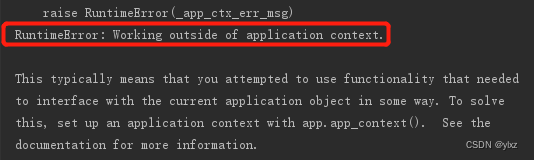
[Solved] Flask Application Context Error: RuntimeError: Working outside of application context.

[problem description]

The author encountered a classic error in flash. The error information is as follows:

[problem analysis]

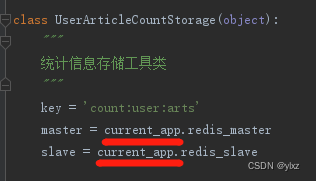
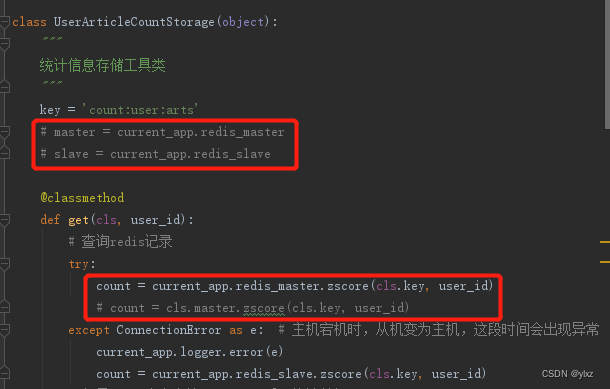
application context is the application context of Flask, which contains variables such as app and g. When it is not convenient to operate app, we use current_app instead of app. current_app can only be accessed when processing requests, and I used current_app outside of processing requests, so an error was reported. Specifically, I used current_app in a custom tool class, ran the program, and could not get the application context when the program loaded the tool class, so the error was reported. The error code is as follows.

[problem-solving]

Since you can’t use current_app in the class property in the tool class, comment out the code and put it in the class method, and modify it as follows. The class method defined by me is used in the view, so the current_app is used in the view when processing the request, so no error will be reported and the problem is solved.

[Solved] Acrobat DC 2022 Install Error: Cannot Install Acrobat Update Service

Personally, when installing Acrobat DC 2022 repeatedly failed, are reported in the last step of the error as follows.

Unable to install the service Adobe Acrobat Update Service (AdobeARMservice).

Please make sure you have sufficient permissions to install the system services.

First, please make sure that you have completely uninstalled the old version or 32bit version of Acrobat DC, as well as Acrobat XI, and deleted the registry and other files. It is recommended to use Geek Uninstall tool to uninstall.

If you confirm the completion of this step still can not be effectively installed, please try the following methods.

Method 1: Restart the computer
Restart your computer and install Adobe Acrobat DC.

Method 2: Stop Adobe Acrobat Update Service service
Control Panel > Administrative Tools > Services, right-click Adobe Acrobat Update Service and stop. Then install Adobe Acrobat DC.

Method 3: Stop and remove the Adobe Arm Service
Open Windows PowerShell as administrator.

In Windows PowerShell, do the following.

To stop the Adobe ARM service, write the following command and press Enter.

sc.exe stop AdobeARMservice

To delete the Adobe ARM service, write the following command and press Enter.

sc.exe delete AdobeARMservice

Delete the remaining files from the Adobe Update Service folder. Type the following command and press Enter.

del “%PROGRAMFILES(X86)%\Common Files\Adobe\ARM\”

Close Windows Powershell and install Adobe Acrobat DC.

Note: method 3 solves my problem. The last step of method 3 may not be executed correctly, but it does not affect.

[Solved] Ant Design Pro Project Startup Error: ChunkError mf-va_remoteEntry umi

edition:

Ant Design Pro 5,typescript

Background:

One project was finished and waited for communication in the later stage, so I went to do other projects. When you look back at this project, you can’t start it and delete the node_Modules also failed to start.

Solution:

Delete src/.umi folder, restart the server, and the project starts normally.

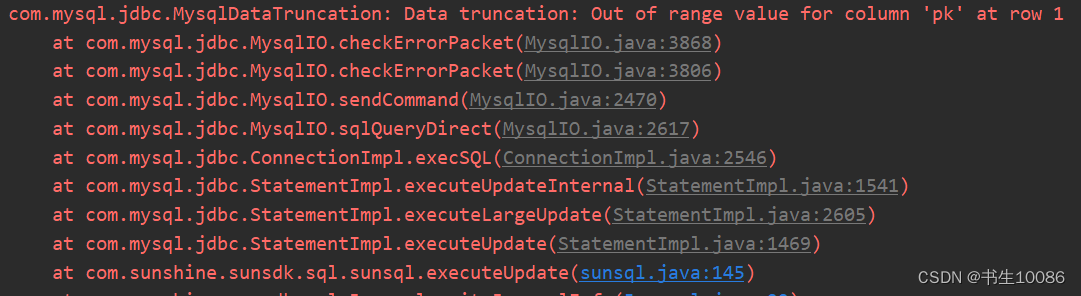
[Solved] Springboot Deploy Error: Input length = 1 or Input length = 2

org. yaml. snakeyaml. error. YAMLException: java. nio. charset. MalformedInputExcep

reason:

1. The text code in YML file is GBK format

Solution:

1. Open settings-Editor-File Econdings in idea, set yml to UTF-8

2. Copy the yml content, delete application.yml, modify the content to UTF-8 format by notepad, then recreate the yml file and put the content into it.

3. Set the yml encoding in settings, without deleting the yml file, Build –> Rebuild Project, resume running. [I haven’t tried this method]

[Solved] Opencv Call yolov3 Error: IndexError: invalid index to scalar variable

Call the weight file of yolov3 with OpenCV to obtain the names of the three scale output layers and report an error

ln = [ln[i[0] - 1] for i in net.getUnconnectedOutLayers()]

Error reporting
indexerror: invalid index to scalar variable

This code was a few years ago. It may be a problem with the version. Now it will report an error

Solution:
Remove [0] and modify as below:

ln = [ln[i - 1] for i in net.getUnconnectedOutLayers()]