Author Archives: Robins

Tomcat start error touch under Linux

Touch: unable to touch/usr/local/tomcat6.0/logs/ catalina.out ”: there is no file or directory

Tomcat startup error:

[ root@rhel bin]# ./ startup.sh
Using CATALINA_ BASE: /usr/local/tomcat6.0
Using CATALINA_ HOME: /usr/local/tomcat6.0
Using CATALINA_ TMPDIR: /usr/local/tomcat6.0/temp
Using JRE_ Home:/usr/local/JDK/JRE
touch: cannot touch “/ usr/local/tomcat6.0/logs/ catalina.out ”: no file or directory
/usr/local/Tomcat/bin/ catalina.sh : line 310: /usr/local/tomcat6.0/logs/ catalina.out : without that file or directory
// prompt that/usr/local/tomcat6.0/logs cannot be created/ Catalina.out This is a file because there is no logs directory;

Solution:
just create a logs directory
MKDIR/usr/local/tomcat7.0.19/logs
Convert Tencent video QLV format to MP4 format

QLV format video is not so easy to deal with, it seems to be an encryption format, trying to change. QLV to. MP4 or. Flv is useless, using format factory and other conversion software conversion is not recognized at all. But this does not mean that there is no way. In fact, the real way is not to use any tools

1, we want to show hidden files. In the computer folder option, display the hidden files, folders and drives; 2. Enter the program cache folder of the video, and under the folder of “vodcache” hidden attribute, you can see many. TDL files, which are segmented files of the video; 3. In the search bar of Windows Start button, type “CMD”, confirm and enter, and enter e: Enter, and then enter the command “copy/b *. TDL 1. MP4” to merge these *. TDL files (the file name can be set by yourself), and you will soon get a MP4 format video file.

After testing, this MP4 file is an ordinary video file, which can play normally.

Copy/b *. TDL 1.mp4 there is space in the middle of the command here, which needs to be noted.

Solution: the network can be recovered only when the Ubuntu broadband is disconnected

If you set the broadband connection in /etc/network/interfaces , sometimes you need to disconnect the network for some work operations. At this time, you will find that when you want to reconnect the network, you can't connect successfully as we wish, you can only manually restart the network service or restart the computer

Command to restart the network service manually:

sudo service network-manager restart

perhaps

sudo systemctl restart NetworkManager.service

For the convenience of future operation, you can create a reconnect in the home directory_ network.sh The contents are as follows

#!/bin/bash
sudo service network-manager restart

Then run the command sudo Chmod + X connect_ network.sh grant executable permission
after the network is disconnected, you only need to run ./reconnect on the terminal_ network.sh , you can connect to the network again

Solution: how to set program permission as administrator permission in vs2019

Sometimes the program needs the administrator’s permission to do some operations, such as reading and writing to Disk C (log), setting the program to boot automatically, etc. without the administrator’s permission, it may not be able to read and write to Disk C (log) or set the program to boot automatically, etc.

terms of settlement:

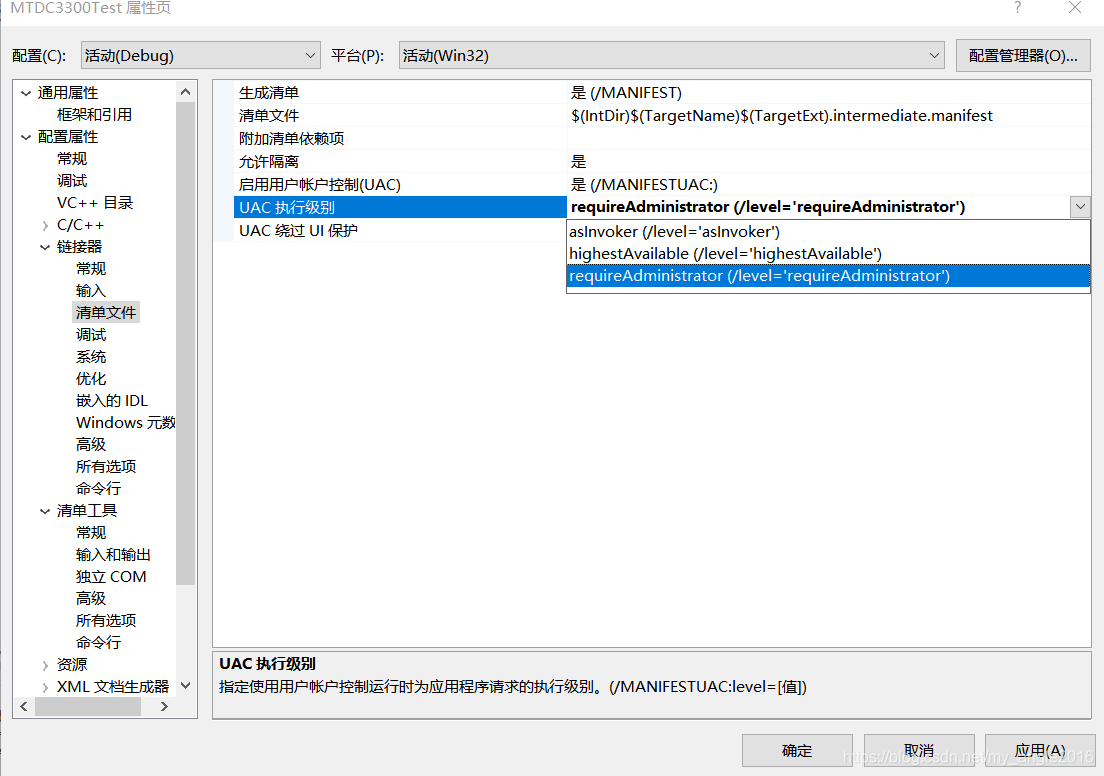
Right click the project, properties – & gt; linker – & gt; manifest file – & gt; UAC execution level – & gt; requireAdministrator (/ level =’requireadministrator ‘)

To be solved: one SSD failure, format failure

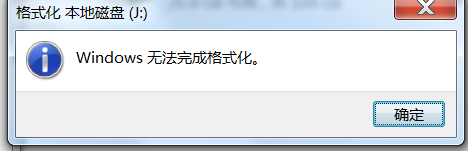
The SSD of msata interface in win7 system disk is out of order and can’t enter the operating system to boot. The hard disk is connected to the new machine. The format of the hard disk in win10 is shown as raw, which cannot be formatted. The disk is checked, and there is no error. The reconstruction boot record is invalid.

At present, the faults are as follows:
① for the deleted file that cannot be written, after the device is ejected, the machine is connected again and the display is restored, that is, the file cannot be deleted.
② Unable to format

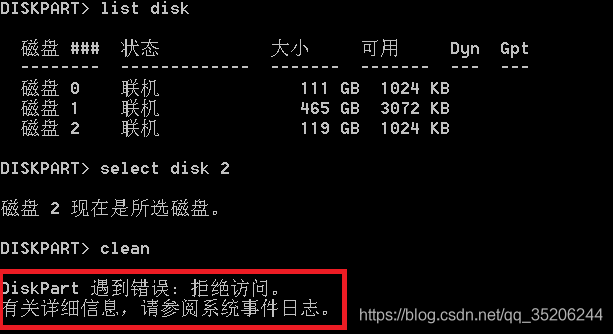
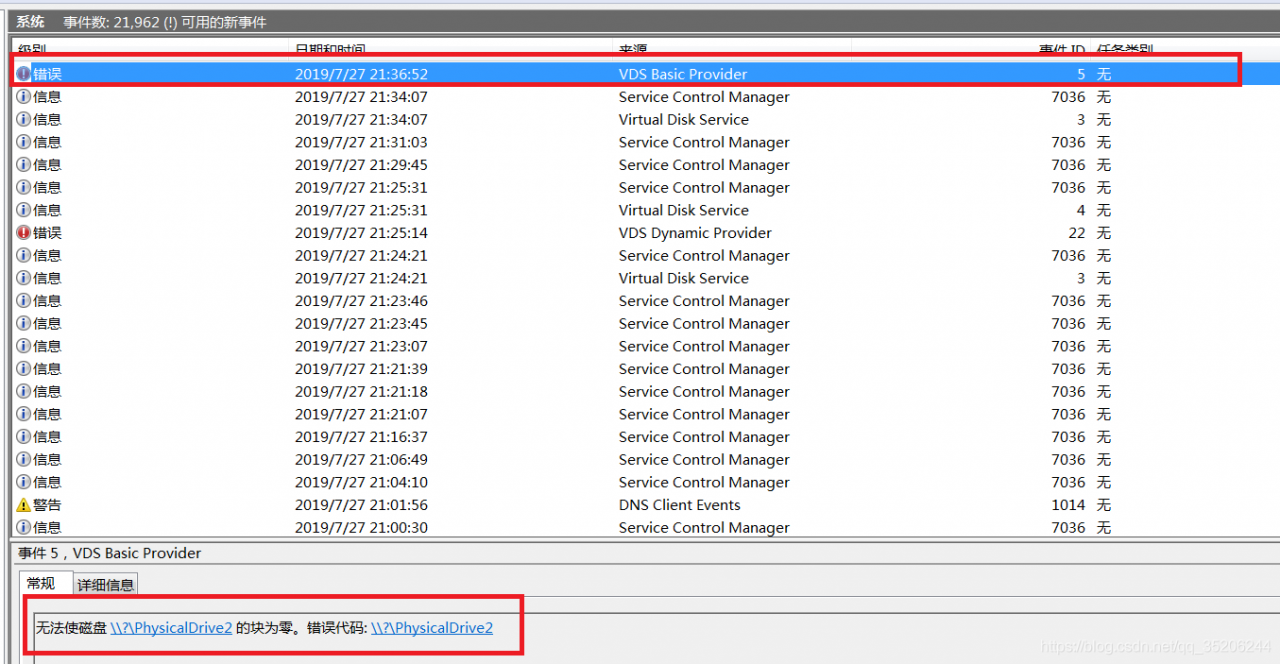
③ the Diskpart clean command is invalid. Time viewer error prompt, unable to make the hard disk block zero


postscript: at present, the problem has not been solved, and the experienced readers are looking forward to your advice.

Windows can’t delete the file, indicating that it is in use. (release of document occupation)

Problem: when deleting a file, it prompts that the file is occupied.

Solution one: use 360 and other third-party software to release the occupation by fool.

Solution 2: use task manager.

Why not use the fool method?I need to delete the problem file on the server. It’s impossible to install 360 on the server! What should I do?

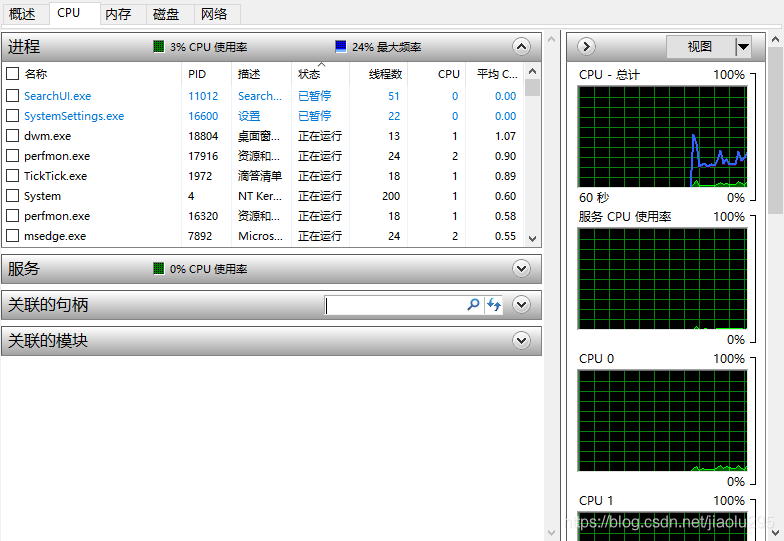
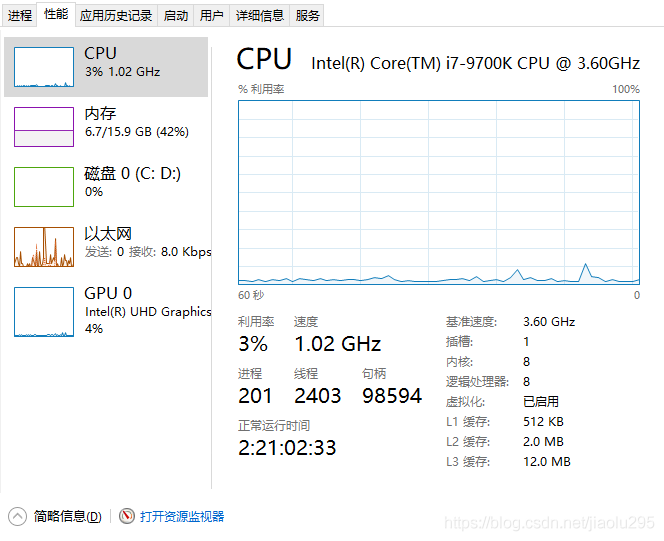
Open the task manager – & gt; switch to CPU – & gt; search the absolute path of the file to be deleted in the CPU’s associated handle, as shown in the figure, doc file and PDF file are occupied, and the process ends. The file is occupied by contact.