Author Archives: Robins

Failed to resolve: com.se renegiant:common 1.5.20

Then we found another more simple and effective way

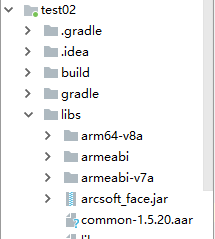
1. From http://download.csdn.net/download/qq_ 38355313/12156696 download the common package you need

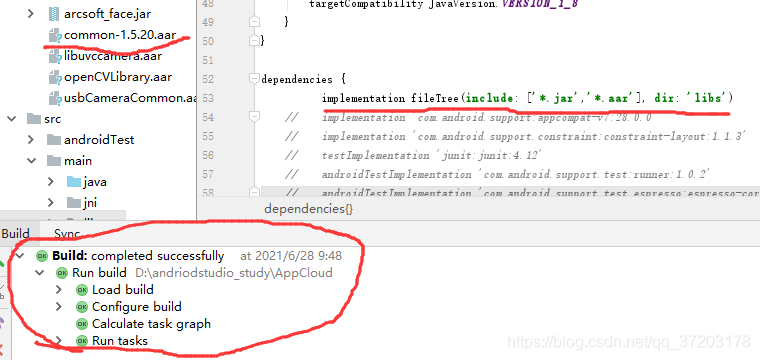
2. Directly put the required module into the LIBS folder

3. Add the original

implementation fileTree(include: ['*.jar'], dir: 'libs')

Change to

implementation fileTree(include: ['*.jar','*.aar'], dir: 'libs') 

This problem can be solved, and the pro test is effective.

[Solved] webpack.config.js configuration encountered Error: Cannot find module’@babel/core’&&Cannot find module’@babel/plugin-transform-react-jsx’

1. Problem description

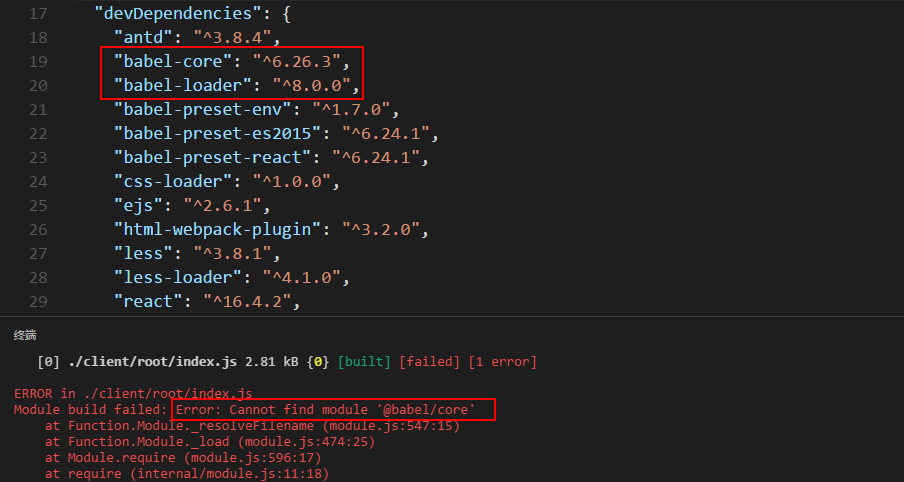
When configuring webpack.config.js to automatically package, an Error: Cannot find module’@babel/core’ error occurred. I
initially thought that babel-core was not installed. After reinstalling babel-core several times, it still doesn’t work. Compared with the previous project, it is found that the version of babel-loader is different. The previous one was @7.1.5 version, but now it is @8.0.0 version.
Second, the solution

Install back to the @7.1.5 version with a dubious mood

npm uninstall babel-loader
npm install babel-loader@7.1.5

And then npm run buildfound success!
I’m a little puzzled, it’s only a few days since the last installation, so I updated it to [email protected]. And it doesn’t support the original configuration anymore. No solution was found on the Internet, and the principle is still unclear. Mark it first, and after solving the problem of @8.0.0, I will come back to add.

Attach webpack.config.js code:

var webpack = require('webpack');
var path = require('path');
var HtmlWebpackPlugin = require('html-webpack-plugin');

module.exports = {
    entry: __dirname + '/client/root/index', 
    output: {
        path: path.join(__dirname + '/dist'),
        filename: 'bundle.js',  
    },

    module: {
        loaders : [{
            test :/(\.jsx|\.js)$/,
            exclude : /node_modules/,
            loader :'babel-loader',
            options:{
                presets:[
                    "env", "react", 
                ]
            }
        },
        {
            test: /\.css$/,
            loader: 'style-loader!css-loader'
        },
        {
            test: /\.less$/,
            loader: 'style-loader!css-loader!less-loader'
        },
        {
            test: /\.(jpg|.png)$/,
            loader: 'url-loader'
        }
        ]
    },

    plugins: [
        new HtmlWebpackPlugin({
            template: __dirname + '/client/views/template.html'
        }),
    ]
}

Regarding the [email protected]cause of the error has been found, thank you @Sky__zt for your answer.
(Forgot to read the official document)

The official default babel-loader | babel corresponding version needs to be the same: that is, the babel-loaderlatest version is requiredbabel
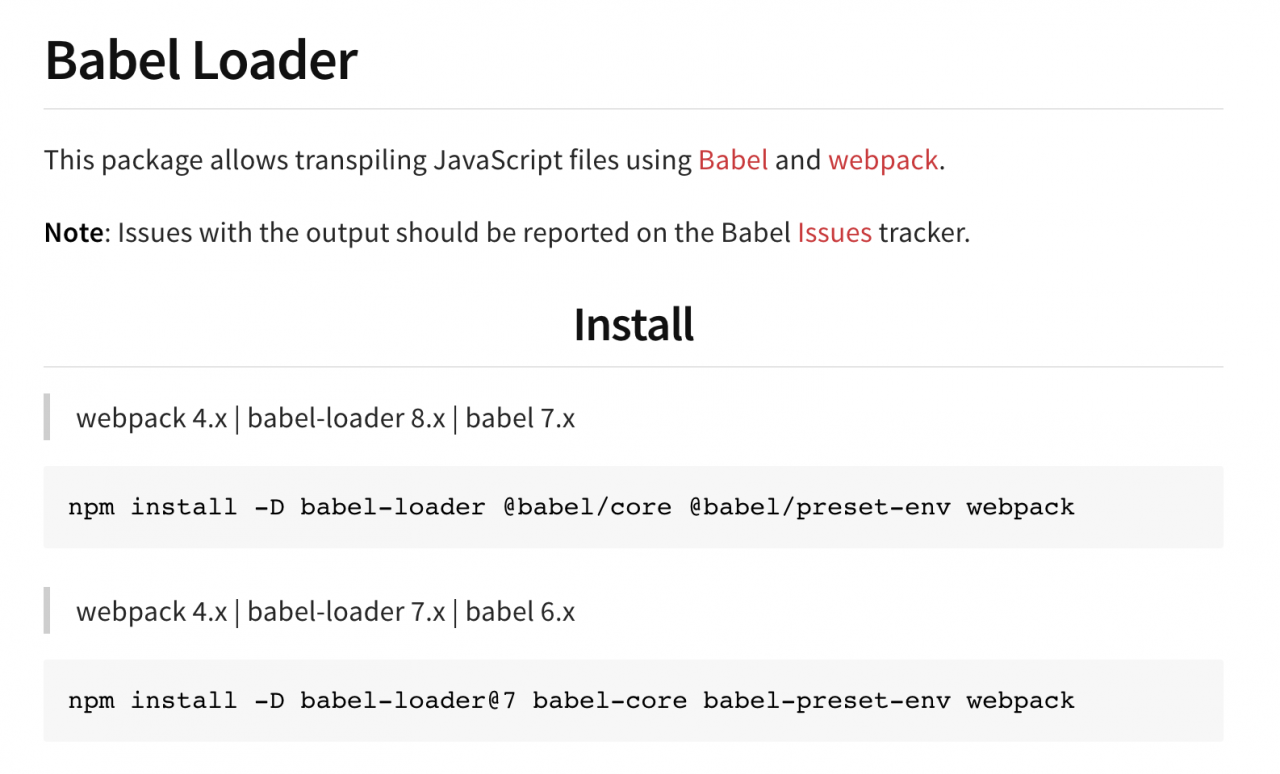
For details, please refer to: “npm_babel-loader”

to sum up:

Two solutions: 1. Roll back the lower version

npm install -D babel-loader@7 babel-core babel-preset-env

  1. Update to the highest version:

npm install -D babel-loader @babel/core @babel/preset-env webpack
[Solved] Caused by: io.netty.channel.AbstractChannel$AnnotatedConnectException: Connection refused: no furthe

phenomenon:
When I started the project today, this project used the Elasticsearch service and found that the background reported this error:

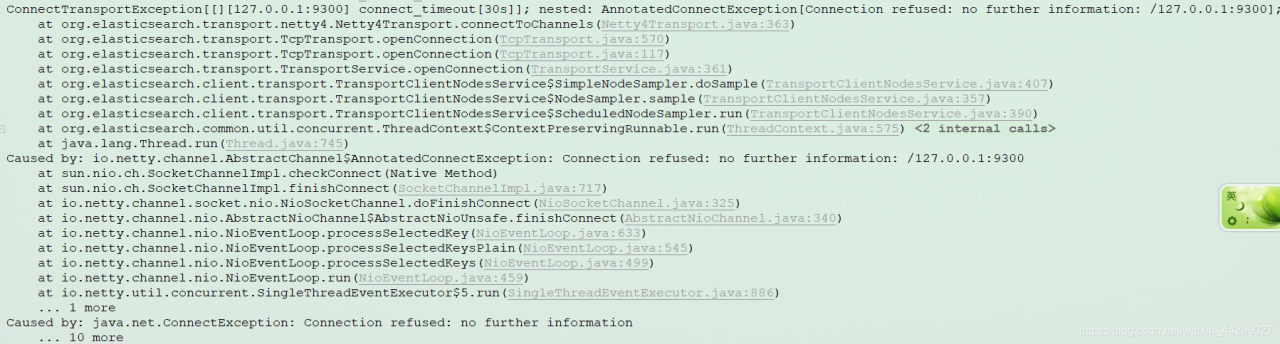
Caused by: io.netty.channel.AbstractChannel$AnnotatedConnectException: Connection refused: no further information: /127.0.0.1:9300

The error message is shown as below:

the reason:
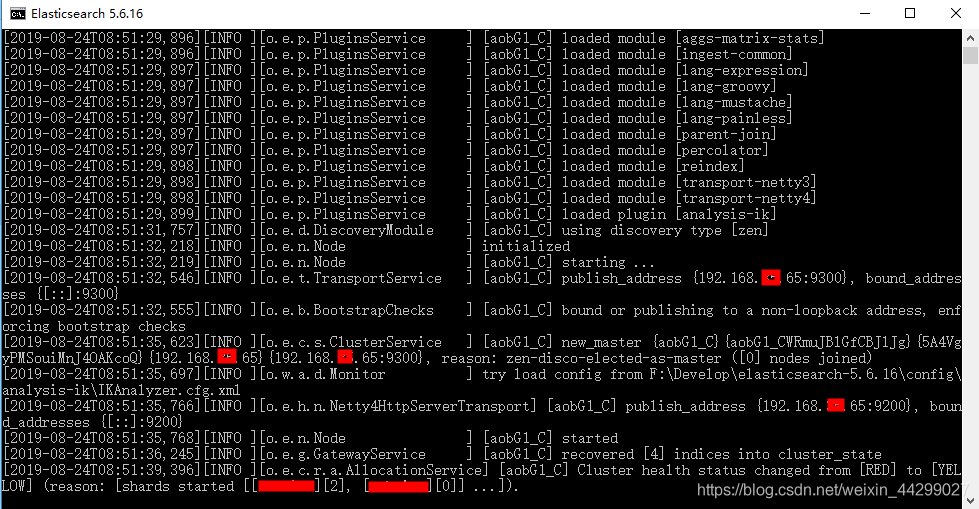
This project uses the Elasticsearch search service, and the error message also prompts key information such as elasticsearch.transport. In fact, this error is caused by the failure of the Elasticsearch service to start successfully.

solution:
Restart the Elasticsearch service (if it doesn’t work once, try shutting it down and then restarting it).

I restarted several times before it succeeded.

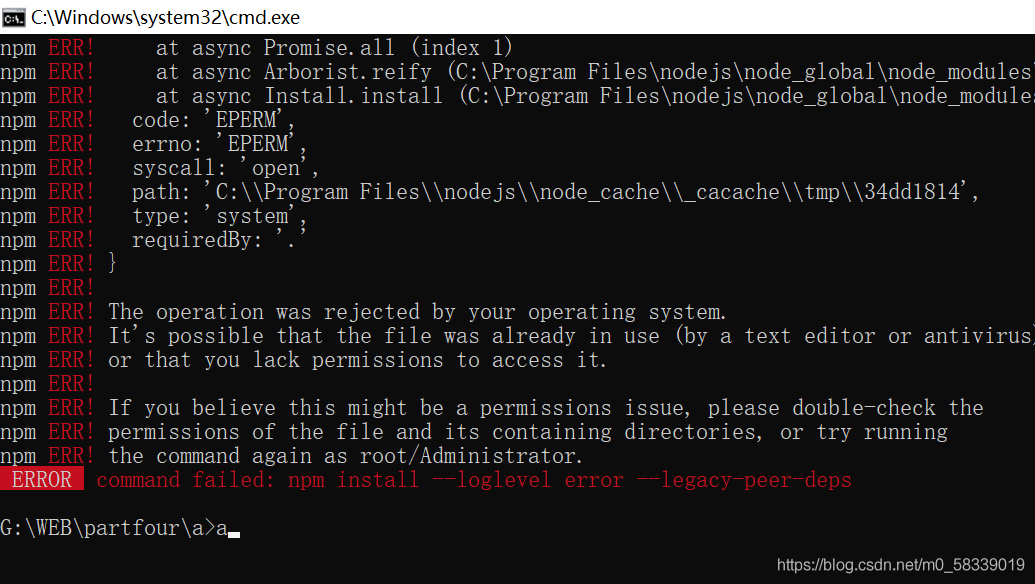
[Solved] ERROR command failed: npm install –loglevel error –legacy-peer-deps

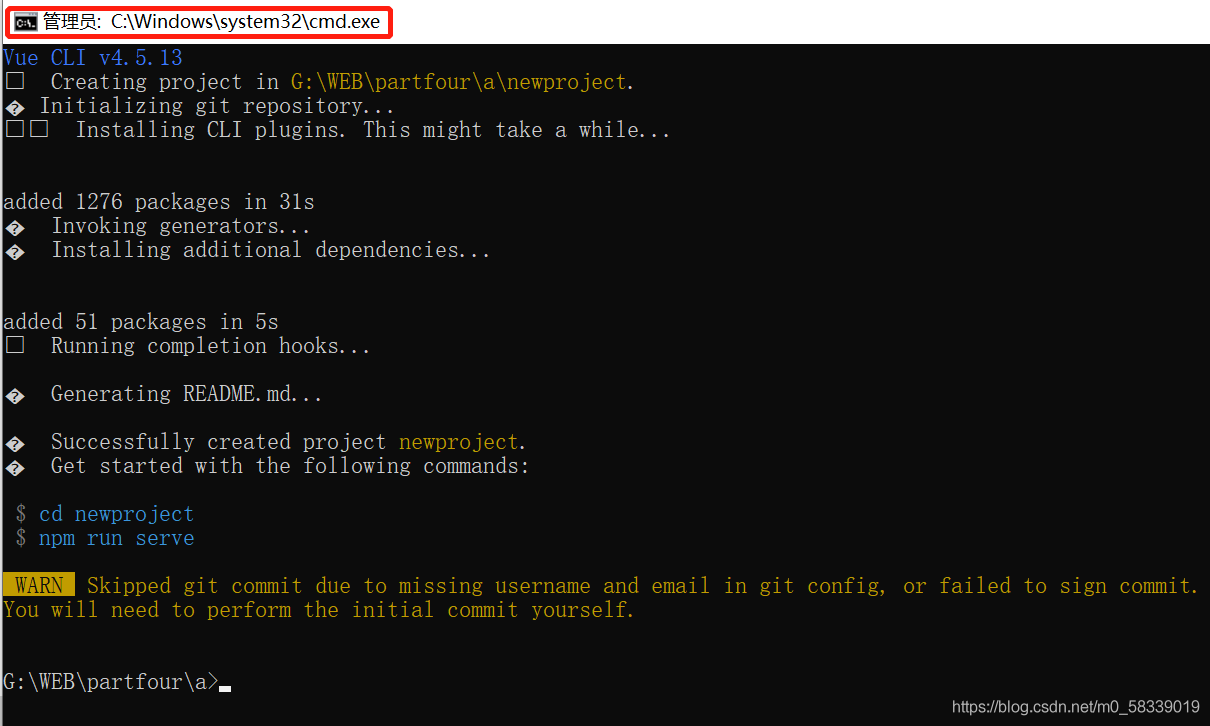
When I created a new Vue project today, I made a mistake like the title, which was disgusting at that time

Try the method of online God

Find the content to be modified by C:: (users/owner). Vuerc  “ Usetaobaoregistry “: false, if the value is true or false, it is not easy to use

Then a whim called CMD as administrator to recreate the project successfully

For reference only, by the way, ask if there is a big God how to solve this problem: how to make the CMD run smoothly under the permission of non administrator?

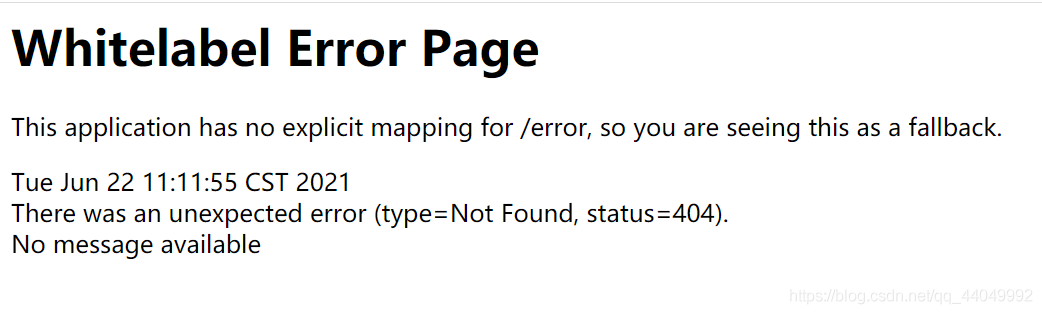
[Solved] SpringBoot Error: This application has no explicit mapping for /error, so you are seeing this

Springboot project running error:

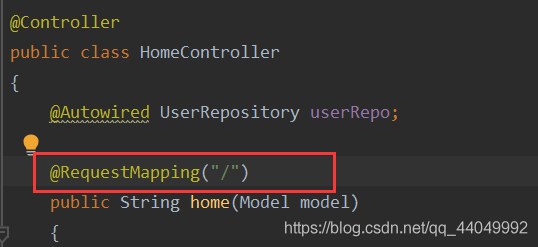
If you check the directory, the problem lies in the URL in the controller
(1) if: @ requestmapping (“/”)

the URL should be written:

(2) if the URL is like this:

Then @ requestmapping (“/ users”)

is a very simple question… As a result, I took a long walk to look at the XML file and properties for half a day… To record this little problem

CMake Error: The source directory “opencv_install_catalog“ does not appear to contain CMakeLists.txt.

Cmake error: the source directory “opencv installation directory” does not appear to contain cmakelists.txt

I want to build opencv 4.5.0 in Ubuntu 20.04 this morning; In the C + + environment, I tried to learn opencv in the Linux system, but I was not familiar with the use of Linux system. I was puzzled by one step in building the environment, and the error was as follows:

Cmake error: the source directory “opencv installation directory” does not appear to contain cmakelists.txt

In Baidu search, we found many solutions provided by big men. After some attempts, we failed collectively. After carefully studying the reasons for the error and checking our opencv installation directory, we found that the specific path of our cmakelists.txt is "home"/ ××××/ Opencv/opencv master/cmakelists.txt " instead of " home/ ×××/ Opencv/cmakelists. TXT ", finally found the cause of the error and solved the problem. Therefore, I hope this article can help some beginners like me. Thank you for your support!

[Solved] Vue-router Error: Navigation cancelled from “/course“ to “/user“ with a new navigation.

This error occurs because a page appears in your Vue router global navigation guard, jumps to a page and then redirects to another interface

router.beforeEach((to,from,next)=>{
  if(to.matched.some(record => record.meta.requiresAuth)){
    if(!store.state.user){
      //Jump to the landing page
      next({
        name:'login',
        query:{//Pass the query string parameter via url
          redirect: to.fullPath//Tell the landing page the page that needs to be returned if the login is successful
        }
      })
    }else{
      next()
    }
  }else{
    next()
  }
  next()
})

If such code appears in Vue router, this error will occur. The solution is not to use multi-layer if and else

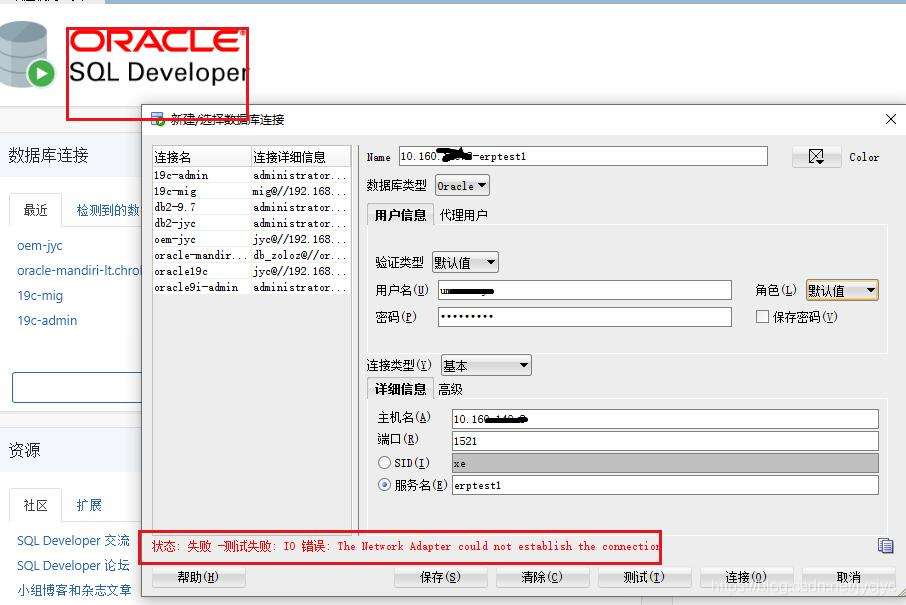
[Solved] IO Error: The Network Adapter could not establish the connection

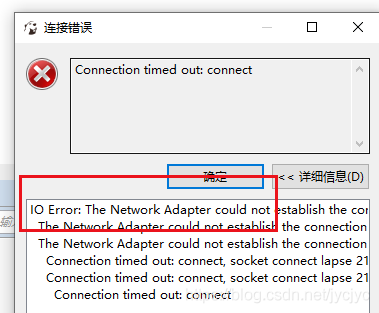
IO Error: The Network Adapter could not establish the connection
The Network Adapter could not establish the connection
Connection timed out: connect, socket connect lapse 21004 ms. /10.10.10.3 1521 0 1 true
Connection timed out: connect

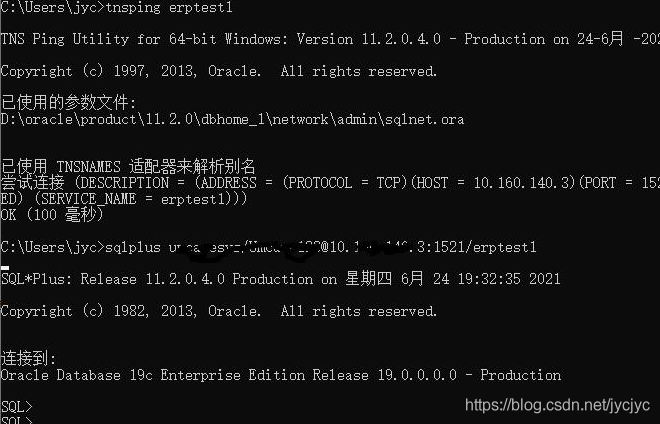
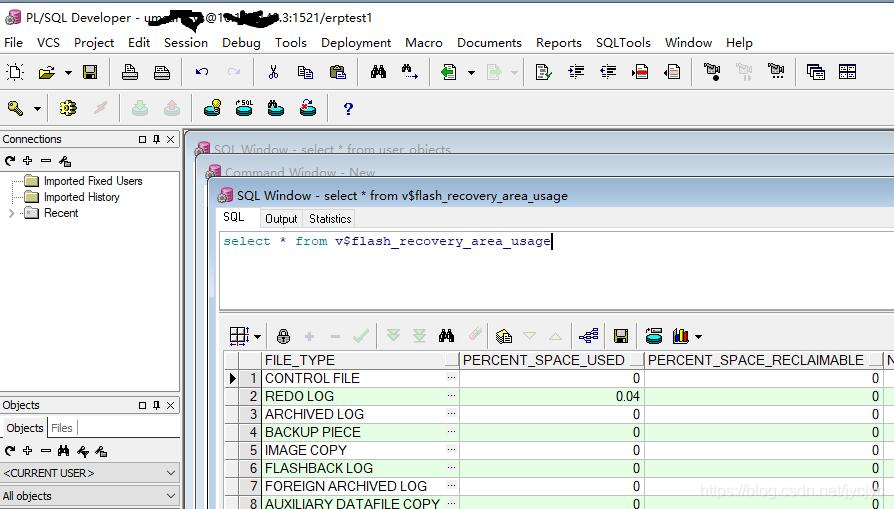
the database is 19C   rac   PDB environment, the current test even one of the VIP address, through the VPN, sqlplus and PL/SQL tools can connect to the database, but with Oracle   sql   The developer tool reported an error. Later, it tried dbeaver and dbvisualizer. It’s strange.

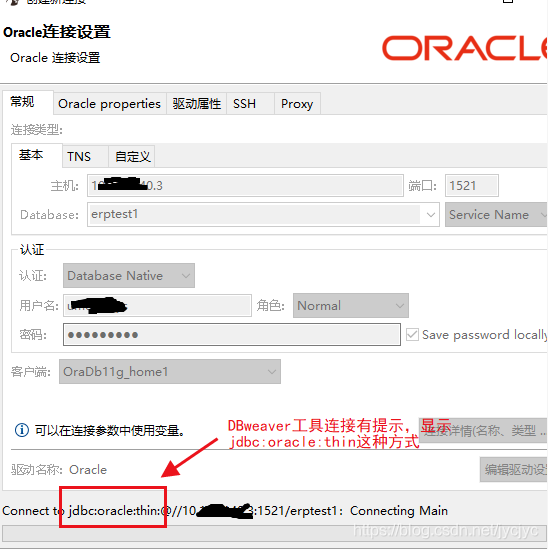
When using the dbeaver tool, we find that the connection is jdbc:oracle :thin

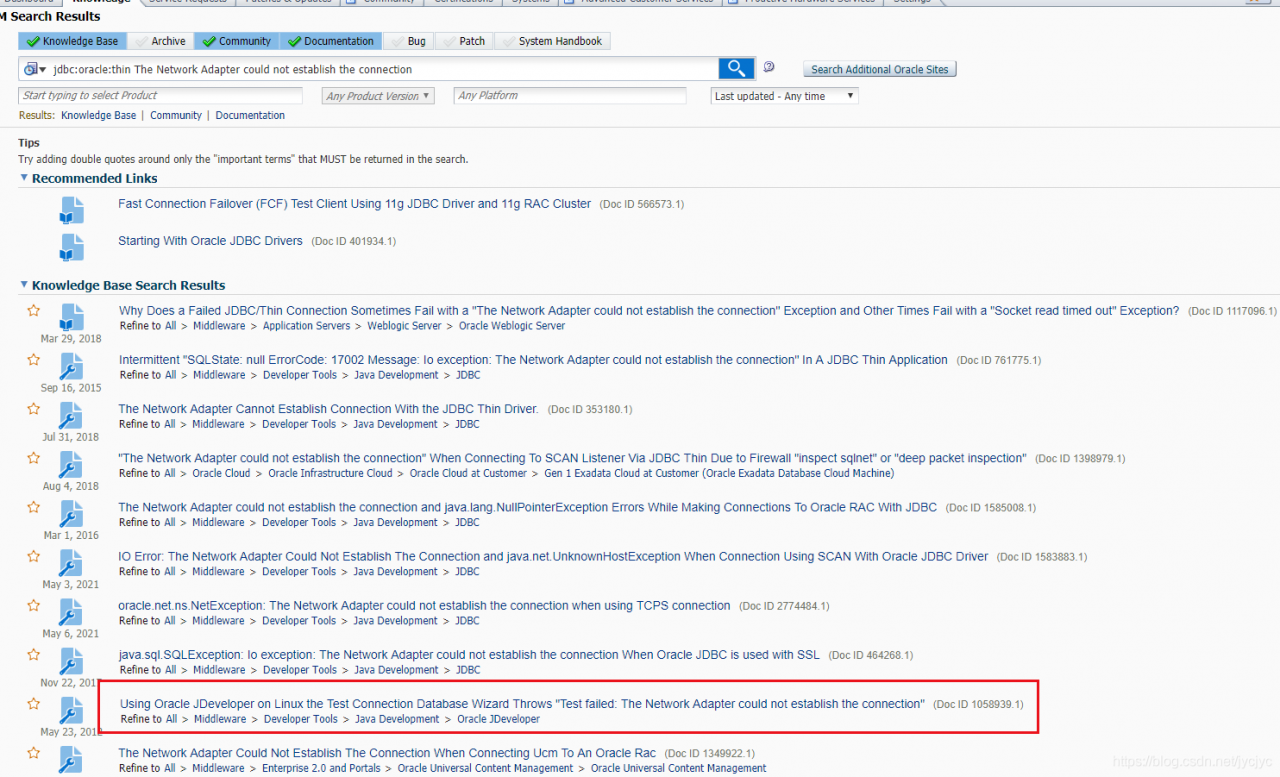
Think of these tools to go is it, so query

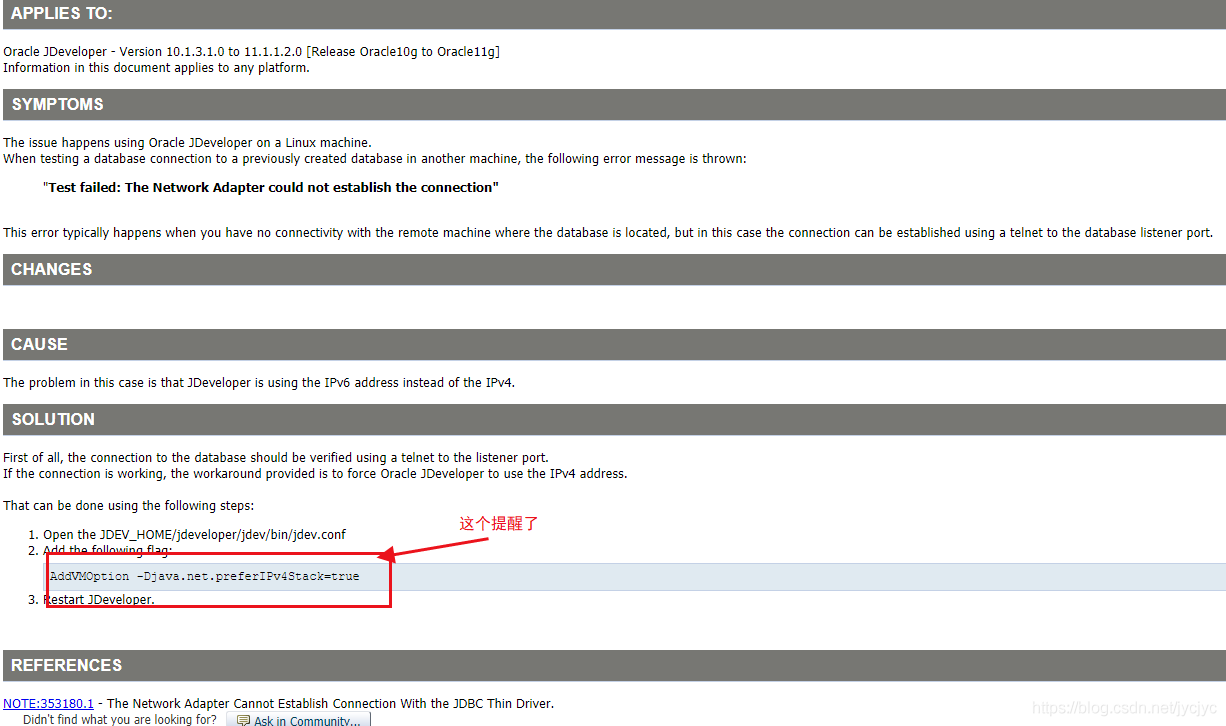
By searching jdbc:oracle : the network adapter could not establish the connection

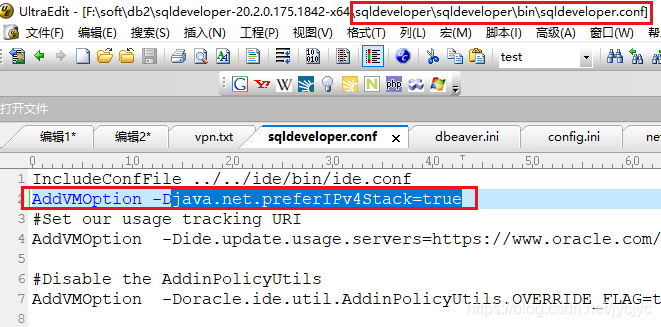
Find the configuration file below:

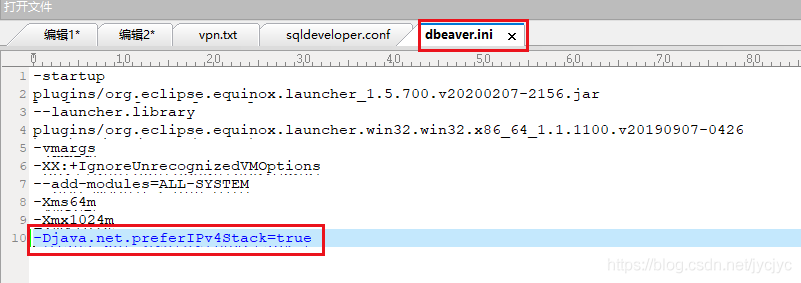
Add this   Addvmoption – DJava. Net. Preferipv4stack = true restart the client tool and connect again successfully.

relevant:
Dbeaver is modified as follows: dbeaver.ini

add to

-Djava.net.preferIPv4Stack=true

[Solved] C++ error: undefined reference to `xxx‘

        Error: undefined reference to ` xxx ‘in C + + means that an undefined method is referenced. There are many reasons for this problem. Here are two problems I encountered.

1. The corresponding header file is not referenced or the versions of library functions referenced in the header file are inconsistent. In different versions of libraries, the names of the same implementation method may be inconsistent, which causes this problem.

2. The method of using extern keyword is wrong. There are many uses of extern. The function of extern here is to refer to functions of other files.

a.h:

//a.h

#ifndef AH
#define AH

extern int test();//Here the return type and parameters must be the same as the implementation method

#endif

aaa.cpp

//aaa.cpp

#include <stdio.h>
#include <iostream>
#include "a.h"  //Both need to refer to the corresponding header file, otherwise an error will be reported

using namespace std;

int test()
{
cout << "abc" <<endl;
}

bbb.cpp

//bbb.cpp

#include <stdio.h>
#include <iostream>
#include "a.h" //Both need to refer to the corresponding header file, otherwise an error will be reported


int main()
{
    test();
}

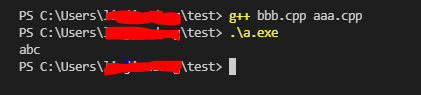
Results of operation:

If any cpp file does not refer to the corresponding header file, an error will be reported.

[Vue warn]: Error in render: TypeError: Cannot read property ‘xxxx’of undefined

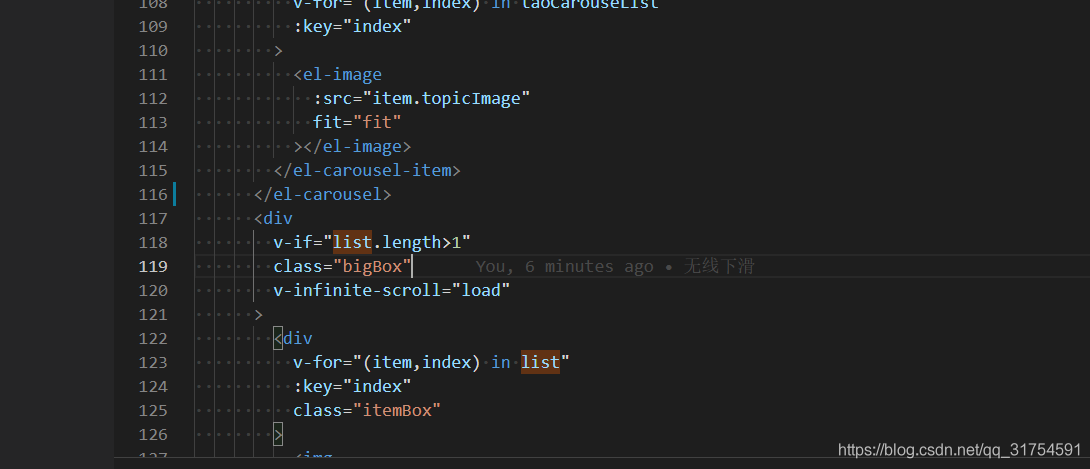
When using the infinite scroll of element UI, the error occurs. The data displayed asynchronously has no initial data, and then the requested data is displayed. The error is reported when the initial data is displayed
just set an initial value for the error value

or add a judgment to render the data when there is data, and not display it when there is no data.

[Solved] Interface automation test: JSON parse error

1.error:
{
“title” : “Bad Request”,
“status” : 400,
“detail” : “JSON parse error: Unrecognized token ‘username’: was expecting (‘true’, ‘false’ or ‘null’); nested exception is com.fasterxml.jackson.core.JsonParseException: Unrecognized token ‘username’: was expecting (‘true’, ‘false’ or ‘null’)\n at [Source: (PushbackInputStream); line: 1, column: 10]”,
“path” : “/getToken”,
“message” : “error.http.400”
}
2.codes

import requests


url = 'http://10.165.153.210/getToken'
headers = {
    'Content-Type': 'application/json'
}
payload = {
    'username': 'pad_view',
    'password': '6368da1213cd4c4538128a0e9acd0288'
}
res = requests.post(url=url,method='post', data=payload, headers=headers)
print(res.text)

3. Reasons

When you request to pass parameters, the JSON string and dictionary look the same, but the background serialization format is different. Therefore, a JSON parsing error will be reported when data is passed in

4. Solutions

Convert dictionary object to JSON string

4.1 import JSON

import json

4.2 convert dictionary object to JSON string

payload = json.dumps({
    'username': 'username',
    'password': 'password'
})

4.3 complete modification code, as follows

import requests
import json  # import json


url = 'http://10.165.153.210/getToken'
headers = {
    'Content-Type': 'application/json'
}
# Convert a dictionary object into a json string, using the json.dumps() method
payload = json.dumps({
    'username': 'pad_view',
    'password': '6368da1213cd4c4538128a0e9acd0288'
})
res = requests.post(url=url,method='post', data=payload, headers=headers)
# Print the response message
print(res.text)