Author Archives: Robins

[Solved] Critical: Error configuring application listener of class org.springframework.web.context.ContextLoaderListener

Critical: Error configuring application listener of class org.springframework.web.context.ContextLoaderListener

Critical: Error configuring application listener of class org.springframework.web.util.IntrospectorCleanupListener

Critical: Error configuring application listener of class org.springframework.web.context.ContextLoaderListener
java.lang.ClassNotFoundException: org.springframework.web.context.ContextLoaderListener
    at org.apache.catalina.loader.WebappClassLoader.loadClass(WebappClassLoader.java: 1720 )
    at org.apache.catalina.loader.WebappClassLoader.loadClass(WebappClassLoader.java: 1571 )
    at org.apache.catalina.core.DefaultInstanceManager.loadClass(DefaultInstanceManager.java: 506 )
    at org.apache.catalina.core.DefaultInstanceManager.loadClassMaybePrivileged(DefaultInstanceManager.java: 488 )
    at org.apache.catalina.core.DefaultInstanceManager.newInstance(DefaultInstanceManager.java: 115 )
    at org.apache.catalina.core.StandardContext.listenerStart(StandardContext.java: 4932 )
    at org.apache.catalina.core.StandardContext.startInternal(StandardContext.java: 5524 )
    at org.apache.catalina.util.LifecycleBase.start(LifecycleBase.java: 150 )
    at org.apache.catalina.core.ContainerBase$StartChild.call(ContainerBase.java: 1575 )
    at org.apache.catalina.core.ContainerBase$StartChild.call(ContainerBase.java: 1565 )
    at java.util.concurrent.FutureTask.run(Unknown Source)
    at java.util.concurrent.ThreadPoolExecutor.runWorker(Unknown Source)
    at java.util.concurrent.ThreadPoolExecutor$Worker.run(Unknown Source)
    at java.lang.Thread.run(Unknown Source)

May 10, 2016 9:41:08 am org.apache.catalina.core.StandardContext listenerStart
Critical: Error configuring application listener of class org.springframework.web.util.IntrospectorCleanupListener
java.lang.ClassNotFoundException: org.springframework.web.util.IntrospectorCleanupListener
    at org.apache.catalina.loader.WebappClassLoader.loadClass(WebappClassLoader.java: 1720 )
    at org.apache.catalina.loader.WebappClassLoader.loadClass(WebappClassLoader.java: 1571 )
    at org.apache.catalina.core.DefaultInstanceManager.loadClass(DefaultInstanceManager.java: 506 )
    at org.apache.catalina.core.DefaultInstanceManager.loadClassMaybePrivileged(DefaultInstanceManager.java: 488 )
    at org.apache.catalina.core.DefaultInstanceManager.newInstance(DefaultInstanceManager.java: 115 )
    at org.apache.catalina.core.StandardContext.listenerStart(StandardContext.java: 4932 )
    at org.apache.catalina.core.StandardContext.startInternal(StandardContext.java: 5524 )
    at org.apache.catalina.util.LifecycleBase.start(LifecycleBase.java: 150 )
    at org.apache.catalina.core.ContainerBase$StartChild.call(ContainerBase.java: 1575 )
    at org.apache.catalina.core.ContainerBase$StartChild.call(ContainerBase.java: 1565 )
    at java.util.concurrent.FutureTask.run(Unknown Source)
    at java.util.concurrent.ThreadPoolExecutor.runWorker(Unknown Source)
    at java.util.concurrent.ThreadPoolExecutor$Worker.run(Unknown Source)
    at java.lang.Thread.run(Unknown Source)


Solution:

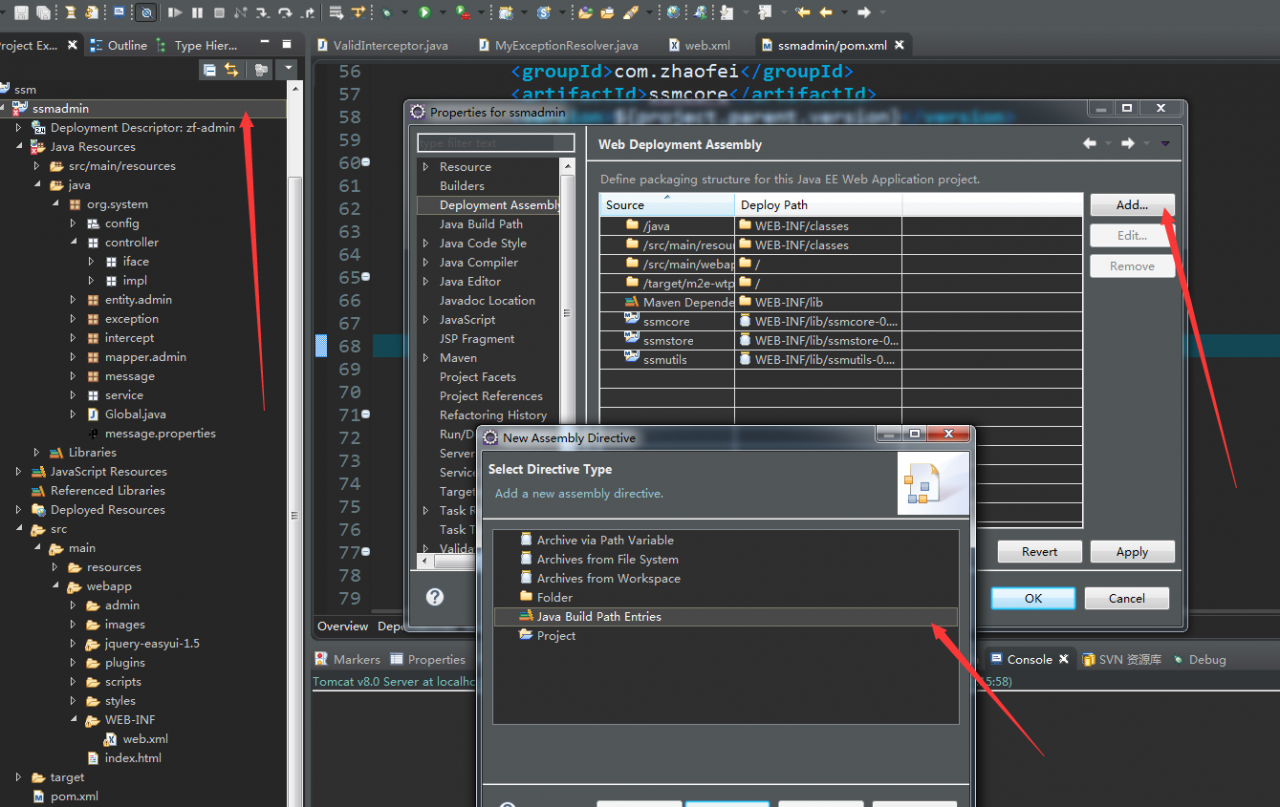
In fact, your jar file is not synchronized to the lib directory of your project (if you are building with Maven), you can try the following method. Right-click the project, click Properties, select Deployment Assembly, and then click the Add button on the right to select Java Build Path After Entries, click the Next button and select your Maven Dependencies to confirm.


[Solved] NDK JNI DETECTED ERROR IN APPLICATION: use of deleted local reference

error reason

Most of the job objects created by jnienv are local variables, which can no longer be used after they are out of function scope

So be sure to turn these variables into global variables, pass them to external pointers or references, and release them when they are used up

correct code


	//char Arrays to jstring
	void toString(const char *charArray, jstring &string) {
	    JNIEnv *env = nullptr;
	    bool detached = JNI::jvm->GetEnv((void **) &env, JNI_VERSION_1_6) == JNI_EDETACHED;
	    if (detached) JNI::jvm->AttachCurrentThread(&env, nullptr);
	    jstring localString = env->NewStringUTF(charArray);
	    string = (jstring) env->NewGlobalRef(localString);
	    if (detached) JNI::jvm->DetachCurrentThread();
	}

	//Calling Methods
	jstring string = nullptr;
	toString(charArray, string);
	//use
	env->CallVoidMethod(interface, onErrorMethod, code, string);
	//release
	env->DeleteGlobalRef(string);
	string = nullptr;

[Solved] ERROR: Could not build wheels for cryptography which use PEP 517 and cannot be installed directly

Solution

https://cryptography.io/en/latest/installation/

$ apk add gcc musl-dev python3-dev libffi-dev openssl-dev cargo
$ pip install --upgrade pip
$ export CRYPTOGRAPHY_DONT_BUILD_RUST=1
$ pip install cryptography

Solution process

      =============================DEBUG ASSISTANCE=============================
      If you are seeing a compilation error please try the following steps to
      successfully install cryptography:
      1) Upgrade to the latest pip and try again. This will fix errors for most
         users. See: https://pip.pypa.io/en/stable/installing/#upgrading-pip
      2) Read https://cryptography.io/en/latest/installation.html for specific
         instructions for your platform.
      3) Check our frequently asked questions for more information:
         https://cryptography.io/en/latest/faq.html
      4) Ensure you have a recent Rust toolchain installed:
         https://cryptography.io/en/latest/installation.html#rust
      5) If you are experiencing issues with Rust for *this release only* you may
         set the environment variable `CRYPTOGRAPHY_DONT_BUILD_RUST=1`.
      =============================DEBUG ASSISTANCE=============================

  error: can't find Rust compiler

  If you are using an outdated pip version, it is possible a prebuilt wheel is available for this package but pip is not able to install from it. Installing from the wheel would avoid the need for a Rust compiler.

  To update pip, run:

      pip install --upgrade pip

  and then retry package installation.

  If you did intend to build this package from source, try installing a Rust compiler from your system package manager and ensure it is on the PATH during installation. Alternatively, rustup (available at https://rustup.rs) is the recommended way to download and update the Rust compiler toolchain.

  This package requires Rust >=1.41.0.
  ----------------------------------------
  ERROR: Failed building wheel for cryptography
Failed to build cryptography
ERROR: Could not build wheels for cryptography which use PEP 517 and cannot be installed directly

It is found that the solution is given above

      =============================DEBUG ASSISTANCE=============================
      If you are seeing a compilation error please try the following steps to
      successfully install cryptography:
      1) Upgrade to the latest pip and try again. This will fix errors for most
         users. See: https://pip.pypa.io/en/stable/installing/#upgrading-pip
      2) Read https://cryptography.io/en/latest/installation.html for specific
         instructions for your platform.
      3) Check our frequently asked questions for more information:
         https://cryptography.io/en/latest/faq.html
      4) Ensure you have a recent Rust toolchain installed:
         https://cryptography.io/en/latest/installation.html#rust
      5) If you are experiencing issues with Rust for *this release only* you may
         set the environment variable `CRYPTOGRAPHY_DONT_BUILD_RUST=1`.
      =============================DEBUG ASSISTANCE=============================

============================= Debugging assistance =============================
If you see a compilation error, try the following steps
Install encryption successfully:
1) Upgrade to the latest pip and try again. This will fix most errors
users. See:https://pip.pypa.io/en/stable/installing/ upgrading-pip
2) Read specifically https://cryptography.io/en/latest/installation.html
for your platform instructions.
3) Check out our FAQ for more information:
https://cryptography.io/en/latest/faq.html
4) Make sure you have recently installed the Rust toolchain:
https://cryptography.io/en/latest/installation.html#rust
5)If you are experiencing problems with Rust in *this version*, you can
set the environment variable ' CRYPTOGRAPHY_DONT_BUILD_RUST=1 '.
============================= Debugging assistance =============================

First, upgrade pip

pip install --upgrade pip

After I upgrade, I will install again or report an error (some people on the Internet have solved it, if you have solved it, ignore the following contents)

Continue to look at the above content and say that my rust version is too low
to view the official website, you need to install the relevant dependencies

https://cryptography.io/en/latest/installation/

sudo apk add gcc musl-dev python3-dev libffi-dev openssl-dev cargo

Re install or report an error, continue to follow the instructions to continue processing

     ERROR: Command errored out with exit status 1:
     command: /usr/local/bin/python -c 'import io, os, sys, setuptools, tokenize; sys.argv[0] = '"'"'/tmp/pip-install-km3x31je/matplotlib_fcb1836ff32b459797e98afb66f6211e/setup.py'"'"'; __file__='"'"'/tmp/pip-install-km3x31je/matplotlib_fcb1836ff32b459797e98afb66f6211e/setup.py'"'"';f = getattr(tokenize, '"'"'open'"'"', open)(__file__) if os.path.exists(__file__) else io.StringIO('"'"'from setuptools import setup; setup()'"'"');code = f.read().replace('"'"'\r\n'"'"', '"'"'\n'"'"');f.close();exec(compile(code, __file__, '"'"'exec'"'"'))' egg_info --egg-base /tmp/pip-pip-egg-info-7833r8p7
         cwd: /tmp/pip-install-km3x31je/matplotlib_fcb1836ff32b459797e98afb66f6211e/
    Complete output (44 lines):
    WARNING: The repository located at mirrors.aliyun.com is not a trusted or secure host and is being ignored. If this repository is available via HTTPS we recommend you use HTTPS instead, otherwise you may silence this warning and allow it anyway with '--trusted-host mirrors.aliyun.com'.
    ERROR: Could not find a version that satisfies the requirement numpy>=1.16 (from versions: none)
    ERROR: No matching distribution found for numpy>=1.16
    Traceback (most recent call last):
      File "/usr/local/lib/python3.7/site-packages/setuptools/installer.py", line 75, in fetch_build_egg
        subprocess.check_call(cmd)
      File "/usr/local/lib/python3.7/subprocess.py", line 363, in check_call
        raise CalledProcessError(retcode, cmd)
    subprocess.CalledProcessError: Command '['/usr/local/bin/python', '-m', 'pip', '--disable-pip-version-check', 'wheel', '--no-deps', '-w', '/tmp/tmpd6d05k3_', '--quiet', 'numpy>=1.16']' returned non-zero exit status 1.

    The above exception was the direct cause of the following exception:

    Traceback (most recent call last):
      File "<string>", line 1, in <module>
      File "/tmp/pip-install-km3x31je/matplotlib_fcb1836ff32b459797e98afb66f6211e/setup.py", line 314, in <module>
        cmdclass=cmdclass,
      File "/usr/local/lib/python3.7/site-packages/setuptools/__init__.py", line 152, in setup
        _install_setup_requires(attrs)
      File "/usr/local/lib/python3.7/site-packages/setuptools/__init__.py", line 147, in _install_setup_requires
        dist.fetch_build_eggs(dist.setup_requires)
      File "/usr/local/lib/python3.7/site-packages/setuptools/dist.py", line 782, in fetch_build_eggs
        replace_conflicting=True,
      File "/usr/local/lib/python3.7/site-packages/pkg_resources/__init__.py", line 768, in resolve
        replace_conflicting=replace_conflicting
      File "/usr/local/lib/python3.7/site-packages/pkg_resources/__init__.py", line 1051, in best_match
        return self.obtain(req, installer)
      File "/usr/local/lib/python3.7/site-packages/pkg_resources/__init__.py", line 1063, in obtain
        return installer(requirement)
      File "/usr/local/lib/python3.7/site-packages/setuptools/dist.py", line 838, in fetch_build_egg
        return fetch_build_egg(self, req)
      File "/usr/local/lib/python3.7/site-packages/setuptools/installer.py", line 77, in fetch_build_egg
        raise DistutilsError(str(e)) from e
    distutils.errors.DistutilsError: Command '['/usr/local/bin/python', '-m', 'pip', '--disable-pip-version-check', 'wheel', '--no-deps', '-w', '/tmp/tmpd6d05k3_', '--quiet', 'numpy>=1.16']' returned non-zero exit status 1.

    Edit setup.cfg to change the build options; suppress output with --quiet.

    BUILDING MATPLOTLIB
      matplotlib: yes [3.4.2]
          python: yes [3.7.10 (default, Jun 29 2021, 01:54:47)  [GCC 10.3.1
                      20210424]]
        platform: yes [linux]
           tests: no  [skipping due to configuration]
          macosx: no  [Mac OS-X only]

Setting environment variables

export CRYPTOGRAPHY_DONT_BUILD_RUST=1
pip install cryptography

It was a success this time.
[Solved] Error: The slice reducer for key “auth“ returned undefined during initialization. If the state pas

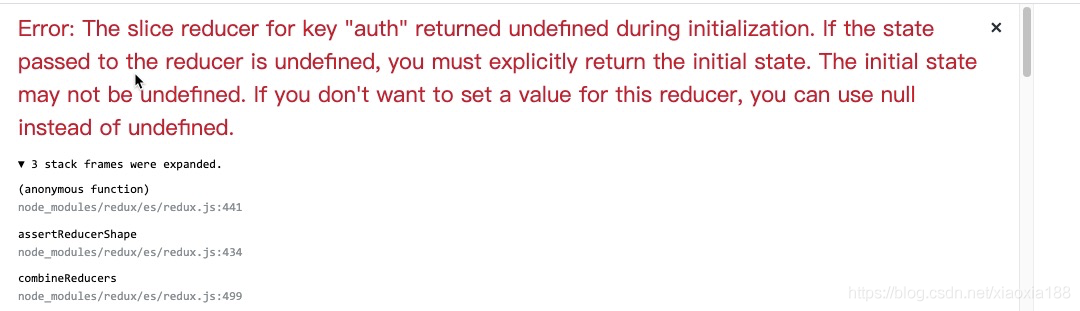
Error: The slice reducer for key “auth” returned undefined during initialization. If the state passed to the reducer is undefined, you must explicitly return the initial state. The initial state may not be undefined. If you don’t want to set a value for this reducer, you can use null instead of undefined.

Cause: switch (action.type) is not set default

export default function authReducer(state, action) {
    switch (action.type) {
        case SIGNUP:
            return {
                ...state,
                signup: {
                    loaded: false,
                    success: false,
                }
            }
        default:
            return state;    
     }
}

[Solved] Error: Cannot run with sound null safety, because the following dependenciesdon‘t support null safe

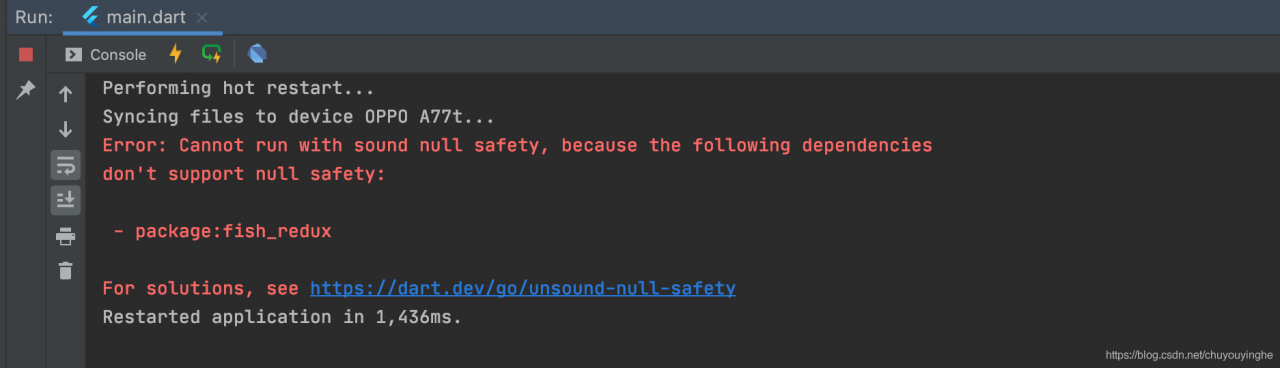
Today, I use flutter SDK 2.2.2   +  fish_ Redux: ^ 0.3.4 to encode this error, as shown in the following figure:

After checking, it is caused by the wrong selection of the SDK version,

sdk: ">=2.12.0 <3.0.0" Change to   sdk: ">=2.8.0 <3.0.0"

OK, the version above 2.12 has empty security requirements

pubspec.yaml

name: fish_redux_demo02
description: A new Flutter project.

# The following line prevents the package from being accidentally published to
# pub.dev using `pub publish`. This is preferred for private packages.
publish_to: 'none' # Remove this line if you wish to publish to pub.dev

# The following defines the version and build number for your application.
# A version number is three numbers separated by dots, like 1.2.43
# followed by an optional build number separated by a +.
# Both the version and the builder number may be overridden in flutter
# build by specifying --build-name and --build-number, respectively.
# In Android, build-name is used as versionName while build-number used as versionCode.
# Read more about Android versioning at https://developer.android.com/studio/publish/versioning
# In iOS, build-name is used as CFBundleShortVersionString while build-number used as CFBundleVersion.
# Read more about iOS versioning at
# https://developer.apple.com/library/archive/documentation/General/Reference/InfoPlistKeyReference/Articles/CoreFoundationKeys.html
version: 1.0.0+1

environment:
  #sdk: ">=2.12.0 <3.0.0"
  sdk: ">=2.8.0 <3.0.0"

dependencies:
  flutter:
    sdk: flutter


  # The following adds the Cupertino Icons font to your application.
  # Use with the CupertinoIcons class for iOS style icons.
  cupertino_icons: ^1.0.2

  fish_redux: ^0.3.4
  #Demo list of libraries to be used
  dio: ^3.0.9 #network request framework
  json_annotation: ^2.4.0 #json serialization and deserialization for

dev_dependencies:
  flutter_test:
    sdk: flutter

# For information on the generic Dart part of this file, see the
# following page: https://dart.dev/tools/pub/pubspec

# The following section is specific to Flutter.
flutter:

  # The following line ensures that the Material Icons font is
  # included with your application, so that you can use the icons in
  # the material Icons class.
  uses-material-design: true

  # To add assets to your application, add an assets section, like this:
  # assets:
  #   - images/a_dot_burr.jpeg
  #   - images/a_dot_ham.jpeg

  # An image asset can refer to one or more resolution-specific "variants", see
  # https://flutter.dev/assets-and-images/#resolution-aware.

  # For details regarding adding assets from package dependencies, see
  # https://flutter.dev/assets-and-images/#from-packages

  # To add custom fonts to your application, add a fonts section here,
  # in this "flutter" section. Each entry in this list should have a
  # "family" key with the font family name, and a "fonts" key with a
  # list giving the asset and other descriptors for the font. For
  # example:
  # fonts:
  #   - family: Schyler
  #     fonts:
  #       - asset: fonts/Schyler-Regular.ttf
  #       - asset: fonts/Schyler-Italic.ttf
  #         style: italic
  #   - family: Trajan Pro
  #     fonts:
  #       - asset: fonts/TrajanPro.ttf
  #       - asset: fonts/TrajanPro_Bold.ttf
  #         weight: 700
  #
  # For details regarding fonts from package dependencies,
  # see https://flutter.dev/custom-fonts/#from-packages

Tensorflow Error polling for event status: failed to query event: CUDA_ERROR_ILLEGAL_ADDRESS

  Server environment:

    Ubuntu 16.04.4tensorflow 1.13.1cuda-10.0cudnn 7.4.5

Recently, when I was running demo pointasnl of point cloud classification, when batch_ When the size setting is relatively large, the following errors will appear during the training:

2020-06-12 00:14:01.824110: E tensorflow/stream_executor/cuda/cuda_event.cc:29] Error polling for event status: failed to query event: CUDA_ERROR_ILLEGAL_ADDRESS: an illegal memory access was encountered
2020-06-12 00:14:01.824142: F tensorflow/core/common_runtime/gpu/gpu_event_mgr.cc:273] Unexpected Event status: 1

At first, it was thought that there was something wrong with the GPU Programming code, but after repeated checking, it was found that there was no error.

After collecting information from the Internet, I vaguely realized that it should be the environmental version.

After reducing cudnn 7.4.5 to cudnn 7.3.1, this problem seems to be solved. I hope there will be no more problems.

[Solved] JSON parse error: Unexpected character (‘‘‘ (code 39)): was expecting double-quote to star

Warning: [http-nio-8080-exec-6] org.springframework.web.servlet.mvc.support.DefaultHandlerExceptionResolver.handleHttpMessageNotReadable Failed to read HTTP message: org.springframework.http.converter.HttpMessageNotReadableException: JSON parse error: Unexpected character (''' (code 39)): was expecting double-quote to start field name; nested exception is com.fasterxml.jackson.core.JsonParseException: Unexpected character (''' (code 39)): was expecting double-quote to start field name
 at [Source: (PushbackInputStream); line: 1, column: 3]

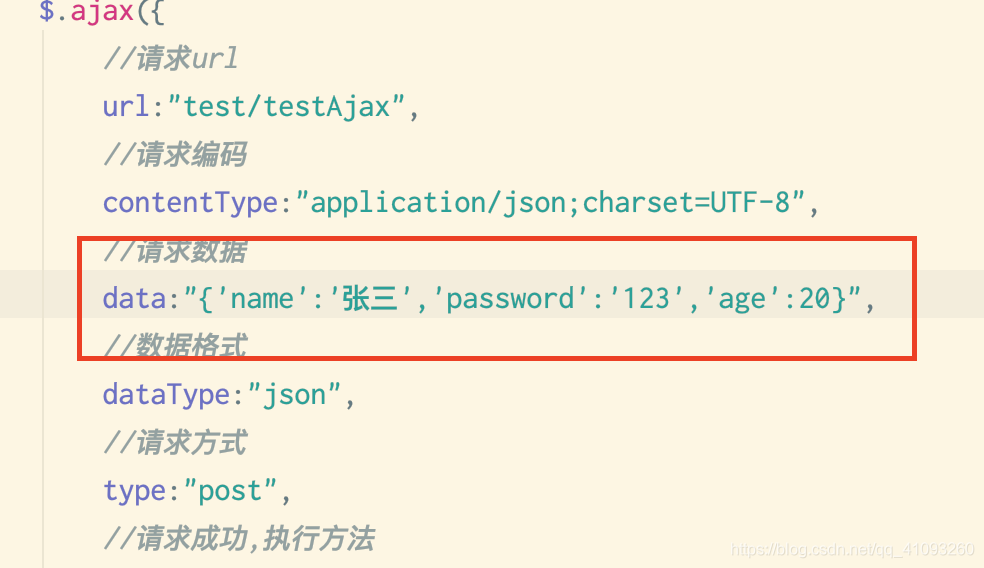
Error reason: the format of JSON parameter is wrong
error screenshot

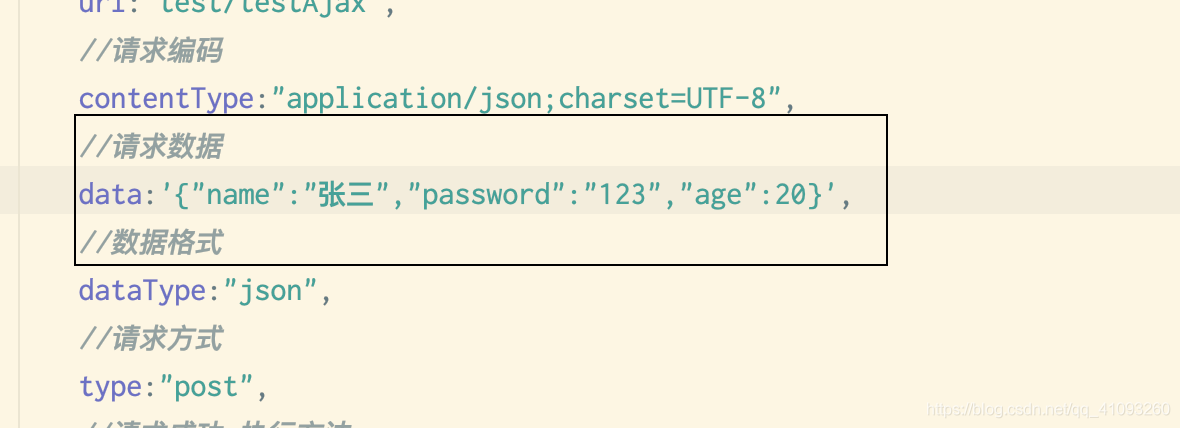
single quotation mark ‘and double quotation mark’ error, which is modified to

perfect solution

[Solved] /usr/bin/ld: cannot find crti.o: No such file or directory & /usr/bin/ld: cannot find -lc

Such an error occurred when running./configure. Here is the solution.

Problem description

Environmental Science:

ubuntu 16.04

In operation:

wget -q http://pyyaml.org/download/libyaml/yaml-0.1.7.tar.gz \
      && sudo tar xvf yaml-0.1.7.tar.gz -C /usr/local \
      && cd /usr/local/yaml-0.1.7 \
      && sudo ./configure \

I made a mistake and said:

configure: error: C compiler cannot create executables

Solution

1. Confused period

Take this error message to check,

configure: error: C compiler cannot create executables https://stackoverflow.com/questions/10357804/configure-error-c-compiler-cannot-create-executableshow to fix configure: error: C compiler cannot create executables https://askubuntu.com/questions/647583/how-to-fix-configure-error-c-compiler-cannot-create-executables

There is no solution at all

2. Find a solution

Therefore, we can only continue to study and find that we can check config. Log , go in and check carefully, and find the following errors:

/usr/bin/ld: cannot find crt1.o: No such file or directory
/usr/bin/ld: cannot find crti.o: No such file or directory
/usr/bin/ld: cannot find -lc
/usr/bin/ld: cannot find crtn.o: No such file or directory
collect2: error: ld returned 1 exit status

Then Find /usr/bin/ld: cannot find crti.o: No such file or directory
Find the Below:
cannot find crti.o: No such file or directory https://askubuntu.com/questions/251978/cannot-find-crti-o-no-such-file-or-directory Finally found the right one for my scene:.
crti.o not found: no such file or directory https://qastack.cn/ubuntu/251978/cannot-find-crti-o-no-such-file-or-directory /usr/bin/ld: cannot find -l* The solution to the error …… https://www.huaweicloud.com/articles/7a0fa982b8037ab67800648c5beaf69a.html cpp: usr/bin/ld: cannot find -l<nameOfTheLibrary> https://stackoverflow.com/questions/30600978/cpp-usr-bin-ld-cannot-find-lnameofthelibrary /usr/bin/ld: cannot find -lxxx solutionhttps://www.cnblogs.com/zhming26/p/6164131.html

3、Specific solutions
Run.

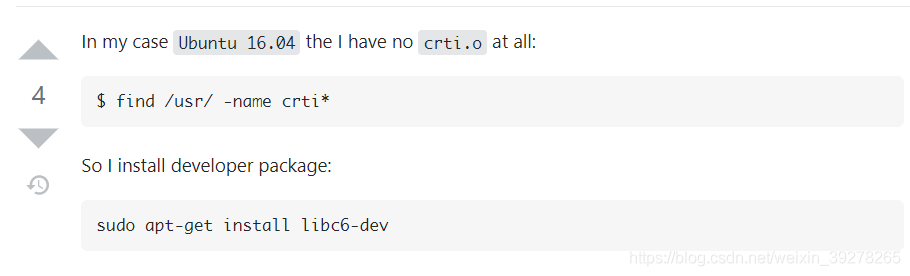
sudo apt-get install libc6-dev

Then run configure again.

Summary

above. Still need to go through some twists and turns. No problem.

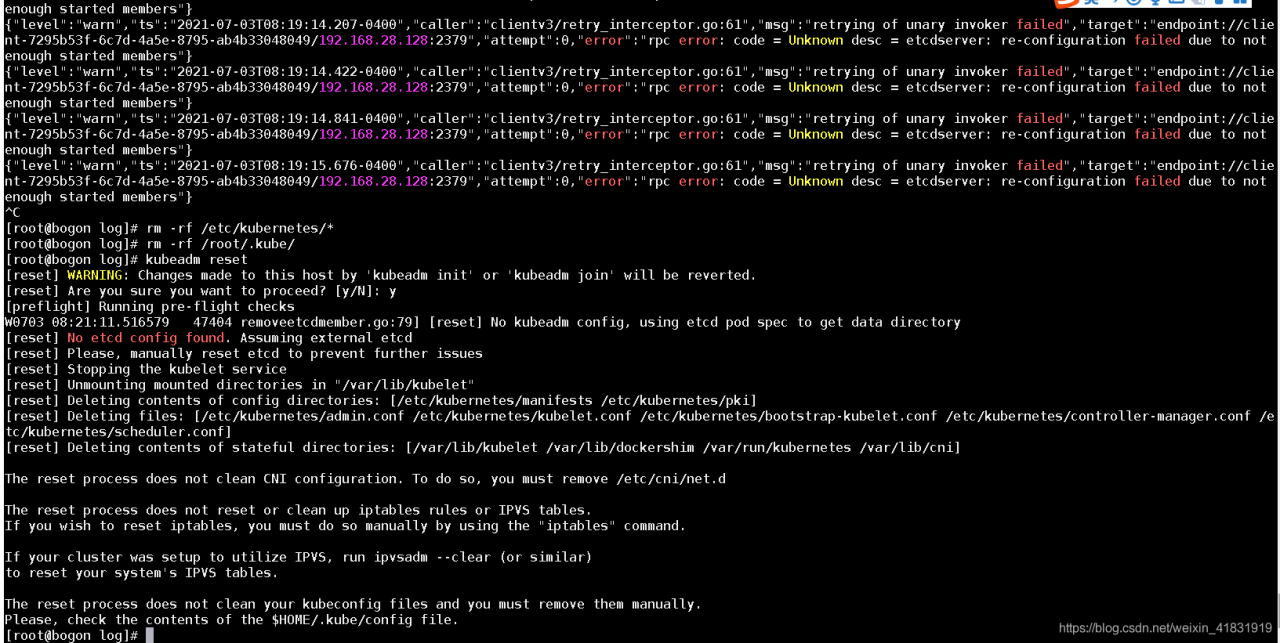
[Solved] Kubeadm Reset error: etcdserver: re-configuration failed due to not enough started members

Error information:

[root@bogon log]# kubeadm reset
[reset] Reading configuration from the cluster...
[reset] FYI: You can look at this config file with 'kubectl -n kube-system get cm kubeadm-config -oyaml'
[reset] WARNING: Changes made to this host by 'kubeadm init' or 'kubeadm join' will be reverted.
[reset] Are you sure you want to proceed?[y/N]: y
[preflight] Running pre-flight checks
[reset] Removing info for node "bogon" from the ConfigMap "kubeadm-config" in the "kube-system" Namespace
{"level":"warn","ts":"2021-07-03T08:19:14.041-0400","caller":"clientv3/retry_interceptor.go:61","msg":"retrying of unary invoker failed","target":"endpoint://client-7295b53f-6c7d-4a5e-8795-ab4b33048049/192.168.28.128:2379","attempt":0,"error":"rpc error: code = Unknown desc = etcdserver: re-configuration failed due to not enough started members"}
{"level":"warn","ts":"2021-07-03T08:19:14.096-0400","caller":"clientv3/retry_interceptor.go:61","msg":"retrying of unary invoker failed","target":"endpoint://client-7295b53f-6c7d-4a5e-8795-ab4b33048049/192.168.28.128:2379","attempt":0,"error":"rpc error: code = Unknown desc = etcdserver: re-configuration failed due to not enough started members"}

Solutions:

Execute the following two commands

rm -rf /etc/kubernetes/*
rm -rf /root/.kube/

Then execute it again

kubeadm reset

[Solved] Cannot find command ‘git‘ – do you have ‘git‘ installed and in your PATH?

To install git from the command prompt:

D:\PycharmProjects\pythonProject\venv\Scripts>pip install -q git+https://github.
com/tensorflow/examples.git
  ERROR: Error [WinError 2] The system cannot find the specified file. while executing command git c
lone -q https://github.com/tensorflow/examples.git 'C:\Users\ADMINI~1\AppData\Lo
cal\Temp\pip-req-build-50tp7914'
ERROR: Cannot find command 'git' - do you have 'git' installed and in your PATH?

D:\PycharmProjects\pythonProject\venv\Scripts>pip install git
ERROR: Could not find a version that satisfies the requirement git (from version
s: none)
ERROR: No matching distribution found for git

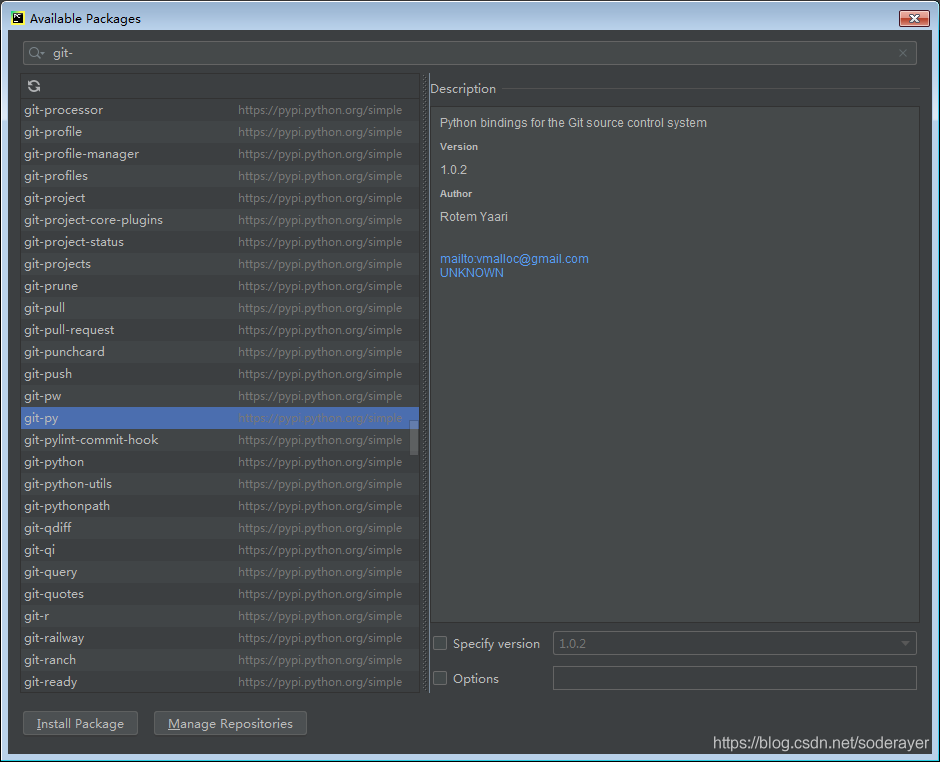
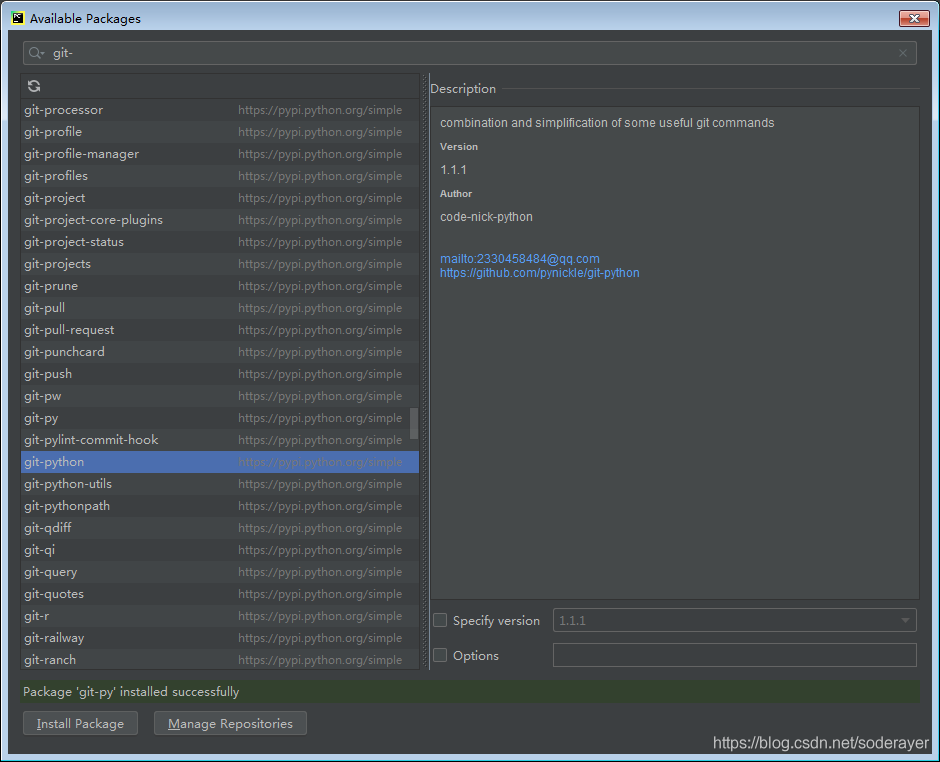
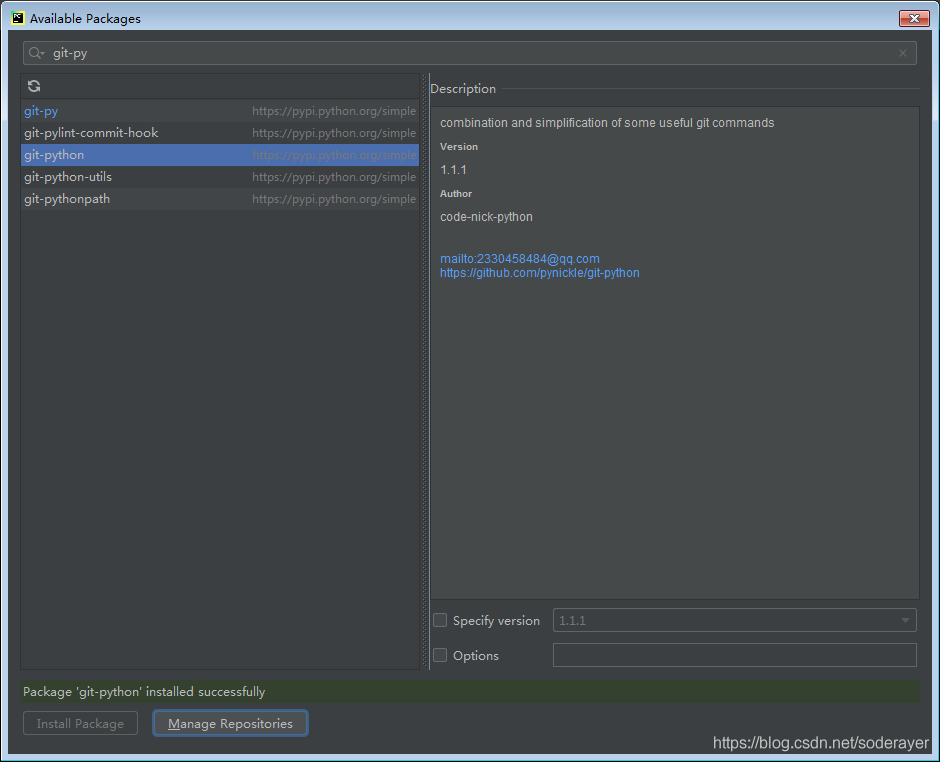
Pychar install git

It doesn’t work after installation.

Go to the official website to download an installation:

https://git-scm.com/download/win

Git bash process:

GitHub tutorial git bash detailed tutorial

Git bash using detailed tutorial

The process is also very complicated.

[Solved] Ubuntu18.04 Install pyqt5 error: Command “python setup.py egg_info“ failed with error code 1 in /tmp/pip-build-92

Error in installing pyqt5 on Ubuntu 18.04:
command “Python setup.py egg”_ info” failed with error code 1 in /tmp/pip-build-92ggdywh/PyQt5/

As a result, the version of PIP is too low. The default system version is pip9, so we need to update the PIP version
the update method is as follows:

python3 -m pip install --upgrade pip

Because most of the time, we install python, or apt install Python directly, resulting in the installation of python2.7. If you just want to use a version of python, such as python3, you can uninstall python2. It’s better to uninstall to avoid conflicts.

[Solved] Default native-compiler executable ‘cl.exe‘ not found via environment variable PATH

  Error packing native image as local image

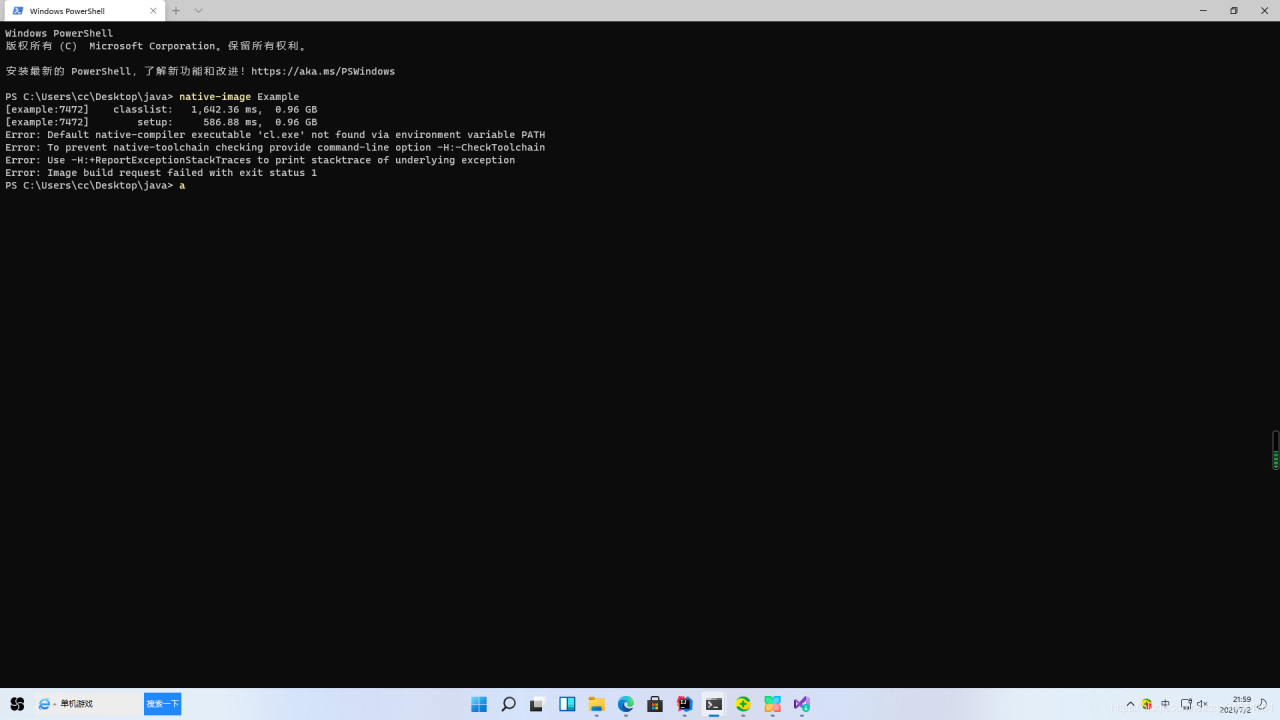
PS C:\Users\cc\Desktop\java> native-image Example
[example:7472]    classlist:   1,642.36 ms,  0.96 GB
[example:7472]        setup:     586.88 ms,  0.96 GB
Error: Default native-compiler executable 'cl.exe' not found via environment variable PATH
Error: To prevent native-toolchain checking provide command-line option -H:-CheckToolchain
Error: Use -H:+ReportExceptionStackTraces to print stacktrace of underlying exception
Error: Image build request failed with exit status 1
PS C:\Users\cc\Desktop\java> a

Install Visual Studio

Select individual components

INCLUDE=C:\Program Files (x86)\Windows Kits\10\Include\10.0.17134.0\ucrt;C:\Program Files (x86)\Windows Kits\10\Include\10.0.17134.0\um;C:\Program Files (x86)\Windows Kits\10\Include\10.0.17134.0\shared;D:\Program Files (x86)\Microsoft Visual Studio\2019\Community\VC\Tools\MSVC\14.16.27023\include.;
LIB=C:\Program Files (x86)\Windows Kits\10\Lib\10.0.17134.0\um\x64;C:\Program Files (x86)\Windows Kits\10\Lib\10.0.17134.0\ucrt\x64;D:\Program Files (x86)\Microsoft Visual Studio\2019\Community\VC\Tools\MSVC\14.16.27023\lib\x64;

Add to the PATH: C:\Program Files (x86)\Microsoft Visual Studio\2019\Community\VC\Tools\MSVC\14.16.27023\bin\HostX64\x64