Author Archives: Robins

Introduce vuex error reporting solution

This error is always reported when using vuex: error in created hook: “typeerror: cannot read property ‘commit’ of undefined”

It was found that the global store was not introduced in main.js

import store from ‘store/store.js’

const app = new Vue({ …App, store })

Record it here and remind yourself to remember  

Eslint error reporting and resolution

1. ‘trailing spaces not allowed’ indicates that there are redundant spaces at the end of the line. Just delete them

2. The variable declared by ‘xxx’ is assigned a value but never used ‘is not used

3. ‘string must use singlequote’ just change double quotation marks into single quotation marks

4. There is a semicolon at the end of the ‘extra semicolon’ line (the default eslint configuration does not use semicolons)

5. There is a comma at the end of the ‘unexpected trailing comma’ line

6. ‘unexpected template string expression’ uses unnecessary template string expression

7. ‘xxx’ is never reassigned. Use ‘const’ variables declared with let are not reassigned later, and const is used instead

8. ‘Expected space(s) after “if”‘

  ‘Missing space before function parentheses’

     ‘ Missing space before opening brace’

     ‘ Expected space or tab after ‘/ /’ in comment ‘these are missing spaces

9. The error ‘unexpected side effect in “submitparames” calculated property’ is because I assigned values to other property values in the calculated property. It would be better to replace it with watch. It should be that the calculated property only performs simple operations, which is not good for changing the property value directly

10. ‘Identifier ‘col_ Names’ is not in camel case ‘

11. ‘unnecessary use of conditional expression for default assignment’ is because a ternary expression is used for the initialization of a value

12. ‘closing curry brace does not appear on the same line as the subsequence block’ braces are not on the same line as subsequent code blocks, for example, if… Else… Statements, else statements wrap

The file server reports an error of 413, and the file uploaded by nginx reports an error of 413 request entity too large

Please confirm the following parameters of php.ini file first

file_ uploads = on       // Whether to allow file upload via http. The default is on, that is, on

upload_ tmp_ dir         // The file is uploaded to the place where the temporary file is stored on the server. If it is not specified, the system default temporary folder will be used

upload_ max_ filesize = 10m       // That is, the maximum file size allowed to upload. The default is 2m

post_ max_ size = 10m    // It refers to the maximum value that can be received by PHP through form post, including all values in the form. The default is 8m

Generally, after setting the above four parameters, upload & lt= 10m files are not a problem under normal network conditions. But if you want to upload & gt; 10m large volume files, only setting the above four items may not work.

Further configure the following parameters

max_ execution_ time = 600     // The maximum running time of each PHP page (seconds), which is 30 seconds by default

max_ input_ time = 600     // The maximum time required for each PHP page to receive data is 60 seconds by default

memory_ limit = 128m      // The maximum memory consumed by each PHP page is 8m by default

If all the above settings are set and still cannot be uploaded, add a: client in the ngnix.conf configuration file of the website_ max_ body_ size 200m;

Ajax error reporting cross domain, AJAX cross domain access error 501 solution

Problem: Ajax cross domain access error 501

Running the following code will report error 501

$.ajax({

type: “POST”,

url: ” http://192.168.1.202/sensordata.php “,

contentType:’application/json; charset=utf-8′,

data: JSON.stringify(ajaxPostData),

dataType:’json’,

success: function(data){

//On ajax success do this

console.info(“success.”);

if (data[“status”] == “ok”){

alert(“Settings is Ok. The Machine is rebooting.”);

}

},

error: function(xhr, ajaxOptions, thrownError) {

//On error do this

console.info(“error.”);

if (xhr.status == 200) {

alert(ajaxOptions);

}

else {

alert(xhr.status);

alert(thrownError);

}

}

});

resolvent:

Remove contenttype: ‘application/JSON; charset=utf-8’

reason:

1. When cross domain, the browser will be triggered to send a request with the method options first, except that the contenttype is application/x-www-form-urlencoded, multipart/form data or text/plain.

2 for example, your original request is the post method. If the allow attribute in the header of the result returned by the first request does not have the post method,

3 then the second request will not be sent. At this time, the browser console will report an error and tell you that the post method is not supported by the server.

The above is the whole content of this article. I hope it will help you in your study. I also hope you can support us to find the tutorial network.
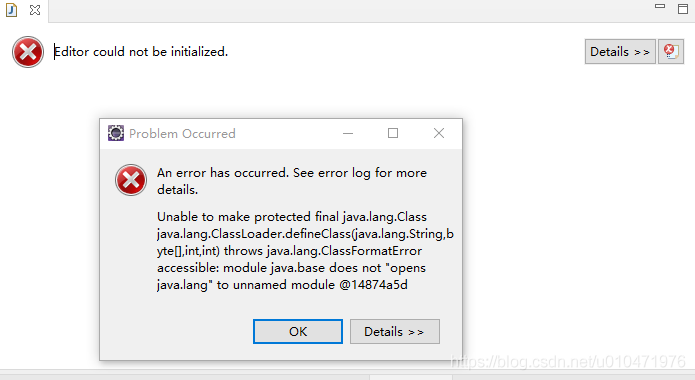

PyTorch Error: RuntimeError: CUDA error: CUBLAS_STATUS_INVALID_VALUE when calling cublasSgemm()

Complete error reporting information

RuntimeError: CUDA error: CUBLAS_STATUS_INVALID_VALUE when 
calling `cublasSgemm( handle, opa, opb, m, n, k, &alpha, a, 
lda, b, ldb, &beta, c, ldc)`

Error causes and solutions

Usually linear layer

n

n

.

L

i

n

e

a

r

\rm nn.Linear

NN. When defining linear, the data dimension parameter does not match the actual data dimension, so it needs to be checked and modified.

RuntimeError: ‘lengths’ argument should be a 1D CPU int64 tensor, but got 1D cuda:0 Long tensor

Pytorch use error

Cause analysis and solution of error content

Error content

RuntimeError: ‘lengths’ argument should be a 1D CPU int64 tensor, but got 1D cuda:0 Long tensor

Cause analysis

Because I use a higher version of torch 1.7.1, this error is caused by the upgrade of torch 1.5 or above bilstm.

Solution

    go to the CPU to run the code and no error will be reported! Convert the error location parameter lengths to CPU type:

    lengths.to("cpu")
    

    It can be solved!

    Reference: link

Android network request framework okhttputils reports an error (okhttp3 cannot be found)

preface

        Okhttputils has always been used in network requests. Recently, gradle was upgraded from 3.2.1 to 4.2.0. The running project reported an error (call could not be found).

         Android studio usage:

                 implementation ‘com.zhy:okhttputils:2.6.2’

Before upgrade

         Android Studio:4.2.0
         Gradle plug-in version: 3.2.1
         Required version of gradle: 4.8.1

After upgrade

         Android Studio:4.2.0
         Gradle plug-in version: 4.2.0
         Required version of gradle: 6.7.1

Operation results

        Error: package okhttp3 does not exist
        import okhttp3.Call;

solve

         New: implementation ‘com. Squareup. Okhttp3: okhttp: 4.9.1’

         I don’t know if there will be problems later. I feel that I still need to change a set of framework. After all, Hongshen has stopped maintenance.

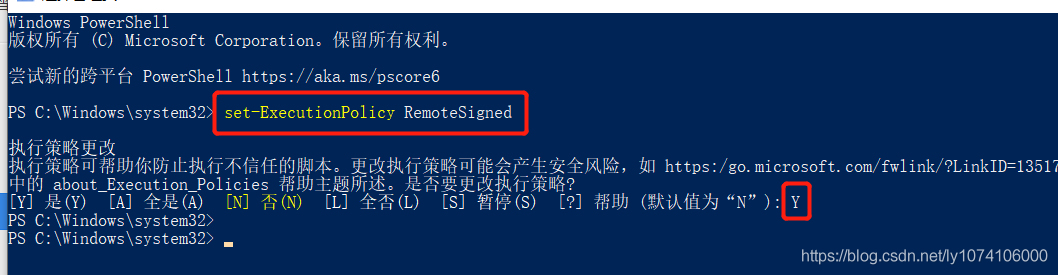
Vscode remote connection server reports an error: could not establish connection to “XXXXXX” [resolved]

Suppose you have made the following configuration and try

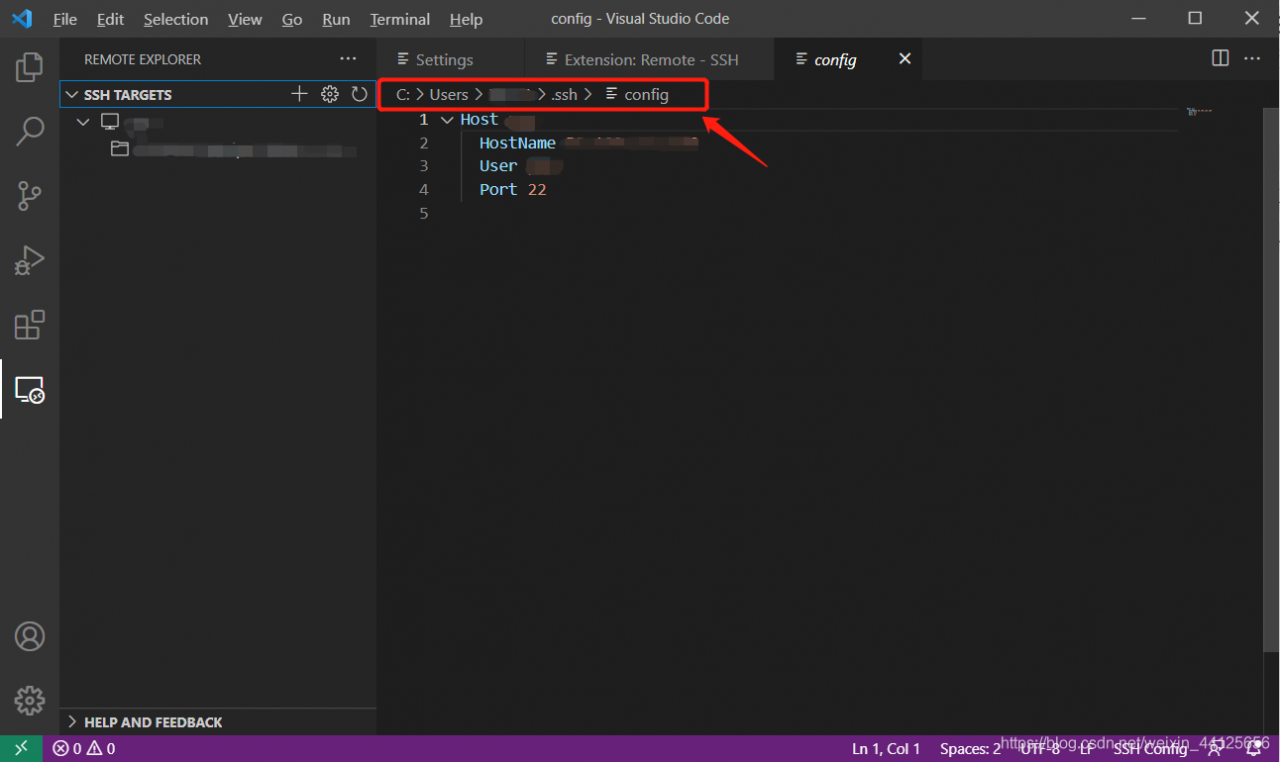
    install remote SSH in the extensions, add the IP address of the server you want to access, and have a config file (as shown in the figure below)
    please remember the path of this config file, which is generally “C: \ users \ user”_ Name \. SSH \ config “
    so you start trying to connect to the server. After selecting Linux/windows from the top drop-down menu, you unfortunately fail
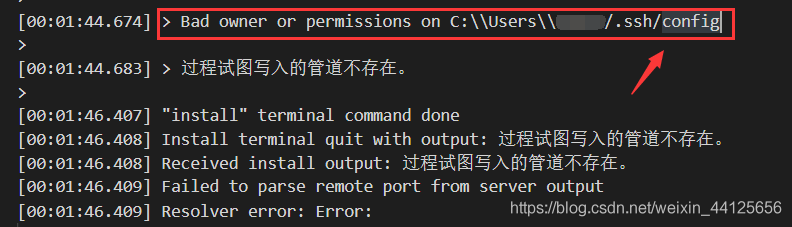
    Error message:

    After the popup window of could not establish connection to “XXX” appears, check the error information below. If the error information contains:

    resolvent:

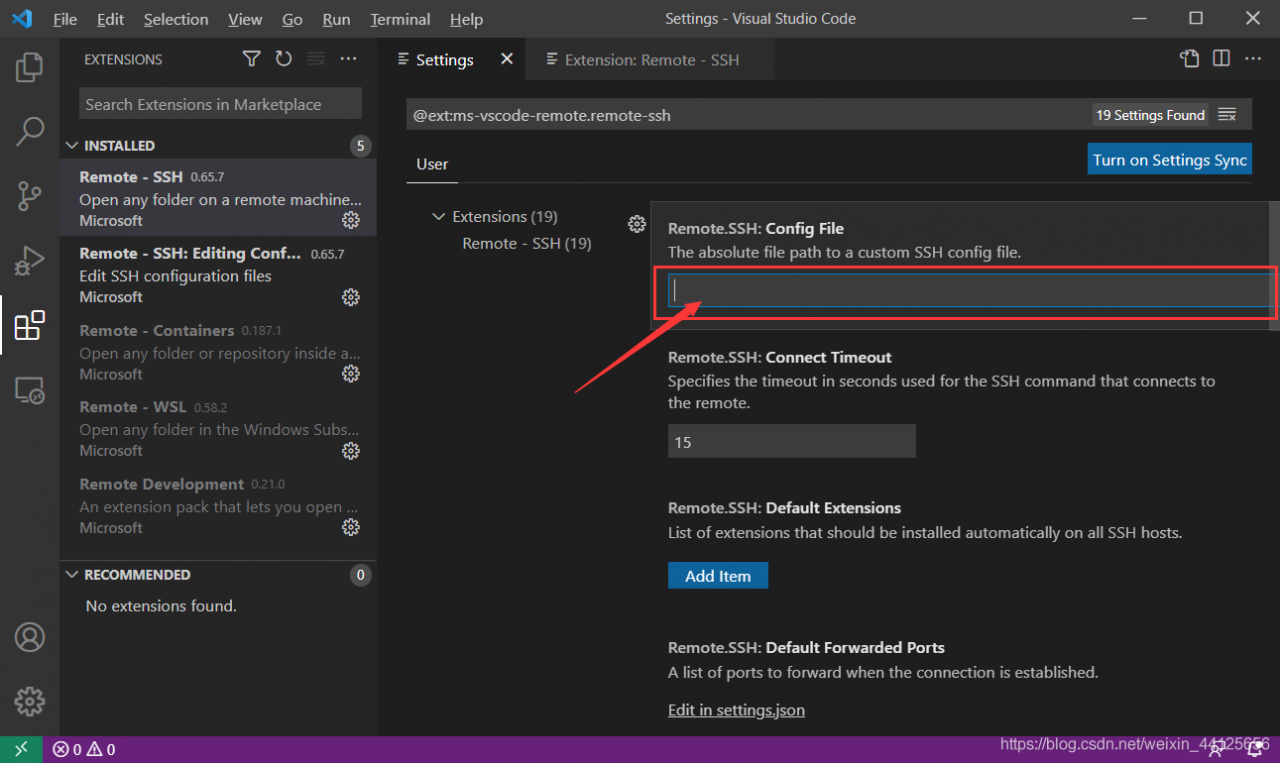
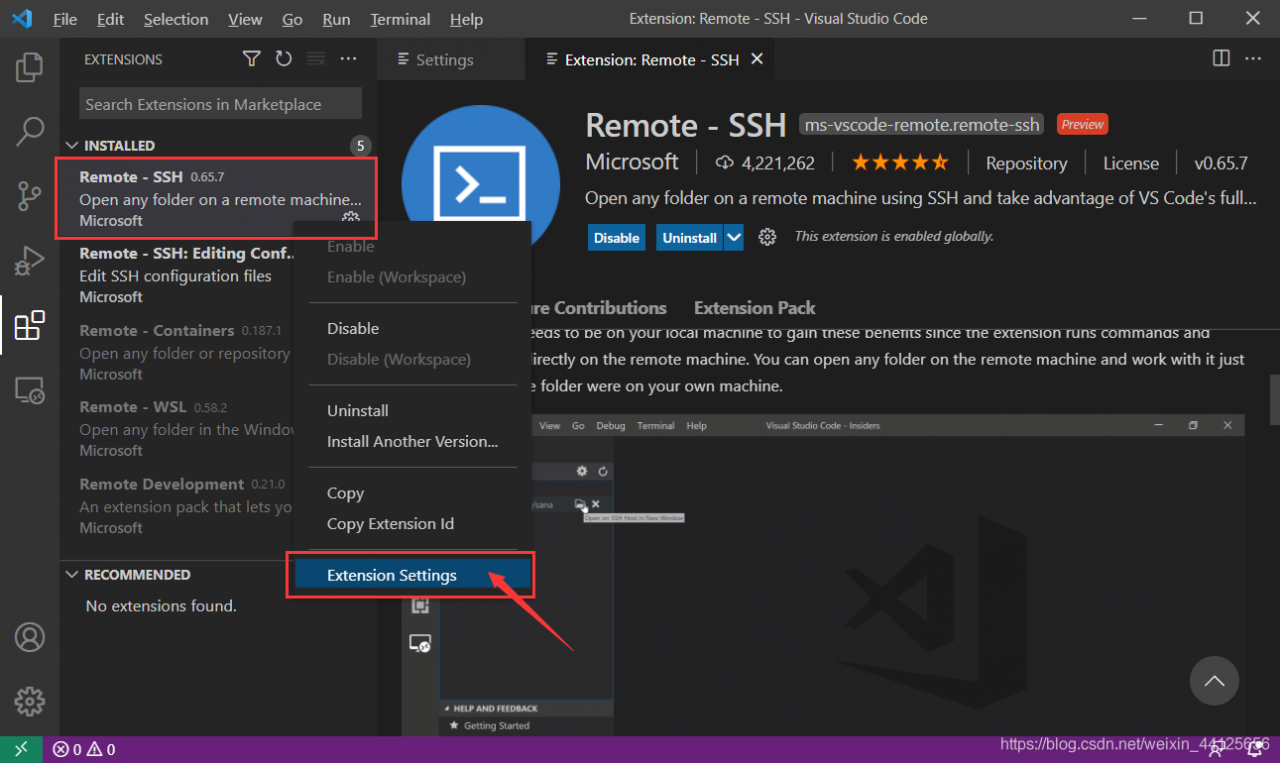
      Open extensions in the left column, find the installed remote SSH, right-click, select “extension settings”
      , enter the config file path in config file, and try to connect again. It is found that the connection is successful

Mybatis-plus: How to Execute Native SQL

Define the method to execute in the mapper file

@Repository
public interface ZbArticleCEIResultPerformanceMapper extends BaseMapper<ZbArticleCEIResultPerformance> {

    @Select({"${sql}"})
    @ResultType(ArrayList.class)
    List<ZbArticleCEIResultPerformance> executeQuery(@Param("sql") String sql);

}