Author Archives: Robins

[Solved] Error: Cannot fit requested classes in a single dex file (# methods: 149346 > 65536)

Any jar file that references a third-party library may trigger this error. The solution is as follows:

1. Add dependencies in build.gradle of app, and add the following code in defaultconfig [Note: it must be the module of app, not other modules]

apply plugin: 'com.android.application'

android {
    compileSdkVersion 28
    defaultConfig {
        applicationId "com.why.project.poidemo"
        minSdkVersion 16
        targetSdkVersion 28
        versionCode 1
        versionName "1.0"
        testInstrumentationRunner "android.support.test.runner.AndroidJUnitRunner"

        //
        multiDexEnabled true
    }
    buildTypes {
        release {
            minifyEnabled false
            proguardFiles getDefaultProguardFile('proguard-android.txt'), 'proguard-rules.pro'
        }
    }

    //poi
    compileOptions {
        sourceCompatibility JavaVersion.VERSION_1_8
        targetCompatibility JavaVersion.VERSION_1_8
    }
}

dependencies {
    implementation fileTree(include: ['*.jar'], dir: 'libs')
    implementation 'com.android.support:appcompat-v7:28.0.0'
    implementation 'com.android.support.constraint:constraint-layout:1.1.3'
    testImplementation 'junit:junit:4.12'
    androidTestImplementation 'com.android.support.test:runner:1.0.2'
    androidTestImplementation 'com.android.support.test.espresso:espresso-core:3.0.2'

    implementation 'com.android.support:multidex:1.0.3'
}

2. If you customize the application subclass, you need to override a method in this subclass

@Override
public void onCreate() {
    super.onCreate();
    // add the line as below
    MultiDex.install(this);
}


Hive Statement Error During Execution: Error while processing statement: FAILED: Execution Error, return code 2 from o

Use the command to view the detailed error log

# Increase the logging level of the system and output on the console
hive --hiveconf hive.root.logger=DEBUG,console

Cause: JVM heap memory overflowed

Solution:

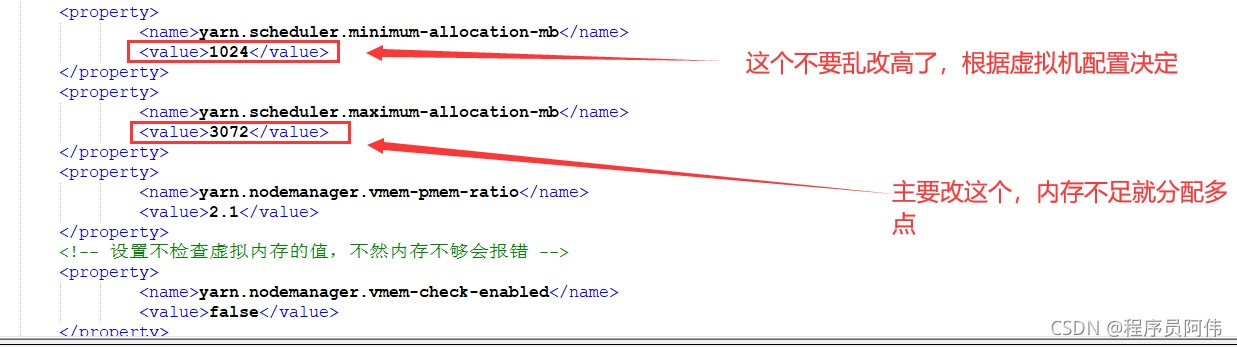
Add the following content in yarn-site.xml:

	<property>
	    <name>yarn.scheduler.maximum-allocation-mb</name>
	    <value>3072</value>
	</property>
	<property>
		<name>yarn.scheduler.minimum-allocation-mb</name>
		<value>1024</value>
	</property>
	<property>
		<name>yarn.nodemanager.vmem-pmem-ratio</name>
		<value>2.1</value>
	</property>
	<property>
		<name>mapred.child.java.opts</name>
		<value>-Xmx1024m</value>
	</property>

Synchronize the configuration to other nodes and restart Hadoop

[Solved] Jenkins+Ant Error: Error reading project file xxxxx

My colleague used Jenkins + ant + JMeter to build the interface automation shelf. Today, my colleague asked me to help look at a problem

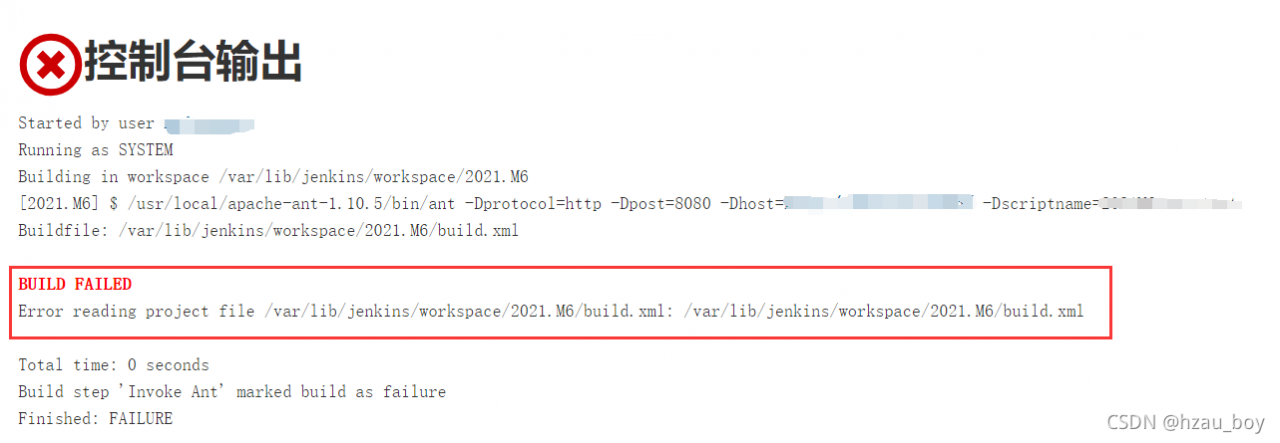
The error reports are as follows:
error reading project file/var/lib/Jenkins/workspace/2021. M6/build. XML

at first, I thought the file could not be found. Later, I went to the server to check it. The file is in. (after thinking about it carefully, it should be not find if the file cannot be found. This error means that there is an error reading the file. In fact, there is an error reading and writing due to insufficient permissions)
later, I can successfully execute the ant command on the server
after step-by-step analysis and troubleshooting, it is found that it is a problem of permissions. After Jenkins is installed on the server, a user named Jenkins is automatically created. By default, the permissions of this user are also used
when I switch the Linux user to Jenkins and execute the ant command, the above error is reported. The root user will not report an error
therefore, the solution is to increase the permissions of Jenkins to root
1. Add the Jenkins user to the root group

gpasswd -a root jenkins

2[UNK]vim /etc/sysconfig/jenkins

JENKINS_USER="root"
JENKINS_GROUP="root"

3. Restart Jenkins

service jenkins restart

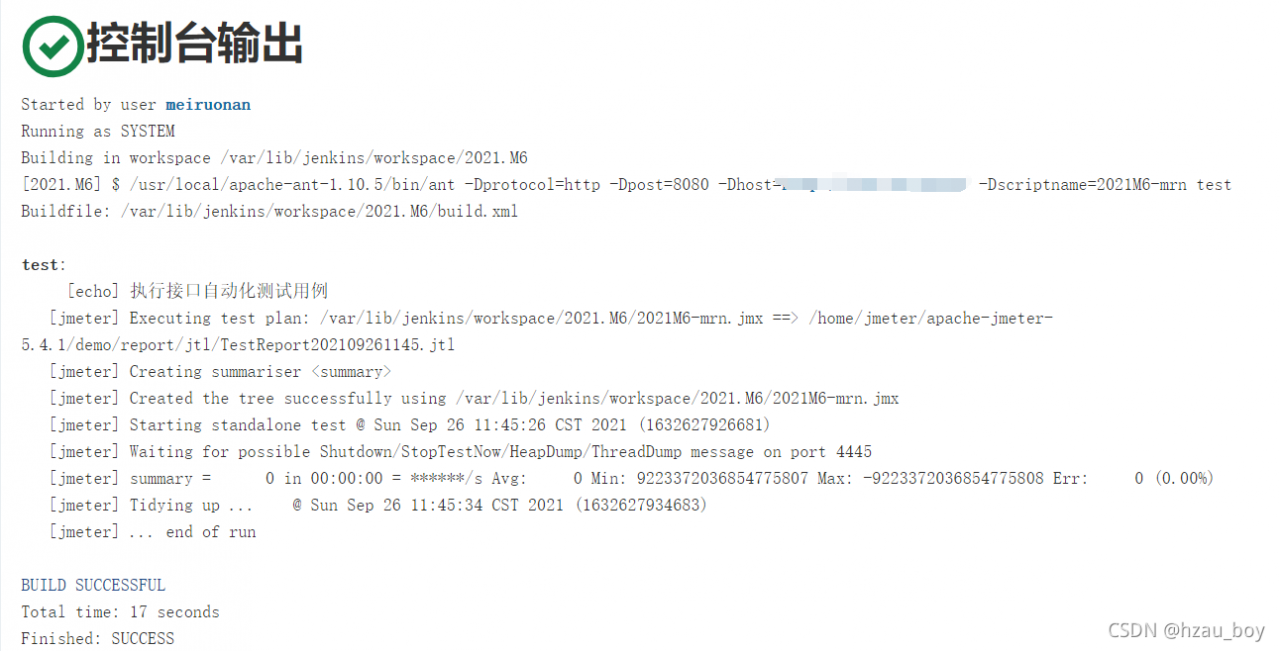
Final effect:

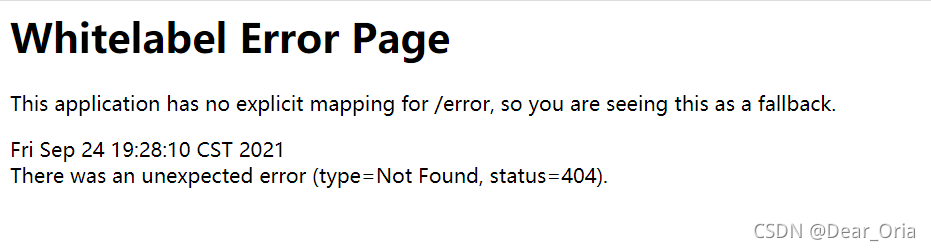
SpringBoot Project Run Page Error: Whitelabel Error Page This application has no explicit mapping for /error

Record a super speechless error…

The error reported after running the project is as follows:
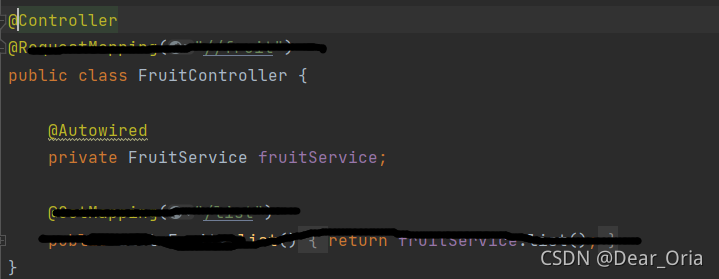
the reason is that the annotation in the controller class is written as @ controller

but this is automatically generated by mybatis plus for me…

The final solution is to change the @controller annotation to @restcontroller.

[Solved] CRITICAL:yum.cli:Config error: Error accessing file for config file:///opt/++

report errors

[root@localhost opt]# ls
apr-1.6.2.tar.gz
apr-util-1.6.0.tar.gz
boost_1_59_0.tar.gz
httpd-2.4.29.tar.bz2
mysql-boost-5.7.20.tar.gz
rh
[root@localhost opt]# yum install -y \
> gcc \
> gcc -c++ \
> ncurses-devel \
> bison \
> cmake
CRITICAL:yum.cli:Config error: Error accessing file for config file:///opt/++
error:
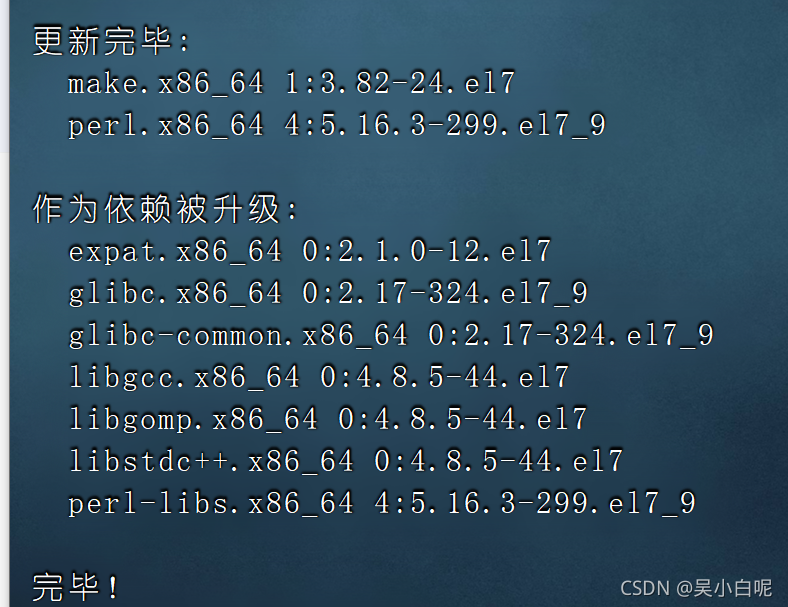
[root@localhost opt]# yum -y install gcc gcc-c++ make pcre pcre-devel expat-devel perl
Enter this command to solve the installation problem!!!

solve!

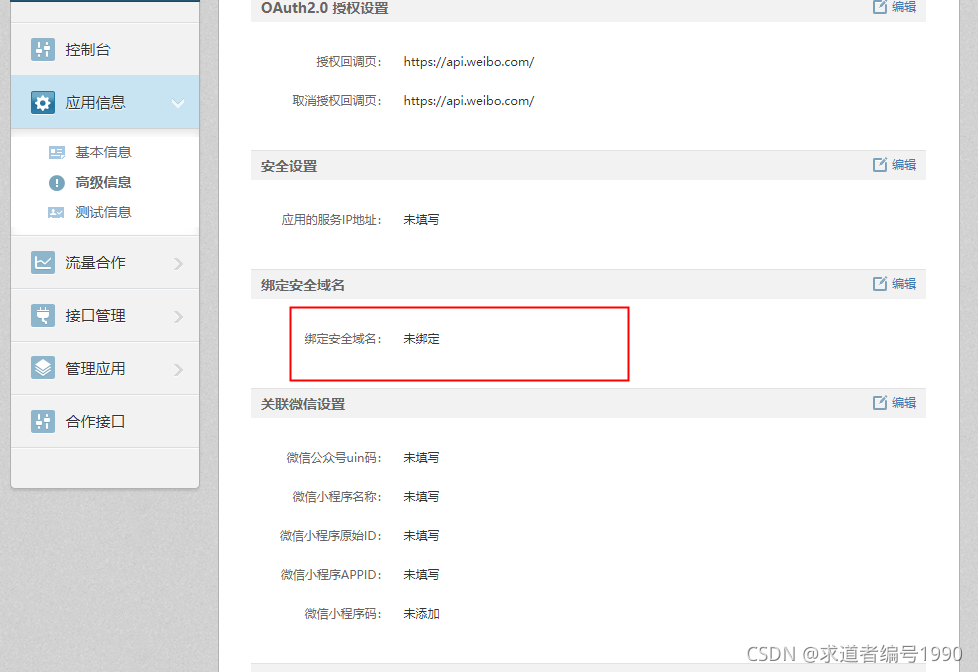
Weibo API api Called Error: error:appkey not bind domain! error_code:10017/2/statuses/share.json

Error message:

weibo4j.model.WeiboException: 400:The request was invalid.  An accompanying error message will explain why. This is the status code will be returned during rate limiting.
 error:appkey not bind domain! error_code:10017/2/statuses/share.json
	at weibo4j.http.HttpClient.httpRequest(HttpClient.java:404)
	at weibo4j.http.HttpClient.post(HttpClient.java:293)
	at weibo4j.http.HttpClient.post(HttpClient.java:279)
	at weibo4j.Timeline.updateStatus(Timeline.java:953)
	at weibo4j.examples.timeline.UpdateStatus.main(UpdateStatus.java:15)

Reason: the security domain name is not configured. The configured security domain name is attached to the status parameter

Redis Cluster Error: (error) CLUSTERDOWN Hash slot not served

Redis cluster error clusterdown hash slot not served

Just yesterday, I configured the redis cluster, but when I went to restart today, the redis cluster reported an error clusterdown hash slot not served. I checked the Internet and didn’t solve it
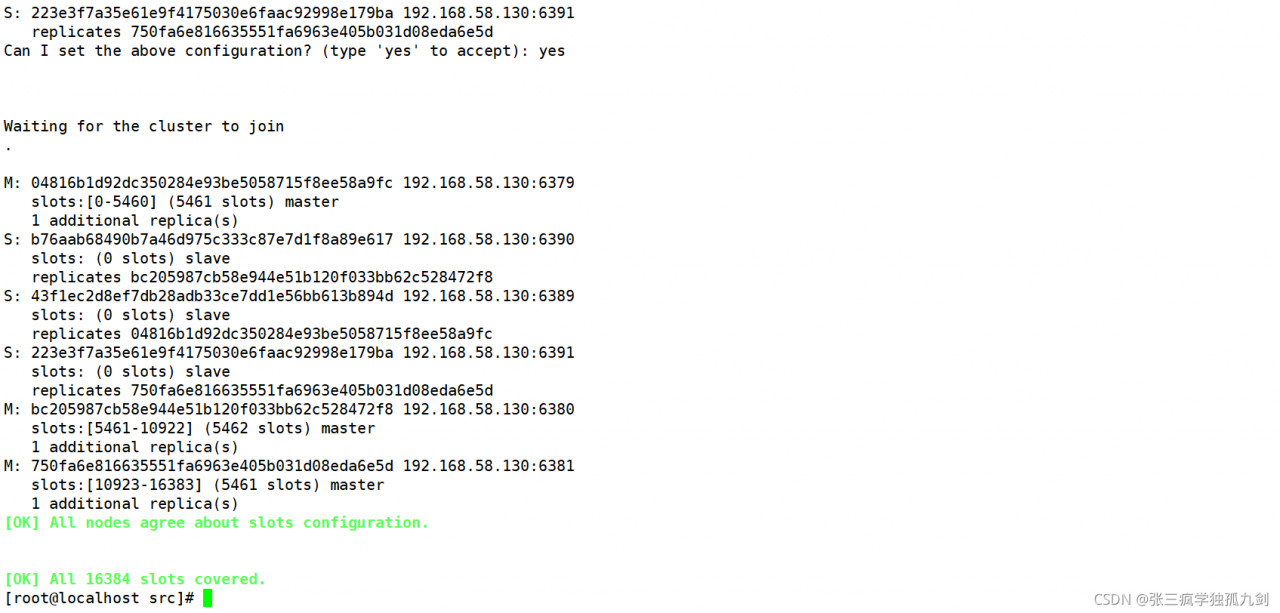
finally, just delete the nodesxxxx.conf and xxxx.aof files. I think it is caused by the AOF cache of redis
after deletion.