Author Archives: Robins

[Solved] Import gensim Error: RuntimeError: Cython extensions are unavailable.

Gensim was installed successfully, but a runtimeerror occurred during import
the runtime error is as follows:
runtimeerror: Python extensions are unavailable. Without them, this gensim functionality is disabled. If you’ve installed from a package, ask the package maintainer to include Python extensions. If you’re building gensim from source yourself, run python setup. py build_ Ext — inplace and retry.
after reading other users’ articles, it is found that numpy and SciPy are incompatible with gensim

The solution steps are as follows

    1. view the python adaptation information, download the adapted numpy and SciPy WHL files, install the WHL files, download the gensim again, and run successfully.

First, check the version information of your Python adaptation before downloading the file
Open CMD and directly enter PIP debug -- verbose on the command line. The results are as follows
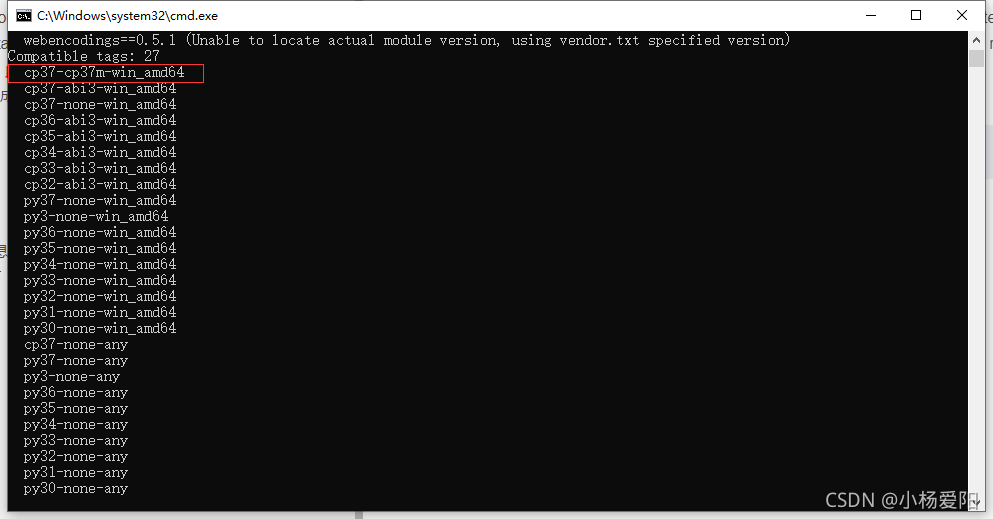
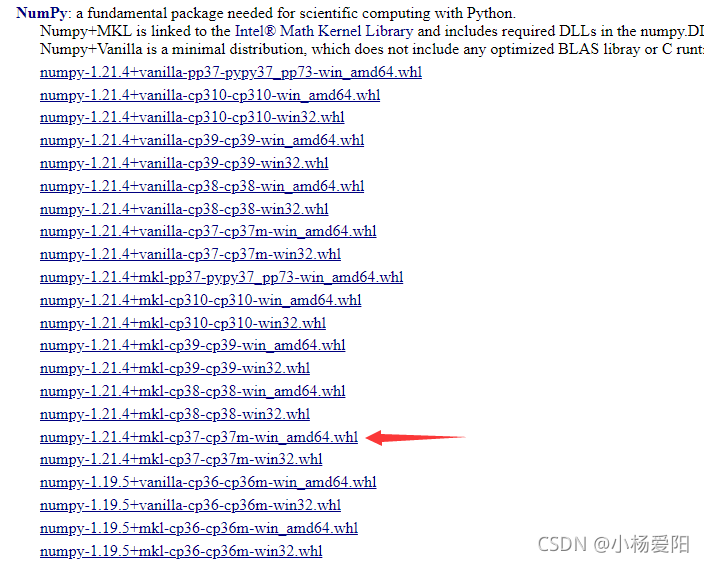
after finding it, go to the following link to download the adapted numpy and SciPy files

https://www.lfd.uci.edu/ ~gohlke/pythonlibs/

The corresponding downloaded file on my computer is
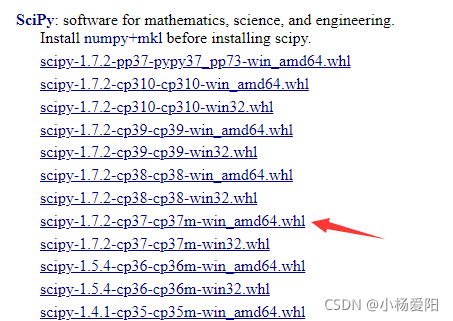
After downloading, enter CMD
CD to download SciPy and numpy + MKL
Python – M PIP install scipy-1.7.2-cp37-cp37m-win_ amd64.whl
python -m pip install numpy-1.21.4+mkl-cp37-cp37m-win_ amd64.whl

Then uninstall gensim and install gensim
finally, you can import
Error: Your CLT does not support macOS 11.6 [How to Solve]

After upgrading MacOS to MacOS Big Sur, we will encounter an error: your CLT does not support MacOS 11.6. When installing or updating software with brew , we just need to reinstall Xcode select
solution:
enter the following command

sudo rm -rf /Library/Developer/CommandLineTools
sudo xcode-select --install 

At this time, you will be prompted to install Xcode select. In the pop-up box, we click Install, then the agreement will pop up, and then we click agree. Then wait for the installation to complete.

[Solved] Error ‘false‘ undeclared (first use in this function)

Error: ‘false’ undeclared (first use in this function)

When you knock the code with DEVC + +, you will report an error to the following program

bool ok(int t){
	//Determine whether the tth person's job is assigned or not; if it is not assigned then a[j] = 0, otherwise a[j] = 1. 
	int i;
	for(i=0;i<t;i++)
		if(a[i]==a[t])
			return false;
		return true;
}

analysis:

There are no these keywords in real C. There is no keyword bool in C and early C + +. Bool can be used, but bool is not a built-in type. It is defined through typedef or macros. It is usually defined as int type. Later, the built-in type bool appeared in C + +, and the values can only be true (1) and false (0).

Solution 1:

Change the file type to CPP

Solution 2:

Macro definition of bool:

typedef enum __bool { false = 0, true = 1, } bool; 

[Solved] Error creating bean with name ‘sqlSessionFactory‘ defined in class path resource

Errors encountered while integrating SSM

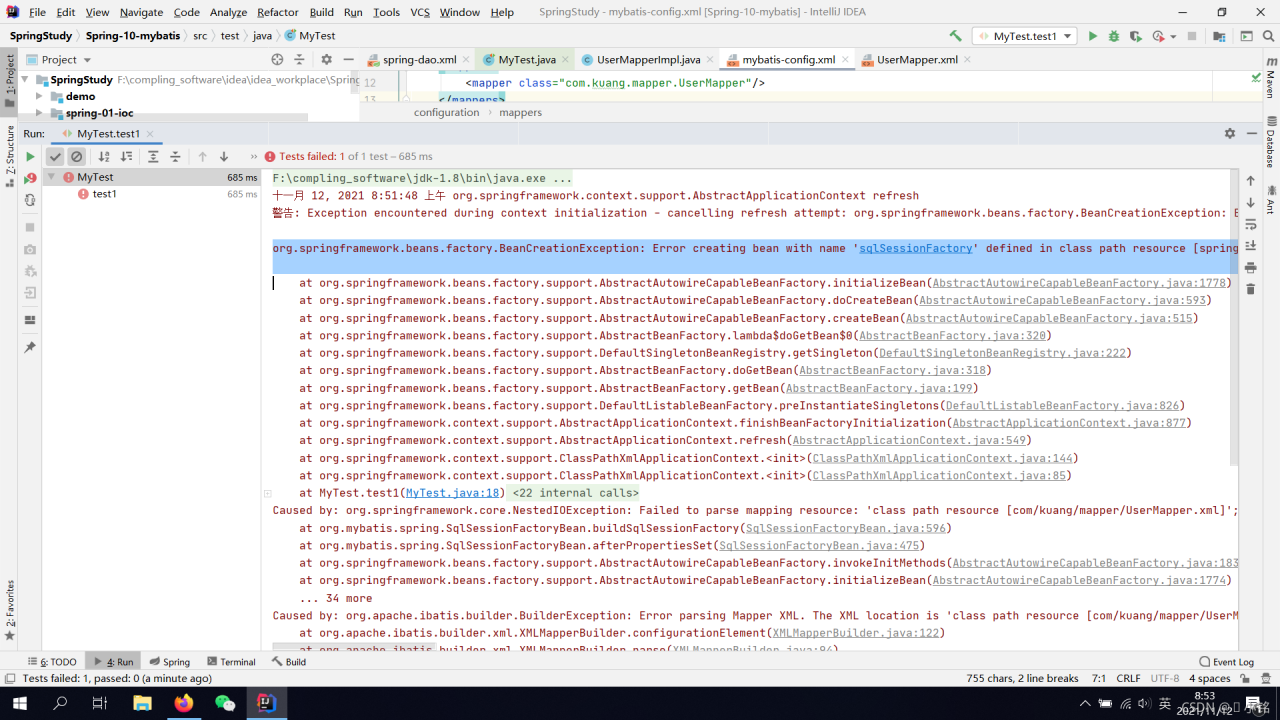
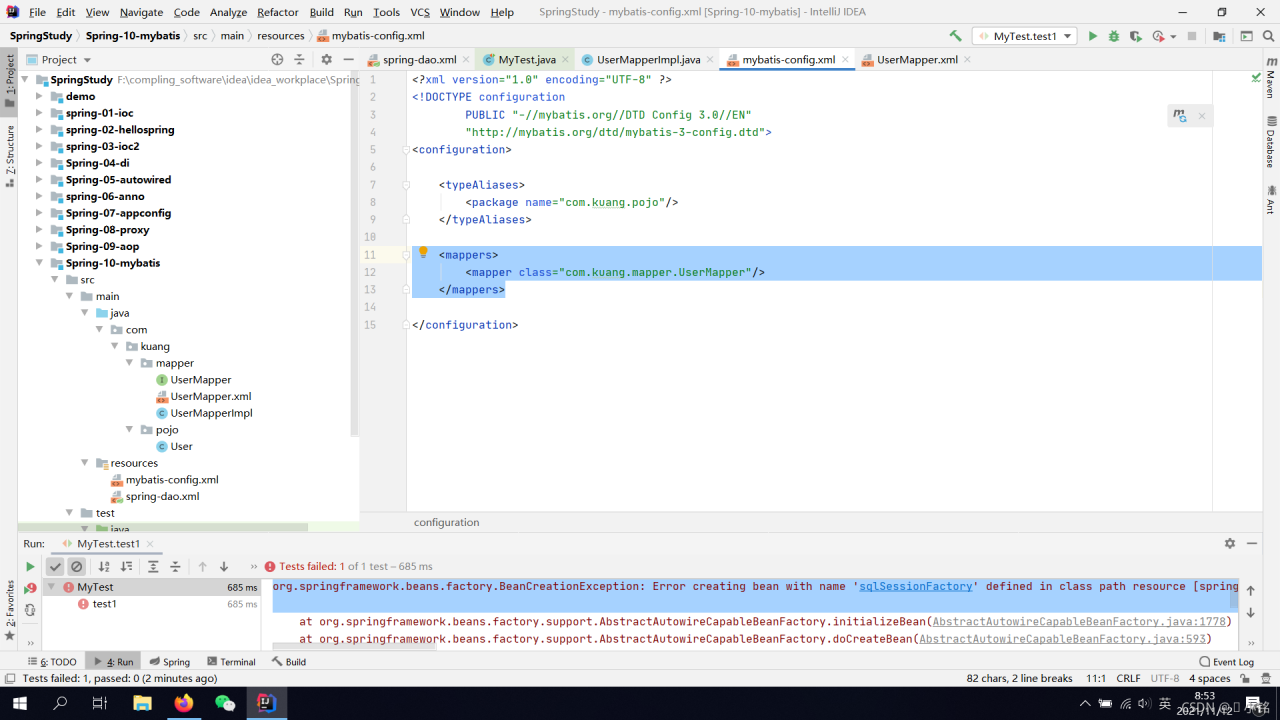
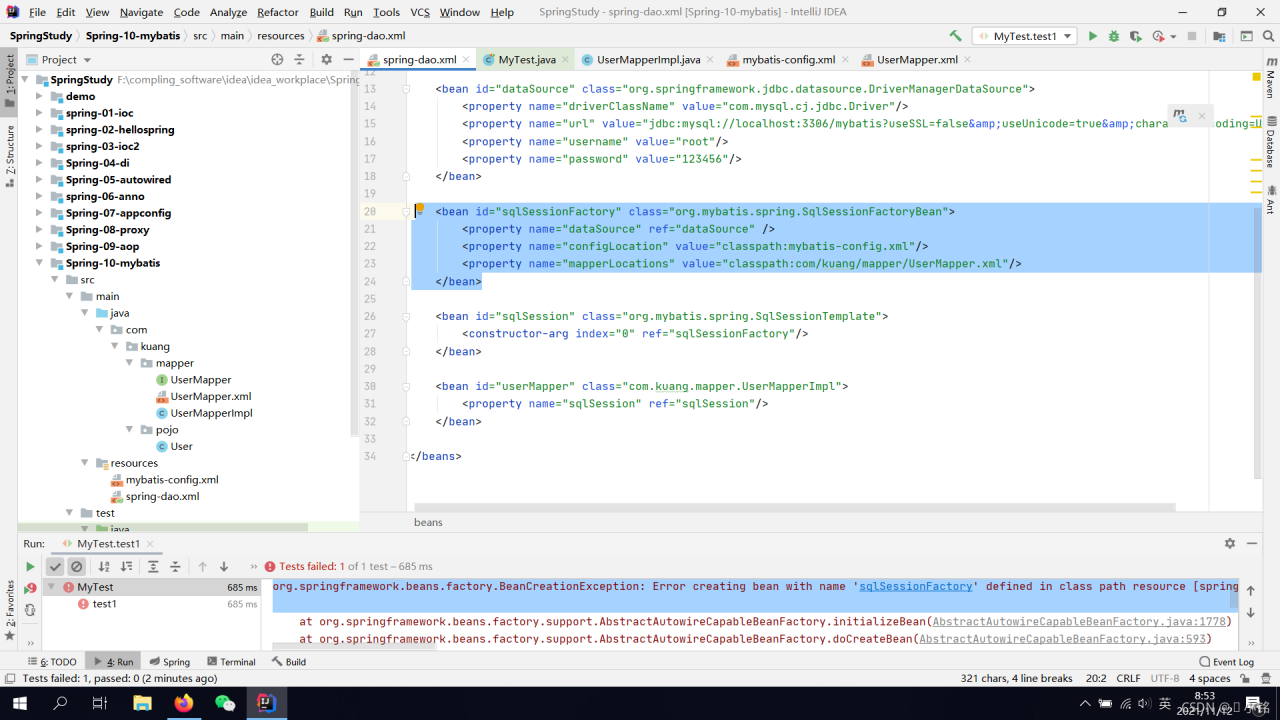
org.springframework.beans.factory.BeanCreationException: Error creating bean with name ‘sqlSessionFactory’ defined in class path resource [spring-dao.xml]: Invocation of init method failed; nested exception is org.springframework.core.NestedIOException: Failed to parse mapping resource: ‘class path resource [com/kuang/mapper/UserMapper.xml]’; nested exception is org.apache.ibatis.builder.BuilderException: Error parsing Mapper XML. The XML location is ‘class path resource [com/kuang/mapper/UserMapper.xml]’. Cause: java.lang.IllegalArgumentException: Mapped Statements collection already contains value for com.kuang.mapper.UserMapper.selectUser. please check com/kuang/mapper/UserMapper.xml and class path resource [com/kuang/mapper/UserMapper.xml]

Reason:

Write an extra copy of this thing
Conflicts with Spring inside
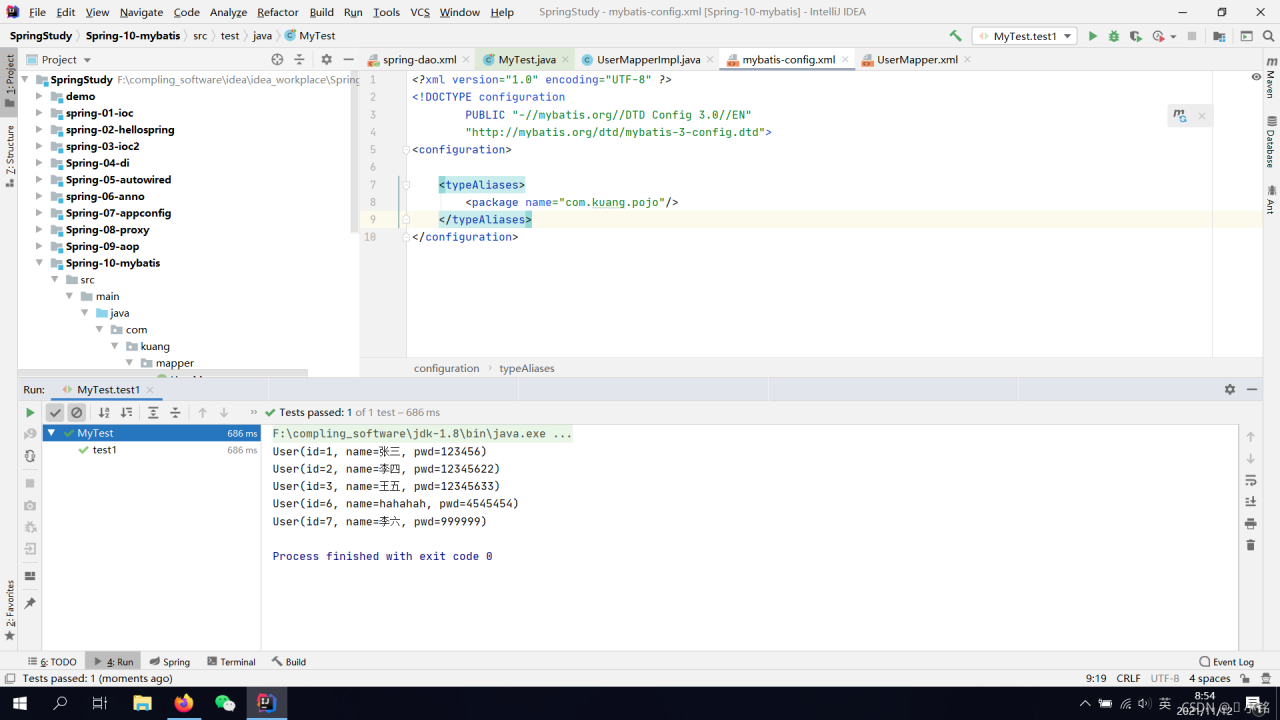
Deleted and compiled successfully

[Pytorch Error Solution] Pytorch distributed RuntimeError: Address already in use

The errors reported by pytoch are as follows:

Pytorch distributed RuntimeError: Address already in use

reason:

The port is occupied during model multi card training. Just change the port.

Solution:

Add a parameter — master before running the command_ For example:

 --master_port 29501

The following parameter 29501 can be set to any other port

be careful:

This parameter should be loaded in front of xxx.py, for example:

CUDA_VISIBLE_DEVICES=2,7 python3 -m torch.distributed.run /
--nproc_per_node 2  --master_port 29501  train.py 

[Solved] C++: fatal error: Killed signal terminated program cc1plus

[problem solving] C + +: fatal error: killed signal terminated program cc1plus

1. Problem description

During C + + compilation in Linux system, the following errors occur, resulting in compilation abort:

C++: fatal error: Killed signal terminated program cc1plus
compilation terminated.

2. Solution – swap partition

After consulting the relevant information, it is considered that the virtual machine is caused by insufficient memory. This problem is solved by creating swap partition, and the compilation is successful
the following is a summary of the creation and activation of swap partitions:

# Create the partition path
sudo mkdir -p /var/cache/swap/
# Set the size of the partition
# bs=64M is the block size, count=64 is the number of blocks, so the swap space size is bs*count=4096MB=4GB
sudo dd if=/dev/zero of=/var/cache/swap/swap0 bs=64M count=64
# Set permissions for this directory
sudo chmod 0600 /var/cache/swap/swap0
# Create the SWAP file
sudo mkswap /var/cache/swap/swap0
# Activate the SWAP file
sudo swapon /var/cache/swap/swap0
# Check if SWAP information is correct
sudo swapon -s

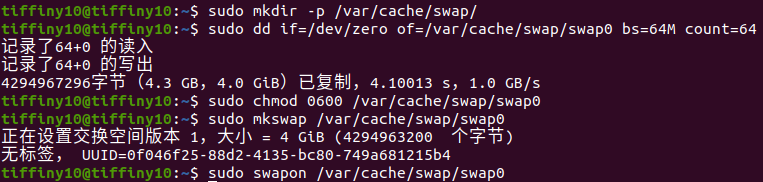
The effect diagram of partition creation and activation is as follows:

The path of the swap 0 file is under/var/cache/swap/. After compilation, if you don’t want to swap partitions, you can delete it.

Command to delete swap partition:

sudo swapoff /var/cache/swap/swap0
sudo rm /var/cache/swap/swap0

Free space command:

sudo swapoff -a
#Detailed usage: swapoff --help
#View current memory usage: --swapoff: free -m

[Solved] Internal error (java.lang.IllegalStateException): Duplicate key org.jetbrains

Exception description

Internal error (java.lang.IllegalStateException): Duplicate key org.jetbrains.jps.model.module.impl.JpsModuleImpl@25b485ba
java.lang.IllegalStateException: Duplicate key org.jetbrains.jps.model.module.impl.JpsModuleImpl@25b485ba
	at java.util.stream.Collectors.lambda$throwingMerger$0(Collectors.java:133)
	at java.util.HashMap.merge(HashMap.java:1253)
	at java.util.stream.Collectors.lambda$toMap$58(Collectors.java:1320)
	at java.util.stream.ReduceOps$3ReducingSink.accept(ReduceOps.java:169)
	at java.util.Iterator.forEachRemaining(Iterator.java:116)
	at java.util.Spliterators$IteratorSpliterator.forEachRemaining(Spliterators.java:1801)
	at java.util.stream.AbstractPipeline.copyInto(AbstractPipeline.java:481)
	at java.util.stream.AbstractPipeline.wrapAndCopyInto(AbstractPipeline.java:471)
	at java.util.stream.ReduceOps$ReduceOp.evaluateSequential(ReduceOps.java:708)
	at java.util.stream.AbstractPipeline.evaluate(AbstractPipeline.java:234)
	at java.util.stream.ReferencePipeline.collect(ReferencePipeline.java:499)
	at org.jetbrains.jps.maven.model.impl.MavenAnnotationProcessorTargetType.createLoader(MavenAnnotationProcessorTargetType.java:50)
	at org.jetbrains.jps.incremental.storage.BuildTargetTypeState.load(BuildTargetTypeState.java:63)
	at org.jetbrains.jps.incremental.storage.BuildTargetTypeState.<init>(BuildTargetTypeState.java:52)
	at org.jetbrains.jps.incremental.storage.BuildTargetsState.getTypeState(BuildTargetsState.java:122)
	at org.jetbrains.jps.incremental.storage.BuildTargetsState.getAverageBuildTime(BuildTargetsState.java:116)
	at org.jetbrains.jps.incremental.messages.BuildProgress.<init>(BuildProgress.java:73)
	at org.jetbrains.jps.incremental.IncProjectBuilder.runBuild(IncProjectBuilder.java:408)
	at org.jetbrains.jps.incremental.IncProjectBuilder.build(IncProjectBuilder.java:183)
	at org.jetbrains.jps.cmdline.BuildRunner.runBuild(BuildRunner.java:132)
	at org.jetbrains.jps.cmdline.BuildSession.runBuild(BuildSession.java:302)
	at org.jetbrains.jps.cmdline.BuildSession.run(BuildSession.java:132)
	at org.jetbrains.jps.cmdline.BuildMain$MyMessageHandler.lambda$channelRead0$0(BuildMain.java:219)
	at java.util.concurrent.ThreadPoolExecutor.runWorker(ThreadPoolExecutor.java:1142)
	at java.util.concurrent.ThreadPoolExecutor$Worker.run(ThreadPoolExecutor.java:617)
	at java.lang.Thread.run(Thread.java:745)


Solution:

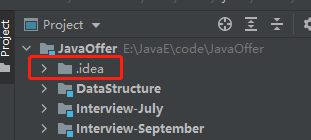
Delete the idea file:

Reload:

[Solved] MYSQL Master-Slave slave I/o for channel, error_code 1045

1. Background

A few days ago, a friend restarted the master database. The master-slave link was broken and “error_code 1045” was reported.

2. Solve

From the point of view of the error, it is because of a problem with the link authentication. You can compare whether the password is consistent with the password of the master_info file of the slave library. Most of them are caused by inconsistent passwords for some reason.

Solution:

stop slave;
change master to master_password='new_password';
start slave;

[Solved] An unexpected error has occurred. Conda has prepared the above report.

When using miniconda to create a virtual environment, an error is reported:

An unexpected error has occurred. Conda has prepared the above report.

I found many methods on the Internet, all of which said:

Method 1

Execute CONDA clean — packages && conda clean –all && conda update –all

Method 2

Delete this file

C:\Users[user_name].condarc

The above method may be OK, but if it fails after trying several times, the problem may be that you have opened VPN or system agent
so the solution is: turn off VPN or disable proxy!!! Turn off VPN or disable proxy!!! Turn off VPN or disable proxy.

[Solved] Mac Install mongodb error: NonExistentPath: Data directory /data/db not found.

Error Messages:

{“t”:{“$date”:“2021-11-10T08:18:57.122+08:00”},“s”:“E”, “c”:“CONTROL”, “id”:20557, “ctx”:“initandlisten”,“msg”:“DBException in initAndListen, terminating”,“attr”:{“error”:“NonExistentPath: Data directory /data/db not found. Create the missing directory or specify another path using (1) the –dbpath command line option, or (2) by adding the ‘storage.dbPath’ option in the configuration file.”}}
NonExistentPath: Data directory /data/db not found. Create the missing directory or specify another path using (1) the --dbpath command line option, or (2) by adding the 'storage.dbPath' option in the configuration file.
This error means: The /data/db directory is not found. Let us use –dbpath to specify the directory to start or add storage.dbPath to specify the directory

Use --dbpath to Startup