Author Archives: Robins

[Solved] ERROR org.springframework.boot.SpringApplication – Application run failed org.yaml.snakeyaml.scanner

 ERROR org.springframework.boot.SpringApplication - Application run failed
org.yaml.snakeyaml.scanner.ScannerException: while scanning a tag
 in 'reader', line 7, column 15:
        password: !QAZ2wsx#EDC
                  ^
expected ' ', but found '#' (35)
 in 'reader', line 7, column 23:
        password: !QAZ2wsx#EDC
                          ^

	at org.yaml.snakeyaml.scanner.ScannerImpl.scanTag(ScannerImpl.java:1544)
	at org.yaml.snakeyaml.scanner.ScannerImpl.fetchTag(ScannerImpl.java:954)
	at org.yaml.snakeyaml.scanner.ScannerImpl.fetchMoreTokens(ScannerImpl.java:372)
	at org.yaml.snakeyaml.scanner.ScannerImpl.checkToken(ScannerImpl.java:227)
	at org.yaml.snakeyaml.parser.ParserImpl$ParseBlockMappingValue.produce(ParserImpl.java:586)
	at org.yaml.snakeyaml.parser.ParserImpl.peekEvent(ParserImpl.java:158)
	at org.yaml.snakeyaml.parser.ParserImpl.checkEvent(ParserImpl.java:148)
	at org.yaml.snakeyaml.composer.Composer.composeNode(Composer.java:136)
	at org.yaml.snakeyaml.composer.Composer.composeValueNode(Composer.java:257)
	at org.yaml.snakeyaml.composer.Composer.composeMappingChildren(Composer.java:248)
	at org.yaml.snakeyaml.composer.Composer.composeMappingNode(Composer.java:236)
	at org.yaml.snakeyaml.composer.Composer.composeNode(Composer.java:162)
	at org.yaml.snakeyaml.composer.Composer.composeValueNode(Composer.java:257)
	at org.yaml.snakeyaml.composer.Composer.composeMappingChildren(Composer.java:248)
	at org.yaml.snakeyaml.composer.Composer.composeMappingNode(Composer.java:236)
	at org.yaml.snakeyaml.composer.Composer.composeNode(Composer.java:162)
	at org.yaml.snakeyaml.composer.Composer.composeValueNode(Composer.java:257)
	at org.yaml.snakeyaml.composer.Composer.composeMappingChildren(Composer.java:248)
	at org.yaml.snakeyaml.composer.Composer.composeMappingNode(Composer.java:236)
	at org.yaml.snakeyaml.composer.Composer.composeNode(Composer.java:162)
	at org.yaml.snakeyaml.composer.Composer.getNode(Composer.java:95)
	at org.yaml.snakeyaml.constructor.BaseConstructor.getData(BaseConstructor.java:134)
	at org.springframework.boot.env.OriginTrackedYamlLoader$OriginTrackingConstructor.getData(OriginTrackedYamlLoader.java:99)
	at org.yaml.snakeyaml.Yaml$1.next(Yaml.java:512)
	at org.springframework.beans.factory.config.YamlProcessor.process(YamlProcessor.java:200)
	at org.springframework.beans.factory.config.YamlProcessor.process(YamlProcessor.java:164)
	at org.springframework.boot.env.OriginTrackedYamlLoader.load(OriginTrackedYamlLoader.java:84)
	at org.springframework.boot.env.YamlPropertySourceLoader.load(YamlPropertySourceLoader.java:50)
	at org.springframework.boot.context.config.StandardConfigDataLoader.load(StandardConfigDataLoader.java:48)
	at org.springframework.boot.context.config.StandardConfigDataLoader.load(StandardConfigDataLoader.java:34)
	at org.springframework.boot.context.config.ConfigDataLoaders.load(ConfigDataLoaders.java:102)
	at org.springframework.boot.context.config.ConfigDataImporter.load(ConfigDataImporter.java:118)
	at org.springframework.boot.context.config.ConfigDataImporter.resolveAndLoad(ConfigDataImporter.java:82)
	at org.springframework.boot.context.config.ConfigDataEnvironmentContributors.withProcessedImports(ConfigDataEnvironmentContributors

Check whether there are special characters in the YML configuration file
Username: root
password: “! Qaz2wsx#edc”
add double quotation marks to the password. Because the special characters caused by coding problems cannot be recognized, the database cannot be connected


[Solved] An unexpected error has occurred. Conda has prepared the above report.

Problem Description:

Error when using CONDA to create a virtual environment:

An unexpected error has occurred. Conda has prepared the above report. 

Solution:

Method (1): delete the .Condarc file

Method (2): CONDA clean - I

Method (3): after closing your VPN, restart your computer and continue to install the virtual environment

[Modified] ANTLR4 line 1:14 token recognition error at ‘(‘

Explore the errors reported by antlr4 by yourself:
line 1:14 token recognition error at '('
means that: (the column number needs to be + 1) the symbol recognition error ‘(‘) in 1 row and 14 columns; it means that the symbol ‘(‘) not recognized by G4 rules does not affect the operation
line 1:0 token recognition error at: '7'
in 1 row and 1 column: ‘7’ symbols have no matching rules

How to Solve Error: RuntimeError: all tensors must be on devices[0]

Problem description

The code running Zheng Zhedong’s aicity2020 reported an error. After searching, it was found that the problem is that the code running is more than GPU, but the specified code is a single GPU

Solution:

In test2020.py, the code comments in lines 126 and 129 are replaced by the following code

# set gpu ids
# if len(gpu_ids)>0:
# torch.cuda.set_device(gpu_ids[0])
# cudnn.benchmark = True
os.environ['CUDA_VISIBLE_DEVICES'] = str(gpu_ids[0])

[Solved] memcached Install Error: failed to ignore SIGHUP: no error

Memcached installs version 1.4.5
the administrator runs CMD with the following error:

Solution:
on the command line, enter schtasks/create/SC OnStart/TN memcached/TR "'c:\memcached\memcached. Exe '- M 512" , enter
note: C:\memcached\memcached.exe replace your installation address, Please refer to memcached installation for more installation details

See below:

[Modified] AttributeError: ‘socket‘ object has no attribute ‘ioctl‘ python linux

For beginners of python, refer to the common codes on the Internet to set the heartbeat of TCP:

def __ init__ (self, IP=”127.0.0.1″, Port=5555):

“” “initialize object” “”

self.code_mode = “utf-8”    # Transceiving data encoding/decoding format

self.IP = IP

self.Port = Port

self.my_socket =socket(AF_INET, SOCK_STREAM)   # Create socket

self.my_socket.setsockopt(SOL_SOCKET,SO_KEEPALIVE,True)

self.my_socket.ioctl(SIO_KEEPALIVE_VALS,(1,10000,1000))

Run error:

AttributeError: ‘socket’ object has no attribute ‘ioctl’

It is found that there are no exceptions marked in VSC, and the rewritten code can be automatically supplemented, indicating that socket has this function. I checked that there is no relevant wrong information on the Internet, which may be due to my lack of TCP related common sense. This is confirmed by opening the socket.ioctl definition of Python. The definition is as follows:

if sys.platform == “win32”:

def ioctl(self, __control: int, __option: int | tuple[int, int, int] | bool) -> None: …

To sum up: I write code with vs in win7 and upload it to Linux for operation, while IOCTL is only valid in window.

Under Linux, it should be changed to

self.my_socket.setsockopt(SOL_SOCKET,SO_KEEPALIVE,True)

# self.my_socket.ioctl(SIO_KEEPALIVE_VALS,(1,10000,1000))

self.my_ socket.setsockopt(IPPROTO_TCP, TCP_KEEPIDLE, 10)

self.my_socket.setsockopt(IPPROTO_TCP, TCP_KEEPINTVL, 3)

self.my_socket.setsockopt(IPPROTO_TCP, TCP_KEEPCNT, 5)

pytools.prefork.ExecError: error invoking ‘nvcc –version‘: [Errno 2] No such file or directory

Problem Description:. I run pycuda’s sample code on the local side of Linux without any problems. However, when I use pycharm to debug code remotely, the above problem occurs.

This problem needs two steps. If it can be realized after the first step, the second step is not needed

Step 1:

export PATH=”/usr/local/cuda/bin:$PATH”
export LD_ LIBRARY_ PATH=”/usr/local/cuda/lib64:$LD_LIBRARY_PATH”

Steps
1. find .bashrc file.
2. Add above lines to it.
3. source .bashrc
4. To Test run command “nvcc –version”

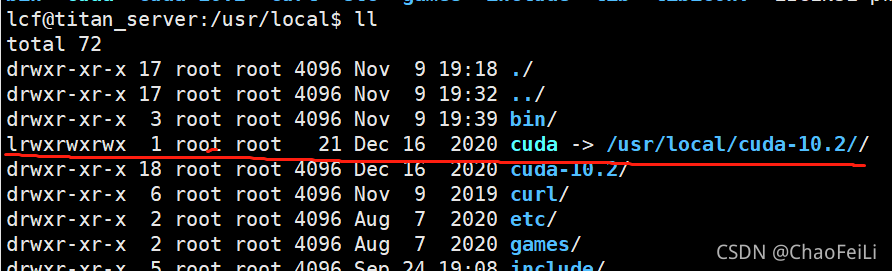
  Some people use cuda-10.1 (version number) in this place, but I use CUDA because my CUDA here is a cuda-10.1 soft connection (equivalent to a shortcut). So the first “L” in “lrwxrwxrwx” means soft connection. Therefore, the above two methods are OK.

Step 2:

open   compiler.py  

Add the following code

nvcc = ‘/usr/local/cuda/bin/’ + nvcc

  As follows:

    def compile_plain(source, options, keep, nvcc, cache_dir, target="cubin"):
        from os.path import join
    
        assert target in ["cubin", "ptx", "fatbin"]
        nvcc = '/usr/local/cuda/bin/' + nvcc # --> here is the new line
        
        if cache_dir:
            checksum = _new_md5()
            ...

File location of compiler.py:

Because I have an envs, I found it under one of them. You can use the locate command to locate.

anaconda3/envs/torch19/lib/python3.7/site-packages/pycuda

Command:

 find ./lib/python3.7/site-packages -name compiler.py

Neo4j LOAD CSV Error: Query cannot conclude with LOAD CSV

Question:
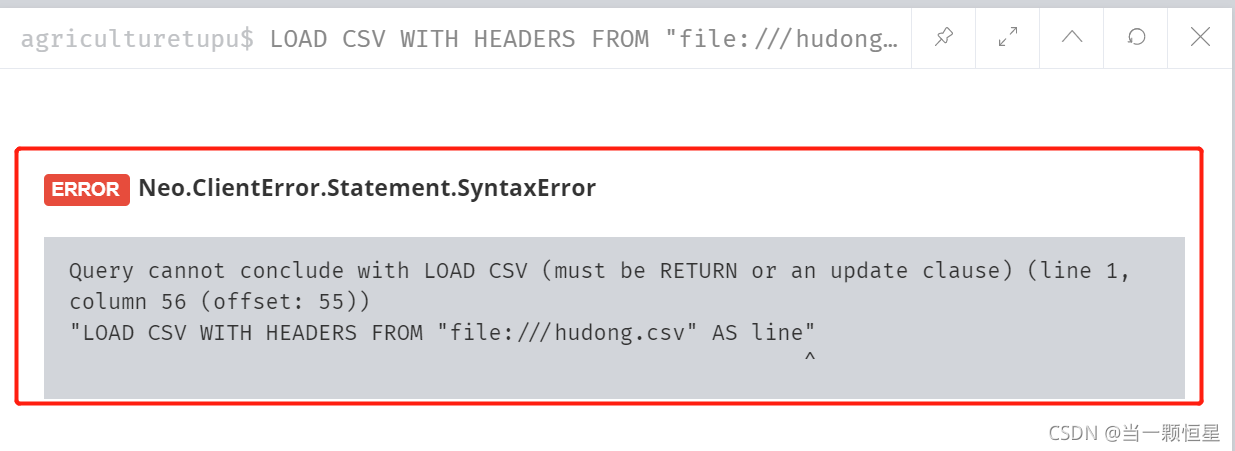
Enter query statement Load CSV with headers from“ file:///hudong_pedia.csv "As line error reported:

the reason is that the statement is not complete. Load CSV should be used in combination with create or merge
for example:

LOAD CSV WITH HEADERS FROM "file:///C:/dir/file.csv" AS row
CREATE (n:Label {attributeName: row.columName});

Reference link: link

VMware: vmw_ ioctl_ Command error invalid parameter [How to Solve]

(1) First, run: roscore & rosrun gazebo_ros gazebo  Or terminal directly enter: gazebo;

(2) Error reporting: vmw_ioctl_Command error invalid parameter

Solution: write export SVGA in ~ /.Bashrc file_Vgpu10 = 0, i.e.

$ echo "export SVGA_VGPU10=0" >> ~/.bashrc

Then turn off the terminal and re-enter(1), the following may appear:

In this case, turn off the terminal, reopen the terminal and input it several times: gazebo.

cuda_error_launch_failed: unspecified launch failure [How to Solve]

Problem: error polling for event status: failed to query event: CUDA_error_launch_failed: unspecified launch failure

Troubleshooting: in the past, when my computer was in-depth learning, it automatically quit the program after training several epochs at a time. It can’t continue training. It can’t be a problem with the code, because the code can run directly on Ubuntu. Some people say that the video memory of the graphics card is insufficient, but sometimes it can train the whole network, query the GPU memory and find that the memory is not used during training.

Solution: through consulting the data, it is found that it may be the problem of the graphics card version. The driver version of my computer’s graphics card was 457 before, but there was no such problem after it was upgraded to 471.

jmeter Execute to create Chart Error: An error occurred: Error while processing samples: Mismatch between ……

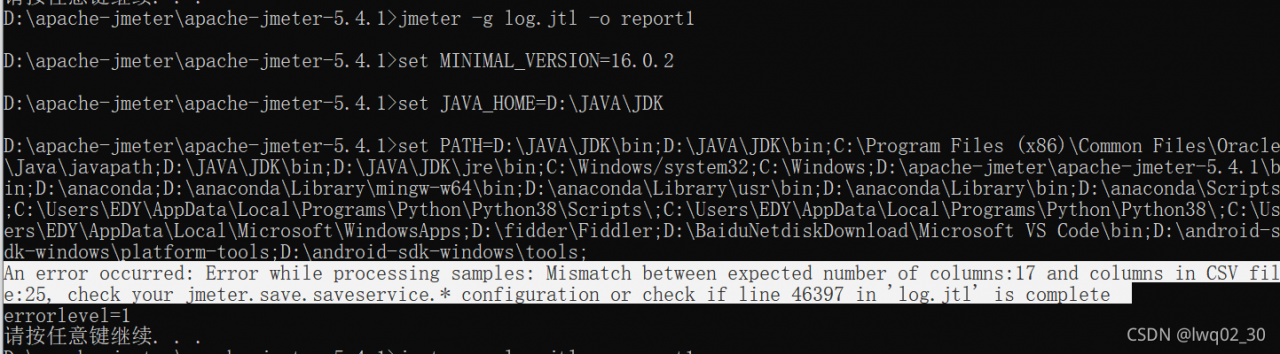
An error occurred: error while processing samples: mismatch between expected number of columns: 17 and columns in CSV file: 25, check your JMeter. Save. Saveservice. * configuration or check if line 46397 in ‘log. JTL’ is complete

I used many online tutorials, which were not solved and wasted time

The final solution: regenerate the log.jtl file and operate it again

1. Delete the previously generated log.jtl file first

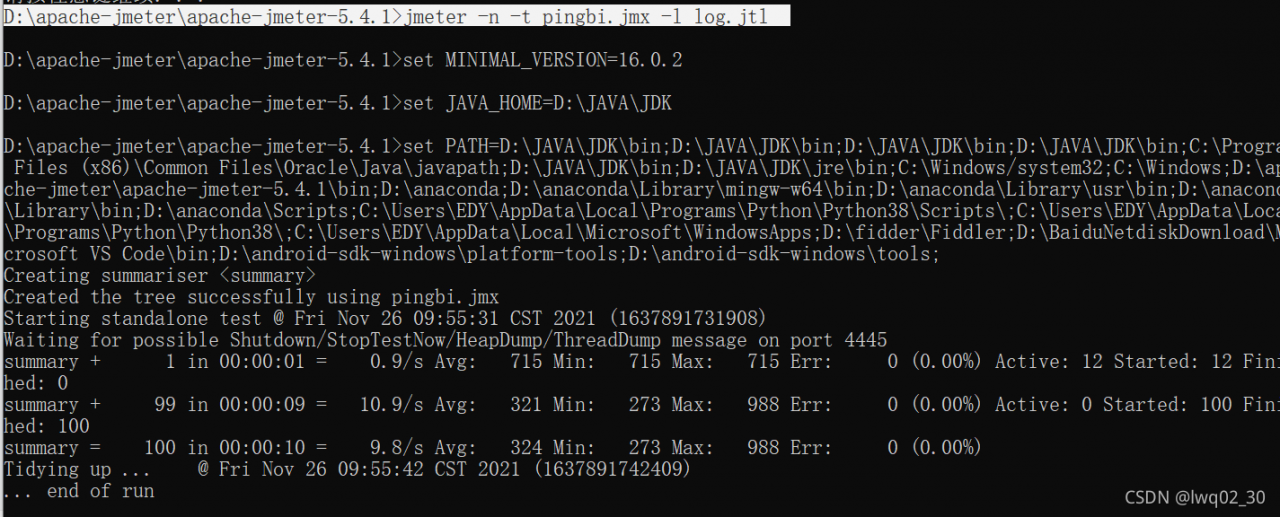
2. Execute the command line to generate log.jtl

D:\apache-jmeter\apache-jmeter-5.4.1> jmeter -n -t pingbi.jmx -l log.jtl

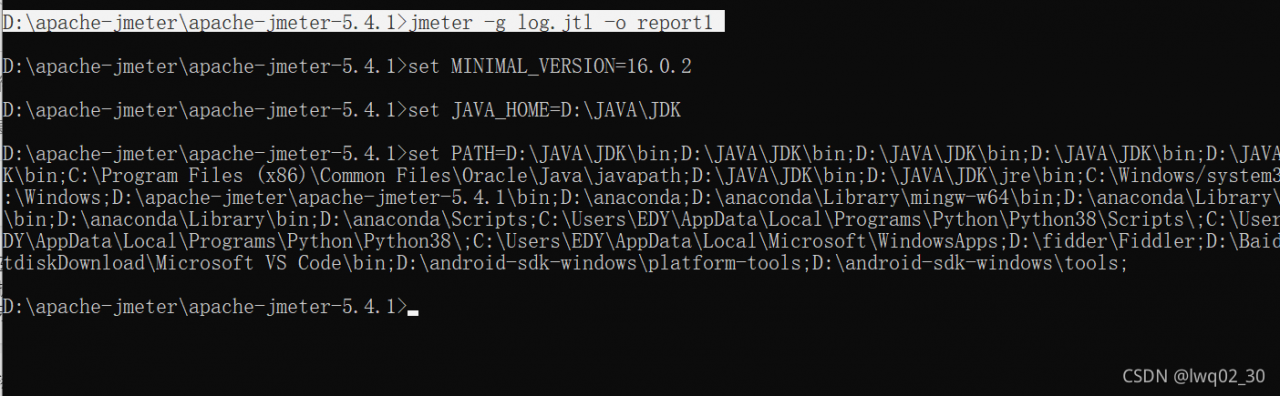
3. Execute the generate chart command line

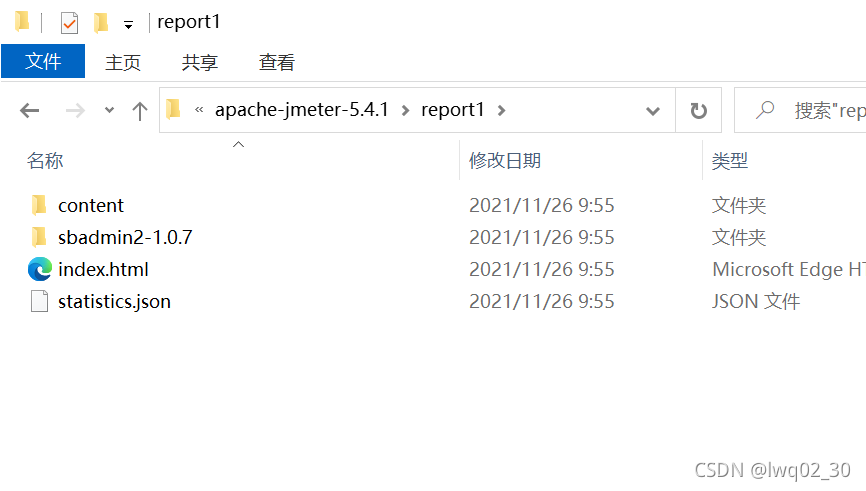
D:\apache-jmeter\apache-jmeter-5.4.1> jmeter -g log.jtl -o report1

No more errors are reported this time, and the chart is generated successfully