Author Archives: Robins

How to Solve zuul Forwarding error (No Retrayable)

Text

Service A restarts, zuul without adding a retry mechanism, and A service error exception will be reported

Solution: Modify gateway profile

hystrix:
    command:
        default:
            execution:
                isolation:
                    thread:
                        timeout-in-milliseconds: 20000
zuul:
  host:
    connect-timeout-millis: 20000
    socket-timeout-millis: 20000
  routes:
    #userMicroservices
    userService:
      #All requests with /user as the header are forwarded to user
      path: /user/**
      serviceId: user
      #url: http://localhost:8091
    pickupService:
      #All requests with /pickup as the header are forwarded to pickup
      path: /pickup/**
      serviceId: pickup
    orderService:
      #All requests with /order as the header are forwarded to order
      path: /order/**
      serviceId: order
  #Whether retryable is enabled
  retryable: true
ribbon:
  #resolve the timeout problem caused by zuul forwarding requests
  ReadTimeout: 60000 
  SocketTimeout: 60000
  # of retries for the current service
  MaxAutoRetries: 2
  # of times to switch the same Server
  MaxAutoRetriesNextServer: 0

[INS-06006] Passwordless SSH connectivity not set up [Solved]

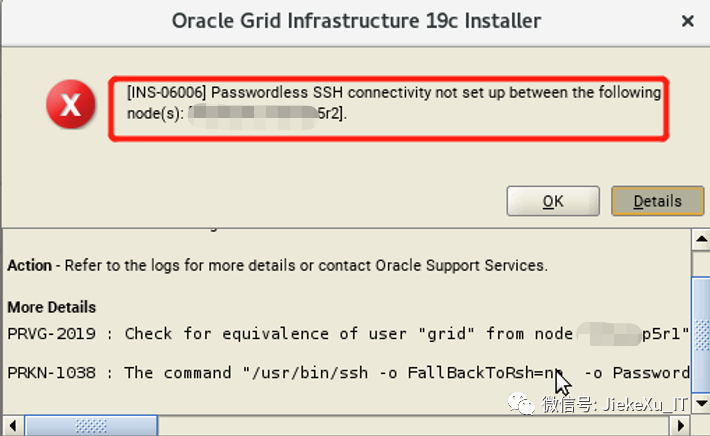
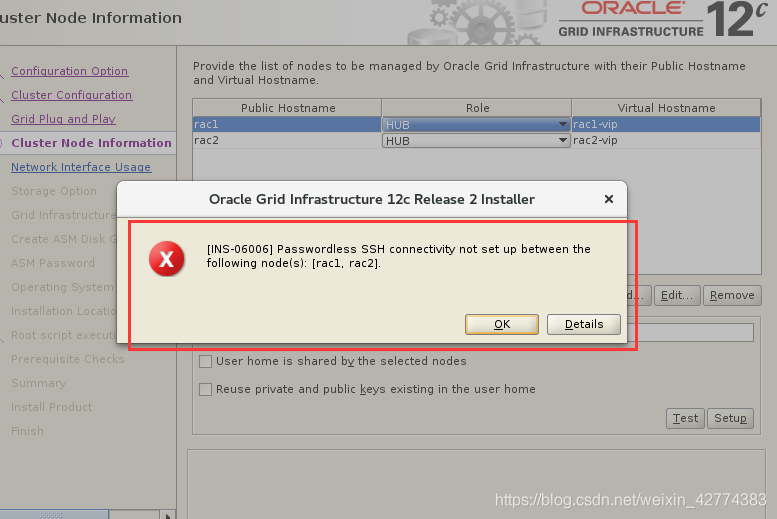
After installing RAC, I encountered [INS-06006] Passwordless SSH connectivity not set up between the following node(s) when installing Oracle, rac1 and rac2 mutual trust. When the Setup was executed successfully, the passwordless login was already available on the OS, but Test did not work, so the following steps could not be performed.

Solution: I found that the problem lies in the virtual NIC virbr0 that comes with the virtual machine, remove the virtual NIC.
1. ifconfig virbr0 down
2. brctl delbr virbr0
3. systemctl disable libvirtd
4. Restart the virtual machine
5.Remove the original /home/oracle/.ssh file, and reset,test it.

./configure Command Execute error (Centos7 Install erlang)

Windows uploads Erlang installation package to virtual machine

Install the file upload program:

# yum install -y lrzsz

Upload file:

# rz

Unzip package:

# tar -zxvf otp_src_24.3.2.tar.gz

Enter the decompression Directory:

# cd /-My_PATH-/otp_src_24.3.2/

Execute “./configure –prefix=/usr/local/erlang” command error:

[root@localhost otp_src_24.3.2]# ./configure --prefix=/usr/local/erlang
=== Running configure in /usr/local/software/otp_src_24.3.2/erts ===
./configure '--prefix=/usr/local/erlang' --disable-option-checking --cache-file=/dev/null --srcdir="/usr/local/software/otp_src_24.3.2/erts"
checking build system type... x86_64-pc-linux-gnu
checking host system type... x86_64-pc-linux-gnu
checking for gcc... no
checking for cc... no
checking for cl.exe... no
configure: error: in `/usr/local/software/otp_src_24.3.2/erts':
configure: error: no acceptable C compiler found in $PATH
See `config.log' for more details
ERROR: /usr/local/software/otp_src_24.3.2/erts/configure failed!
Killed

Solution:

Install C + + compilation environment: sudo yum install gcc-c++

[root@localhost otp_src_24.3.2]# sudo yum install gcc-c++
Loaded plugins: fastestmirror
Loading mirror speeds from cached hostfile
 * base: ftp.sjtu.edu.cn
 * extras: mirrors.nju.edu.cn
 * updates: mirrors.nju.edu.cn
Resolving Dependencies

--------------------------省略!!------------------------

Installed:
  gcc-c++.x86_64 0:4.8.5-44.el7                                                                            

Dependency Installed:
  cpp.x86_64 0:4.8.5-44.el7                               gcc.x86_64 0:4.8.5-44.el7                       
  glibc-devel.x86_64 0:2.17-325.el7_9                     glibc-headers.x86_64 0:2.17-325.el7_9           
  kernel-headers.x86_64 0:3.10.0-1160.59.1.el7            libmpc.x86_64 0:1.0.1-3.el7                     
  libstdc++-devel.x86_64 0:4.8.5-44.el7                   mpfr.x86_64 0:3.1.1-4.el7                       

Dependency Updated:
  glibc.x86_64 0:2.17-325.el7_9                    glibc-common.x86_64 0:2.17-325.el7_9                   

Complete!

After installation, re-execute . /configure command again and found a new problem.

configure: error: Perl version 5 is required to build the emulator!
ERROR: /usr/local/otp_src_24.3.2/erts/configure failed!
Killed

Then we install another one

# yum install perl

Then there are new problems:

configure: error: No curses library functions found
ERROR: /usr/local/otp_src_24.3.2/erts/configure failed!
Killed

At this time, you need to install the log Library:

# yum -y install ncurses-devel

Then re-execute ./configure command, no exception~

Set environment variables:

# vi /etc/profile

Press Enter to go to the bottom, then press keyboard i to enter edit mode and configure the environment variables.

#set erlang environment
export PATH=$PATH:/usr/local/erlang/bin

After the configuration is completed, press ESC to exit the editing mode and enter the Save command:

:wq

Refresh the profile to take effect:

# source /etc/profile

Check whether Erlang is successfully installed:

[root@localhost otp_src_24.3.2]# erl -version
Erlang (SMP,ASYNC_THREADS) (BEAM) emulator version 12.3

Done!
[Solved] Vue3 Eslint Error: The template root requires exactly one element

In a word:
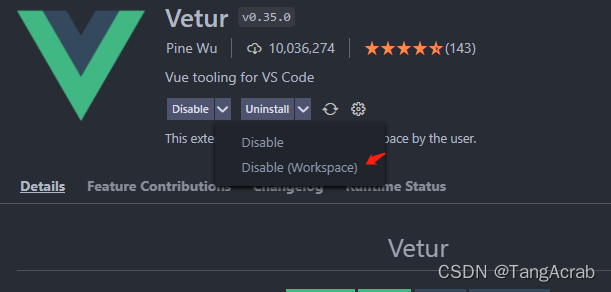
vue2 uses vetur, and vue3 uses volar

Error indication:

vue2 items in the template must be wrapped by using a root element;

Solution:
in vue3 project, Vue related plug-ins use Volar

In the vue2 project, use the plug-in Vetur

    1. disable Vetur in the current workspace. To prevent affecting the use of other projects

      1. E
      nable Volar

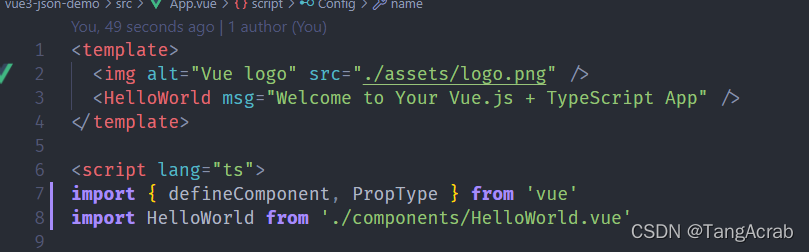
No more errors

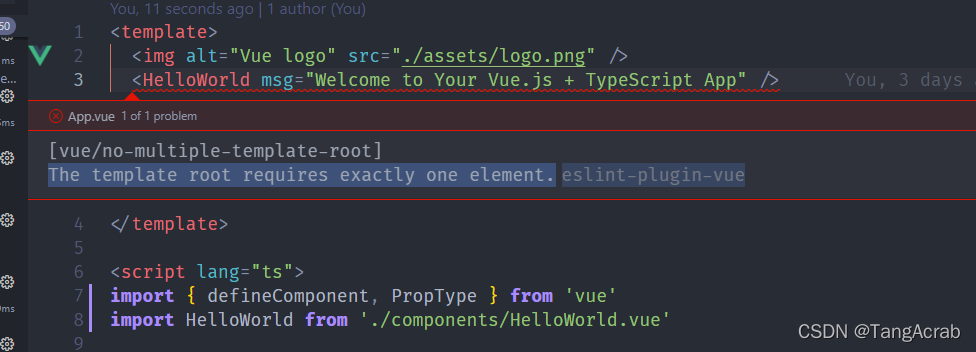
[vue/no-multiple-template-root] The template root requires exactly one element.

Project scenario:

March 2022 intellectual property module migration component


Problem description

Black screen and error report:

[vue/no-multiple-template-root] The template root requires exactly one element.

Cause analysis:

Only one root node is allowed in the template


Solution:

Add a div tag to the template and add all components to the div tag.

How to Solve Azkaban error (Reasons & Solutions)

Error 1: azkaban job Preparing
Solution:
modify the configuration of web-server conf/azkaban.properties
# execute host filter configuration, remove MinimumFreeMemory
# MinimumFreeMemory filter will check if the executor host will have more than 6G of free memory, if less than 6G, the web-server will not send the task to that host
azkaban.executorselector.filters=StaticRemainingFlowSize,CpuStatus

Error 2: When the job is running,azkaban web Error: Free memory amount minus Xmx (2836204 – 0 kb) is less than low mem threshold (3145728 kb), memory request declined

Solution:
[root@qphone02 executor]# vi ./plugins/jobtypes/commonprivate.properties
# set execute-as-user
execute.as.user=false
memCheck.enabled=false  # add memory check is off, otherwise it will report error: less than 3G

Python Error: ImportError: cannot import name ‘logsumexp’ from ‘scipy.misc’(Anaconda3\lib\site-packages\scipy\misc)

How to Solve Error:

ImportError: cannot import name ‘logsumexp’ from ‘scipy.misc’(Anaconda3\lib\site-packages\scipy\misc)
or
ImportError: cannot import name ‘comb’ and ‘logsumexp’

Directly go in and change the code inside the genisim package, but it is best not to change it indiscriminately. The reason is that there is no logsumexp after the update of scipy.misc package, the author I changed a code inside genisim.
Modify the following codes in ldamodel.py
from scipy.misc import logsumexp
to
from scipy.special import logsumexp
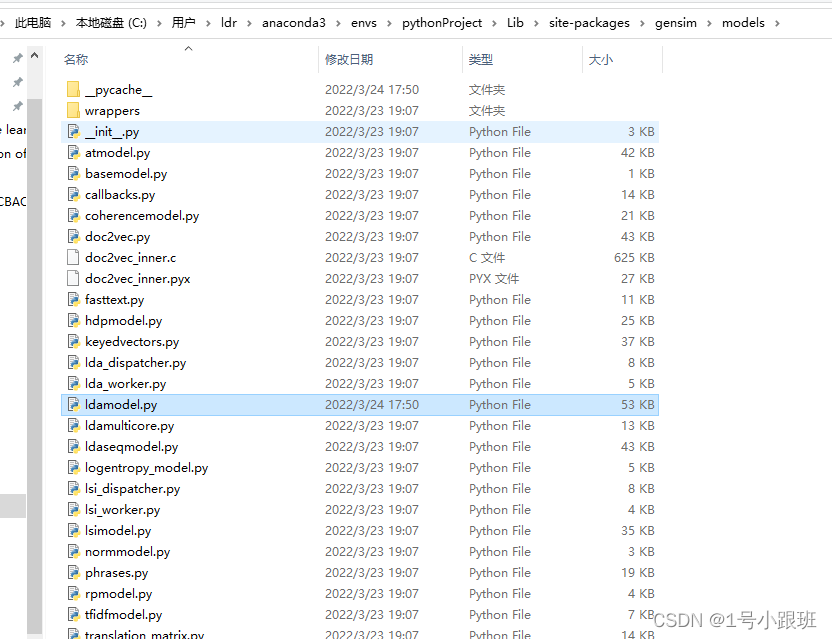
The approximate path is shown below, my gensim==3.0.1 is this version. But this error is also related to the version. I can see that there is a problem with line 56 of ldamodel.py in the gensim package, which should be updated.

Chromdriver Install error: File “C:\python37\lib\site-packages\selenium\webdriver\common\service.py”, line 76, in start stdin=PIPE) File…

When selenium is importing, chromdriver install error:

File “C:\python37\lib\site-packages\selenium\webdriver\common\service.py”, line 76, in start stdin=PIPE) File “C:\python37\lib\subprocess.py”, line 756, in init restore_signals, start_new_session) File “C:\python37\lib\subprocess.py”, line...


Reason: There is a problem in Installation path, put chromdriver.exe to python installation path, put it to C:\python37\Scripts

Kubernetes create secret Error: Error from server (InternalError): Internal error occurred…

Creating secret Error:
# kubectl create secret generic thanos-objectstorage –from-file=objstore.yaml -n monitoring
Error Messages:

Error from server (InternalError): Internal error occurred: failed calling webhook “rancher.cattle.io”: Post https://rancher-webhook.cattle-system.svc:443/v1/webhook/mutation?timeout=10s: service “rancher-webhook” not found


According to the error report, it may be a problem with rbac, which cannot create

# kubectl get mutatingwebhookconfigurations
NAME                             WEBHOOKS   AGE
mutating-webhook-configuration   7          156d
rancher.cattle.io                2          156d

# kubectl get validatingwebhookconfigurations
NAME                               WEBHOOKS   AGE
rancher.cattle.io                  2          156d
validating-webhook-configuration   7          156d

There are two admission controllers found in the view, both of which are leftover from the previous installation of components

Just Delete it

# kubectl delete mutatingwebhookconfigurations mutating-webhook-configuration
mutatingwebhookconfiguration.admissionregistration.k8s.io "mutating-webhook-configuration" deleted

# kubectl delete mutatingwebhookconfigurations rancher.cattle.io
mutatingwebhookconfiguration.admissionregistration.k8s.io "rancher.cattle.io" deleted

# kubectl delete validatingwebhookconfigurations rancher.cattle.io
validatingwebhookconfiguration.admissionregistration.k8s.io "rancher.cattle.io" deleted

# kubectl delete validatingwebhookconfigurations validating-webhook-configuration
validatingwebhookconfiguration.admissionregistration.k8s.io "validating-webhook-configuration" deleted

[antdv: DatePicker] `value` provides invalidate moment time. If you want set empty value, use `null`

[antdv: DatePicker] `value` provides invalidate moment time. If you want set empty value,use `null`

Always encounter this problem

Normal use:

html:
 <a-month-picker v-model="monthValue"  :allowClear="false" type="month" placeholder="选择月"></a-month-picker>
data:
monthValue:moment().format('YYYY-MM')

Reason:
ant design vue datepicker needs the format of moment by default, so an error will be reported.

Solution: use following method to define the data:

 monthValue: moment(new Date(), 'YYYY-MM')

How to Solve Hbase JAVA import Package Error

Elsipe connects to Hbase
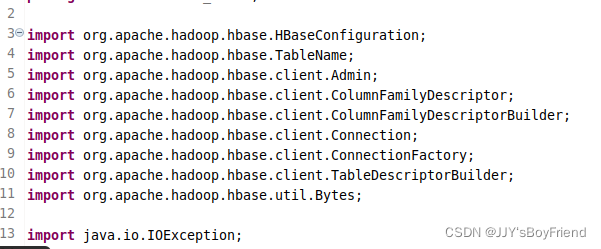
When programming with the hbase API, importing many packages may cause errors
Since it is too tedious to add dependencies manually, we finally chose to create a new maven project, which makes it possible to add the dependencies we need automatically.

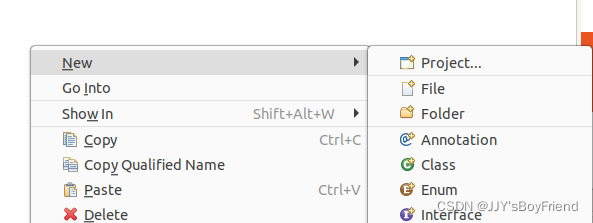
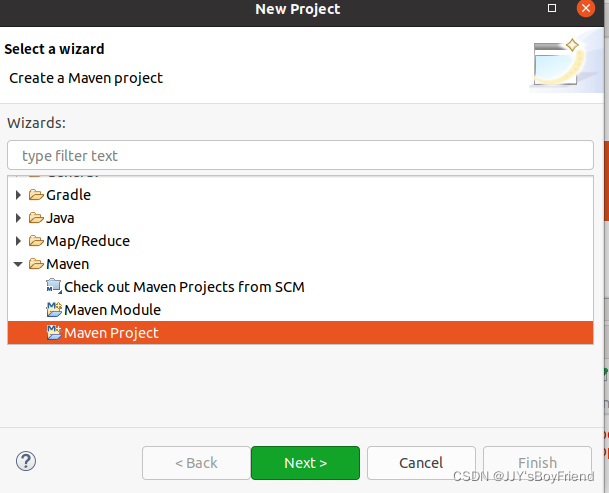
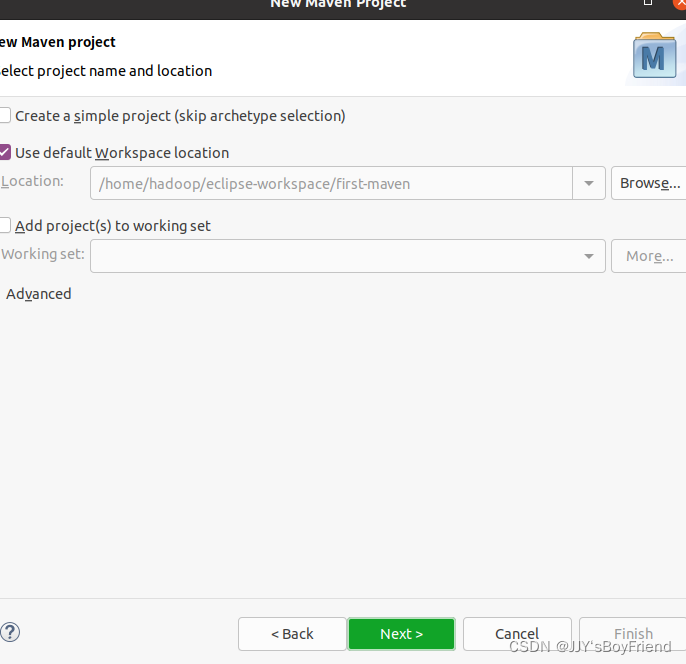
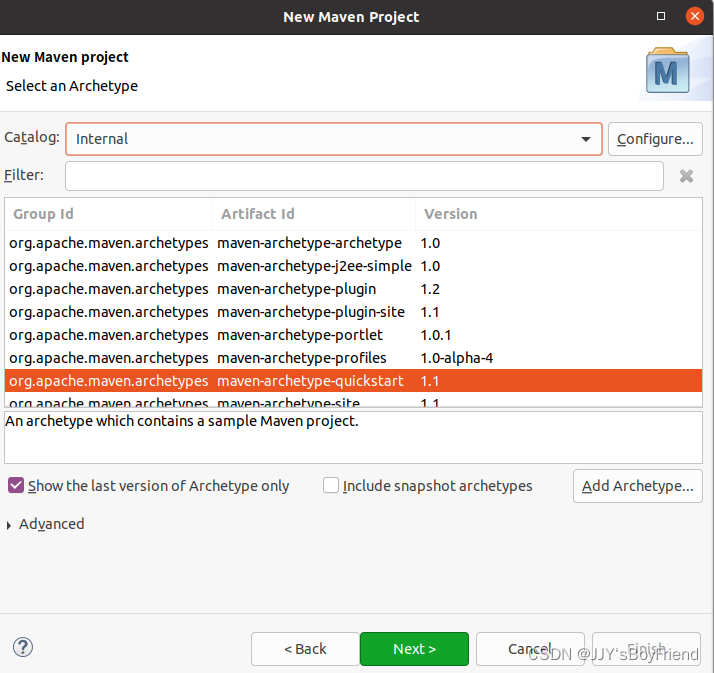
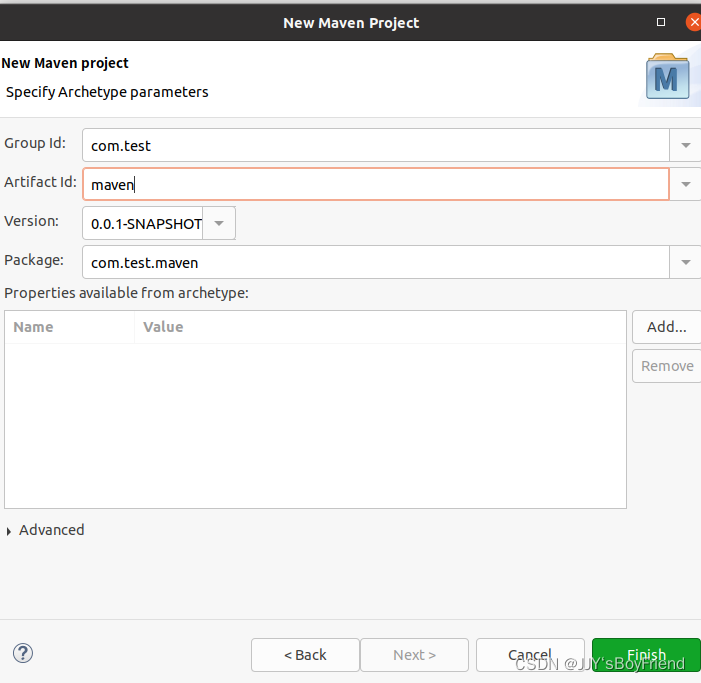
Create a new maven project
I’m using the latest version of eclipse 2021-12, so I skipped this step.

Create a new project


Modify pom.xml
In the new maven project, find the pom.xml and modify it

Add the following, and make sure that the version is consistent with your own hbase version.
Check your own hbase version with “hbase version” command

<dependency>
    	<groupId>org.apache.hbase</groupId>
    	<artifactId>hbase-client</artifactId>
    	<version>2.4.10</version>
</dependency>

Wait for automatic compilation to complete

The imported packages will not report errors