Author Archives: Robins

g++: internal compiler error: Killed (program cc1plus)

make compile time, prompt g++: internal compiler error: directed at program cc1plus , with the following detailed error message:

g++: internal compiler error: Killed (program cc1plus)
Please submit a full bug report,
with preprocessed source if appropriate.
See <file:///usr/share/doc/gcc-5/README.Bugs> for instructions.
.......
Error 4

The is shown in figure 1:
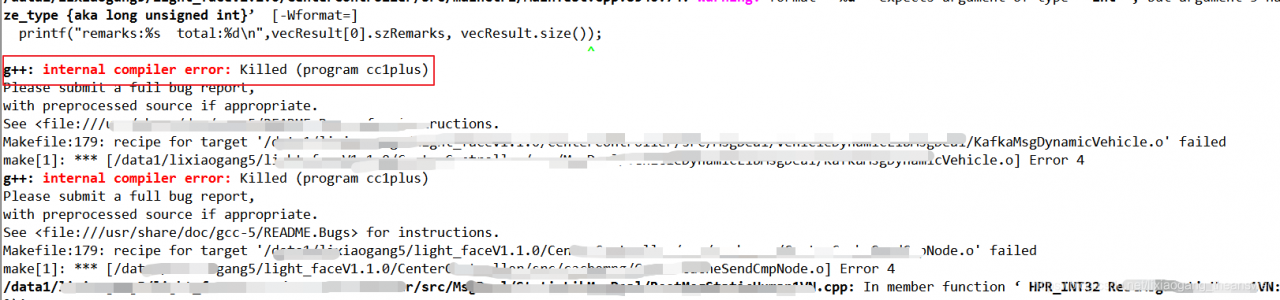
figure 1 compiler error message


Google, the unified answer is because memory is not enough , free looked at the system memory usage, it was really occupied. Since the device is the company’s uniform compilation platform (used by several colleagues), this is not surprising. As shown in figure 2:

figure 2 free – h details


can be solved by the following solution:
(1) sudo dd if=/dev/zero of=/swapfile bs=64M count=16 (the size of count is the size of the increased swap space, 64M is the block size, So the space size is bs*count=1024MB)
(2)sudo mkswap /swapfile (format the space just now as swap format) (3)sudo swapon /swapfile (use the swap space just created)


The


! LaTeX Error: Option clash for package hyperref.

The article directories
Causes, solutions, results

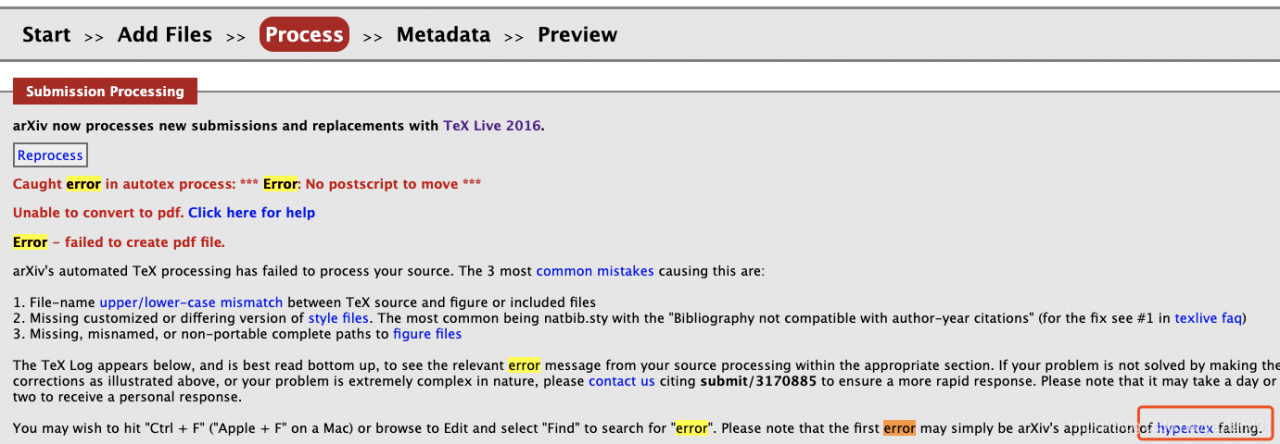
upload paper to arxiv. When compiling online, the following error occurs:

! LaTeX Error: Option clash for package hyperref.

why
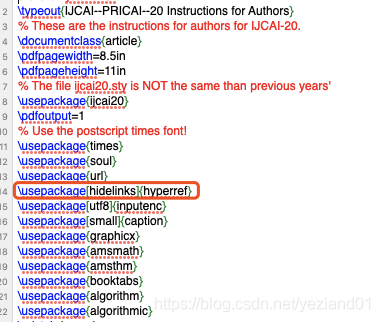
\usepackage[hidelinks]{hyperref} conflicts with other packages

The solution
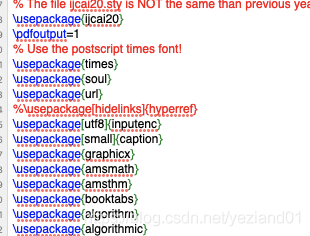
Remove the package %\usepackage[hidelinks]{hyperref}

The results of
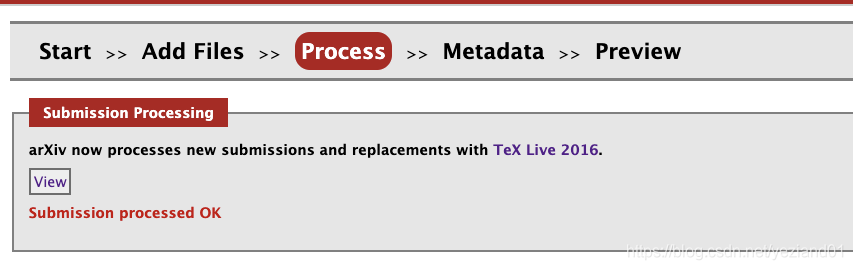
Compile successfully

Error: Cannot find module’webpack/bin/config-yargs’ solution

The following error occurred while running NPM Run Dev:

Error: Cannot find module 'webpack/bin/config-yargs'
Require stack:
- D:\javaProject\vue\myvue\node_modules\webpack-dev-server\bin\webpack-dev-server.js
    at Function.Module._resolveFilename (internal/modules/cjs/loader.js:980:15)
    at Function.Module._load (internal/modules/cjs/loader.js:862:27)
    at Module.require (internal/modules/cjs/loader.js:1042:19)
    at require (internal/modules/cjs/helpers.js:77:18)
    at Object.<anonymous> (D:\javaProject\vue\myvue\node_modules\webpack-dev-server\bin\webpack-dev-server.js:54:1)
    at Module._compile (internal/modules/cjs/loader.js:1156:30)
    at Object.Module._extensions..js (internal/modules/cjs/loader.js:1176:10)
    at Module.load (internal/modules/cjs/loader.js:1000:32)
    at Function.Module._load (internal/modules/cjs/loader.js:899:14)
    at Function.executeUserEntryPoint [as runMain] (internal/modules/run_main.js:74:12) {
  code: 'MODULE_NOT_FOUND',
  requireStack: [
    'D:\\javaProject\\vue\\myvue\\node_modules\\webpack-dev-server\\bin\\webpack-dev-server.js'
  ]
}
npm ERR! code ELIFECYCLE
npm ERR! errno 1
npm ERR! [email protected] dev: `webpack-dev-server --inline --progress --config build/webpack.dev.conf.js`
npm ERR! Exit status 1
npm ERR!
npm ERR! Failed at the [email protected] dev script.
npm ERR! This is probably not a problem with npm. There is likely additional logging output above.

npm ERR! A complete log of this run can be found in:
npm ERR!     C:\Users\Wenxindiao\AppData\Roaming\npm-cache\_logs\2020-04-22T03_06_48_257Z-debug.log

Solution:
this is because the current version of [email protected] does not support [email protected]. So simply delete the current Webpack-dev-Server folder and reinstall the higher version. The steps are as follows:

    find the project folder you created, mine is D:\javaProject\vue\myvue\node_modules\webpack-dev-server, delete the webpack-dev-server folder. Run NPM I [email protected] in the current project directory, and your webpack-dev-server version will be fine. Or update directly to the latest version
npm i –-save-dev webpack-dev-server@next 

CFNetwork internal error (0xc01a:/BuildRoot/Library/Caches/com.apple.xbs/Sources/CFNetwork_Sim/CFNet

Bug description (Console warning message)
Reference: https://developer.apple.com/library/content/documentation/General/Reference/InfoPlistKeyReference/Articles/CocoaKeys.html
https://developer.apple.com/library/content/documentation/General/Reference/InfoPlistKeyReference/Articles/CocoaKeys.html#//apple_ref/doc/uid/TP40009251-SW33

CFNetwork internal error (0xc01a:/BuildRoot/Library/Caches/com.apple.xbs/Sources/CFNetwork/CFNetwork
 

1
1
Modify the info. The plist
NSExceptionDomains

    NSExceptionRequiresForwardSecrecy: NONSIncludesSubdomains: YESNSExceptionAllowInsecureHTTPLoads: YES

    Reason: Companies use HTTP rather than HTTPS requests

The problem of mobile hybrid development RN Android deployment appears Unsupported class file major version xx

  General error during semantic analysis: Unsupported class file major version 57
  
  java.lang.IllegalArgumentException: Unsupported class file major version 57
        at groovyjarjarasm.asm.ClassReader.<init>(ClassReader.java:184)
        at groovyjarjarasm.asm.ClassReader.<init>(ClassReader.java:166)
        at groovyjarjarasm.asm.ClassReader.<init>(ClassReader.java:152)
        at groovyjarjarasm.asm.ClassReader.<init>(ClassReader.java:273)

Appear this error is your JDK version is wrong, general RN ask JDK version is 1.8, recommends after installation, the project of the android/gradle. Add the following configuration properties
org. Gradle. Java. Home =/Volumes/Mac/Software/android \ Studio app/Contents/jre/JDK/Contents/home

13. R language: Error in match.names(clabs, names(xi)): The name is not relative to the original name

Problem description

Count_bind = rbind(count_left,count_right)
Error in match.names(clabs, names(xi)) : names are not relative to existing names

To explore the reason
This is a problem in the match.names function that occurs during rbind, for the simple reason that my first two objects to be rbind have different column names:


To solve the problem
Manually changing the column name can solve the problem:

colnames(count_left) <- c("AAA")

Use the above function to execute the two objects separately, and just change the column name.
Big mouth a
I’ve never really understood why data.frame cannot set the column name when declared but can set the row name. Below is the official usage, only for row row.

The data frame (… , row.names = NULL, check.rows = FALSE,
check.names = TRUE, fix.empty.names = TRUE,
stringsAsFactors = default.stringsAsFactors())

In this way, I often have to manually name the column names of the data box. Usually, the code I write is genetic data, so as to ensure the accuracy of the column names. However, it would be troublesome to write small codes for statistics
Welcome to communicate

swift stdlib tool error is reported after xcode upgrade xcode9 1

The computer was upgraded to 10.13.1, and Xcode was upgraded to Xcode9.1. But when the original operation was ok, swift Stdlib tool error was reported, and DerivedData was searched, re-Pod install, and deleted. The last time I saw a restart, another error occurred after the restart

baidu again, said to set the key string certificate to always trust, the result is still not believe