Don’t be long-winded, give the problem and solution directly.
Problems that arise
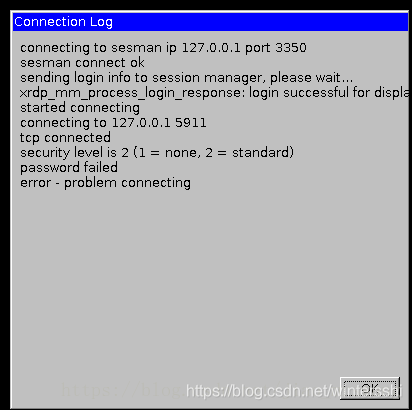
The solution
Modify /etc/xrdp/sesman.ini
- open file
/etc/xrdp/sesman.inisudo vim /etc/xrdp/sesman.ini
sesman.ini file contents are as follows:
[Globals]
ListenAddress=127.0.0.1
ListenPort=3350
EnableUserWindowManager=1
UserWindowManager=startwm.sh
DefaultWindowManager=startwm.sh

[Security]
AllowRootLogin=1
MaxLoginRetry=4
TerminalServerUsers=tsusers
TerminalServerAdmins=tsadmins

[Sessions]
X11DisplayOffset=10
MaxSessions=10
KillDisconnected=0
IdleTimeLimit=0
DisconnectedTimeLimit=0

[Logging]
LogFile=/var/log/xrdp-sesman.log
LogLevel=DEBUG
EnableSyslog=0
SyslogLevel=DEBUG

[X11rdp]
param1=-bs
param2=-ac
param3=-nolisten
param4=tcp

[Xvnc]
param1=-bs
param2=-ac
param3=-nolisten
param4=tcp
param5=-localhost
param6=-dpi
param7=96
- under
[Xvnc] param8= -securitytypes and param9=None[Xvnc]
param1=-bs
param2=-ac
param3=-nolisten
param4=tcp
param5=-localhost
param6=-dpi
param7=96
param8=-SecurityTypes
param9=None
- restart XRDP service
sudo service xrdp restart
Solution to Error 400. The request has an invalid header name
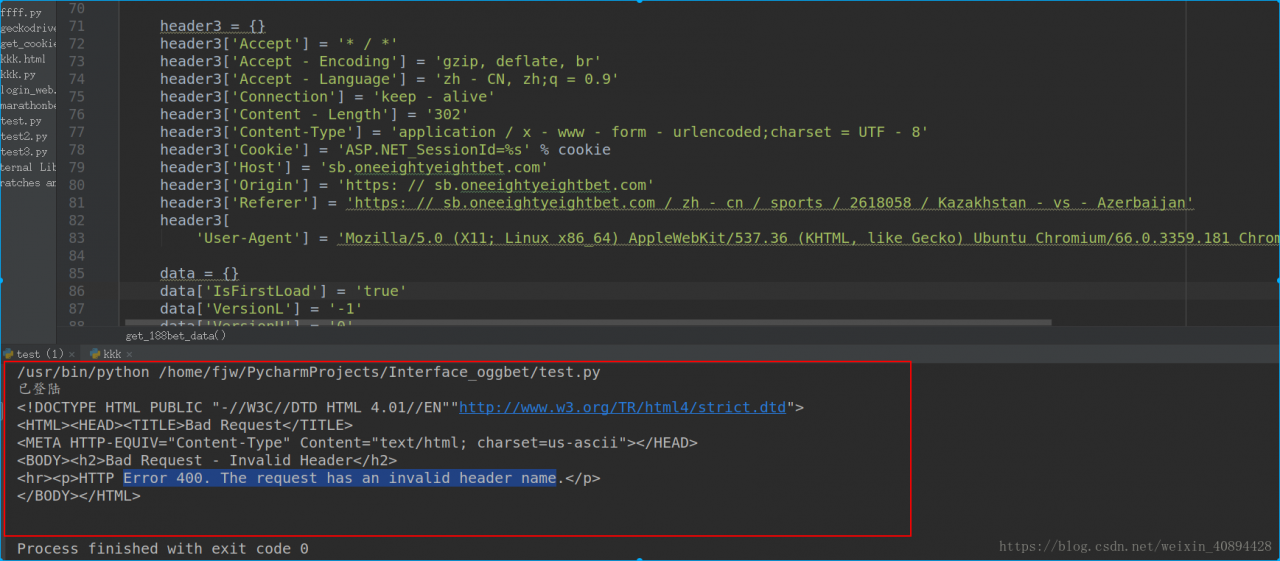 may be the direct cause of the error, as some browsers have different formats, which may lead to extra white space in the header information when you paste it into the code
I’m copying and pasting this piece of code when I add header information, is that okay?But if you look closely at the content-type part, isn’t there a lot of space?Just delete the Spaces and you’re done.
I modified
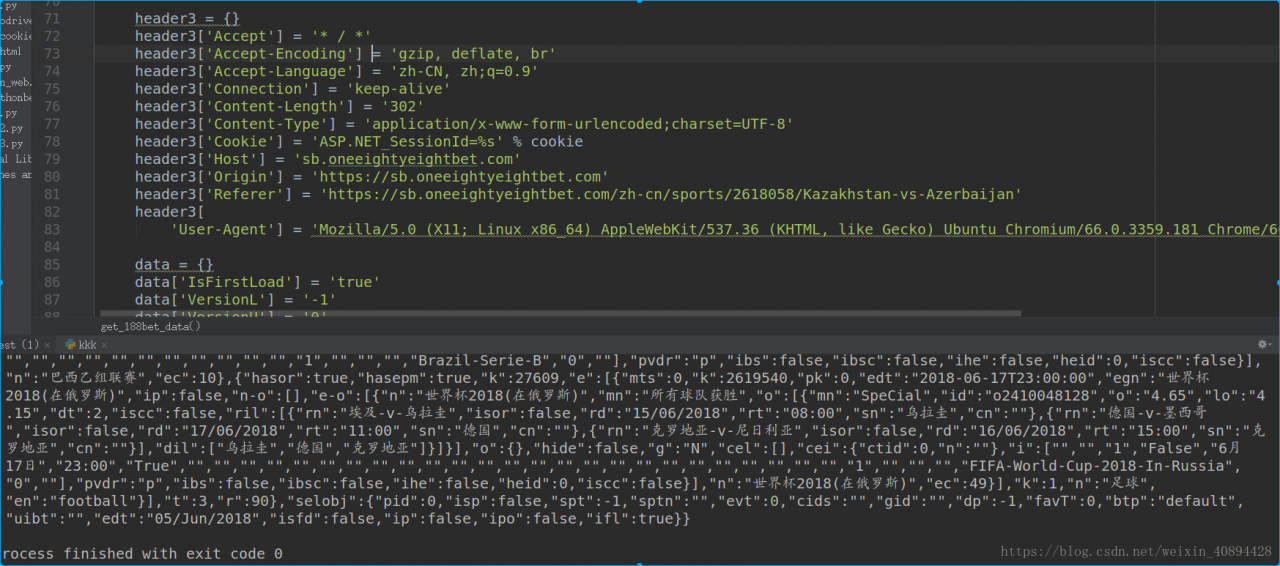
Crawl out of the data perfectly.
The first blog in my life, I hope you will pay more attention to me, I will continue to publish the blog about crawler in the future!!
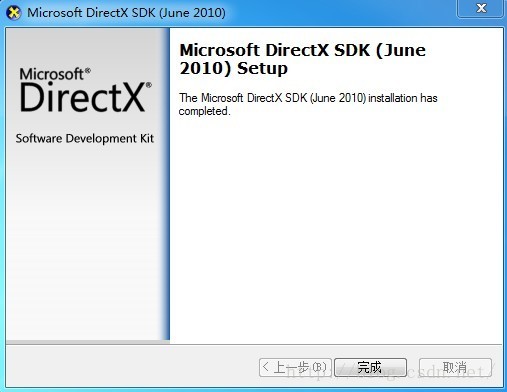
Solution for Error Code: s1023 when installing DirectX SDK
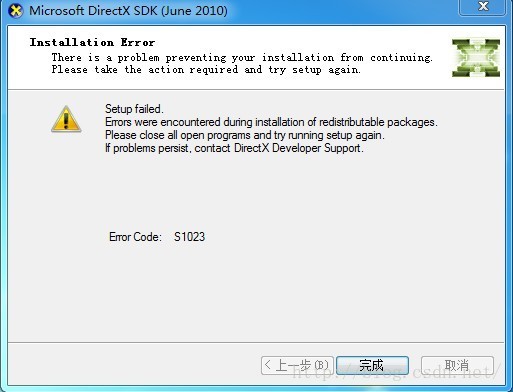
Reason for error:
I also installed Microsoft Visual C++ 2010 Redistributable with the updated version on your computer. I also opened “programs and functions” in the control panel. Sure enough, there was “Microsoft Visual C++ 2010 x86 redistributable-1010.0.40219” and “Microsoft Visual C++ 2010 x64 redistributable-1010.0.40219” installed on the computer. DXSDK_Jun10 also shipped with “Microsoft Visual C++ 2010 x86 redistributable-1010.0.30319” and “Microsoft Visual C++ 2010 x64 redistributable-1010.0.30319”, which versions were lower than the installed versions of the machine, so s1023 error occurred in the installation.
Solutions:
Uninstall higher versions of “Microsoft Visual C++ 2010 x86 redistributable-1010.0.40219” and “Microsoft Visual C++ 2010 x64 redistributable-1010.0.40219”, and then reinstall DXSDK_Jun10.
Q:
Will it be affected to undistribute “Microsoft Visual C++ 2010 x86 redistributable-1010.0.40219” and “Microsoft Visual C++ 2010 x64 redistributable-1010.0.40219”?
A:
After DXSDK_Jun10 is installed, the above two components are still there, but the version is lower, so the impact is not significant.
If you really need “Microsoft Visual C++ 2010 x86 redistributable-1010.0.40219” and “Microsoft Visual C++ 2010 x64 redistributable-1010.0.40219”, you can install it after you finish installing DXSDK_Jun10. Download page address (https://www.microsoft.com/en-us/download/details.aspx?Id = 26999).
Original link; http://blog.csdn.net/ts1030746080/article/details/8681550
MySQL Workbench: Error Code: 2013. Lost connection to MySQL server during query solution
Solutions:
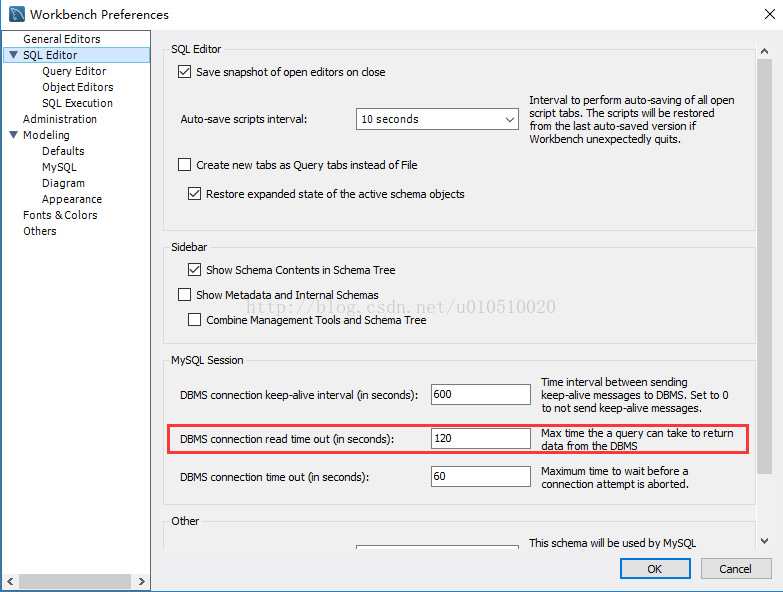
Edit-> Preference-> SQL Editor
Appropriately increase the FOLLOWING DBMS Connection Read Time out(in seconds) :
Resources:
http://bbs.csdn.net/topics/391881939?page=1
https://dev.mysql.com/doc/refman/5.7/en/error-lost-connection.html
Error Code: S1023 when installing DirectX SDK
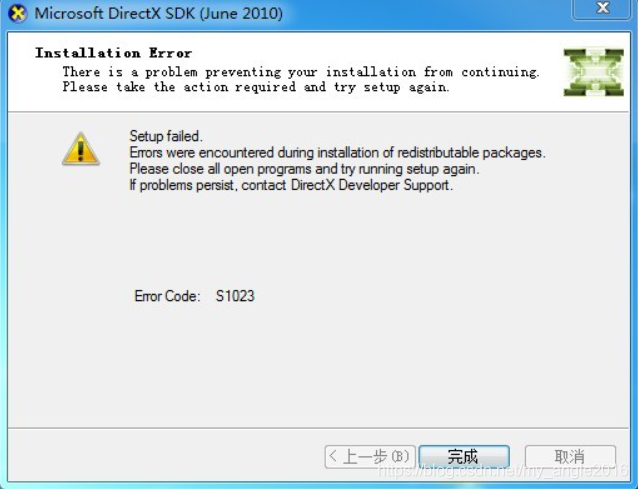
Reason for error:
Also, I continued to distribute Microsoft Visual C++ 2010 Redistributable after I installed the updated Microsoft Visual C++ 2010 Redistributable and opened the program and function control panel on my computer. While DXSDK_Jun installed “Microsoft
Visual C++ 2010 x86 redistributable-1010.0.30319″, the version was lower than the installed version of this machine, so s1023 error occurred in the installation.
Solutions:
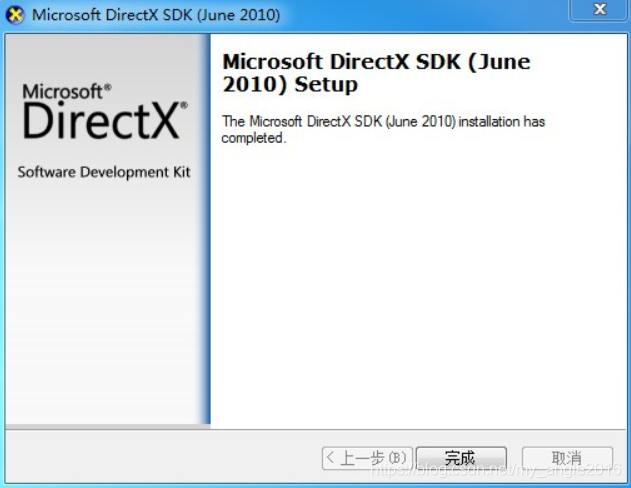
Uninstall the higher version of “Microsoft Visual C++ 2010 x86 redistributable-1010.0.40219” and reinstall it.
Syntax error on tokens, delete these tokens
The whitespace is not formatted correctly
Address is:
Delete the space and line feed, and just edit it again
extract-text-webpack-plugin" loader is used without the corresponding plugin Error (Fixed)

At first thought it was a plugin version problem some of it was
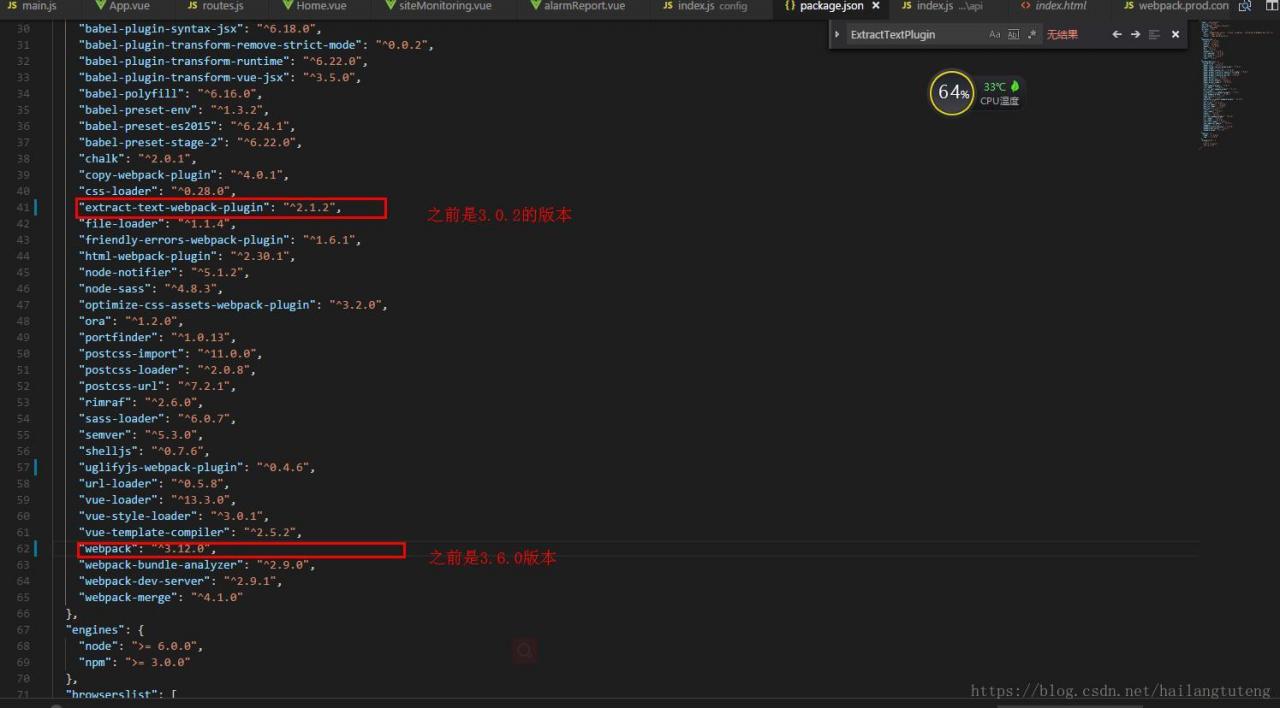
It doesn’t matter if it’s been tested later or if it’s been tested before or after
In webpack.prod.conf.js under build, you only need to modify the following configuration// extract css into its own file
new
ExtractTextPlugin({
// filename: assetsPath(‘ CSS /[name].[Contenthash]. CSS ‘),// the original configuration
filename:
utils
.
assetsPath
(
‘[name]/styles.[contenthash].css’
),
//
The changes
// Setting the following option to `false` will not extract CSS from codesplit chunks.
// Their CSS will instead be inserted dynamically with style-loader when the codesplit chunk has been loaded by webpack.
// It’s currently set to `true` because we are seeing that sourcemaps are included in the codesplit bundle as well when it’s `false`,
// increasing file size: https://github.com/vuejs-templates/webpack/issues/1110
allChunks:
true,
}),
And then it’s ok
The reason for this is not clear from the Github forum. If you are interested in what appears to be a plugin patch, check it out
RuntimeError: CUDA error: out of memory solution (valid for pro-test)
Said earlier, I am in the model test and not appear this error when training, as for the model training report this error, please refer to my another blog: runtimeerror: about errors CUDA out of memory. The Tried to the allocate 1.17 GB
actually very simple solution, originally I procedures specify the gpu is 3, run the test code is called the title out of memory error, the diagram below: 

I specified the gpus as 2 and 3, and then ran the code without error.
Iphone network data is shared to ubuntu14.04 through ubs, which is a desktop computer and cannot be passed through hotspot
Unable to mount iPhone unhandled lock error
Ayes, 13 Nays, Accept
Here’s what worked for me (from immobiledevice.org):
Close the error when your device is plugged in. Then run the
idevicepair unpair && idevicepair pair
Pro test: I do not know why sometimes the implementation of no use, plug in the computer, restart the computer to go…
Then unplug your device and plug it back in.
Pro can do it
langxw@le:~$ idevicepair unpair & & idevicepair pair
The program ‘idevicepair’ is currently not installed. You can install it by typing:
sudo apt-get install libimobiledevice-utils
langxw@le:~$ sudo apt-get install libimobiledevice-utils
Common causes of Leetcode Runtime Error
The general reason is that it’s not initialized, it’s running as a random number;
Or it returns a wild pointer, which is common in test cases with empty sets and requires a pointer to be returned. Most of the time, it will be like this without attention:
    TreeNode* buildTree(vector<int>& preorder, vector<int>& inorder) {
        TreeNode *result;
        if(preorder.size() == 0 && inorder.size() == 0)
            return result;
        else
            return sub_bT(0, preorder.size()-1, 0, inorder.size()-1, preorder, inorder);

    }
At this time, we often think that a null pointer is returned, but in fact, it is not initialized. What is returned is a wild pointer, which does not know where to point to. However, when we Run Code, no error will be reported and the result is [], so we think that a null pointer is returned.
    TreeNode* buildTree(vector<int>& preorder, vector<int>& inorder) {
        TreeNode *result(NULL);
        if(preorder.size() == 0 && inorder.size() == 0)
            return result;
        else
            return sub_bT(0, preorder.size()-1, 0, inorder.size()-1, preorder, inorder);

}Eclipse .java File Syntax error, parameterized types are only available if source level is 1.5 or
Syntax Error, Parameterized Types are only available if source level is 1.5 or greater
This is a compiler version of the problem, the solution:
1. Right click project –& GT; Properties–> Java Compiler–> Remove the Use Compliance from Executeion Enveronment · check box, and change Compiler ·· to more than 1.5
2, Windows – & gt; preferneces–> JAVA–> compiler–> The window on the right “Compiler Compliance level” is set to more than 1.5
Error receiving broadcast Intent { act=com.supersdk.listen.PayListen_defeat flg=0x10 (has extras)
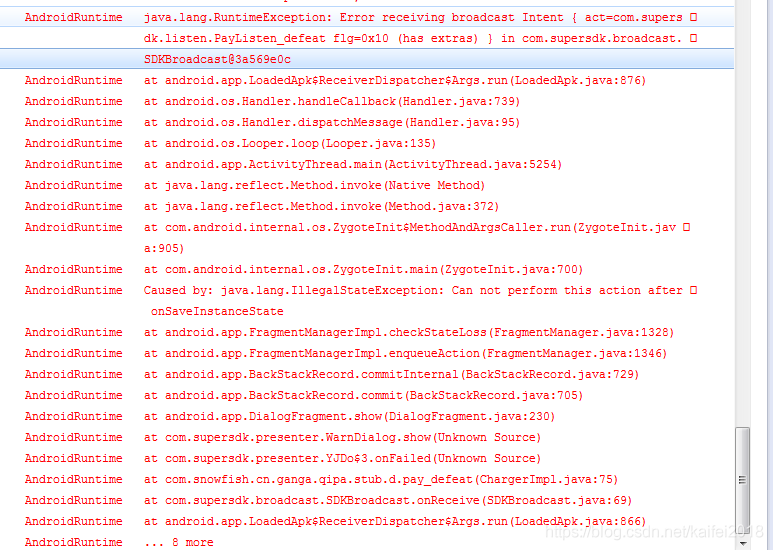
At first I thought it was a repeat broadcast. Didn’t solve.
Then see under Caused by: Java. Lang. An IllegalStateException: Can not perform this action after onSaveInstanceState
Life cycle issues. I know why
After the broadcast the activity is on the edge of being killed in some scenario, the system calls the onSaveInstanceState method, which calls the FragmentManager saveAllState method, saves the state of the fragment, and after the state is saved, the user actively calls onBackPressed, The method’s superclass super.onbackPressed determines if the FragmentManager has saved state and throws an exception for IllegalStateException if it has. Then the activity cannot be found when the broadcast is received
It’s easy: let me rewrite it
Override
protected void onSaveInstanceState(Bundle outState) {
// TODO auto-generated method stub
}