It had been torturing me for days, and then I didn’t do much about it, until I suddenly found out why, alas.
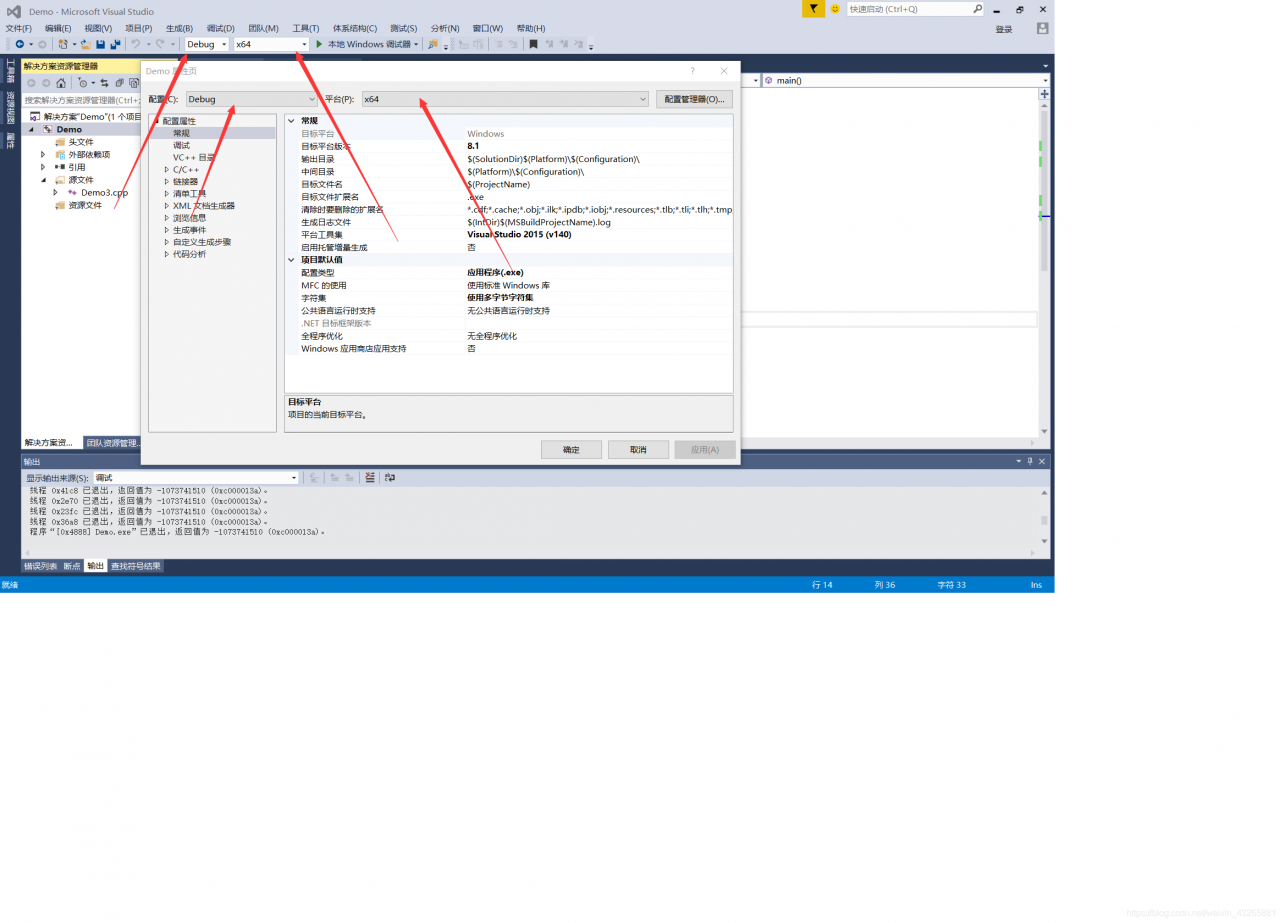
For this reason, the 32-bit and 64-bit platforms must be matched with Debug and Release versions!!


In the project, Spring JPA and Spring JDBC were used, but in the actual use, it was found that transactions in Spring JDBC were not committed, and the handling methods were mainly as follows
@EnableTransactionManagement
is added on the method
@Transactional
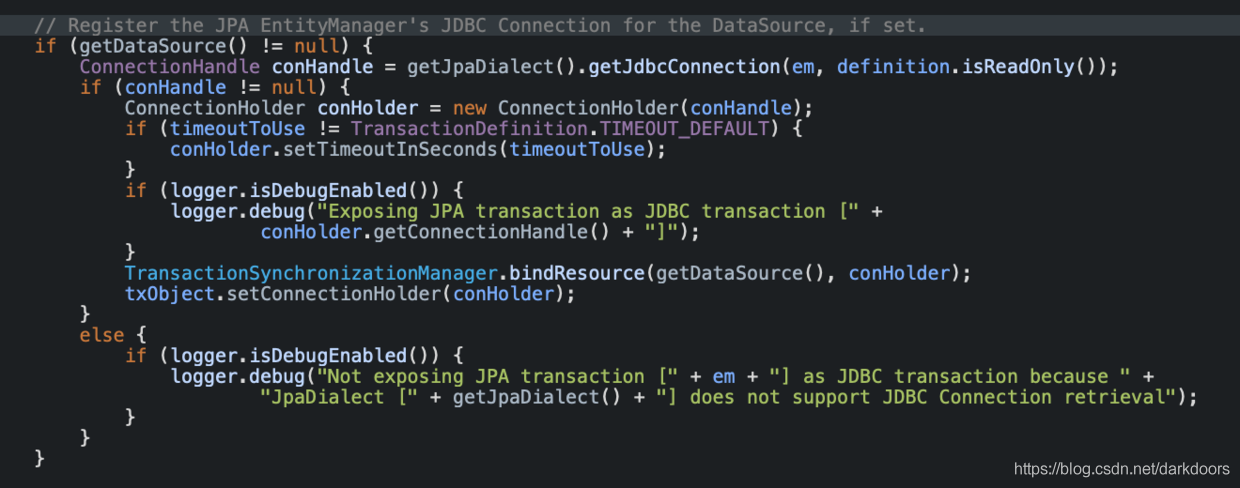
These two points have been added in the system, but still not effective, see the spring jpa document found is, indeed, support for jpa transactions and JDBC transaction https://docs.spring.io/spring-framework/docs/current/javadoc-api/org/springframework/orm/jpa/JpaTransactionManager.html code>, On the debug the Jpa's transaction processing mainly in the JpaTransactionManager. DoBegin code>, the execution will determine whether using JDBC transaction;

the system specifies JpaTransactionManager but does not specify jpaDialect. If not specified, it defaults to DefaultJpaDialect, while DefaultJpaDialect does not handle 0 JdbcConnection1. Therefore, the JDBC transaction could not be committed, and the solution was relatively simple. Manually specify jpaDialect as HibernateJpaDialect;
<bean id="transactionManager" class="org.springframework.orm.jpa.JpaTransactionManager" primary="true">
<property name="entityManagerFactory" ref="entityManagerFactory"/>
<property name="jpaDialect">
<bean class="org.springframework.orm.jpa.vendor.HibernateJpaDialect"></bean>
</property>
</bean>
int main(int argc, char *argv[])
So what are argc and Argv [] for?
Where argc is the number of arguments entered externally and argv[] is the string array of arguments. This may not be obvious to you, but let’s take a look at an example of the C file argtest.c shown below
#include <stdio.h>
int main(int argc, char *argv[])
{
printf("argc is %d\n",argc);
for(int i=0;i<argc;i++)
{
printf("argv[%d] is: %s\n",i,argv[i]);
}
return 0;
}
These lines of code are simple, first printing the value of argc, then printing out the string of all argv[] arrays.
Use the following command to compile the C file
gcc argtest.c -o argtest
After compiling to produce the executable file argtest, execute the following command
./argtest
The output result of the program is
argc is 1
argv[0] is: ./argtest
This indicates that when the program is executed, only one parameter is entered, and this parameter is the command executing the program.
Execute the following command
./argtest 1234 abcd
The output result of the program is
argc is 3
argv[0] is: ./argtest
argv[1] is: 1234
argv[2] is: abcd
This indicates that the program entered three arguments, and that the last two space-separated strings of the command were passed to the main function.
Through argc and Argv [] we can pass arguments to the program by command.
Anaconda installs the PyAudio method
Open Anaconda Prompt(run as administrator)

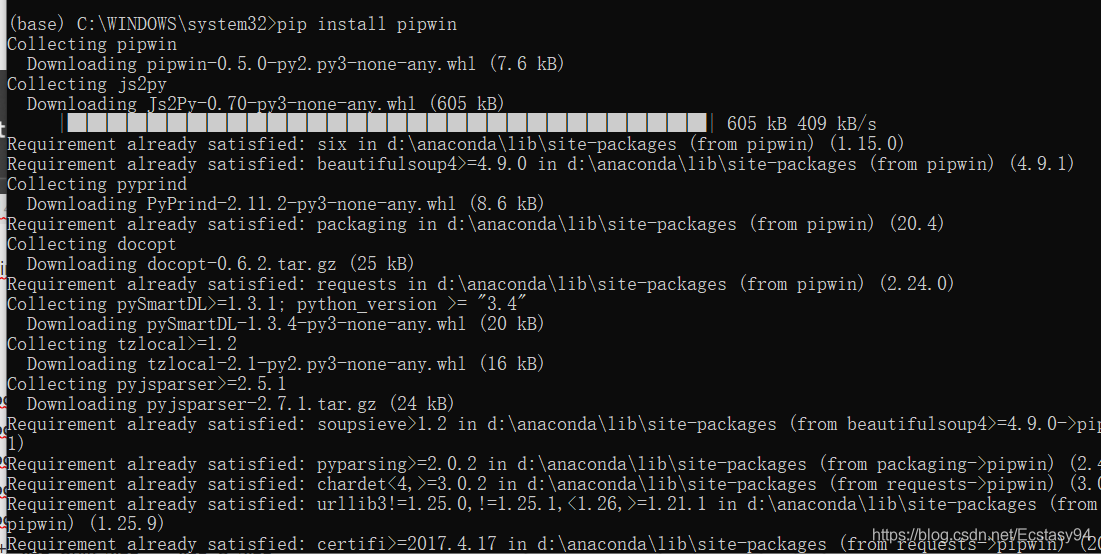
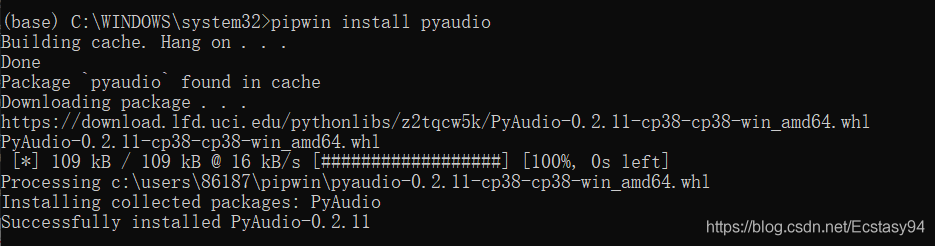
enter PIP install pipwin next enter the pipwin installation


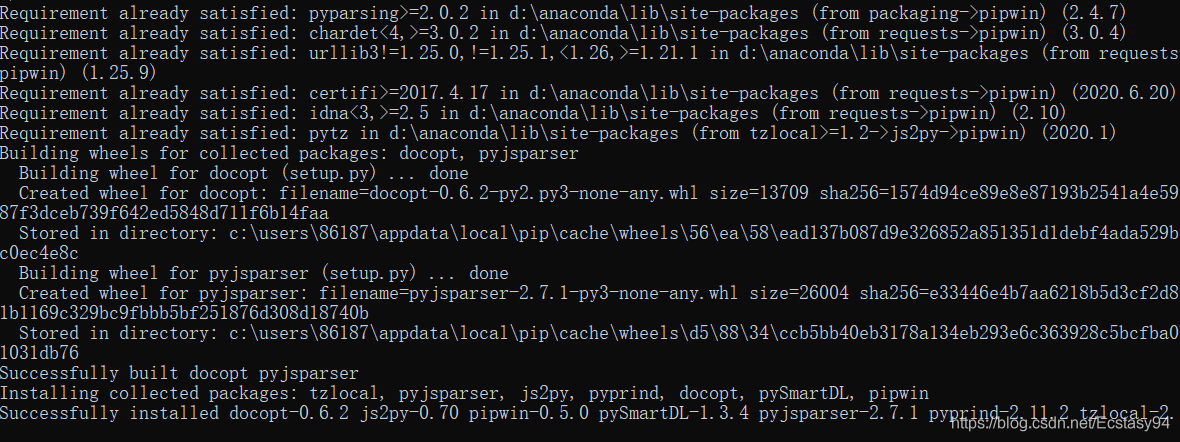
after installation enter pipwin install pyaudio
in Hang on… Click enter to confirm and finally complete the installation.
An error is always reported when using Yum Install again after installing Gitlab. The error code is as follows:
Error: Cannot retrieve repository metadata (repomd.xml) for repository: gitlab_gitlab-ce. Please verify its path and try again
the solution is as follows:
A. open/etc/yum. Repos. D/XXXXX. Repo, for this example is the/etc/yum. Repost. D/XXX. ‘
b. Change the term ‘enabled=1’ in [XXX] to ‘enabled=0
‘
As indicated in the code above, my error is gitlab_gitlab-CE, so the enabled=0 in gitlab_gitlab-ce-repo’s [gitlab_gitlab-CE]
[root@web1 ~]# cd /etc/yum.repos.d
[root@web1 yum.repos.d]# vim gitlab_gitlab-ce.repo
Set enabled=1 to enabled=0 in [gitlab_gitlab-ce]
I am getting the following error when running vmware workstation.
Warning: the system was unable to load a page of memory; this can be caused
by network problems or a failing hard disk drive.
VMware Player unrecoverable error: (vcpu-0)
Exception 0xc0000006 (disk error while paging) has occurred.
A log file is available in “C:/My Virtual Machines/Windows 2000
Professional/vmware.log”. A core file is available in “C:/Documents and
Settings/Administrator/Application Data/VMware/vmware-vmx-1464.dmp”. Please
request support and include the contents of the log file and core file.
To collect files to submit to VMware support, run cscript vm-support.vbs.
We will respond on the basis of your support entitlement.
When my vmware stops, it uses a pause to suspend the system, which is similar to hibernating a windows system, so that all the current operations can be saved, and when it starts up again, it can go directly into operation, but today the startup error.
Then I went online and found that renaming or simply deleting the vmss file in the directory of the installed virtual machine system and reopening the virtual system would do the trick.
-- building a watch
create table temp_age(
age_id number(5),
age number(3)
);
-- Build Trigger
create or replace trigger t_temp_age_check
before insert on temp_age
for each row
begin
if :new.age < 18
then
raise_application_error(-20001,'age must at least 18 years old');
end if;
end;
-- client program
declare
no_baby_allowed exception;
pragma exception_init(no_baby_allowed,-20001);
begin
insert into temp_age(age_id,age) values(1,20);
insert into temp_age(age_id,age) values(2,17);
insert into temp_age(age_id,age) values(3,18);
exception
when no_baby_allowed
then
dbms_output.put_line(sqlerrm);
end;
Client program execution output results:
Ora-20001: age must at least 18 years old
ora-06512: error during ‘lcam_develop.t_temp_age_check’, line 4
ora-04088: trigger ‘lcam_develop.t_temp_age_check’ execution
Question: How do I uncompress a *.7z file ( 7zip file ) in UNIX/Linux ?Can you explain with a simple example?
Answer: Use 7za command to unzip a 7z file ( 7zip file ) on Unix platform as shown below.
Verify whether you have 7za command on your system.
# whereis 7za 7za: /usr/bin/7za /usr/share/man/man1/7za.1.gz
If you don’t have 7za command, install p7zip package as shown below.
Install p7zip to unzip *.7z files on Fedora
# yum install p7zip
Install p7zip to unzip *.7z files on Debian and Ubuntu
$ sudo apt-get install p7zip
Uncompressing a *.7z 7zip files in Linux using 7za
$ 7za e myfiles.7z 7-Zip (A) 9.04 beta Copyright (c) 1999-2009 Igor Pavlov 2009-05-30 p7zip Version 9.04 (locale=C,Utf16=off,HugeFiles=on,1 CPU) Processing archive: ../../myfiles.7z Extracting myfiles/test1 Extracting myfiles/test2 Extracting myfiles/test Extracting myfiles Everything is Ok Folders: 1 Files: 3 Size: 7880 Compressed: 404
7za – command namee – specifies the 7z to be extractedmyfiles.7z – is the file that is to be extracted
Creating a 7zip compression file in Linux
$ 7za a myfiles.7z myfiles/ 7-Zip (A) 9.04 beta Copyright (c) 1999-2009 Igor Pavlov 2009-05-30 p7zip Version 9.04 (locale=C,Utf16=off,HugeFiles=on,1 CPU) Scanning Creating archive myfiles.7z Compressing myfiles/test1 Compressing myfiles/test2 Everything is Ok
Files and sub directories of myfiles/ will be added to the myfiles.7z.
a – add to archivefile.7z – archive file to which these files and dir from dir1 will be added to.
<?php
namespace syhl\admin\page\record; // namespace
require_once dirname(__FILE__).'/../../../../common/smarty_loader.php';
class record {
public static function exec($smarty) {
$ttr=self::getres();
$smarty->assign("arr",$ttr);
$smarty->display ( 'rec_mgr.html' );
}
function getres(){
$arr = array (
"1" => 'test',
'2' => 'me',
array (
"3" => "beij",
"4" => "zz"
),
array (
"5",
"6" => "ewrwer",
"7" => "ssss"
)
);
return $arr;
}
}
record::exec($smarty);
?>
$this(getRes () method in the sample code) is not allowed in the referenced method.
Edit time: 2017-05-10. Add a method to transform list
First, I know a way to parse JSON string before, I find it a little troublesome. I got another one from somewhere else
string json = vlt.getlist();
JObject jo = JObject.Parse(json);
var data = jo.getValue("data").ToObject<T>();
T is the corresponding entity class, and can be used directly in the member variable data.member
2. Json transformation of the List is to put it into redIS cache, and then take it out for transformation
Don’t talk nonsense, code on:
var t = new List<PcWareListByCourseId>();
var m1 = new PcWareListByCourseId
{
videoId = 12,
IsAuditions = false,
percent = 23,
practiceId = 43,
statuss = 2,
TotalTime = "12.2",
wareId = 22,
wareName = "courseware"
};
var m2 = new PcWareListByCourseId
{
videoId = 12,
IsAuditions = false,
percent = 23,
practiceId = 43,
statuss = 2,
TotalTime = "12.2",
wareId = 22,
wareName = "courseware"
};
t.Add(m1);
t.Add(m2);
RedisInfoHelper.SetRedis("test",t);
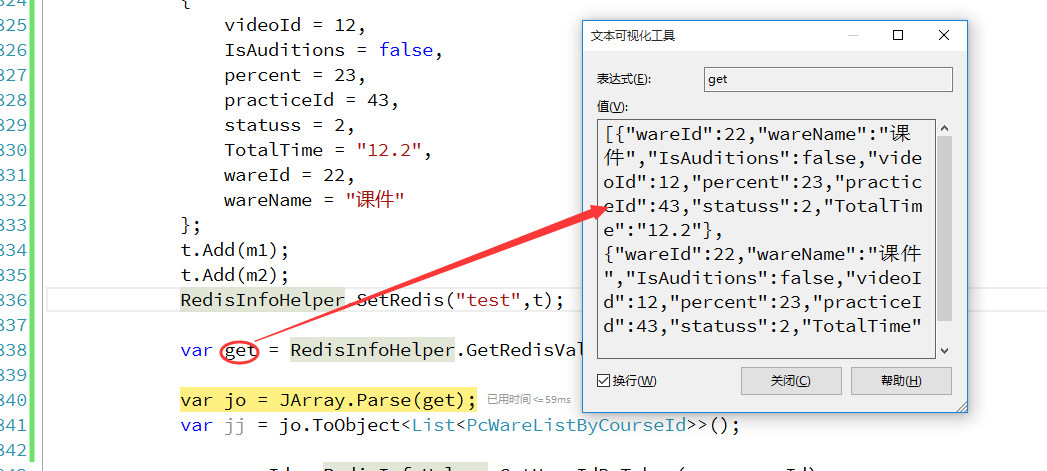
var get = RedisInfoHelper.GetRedisValue("test");
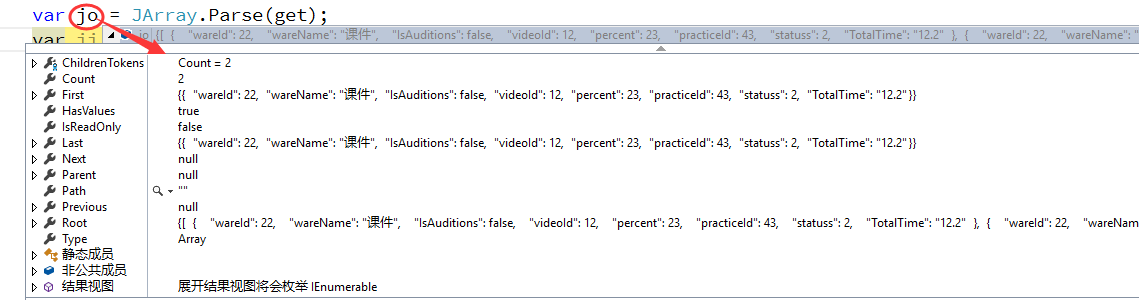
var jo = JArray.Parse(get);
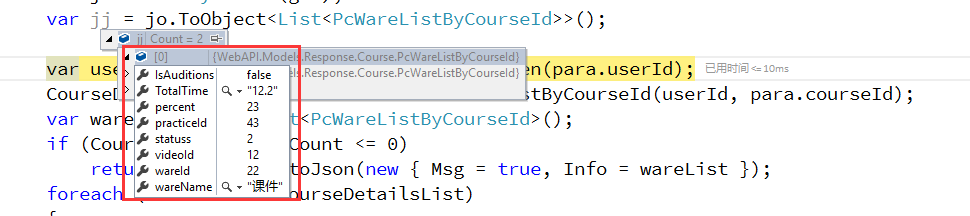
var jj = jo.ToObject<List<PcWareListByCourseId>>();
Entity code:
public class PcWareListByCourseId
{
public int wareId { set; get; }
public string wareName { set; get; }
public bool IsAuditions { set; get; }
public int videoId { set; get; }
public int percent { set; get; }
public int practiceId { set; get; }
public int statuss { set; get; }
public string TotalTime { set; get; }//11'22"
}


Successful to the last step, successful transformation.
This time I’m using the JArray method class.
Fatal error compiling: invalid target release: 1.7 -> [Help 1]
[ERROR] Failed to execute goal org.apache.maven.plugins:maven-compiler-plugin:3.2:compile (default-compile) on project bugkillers-core: Fatal error compiling: invalid target release: 1.7 -> [Help 1]
[ERROR]
How to Fix
1. mvn -v displays the following results.
Apache Maven 3.2.5 (12a6b3acb947671f09b81f49094c53f426d8cea1; 2014-12-15T01:29:23+08:00)
Maven home: /usr/share/java/apache-maven-3.2.5
Java version: 1.6.0_65, vendor: Apple Inc.
Java home: /System/Library/Java/JavaVirtualMachines/1.6.0.jdk/Contents/Home
Default locale: en_US, platform encoding: MacRoman
OS name: "mac os x", version: "10.9.2", arch: "x86_64", family: "mac"
2. Pom Settings are as follows:
<plugin>
<groupId>org.apache.maven.plugins</groupId>
<artifactId>maven-compiler-plugin</artifactId>
<version>3.2</version>
<configuration>
<source>1.7</source>
<target>1.7</target>
<encoding>${project.build.sourceEncoding}</encoding>
</configuration>
</plugin>
3. But the java-version result is as follows:
java version "1.7.0_79"
Java(TM) SE Runtime Environment (build 1.7.0_79-b15)
Java HotSpot(TM) 64-Bit Server VM (build 24.79-b02, mixed mode)
4. 1.7 is not used for compilation, and Maven’s Java Home is set to 1.7 (multiple versions of the JDK are set locally)
Modify maven’s configuration. Java_home points to 1.7,/etc/mavenrc, and ~/.mavenRC. Two files do not exist by default, you need to create, you can choose one
For example: vi ~/.mavenrc
Writing:
JAVA_HOME=`/usr/libexec/java_home -v 1.7`
5. Then mVN-V, the results are as follows:
Apache Maven 3.2.5 (12a6b3acb947671f09b81f49094c53f426d8cea1; 2014-12-15T01:29:23+08:00)
Maven home: /usr/share/java/apache-maven-3.2.5
Java version: 1.7.0_79, vendor: Oracle Corporation
Java home: /Library/Java/JavaVirtualMachines/jdk1.7.0_79.jdk/Contents/Home/jre
Default locale: en_US, platform encoding: UTF-8
OS name: "mac os x", version: "10.9.2", arch: "x86_64", family: "mac"
Done