Tag Archives: python

plt.show () and plt.imshow The difference between ()

Problem: Plt.imShow () cannot display image
Solution: Add: plt.show(), i.e

Plt.imShow (image) #image represents the image to be processed
plt.show()

How It Works: The plt.imShow () function is responsible for processing the image and displaying its format, while plt.show() displays the function processed by plt.imShow ().

Python modifies word document content and inserts pictures

The following code

#!/usr/bin/python
# coding:utf-8
import docx
def main():
    filepath = 'test.docx'
    filepath1 = 'wtest.docx'
    newdocx = docx.Document(filepath)
    table = newdocx.tables
    for oTable in table:
        rows_num = len(oTable.rows)
        columns_num = len(oTable.columns)
        cell = oTable.cell(3, 0)
        # cell.add_paragraph("a")
        cell.text = ""
        cell.paragraphs[-1].runs[0].add_picture('t1.jpg')
        print(rows_num)
        print(columns_num)
        newdocx.save(filepath1)
if __name__ == '__main__':
    main()

Installing sklearn (scikit learn) module related to Python machine learning in Windows

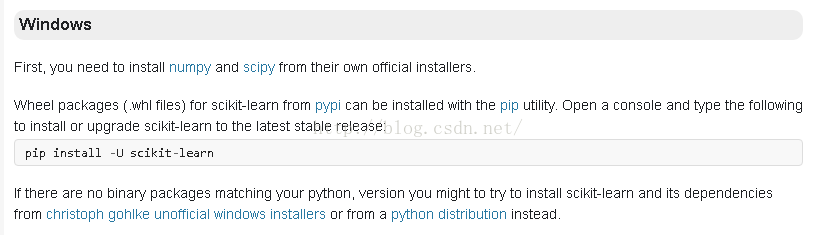
Refer to the official website:
http://scikit-learn.org/dev/developers/advanced_installation.html#install-bleeding-edge

The screenshot is as follows:

Under the CMD window, enter:
PIP install -u scikit-learn PIP install -u scikit-learn

Since I installed Anaconda first, I installed version 0.17 of Scikit-Learn by default, but in IPython interactive mode type:
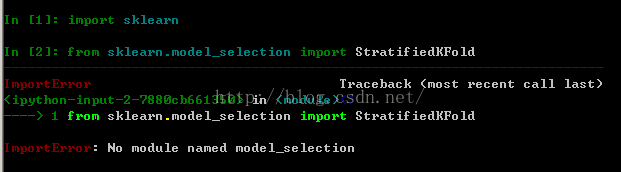
Error from sklearn.model_selection import KFold No module named model_selection
The diagram below:

StratifiedKfold and other classes must be import from sklearn.cross_validation. For example:

from sklearn.cross_validation import KFold

The parameters of this version of KFold etc. are different from those of 0.18. See the documentation on the website for details.

SQL injection for ASP + access website

SQL injection is used for ASP + Access website

ASP is Active Server Pages, which is a server-side script environment developed by Microsoft Corporation. It can be used to create dynamic interactive web Pages and establish powerful web applications. When the server receives a request for an ASP file, it processes server-side script code that is included in the HTML (Hyper Text Markup Language) Web page file that is built to be sent to the browser. In addition to server-side script code, an ASP file can also contain text, HTML (including related client-side scripts), and COM component calls.
Microsoft Office Access is a relational database management system released by Microsoft. There’s only the concept of tables.
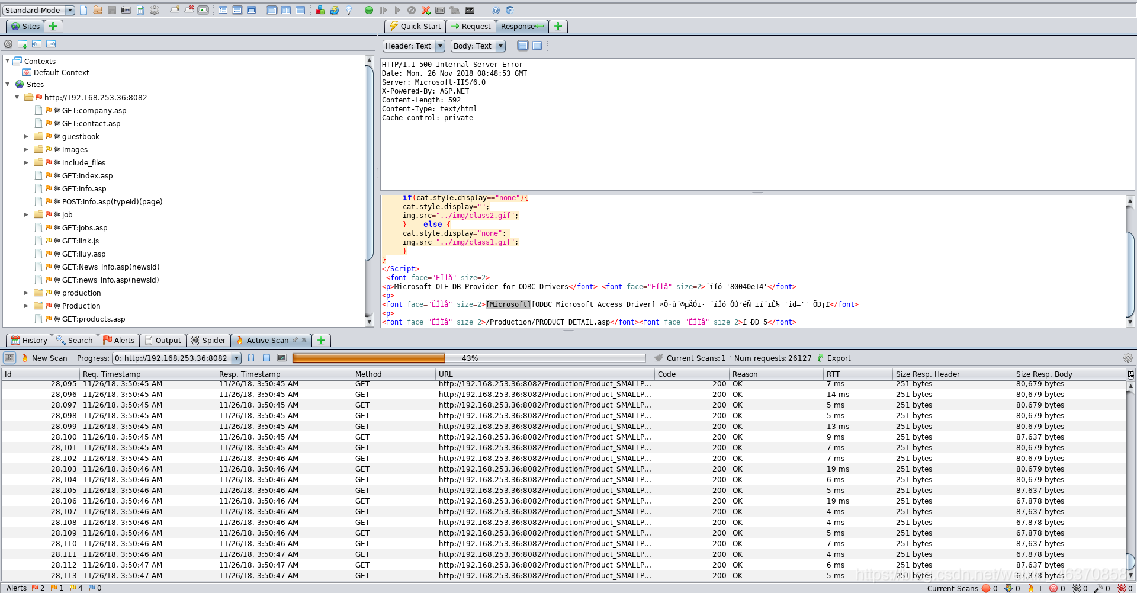
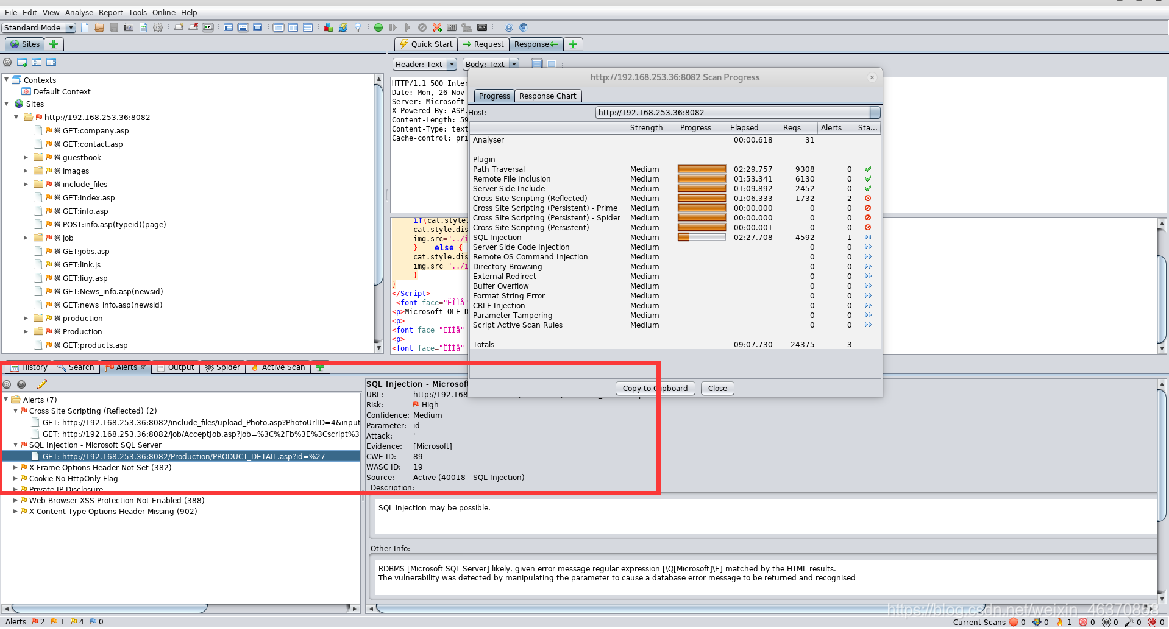
There are many scanning tools for Web applications: AWVS, AppScan, OWASP ZAP, etc. The following is probed using OWASP-ZAP.

3. Vulnerability Analysis
Analyze the contents marked red in the scan results.

4. SQL injection point using
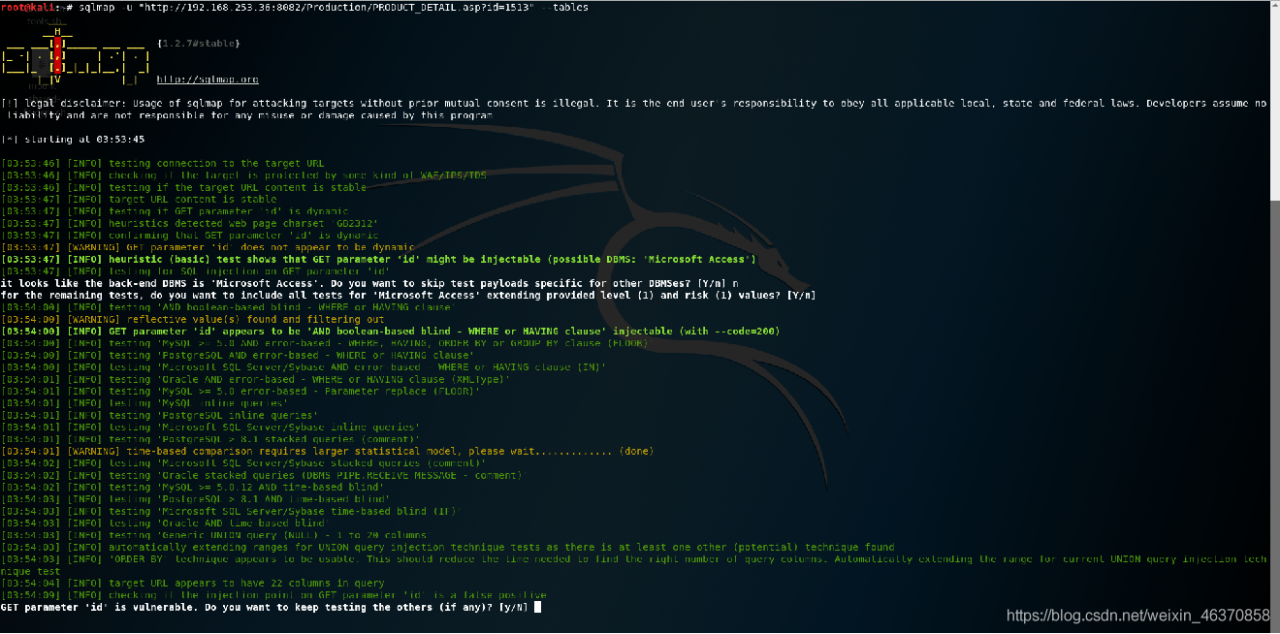
using SQLMap test. Note: Access only has the concept of a table.

Running bat batch file in background

Scene:
When executing the bat file through the Windows timing task, the CMD window will pop up. If you do not want to be disturbed by the black box pop up, you can solve the problem by the following methods.
Solutions:
Add the following code at the beginning of the batch file:

if "%1"=="hide" goto CmdBegin
start mshta vbscript:createobject("wscript.shell").run("""%~0"" hide",0)(window.close)&&exit
:CmdBegin


Beautiful soup4 gets the value of the class property of the tag

BeautifulSoup4 retrieves the value of the class attribute of the tag
Recently, when I was writing a crawler, I suddenly needed to determine whether the class value of the current tag was a specific value. After searching online, I found that it was not very helpful, so I made a note of it.
Using the GET method

html = BeautifulSoup(request,'lxml')
a = html.find_all('a')
for i in a:
	if (i.get('class') == 'xxx'):
		url = i.get('href')
		return url
return None

The above code has the following functions:

    converts the request to BS4 format and stores it in HTML to find all the A tags in HTML, traverse the A tag, and check whether the class value of the current A tag is equal to ‘XXX’. True will return the URL of the current A tag. If the traverse fails to match, it will return None
The get function does more than that. The arguments in get represent the name of the variable you want to get.

When reading the CSV file with Python 3, the Unicode decodeerror: ‘UTF-8’ codec can’t decode byte 0xd0 in position 0: invalid con appears

When reading a CSV file using pd.read_csv(), the following error occurs:
UnicodeDecodeError: ‘UTF-8’ codec can’t decode byte 0xD0 in position 0: invalid continuation byte
The file is not encoded in UTF8, and the system uses UTF8 decoding by default. The solution is to change the corresponding decoding mode.
Solutions:

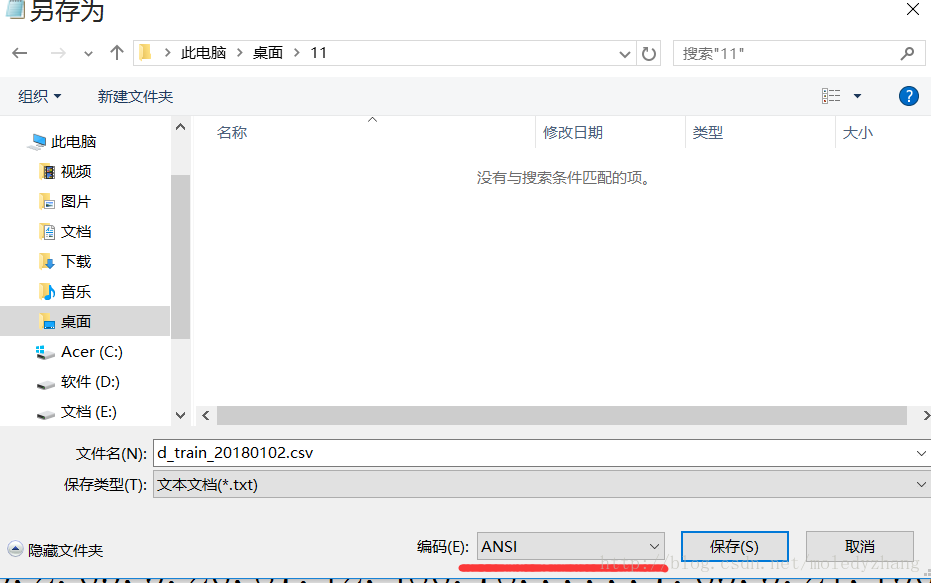
    find the CSV file – “right after the notepad to open the notepad -” open way “, choose the head menu “file -> save as”, can see the default encoding of the file format for ANSI select encoding a drop-down box, choose the required encoding UTF8, re-save can finally to run the code, the problem is resolved

Python + selenium drop-down list error message: element not interactive

Today is going to make a whole page automation, wrote a drop-down list, run the script to throw the exception: selenium.com mon. Exceptions. ElementNotVisibleException: Message: element not interactable
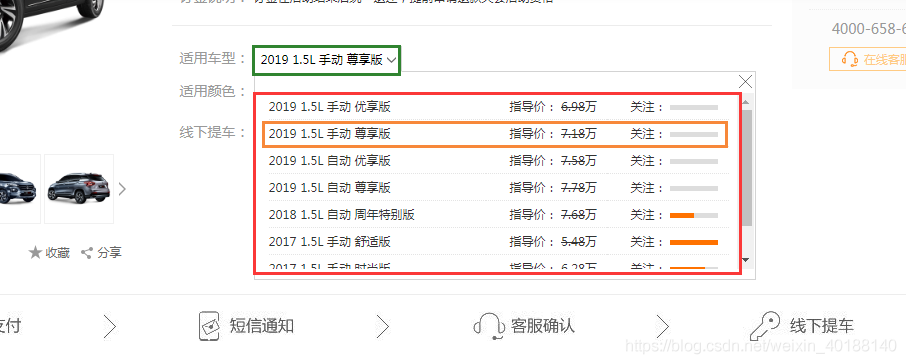
As shown in the figure below, the script failed to run after using the select_by_index() method. It was found that the code ~~ was not carefully examined. The code was not select-option, but table.
The script is as follows:

driver.find_element_by_xpath("//*[@id=\"style_box\"]/div[1]").click()
#Select(s).select_by_index(3)
driver.find_element_by_xpath("//*[@id=\"style_box\"]/div[2]/div[1]/table/tbody/tr[2]").click()

Very simple two clicks, run after an error selenium.com mon. Exceptions. ElementNotVisibleException: Message: element not interactable
After debugging for several times, it was found that there was no waiting time added. Add time.sleep(3), debug again, and it was successful.
On the one hand, we must analyze the front-end code, on the other hand, when the foot is wrong, especially when it comes to switching, it is better to add a wait time to try ~~


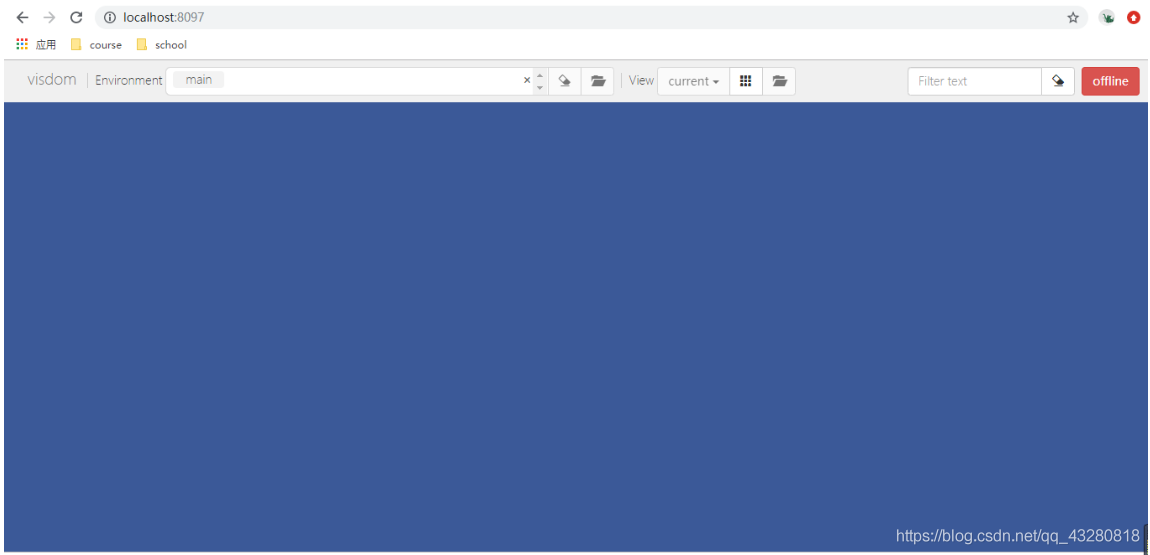
Windows solution enabled visdom.server Slow and blank blue screen (no navigation bar)

Windows resolves enabling visdom.server slow and blank blue screen (no navigation bar)

ke a little while <>ode>take a little while take a little while The solution is as follows:
visdomrectory (.> \ [local] Anaconda3 \ Lib \ site - packages \ visdom ), open the inside of the server. Py file, directly turn to find the file last download_scripts_and_run () , will be one of the download_scripts () commented out, as follows:

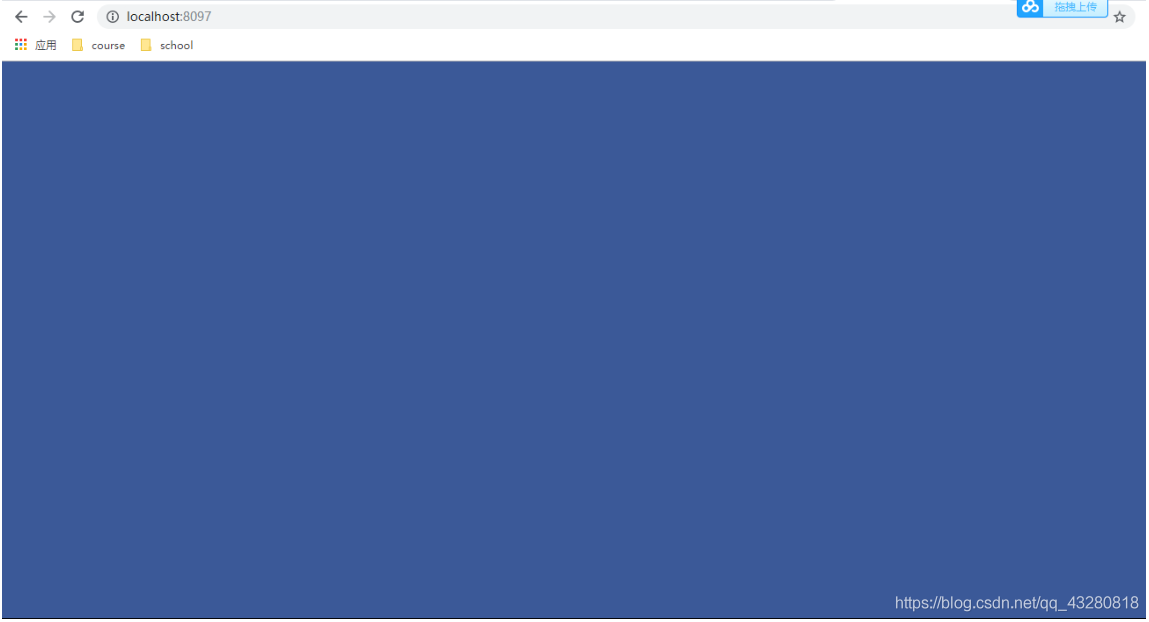
then you can start quickly but also have the port, but after the browser is "blue screen", there is no navigation, the diagram below:

to see the process in the CMD, said error Could not open the static file , illustrate the static missing some necessary documents can't find it in the

then only need to put the missing file up the line. Here for everybody, you just need to put the visdom in the static replace the static .
Link: https://pan.baidu.com/s/1fDKi2rAtot-PcHGTXH8fbA
extraction code: li1w
python-m visdom.server/ code>>

Python – annotate and uncomment multiline programs

The article directories
Python Comment and Uncomment multiline programs 1, Method 1 (recommended) 1, Comment 2, Uncomment 2, Method 2

Python annotation and uncomment multiline programs
In the program, sometimes you want to comment out the multi-line program, line by line comment is more troublesome, so can you comment more lines, yes, there are several methods:
1. Method 1 (recommended)
1, comments,
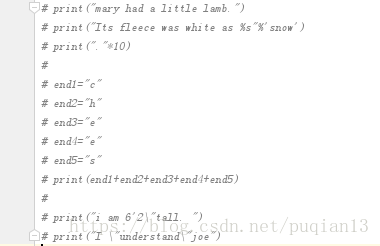
Select the paragraph you want to comment, press Ctrl +/, and the effect looks like this:

2. Uncomment
Click Ctrl +/ again to uncomment
Second, method 2
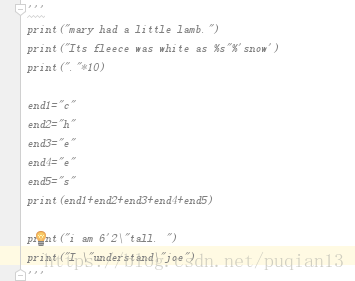
Enclose the entire paragraph in three double or multiple quotes, as shown in the figure