error occurs when importing maven project, conducting maven clean, and maven install:
[ERROR] Failed to execute goal. Org. Apache maven. Plugins: maven — the compiler plugin: 3.1: the compile (default – the compile) on project mvc2: Compilation failure
[ERROR] No compiler is provided in this environment. Perhaps you are running on a JRE rather than a JDK?
[ERROR] -> [Help 1]
[ERROR]
[ERROR] To see the full stack trace of the errors, re-run Maven with the -e switch.
[ERROR] Re-run Maven using the -X switch to enable full debug logging.
[ERROR]
[ERROR] For more information about the errors and possible solutions, please read the following articles:
[ERROR] [Help 1] http://cwiki.apache.org/confluence/display/MAVEN/MojoFailureException
is running on a JRE rather than a JDK version.
is running on a JRE rather than a JDK version- window – & gt; The preferences – & gt; Java – & gt; Installed JREs
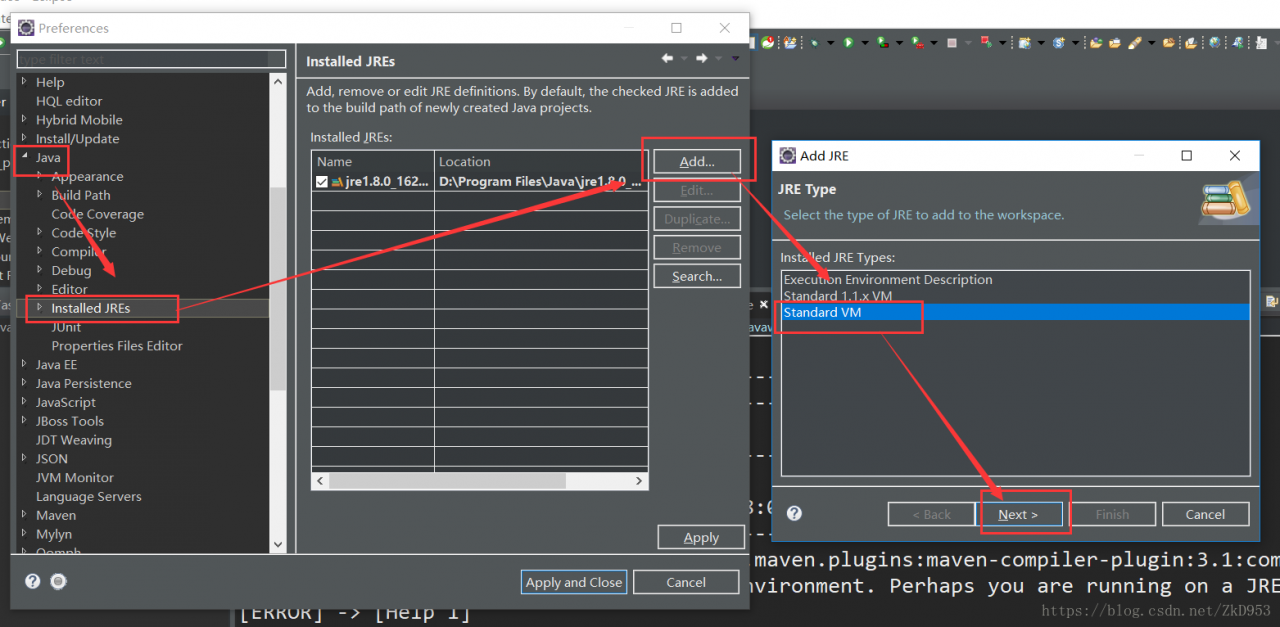
- find JDK installation path
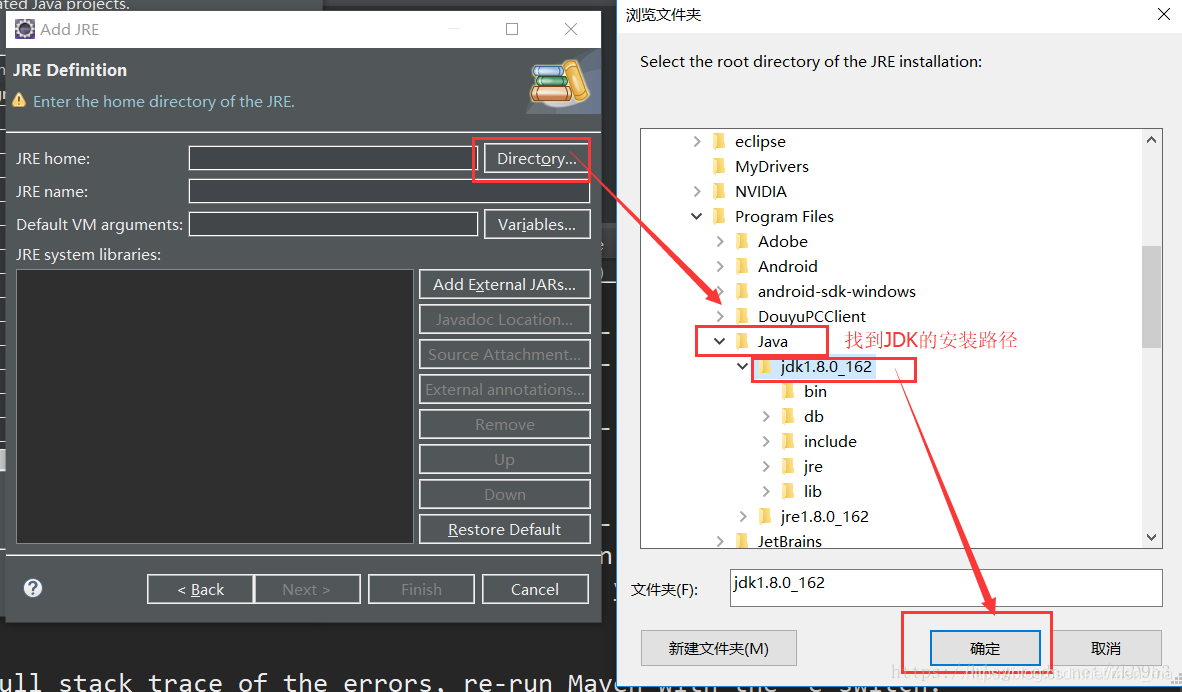
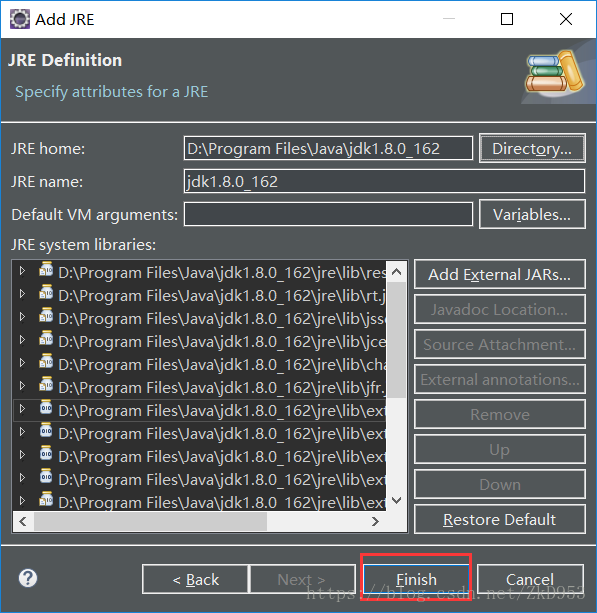
- select the JDK – & gt; apply
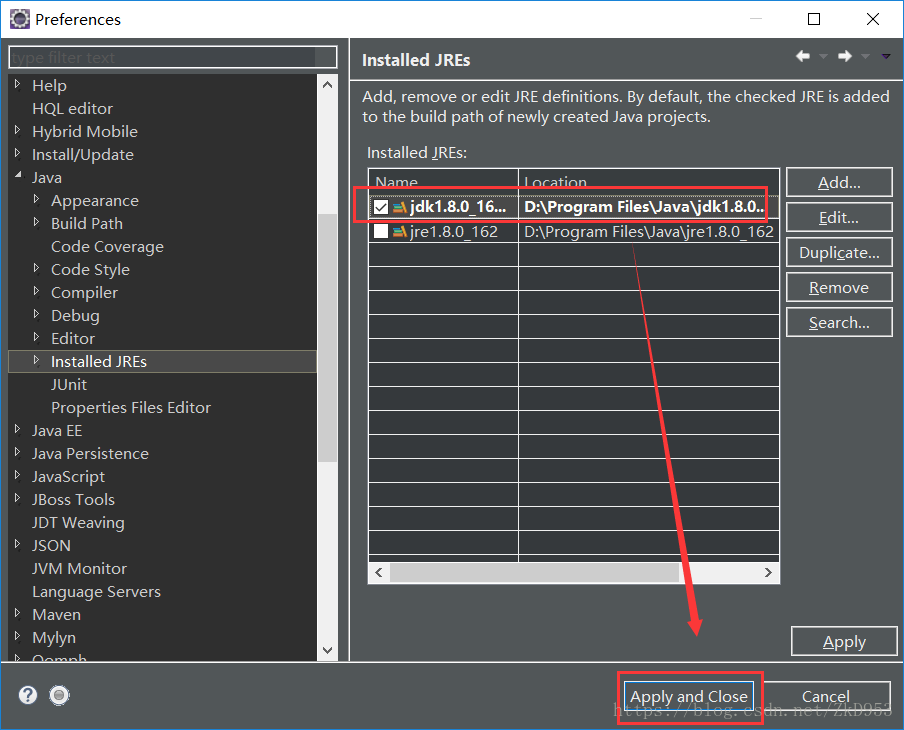
- maven clean again, maven install, if the problem remains, For the operation:

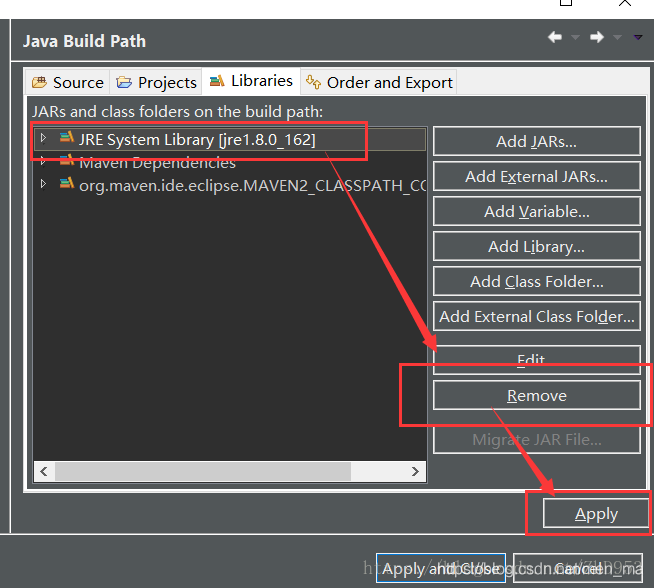
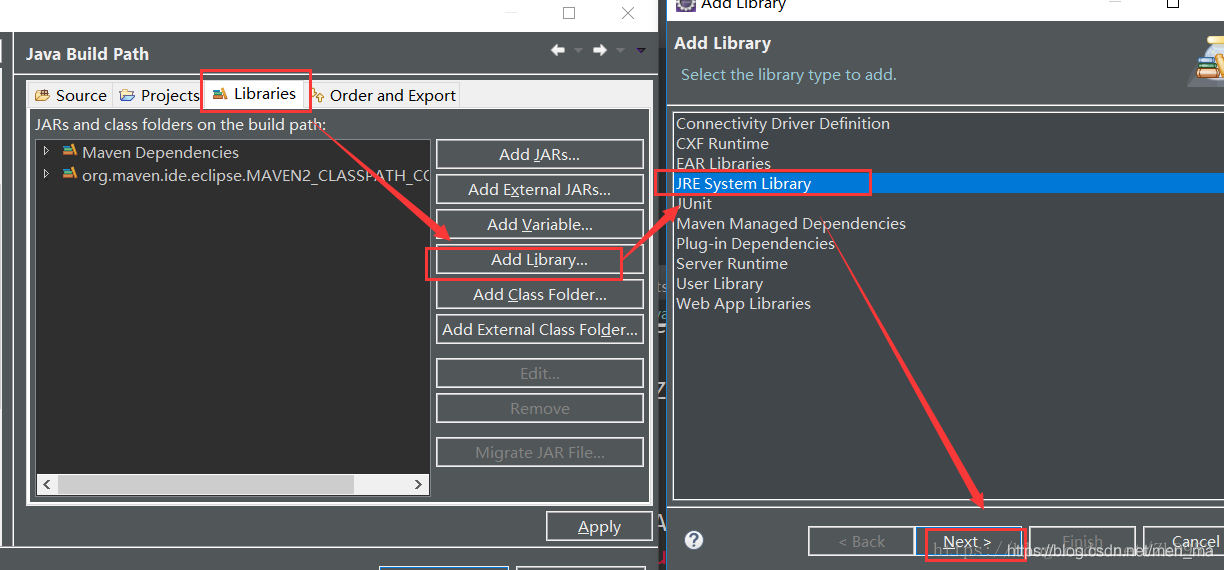
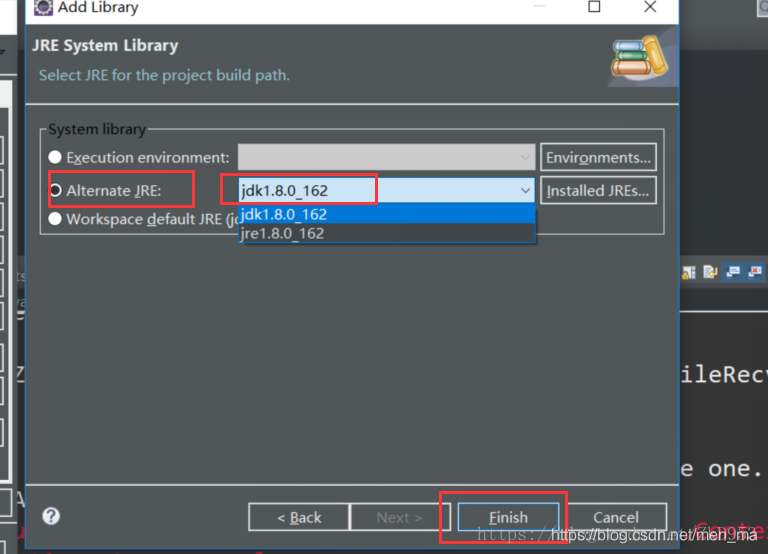
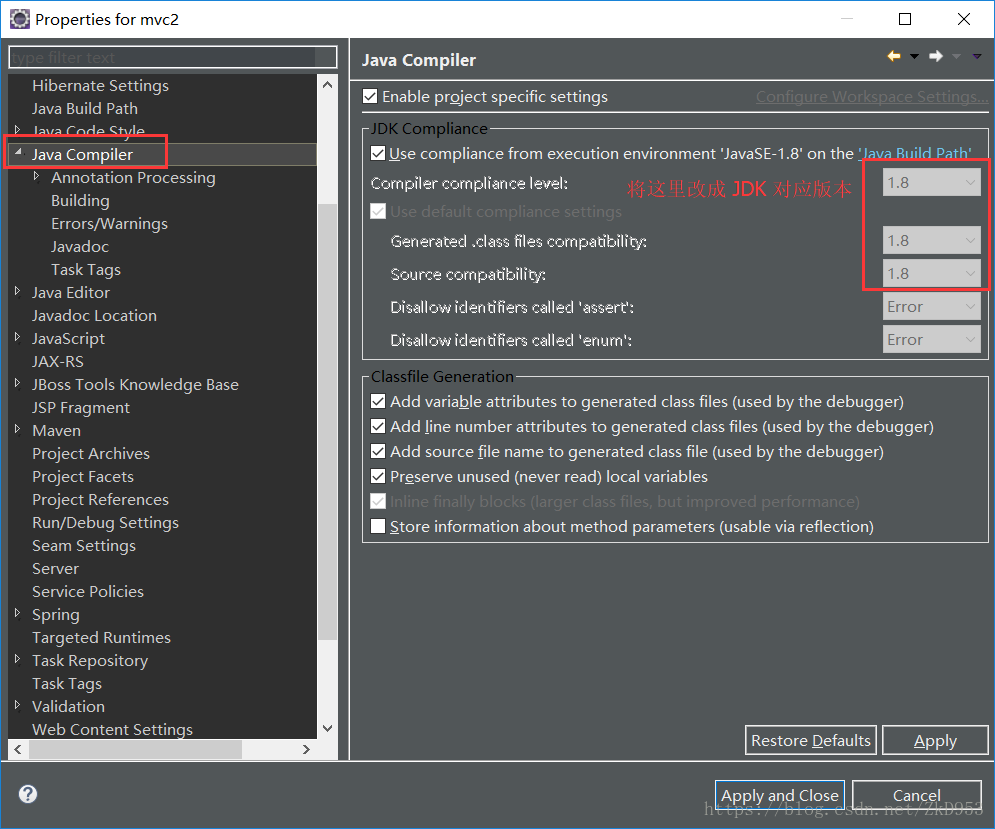
- open pom. The XML file, The following configuration under the plugins will source target to correspond to the JDK version (I was) 1.8:

<plugin>
 <groupId>org.apache.maven.plugins</groupId>
 <artifactId>maven-surefire-plugin</artifactId>
 <version>2.4.2</version>
 <configuration>
 <source>1.8</source>
 <target>1.8</target>
 </configuration>
 </plugin>
set the JDK version 1.8 
maven clean again, maven install, no error, can be loaded, But the project may still be small Red Cross on the top left corner, specific error is as follows:
Dynamic Web Module 3.0 requires Java 1.6 or newer.


specific solution is as follows:
find apache – maven installation path;
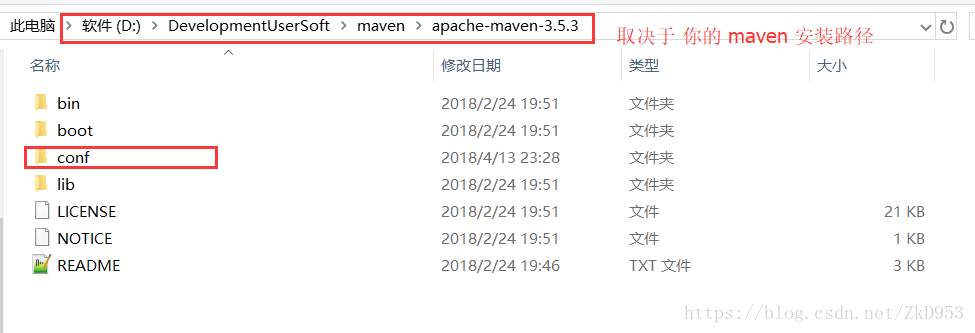
in Apache-maven-3.5.3 /conf/settings.xml file with the following configuration (depending on JDK version, mine is 1.8) :
<profiles>
       <profile>
            <id>jdk-1.8</id>
            <activation>
                <activeByDefault>true</activeByDefault>
                <jdk>1.8</jdk>
            </activation>
            <properties>
                <maven.compiler.source>1.8</maven.compiler.source>
                <maven.compiler.target>1.8</maven.compiler.target>
                <maven.compiler.compilerVersion>1.8</maven.compiler.compilerVersion>
            </properties>
    </profile>
</profiles>
re Maven > Update project can solve this problem.
this article reprinted in: https://blog.csdn.net/ZkD953/article/details/79935520