Tag Archives: java

[Solved] ln: failed to create symbolic link ‘/usr/bin/java’: File exists

Install Java environment in CentOS, add soft link times: ln: failed to create symbolic link ‘/ usr/bin/Java’: file exists

[root@iZbp12f9404um3f6avsm29Z /]# ln -s /usr/local/java/jdk1.8.0_291/bin/java /usr/bin/java
ln: failed to create symbolic link ‘/usr/bin/java’: File exists

Failed to create symbolic link, file exists.

-s   The meaning of the command is to add symbolic links to play the role of a link

resolvent

[root@iZbp12f9404um3f6avsm29Z /]# ln -sf /usr/local/java/jdk1.8.0_291/bin/java /usr/bin/java
[root@iZbp12f9404um3f6avsm29Z /]# java -version
java version "1.8.0_291"
Java(TM) SE Runtime Environment (build 1.8.0_291-b10)
Java HotSpot(TM) 64-Bit Server VM (build 25.291-b10, mixed mode)

Modify the – s command to – SF command- The f command means to enforce, which means to create if it does not exist and to override if it does exist

So far, the creation of soft connection is completed

How to Solve Errors encountered by maven

Could not transfer artifact
org.apache.maven.surefire:surefire-junit-platform:pom:2.22.2 from/to
alimaven (http://maven.aliyun.com/nexus/content/groups/public/):
java.lang.RuntimeException: Unexpected error:
java.security.InvalidAlgorithmParameterException: the trustAnchors
parameter must be non-empty

Solution:

Just load this dependency

            <plugin>
                <groupId>org.apache.maven.plugins</groupId>
                <artifactId>maven-surefire-plugin</artifactId>
                <configuration>
                    <skipTests>true</skipTests>
                </configuration>
            </plugin>

Java implementation of inputsteam to Base64

1 inputsteam to Base64

    /**
     * InputStream to Base64
     *
     * @param inputStream
     * @return
     */
    public static String toBase64(InputStream inputStream) {
        try {
            //switch to base64
            byte[] bytes = IOUtils.toByteArray(inputStream);
            return Base64.getEncoder().encodeToString(bytes);
        } catch (Exception e) {
            e.printStackTrace();
            return "";
        }
    }

2 debugging code

    /**
     * get Base64
     *
     * @return
     * @throws IOException
     */
    @GetMapping("/getBase64")
    public String getBases64() throws IOException {
        InputStream inputStream = new ClassPathResource("/img/logo.jpg").getInputStream();
        return toBase64(inputStream);
    }

3 picture address

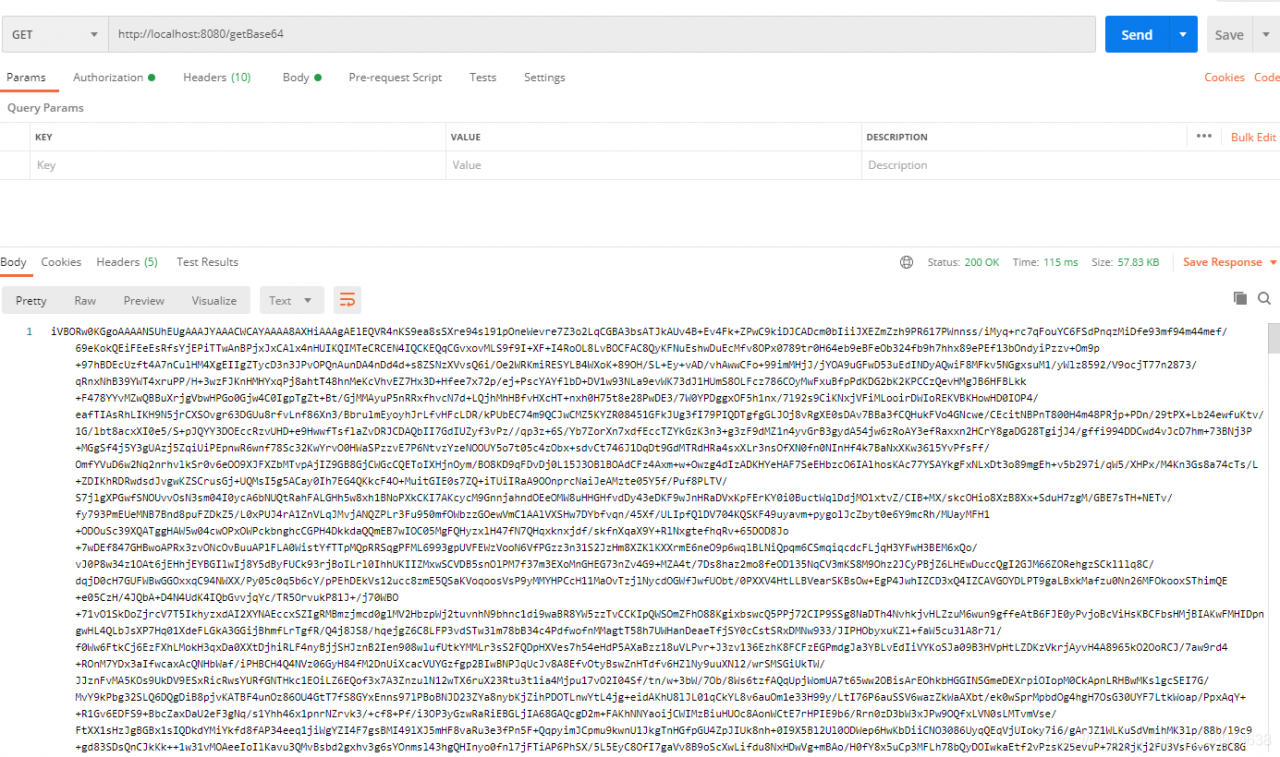
4 debugging results

[Solved] Kafka Error: Discovered coordinator XXXXX:9092 (id: 2147483647 rack: null) for group itstyle.

Error information:

Discovered coordinator DESKTOP-NRTTBDM:9092 (id: 2147483647 rack: null) for group itstyle.

reason:

The host of Kafka running on windows is the machine name, not the IP address

So it will lead to error reporting

Desktop-nrttbdm is the host name of the server where the Kafka instance is located
and 9092 is the port of Kafka, that is, the connection address of Kafka.

Solution

Modify the hosts file directly

The windows hosts file is located in

C:\Windows\System32\drivers\etc\hosts

Open it with administrator’s permission and append the corresponding relationship between IP and host name

Add the

172.18.0.52 DESKTOP-NRTTBDM

Restart the service again

Problem solved!

Solution to javax.naming.noinitialcontextexception error

When using DBCP to configure data sources, a test class was written. In the test class, DBCP was called to get the database connection error: javax.naming.NoInitialContextException: Need to specify class name in environment or or in,

Check whether the dependent jar package is imported:
commons-dbcp2-2.8.0. Jar
commons-pool2-2.10.0. Jar
mysql8.0 jar package
mysql5.0 jar package

Test code:

package test;

import org.junit.Test;
import tools.DataSourceUtil;

import java.sql.Connection;

public class test {
    @Test
    public void test(){
        Connection connection = DataSourceUtil.getConnection();
        System.out.println(connection);
    }
}

Database source code:

package tools;

import javax.naming.InitialContext;
import javax.naming.NamingException;
import javax.sql.DataSource;
import java.sql.Connection;
import java.sql.SQLException;

public class DataSourceUtil {

    // Get the connection
    public static Connection getConnection() {
        // ctrl + alt + t --- select 6
        // instantiate the object of the initial context
        Connection connection = null;
        try {
            InitialContext initialContext = new InitialContext();
            // Get the data in the configuration and get the object object
            Object lookup = initialContext.lookup("java:comp/env/jdbc/easybuy");
            // unboxing strong turn to get the connection pool
            DataSource ds = (DataSource) lookup;
            // get the connection pool to give me a connection
            connection = ds.getConnection();
        } catch (NamingException e) {
            e.printStackTrace();
        } catch (SQLException throwables) {
            throwables.printStackTrace();
        }
        // Return to link
        return connection;
    }

    // close connection
    public static void closeConnection(Connection connection) {
        if (connection != null) {
            try {
                connection.close();
            } catch (SQLException throwables) {
                throwables.printStackTrace();
            }
        }
    }
}

Bug map:
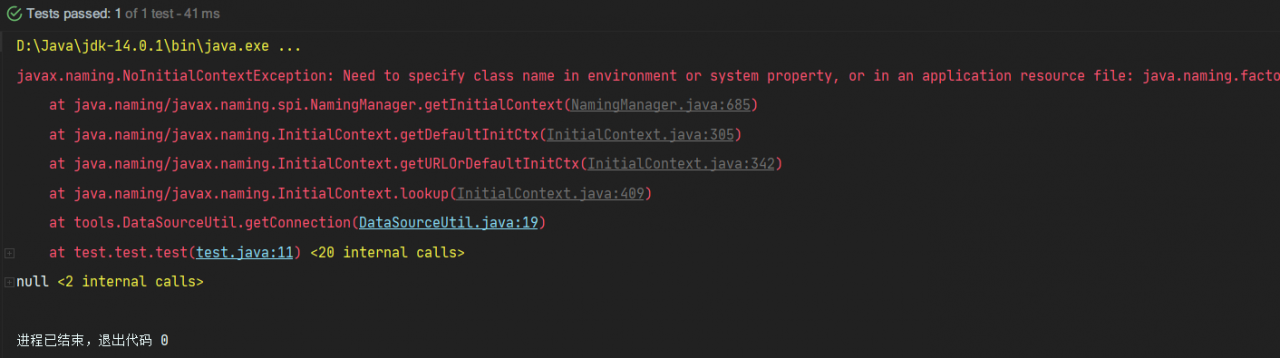
reason:

When DBCP is used to connect to the database, the main function is always used to test. The initialcontext is only available in the context of the web application server. While the configuration file is in the web directory, it is obvious that if initialcontext wants to access the configuration file, it must run on the web server to connect to the database and get the connection object
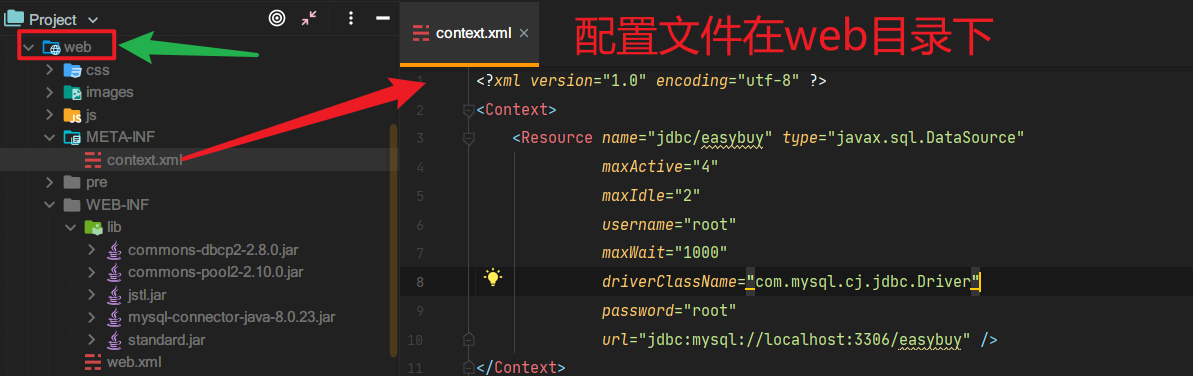
It can’t be tested directly with the main function, it can only be displayed in Tomcat or servlet or JSP
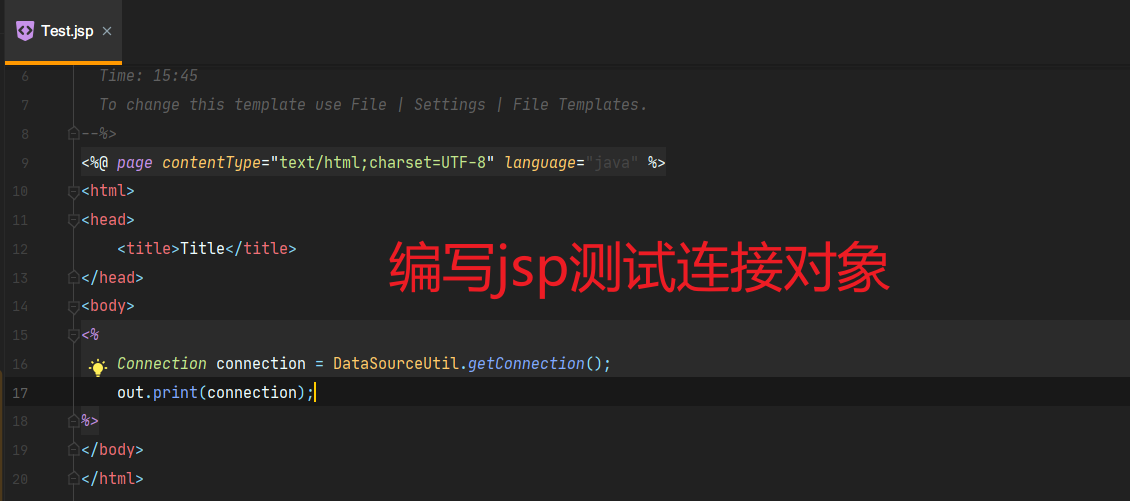
Running results:
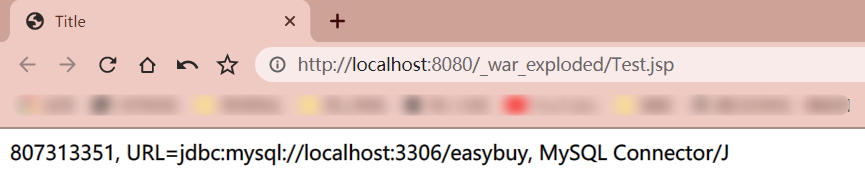
#Successfully get the connection object!

Frequent log swiping after Nacos client starts [How to Solve]

# 1, according to the heartbeat log, locate the package name of the log output
c.a.n.client.config.impl.ClientWorker : get changedGroupKeys:[]

# 2. Search the package path where ClientWorker is located in IDEA  
package com.alibaba.nacos.client.config.impl;

# 3. Set the package path logging to ERROR or WARN in any configuration file format
# Nacos registry client heartbeat logging is disabled get changedGroupKeys:[] 
logging:
  level:
    com.alibaba.nacos.client.config.impl: WARN
  
# 4. If it is Spring Cloud Gateway then you need to configure it as logging:
  level:
    com.alibaba.nacos.client.*: WARN    

Not showing null elements JAVA [How to Solve]

Reason:
the list set allows null values. When you add null values to the list, you will report an error after a series of processing

Not showing null elements

Solution:

list.removeAll(Collections.singleton(null));

Before you need to process the list, just use this code
removeAll is to remove all elements in brackets. If the parameter in brackets is empty, it means to remove all elements

Does the version of idea2020.1 import mybayis jar package or report an error? Error: (4,28) Java: package org.apache.ibatis.io does not exist

The other solution is to replace the local warehouse with the Maven warehouse of idea

But I don’t want to change it. I’m afraid there will be any trouble in the future. So I see another solution: using MVN idea:idea Command

In fact, this method can solve the problem that the same kind of package cannot be imported

The solution is as follows:

1. I use terminal of idea directly. Of course, I can also use CMD, but I have to go to the location of the project (directory with POM file) first,

2. Use MVN idea:idea Command:

 
  Finally, build success.

Then there is no error in guiding the package.

Cannot checkout from svn:E155004:Run ‘svn cleanup‘ to remove locks(type ‘svn help cleanup ‘ for deta

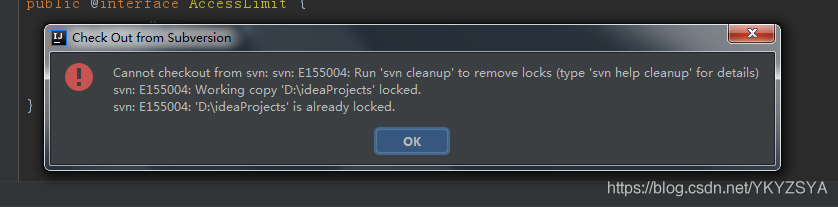
Cannot checkout from svn:E155004:Run ‘svn cleanup’ to remove locks(type ‘svn help cleanup ’ for details)

Error report when pulling items on SVN

Error report chart:

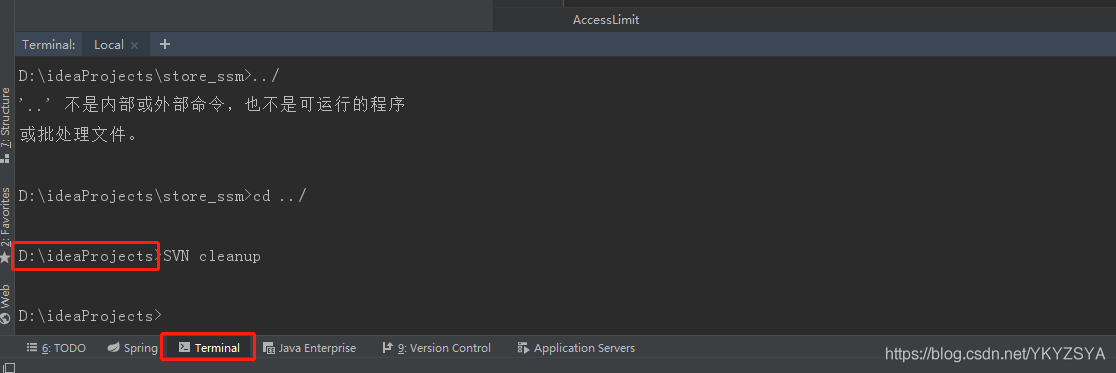
terms of settlement:

Open terminal and switch to the file location where the error is reported. For example, my file is D:: ideaprojects. Run the command SVN cleanup and pull the project again

java.lang.reflect.InvocationTargetException

java.lang.reflect.InvocationTargetException

Bad writing

The cause of the bug:
in the service layer, the value passed in by the public list findbyproperty (string propertyname, object value) {} method service of Dao layer is a value of string type, so an error is reported;

Modification:
rewrite the object type of Dao layer to string type to fix the bug.