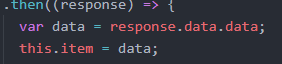
Spring cloud Eureka error creating bean with name

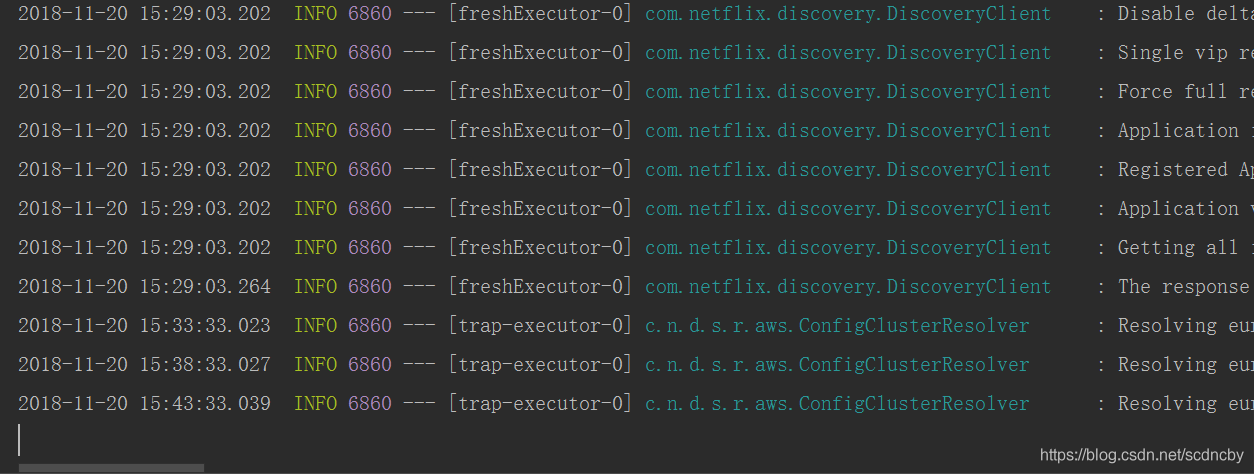
Error creating bean with name

The solution is to add the following dependencies to the POM file

<!--Error creating bean with name-->
        <dependency>
            <groupId>org.aspectj</groupId>
            <artifactId>aspectjrt</artifactId>
            <version>1.7.1</version>
        </dependency>
        <dependency>
            <groupId>org.aspectj</groupId>
            <artifactId>aspectjweaver</artifactId>
            <version>1.7.1</version>
        </dependency>
        <dependency>
            <groupId>org.springframework</groupId>
            <artifactId>spring-aspects</artifactId>
        </dependency>

Run again and solve the problem

Error reported by nodejs server of CentOS system: solution to cannot find module ‘jQuery’

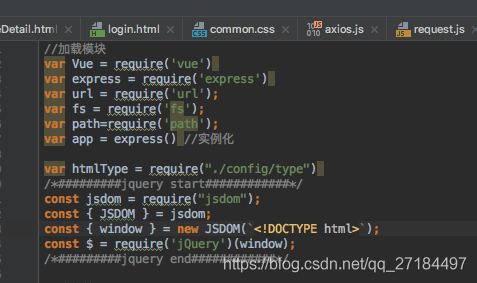
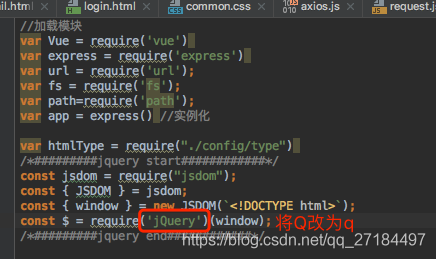
Let’s take a look at the content introduced by the nodejs server

As you can see, we have introduced the jQuery plug-in, and then we will run the server

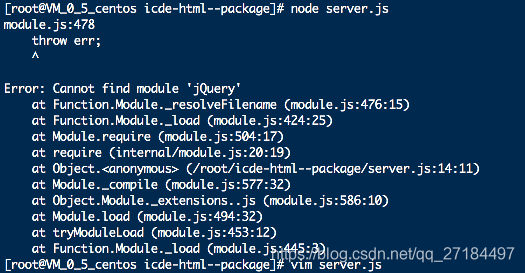
node server.js

It’s strange that I made a mistake. When I debugged on windows, I had no problem,

Later I learned that the Linux server is case sensitive,

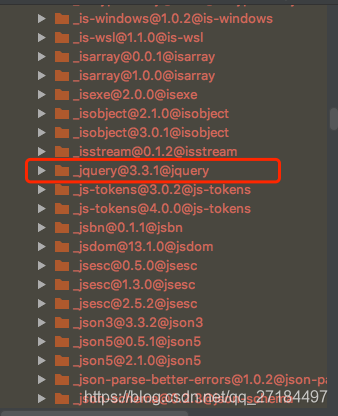
Our dependent folder node_ The jQuery under modules is like this

But when we quote, the Q letter of jQuery uses the uppercase Q, just change it to lowercase

The list command in HBase shell reported an error org.apache.hadoop . hbase.PleaseHoldException : Master is initializing

HBase has been running for many days. Today, it needs to be restarted, so stop is executed- hbase.sh Stop hbasecat/TMP/HBase Hadoop- master.pid No such file or directory- env.sh Configuration file, in which export HBase is set_ PID_ The dir attribute specifies a file directory. After doing this operation, start HBase, enter HBase shell, and execute the list command. An error is reported org.apache.hadoop . hbase.PleaseHoldException Error: can’t get master address from zookeeper; znode data = = null.

So stop- hbase.sh , the attribute HBase that will be modified_ PID_ Comment out dir, restart HBase, or report an error…

So stop again- hbase.sh Refer to the process of building zookeeper and HBase and the problems encountered, summarize the way to start HBase in this article, first use the command HBase- daemon.sh Start master start the master, and then use start- hbase.sh Start HBase, enter HBase shell, execute list command, everything is normal

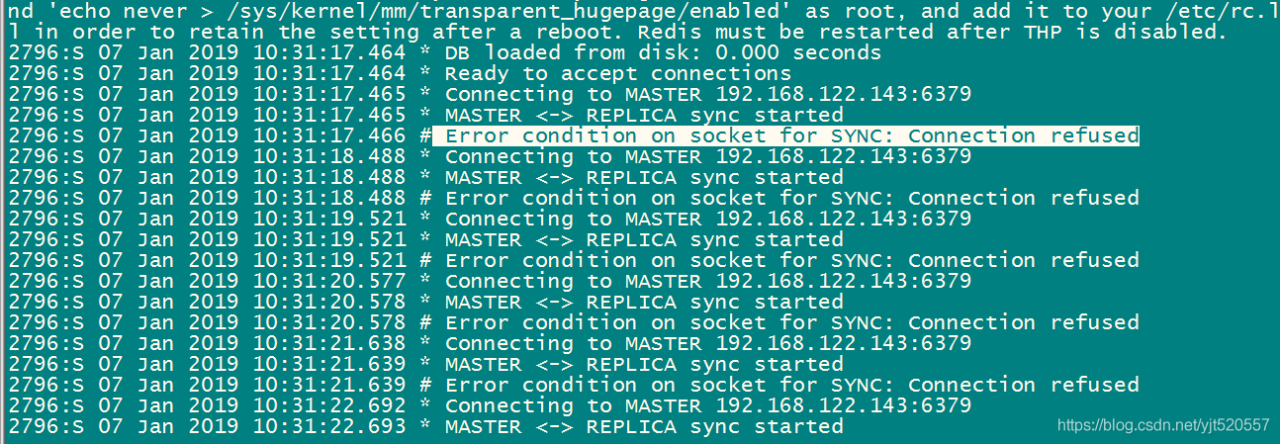
Error condition on socket for Sync: connection reused

Error condition on socket for Sync: connection reused

First of all, I shut down the firewall of Linux, and then I didn’t solve it

Close firewall
Start: systemctl start firewalld
Close: systemctl stop firewalld
View Status: systemctl status firewalld
boot disable: systemctl disable firewalld
boot enable: systemctl enable firewalld

Finally, the redis.conf Change bind127.0.0.1 in to 0.0.0.0, so that all IP can be connected


Restart service

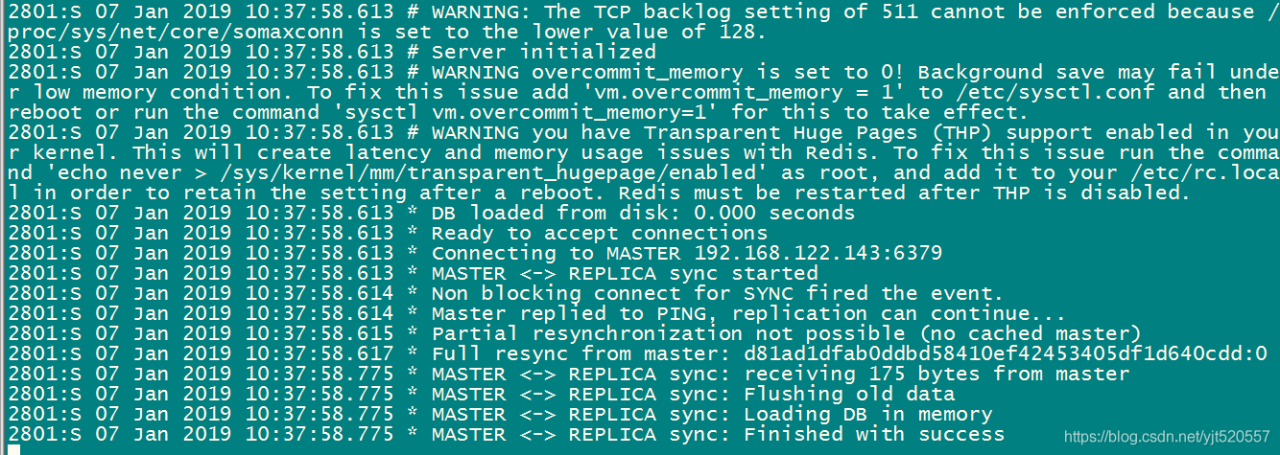
from server


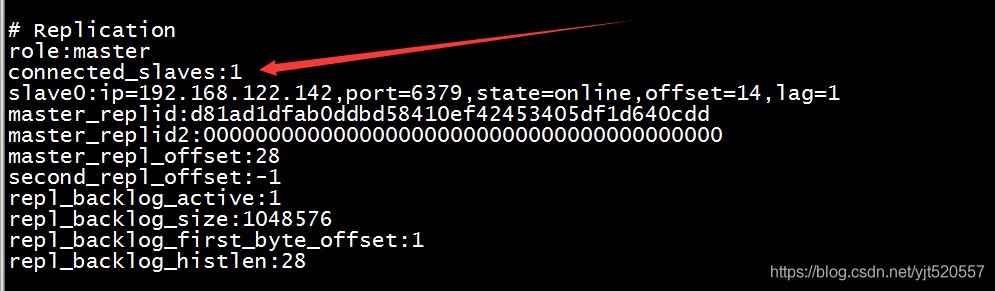
master server

You can see that the connection was successful

Error: could not create the Java virtual machine. Error: a fatal exception has occurred

Error message:
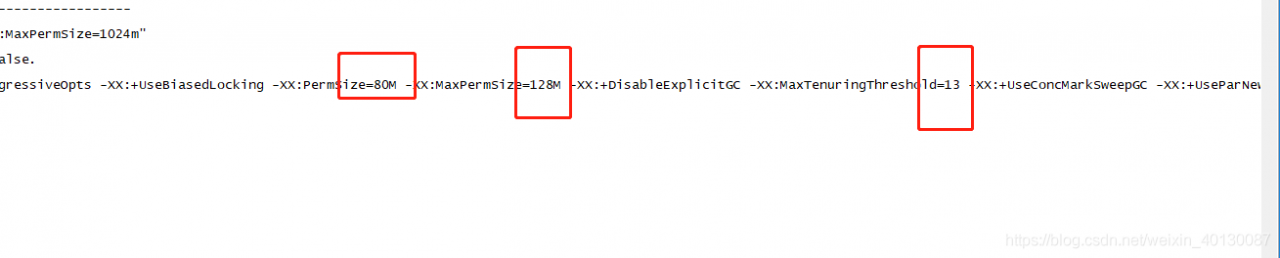
java hotspot ™ 64-Bit Server VM warning: ignoring option PermSize=128M; support was removed in 8.0
Java HotSpot ™ 64-Bit Server VM warning: ignoring option MaxPermSize=256M; support was removed in 8.0
MaxTenuringThreshold of 31 is invalid; must be between 0 and 15
Error: Could not create the Java Virtual Machine.
Error: A fatal exception has occurred. Program will exit.**

The reason for the above error is that the memory allocated to the Java virtual machine (JVM) is larger than the available memory of the system, and there is not enough memory space allocated to the JVM to create objects

Go to/opt/avcon/Tomcat/bin in the Tomcat bin directory. There is a catalina.sh File
modify the value as small as possible

Modify save restart!

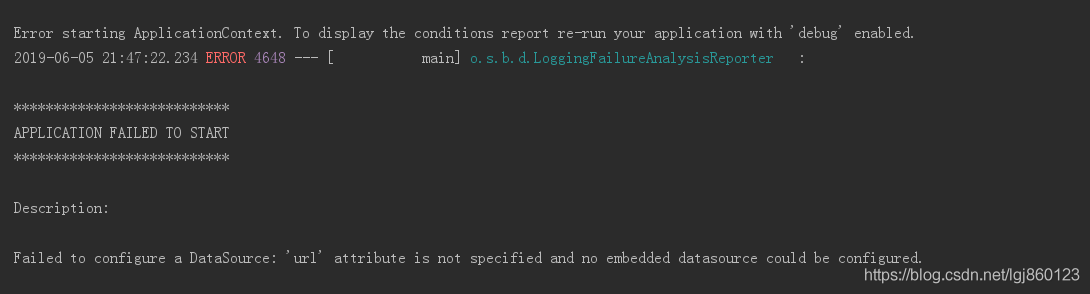
Error starting ApplicationContext. To display the conditions report re run

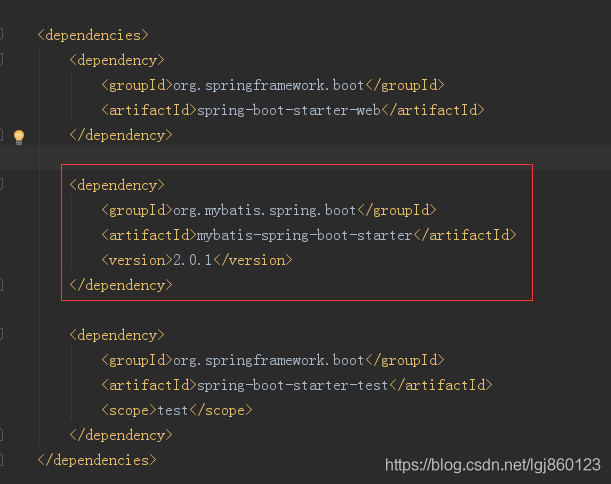
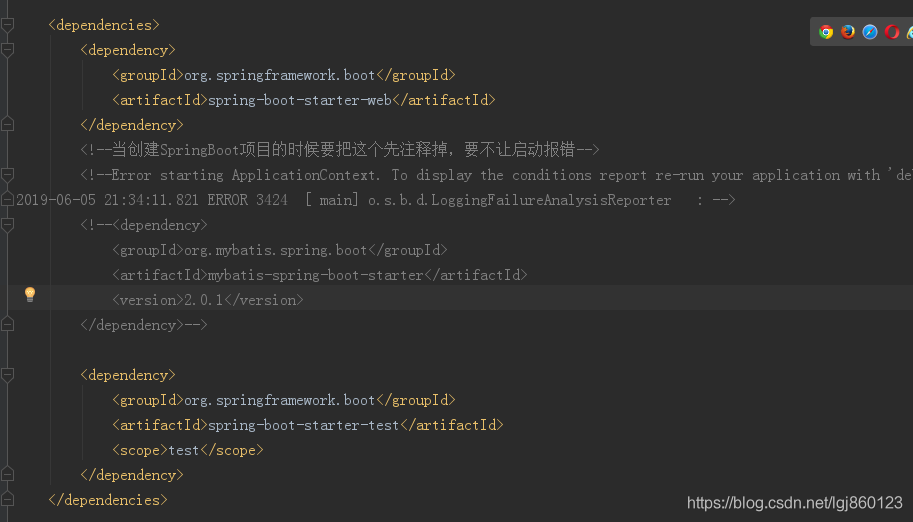
When we create a springboot project, it pom.xml This place in is like this: as shown in the figure


If there is no comment point in the red box, an error will be reported as soon as the project is run, as shown in the following picture:

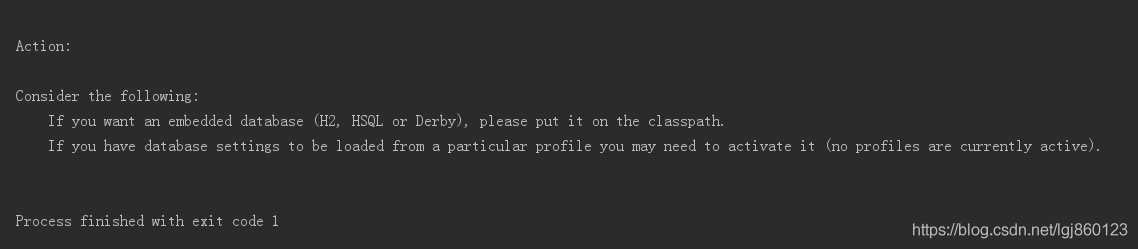
There is also a warning as shown in the figure below:

After some time, baidu also did not find a similar error situation, do not know how to solve.

Only will pom.xml Note out this in, as shown in the figure below:

Then click Import changes. After compiling, it will run normally.

Solution to error 2002 (HY000) in MySQL login startup

Error information

Login database error:`

ERROR 2002 (HY000): Can’t connect to local MySQL server through socket ‘/var/lib/mysql/ mysql.sock ‘ (2 “No such file or directory”)`


Service restart error: job for mariadb.service failed because the control process exited with error code. See "systemctl status mariadb.service " and "journalctl -xe" for details.


View service status information: ` systemctl status mariadb.service

● mariadb.service – MariaDB 10.1 database server
Loaded: loaded (/usr/lib/systemd/system/ mariadb.service ; disabled; vendor preset: disabled)
Active: failed (Result: exit-code) since Mon 2019-04-15 17:16:38 UTC; 4s ago
Process: 2864 ExecStartPre=/usr/libexec/mysql-prepare-db-dir %n (code=exited, status=1/FAILURE)
Process: 2841 ExecStartPre=/usr/libexec/mysql-check-socket (code=exited, status=0/SUCCESS)

Apr 15 17:16:37 xiandian systemd[1]: Starting MariaDB 10.1 database server…
Apr 15 17:16:38 xiandian mysql-prepare-db-dir[2864]: Database MariaDB is not initialized, but the directory /var/lib/mysql is not empty…e done.
Apr 15 17:16:38 xiandian mysql-prepare-db-dir[2864]: Make sure the /var/lib/mysql is empty before running mysql-prepare-db-dir.
Apr 15 17:16:38 xiandian systemd[1]: mariadb.service : control process exited, code=exited status=1
Apr 15 17:16:38 xiandian systemd[1]: Failed to start MariaDB 10.1 database server.
Apr 15 17:16:38 xiandian systemd[1]: Unit mariadb.service entered failed state.
Apr 15 17:16:38 xiandian systemd[1]: mariadb.service failed.
Hint: Some lines were ellipsized, use -l to show in full.`

The error message of restart service log: ` APR 15 17:16:21 Xiandian MySQL prepare DB dir: database MariaDB is not initialized, but the directory/var/lib/MySQL is not empty, so initialization cannot be done

Apr 15 17:16:21 mysql-prepare-db-dir: Make sure the /var/lib/mysql is empty before running mysql-prepare-db-dir.
Apr 15 17:16:21 systemd: mariadb.service : control process exited, code=exited status=1
Apr 15 17:16:21 systemd: Failed to start MariaDB 10.1 database server.
Apr 15 17:16:21 systemd: Unit mariadb.service entered failed state.
Apr 15 17:16:21 systemd: mariadb.service failed.`


You can see that the error message indicates that the database is not initialized, but/var/lib/MySQL is not empty, so it cannot be initialized.


Take a look at the directory permissions

 ll /var/lib/
 d---------. 11 mysql      mysql      4096 May  4  2018 mysql

The MySQL permission is 0, which causes the startup file sock file cannot be written in
Restart, give the directory permission 755
Chmod 755/var/lib/MySQL/
and then restart the MySQL service
systemctl restart mariadb.service
PS - e | grep - I MySQL
3191?00:00:02 mysqld
starts normally

Reproduced in: https://blog.51cto.com/9103824/2378808
Error creating Django application: error on Python side.Exit code:1.

Due to the need of work, I recently learned Django based web program, but in the actual development, I also encountered a series of problems:
New Django project based on pychar compiler, and the following errors appeared:

the solution given:
1. Django 1.11 above does not seem to support Python 2.7, change to Django 1.10 version
1 2. It’s better to set up the project directory of Django in Chinese
3. It’s better to re install Django in the same directory as Python
PS: it’s just a problem you encounter in your study. You are welcome to give us some advice

Error: [1] bootstrap checks failed…

Referring to other blogs, it is verified to be completely correct

ERROR: [1] bootstrap checks failed
[1]: the default discovery settings are unsuitable for production use; at least one of [ discovery.seed_ hosts, discovery.seed_ providers, cluster.initial_ master_ Nodes] must be configured
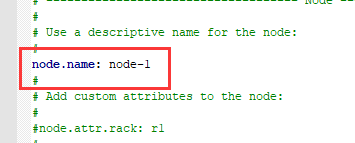
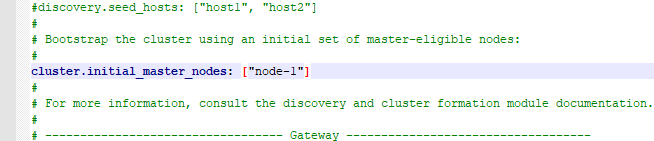
this is due to elasticsearch.yml The following parameters are set in

The solution: to elasticsearch.yml In# cluster.initial_ master_ Nodes: [“node-1”, “node-2”] comment is removed, and “node-2” is removed. Restart

Note: modified in Notepad + + elasticsearch.yml To save in UTF-8 format.

Solution to error 2002 (HY000) in MySQL

ERROR 2002 (HY000): Can’t connect to local MySQL server through socket ‘/var/lib/mysql/ mysql.sock ‘ (111)

Troubleshooting:

1. Start the service: Service mysqld status
2. Open the port: lsof – I: 3306
3. Determine the correct location of the “socket” file: lsof – C mysqld | grep socket $
find/- name “*. Socket”