The following issues arise during training.
File “C:\Users\urser\anaconda3\lib\site-packages\torch\distributed\distributed_c10d.py”, line 597, in _new_process_group_helper
raise RuntimeError(“Distributed package doesn’t have NCCL ”
RuntimeError: Distributed package doesn’t have NCCL built in
From the text, the error message is obvious, there is no NCCL
and windows does not support NCCL backend.
Let’s look at the official documentation.
As of PyTorch v1.8, Windows supports all collective communications backend but NCCL, If the init_method argument of init_process_group() points to a file it must adhere to the following schema:
And to solve this problem is also very simple, do not use NCCL backend.
Only one line of code is needed to solve the problem.
Flutter Package error: keyboard_visibility:verifyReleaseResources
··· shell
FAILURE: Build failed with an exception.
What went wrong:
Execution failed for task ‘:keyboard_visibility:verifyReleaseResources’.
A failure occurred while executing com.android.build.gradle.internal.tasks.Workers$ActionFacade
Android resource linking failed
C:\Users\user.gradle\caches\transforms-2\files-2.1\039e4be8150fd2be72df998bdce8645b\core-1.1.0\res\values\values.xml:142:5-173:25: AAPT: error: resource android:attr/fontVariationSettings not found.
C:\Users\user\.gradle\caches\transforms-2\files-2.1\039e4be8150fd2be72df998bdce8645b\core-1.1.0\res\values\values.xml:142:5-173:25: AAPT: error: resource android:attr/ttcIndex not found.
Try:
Run with –stacktrace option to get the stack trace. Run with –info or –debug option to get more log output. Run with –scan to get full insights. Get more help at https://help.gradle.org
BUILD FAILED in 10m 52s
···
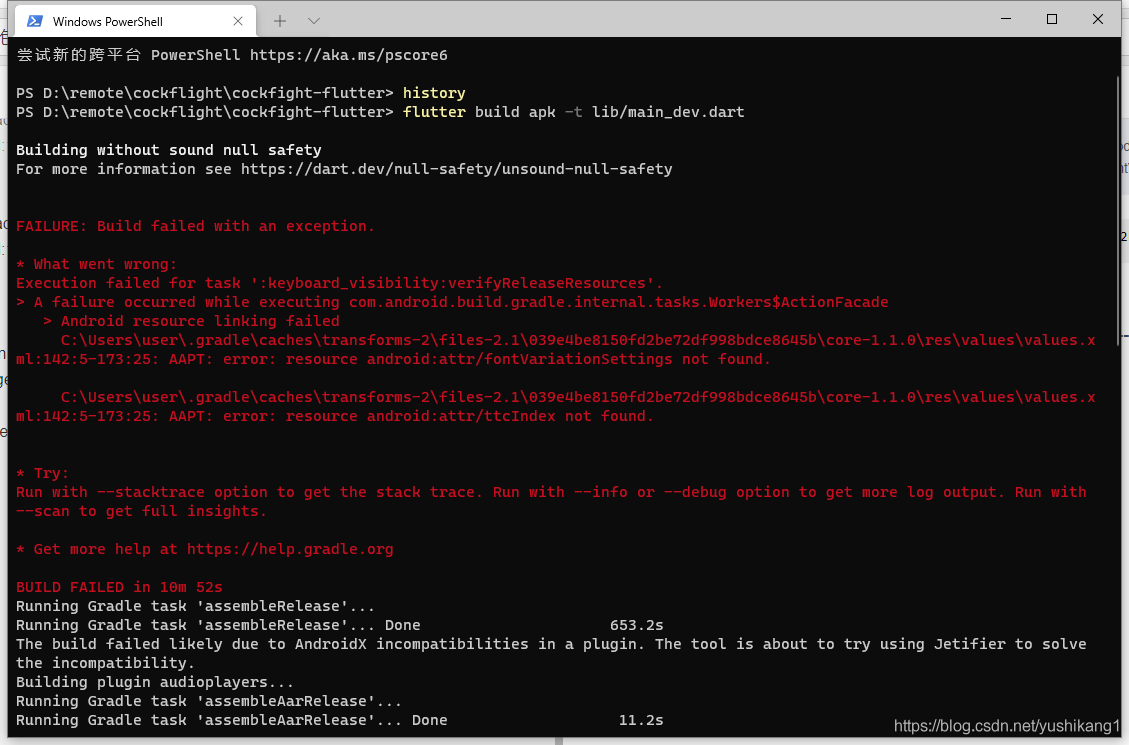
Open your project with android studio and change the compileSdkVersion to the same version as yours.
React native android: How to Upload Formdata
  let resizedImage = file // file
  let formData = new FormData();
  let name = `xxxx.jpeg`;
  let file = { uri: "file:///" + resizedImage.path.split("file:/").join(""), type: 'image/png', name: escape(resizedImage.name), fileType: 'image/\*' };   //The key here (uri and type and name) cannot be changed,
  formData.append("file", file); //the files here are the key needed by the backend
  formData.append("token", token); //the files here are the key needed by the backend
  formData.append("key", Math.random()+'__'+name); //the files here are the keys needed by the backend
[Solved] Connections could not be acquired from the underlying database
There has been this bug in the past two days. Record the solution and summary.
Solution:
1. Driver configuration error (my bug)
2. Database connection address error
3. Account password error
4. The database is not started or has no right to access, such as without networking
5. The version does not correspond to (my bug)
6. Driver jar package is not introduced into the project
My MySQL jar package is 5.0.8, but my MySQL server is 8.0, so I can change it to 5.1.46!
Mysql-connector-java-5.1.46-bin.jar download address:
Download address
We can find out the reason according to the actual situation.
Tensorflow error: InvalidArgumentError: indices[data_index] = data_value is not in [0, max_embedding_size)
It is tf.nn.embedding_ The sentence "look up reports an error, and the sentence” look up reports an error_ Value is out of bounds,
is data_ Value is not in [0, Max]_ embedding_ Size) is in the range.
SAP MM41 error: Retail materials cannot be maintained.
SAP MM41 error: Retail materials cannot be maintained in the industry system
Trying to execute transaction code MM41/MM43, I received the following error.
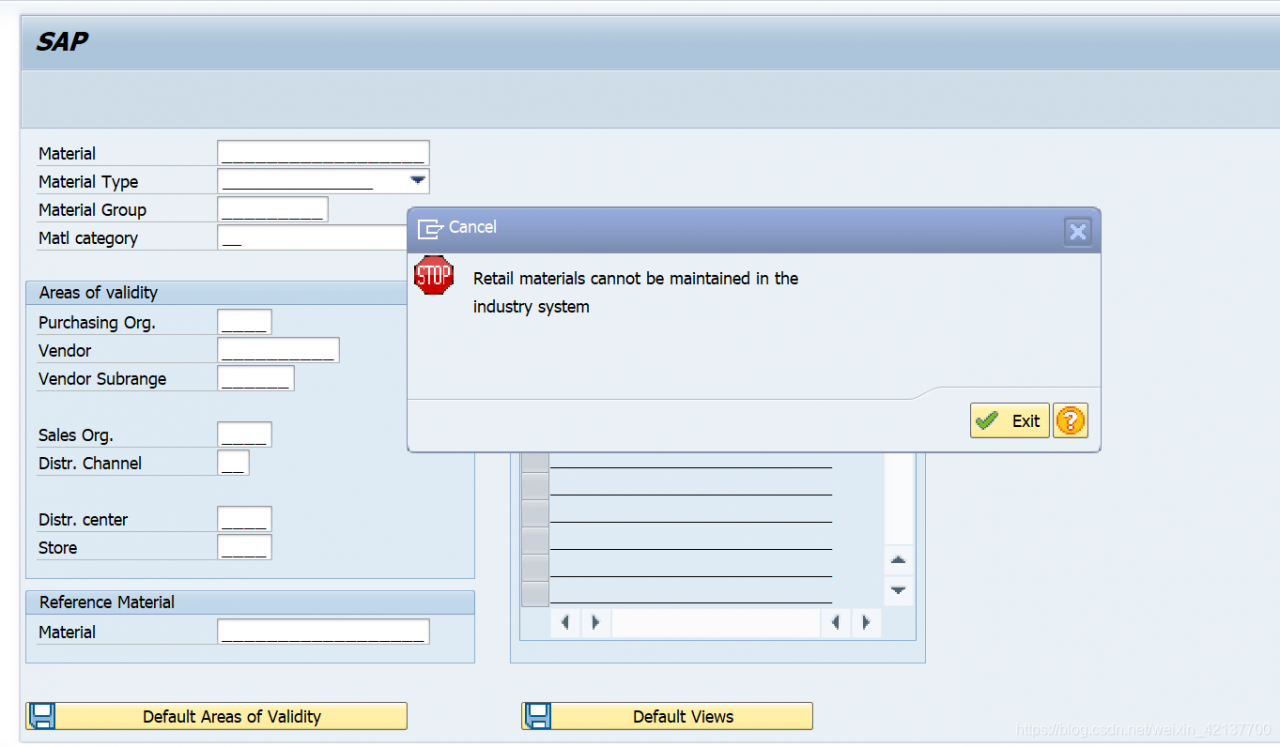
Retail materials cannot be maintained in the industry system
Message no. MH194
Diagnosis
Your system is not defined as an SAP Retail System. For this reason, you can use only industry functions for maintaining material master records, and not retail-specific maintenance functions.
Procedure
Contact your system administrator.
The analysis of the reported error is as follows.
To use the Retail-transactions you need to have your system set to Retail – with all the advantages and restrictions of Retail. And: there’s no turning back to a normal system unless you reinstall it.
So, to set up Retail, go to SPRO -> Activate SAP ECC Extensions -> Choose Industry Business Function Set ISR_RETAILSYSTEM. Again: once you activate the Business Function, you CAN’T go back – unless you wipe the whole system.
Please also read the SAP Help on SAP Retail to get familiar with the solution BEFORE you activate it. I think it’s lot less trouble than reinstalling the system.
[Solved] Np.argwhere error: maximum recursion depth exceeded while calling
The complete error is: recursionerror: maximum recursion depth exceeded while calling a python object
resolvent
It is suggested to modify this usage according to the code logic, NP. Argwhere the original meaning of usage is to filter out the values that meet the conditions in numpy , such as:
np.argwhere(y == label)
It is to filter the value of y = = label , but this usage is very dangerous and can be rewritten as:
np.argwhere(sum(y == label))
Recommend another way to write code logic!!!
Python: How to Solve error While importing windpy
First of all, I met this error report
>>> import WindPy
Traceback (most recent call last):
  File "<stdin>", line 1, in <module>
ValueError: source code string cannot contain null bytes
It’s probably the coding problem. The solution is to use vscode to open windpy.py (just search in the computer). There is a coding button in the lower right corner. Now the UTF-8 is displayed. Originally, it seems to be utf-16le. The Chinese displayed in the text is still garbled. Click this button and select save in this format.

And then there’s the following error report
SyntaxError: 'gbk' codec can't decode byte 0xbd in position 2985: illegal multibyte sequenceThe solution is to delete all the comments.
It’s the last mistake.
FileNotFoundError: [Errno 2] No such file or directory: 'C:\\**myfiles**\\Python\\Python38\\site-packages\\WindPy.pth'The solution is to look for open in windpy.Py and comment all the following lines
Change the line that reads the library to the address of windpy.dll
    # pathfile=open(sitepath)
    # dllpath=pathfile.readlines();
    # pathfile.close();

    # sitepath=dllpath[0]+"\\WindPy.dll"

    c_windlib=cdll.LoadLibrary('D:\\**install_WIND_files**\\x64\\WindPy.dll')
Just fine. I hope I can help you not to fall into the pit
The showdialog() method in thread/threading. Timer/task reported an error: “before ole can be called, the current thread must be set to single thread unit (STA) mode.”
Before ole can be called, the current thread must be set to single threaded unit (STA) mode. Make sure that your main function is marked with stathreadattribute.
Error environment:
1. In the thread thread, call the showdialog() method
2. In the thread timer, call the showdialog() method
3, calling the ShowDialog() method in the Task task.
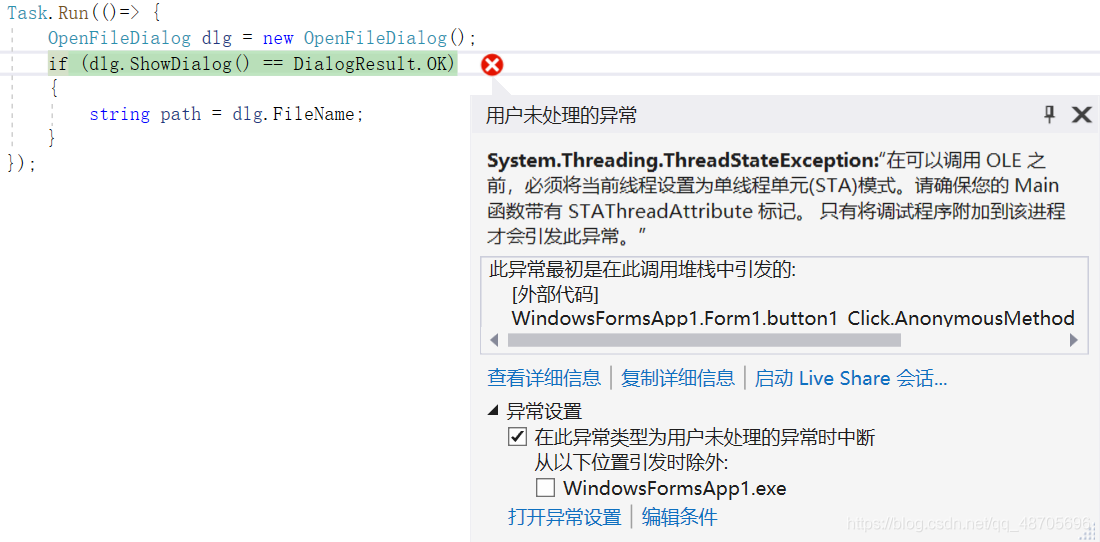
Error exception:
When the. Showdialog() method is executed, the following error will appear: “before ole can be called, the current thread must be set to single threaded unit (STA) mode. Please make sure that your main function is marked with stathreadattribute.”
Error reason:
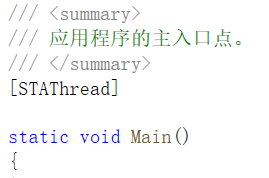
1. First of all, make sure that the main entry of the program is marked with stathreadattribute. If not, please add [stathread] to see if the problem is solved
2. Because this operation is executed in the newly created thread, the UI cannot be accessed, that is, calling ShowDialog () directly is indeed problematic. Non UI thread cannot open window
Solution:
1. Thread
By setting the apartmentstate property of the thread to apartmentstate Enumeration value that controls the type of cell created.
Among them:
Sta: thread will create and enter a single thread unit;
MTA: thread will create and enter a multi thread unit;
Unknown: the apartmentstate property has not been set.
The code is as follows:
Thread th = new Thread(()=> new Form1().ShowDialog());
th.SetApartmentState(ApartmentState.STA);
th.Start();
This is a common practice on the Internet
2. System.threading.timer
See below!!
3. Task
Task encapsulates task, work content, not thread. A task may be executed on any thread, so the task does not provide thread properties, and the thread class should not be used in asynchronous methods. Moreover, the apartmentstate property of the thread should not be modified in the task, because the thread may execute other tasks. In other words, sta thread cannot be thread pool thread!! See below!!
So!! Big move here!!!
👉 Multithreading interface should use control. Invoke delegate to let UI thread do it by itself 👈
this.Invoke(some delegate);// Synchronization
or
this.begininvoke (some) delegate);// Asynchronous
The code is as follows:
private void button1_Click(object sender, EventArgs e)
{
    Func<string> func = OFD;
    Task task = new Task(() =>
    {
        string res = (string)this.Invoke(func);//Synchronize! Let the UI threads do it themselves
    });
    task.Start();

}
private string OFD()
{
    OpenFileDialog dlg = new OpenFileDialog();
    if (dlg.ShowDialog() == DialogResult.OK)
    {
        string path = dlg.FileName;
        return path;
    }
    return null;
}[How to Solve] Python TypeError: ‘int‘ object is not subscriptable
The title is the teacher’s lesson, which is adapted from the python language design basis of Songtian teacher of Beijing Institute of technology, page 4.7, 121
Please modify example 5: body mass index BMI with exception handling, so that it can receive and process any input from the user
while True:
try:
Height, weight = Eval (input (“please input height (m) and weight (kg) [separated by commas]:”)
0 bmi = weight/pow(height,2)
Print (“BMI value is: {. 2F}”. Format (BMI))
0 if height > 3:
if h[:-1].isinstance():
Print (“height value is {. 2F}”. Format (height))
0 break
elif weight > 150:
if w[:-1].isinstance():
Print (“body weight value is {. 2F}”. Format (weight))
0 break
except NameError:
Print (“input error, please input correct information”)
the else:
Print (“no exception occurred”)
finally:
Print (“complete”)
The cause of the error is an operation on an object that cannot be operated on
The original errors were height [: – 1]. Isinstance and weight [: – 1]. Isinstance, which were changed to h and W
Please input height (m) and weight (kg) [comma separated]: 4,85
BMI value: 5.31
input error, please input correct information
complete
please input height (m) and weight (kg) [comma separated]: 1.85,85
BMI value: 24.84
no abnormality
complete
please input height (m) and weight (kg) [comma separated]: 1.85, 200
BMI value: 58.44
input error, please input correct information
complete
please input height (m) and weight (kg) [separated by commas]:
Celery Error: Did you remember to import the module containing this task?
report errors:
Did you remember to import the module containing this task?
Or maybe you're using relative imports?

Please see
http://docs.celeryq.org/en/latest/internals/protocol.html
for more information.

The full contents of the message body was:
b'[[], {}, {"callbacks": null, "errbacks": null, "chain": null, "chord": null}]' (77b)
Traceback (most recent call last):
  File "d:\venv\lib\site-packages\celery\worker\consumer\consumer.py", line 555, in on_task_received
    strategy = strategies[type_]
KeyError: 'terminal.tasks.add_order_and_other'
The reason for this error is that the task has not been found. There are two ways for celery to find the task
1. First of all, Django + celery is used here, not djcelery. Import all tasks in tasks.py in the view view function under settings
from. Task import add_ data, add_ course, add_ order_ and_ Other
(only import is OK) (this method is not recommended, because it’s a bit of heresy, hahaha)
2. Add app.autodiscover in cell.py_ Tasks ([‘terminal. Tasks’]), terminal. Tasks is the location of the task file.
Tips: if you close the corresponding window after starting the cell, the cell timer task will stop
when you start the cell by using the cell multi start W1 – a project name – B, the window timer task will not stop either. At the same time, you do not need to start the beat by using this command.
keil error #1-D: last line of file ends without a newline
After entering the last line, you should make sure that it is in the first column, and the new line can’t have empty characters such as spaces, so as not to give this warning
keil needs the last two lines to be empty and cannot have characters such as spaces.