The most likely cause is an error in the network configuration of this machine when deploying Weblogic in Linux environment; As shown in the following figure:
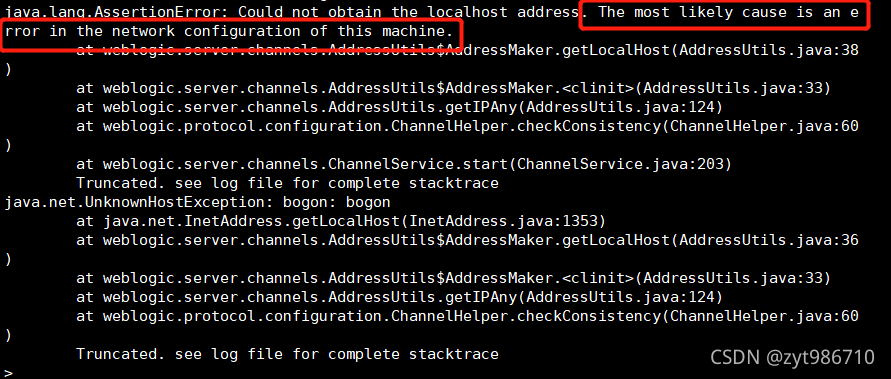
solution: VI enter/etc/hosts and configure your current login host name; (it’s better to switch to the root account for modification here)

view the host name, as shown in the following figure:

[Solved] com.alibaba.druid.filter.FilterManager : load filter error, filter not found : sl4j
Problem description
The Druid connection pool is used in the springboot project. When starting the project, the following error message will be printed in the log, but it will not affect the operation of the program:
com.alibaba.druid.filter.filtermanager: load filter error, filter not found: sl4j </ font>
Problem analysis
Open the Druid jar package, and the filter types supported by Druid are in a Druid filters. Properties file, as follows:
druid.filters.default=com.alibaba.druid.filter.stat.StatFilter
druid.filters.stat=com.alibaba.druid.filter.stat.StatFilter
druid.filters.mergeStat=com.alibaba.druid.filter.stat.MergeStatFilter
druid.filters.counter=com.alibaba.druid.filter.stat.StatFilter
druid.filters.encoding=com.alibaba.druid.filter.encoding.EncodingConvertFilter
druid.filters.log4j=com.alibaba.druid.filter.logging.Log4jFilter
druid.filters.log4j2=com.alibaba.druid.filter.logging.Log4j2Filter
druid.filters.slf4j=com.alibaba.druid.filter.logging.Slf4jLogFilter
druid.filters.commonlogging=com.alibaba.druid.filter.logging.CommonsLogFilter
druid.filters.commonLogging=com.alibaba.druid.filter.logging.CommonsLogFilter
druid.filters.wall=com.alibaba.druid.wall.WallFilter
druid.filters.config=com.alibaba.druid.filter.config.ConfigFilter
Solution:
Carefully check your profile as follows:
filters: stat,sl4j,wall
It was found that it was a writing error. Slf4j was written as sl4j and an F was missing. Be careful.
[Solved] getObject: FAILED RequestCoreException: cURL resource: Resource id #78; cURL error: SSL certificate
Reason:
The reason for this problem is that curl.cainfo is not configured, which is located in php.ini.
Solution:
Since the reasons for the errors are stated, it is much easier to solve them, as follows:
1. Download cacert
Download address: https://curl.haxx.se/ca/cacert.pem
2. Modify php.ini and restart
curl.cainfo="real_path/cacert.pem"matters needing attention:
Needs to be turned on php_curl、php_openSSL extension;
[Solved] Playbook Start Nginx Error: Unable to start service nginx: Job for nginx.service fd with error code
The error information is as follows:
TASK [start nginx service] *******************************************************************************************
fatal: [192.168.126.129]: FAILED! => {"changed": false, "msg": "Unable to start service nginx: Job for nginx.service fd with error code. See \"systemctl status nginx.service\" and \"journalctl -xe\" for details.\n"}
The reason is that the user/group I created for Nginx in playbook is user-defined:
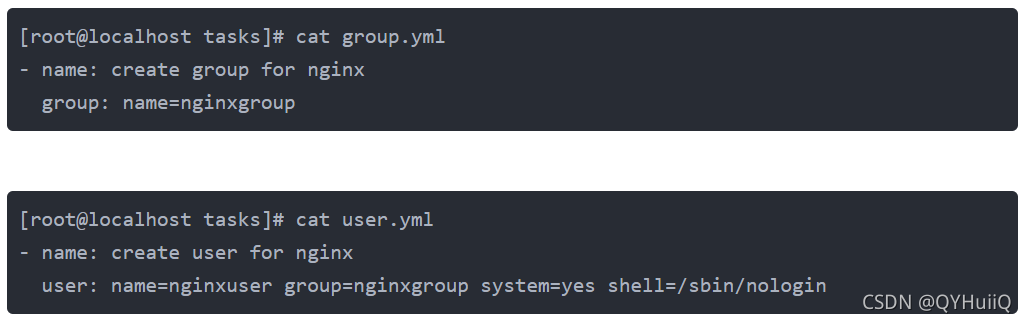
Change it to Nginx:

How to Solve Git Push Error: error: src refspec v3.3.04.1000 matches more than one
report errors:
error: src refspec v3.3.04.1000 matches more than one.
Error reporting reason: the branch name is the same as the tag name.
So delete the remote tag and push the code.
Delete local tag v3.3.04.1000
git tag -d v3.3.04.1000
Delete remote Tag v3.3.04.1000
git push origin :refs/tags/v3.3.04.1000
[Solved] /sockjs-node/info?t= net::ERR_SSL_PROTOCOL_ERROR
Error: as shown in the following figure 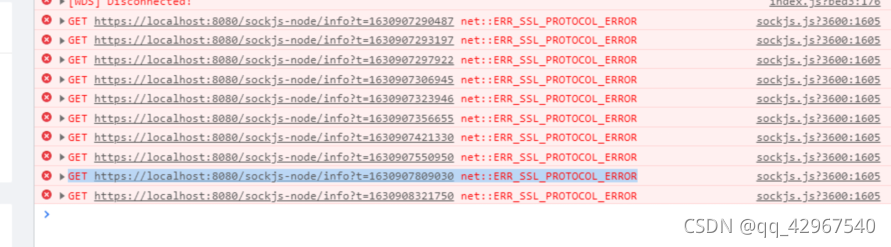
After many ideological struggles, he began to solve the problem after admitting that it was his own problem:
{
  "apiUrl": "http://192.168.56.101:5000/",
  "port":  "8080",
  "host": "127.0.0.1",
  "socketHost": "172.16.0.26:443"//Add this line to the json file to configure public (no comments can be written in the json)
}
In reference https://github.com/vuejs/vue-cli/issues/1472
After the discussion, the following solutions are found:
webpack.dev.conf.js file:

Import

const URL = require('../static/config.json');
const socketHost = URL.socketHost;

Add content in devServer: {}:

public: socketHost,
disableHostCheck: true
Fortunately, the problem is solved!
[Solved] Electron Error: Error: Electron failed to install correctly, please delete node_modules/electron and try
When building an electron Vue project on win10, an error is reported using the NPM install command
report errors:
Error: Electron failed to install correctly, please delete node_modules/electron and try installing again
Solution::
Enter the node_modules/electron directory in the project from the command line and run the node install.js command
Git commit – M ‘upload submit times error command “husky run” not found.
error Command “husky-run” not found.

Solution:
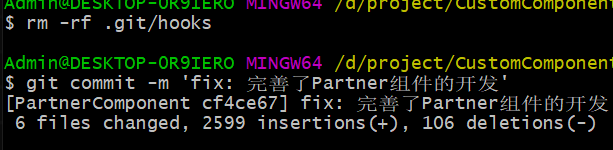
step1: rm -rf .git/hooks
step2: Rerun the commit command (git commit -m ‘commit content’)
[Solved] Error: (3, 31) Java: package jdk.nashorn.internal.ir does not exist
report errors
Error:(3, 31) java: Programmer package jdk.nashorn.internal.ir do not exsit
Solution: just replace Java 11 with Java 8
chunk-vendors.7142f8da.js:1 Uncaught SyntaxError: Unexpected token ‘<‘
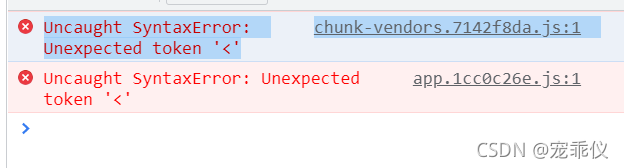
This is what I Vue found by previewing with serve – s dist after packaging
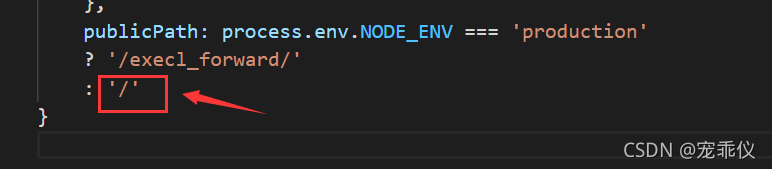
reason There is a problem with the parameters configured in vue.config.js
    publicPath: process.env.NODE_ENV === 'production'
    ?'/execl_forward/'
    : '/'
Then use NPM run build to package
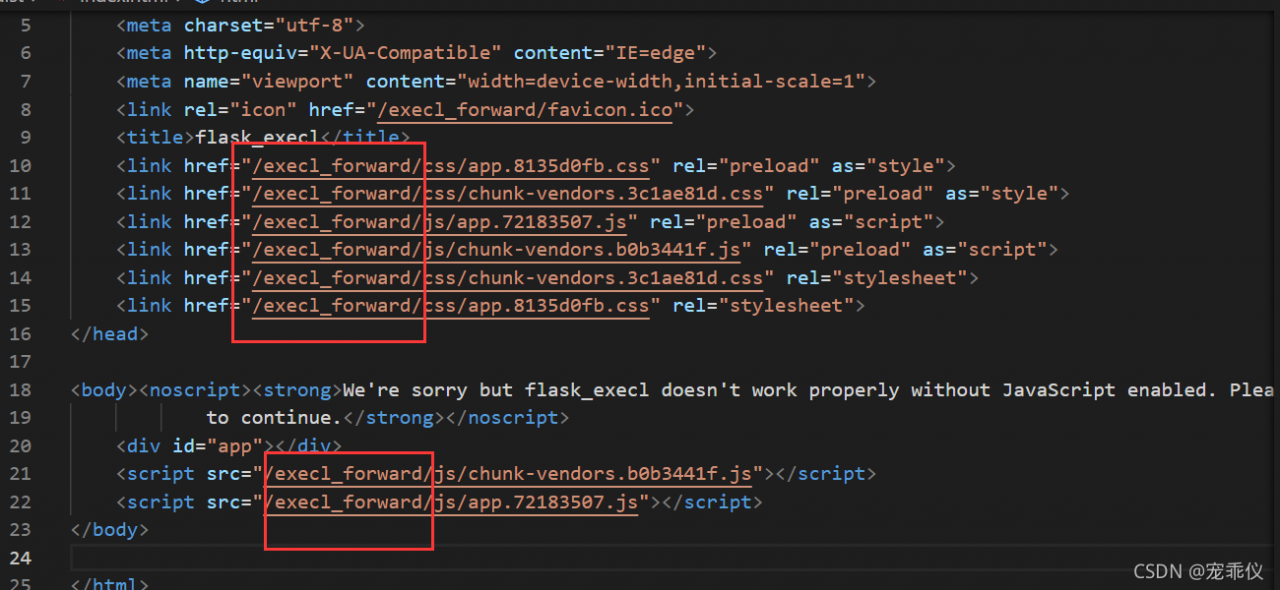 Cause static file error
So I created EXECL in dist_ Forward folder put CSS and JS folders in it
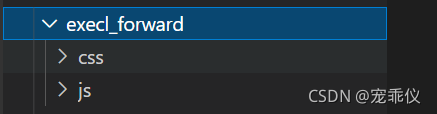
Then it was solved
Or use the default packaging method
Vue.config.js
publicPath: './' 
[Realtek sdk-4.4.1] RTL8198D How to Fix pptp/l2tp HW checksum error issue
Problem description
For PPTP/L2TP device interfaces, the FC driver should not set netif_F_HW_Csum, because HW does not support calculating the TCP/UDP checksum encapsulated by PPTP/L2TP header. It provides a function to set which device interface does not set netif_F_HW_CSUM
Solution
File path: rtl819x/linux-4.4.x/drivers/net/ethernet/realtek/rtl86900/FleetConntrackDriver/src/rtk_fc_helper_ps.c
int rtk_set_hw_csum(char *dev_name)
{
    // It does not support hw checksum feature for wlan and pptp/l2tp interface
    // for RTK use application: PPP9~12 are used for PPTP/L2TP, hw checksum offload didn't
        support inner header update so we must NOT turn on it.
    if(strncmp(dev_name, "wlan", 4) && strncmp(dev_name, "ppp9", 4) && strncmp(dev_name,
        "ppp10", 5) && strncmp(dev_name, "ppp11", 5) && strncmp(dev_name, "ppp12", 5))
        return TRUE;
    else
        return FALSE;
}
SDK, PPTP/L2TP device interface name is ppp9 ~ ppp12. Therefore, if you modify the PPTP/L2TP device interface name (not ppp9 ~ ppp12), you should also modify the function RTK_set_hw_csum().
Vue Error in v-on handler: “TypeError: path.indexOf is not a function“
reason:
My path is written like this
@click="openBlank({ path: '/reissue'},{historyOpinion:ho})"
It belongs to non-standard writing Just change it to this
@click="openBlank('/reissue',{historyOpinion:ho})"