I used style-loader in the project today, and found an error in packaging: typeerror: this Getoptions is not a function
visual inspection is a version problem. The default version of style-loader is 3.3.1. The reduced version is 2.0.0, and the problem is solved
PS: the webpack version used is 4.28.4

Category Archives: JavaScript
How to Solve Phantomjs prebuilt error
Phantomjs prebuilt error reporting solution
Solution:
It can be solved by executing the command
npm install [email protected] --ignore-scripts
or
yarn add [email protected] --ignore-scripts
How to Solve Vue3 using deep syntax Error
For more information, please refer to my blog
Error reporting performance
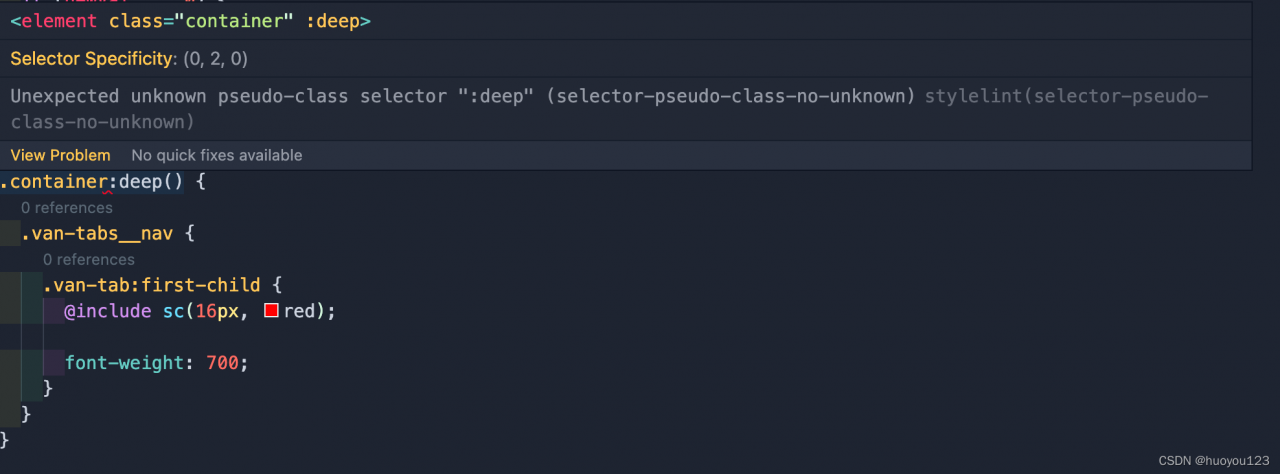
Solution:
Adds the following configuration in .stylelintrc.js:
/**
 * @module .stylelintrc
 * @author: huoyou
 * @description: css
 */
module.exports = {
  rules: {
    ...
    'selector-pseudo-class-no-unknown': [
      true,
      {
        ignorePseudoClasses: ['deep']
      }
    ],
    ...
  }
};
CRA 5.0.0 Add Proxy Project Start Error [How to Solve]
Problem Description:
https://github.com/facebook/create-react-app/issues/11762#issue-1080972271
i.e.
Set the proxy in package.json, and then start the project through npm start or yarn start, the error is as follows:
>yarn start
yarn run v1.22.10
$ react-scripts start
Attempting to bind to HOST environment variable: test.localhost
If this was unintentional, check that you haven't mistakenly set it in your shell.
Learn more here: https://cra.link/advanced-config

Invalid options object. Dev Server has been initialized using an options object that does not match the API schema.
 - options.allowedHosts[0] should be a non-empty string.
error Command failed with exit code 1.
Solution: Don’t set the proxy in package.json, but set it in src/setupProxy.js, and delete the proxy in package.json, and finally restart npm start.
Yarn vue3 modify the name of the source file Error [Solved]
ERROR Failed to compile with 1 error PM 6:26:46
This relative module was not found:
* ./RoleFormDialog in ./node_modules/cache-loader/dist/cjs.js??ref–13-0!./node_modules/babel-loader/lib!./node_modules/cache-loader/dist/cjs.js??ref–1-0!./node_modules/@vue/cli-service/node_modules/vue-loader-v16/dist??ref–1-1!./src/views/Role/List.vue?vue&type=script&lang=js
Solution:
Also change the directory where the source file is located to any other name (here it is changing Role to RoleAAA) and then change back to the original name (here it is changing back to Role), yarn will automatically clear the cache and the problem is solved.
Vue Import three.JS error: Unexpected token [How to Solve]
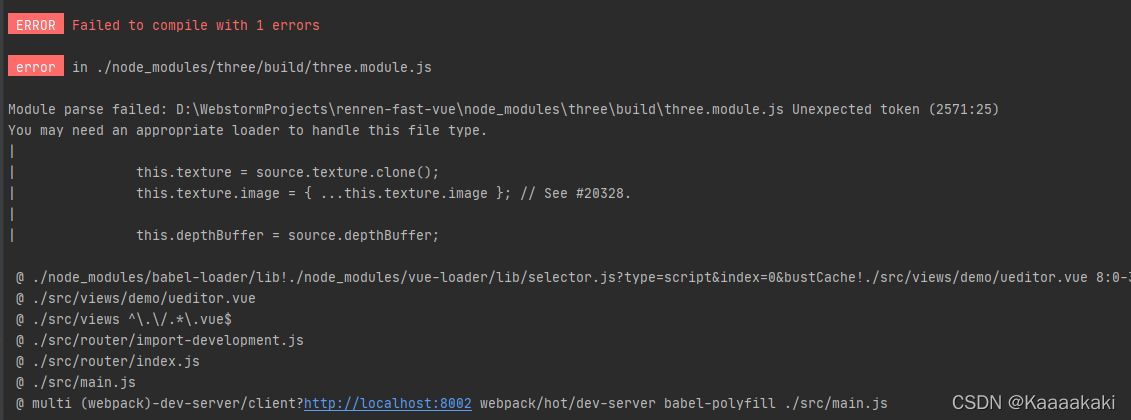
Change the version of three.js
npm uninstall three
npm install –save [email protected]
Error: Cannot find module ‘./application‘ [How to Solve]
1. Background:
Run in PowerShell: PS e: \ vscode \ Vue \ day4 \ code \ myapi & gt; nodemon . \index. JS
error reporting
2. Error reporting content:
PS E:\vscode\vue\day4\code\myapi> node .\index.js
node:internal/modules/cjs/loader:936
  throw err;
  ^

Error: Cannot find module './application'
Require stack:
- E:\vscode\vue\day4\code\myapi\node_modules\express\lib\express.js
- E:\vscode\vue\day4\code\myapi\node_modules\express\index.js
- E:\vscode\vue\day4\code\myapi\index.js
[90m    at Function.Module._resolveFilename (node:internal/modules/cjs/loader:933:15)[39m
[90m    at Function.Module._load (node:internal/modules/cjs/loader:778:27)[39m
[90m    at Module.require (node:internal/modules/cjs/loader:1005:19)[39m
[90m    at require (node:internal/modules/cjs/helpers:102:18)[39m
    at Object.<anonymous> (E:\vscode\vue\day4\code\myapi\node_modules\[4mexpress[24m\lib\express.js:18:13)
[90m    at Module._compile (node:internal/modules/cjs/loader:1101:14)[39m
[90m    at Object.Module._extensions..js (node:internal/modules/cjs/loader:1153:10)[39m
[90m    at Module.load (node:internal/modules/cjs/loader:981:32)[39m
[90m    at Function.Module._load (node:internal/modules/cjs/loader:822:12)[39m
[90m    at Module.require (node:internal/modules/cjs/loader:1005:19)[39m {
  code: [32m'MODULE_NOT_FOUND'[39m,
  requireStack: [
    [32m'E:\\vscode\\vue\\day4\\code\\myapi\\node_modules\\express\\lib\\express.js'[39m,
    [32m'E:\\vscode\\vue\\day4\\code\\myapi\\node_modules\\express\\index.js'[39m,
    [32m'E:\\vscode\\vue\\day4\\code\\myapi\\index.js'[39m
  ]
}
3. Solution:
1. Prompt for finding the error point: error: cannot find module ‘/ application’
2. According to the error prompt, baidu solved the first blog
4. Causes:
Execute node \index. JS, PowerShell did not find ‘/ Application ‘this module should be index JS file runtime calls
node_ The dependent module in the modules folder is not found, so an error is reported
5. Solution:
1. Delete node_Modules folder (because dependencies are placed here)
2 There is a package Run in the folder of JSON file: PS e:\vscode\Vue\day4\code\myapi > npm install
3. The previous step is based on package JSON file re download dependency
[Solved] Eslint Error: Strings must use singlequote.
Error Description:
Strings must use singlequote.
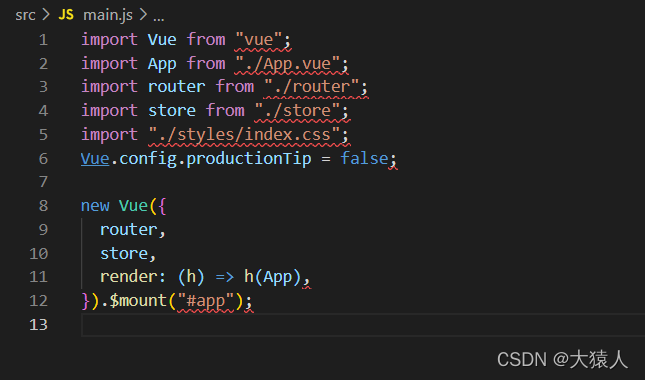
Solution:
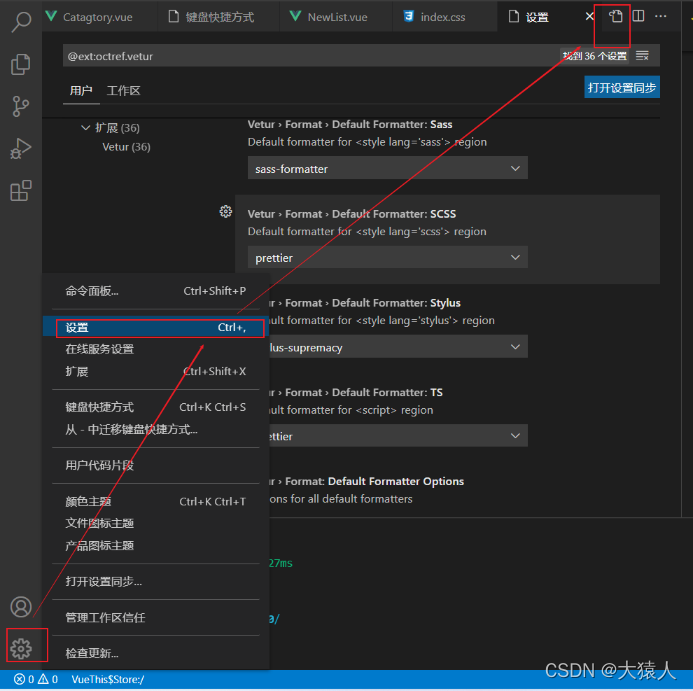
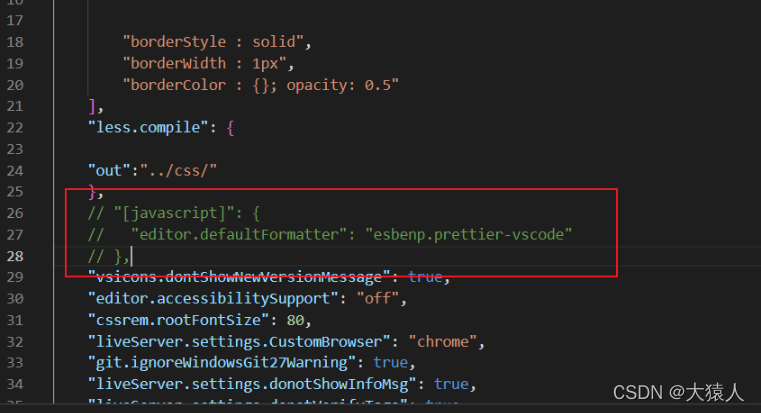
Click setting — select setting — click the button in the upper right corner — enter setting.js, find the following code and comment it out:
[Solved] Vue binding dynamic inline style Error: transform:rotate()
reason:
V-bind or ‘:’ is followed by the written JS code, which is written in the form of key value pairs. The key is the CSS style attribute name of the tag, and the key is the attribute value. The key value must be a string or a variable (provided that the variable must be declared in the data first): style = “{transform: rotate()}” this writing browser calls rotate as a function rotate(), so an error will be reported
Solution:
//String mode
:style="{transform: 'rotate(60deg)'}
//Variable form
:style="{transform: `rotate(${Variable}deg)`}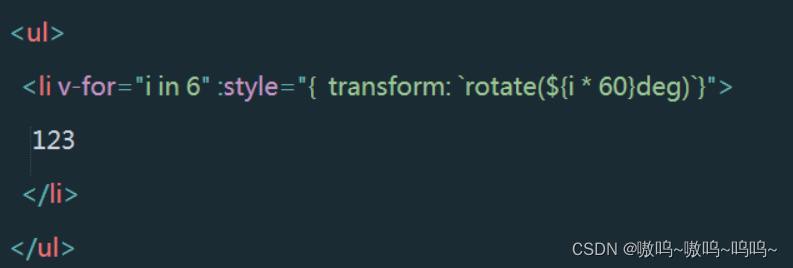
[Solved] QuotaExceededError the quota has been exceeded — Firefox
QuotaExceededError the quota has been exceeded — Firefox
Firefox Error:
QuotaExceededError the quota has been exceeded
1. Enter about:config in the Firefox address bar
2. Search DOM.storage.default.Quto in the advanced settings interface.
3. Set its value to 102400 or greater.
Solution:
rewrite the method of Localstorage (getitem, setitem, removeitem…)
the following record can be written:
function getStorage() {

    var storageImpl;

     try {
        localStorage.setItem("storage", "");
        localStorage.removeItem("storage");
        storageImpl = localStorage;
     }
     catch (err) {
         storageImpl = new LocalStorageAlternative();
     }

    return storageImpl;

}

function LocalStorageAlternative() {

    var structureLocalStorage = {};

    this.setItem = function (key, value) {
        structureLocalStorage[key] = value;
    }

    this.getItem = function (key) {
        if(typeof structureLocalStorage[key] != 'undefined' ) {
            return structureLocalStorage[key];
        }
        else {
            return null;
        }
    }

    this.removeItem = function (key) {
        structureLocalStorage[key] = undefined;
    }
}

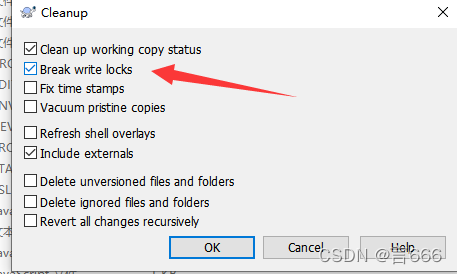
cusSto = getStorage();SVN Update Error: Please execute the ‘Cleanup‘ command.
Right Capacity clean up
*
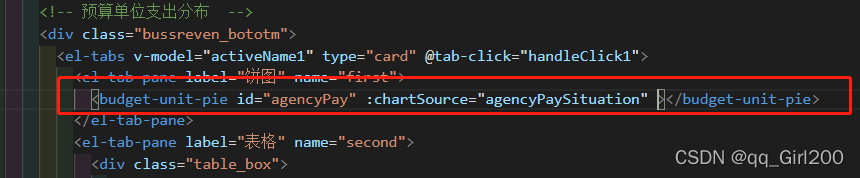
[Solved] echarts Error: Error in callback for watcher “chartSource“: “Error: Initialize failed: invalid dom.“
report errors
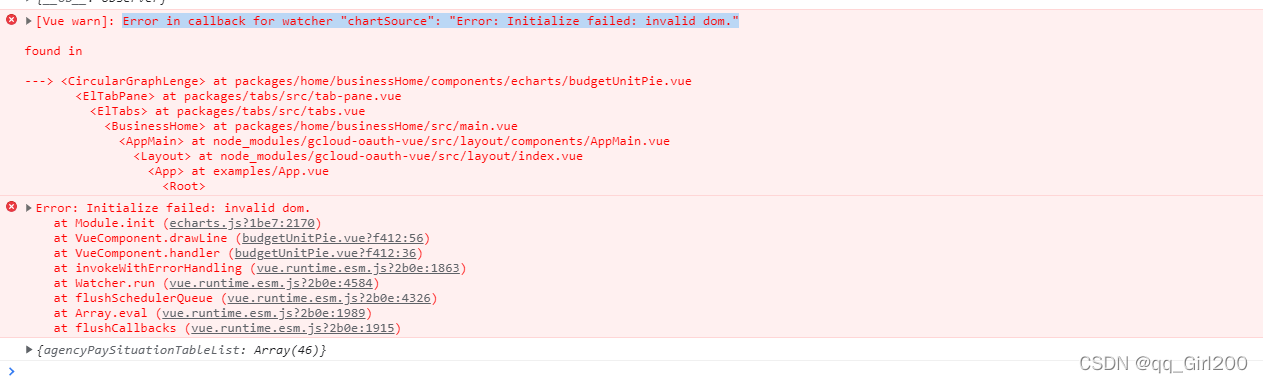
Reason: the data has not requested to come back and start drawing the chart
Modify and add “if” as the following screen:
