Category Archives: How to Fix

MongoDB:Failed: error connecting to db server: no reachable servers

when using mongoimport and other tools to connect to remote mongodb server, the following error is often reported:

Failed: error connecting to db server: no reachable servers

this is due to the mongodb server restriction that only allows 127.0.0.1 access. There are three modification methods:

1. Add parameter –bind_ip_all

mongod –bind_ip_all

2. Add parameters –bind_ip 0.0.0.0

mongod – bind_ip 0.0.0.0

3. Modify mongod. CFG

bindIp: 0.0.0.0

reference document

mongodb meet error: no reachable servers

Android reports failed linking file resources

, written in the evening, the next morning the wrong report.

has been poked more than once. I finally thought about it.

failed to find the resource file linking file resources.

for a number of reasons, but let me write down what I encountered:

1. The file referenced in the XML file does not exist

was later checked and the original reference was deleted, but the XML file did not report an error of T_T

results reopen the next day and need to be recompiled, which is why the error was reported.

if there’s something else that’s going to be recorded later.

About jmh running error: transport error 202: Connect failed: connection reused error solution

ERROR: transport error 202: connect failed: Connection refused
ERROR: JDWP Transport dt_socket failed to initialize, TRANSPORT_INIT(510)
JDWP exit error AGENT_ERROR_TRANSPORT_INIT(197): No transports initialized [debugInit.c:750]
<forked VM failed with exit code 2>
<stdout last='20 lines'>
</stdout>
<stderr last='20 lines'>
ERROR: transport error 202: connect failed: Connection refused
ERROR: JDWP Transport dt_socket failed to initialize, TRANSPORT_INIT(510)
JDWP exit error AGENT_ERROR_TRANSPORT_INIT(197): No transports initialized [debugInit.c:750]

solution: run it by command instead of directly running the
MVN clean package
java-jar target/benchmarks. Jar

if the Maven project generation jar runtime prompts “no main listing properties”, the entry class (that is, the class in which the main function resides)

cannot be found

modify the po. XML file by adding the following configuration item to specify the entry class:

<build>
  <plugins>
    <plugin>
        <groupId>org.apache.maven.plugins</groupId>
        <artifactId>maven-shade-plugin</artifactId>
        <version>1.2.1</version>
        <executions>
            <execution>
                <phase>package</phase>
                <goals>
                        <goal>shade</goal>
                </goals>
                    <configuration>
                        <transformers>
                            <transformer implementation="org.apache.maven.plugins.shade.resource.ManifestResourceTransformer">
                                <mainClass>com.jesper.jmh.FirstBenchmark</mainClass>
                            </transformer>
                        </transformers>
                    </configuration>
            </execution>
        </executions>
     </plugin>
  </plugins>
</build>

How to Fix nbconvert failed: Pandoc wasn’t found. Please check that pandoc is installed:

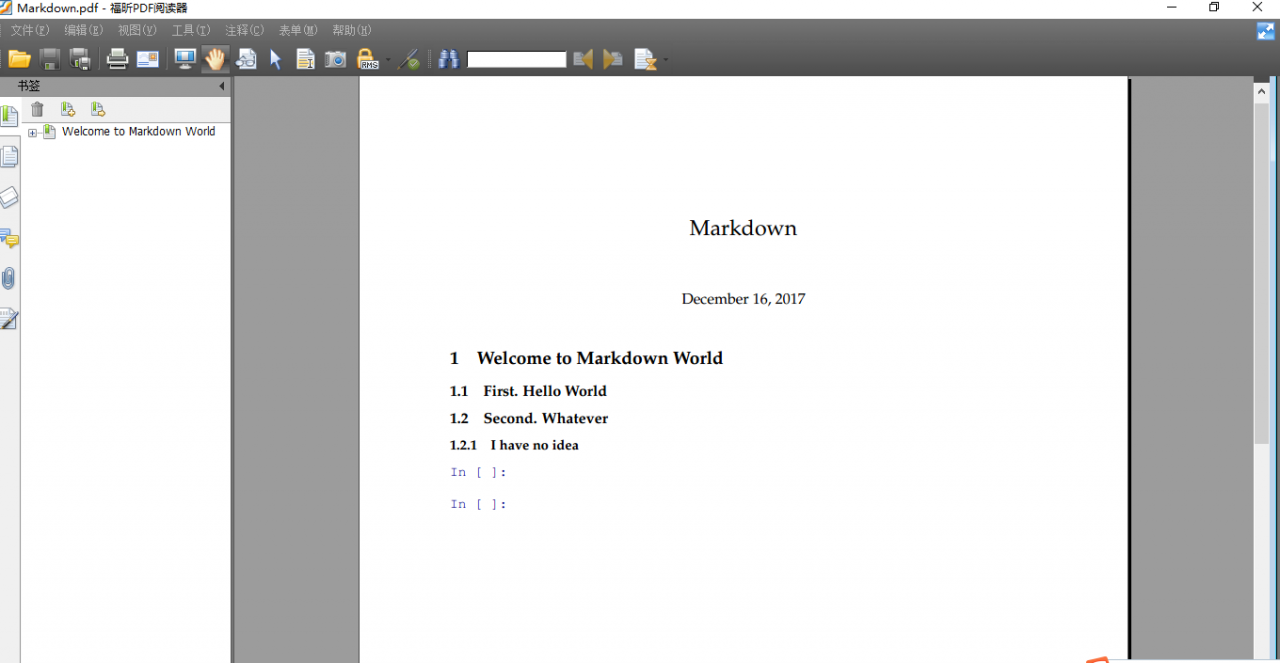
when you want to convert your Jupyte Notebook to PDF, this can appear:

solution:

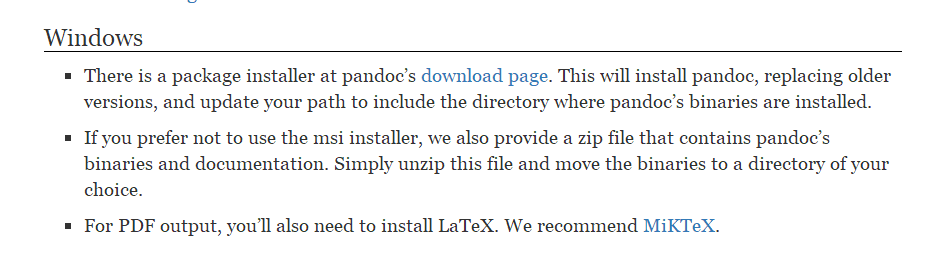
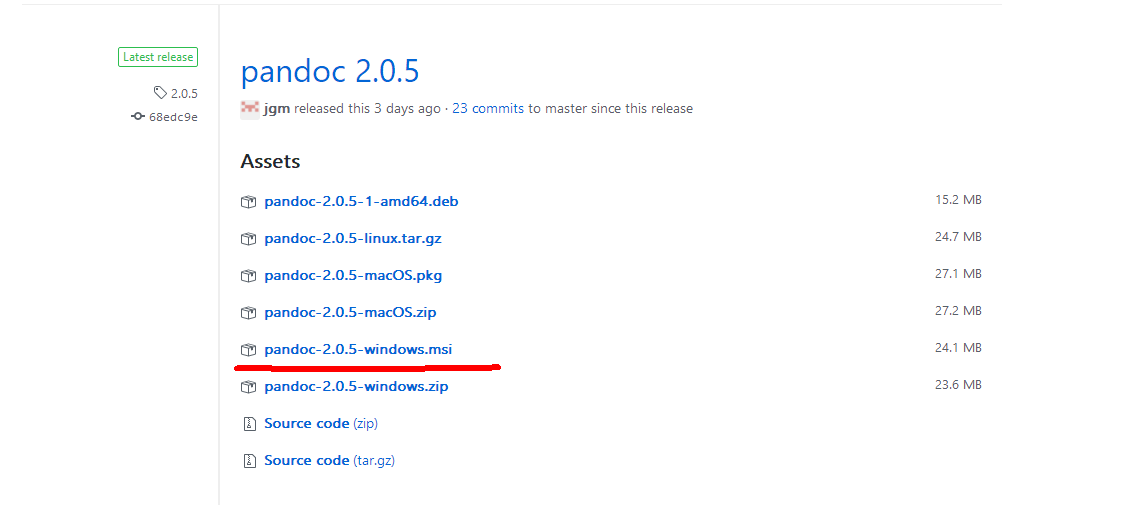
1 download pandoc library and install, download address: http://pandoc.org/installing.html#windows

ps: domestic didn’t over the wall of friends may not be able to download or slow download speed, CSDN download address: http://download.csdn.net/download/weixin_37029453/10161639

2 download and install MikTeX

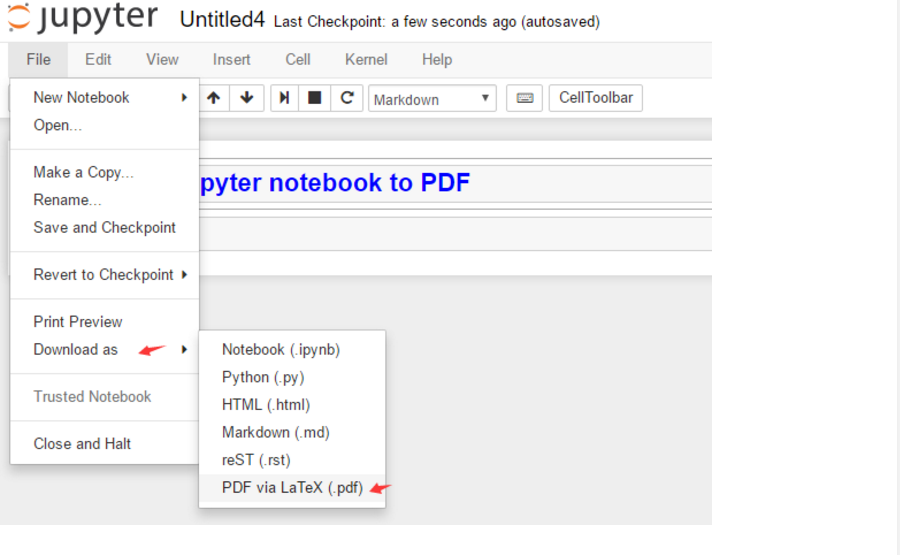
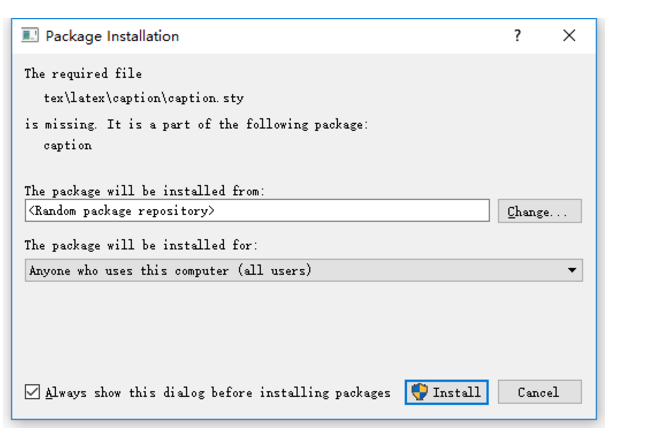
3 in Jupyter to PDF operation, as shown in the picture:


after the system will pop up the interface to let you install some toolkits, continue to click the installation, installation is done!

> /strong>

Error:Execution failed for task ‘:app:preDexDebug’. > com.android.ide.common.process.ProcessExceptio

error :

Error:Execution failed for task ‘:app:preDexDebug’.
> com.android.ide.common.process.ProcessException: org.gradle.process.internal.ExecException: Process ‘command ‘C:\Program Files\Java\jdk1.7.0_67\bin\java.exe’ finished with non-zero exit value 1

reason: the configuration in gradle

compileSdkVersion 23
buildToolsVersion ‘24.0.0 rc3’

compileSdkVersion and buildToolsVersion are inconsistent

changes compileSdkVersion as well as buildToolsVersion

compileSdkVersion 23
buildToolsVersion ‘23.0.0’

and then just compile it once.

Top background execution: Top: failed TTY get error

call the top command in non-interactive mode through other programs or scripts, often appear :
top: failed tty get error

solution: add the -b option to either

-b: Batch mode operation
Starts top in < A1> < AF> Batch mode< A1> < AF> You< which could be useful for sending output from top to other programs or to a file. In this mode, top will not accept input and runs until the iterations limit you< A1> < AF> ve set with the < A1> < AF> -n< A1> < AF> command-line option or until killed.

for example: top-bn 1

nohup top-b | grep init > > top.log & (Top. Log content is displayed slowly)

nohup /usr/bin/top -b | grep init > > top.log & (top. Log content appears fast)

INSTALL PARSE FAILED INCONSISTENT CERTIFICATES (How to Fix)

share my teacher great god artificial intelligence tutorial! Zero basis, easy to understand! http://blog.csdn.net/jiangjunshow

also welcome to reprint this article. Share knowledge, benefit the people, and realize the great rejuvenation of the Chinese nation!


shows a similar INSTALL_PARSE_FAILED_INCONSISTENT_CERTIFICATES prompt when installing the APK file, along with the following similar prompt:

Android Launch!
adb is running norm.
Performing com. android123.cwj activity launch
Automatic Target Mode: Using device ‘HT840GZ25974’
Uploading CWJ. Apk onto device ‘HT840GZ25974’
Uploading
Application already exists. Attempting to re – install home…
re-installation failed due to different application signatures.
You must perform a full uninstall of the application. WARNING: This will remove the application data! Android123.cwj ‘in a shell.
Launch canceled!

this problem mainly due to signature conflict, such as you use the ADB debug permissions signature, but use the standard installation of the same file again after sign the signature will appear such errors, the solution besides only honestly first uninstall the original version to install again from the mobile phone, the ADB install – r parameter can’t solve this problem.

call my teacher’s artificial intelligence tutorial! http://blog.csdn.net/jiangjunshow

RuntimeError: cuDNN error: CUDNN_ STATUS_ EXECUTION_ Failed solutions

when running pytorch gpu, reported this error
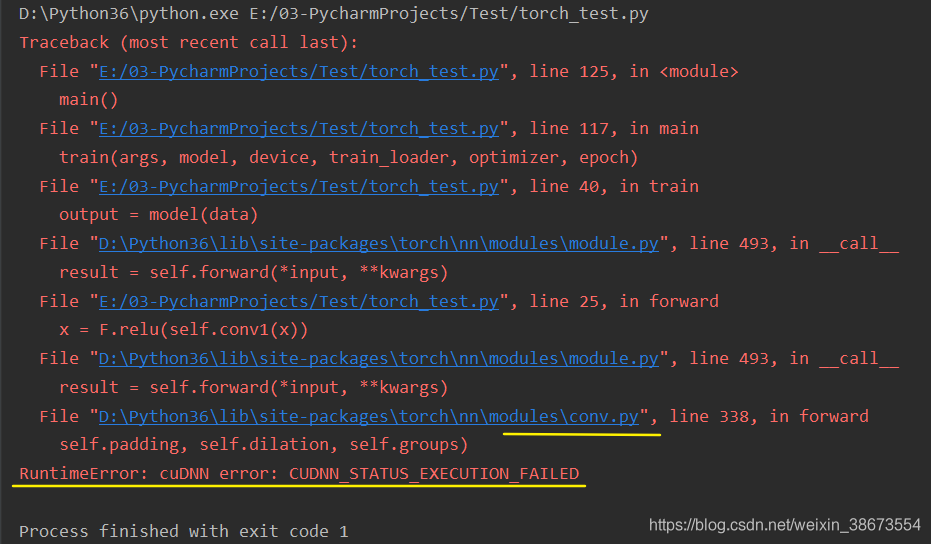
many people on the Internet also encountered this problem, some said that CUDA and cudnn version matching problem, some said that need to reinstall pytorch, CUDA, cudnn. I have checked the official website, the version is the match, trying to reinstall does not work, and I according to the version of another system can not install.

you can see that every time the error is in the file conv.py, which is the error made when doing the CNN operation.

The

solution is to introduce the following statement

import torch
torch.backends.cudnn.enabled = False

means you don’t need cudnn acceleration anymore.

GPU, CUDA, cudnn relationship is:

  • CUDA is a parallel computing framework launched by NVIDIA for its own GPU. CUDA can only run on NVIDIA gpus, and can only play the role of CUDA when the computing problem to be solved can be massively parallel computing.
  • cuDNN is an acceleration library for deep neural networks built by NVIDIA, and is a GPU acceleration library for deep neural networks. CuDNN isn’t a must if you’re going to use GPU to train models, but it’s usually used with this accelerator library.

reference: GPU, CUDA, cuDNN understanding

cudnn will be used by default. Since the matching problem cannot be solved at present, it is not used for now. The GPU will still work, but probably not as fast as cudNN.

if any friends know how to solve possible version problems, welcome to exchange ~

add:

  • version: win10, python 3.6, pytorch 1.1.0, CUDA 9.0, cudnn 7.1.4
  • test case: pytorch github Example Basic MNIST

GitHub desktop submission errors and Solutions

1. Error code:

Commit failed - exit code 128 received, with output: '*** Please tell me who you are.

Run

  git config --global user.email "[email protected]"
  git config --global user.name "Your Name"

to set your account's default identity.
Omit --global to set the identity only in this repository.

fatal: unable to auto-detect email address (got 'Administrator@w310-002.(none)')'

1.2 solution:

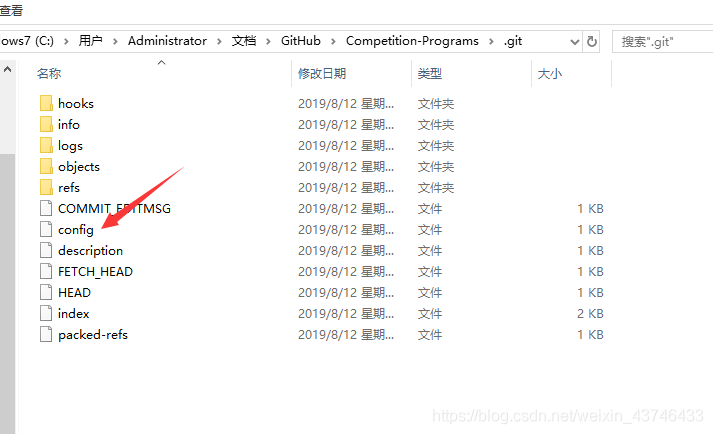
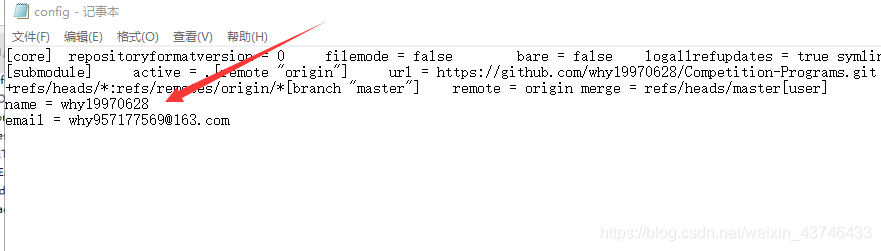
in the root directory of the project has a hidden folder -. Git, there is a config file, use notepad or something to open it, at the end of the file add the following code:
XXX change your name and email address, and then save the file, and then go to submit!

[user]
name = xxx
email = xxx


2.1 error code:

github:Commit failed - exit code 1 received

2.2 why

since the project was cloned on github, it is now committed to my repository, but the project still contains information from someone else’s github repository in the.git folder.

2.3 solution

displays the hidden file, and then deletes the hidden folder

win10 operation: find – > Check “hidden items”

Webpack — module build failed: error: the node API for ‘Babel’ has been moved to Babel core

webpack is red when packaged:

Module build failed: Error: The node API for 'babel' has been moved to babel-core

there is nothing available on the web,
so delete the entire node_modules folder,
to download the dependency package again:

npm init;
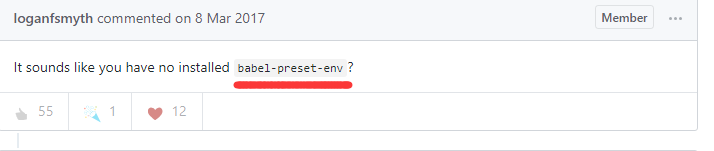
cnpm install --save babel-loader babel-preset-es2015 babel-preset-react babel-core

and then pack:

webpak

ok, perfect!