Category Archives: How to Fix

【ERROR_2】Call to a member function bind_param() on a non-object

When I was using MySQli prepared today, I encountered the following error:


Fatal error: Call to a member function bind_param() on a non-object in …
 
The error statement for the report is:
$prepareQuery-> bind_param(“sssd”,$isbn,$author,$title,$price);
 
— Error reasons:
$query=”insert into boks values(?,?,?,?) “;
$prepareQuery=$db-> prepare($query);
$prepareQuery-> bind_param(“sssd”,$isbn,$author,$title,$price);
 
The name of the table Boks is wrong. It should be books
 
So: when encountering an error like this, you should double-check your SQL!
A fatal error occurred while trying to Sysprep the machine

Error:
The following error was encountered while running SyspREP:
A fatal error occurred while trying to Sysprep the machine
Resolution:
Running command: SLMGR/DLV can discover the Remaining Windows Rearm Count :0
Modify the registry:
HKEY_LOCAL_MACHINE \ SOFTWARE \ Microsoft \ Windows NT \ CurrentVersion \ SoftwareProtectionPlatform \ SkipRearm set it from 0 to 1
HKEY_LOCAL_MACHINE\SYSTEM\Setup\Status\SysprepStatus\GeneralizationState sets it from 3 to 7
Run sySPREP again, and if you still report an error, uninstall the reinstall component mSDTC-uninstall, -install
Cause:
When you encapsulate the system with sysprep/commune, the system reduces the number of rearm, and when REARM is 0, the problem that cannot be encapsulated occurs. The default number of Rearm is 3, which means you can only encapsulate 3 times.

Interesting undefined columns selected from read.table and read.csv

Enter the following syntax:
read.table(site_file,header=T)-> data
data< -data[which(data[,5]==”ADD”),]
A:
Error in `[.data.frame`(data, , 5) : undefined columns selected
Calls: plot_manhatton -> [ -> [.data.frame -> which -> [ -> [.data.frame
After a few attempts, change the command to:
read.csv(site_file,header=T)-> data
data< -data[which(data[,5]==”ADD”),]
It’s ready to run.
The reason for undefined Columns selected error is that What I imported was a CSV file, but I used read.table when Reading the file. After changing to read.csv, there is no problem.

Reproduced in: https://www.cnblogs.com/chenwenyan/p/5384714.html

[Vue] install vuex, error: eperm: operation not permitted, rename

Vue vuex installed in Vue, error:

npm ERR! path F:\fristvue\node_modules\vue-loader
npm ERR! code EPERM
npm ERR! errno -4048
npm ERR! syscall rename
npm ERR! Error: EPERM: operation not permitted, rename 'F:\fristvue\node_modules\vue-loader' -> 'F:\fristvue\node_modules\.vue-loader.DELETE'
npm ERR!  { [Error: EPERM: operation not permitted, rename 'F:\fristvue\node_modules\vue-loader' -> 'F:\fristvue\node_modules\.vue-loader.DELETE']
npm ERR!   cause:
npm ERR!    { Error: EPERM: operation not permitted, rename 'F:\fristvue\node_modules\vue-loader' -> 'F:\fristvue\node_modules\.vue-loader.DELETE'
npm ERR!      errno: -4048,
npm ERR!      code: 'EPERM',
npm ERR!      syscall: 'rename',
npm ERR!      path: 'F:\\fristvue\\node_modules\\vue-loader',
npm ERR!      dest: 'F:\\fristvue\\node_modules\\.vue-loader.DELETE' },
npm ERR!   stack:
npm ERR!    'Error: EPERM: operation not permitted, rename \'F:\\fristvue\\node_modules\\vue-loader\' -> \'F:\\fristvue\\node_modules\\.vue-loader.DELETE\'',
npm ERR!   errno: -4048,
npm ERR!   code: 'EPERM',
npm ERR!   syscall: 'rename',
npm ERR!   path: 'F:\\fristvue\\node_modules\\vue-loader',
npm ERR!   dest: 'F:\\fristvue\\node_modules\\.vue-loader.DELETE',
npm ERR!   parent: 'fristvue' }
npm ERR!
npm ERR! The operation was rejected by your operating system.
npm ERR! It's possible that the file was already in use (by a text editor or antivirus),
npm ERR! or that you lack permissions to access it.
npm ERR!
npm ERR! If you believe this might be a permissions issue, please double-check the
npm ERR! permissions of the file and its containing directories, or try running
npm ERR! the command again as root/Administrator (though this is not recommended).

npm ERR! A complete log of this run can be found in:
npm ERR!     C:\Users\Administrator\AppData\Roaming\npm-cache\_logs\2019-04-07T11_22_51_179Z-debug.log

solution:
1. Run command
under administrator permissions to start selecting command prompt (administrator)
2. Cleans up the cache
in the specified directory

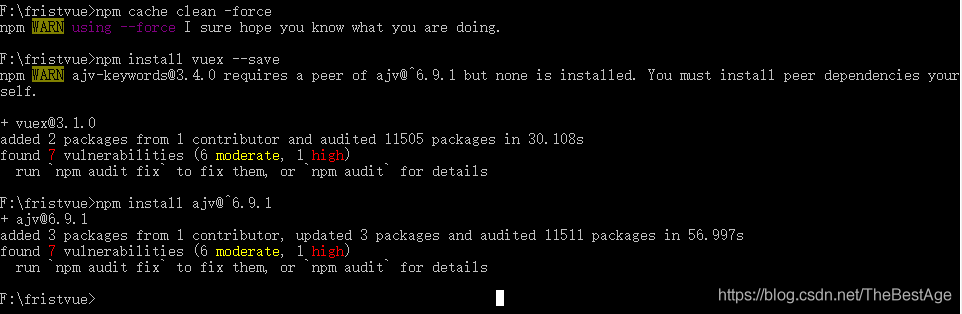
npm cache clean -force

3. Reinstall

npm install vuex --save


NPM error!
NPM error! Error :EPERM: operation is not allowed. Rename
NPM +EPERM+operation+not+ suspension +rename resolves

SQL server remote computer refused network connection, error: 1225, specific solution steps.

SQL Sever remote computer rejects network connection. Error: 1225.
This problem is very common, and the solution steps are very simple. For the convenience of my colleagues who are just beginners like me, the steps are specially illustrated and recorded. The following is the specific operation.
 
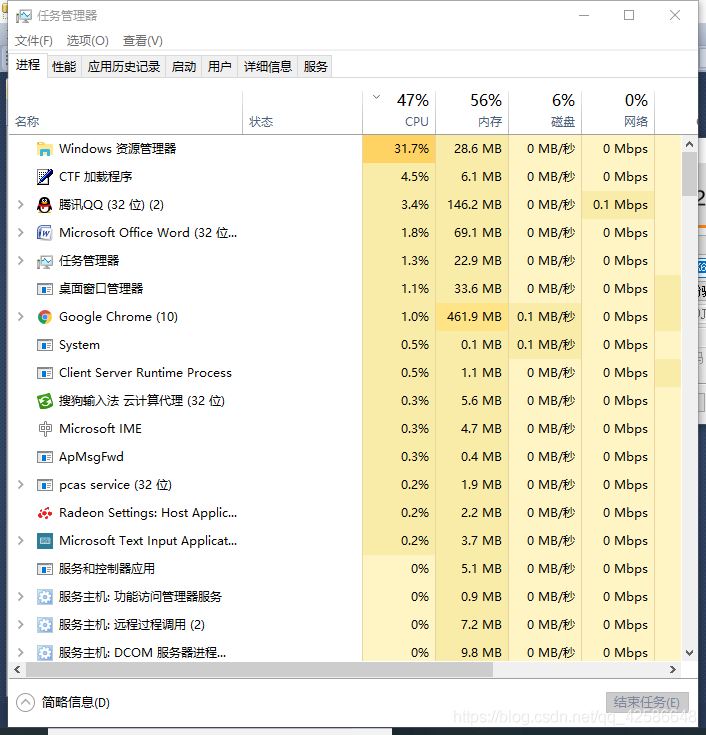
First, press the shortcut key: CTRL+SHIFT+ESC to open the task manager as shown below.

 
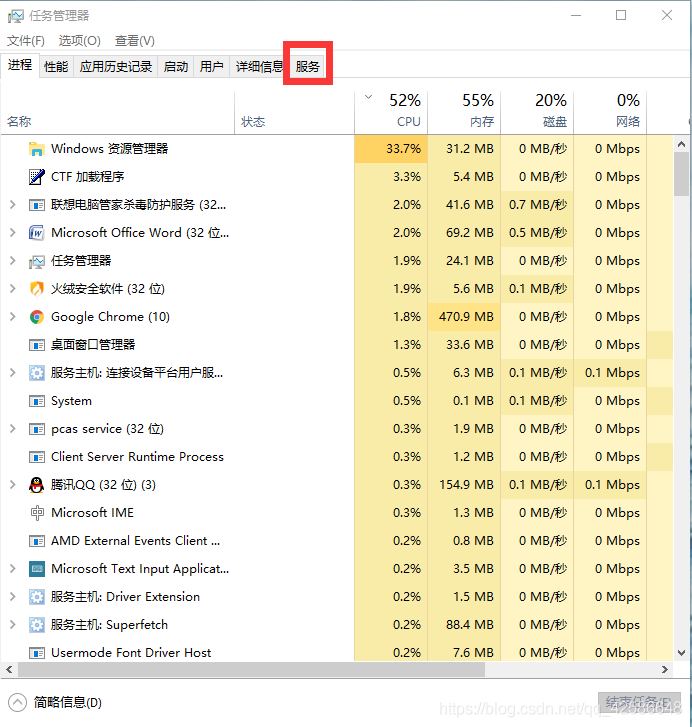
Second, select the Service option in the options bar at the top.

 
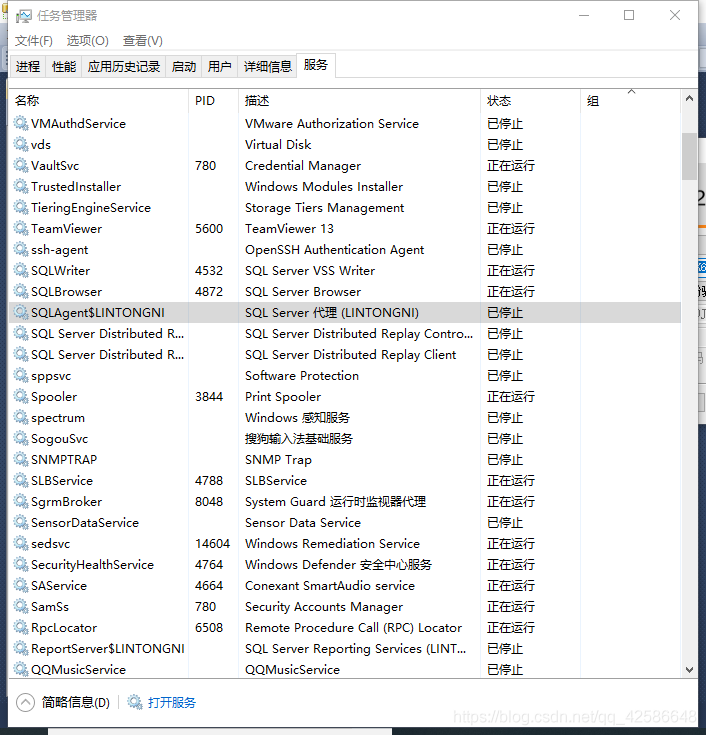
The third step is to find the SQL instance (the one you named before) and find that the state is “stopped”.

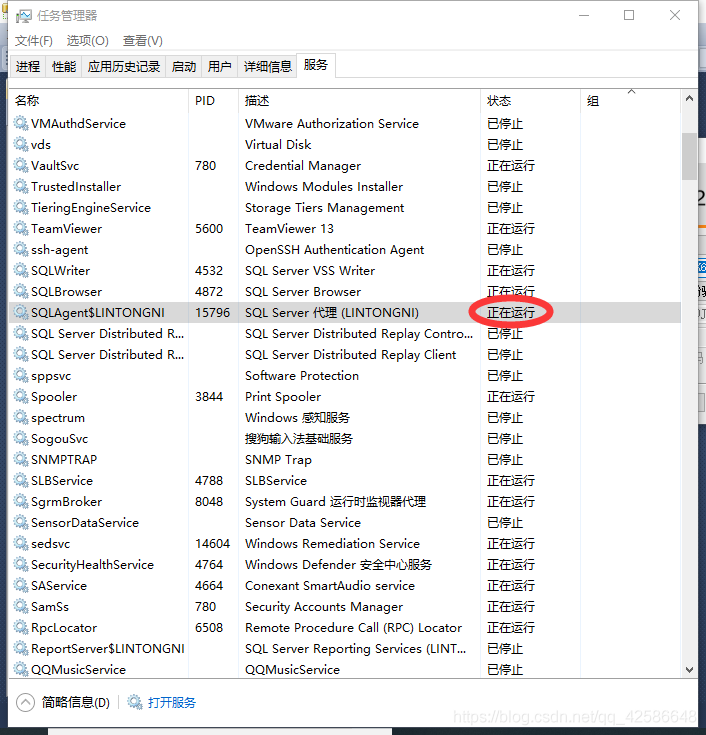
Step 4: Right click “Stop”, a drop-down appears, and select the “Start” option. Upon completion, the status is displayed as “Running”.

Step 5, restart SQL Sever, the connection can be used normally.

When WebSphere deploys a project, an error is reported: error 500: javax.servlet.ServletException : SRVE0207E: Uncaught initialization

 
Premise:
A normal Maven project, running locally with Tomcat, but on the webSphere test environment, reports the following error when accessed:
 
Error 500: javax.servlet.ServletException: SRVE0207E: Uncaught initialization exception created by servlet
 
Try to solve:
All sorts of things went awry, and Baidu probably did it because the JDK version of the project was not compatible with the JDK version of websphere
 
Final solution:
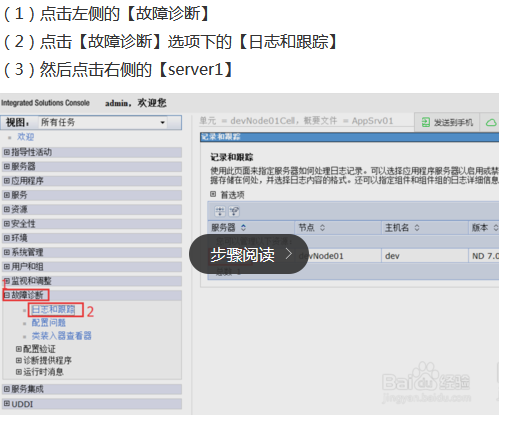
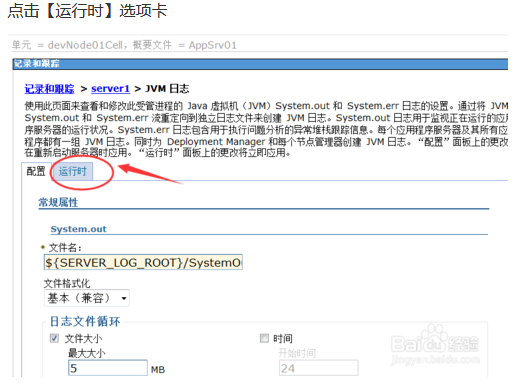
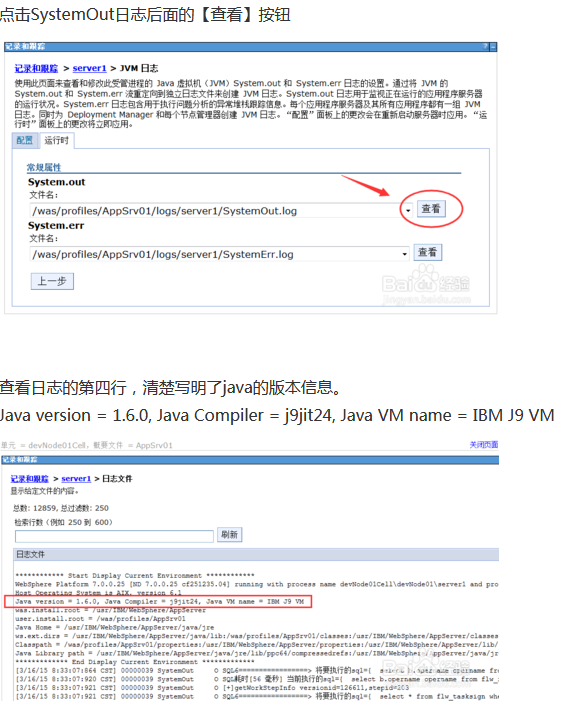
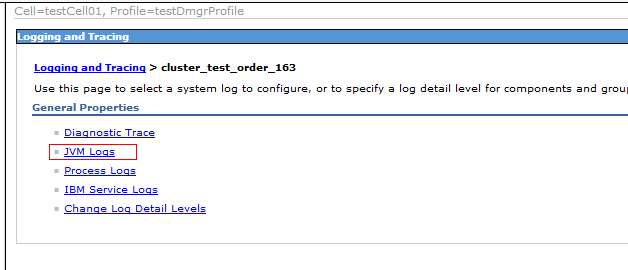
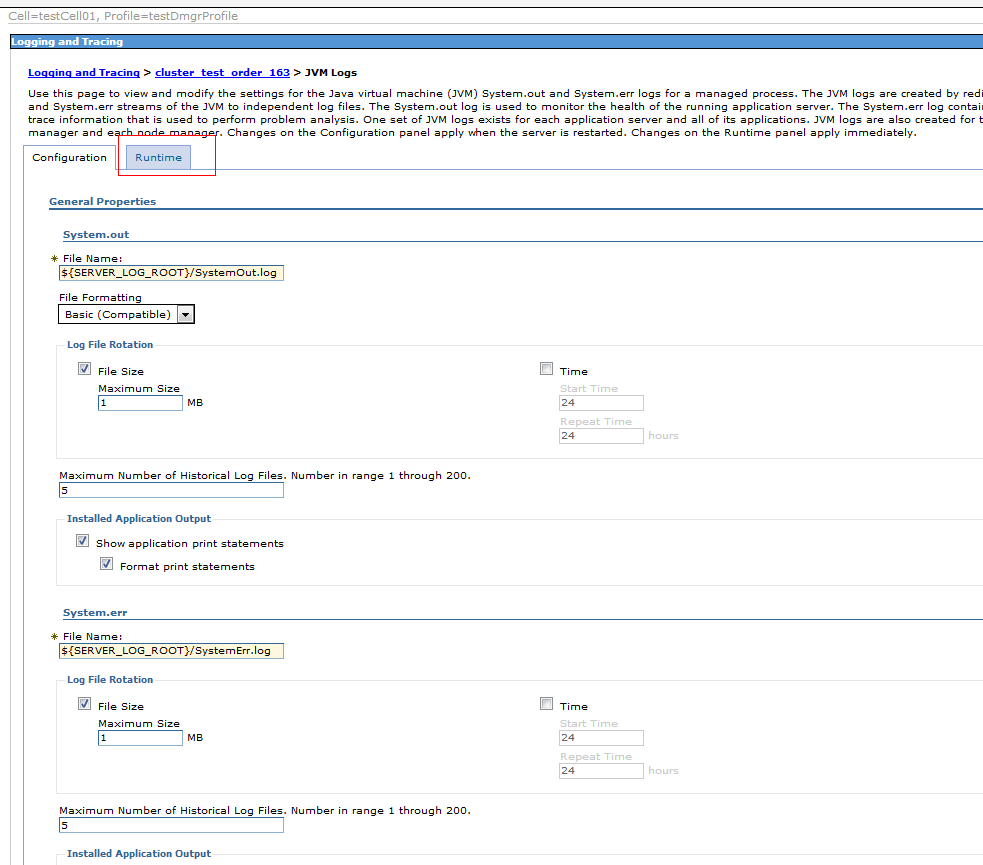
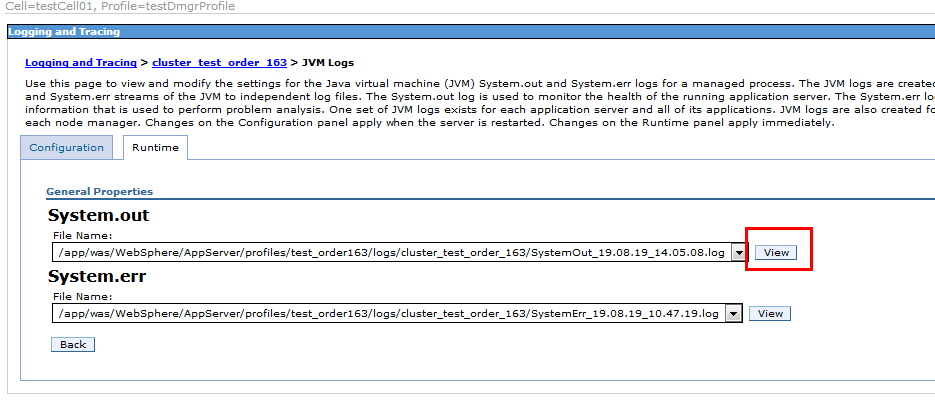
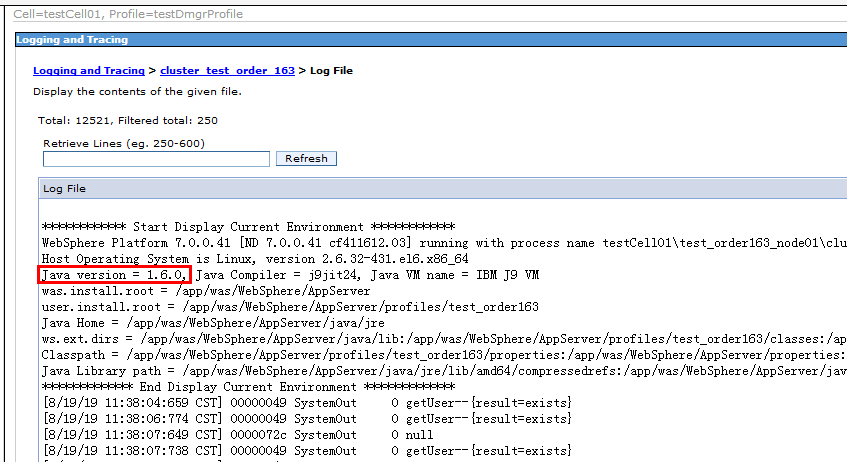
View the webSphere version as follows;
On the left side of the console:


It turns out that the webSphere version USES 1.6,
The JDK version of the local project is 1.8,
Since there are many projects deployed on webSphere, it would be more convenient to change the local project’s compile and run environment to 1.6.
Change the local project compilation environment to JDK 1.6, which is consistent with the webSphere JDK. Repackage, upload webSphere, and fix the problem.
 —————————–
Appendix:
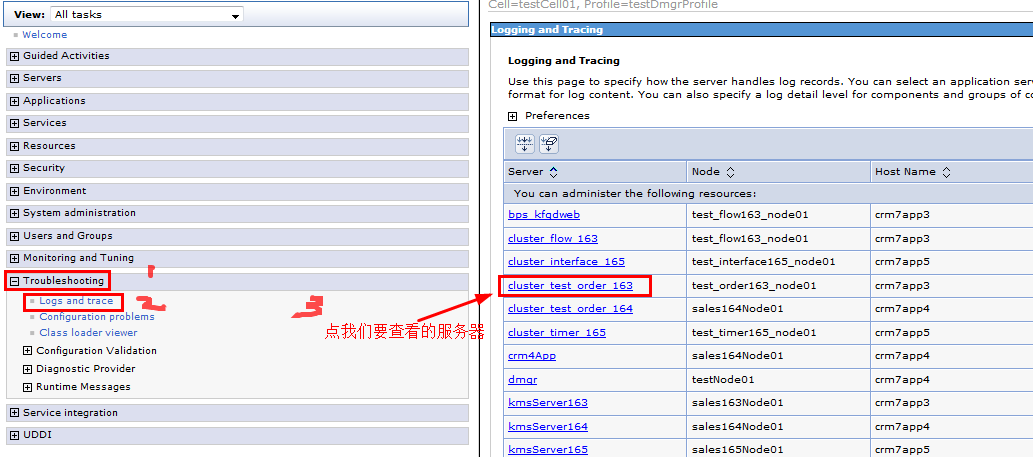
English version websphere view the JDK version of a deployment server:


Category: websphere, project deployment configuration

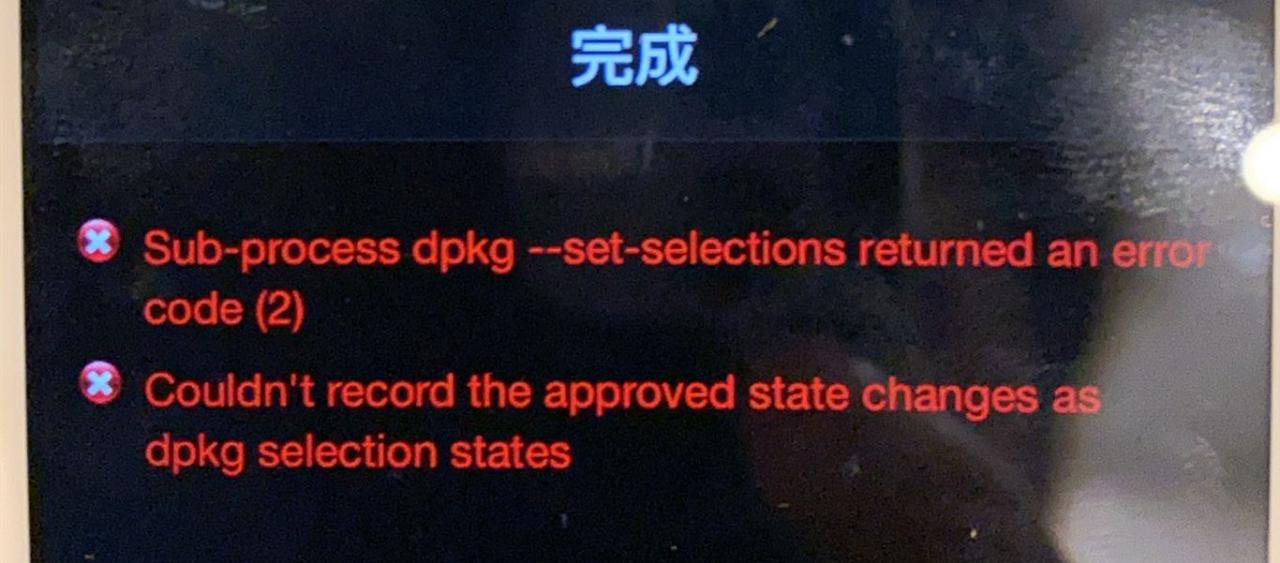
Solve the red letter prompt “sub process / usr / bin / dpkg returned an error code (2) in Cydia

“Sub-process/usr/bin/ DPKG returned an error code(2)
” will not be able to uninstall the plug-in and install
Solution: Go to this path /var/lib/dpkg/(you can use Filza, or connect to your computer to use an assistant), change the file name in the red box to: “Available” and rename it to “available-bak”; Rename the “status” to “status-BAK”, rename the “available” to “available”, and rename the “status-old” to “Status”. If you don’t have any files, you don’t need to change them. Reopen Cydia.
If it is found that such errors still occur
 

Error. JPG
Enter the path of /var/lib/ DPKG /updates/ directory to delete all the files, (backup files are recommended before operation) enter the path of /var/lib/ DPKG/then change the “available-bak” file to “available”, reopen Cydia to solve! .

Call to a member function fetch_assoc() on a non-object

code is as follows:

require_once ‘.. /pd_inc/pd_mysqlHelper.class.php’;

$prov = array ();

$my = new mysqlHelper();

$my-> Execute_dml (‘ use city);

$query = $my – & gt; Execute_dql (” call pd_seek_city (1, 0, null, null);” );

the while ($res = $query – & gt; fetch_assoc()){

$prov [] = $res;

}

?>

// newbie cute new, please great god more advice, please

Error: cannot load system.img problem

If the system. Img is too large, it often causes an error: cannot load the system. Img problem.
This method can be used to solve:
Fastboot flash -S 256M system. Img,
If it doesn’t work, use it
Fastboot flash-s 128M system. Img,
Flexible adjustment.