Category Archives: How to Fix

ModuleNotFoundError: No module named ‘mmcv._ext

Problem: when installing mmdetection, mmcv is often installed, module not founderror: no module named ‘mmcv_ The problem of ext ‘pip install mmcv

use:

pip install mmcv-full

If you have any strange problems, please use the version of mmcv that matches your environment, such as:

pip install mmcv-full==latest+torch1.5.0+cu101 -f https://openmmlab.oss-accelerate.aliyuncs.com/mmcv/dist/index.html

For the specific version, please refer to the GitHub description of mmcv. The link is as follows:

https://github.com/open-mmlab/mmcv

ValueError: num_samples should be a positive integer value, but got num_samp=0

I encountered some problems while debugging the code on baseline. At that time, I reported an error and couldn’t find the reason repeatedly. Later, inspired by the following blog, I finally solved the problem. I will summarize this problem again

https://blog.csdn.net/xnmc2014/article/details/85557384

The problem may be the following: pay attention to the parameters when calling dataloder

self.train_dataloader = DataLoader(train_dataset, batch_size=TrainOption.train_batch_size, shuffle=TRUE, num_workers=TrainOption.data_load_worker_num)

The parameter setting of shuffle is wrong, because there is already a batch_ Sample, there is no need to shuffle for random sample, so shuffle here should be set to false.

com.mysql.cj.exceptions.NumberOutrange

Com.mysql.cj.exceptions.numberoutofrange: value ‘13873421234’ is outside of valid range for type Java. Lang.integer
the database is bigint
this error first check whether the XML configuration is wrong
select id = name “resulttype = entity class
check whether the type of entity class is wrong
java passes long

Caused by: java.sql.SQLException: Parameter index out of range (1 > number of parameters, which is 0

1、 Error analysis

It can be seen from the error prompt that the actual parameters passed in are larger than the parameters to be set in SQL, that is, the parameters in SQL?Less than parameter or?There is no
cause at all

? The number is surrounded by single quotation marks

For example:

sql += " and article_title like '%#{articleTitle}%'";

2、 Solutions

Remove single quotes

The above SQL is changed to:

sql += " and article_title like concat('%',#{articleTitle},'%')";

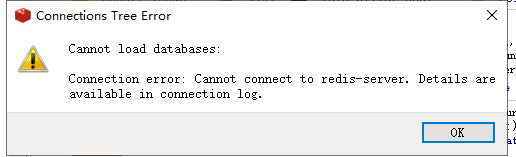
Connection error:Cannot connect to redis-server. Details are available in connection log.

The redis process has not started, and the following situation occurs

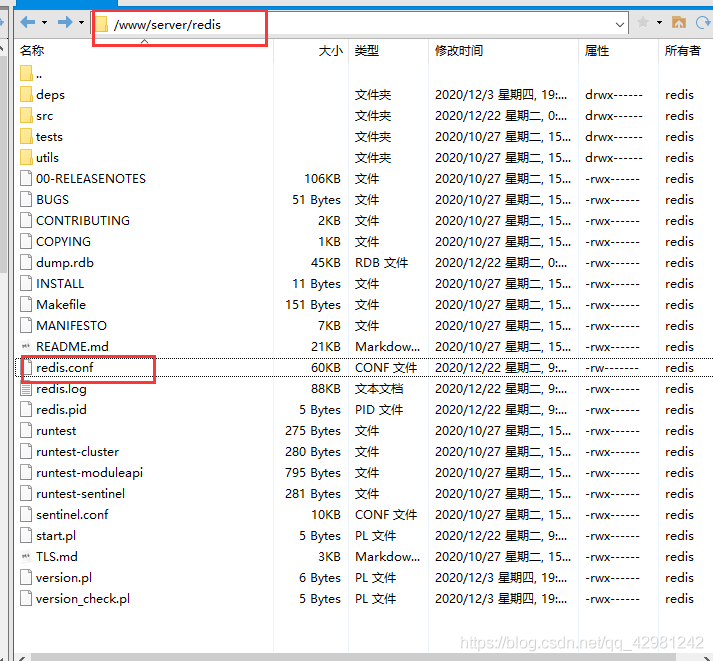
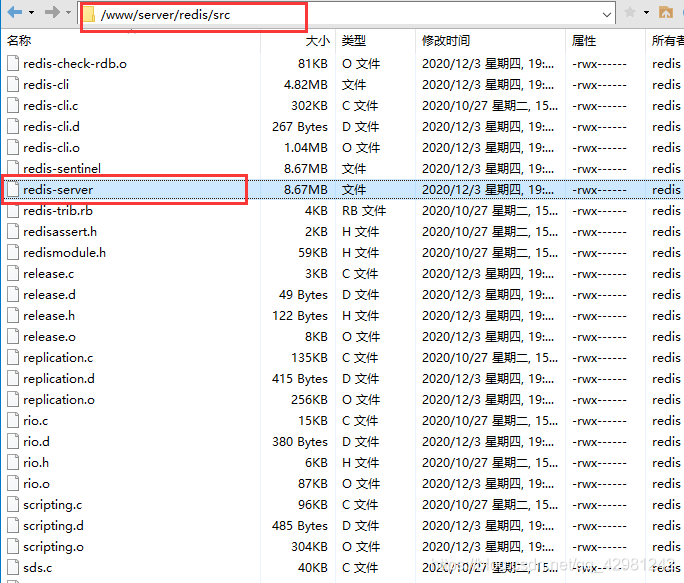
reloads the configuration, and the directory does not use the absolute path to restart. My redis is installed in the pagoda
redis.conf in the/www/server/redis directory

redis server in the/www/server/redis/SRC directory

Restart profile

/www/server/redis/src/redis-server /www/server/redis/redis.conf

Profile validation

Android Studio Series: after Android studio is opened, the project window will not be displayed.

My android studio version is 4.0.2. Today, I double-click the Android studio icon, and suddenly the project window will not be displayed.

Open the environment variable and create a new user variable JDK_ Home , the value is the installation path of JDK. Create a new user variable instead of a new system variable. System variables need to be restarted to be valid.

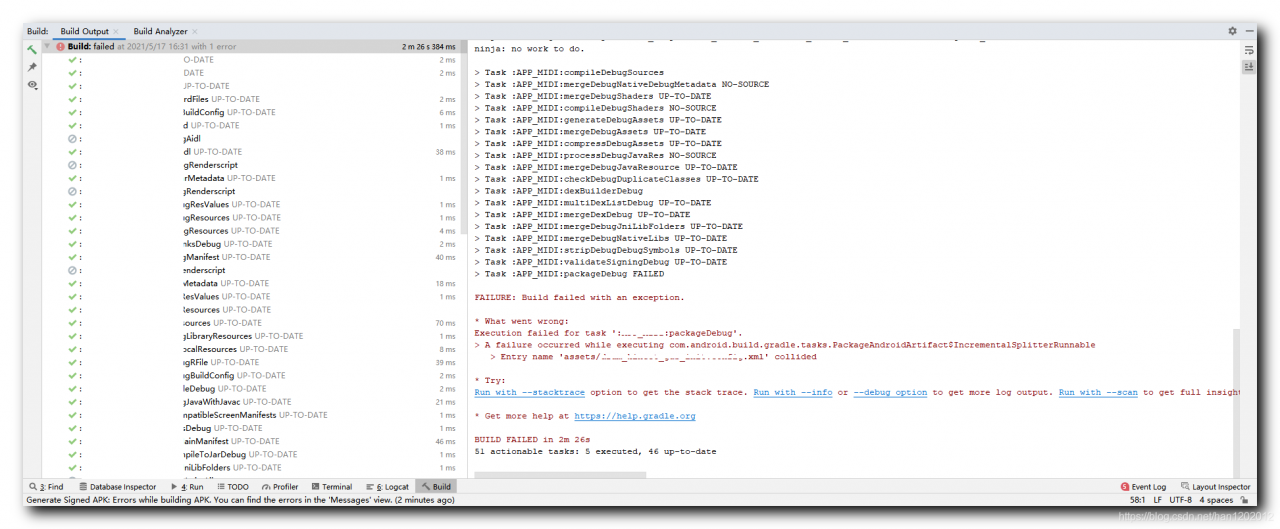
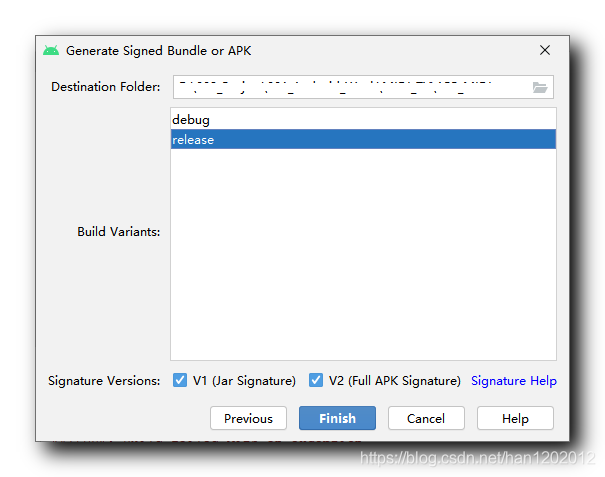
[error record] Android App packaging error (entry name ‘assets / xxx. XML’ merged)

Contents of articles

1、 2. Solutions

1、 Error information


When packaging and compiling Android applications, the following error is reported:;

FAILURE: Build failed with an exception.

* What went wrong:
Execution failed for task ':app:packageDebug'.
> A failure occurred while executing com.android.build.gradle.tasks.PackageAndroidArtifact$IncrementalSplitterRunnable
   > Entry name 'assets/xxx.xml' collided

* Try:
Run with --stacktrace option to get the stack trace. Run with --info or --debug option to get more log output. Run with --scan to get full insights.

* Get more help at https://help.gradle.org

BUILD FAILED in 2m 26s
51 actionable tasks: 5 executed, 46 up-to-date

2、 Solutions


The reason for the above error is that there is already a file in the target path to generate APK. Just delete the APK installation package generated last time;

Vscode setting console. Log () shortcut method

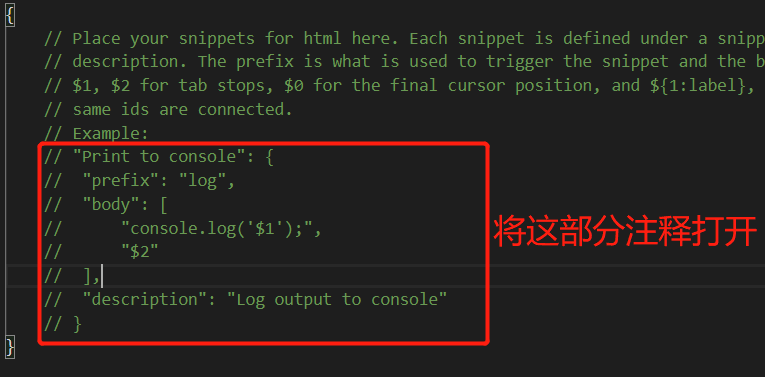
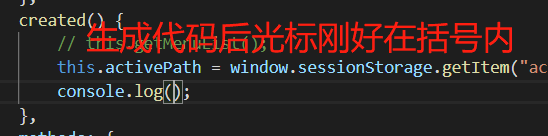
Console.log is a very frequently used code in our daily front-end development, so how can we quickly type it in the vscode Compiler. In fact, it’s very simple, just two steps:

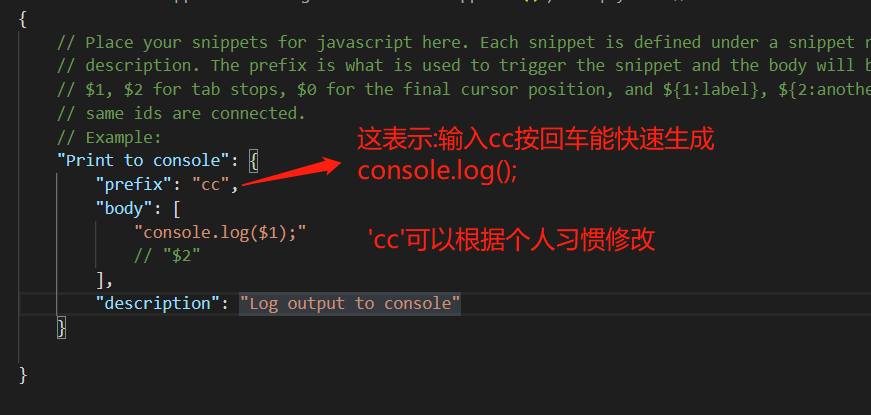
1. Open the file in vscode → preferences → user code fragment → search JavaScript in the search box and select JavaScript. JSON 2. Then we can open the key comment code in it

  After opening, you can modify the code appropriately to see your personal habits

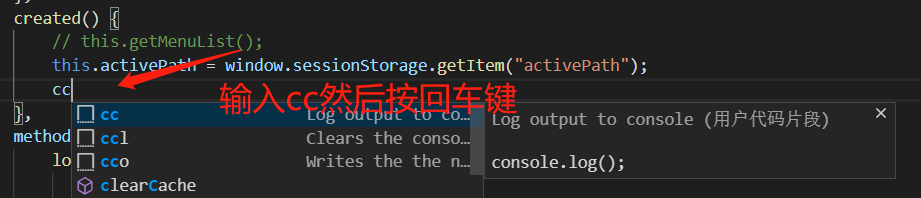
After saving, see the effect:

  The effect of carriage return is as follows:

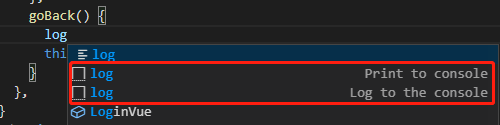
If you continue to use log as the keyword, choose the one in the figure below, otherwise console. Log () will not be displayed


ERROR 2000 (HY000): Unknown MySQL error

After the installation of mysql5.7 physical machine, modify the binlog log in my.cnf, restart mysql, log in and connect to MySQL with the client of the machine, and report error 2000 (HY000): unknown MySQL error. This error will also be reported when mysqldump exports data of all tables,

solve:

1. When using systemctl restart mysqld, you can’t connect by using Navicat, but after using systemctl stop mysqld, you can connect by using systemctl start mysqld, but you still can’t export data by using mysqldump connection.

2. Directly back up the data file on MySQL, and then use docker to install mysql5.7, copy the data file to/var/lib/MySQL, a permission error will be reported, and then change the permission to chown mysql:mysql datadir Can be used normally, user name root password root

reference resources: https://dba.stackexchange.com/questions/91712/whats-causing-this-error-2000-hy000-unknown-mysql-error