Bytes to STR
str (B, encoding = “UTF-8”)
str(b, encoding = “gbk”)
Encoding is written in the original byte variable encoding, what type of encoding byte to be converted into what type of encoding string
Bytes to STR
str (B, encoding = “UTF-8”)
str(b, encoding = “gbk”)
Encoding is written in the original byte variable encoding, what type of encoding byte to be converted into what type of encoding string
Error 1064 (42000) from mysqldump command
Mysqldump – uroot – P library name & gt/ Backup path/backup file name. SQL;
Always report error:
ERROR 1064 (42000): You have an error in your SQL syntax; check the manual that corresponds to your MySQL server version for the right syntax to use near ‘mysqldump -uroot -p bank>/ Users/F/bank_ back.sql’ at line 1
resolvent:
Input mysqldump command directly in the terminal, do not input mysqldump command after logging into the database.
Special thanks to the original author guanggulala.
React using protable prompts:
// https://github.com/ant-design/ant-motion/issues/44
.bezierEasingMixin();
^
Inline JavaScript is not enabled. Is it set in your options?
      Error in /Users/jun/object/aoi/node_modules/antd/es/style/color/bezierEasing.less (line 110, column 0)

webpack compiled with 67 errors
Solution:
webpack.mix.js configures webpackconfig and enables JavaScript enabled for less loader
mix.js('resources/js/app.js', 'public/js')
    .react()
    .webpackConfig({
        module: { rules: [{
            test: /\.less$/,
            use: [
                {
                    loader: "less-loader",
                    options: {
                        lessOptions: {
                            javascriptEnabled: true,
                        }
                    }
                }
            ]
        }]}
    })
    .sass('resources/sass/app.scss', 'public/css', [
    ]);
Some time ago, when we encountered such a problem in development, we reported the following error when a service called B service:
error while extracting response for type [Java. Util. List & lt; java.util.Map< java.lang.String, java.lang.Object>& gt;] and content type [application/json; charset=UTF-8]; nested exception is org.springframework.http.converter.HttpMessageNotReadableException: Invalid JSON input: Cannot deserialize instance of java.util.ArrayList< java.util.Map< java.lang.String,java.lang.Object>& gt; out of START_ OBJECT token; nested exception is com.fasterxml.jackson.databind.exc.MismatchedInputException: Cannot deserialize instance of java.util.ArrayList< java.util.Map< java.lang.String,java.lang.Object>& gt; out of START_ OBJECT token\n at [Source: (PushbackInputStream); Line: 1, column: 1]
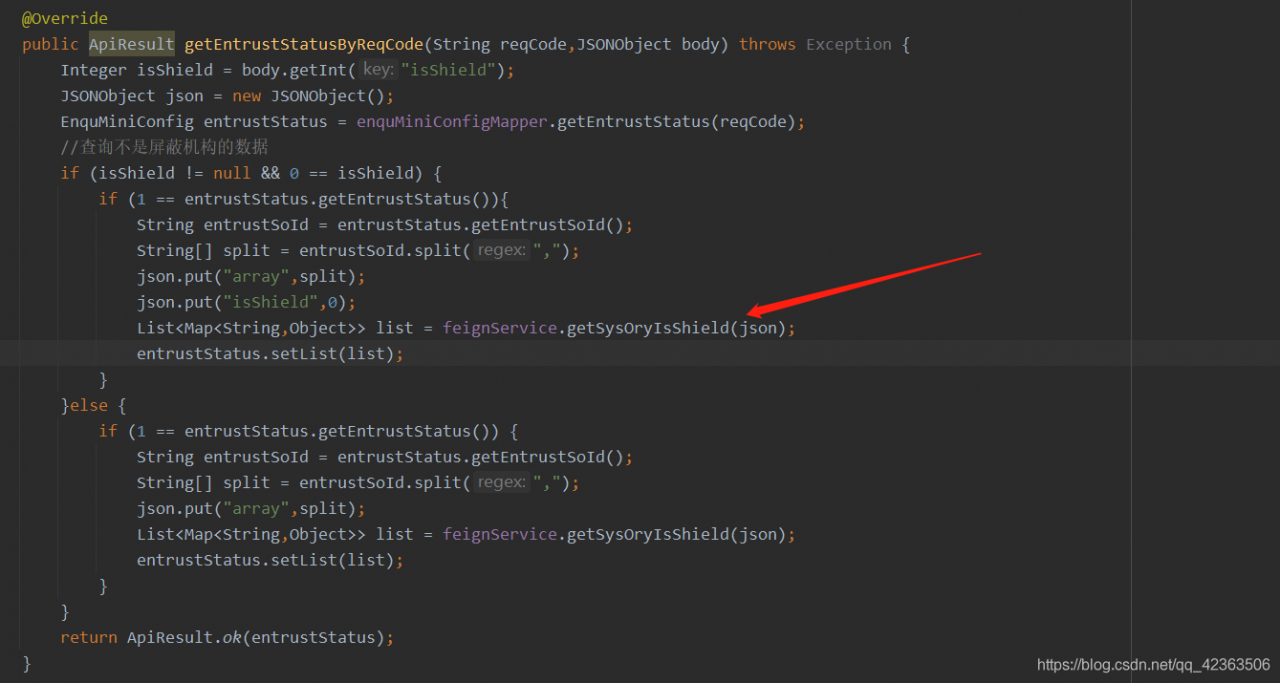
the red arrow is the code for service a to call service B. at that time, I searched Baidu online for a long time, and most of them said that there was a configuration problem. However, combined with the configuration posted by online friends, and then compared with the configuration of our service, we found no problem in the configuration of our service, Finally, through continuous debugging test and troubleshooting, we can eliminate all possible causes of this kind of bug. Finally, we lock the target to the response of the red arrow in the second picture. At the beginning, response = apiresult.class is a fixed return JSON lattice that we encapsulate, At that time, I didn’t doubt that this problem was caused by the annotation of swarge, which should not affect the returned result. But later, I changed the returned result to * * response = list. Class * * and the problem was solved

Insert the picture description here
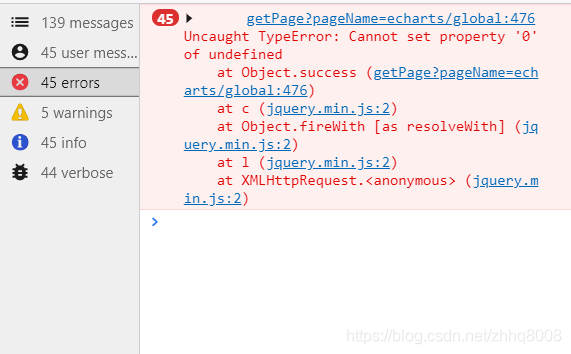
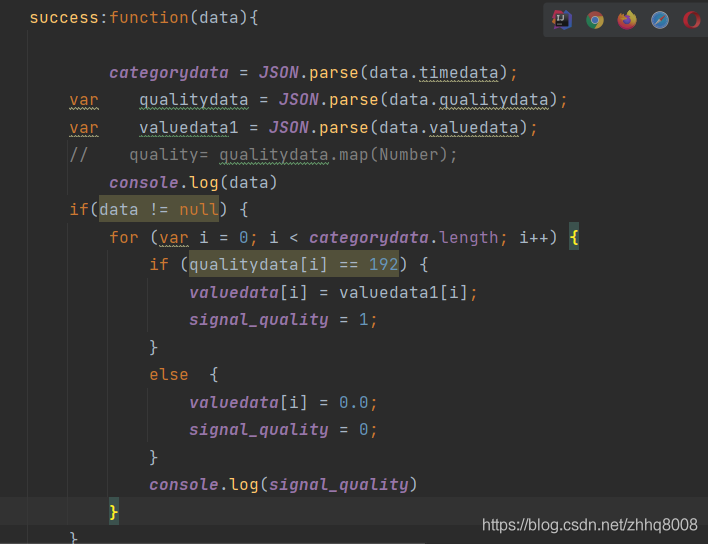
Error reason: valuedata is not defined as an array variable
[2021-06-29 09:30:55.391] [MySQL] [000071] [MySQL] you have an error in your SQL syntax; Check the manual that responses to your MySQL server version for the right syntax to use near 'insert to Dept (ID, name, PID) values ('1000','head office ',') 'at line 1
An error has been reported
TypeError: ArrayField.empty_field: return type `None` is not a `<class 'alleSolution:
the error comes from the overlaps package. Replace it with an older version
PIP install overlaps = = 4.1.2
After the Flink cluster is started, access the http://10.10.10.150 :44973
Report the following error
{“errors”:[“Service temporarily unavailable due to an ongoing leader electio
Please check the mapping relationship between/etc/hosts server name and IP, if not, add it
For example: 10.10.15.10 hhht_ mk_ it
Restart the Flink cluster.
When installing node in centos7 virtual machine, an error is reported: cannot find module ‘…/lib/utils/unsupported. JS’. The complete error is as follows:
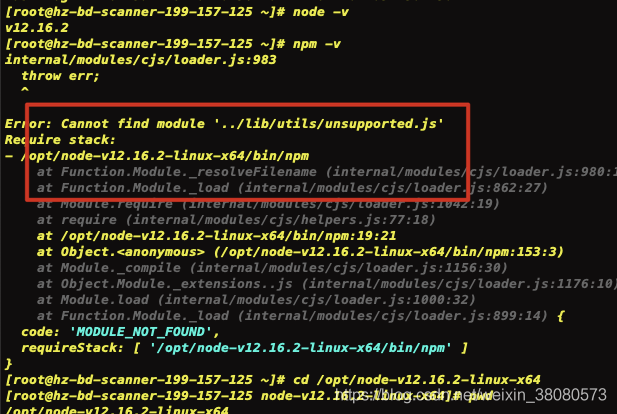
the prompt is that an unsupported.js file cannot be found. Finally, it is found that the soft connection is wrong when installing this version of node in centos7, This problem may not be solved by re installation (at present, I only encounter this problem in the virtual machine of centos7). Delete the original NPM connection and re create one.
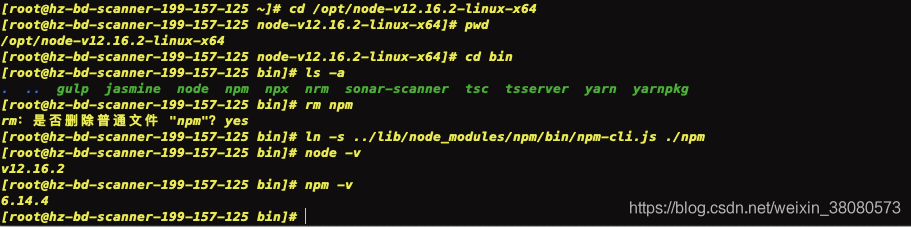
1. First, download the CD to the bin folder of the node version, where version 12.16.2 is installed
cd /opt/node-v12.16.2-linux-x64/bin
2. Delete the NPM file in the path, and enter yes when prompted
rm npm
3. Reestablish file connection
ln -s ../lib/node_modules/npm/bin/npm-cli.js ./npm
Using NPM – V command again, it is found that it is almost OK.
the whole operation is shown as follows:
Today, when learning Django framework, I wrote the following command:
from django.utils.six import BytesIOAfter that, an error is reported as follows:

I looked up the relevant documents, various, did not come to the point.
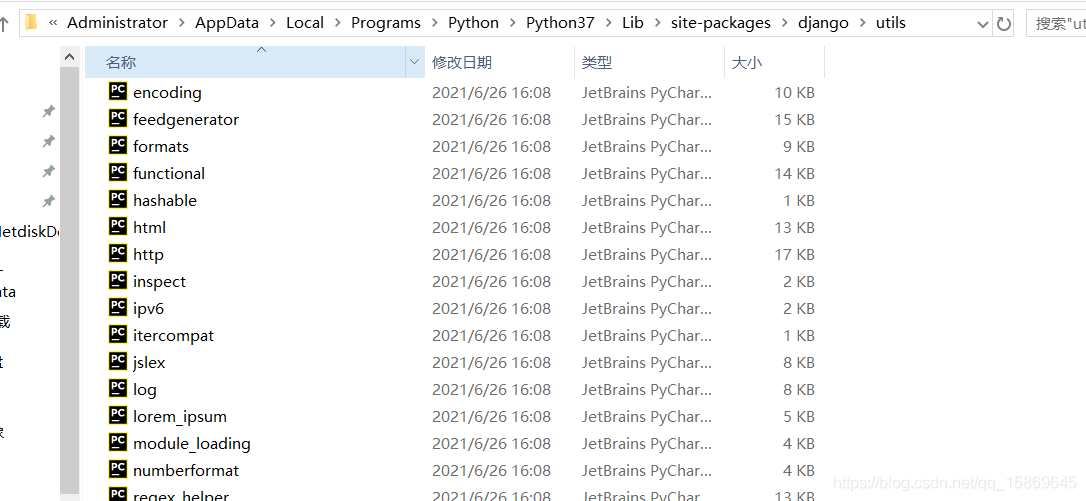
In fact, the root of this problem is very easy to understand: there may be no such file as six. Py under the path of Django/utils /!!
Taking this machine as an example, I first checked the following path. There is no file “six. Py”.
Next, I chose to use the command line:
pip install sixBut the previous command still runs and reports an error, although the six. Py has been downloaded.
At this time, you need to go to your PIP folder and find the file “six. Py”
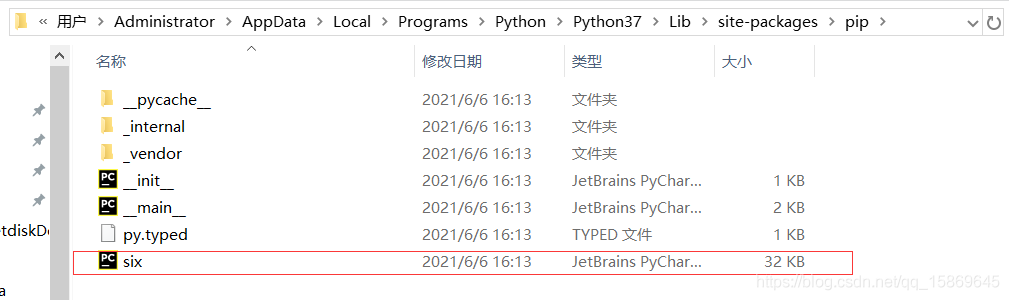
Then copy the file and paste it under the path of Django/utils
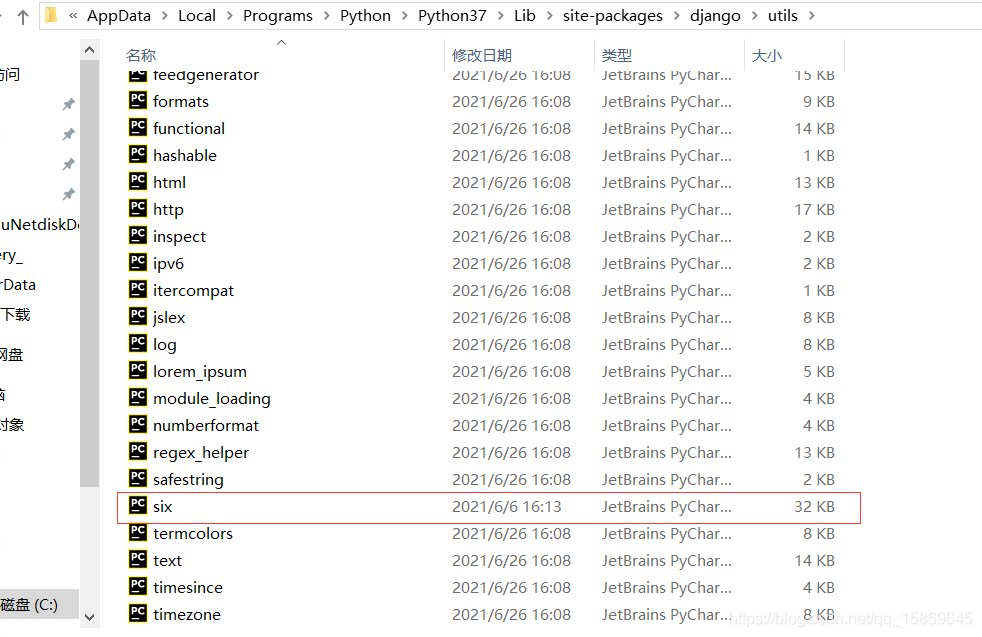
At this point, rerun the command
from django.utils.six import BytesIOAfter running successfully, no error is reported

It’s done!!
Today, after successfully installing pydev with eclipse, try to run it. Since the creation date of the file contains Chinese characters by default, the Unicode error as shown in the figure appears after running
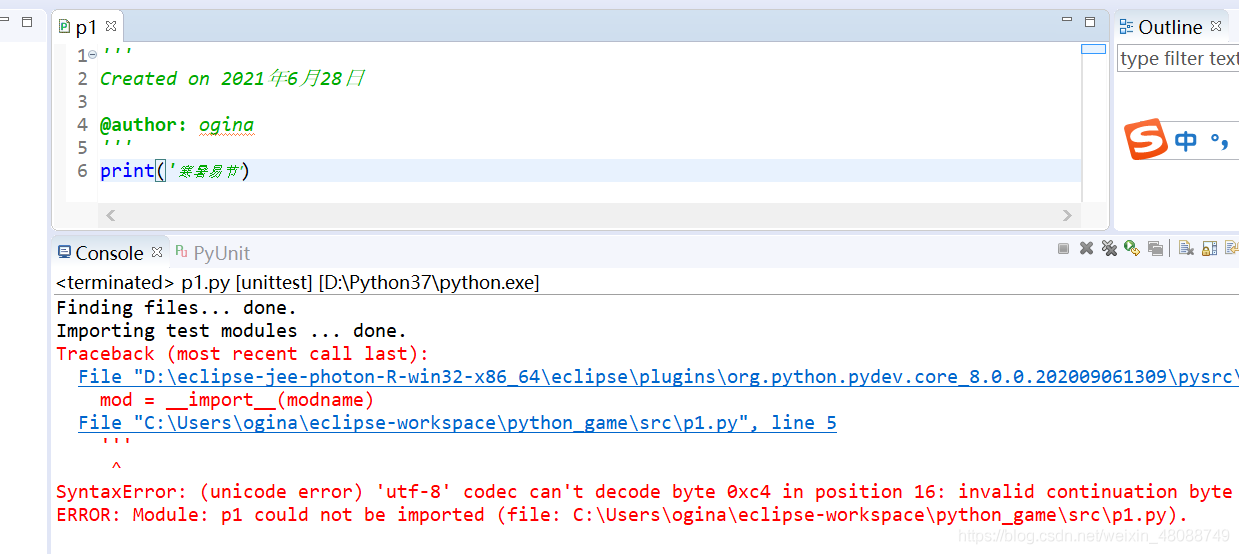
Online solutions to find two, and then I have derived a third (focus). The method is as follows
Method 1: File & gt& gt; Properties>& gt; Text file encoding>& gt; O ther:utf-8
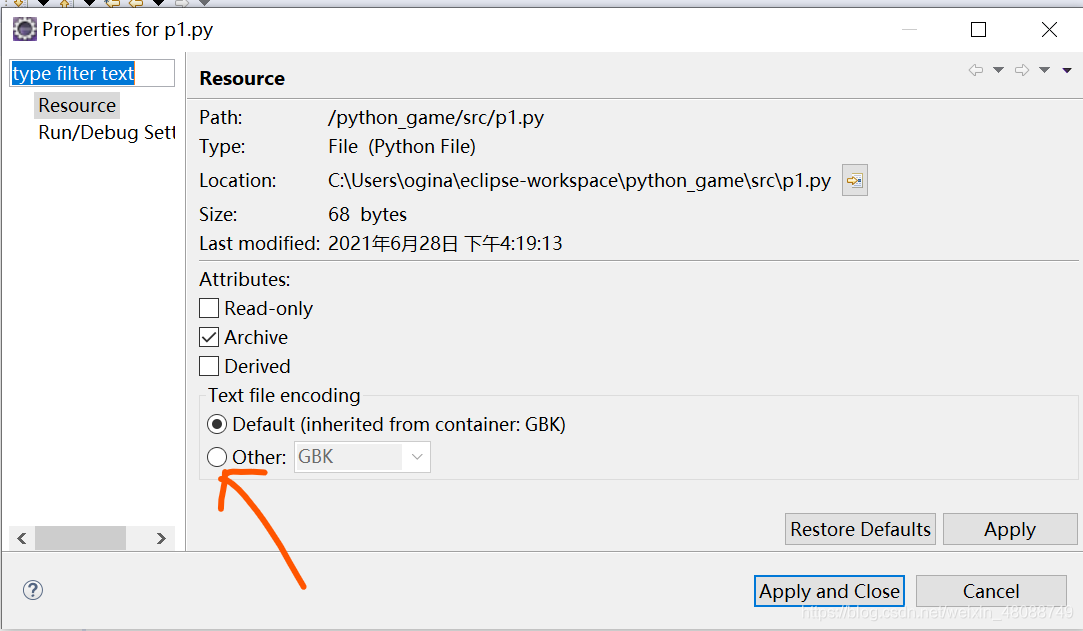
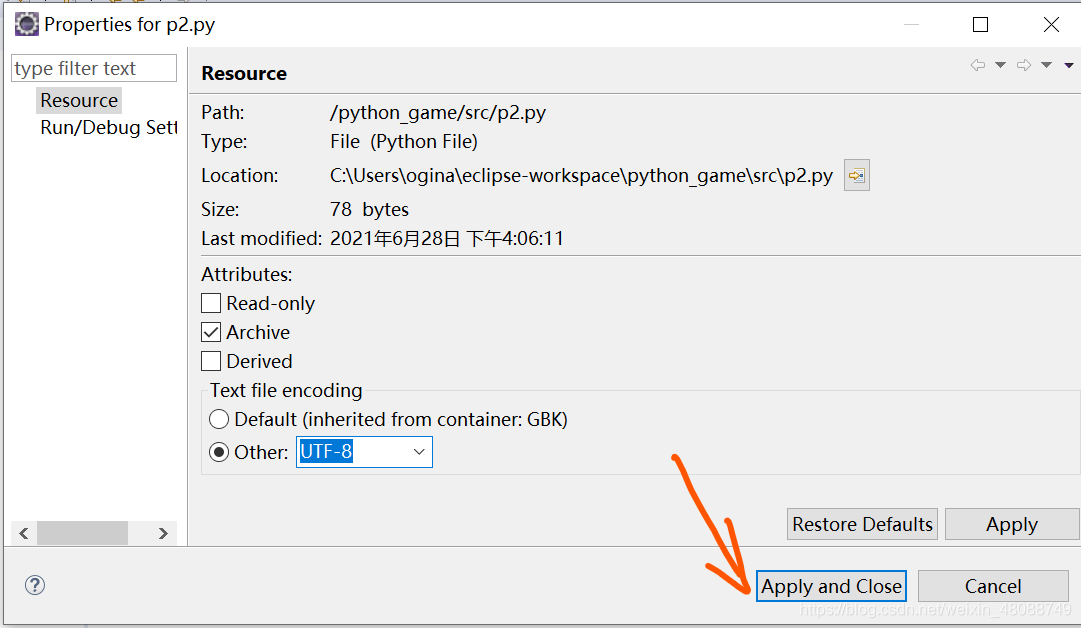
After completing the above steps, there will be garbled code, delete and re-enter Chinese characters can be normal operation!
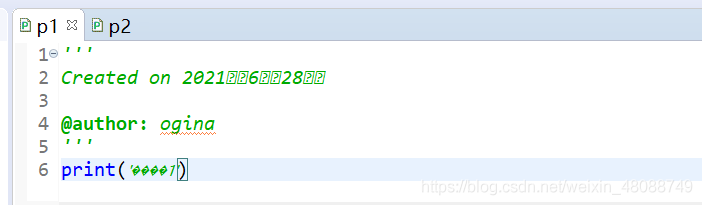
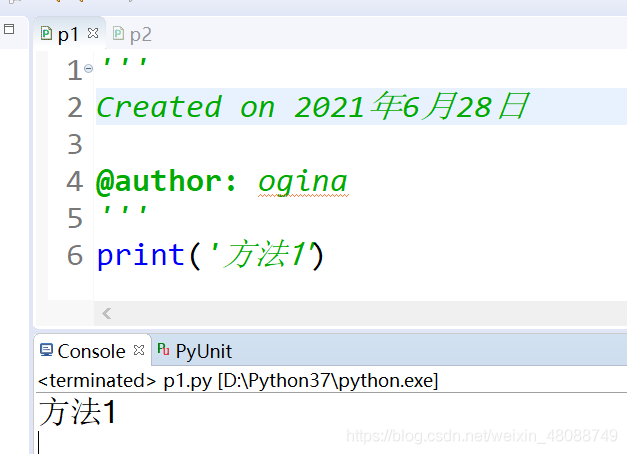
Method 2: edit & gt& gt; Set Encoding & gt;& gt; O ther:utf-8 (the same as the method one by one, there will be garbled codes. Just delete them and input them again.)
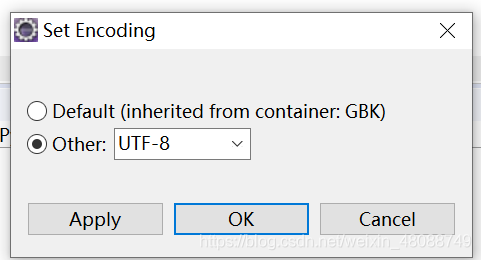
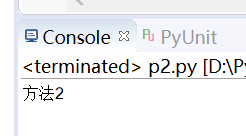
Method 3: right click on the python project/Package & gt& gt; Properties and method 1 are similar operations
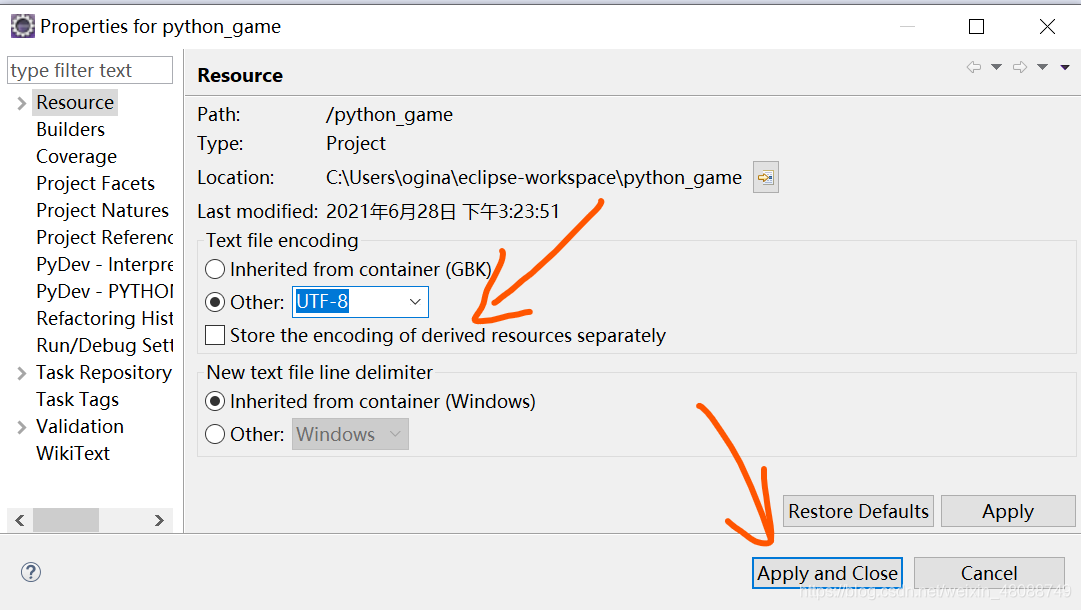
The first two methods are both temporary but not permanent, that is, they can only solve the Unicode error of the current file, and a new Python file will still have a Unicode error; After using method 3, as long as the file is created under the project, its encoding is UTF-8, and there will be no Unicode It solves the problem from the root.
Method 3: discovery process
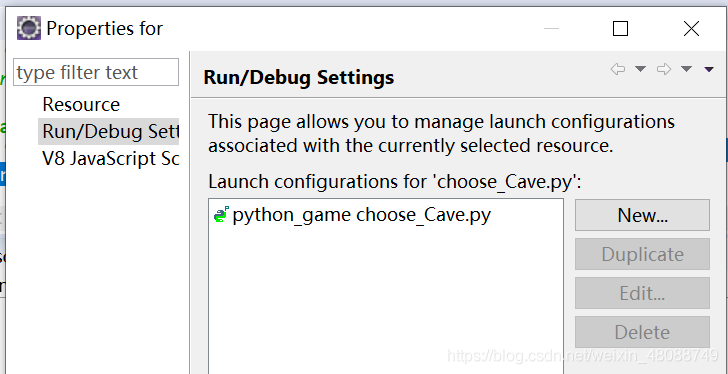
In method 1, in properties & gt& gt; In run/debug setting, I found that the current code setting object is only the current file, so I thought of giving it to the whole python Project to set the encoding, so right-click the mouse on the project, found the projperties option, according to the operation of method 1 to try, successfully solved the Unicode problem So there is method 3

1, no configuration
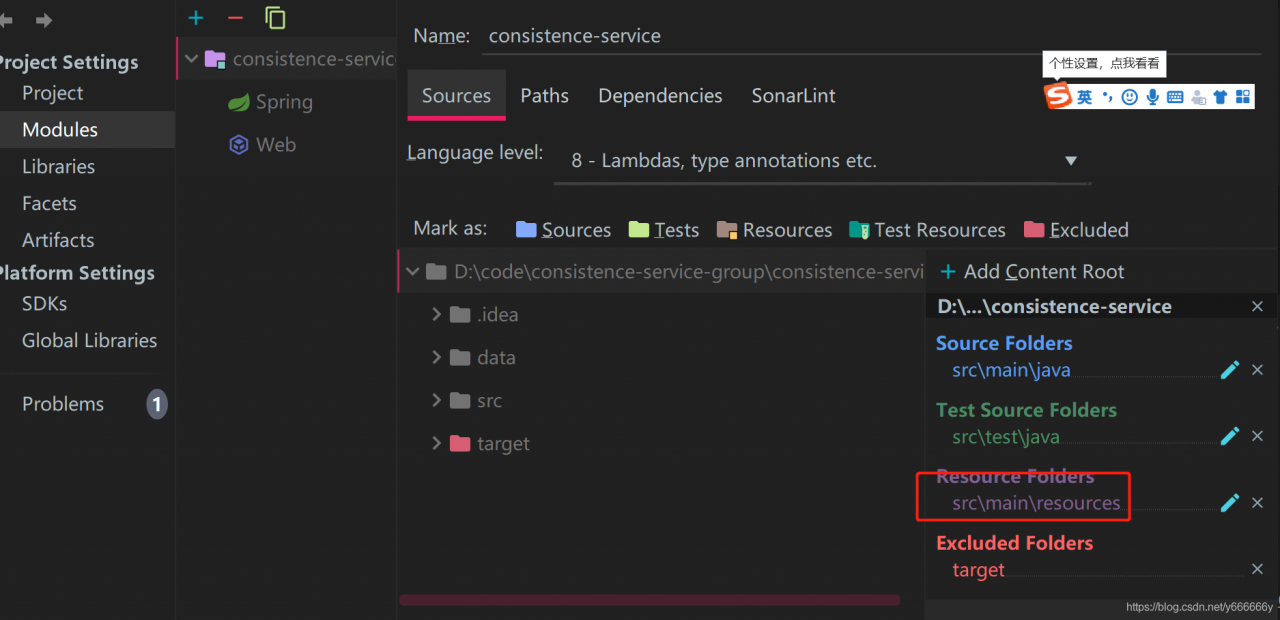
2. The resource directory is not added to the resource directory