Category Archives: Error

Websocket: How to Fix Error Read Econnreset

error message

events.js:141
      throw er; // Unhandled 'error' event
      ^

Error: read ECONNRESET
    at exports._errnoException (util.js:870:11)
    at TCP.onread (net.js:544:26)

terms of settlement

Add event monitoring of error and close

var ws = require("nodejs-websocket");  
var fs = require("fs");  
var zmqutil = require('./zmqutil')

var server = ws.createServer(function (conn) {  
    console.log("connection sussess");  
    var push = zmqutil.socket('push')
    push.connect('tcp://127.0.0.1:7113')

    conn.on("close", function (code, reason) {
        console.log("close connection")
    });
    conn.on("error", function (code, reason) {
        console.log("close error")
    });

    ......
}

When integrating redis with SSM framework, error creating bean with name ‘rediscontentserviceimpl’ defined in file

When integrating redis in SSM framework, error creating bean with name ‘rediscontentserviceimpl’ defined in file

Error report: there is a problem with bean dependency, that is, there is a problem with bean injection. Finally, we found that there was a problem with the version of the connection between redis and jedis. We found a new version and solved it.

        <dependency>
            <groupId>redis.clients</groupId>
            <artifactId>jedis</artifactId>
            <version>2.7.3</version>
        </dependency>
        <!-- spring-redis-->
        <dependency>
            <groupId>org.springframework.data</groupId>
            <artifactId>spring-data-redis</artifactId>
            <version>1.6.2.RELEASE</version>
        </dependency>


Error creating bean with name ‘redistemplate’ defined in class path resource

I set up a set of projects, using springboot version 2.3.0. When I started, I repeatedly reported errors, so I started a long journey of error finding. At first, I thought it was because the framework was not well configured. Finally, I found that it was the problem of redis.

Error one

org.springframework.data . redis.connection.RedisConnectionFactory ’ that could not be found

Error two

Error creating bean with name ‘redisTemplate’ defined in class path resource

reason

I report an error because I didn’t introduce the jedis dependency. Another reason is that the Maven dependent versions of jedis and spring boot starter data redis are incompatible, which is a common problem. The same is true when the jedisconnectionfactory cannot be created.

solve

Just introduce the jedis dependency to solve the problem

   <!--redis cache-->
   <dependency>
       <groupId>org.springframework.boot</groupId>
       <artifactId>spring-boot-starter-data-redis</artifactId>
   </dependency>
   <!--spring boot2.x The above version needs to be introduced, otherwise the startup will report an error!-->
   <dependency>
       <groupId>redis.clients</groupId>
       <artifactId>jedis</artifactId>
   </dependency>

Launch again

perfect solution~

K8S error validating data: ValidationError(Deployment.spec): missing required field selector

The following error is reported

This is an error when I execute the pod copy of the deployment controller. The meaning of the error is:
deployment verification error. The selector parameter must be specified in the deployment spec module.

Original yaml file

In Deployment.spec In the module, only the number of replicas is specified, and the replica label needs to be specified to match the deployment controller

apiVersion: apps/v1     #Api interface version
kind: Deployment #define controller
metadata:      
 name: nginx-deployment #deployment name
spec:       
 replicas: 3 #Under the specific parameter information spec, only the number of replicas is specified, you also need to specify the replica tag to match the Deployment controller

 template:
   metadata: 
     labels: 
       app: nginx-deployment   
   spec:
     containers:    	
       - name: nginx-deployment  	
         image: nginx:1.7.9  
         ports:   	 
           - containerPort: 80

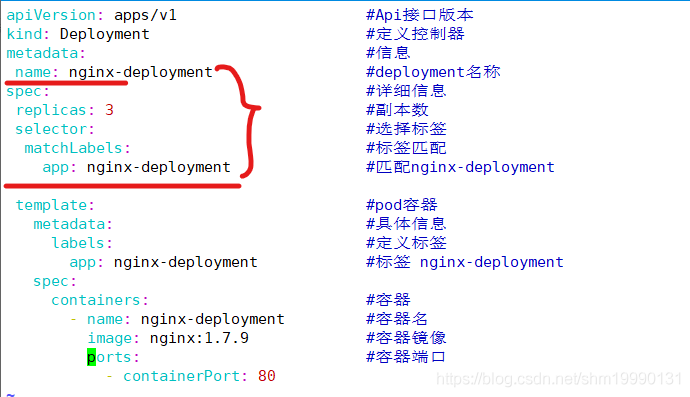
Solution: modify yaml file

As shown in the figure above, write the selector tag parameters of the full spec according to the tags on the picture, matching with pod and deployment

Execute yaml script

kubectl apply -f deployment.yaml --record

Vue Error in callback for immediate watcher “height”: “TypeError: Cannot read property ‘style’ of

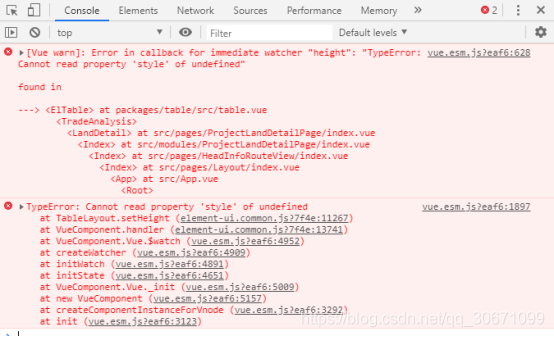
Vue error vue.esm.js?eaf6 :628 [Vue warn]: Error in callback for immediate watcher “height”: “TypeError: Cannot read property ‘style’ of undefined”

TypeError: Cannot read property ‘style’ of undefined

As follows:

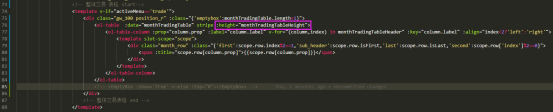
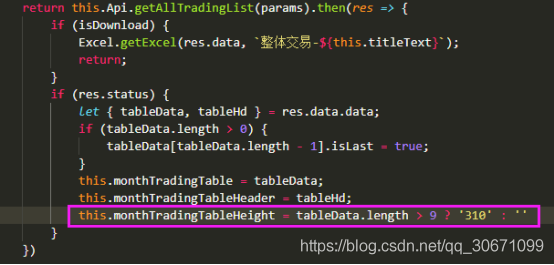
The error is because tabledata is an empty array this.monthTradingTableHeight This is empty

solve:

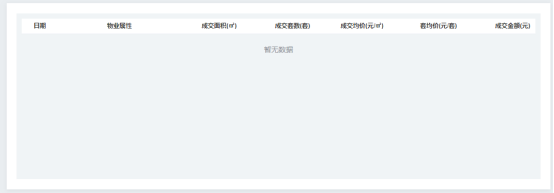
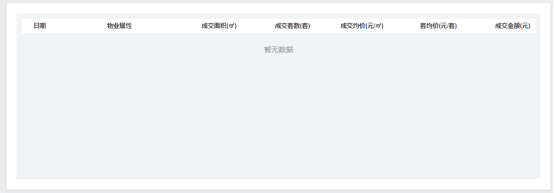
1. Do not render when there is no data, and add a style with no data

code:

effect:

2. Or HTML code unchanged, modify JS, and give it when there is no data this.monthTradingTableHeight If you assign a value or ‘auto’, you will not report an error

code:

this.monthTradingTableHeight = tableData.length > 9 ? '310' : 'auto'

effect:

Here I choose the first solution, which is to add a style with no data.

Error: uncaughtexception: cannot find module ‘internal / util / types’

Solution:
It is because the version does not match. I installed appium version is 1.4.16, and node version is v7.3.0, uninstalled node, and installed v6.9.4, perfect solution~
v6.9.4 download: v6.9.4 address
The error is as follows:
error: uncaughtException: Cannot find module ‘internal/fs’ date=Thu May 17 2018 20:39:28 GMT+0800, pid=8620, uid=null, gid=null, cwd=D:\appium\node_modules\appium, execPath=C:\Program Files\nodejs\node.exe, version=v7.9.0, argv=[C:\Program Files\nodejs\node.exe, D:\appium\node_modules\appium\bin\appium.js], rss=98328576, heapTotal=77393920, heapUsed=50451736, external=666939, loadavg=[0, 0, 0], uptime=34546.8093825, trace=[column=15, file=module.js, function=Function.Module._resolveFilename, line=470, method=Module._resolveFilename, native=false, column=25, file=module.js, function=Function.Module._load, line=418, method=Module._load, native=false, column=17, file=module.js, function=Module.require, line=498, method=require, native=false, column=19, file=internal/module.js, function=require, line=20, method=null, native=false, column=20, file=evalmachine.<anonymous>, function=null, line=18, method=null, native=false, column=1, file=D:\appium\node_modules\appium\node_modules\md5calculator\node_modules\unzip\node_modules\fstream\node_modules\graceful-fs\fs.js, function=, line=11, method=null, native=false, column=32, file=module.js, function=Module._compile, line=571, method=_compile, native=false, column=10, file=module.js, function=Object.Module._extensions..js, line=580, method=Module._extensions..js, native=false, column=32, file=module.js, function=Module.load, line=488, method=load, native=false, column=12, file=module.js, function=tryModuleLoad, line=447, method=null, native=false, column=3, file=module.js, function=Function.Module._load, line=439, metho

NPM run dev error Error:listenEADDRNOTAVAIL [How to Solve]

When running vue2.0 project with NPM run dev command,
half of the project is built with Vue cli scaffold

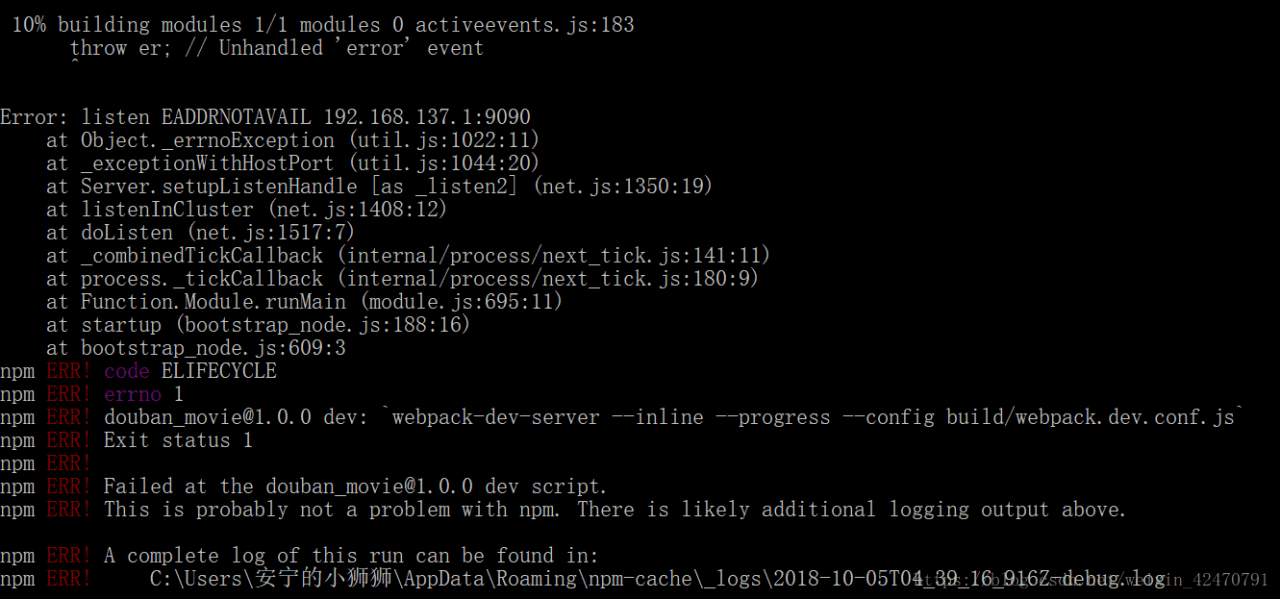
Error: listen EADDRNOTAVAIL 192.168.137.1:9090

The project cannot run,

Error report screenshot:

Error reason: static routing information in configuration has been changed

solution:
Open Directory/ index.js

 host: 'localhost',//Unchanged is filled in 192.168.137.1:9090  

If you need to access Vue project on your mobile phone, you can open the following link:
how to access Vue project on your mobile phone

Vue error in render: “typeerror: cannot read property ‘length’ of undefined”

Vue: error in render: “typeerror: cannot read property ‘length’ of undefined”

There are usually two situations:

1. Using length to report an error on the HTML tag of the template

When length is used in Vue, an error is sometimes reported as follows:

<div class="item_list" v-if="form.checkVal.length > 0" >list 1</div>
<div class="item_list" v-else >list 2</div>

resolvent:

Change to: form.checkVal !== undefined  &&   form.checkVal.length > 0

<div class="item_list" v-if="form.checkVal !== undefind && form.checkVal.length > 0" >list 1</div>
<div class="item_list" v-else >list 2</div>

2. Use length in JS to report an error, as follows

if(res.Data.length == 1){
   this.tableData1 = res.Data[0];
}

Error reason: at this time res.Data No data is undefined, so it cannot be found res.Data.length .

Solution: in addition to a layer of judgment, the first guarantee res.Data The existence is not null or undefined is changed to, as follows

 if(res.Data){
   if(res.Data.length == 1){
       this.tableData1 = res.Data[0];
   }
 }

git clone,pod install error: RPC failed; curl 56 LibreSSL SSL_read: SSL_ERROR_SYSCALL, errno 54

When you pod a new project or pod a third-party library, you often report an error
error: RPC failed; curl 56 libressl_ read: SSL_ ERROR_ SYSCALL, errno 54

This is because git download is limited, so extend git download limit
command line

git config --global http.postBuffer 524288000

It’s going to solve the problem

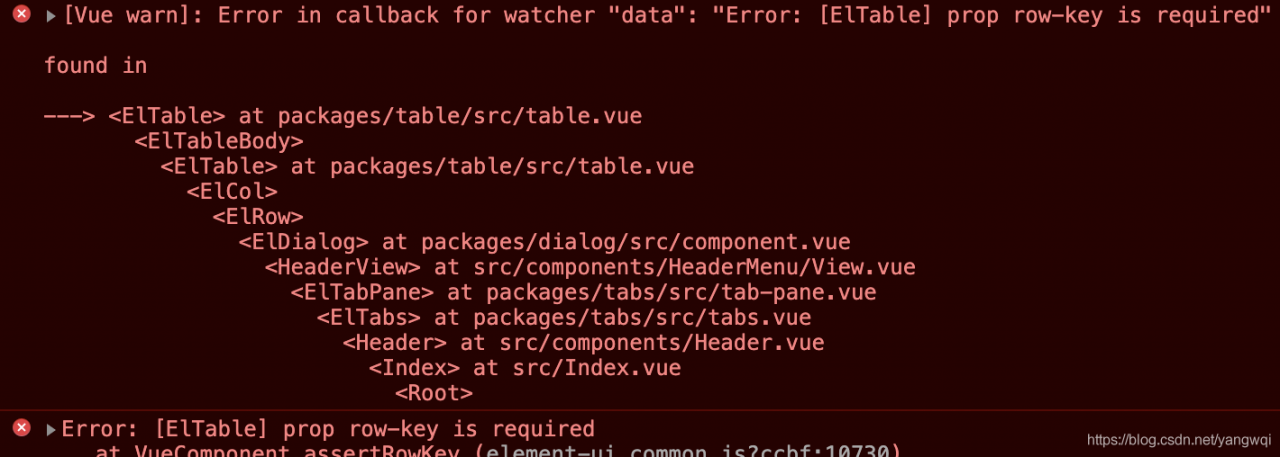
ElementUI Error in callback for watcher “data”: “Error: [ElTable] prop row-key is required”

Error in callback for watcher “data”: “Error: [ElTable] prop row-key is required”
Error: [ElTable] prop row-key is required

<el-table 
    :data="props.row.Entities" 
    border size="mini" 
    :row-key="getRowKeys" 
    empty-text="No node design relationship at this time">
    <el-table-column type="selection" :reserve-selection="true" width="55"></el-table-column>
    <el-table-column prop="phone" label="Affiliation" ></el-table-column>
    <el-table-column prop="nickName" label="Model Name" ></el-table-column>
</el-table>

JS

getRowKeys(row) {
    return row.staffTypeId;
},

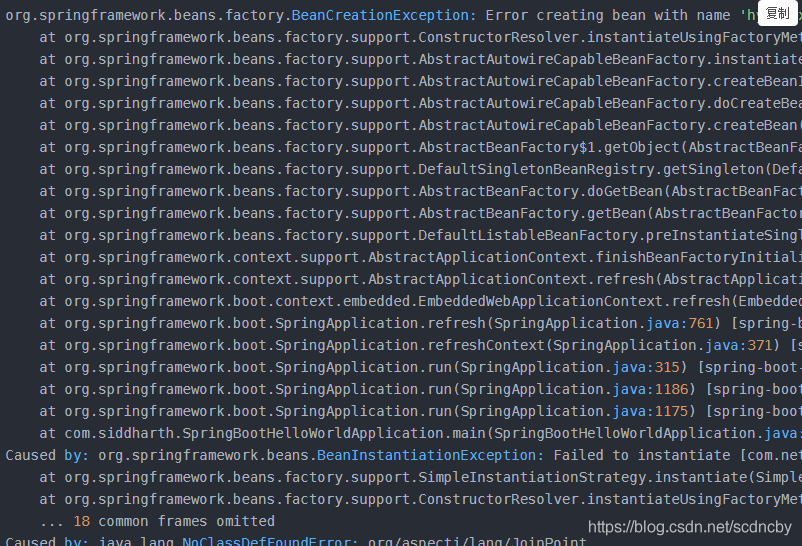
Spring cloud Eureka error creating bean with name

Error creating bean with name

The solution is to add the following dependencies to the POM file

<!--Error creating bean with name-->
        <dependency>
            <groupId>org.aspectj</groupId>
            <artifactId>aspectjrt</artifactId>
            <version>1.7.1</version>
        </dependency>
        <dependency>
            <groupId>org.aspectj</groupId>
            <artifactId>aspectjweaver</artifactId>
            <version>1.7.1</version>
        </dependency>
        <dependency>
            <groupId>org.springframework</groupId>
            <artifactId>spring-aspects</artifactId>
        </dependency>

Run again and solve the problem