Category Archives: Error

How to Solve Error: could not read ok from ADB Server.failed to start daemon error: cannot connect to daemon

Problem Description:
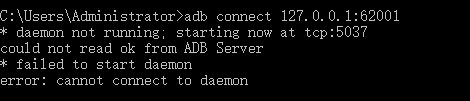
Execute the command adb connect 127.0.0.1:62001, the error is reported as follows:

* daemon not running; starting now at tcp:5037
could not read ok from ADB Server
* failed to start daemon
error: cannot connect to daemon
Reason analysis:
Use the command to check whether the port is occupied or not netstat -ano | findstr “5037”

Check that port 5037 is occupied

Solution:
Execute the command kill process to release port 5037:

taskkill -f -pid 15276
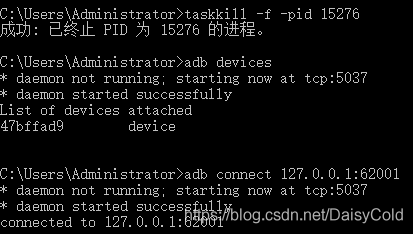
Re-execute the adb connect 127.0.0.1:62001 command, the connection is successful

QT Creator Error while building deploying project

Error while building deploying project
is reported by QT creator

When QT creator compiles QT project, an error is reported: error while building deploying project.

The following tips may also appear

qt creator needs a tool chain set up to build. configure a tool chain in projects mode


This situation occurs when I open the past project, but the new project does not have this error.

The solution is as follows:

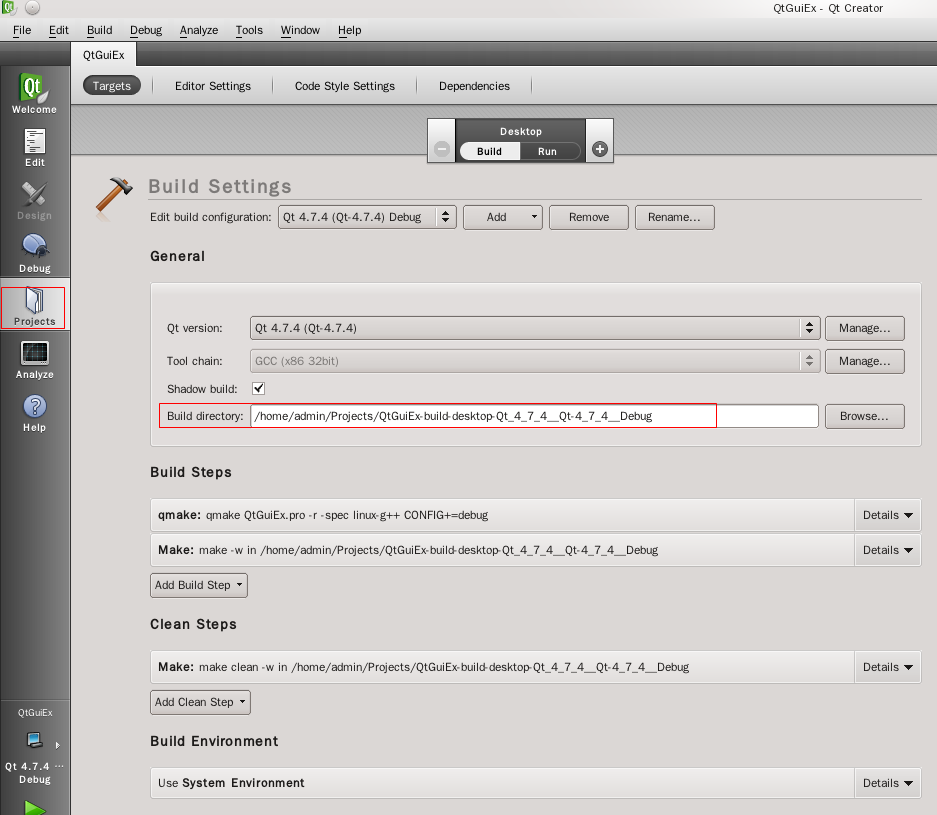
1. When the error reporting project is open, click the projects column on the left side of QT creator

Reload the XXX build desktop QT of the project in the build directory of the general column_ xxx_ Qt_ xxx_ Debug。 (by default, this part is gray and not enabled. Click Import exiting build below to enable it.)


After this operation, you can compile normally!


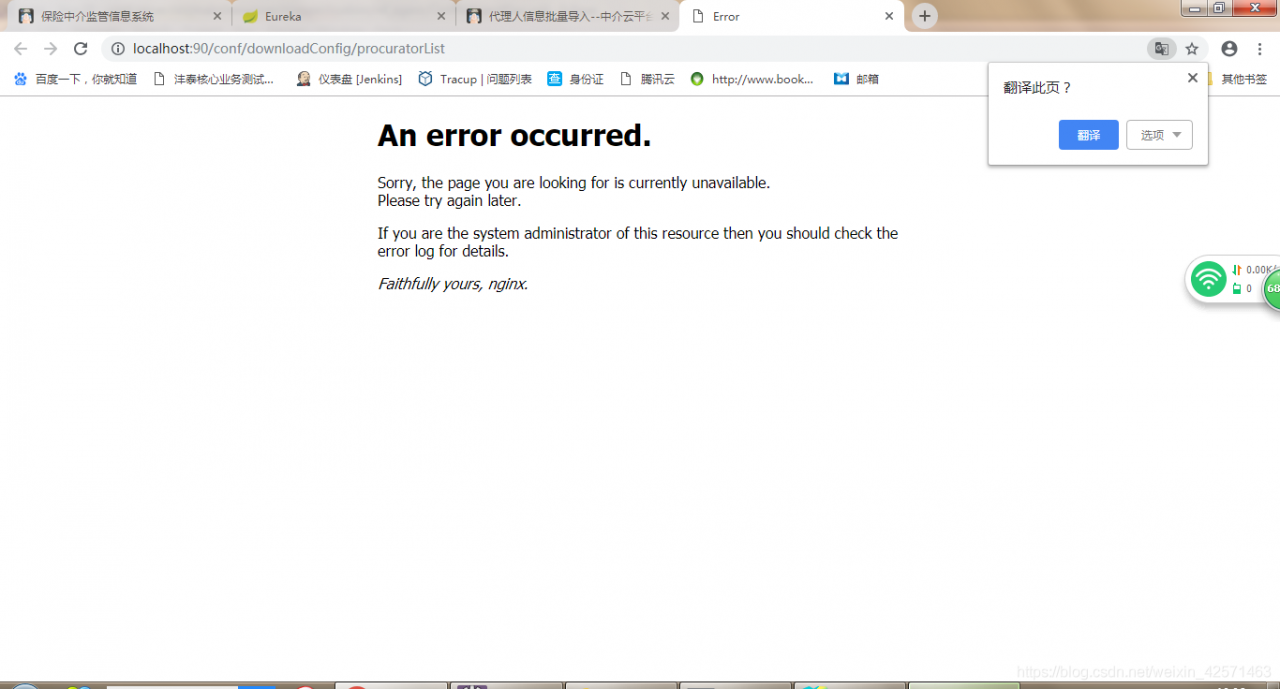
An error occurred: Sorry,Faithfully yours, nginx Error

Many reasons are analyzed as follows:
1. Before the system using the network cable internal test no problem, at this time the error reported using the cell phone hotspot, the network IP can not be obtained.
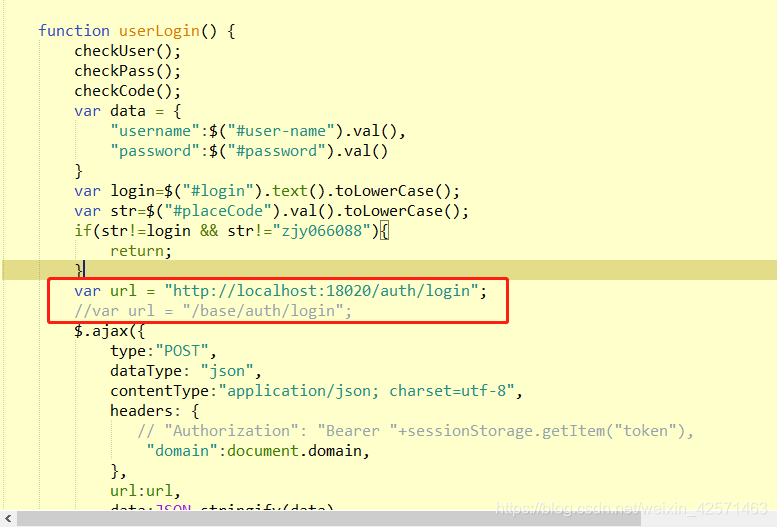
2. The request path of the page does not point to the specified background service address: http://localhost : port number

3. Due to the caching mechanism of nginx, restart nginx and clean the browser’s cache:
stop command: nginx.exe -s stop;
Start command: start nginx;
4. The most serious problem is (key):
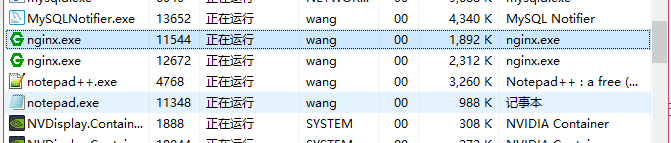
the previous nginx was not closed, but it was restarted, or this is: at that time, the CMD window was directly closed, thinking that it had been completely closed. In fact, the process is not closed at all.
As shown in the following figure:

if there are multiple processes, the front-end will visit the back-end and there will be multiple turns. If an error is reported, the process must be killed and nginx will be OK.

Uncaught SyntaxError: Cannot use import statement outside a module

Uncaught syntax error: cannot use import statement outside a module & lt; analysis and solution

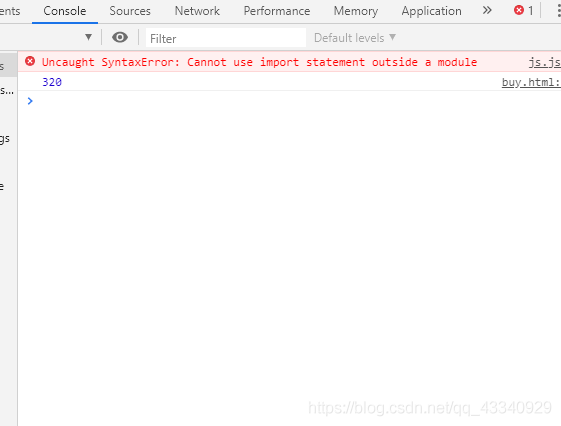
Error message:

Error analysis:

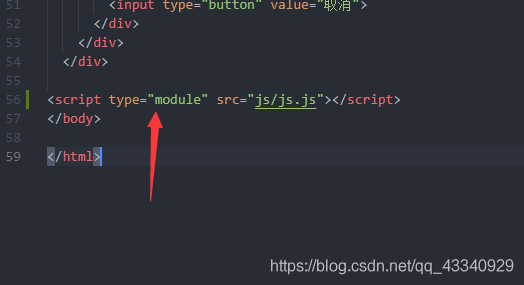
In HTML web page, browser loads JavaScript script through script tag. Since the default language of browser scripts is JavaScript, type = “application/JavaScript” can be omitted. We learned from the error report that the import statement cannot be used outside the module, because the loading of the module implements ES6 syntax. Therefore, when the browser loads the HTML file, it is necessary to add the attribute of type = “module” to the script tag.

terms of settlement:

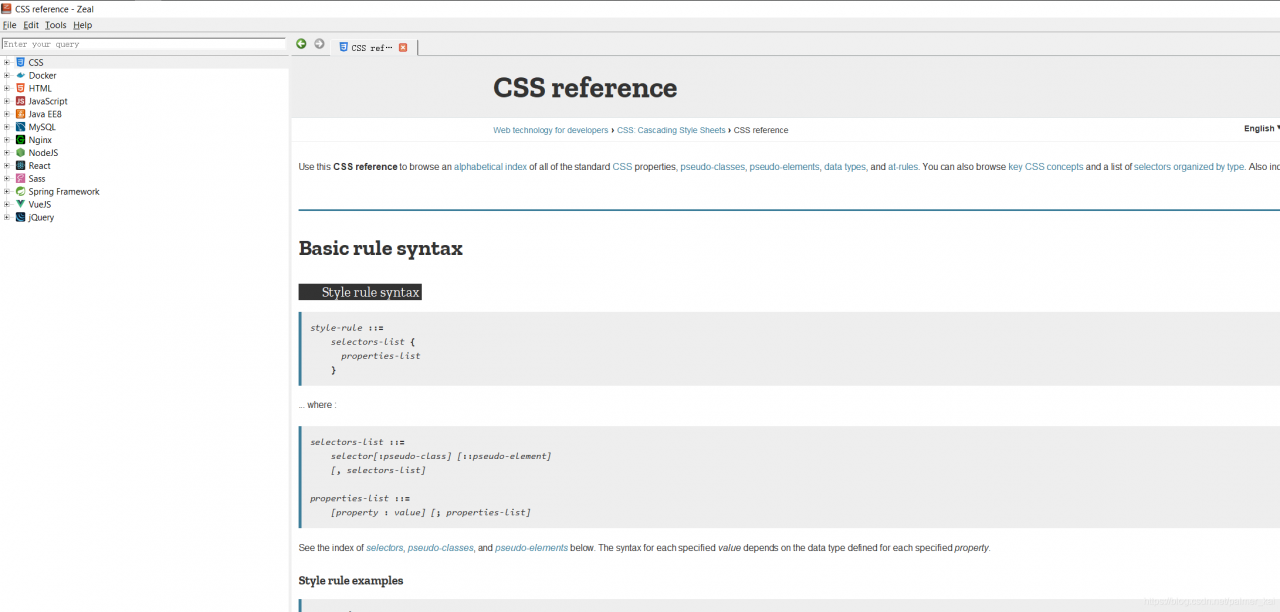
Zeal Open html,css, javascript Error: Content rendering error

Problem
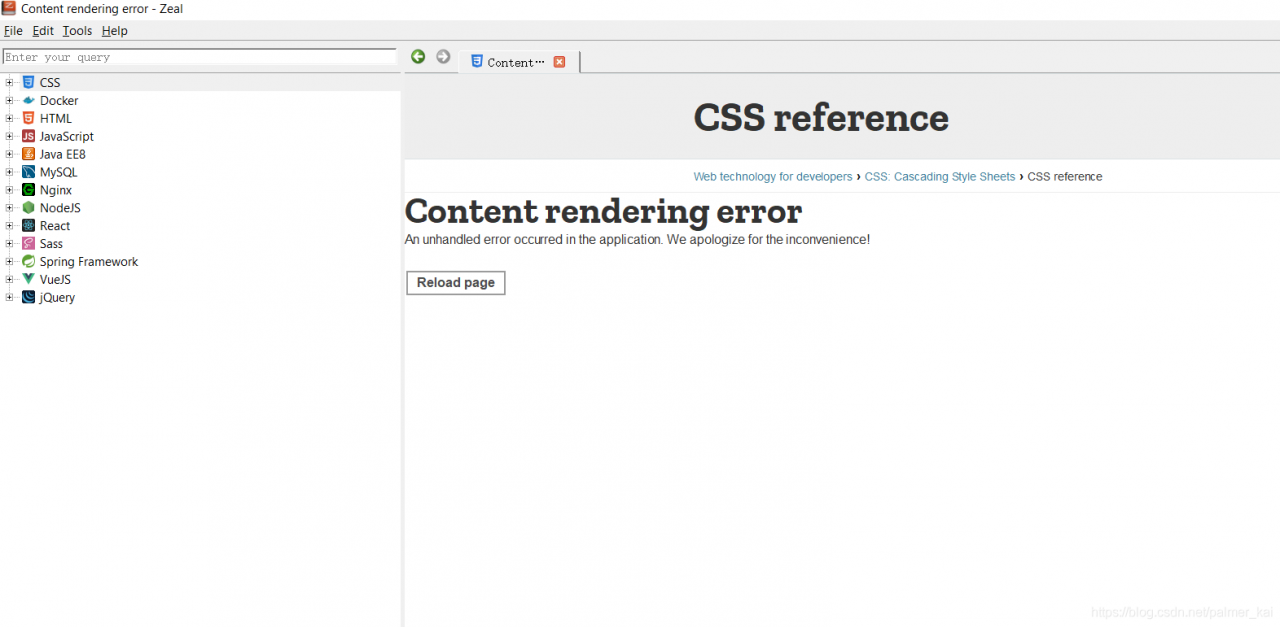
Recently, after updating html,css,javascript, the following Content rendering error occurs

Solution
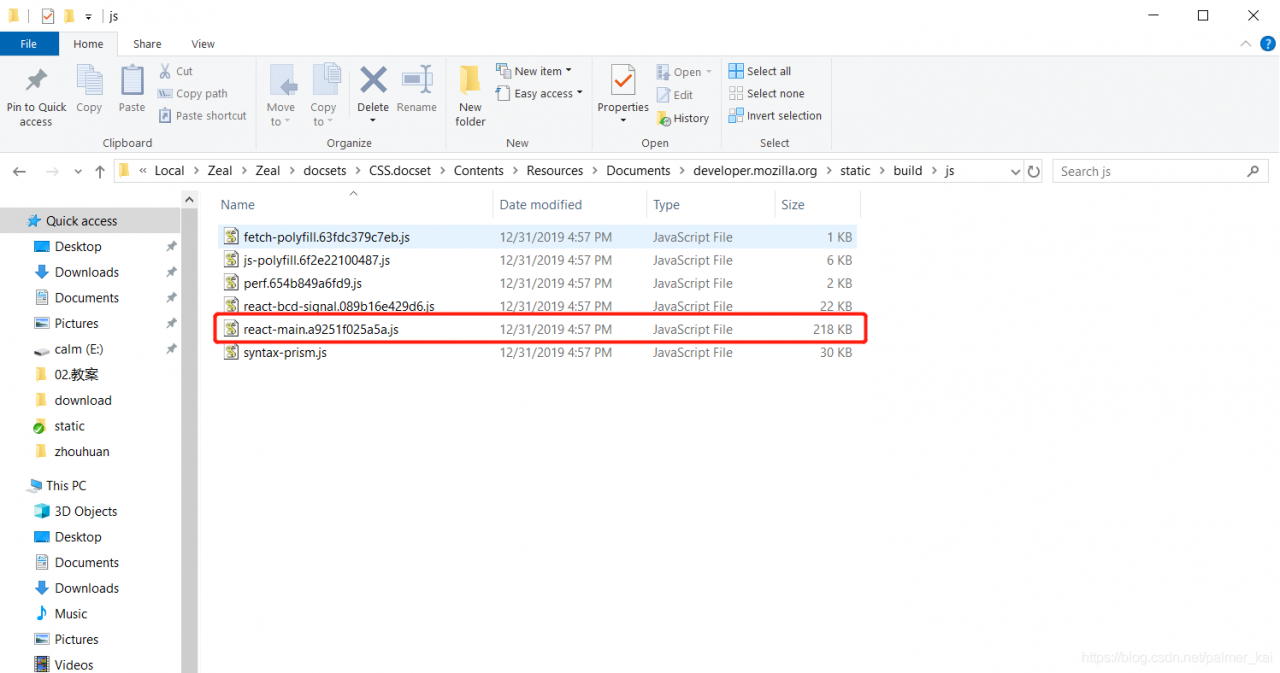
Delete the corresponding files in the following resource folder
JavaScript.docset\Contents\Resources\Documents\developer.mozilla.org\static\build\js\react-main.e49be9481ede.jsCSS.docset\Contents\Resources\Documents\developer.mozilla.org\static\build\js\react-main.e49be9481ede.jsHTML.docset\Contents\Resources\Documents\developer.mozilla.org\static\build\js\react-main.e49be9481ede.js
js file named similarly to react-main.<hashcode>.js
Take the css docs fix as an example
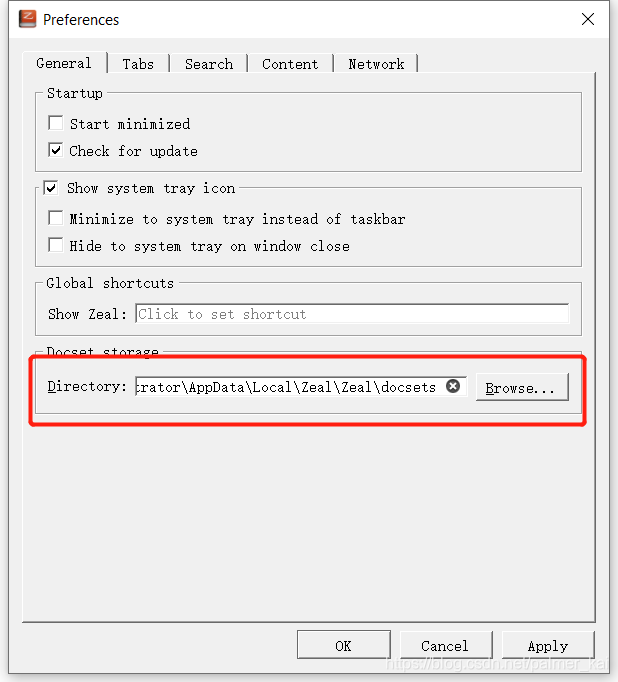
Edit --> Preferences

Delete the files in the corresponding folder

ok

Hive ERROR Failed with exception java.io.IOException:java.lang.IllegalArgumentException

Failed with exception Java.io.IOException Quote: java.lang.illegalArgumentException : java.net.URISyntaxException Relative path in absolute URI: system:user.name *


/apache-hive-1.2.1-bin/iotmp-36827;/ apache-hive-1.2.1-bin > conf> hive- site.xml E

28155;” system:java.io.tmpdir
<property>
<name> system:java.io.tmpdir</name >
<value>/../apache-hive-1.2.1-bin/iotmp</value> ’35;’27880;” 3732444;’24452;’32477;’ 2354552;
<description/>
</property>


“229144;”26524;”36824;” 199811;”

“32487;” 32493;”hive- site.xml [Music]

23558; HIV.exec.local scratchdir.

${ system:java.io.tmpdir { system:user.name *

259130;”

HIV.exec.local scratchdir.

${ java.io.tmpdir { user name *

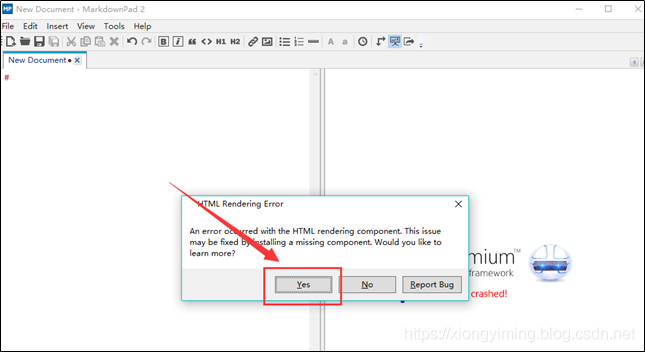
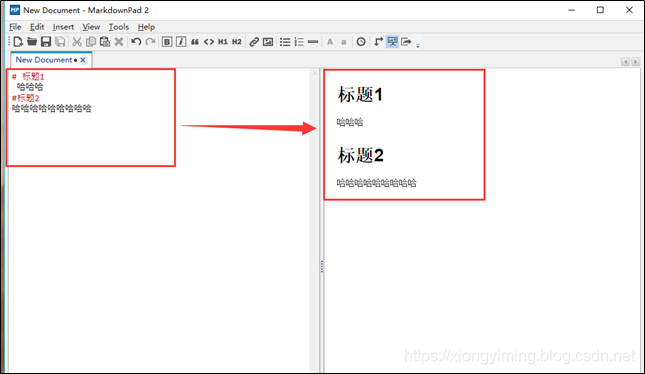
Markdownpad2 Error: Html Rendering Error (An error occurred with the Html rendering component.)

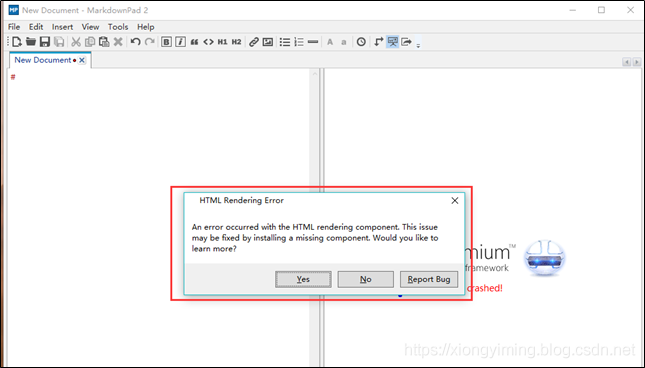
window 10 after installing markdownpad2 software, open the software prompt: an error occurred with the HTML rendering component. This </ font> as shown in the figure below:

error reason: markdownpad 2 has this view has crashed in win10.


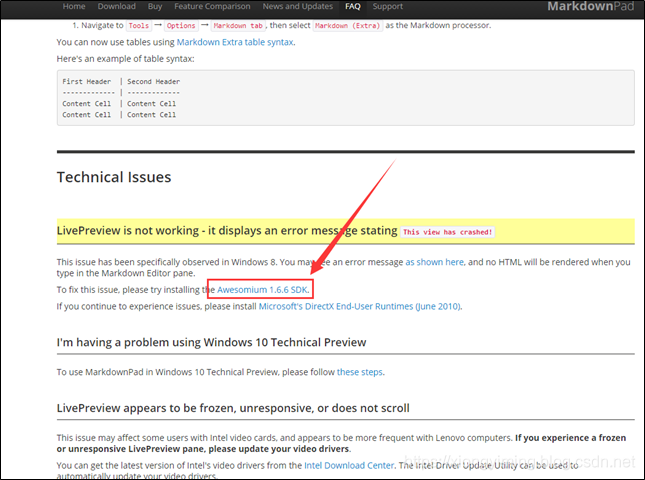
Solution: install a SDK toolkit.

1. Click the prompt box below: “yes” to enter the official website directly and automatically http://markdownpad.com/faq.html#livepreview -DirectX

2 as shown in the figure below: click awesomium 1.6.6 SDK </ font> to enter download

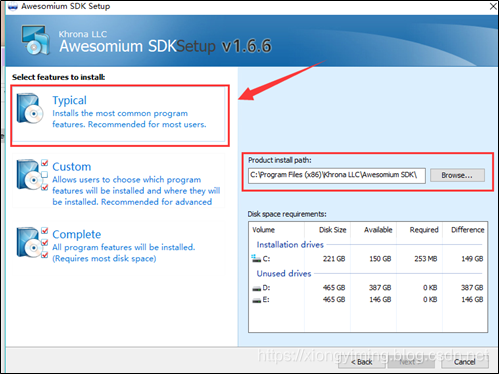
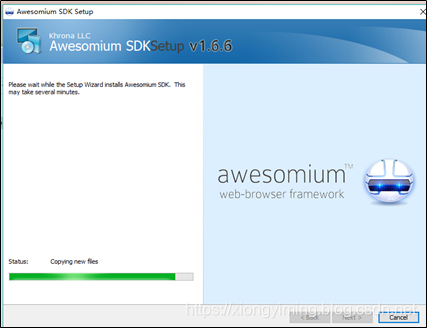
3 after download, click Install, as shown in the figure below:


4. After the installation is completed, reopen the markdownpad 2 software, and no error will appear. Write something casually, as shown in the figure below:

Android studio can’t start, running error: warning: crash service did not start

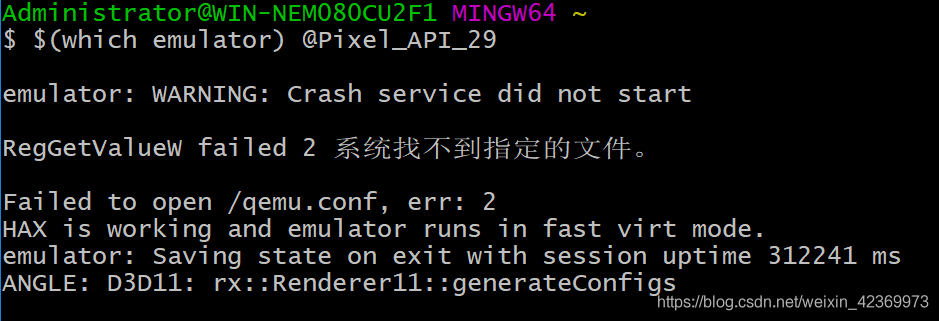
Android StudioAn error was reported when starting the emulator, as follows:
emulator: WARNING: Crash service did not start
RegGetValueW failed 2 The system could not find the specified file.
Failed to open /qemu.conf, err: 2
HAX is working and emulator runs in fast virt mode.
emulator: Saving state on exit with session uptime 312241 ms
ANGLE: D3D11: rx::Renderer11::generateConfigs
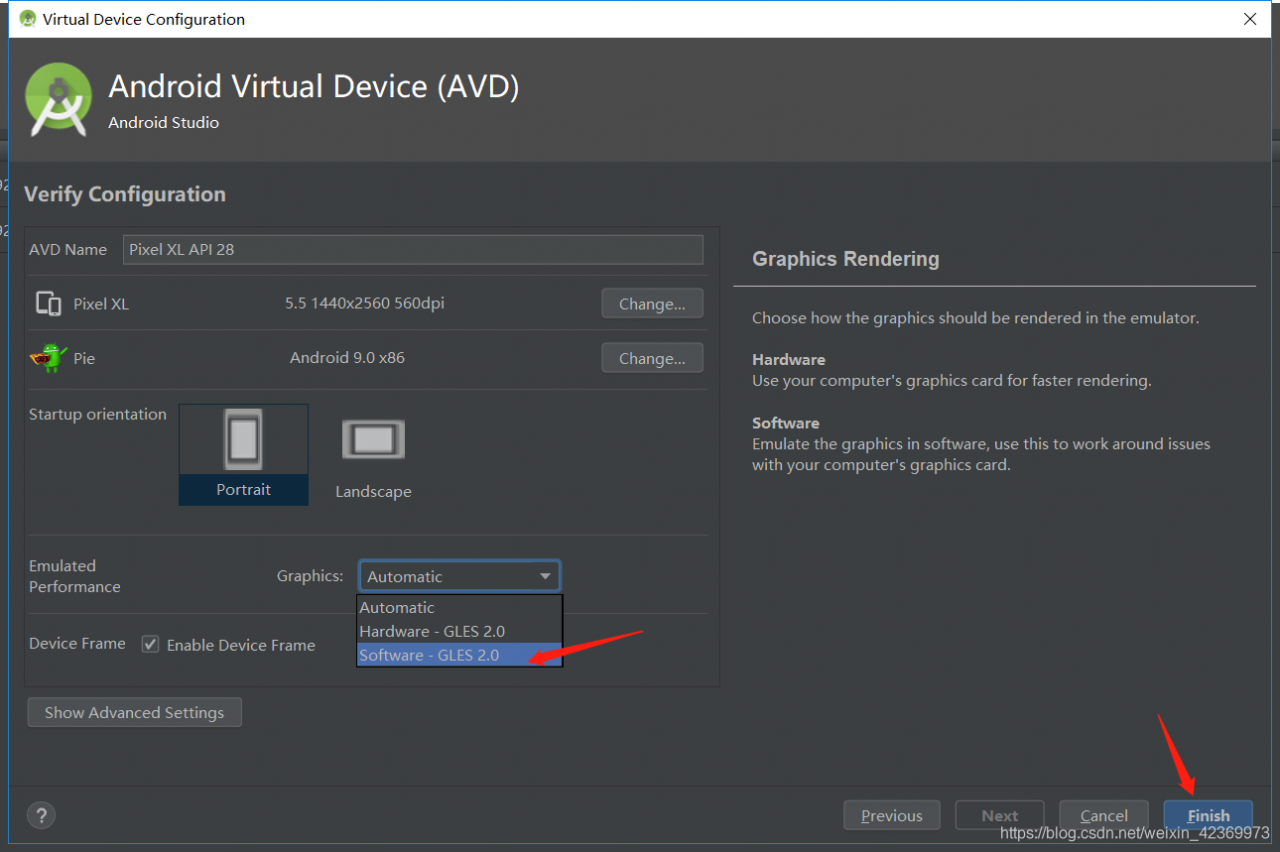
Cause of the problem:The cause of the problem is that I am using the Nexus 5X emulator and both images force the “Emulated Performance” to be set to “Automatic Graphics”.

Solution:

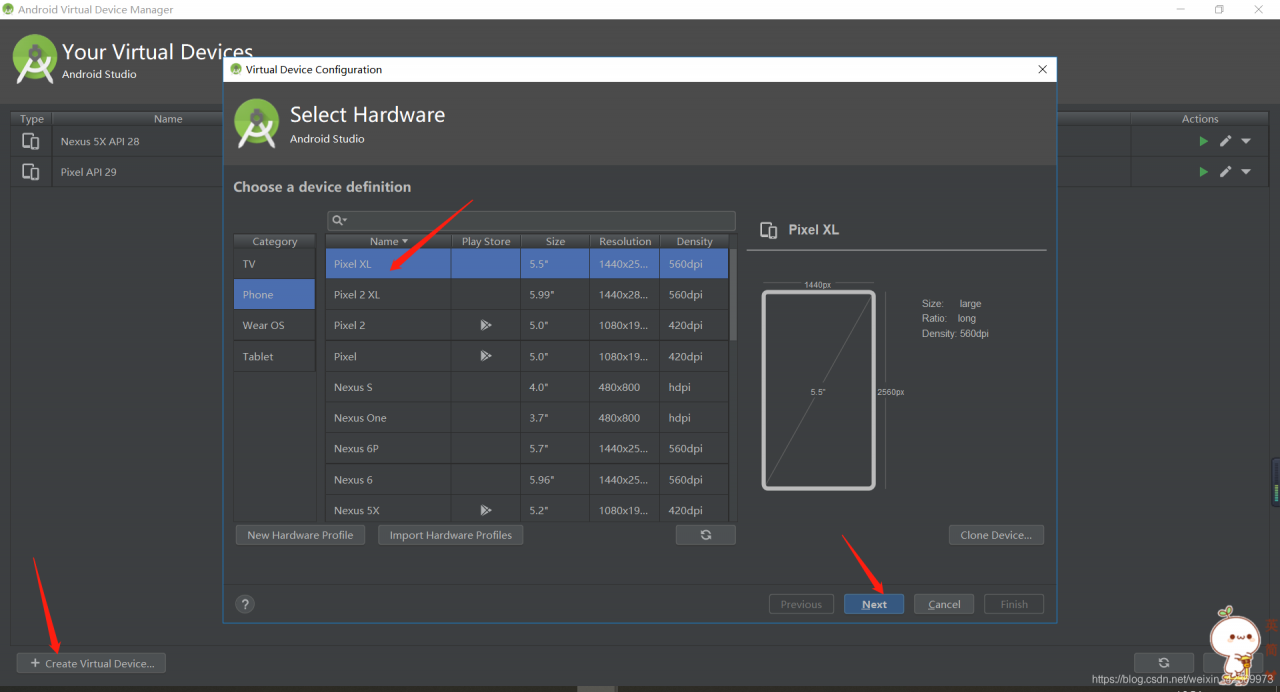
Create a new emulator, for example using “Pixel XL”。 “Emulated Performance” change to “Software graphics”。

NLTK Error [nltk_data] Error loading stopwords: hostname

Nltk error [nltk]_ Data] error loading stopwords: host name. Use the following code to download stopwords

import nltk
import ssl

try:
    _create_unverified_https_context = ssl._create_unverified_context
except AttributeError:
    pass
else:
    ssl._create_default_https_context = _create_unverified_https_context
    

nltk.download('stopwords')
nltk.download('punkt')

Github Clone Error: RPC failed; result=56, HTTP code=200

Error Message:
error: RPC failed; result=56, HTTP code = 200 fatal: The remote end hung up unexpectedly

fatal: early EOF

fatal: index-pack failed

Error code 56 indicates a curl receive error of CURLE_RECV_ERROR which means there was some issue that prevented the data from being received during the clone process. Typically this is caused by a network setting, firewall, VPN client, or anti-virus that is terminating the connection before all data has been transferred.
How to Solve:
git config –global http.postBuffer 2M