
Solution:
cnpm install –save chart.js
Solution:
cnpm install –save chart.js
Error report of startup project:
Error: The target entry-point "ngx-echarts" has missing dependencies:
 - @juggle/resize-observer
Solution: install as prompted
cnpm install @juggle/resize-observer
Ng serve — open again, the project starts successfully
open Chrome dev tools to see access token is generated and stored in local storage.
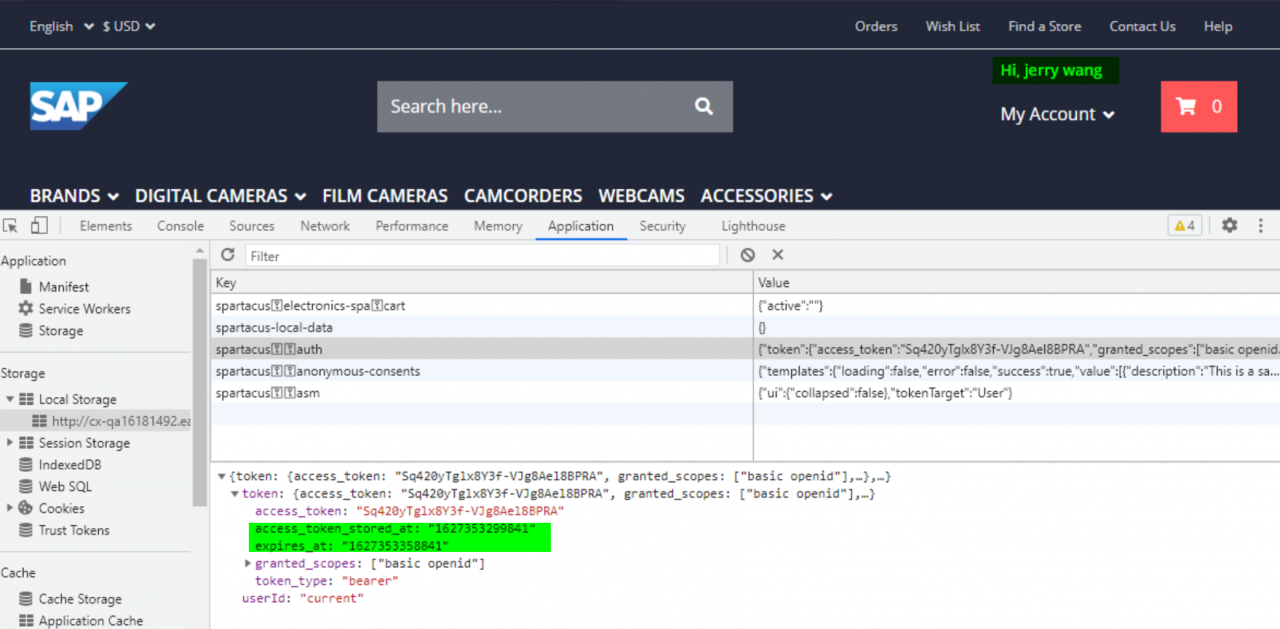
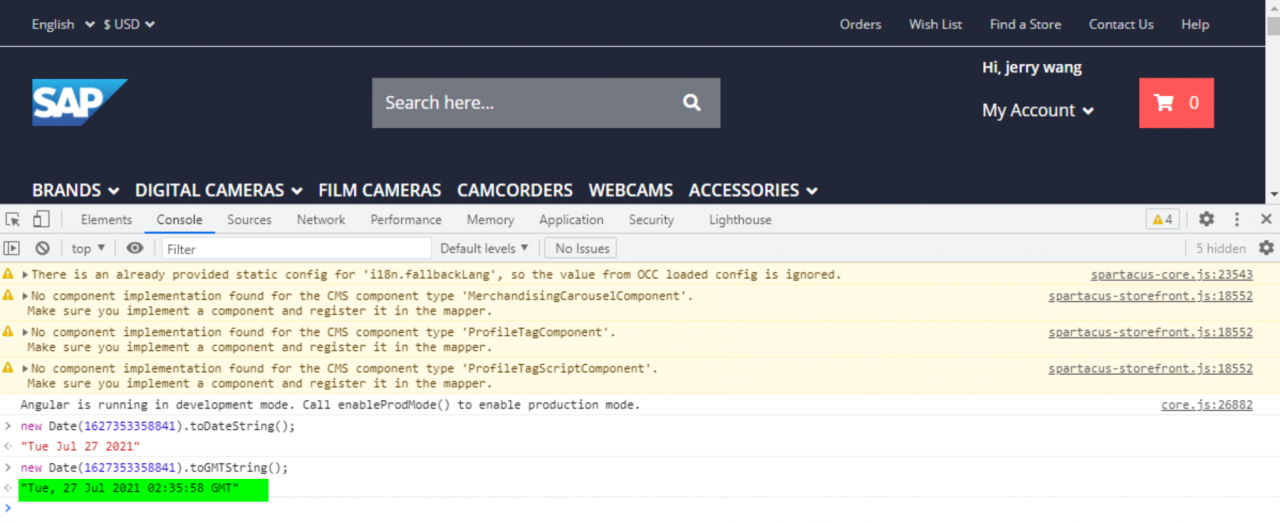
Then press F5 to refresh the browser.
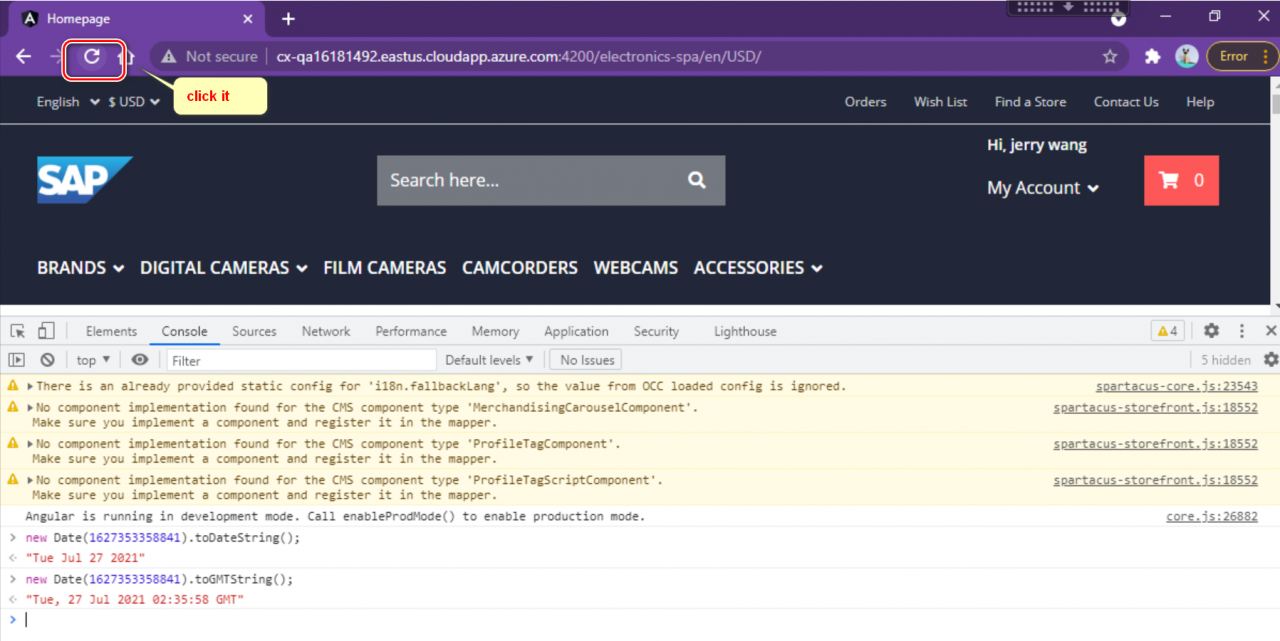
Then you see error message in Chrome dev tools console, and blank screen is displayed.
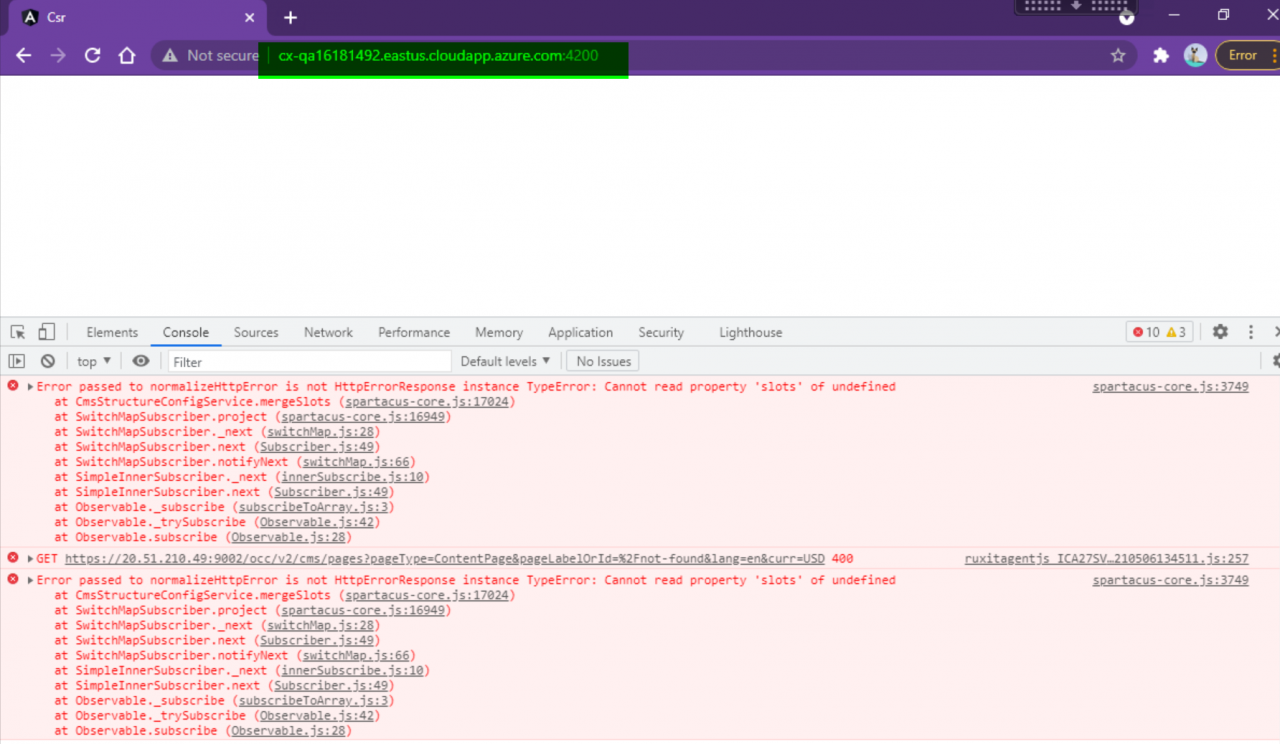
There are three 401 errors and two 400 errors observed in network tab:
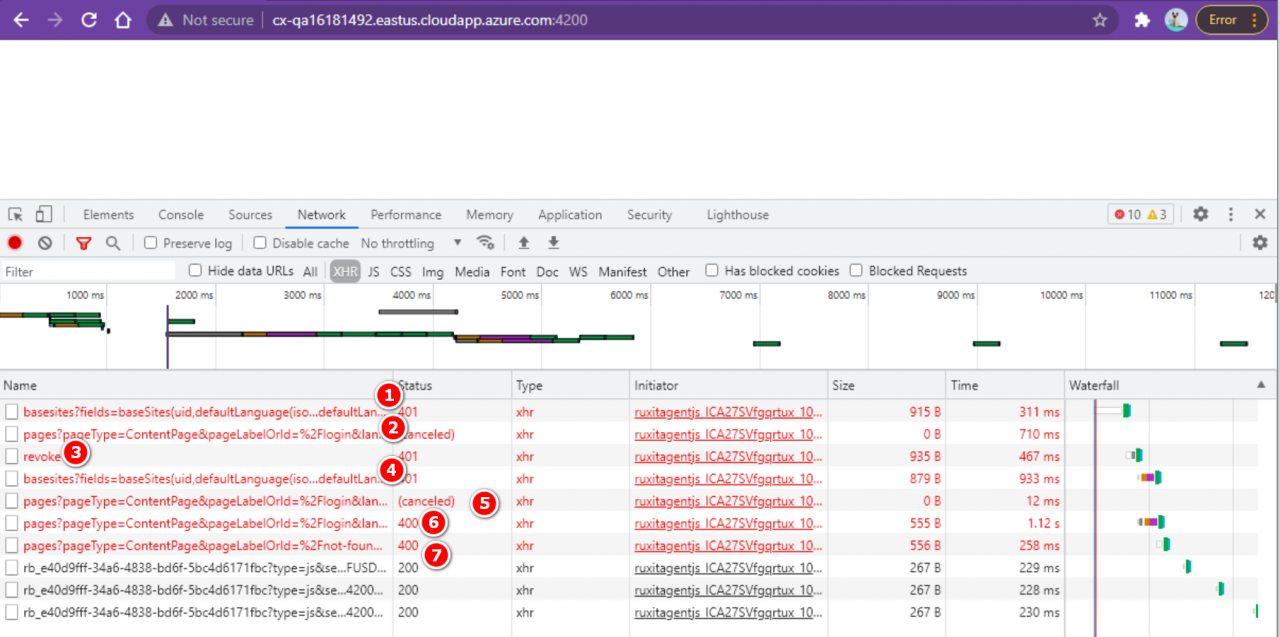
Error message:
[2021-07-26 07:16:07   ERROR] 2: [ltWrapper.cpp::setupHeuristic::327] Error Code 2: Internal Error (Assertion cublasStatus == CUBLAS_STATUS_SUCCESS failed.)
terminate called after throwing an instance of 'std::runtime_error'
  what():  Failed to create object
Abandoned (core dumped)
Solution:
an error is reported here. Cuda10.2 is used
Download patch 1 here and install it
Error: Visual Studio editor package version 2.0.11 is available, we strongly encode you to update from the unity package manager for a better visual studio integration
The details are shown in the following figure: 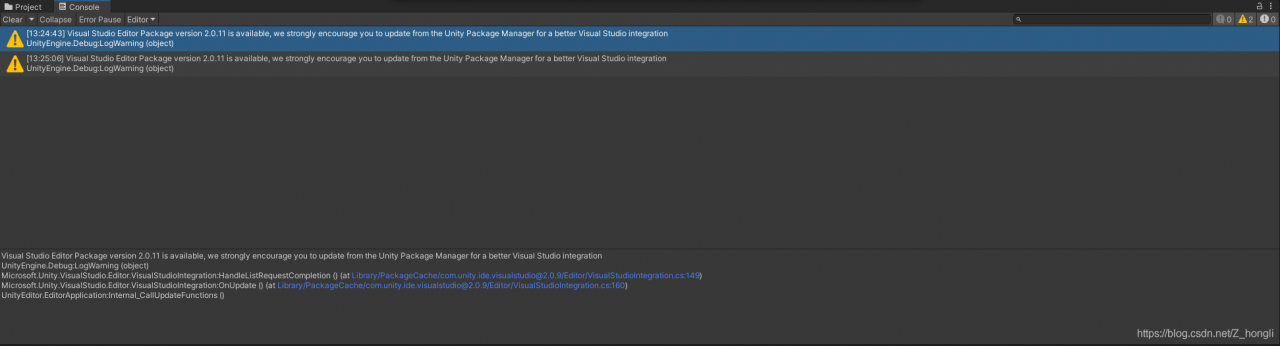
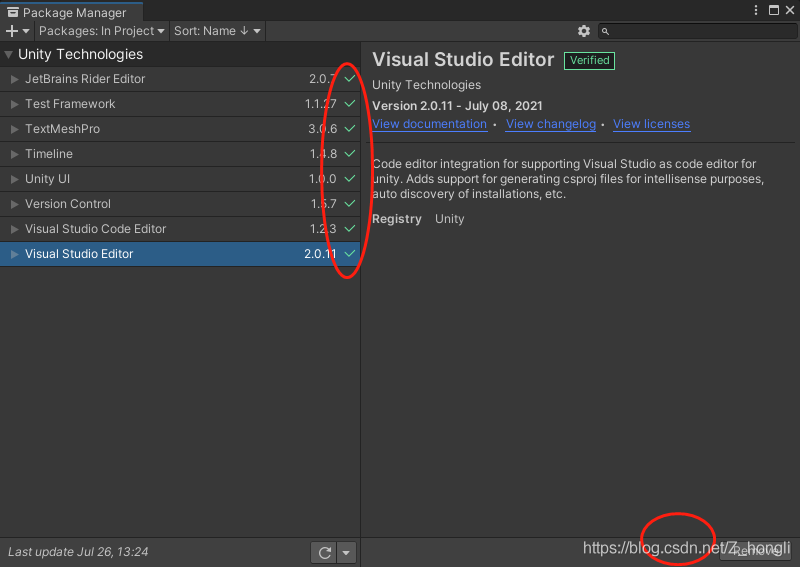
the reason for this problem is that the package in the package manager is not updated. We find the package manager in the window, observe where there is no green check, and then click in to update it.
Just downloaded from the official website of eclipse to install lombok (manually installed and automatically installed are reported as errors) after opening the java code error: module java.base does not “opens java.lang” to unnamed module
Solution.
In the eclipse.ini file, add
--add-exports=java.base/sun.nio.ch=ALL-UNNAMED
--add-opens=java.base/java.lang=ALL-UNNAMED
--add-opens=java.base/java.lang.reflect=ALL-UNNAMED
--add-opens=java.base/java.io=ALL-UNNAMED
--add-exports=jdk.unsupported/sun.misc=ALL-UNNAMED
RuntimeError: Expected all tensors to be on the same device, but found at least two devices, cpu and cuda:0! (when checking arugment for argument mat1 in method wrapper_addmm)
It says there are at least two devices, cup and cuda 0
Actually added a MLP, then tried to test it, and ended up reporting this error
RuntimeError: Expected all tensors to be on the same device, but found at least two devices, cpu and cuda:0! (when checking arugment for argument mat1 in method wrapper_addmm)
Solution:
self.mlp1 = MLP(2048) # Example: This code added
Add this code followed by the following sentence.
self.mlp1.cuda()
Problem solved!
UnhandledPromiseRejectionWarning: Unhandled promise rejection. This error originated either by throwing inside of an async function without a catch block, or by rejecting a promise which was not handled with .catch(). To terminate the node process on unhandled promise rejection, use the CLI flag `–unhandled-rejections=strict` (see https://nodejs.org/api/cli.html#cli_unhandled_rejections_mode). (rejection id: 1)
(node:2233) [DEP0018] DeprecationWarning: Unhandled promise rejections are deprecated. In the future, promise rejections that are not handled will terminate the Node.js process with a non-zero exit code.
When you encounter the above error when initializing a project with taro, this is due to insufficient permissions. Add sudo before the initialization command taro init, i.e.
Initialize command by:
taro initReplace with:
sudo taro init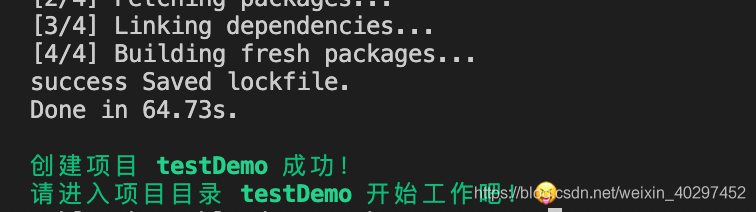
It can be created successfully!
[grid@node1 ~]$ opatch lsinventory -detail -oh /u01/app/12.2.0/grid
Oracle Interim Patch Installer version 12.2.0.1.25
Oracle Home : /u01/app/12.2.0/grid
Central Inventory : /u01/app/oraInventory
from : /u01/app/12.2.0/grid/oraInst.loc
OPatch version : 12.2.0.1.25
OUI version : 12.2.0.1.4
Log file location : /u01/app/12.2.0/grid/cfgtoollogs/opatch/opatch2021-07-22_11-46-24AM_1.log
List of Homes on this system:
Home name= OraDB12Home1, Location= “/u01/app/oracle/product/12.2.0/db_1”
LsInventorySession failed: RawInventory gets null OracleHomeInfo
OPatch failed with error code 73
Codes:
[grid@node1 ~]$ cd $ORACLE_HOME
[grid@node1 grid]$ cd oui
[grid@node1 oui]$ cd bin/
[grid@node1 bin]$ ls -l attachHome.sh
-rwxr-x--- 1 grid oinstall 276 Jul 21 19:11 attachHome.sh
[grid@node1 bin]$ sh attachHome.sh
Starting Oracle Universal Installer...

Checking swap space: must be greater than 500 MB.   Actual 2557 MB    Passed
The inventory pointer is located at /etc/oraInst.loc
'AttachHome' was successful.
[grid@node1 bin]$ opatch lsinventory -detail -oh /u01/app/12.2.0/grid
Oracle Interim Patch Installer version 12.2.0.1.25
Copyright (c) 2021, Oracle Corporation.  All rights reserved.


Oracle Home       : /u01/app/12.2.0/grid
Central Inventory : /u01/app/oraInventory
   from           : /u01/app/12.2.0/grid/oraInst.loc
OPatch version    : 12.2.0.1.25
OUI version       : 12.2.0.1.4
Log file location : /u01/app/12.2.0/grid/cfgtoollogs/opatch/opatch2021-07-22_11-51-26AM_1.log

Lsinventory Output file location : /u01/app/12.2.0/grid/cfgtoollogs/opatch/lsinv/lsinventory2021-07-22_11-51-26AM.txt
--------------------------------------------------------------------------------
Local Machine Information::
Hostname: node1
ARU platform id: 226
ARU platform description:: Linux x86-64

Installed Top-level Products (1):

Oracle Grid Infrastructure 12c                                       12.2.0.1.0
There are 1 products installed in this Oracle Home.


Installed Products (99):

Assistant Common Files                                               12.2.0.1.0
Automatic Storage Management Assistant                               12.2.0.1.0
BLASLAPACK Component                                                 12.2.0.1.0
Error message
When querying redis using python, all key information will be reported as errors
redis.exceptions.ResponseError: unknown command `KEYS`, with args beginning with: `*`,
The code is as follows
import redis

pool = redis.ConnectionPool(host='127.0,0.1', port=6379, db=0, password='123456')
r = redis.StrictRedis(connection_pool=pool_16_6)
print(r.keys())
Solution:
for key in r.scan_iter("*"):
     print(key)
When using the lumen framework, if file storage support is required, an error will be prompted
class’ League \ flysystem \ adapter \ local ‘not found
The main reason is the lack of extension libraries. However, remember to bring the version number
when introducing dependencies. The directory structure of the new version of League \ flysystem has changed, so that the corresponding classes cannot be found under lumen 8.0;
composer require league/flysystem:"^1.0