Category Archives: Error

Doris BrokerLoad Error: No source file in this table [How to Solve]

Brokerload statement

LOAD
LABEL gaofeng_broker_load_HDD
(
    DATA INFILE("hdfs://eoop/user/coue_data/hive_db/couta_test/ader_lal_offline_0813_1")
    INTO TABLE ads_user
)
    WITH BROKER "hdfs_broker"
(
    "dfs.nameservices"="eadhadoop",
    "dfs.ha.namenodes.eadhadoop" = "nn1,nn2",
    "dfs.namenode.rpc-address.eadhadoop.nn1" = "h4:8000",
    "dfs.namenode.rpc-address.eadhadoop.nn2" = "z7:8000",
    "dfs.client.failover.proxy.provider.eadhadoop" = "org.apache.hadoop.hdfs.server.namenode.ha.ConfiguredFailoverProxyProvider",
    "hadoop.security.authentication" = "kerberos","kerberos_principal" = "ou3.CN",
    "kerberos_keytab_content" = "BQ8uMTYzLkNPTQALY291cnNlXgAAAAFfVyLbAQABAAgCtp0qmxxP8QAAAAE="
);

report errors

Task cancelled

type:ETL_ RUN_ FAIL; msg:errCode = 2, detailMessage = No source file in this table(ads_ user).

Solution:

The data file path in the broker load statement is written incorrectly. What needs to be written is a file, not a directory
this directory is the directory I export the table directly. This cannot be used in broker load, but many files below
will be
hdfs://eoop/user/coue_ data/hive_ db/couta_ test/ader_ lal_ offline_ 0813_ 1

Modify to
hdfs://eoop/user/coue_ data/hive_ db/couta_ test/ader_ lal_ offline_ 0813_ 1/*

that will do

[Solved] Doris BrokerLoad Error: Scan bytes per broker scanner exceed limit: 3221225472

Brokerload statement

LOAD
LABEL gaofeng_broker_load_HDD
(
    DATA INFILE("hdfs://eoop/user/coue_data/hive_db/couta_test/ader_lal_offline_0813_1/*")
    INTO TABLE ads_user
)
    WITH BROKER "hdfs_broker"
(
    "dfs.nameservices"="eadhadoop",
    "dfs.ha.namenodes.eadhadoop" = "nn1,nn2",
    "dfs.namenode.rpc-address.eadhadoop.nn1" = "h4:8000",
    "dfs.namenode.rpc-address.eadhadoop.nn2" = "z7:8000",
    "dfs.client.failover.proxy.provider.eadhadoop" = "org.apache.hadoop.hdfs.server.namenode.ha.ConfiguredFailoverProxyProvider",
    "hadoop.security.authentication" = "kerberos","kerberos_principal" = "ou3.CN",
    "kerberos_keytab_content" = "BQ8uMTYzLkNPTQALY291cnNlXgAAAAFfVyLbAQABAAgCtp0qmxxP8QAAAAE="
);

report errors

Task cancelled

type:ETL_ RUN_ FAIL; msg:errCode = 2, detailMessage = Scan bytes per broker scanner exceed limit: 3221225472


Solution:

The Doris test environment consists of three be nodes, while the Fe configuration is max_bytes_per_broker_Scanner defaults to 3G, and the files to be imported are about 13gb
parameters need to be modified
Fe executes the following dynamic parameter modification command
admin set frontend config ("Max_ bytes_ per_ broker_ scanner" = "5368709120");
is modified to 5g. In this way, the maximum file size that can be imported by the cluster is 5g * 3 (be) = 15GB
execute it again

Doris BrokerLoad Error: quality not good enough to cancel

Brokerload statement

LOAD
LABEL gaofeng_broker_load_HDD
(
    DATA INFILE("hdfs://eoop/user/coue_data/hive_db/couta_test/ader_lal_offline_0813_1/*")
    INTO TABLE ads_user
)
    WITH BROKER "hdfs_broker"
(
    "dfs.nameservices"="eadhadoop",
    "dfs.ha.namenodes.eadhadoop" = "nn1,nn2",
    "dfs.namenode.rpc-address.eadhadoop.nn1" = "h4:8000",
    "dfs.namenode.rpc-address.eadhadoop.nn2" = "z7:8000",
    "dfs.client.failover.proxy.provider.eadhadoop" = "org.apache.hadoop.hdfs.server.namenode.ha.ConfiguredFailoverProxyProvider",
    "hadoop.security.authentication" = "kerberos","kerberos_principal" = "ou3.CN",
    "kerberos_keytab_content" = "BQ8uMTYzLkNPTQALY291cnNlXgAAAAFfVyLbAQABAAgCtp0qmxxP8QAAAAE="
);

report errors

Task cancelled

type:ETL_ QUALITY_ UNSATISFIED; msg:quality not good enough to cancel


Solution:

Generally, there must be a deeper reason for this error
you can see the URL field of the brokerload task through show load

show load warnings on ‘{URL}’
or open the web page directly

the number of fields is inconsistent or other reasons. The fundamental reason
is that the number of fields in some rows in the file to be imported is inconsistent with that in the table, Or the size of a field in some lines of the file exceeds the upper limit of the corresponding table field, resulting in data quality problems, which need to be adjusted accordingly

If  wants to ignore these error data
modify the task statement configuration parameter “Max”_ filter_ ratio” = “1”

LOAD
LABEL gaofeng_broker_load_HDD
(
    DATA INFILE("hdfs://eoop/user/coue_data/hive_db/couta_test/ader_lal_offline_0813_1/*")
    INTO TABLE ads_user
)
    WITH BROKER "hdfs_broker"
(
    "dfs.nameservices"="eadhadoop",
    "dfs.ha.namenodes.eadhadoop" = "nn1,nn2",
    "dfs.namenode.rpc-address.eadhadoop.nn1" = "h4:8000",
    "dfs.namenode.rpc-address.eadhadoop.nn2" = "z7:8000",
    "dfs.client.failover.proxy.provider.eadhadoop" = "org.apache.hadoop.hdfs.server.namenode.ha.ConfiguredFailoverProxyProvider",
    "hadoop.security.authentication" = "kerberos","kerberos_principal" = "ou3.CN",
    "kerberos_keytab_content" = "BQ8uMTYzLkNPTQALY291cnNlXgAAAAFfVyLbAQABAAgCtp0qmxxP8QAAAAE="
)
PROPERTIES
(
    "max_filter_ratio" = "1"
);

[Solved] Fe node hangs up and restarts with an error sleepycat.je.locktimeoutexception: (JE 7.3.7) lock expired

Error Message:
replay journal cost too much time: 1001 replayedJournalId: 462527012021-06-25 00:00:44,846 WARN (replayer|70) [BDBJournalCursor.next():149] Catch an exception when get next JournalEntity. key:46252706com.sleepycat.je.LockTimeoutException: (JE 7.3.7) Lock expired. Locker 1009050036 -1_replayer_ReplicaThreadLocker: waited for lock on database=46236602 LockAddr:1984482862 LSN=0x858/0x3c1ac4 type=READ grant=WAIT_NEW timeoutMillis=1000 startTime=1624550443846 endTime=1624550444846Owners: [<LockInfo locker="<ReplayTxn id="-48657952">970177120 -48657952_ReplayThread_ReplayTxn" type="WRITE"/>]Waiters: [<LockInfo locker="1009050036 -1_replayer_ReplicaThreadLocker" type="READ"/>]
There is a test service in the fe node bdb log error caused the fe hang, and then start can not start up, look at the doris-meta/bdb/under je.info.0 log found last night there is this error report
2021-06-24 16:00:47.926 UTC SEVERE [10.1.1.1_9010_1623157894289] 10.1.1.1_9010_1623157894289(4):/disk1/doris/doris-meta/bdb:DataCorruptionVerifier exited unexpectedly with exception java.io.IOException: Input/output errorjava.io.IOException: Input/output error
The inference is that there is a problem with the disk
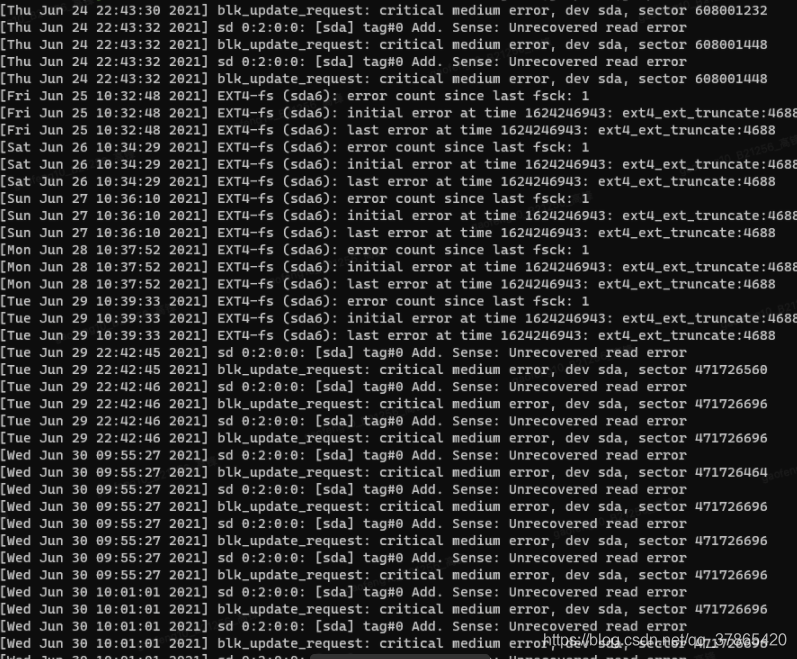
dmesg -T | grep sda| grep error | tail -40

There is indeed a problem with the sector, you need to contact the IDC

CIBERSOFT $operator is invalid for atomic vectors [How to Solve]

When Cybersoft was run with R for immune infiltration annotation

Error report found

$ operator is invalid for atomic vectors
#and the problem occurs in the source code
weights = t(out[[t]]$coefs) %*% out[[t]]$SV

The search failed for a long time and was finally solved, so I came to make a record

Yes, the package is not installed

[Solved] Android Studio Run Error: Error while executing: am start -n

Error details, problem causes and Solutions

Error reporting details

08/19 09:54:18: Launching app
$ adb install-multiple -r -t D:\work\self\CallAutoRecord\app\build\intermediates\split-apk\debug\slices\slice_4.apk D:\work\self\CallAutoRecord\app\build\intermediates\split-apk\debug\slices\slice_9.apk D:\work\self\CallAutoRecord\app\build\intermediates\split-apk\debug\slices\slice_3.apk D:\work\self\CallAutoRecord\app\build\intermediates\split-apk\debug\slices\slice_8.apk D:\work\self\CallAutoRecord\app\build\intermediates\split-apk\debug\slices\slice_6.apk D:\work\self\CallAutoRecord\app\build\intermediates\split-apk\debug\slices\slice_5.apk D:\work\self\CallAutoRecord\app\build\intermediates\split-apk\debug\dep\dependencies.apk D:\work\self\CallAutoRecord\app\build\intermediates\split-apk\debug\slices\slice_7.apk D:\work\self\CallAutoRecord\app\build\intermediates\split-apk\debug\slices\slice_2.apk D:\work\self\CallAutoRecord\app\build\intermediates\split-apk\debug\slices\slice_1.apk D:\work\self\CallAutoRecord\app\build\intermediates\resources\instant-run\debug\resources-debug.apk D:\work\self\CallAutoRecord\app\build\intermediates\split-apk\debug\slices\slice_0.apk D:\work\self\CallAutoRecord\app\build\intermediates\instant-run-apk\debug\app-debug.apk 
Split APKs installed in 10 s 564 ms
$ adb shell am start -n "com.guoqi.callautorecord/com.guoqi.callautorecord.MainActivity" -a android.intent.action.MAIN -c android.intent.category.LAUNCHER -D
Error while executing: am start -n "com.guoqi.callautorecord/com.guoqi.callautorecord.MainActivity" -a android.intent.action.MAIN -c android.intent.category.LAUNCHER -D
Starting: Intent { act=android.intent.action.MAIN cat=[android.intent.category.LAUNCHER] cmp=com.guoqi.callautorecord/.MainActivity }
Error type 3
Error: Activity class {com.guoqi.callautorecord/com.guoqi.callautorecord.MainActivity} does not exist.

Error while Launching activity

Cause of problem

The mobile phone system bug did not uninstall the app completely, resulting in installation failure and failure to run.

Solution

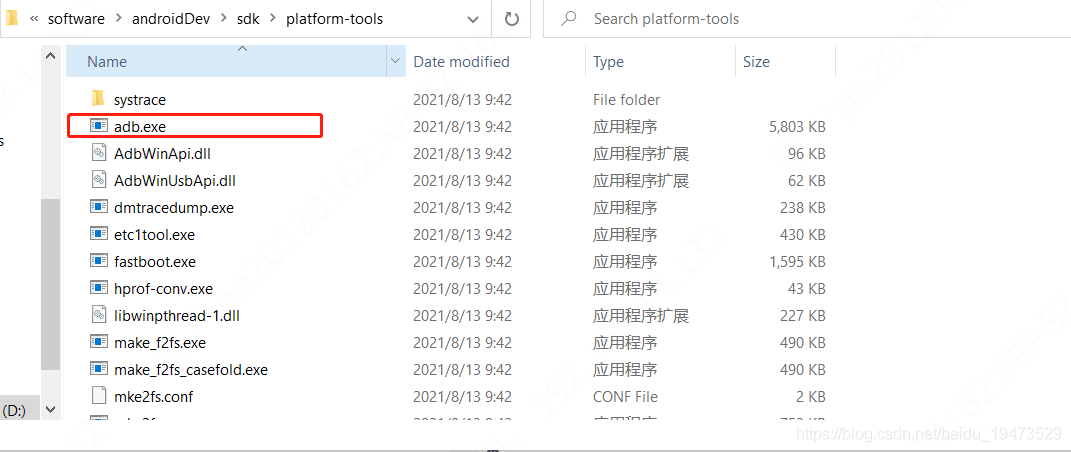
First go to the SDK \ platform tools path and find the ADB command
. Then, in the current directory, open the command line window and enter ADB devices .
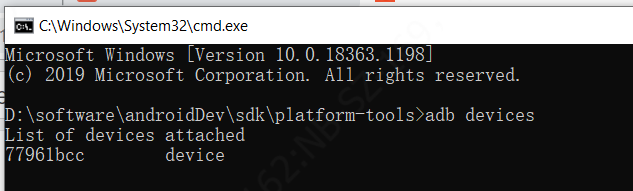
Confirm that the mobile phone is connected, then use ADB to uninstall, enter the command, ADB uninstall com.guoqi.callautorecord ( com.guoqi.callautorecord is my own package name, and I want to change it to my own)
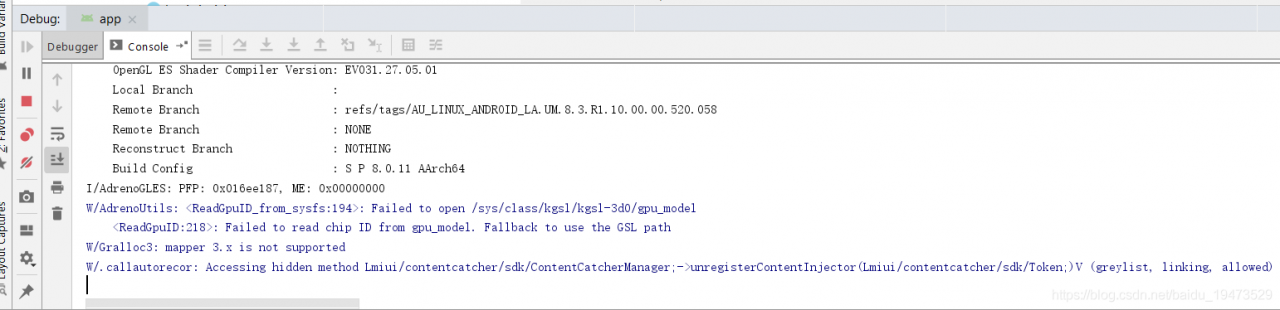
is installed successfully, as shown in the figure below
Element Error when await is used in UI form submission [Solved]

Correct writing: use async before valid

/**Submit*/
        handleSubmit() {
            this.$refs["form"].validate(async valid => {
                if (valid) {
                    await this.handleUploadFile();
                }
                ApiUpdateOrganBrand(this.form).then(res => {
                    console.log(res);
                    this.$message.success("Brand configuration success");
                    this.handleClose();
                });
            });
        },

I started by writing async in front of handle submit, reporting the unexpected reserved word ‘await’

PCL 1.8.1 VTK 9.0 QT 5.14.9 [How to Solve]

Severity code description the project file line is prohibited from displaying status
error c2039 “immediatemodernetingoff”: project1 D:\PCL 1.8.1\include\pcl-1.8\PCL\visualization\impl\PCL is not a member of “vtkmapper”_visualizer.hpp 1431

#include <vtkRenderWindow.h>

2039 “immediatemodulerenderingoff”: not a member of “vtkmapper”

It was found that the ImmediateModeRenderingOff() method of vtkMapper was removed in vtk8.10 onwards, so in order to get the pcl1.9.1 code to compile, you just need to comment out the corresponding line of code in the error message

[Solved] Error while deploying HAP reported by Hongmeng deveco studio

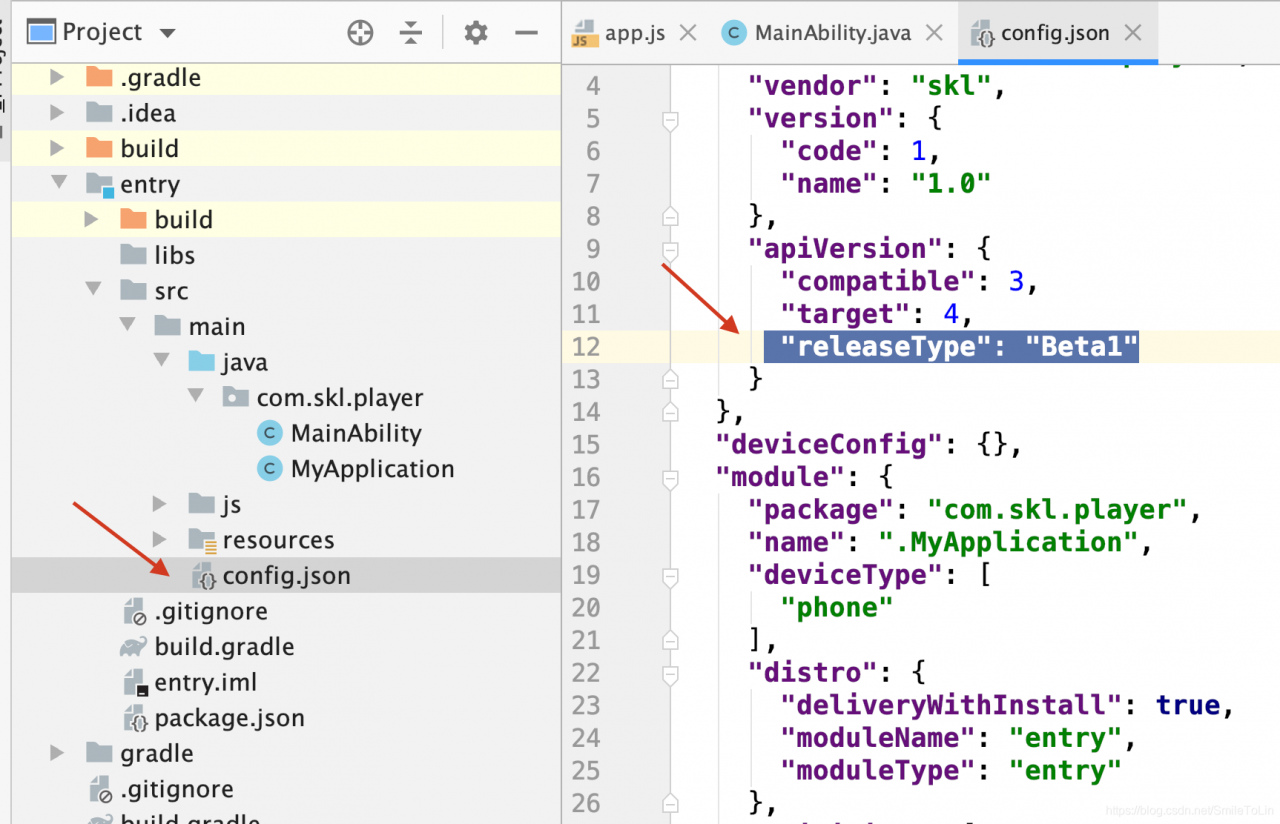
It’s been a long time since I used DevEco-Studio, and today I ran a demo that reported an error, which I didn’t want to do.
Error message.
$ hdc file send /Users/likai/DevEcoStudioProjects/player/entry/build/outputs/hap/debug/entry-debug-unsigned.hap /sdcard/1bde11bbf51f4783a54e2e3616f6a0cd/entry-debug-unsigned.hap
$ hdc shell bm install -p /sdcard/1bde11bbf51f4783a54e2e3616f6a0cd/
Failure[INSTALL_PARSE_FAILED_USESDK_ERROR]
$ hdc shell rm -rf /sdcard/1bde11bbf51f4783a54e2e3616f6a0cd
Error while Deploying HAP
Solution.
Find the project’s configuration file config.json, open it and delete “releaseType”: “Beta1” , then run the perfect solution

[Solved] Docker Error: Failed to connect to bus: Host is down

docker run -itd –privileged –name=apache -v /var/www/html/:/var/www/html/ -p 8888:80 myapache:v1 /usr/sbin/init

Remember, remember

Error content:

The system has not been booted with systemd as init system (PID 1). Can’t operate.
Failed to connect to bus: Host is down

Solution:

docker run -itd    — privileged –name myCentos centos /usr/sbin/init

After creation: use the following command to enter the container

docker exec -it myCentos /bin/bash

Pay special attention to the bold content and don’t forget it

The reason is that/bin/Bash is executed in the first step by default, and systemctl cannot be used because of a bug in docker

Therefore, we use/usr/SBIN/init and — privileged, so that we can use systemctl, but override the default/bin/bash

Therefore, if we want to enter the container, we can no longer use docker attach mycentos

Instead, you can only use   docker exec -it myCentos /bin/bash   Because exec allows us to execute the overridden default command/bin/bash

At the same time -it is also necessary.

[Solved] – npm run dev Error: listen EADDRINUSE: address already in use :::8000(or 8080 etc.)

today, I’d like to record that when I was implementing a project recently, I found that running NPM run dev always reported errors:
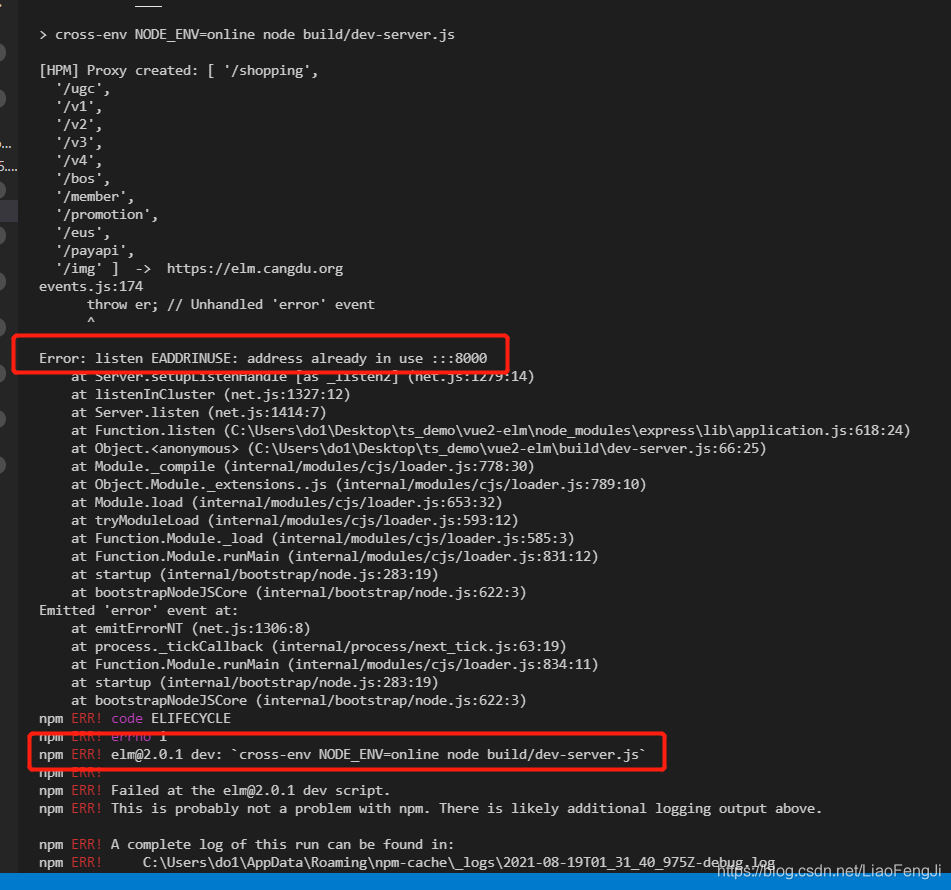
error: listen eaddinuse: address already in use::: 8000
NPM err! [email protected] dev: cross-env NODE_ Env = online node build/dev server. JS
it is found that the port is actually occupied. We can turn off the occupied port or recompile another port to solve this problem.

1.Error reported:

2. Causes and solutions of error reporting

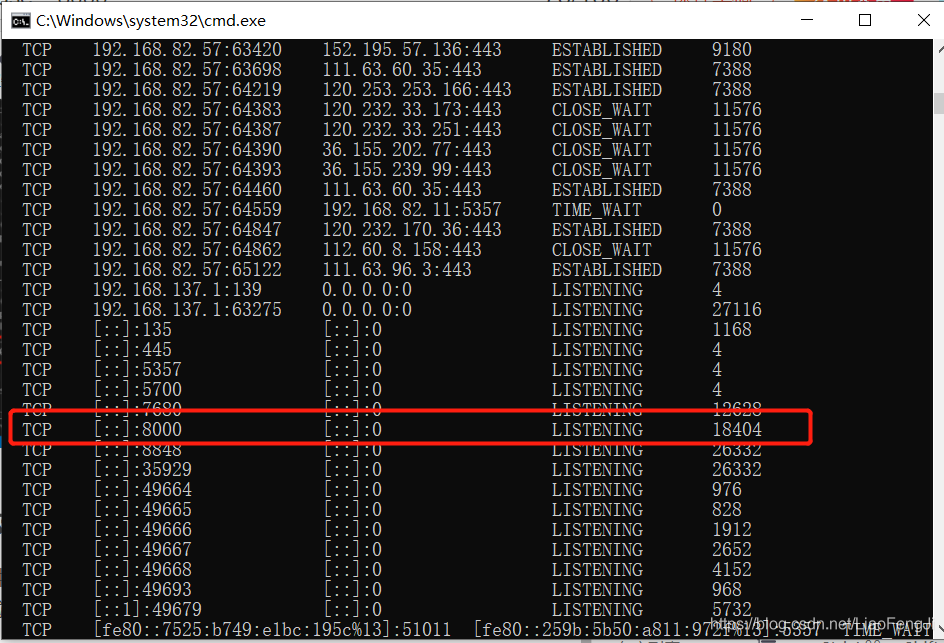
this error occurs because the port is occupied. We can view the port through netstat - ano :

at this time, we can solve it by closing the occupied port or recompiling the code with another port.