Category Archives: Error

How to Solve Excel Error Log 2: Sloving method

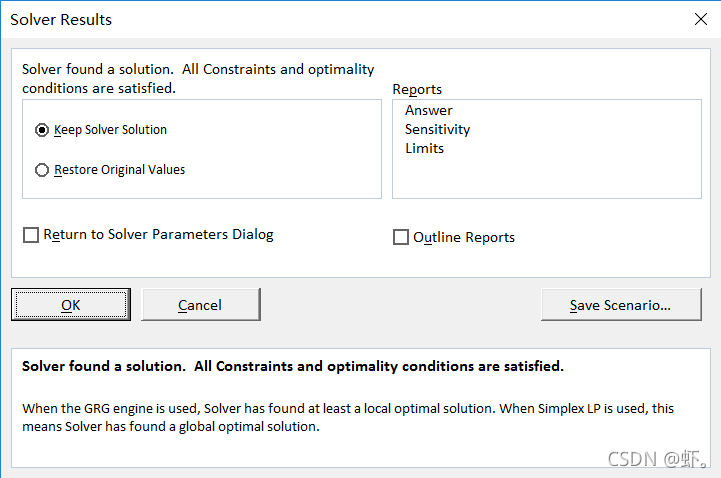
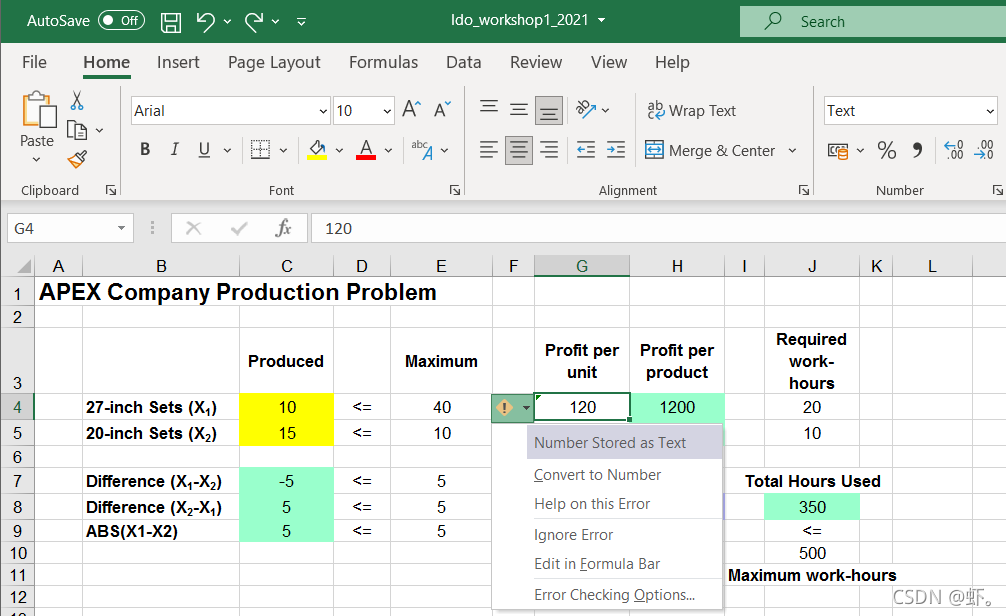
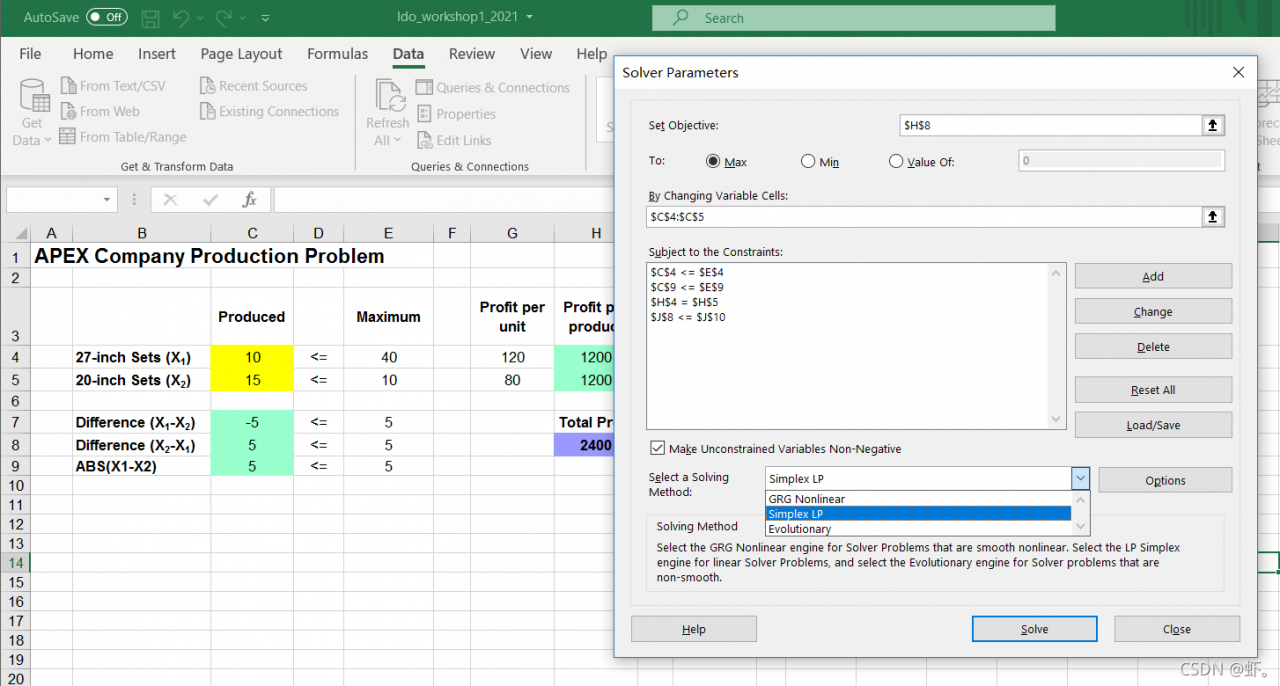
Error phenomenon: when solver uses simple LP, it cannot find a solution satisfying constraints
tips can be answered using GRG nonlinear
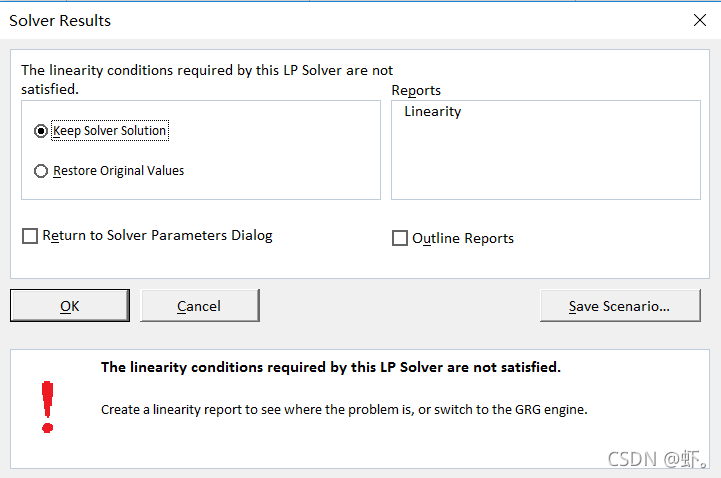
Solution:
GRG nonlinear is selected for the solving method
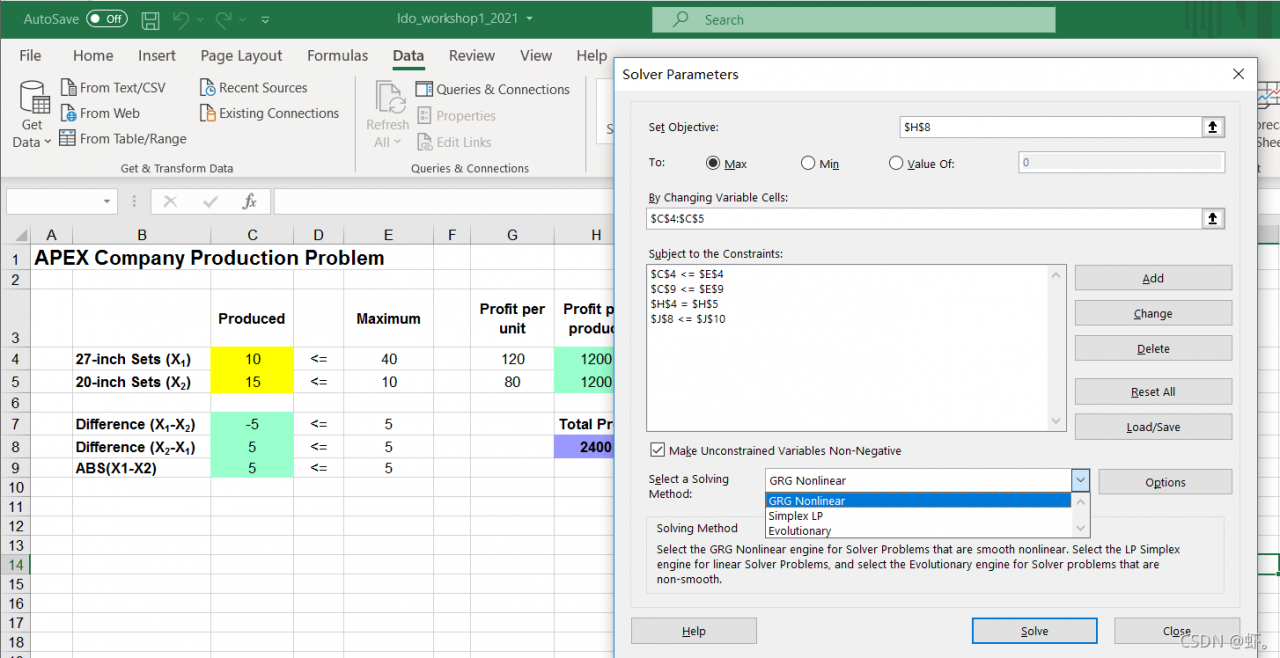
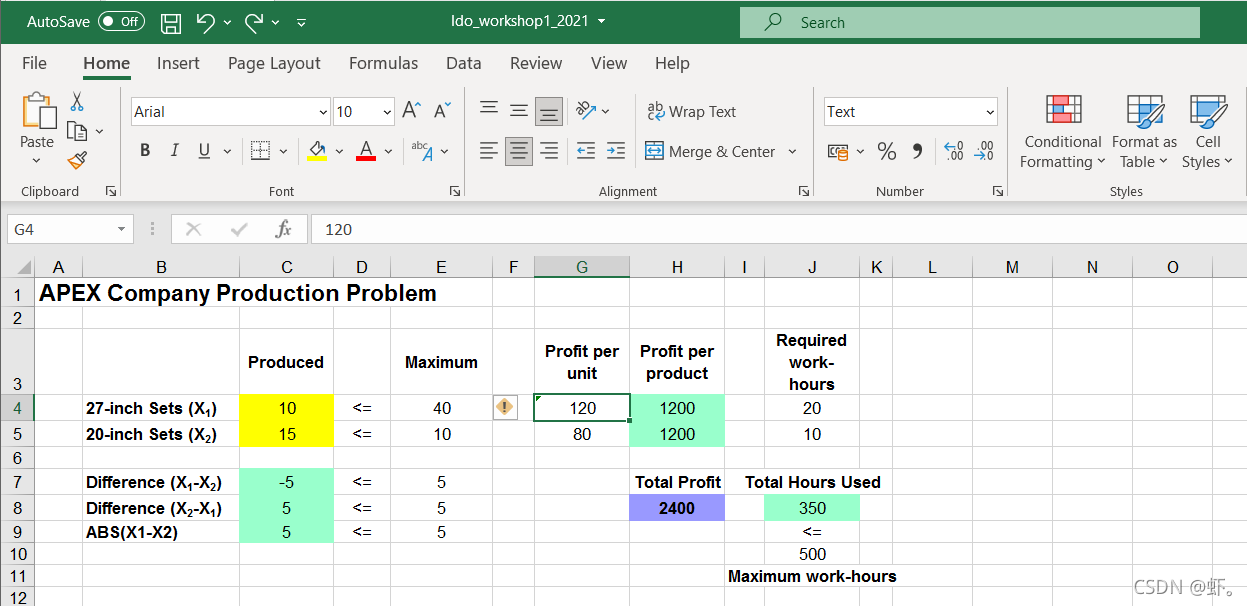
After testing, even if the constraints input expression is correct, different solving methods will report errors.

For the differences between the three solving methods:

  1. Will build a linear programming model, using the Simplex method;
  2. Solving speed: Simplex> GRG> Evolutionary
  3. GRG may not get the global optimal solution, use Evolutionary to get the global optimal solution;
  4. Using GRG combined with Multistart can get a better local optimal solution.

in short, when an error is reported, if there is no problem with the constraints after the inspection, change the solving method
error: resource android:attr/lStar not found [How to Solve]

When integrating androidx.activity:activity in Android projects, an error is reported.xxx/app/build/intermediates/incremental/mergeDebugResources/merged.dir/values/values.xml:5395: error: resource android:attr/lStar not found.error: failed linking references.

Analysis.
1. gradle introduces the configuration.

    def activity_version = "1.4.0-alpha02"

    // Java language implementation
    implementation "androidx.activity:activity:$activity_version"
    // Kotlin
    implementation "androidx.activity:activity-ktx:$activity_version"

2. Project gradle configuration:

buildscript {
    repositories {
        google()
        jcenter()
    }
    dependencies {
        classpath "com.android.tools.build:gradle:4.0.1"

        // NOTE: Do not place your application dependencies here; they belong
        // in the individual module build.gradle files
    }
}

3. The project is a brand-new project and kotlin has not been introduced, so it is not a kotlin version number problem.

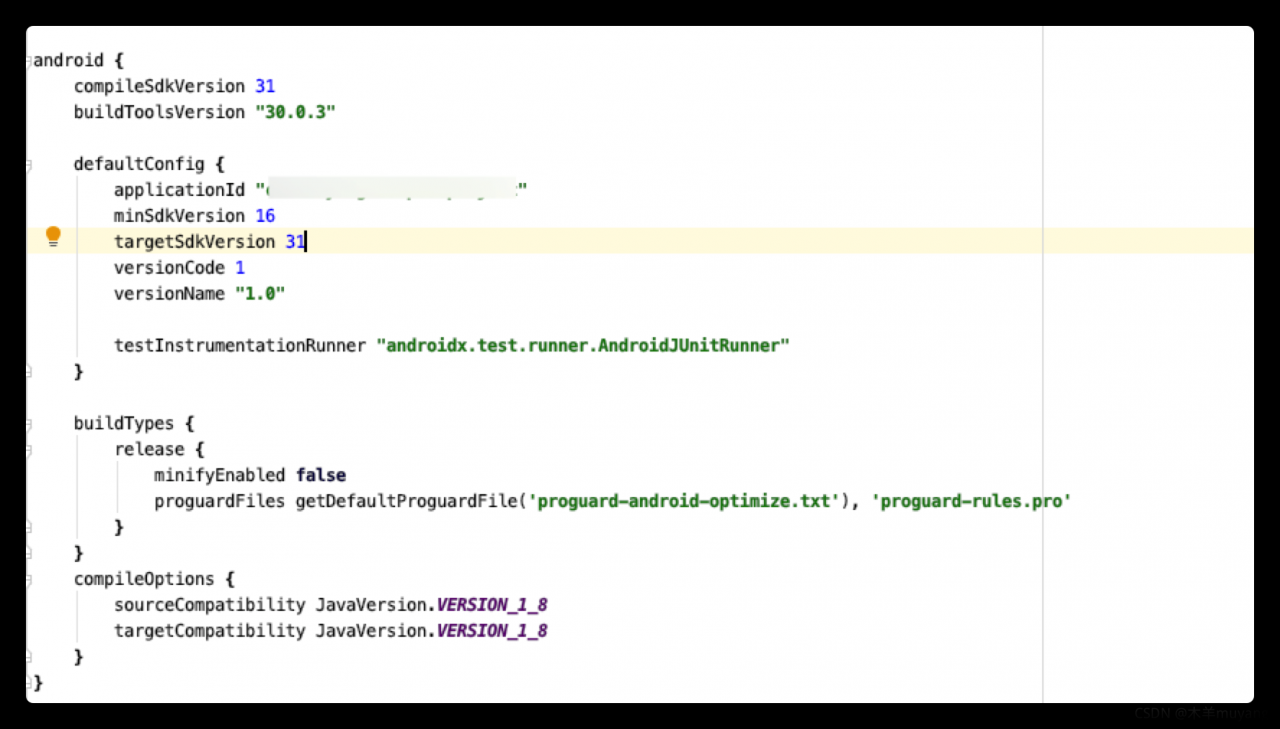
4. After modifying the compilesdkversion and targetsdkversion to 31, the operation is normal.

Error creating bean with name ‘studentMapper‘ defined in file

org.springframework.beans.factory.UnsatisfiedDependencyException: Error creating bean with name ‘studentServiceImpl’: Unsatisfied dependency expressed through field ‘studentMapper’; nested exception is org.springframework.beans.factory.BeanCreationException: Error creating bean with name ‘studentMapper’Cause of error:
Because repeated code generation with Mybatis Generator automatically generated duplicate code
You can find two sameselectByExampleWithRowbounds in *mapper.xml.

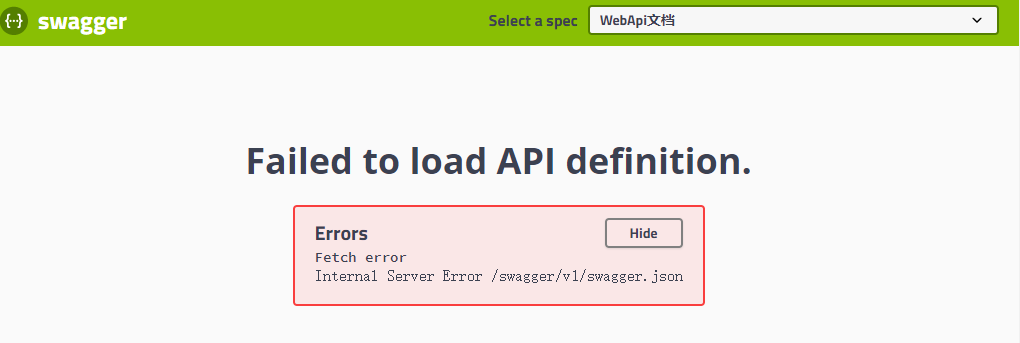
How to Solve Internal Server Error: /swagger/v1/swagger.json

Sometimes, when running swagger, it will cause“   Internal Server Error /swagger/v1/swagger.json  ” Wrong.

Here are my solutions:

1. First look at the console and check the reason. The reason is: ambiguous HTTP method for action, which is translated as “ambiguous HTTP operation method”. It is estimated that a brother did not indicate the HTTP method when submitting the code.

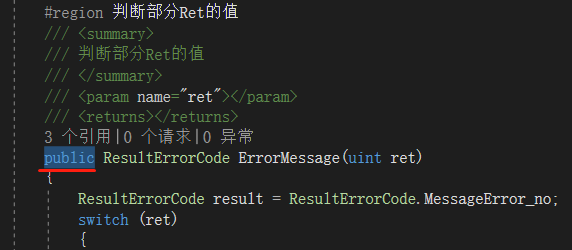
2. Search all public methods in the controller. In the search result window, press ↓ on the keyboard   and   ↑   Button to quickly switch to search. Finally, it is found that the method is written in public and changed to private.

Conclusion:

Ambiguous HTTP method for action, translated as “ambiguous HTTP operation method”.

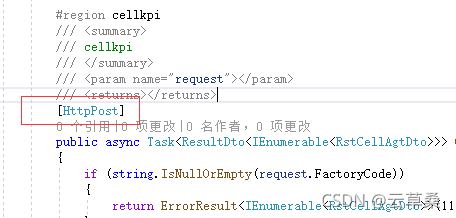
There may be no HTTP method written, such as [httpget], [httppost], add to the method.

It may also be caused by writing some methods that should have been private to public.

C++:error C2872: ‘byte‘: ambiguous symbol [How to Solve]

The reason is to merge two project programs written by others. There is no problem with separate testing. After merging, compile and report errors

After searching the data, it is suspected that it is related to the header file windows.H

#include<math.h>
#include <string>
#include <iostream>
#include <fstream>
#include <vector>
#include <windows.h> // Commented out to compile properly
#include <map>
#include <any>

My solution is to #include <windows.h> comment it out (the header file is not used in the code), and then it can run successfully. I didn’t delve into the specific reasons, mainly by referring to the reference materials at the end of the article.

[Solved] Vs error: link: fatal error lnk1168: unable to open for writing

Project scenario:

use VS to program in C language and generate solution report – > Execution error


Problem Description:

error: link: fatal error lnk1168: unable to open C:\users\86139\desktop\plan\notes\C\tryproject \ debug\tryproject.exe for writing

#include <stdio.h>
#include "math.h"//Since the library function sqrt() is to be used

int main(){
	//Requirement: determine if the quadratic function has real roots, and output if it does?
	double a,b,c,disc,x1,x2,p,q;//declare variables
	printf("Please enter the values of a,b,c respectively: \n");
	scanf("%lf%lf%lf",&a,&b,&c);//enter the value and store it at address a,b,c
	disc=b*b-4*a*c;//discriminant
	if(disc<0){
		printf("This equation has no real roots!!!");
	}else{//disc>=0
		p=-b/(2.0*a);
		q=sqrt(disc)/(2.0*a);
		x1=p+q;
		x2=p-q;
		printf("此方程的两实根为:\nx1=%7.2f\nx2=%7.6f\n",x1,x2);
	}
}

Cause analysis:

the process may already exist, so it cannot be opened and run


Solution:

just finish the process of the program. You can open “process manager” (Task Manager), Ctrl + Alt + delete, find the corresponding process, and right-click to finish.

[Solved] QT Warning: Slots named on_foo_bar are error prone

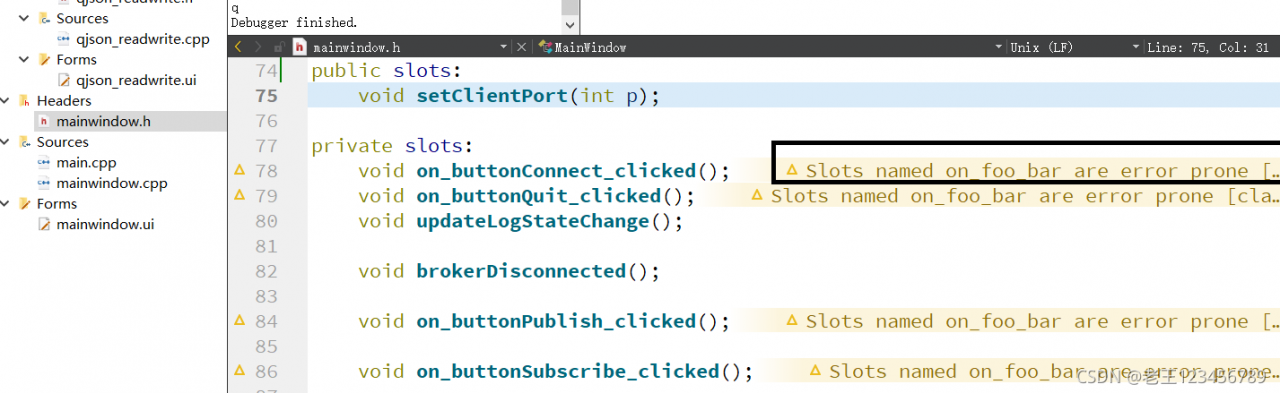
Problem phenomenon:

Cause:
this warning appears because when processing the signal slot relationship, we use “go-to slot” in the UI designer to make the program generate automatically
the weakness of this automatic generation is that one day, you may change the name of the control in the UI designer, but the compilation will not report an error. The program still runs normally, and the compilation does not prompt errors
in this way, the control is equivalent to not being connected to the slot function and becomes invalid.

Recommended solution:
recommendation 1: do not automatically generate signal slot connection through “go to slot” of UI designer. The relationship can be established manually. For example:
connect (toolbutton, & QPushButton:: clicked,
this, & yourclassname:: nameofyourslot)
recommendation 1: ignore this warning and just ignore it. Because this is just a kind reminder.

[Solved] Error: In the Function of ‘fmt::v8::detail::error_handler::on_error(char const*)’

1. Reasons

The FMT.H and related dynamic link files were not found

2. Solutions

Download FMT package, compile, install and call

git clone https://hub.fastgit.org/fmtlib/fmt.git
cd fmt
mkdir build
cmake ..
make
sudo make install

Called in the project cmakelists.txt

find_package(FMT REQUIRED)
target_link_libraries(Name of the executable file fmt::fmt)

How to Solve Keil Error: error: #29: expected an expression

About the solution of error: #29: expected an expression

Recently, a keil project was created, and an error occurred during compilation: #29: expected an expression

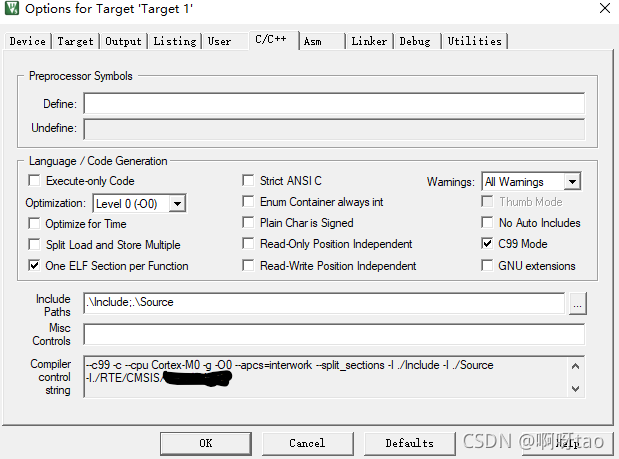
This problem is because keil MDK uses C90 by default. You need to modify the configuration to support C99 to solve this problem.

The specific solutions are as follows:

Magic Wand --> C/C++ --> Check 'C99 Mode' on the right to confirm  

Finally, recompile:

- 0 Error(s), 0 Warning(s).