Author Archives: Robins

Nodejs exception error: listen eacces 127.0.0.1:8000

This article is reprinted, if you do not want to infringe copyright, please timely inform
The original address to http://blog.csdn.net/y2010081134/article/details/72800812
Exception information

Error: listen EACCES 127.0.0.1:8000
    at Object.exports._errnoException (util.js:1018:11)
    at exports._exceptionWithHostPort (util.js:1041:20)
    at Server._listen2 (net.js:1245:19)
    at listen (net.js:1294:10)
    at net.js:1404:9
    at GetAddrInfoReqWrap.asyncCallback [as callback] (dns.js:62:16)
    at GetAddrInfoReqWrap.onlookup [as oncomplete] (dns.js:81:10)

npm ERR! Windows_NT 10.0.14393
npm ERR! argv "D:\\nodejs\\node.exe" "D:\\nodejs\\node_modules\\npm\\bin\\npm-cli.js" "start"
npm ERR! node v6.10.3
npm ERR! npm  v3.10.10
npm ERR! code ELIFECYCLE
npm ERR! [email protected] start: `http-server ./app -a localhost -p 8000 -c-1`
npm ERR! Exit status 1
npm ERR!
npm ERR! Failed at the [email protected] start script 'http-server ./app -a localhost -p 8000 -c-1'.
npm ERR! Make sure you have the latest version of node.js and npm installed.
npm ERR! If you do, this is most likely a problem with the angular-phonecat package,
npm ERR! not with npm itself.
npm ERR! Tell the author that this fails on your system:
npm ERR!     http-server ./app -a localhost -p 8000 -c-1
npm ERR! You can get information on how to open an issue for this project with:
npm ERR!     npm bugs angular-phonecat
npm ERR! Or if that isn't available, you can get their info via:
npm ERR!     npm owner ls angular-phonecat
npm ERR! There is likely additional logging output above.

npm ERR! Please include the following file with any support request:
npm ERR!     E:\Git\Repository\angular-phonecat\npm-debug.log

The solution


The exception is caused by 8000 port being occupied. Check the 8000 port being occupied under Windows

E:\Git\Repository\angular-phonecat>netstat -ano|findstr "8000"
  TCP    0.0.0.0:8000           0.0.0.0:0              LISTENING       18480
  TCP    127.0.0.1:8000         127.0.0.1:50236        TIME_WAIT       0
  TCP    127.0.0.1:8000         127.0.0.1:50237        TIME_WAIT       0
  TCP    127.0.0.1:8000         127.0.0.1:50238        TIME_WAIT       0
  TCP    127.0.0.1:8000         127.0.0.1:50239        TIME_WAIT       0
  TCP    127.0.0.1:8000         127.0.0.1:50240        TIME_WAIT       0
  TCP    127.0.0.1:8000         127.0.0.1:50286        TIME_WAIT       0
  TCP    127.0.0.1:50285        127.0.0.1:8000         TIME_WAIT       0
  UDP    0.0.0.0:8000           *:*                                    18480

Because process 0 is a system process, executing “Taskkill/PID 0” will not kill it. So, find another way to change the port, as follows:

Under node’s installation root, find package.json, search 8000, and replace with 8888
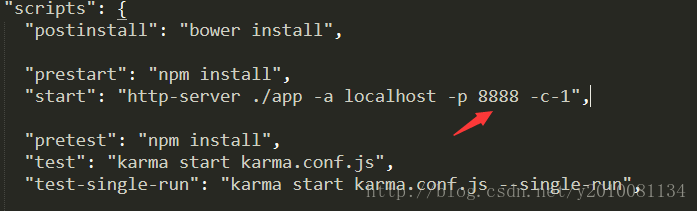


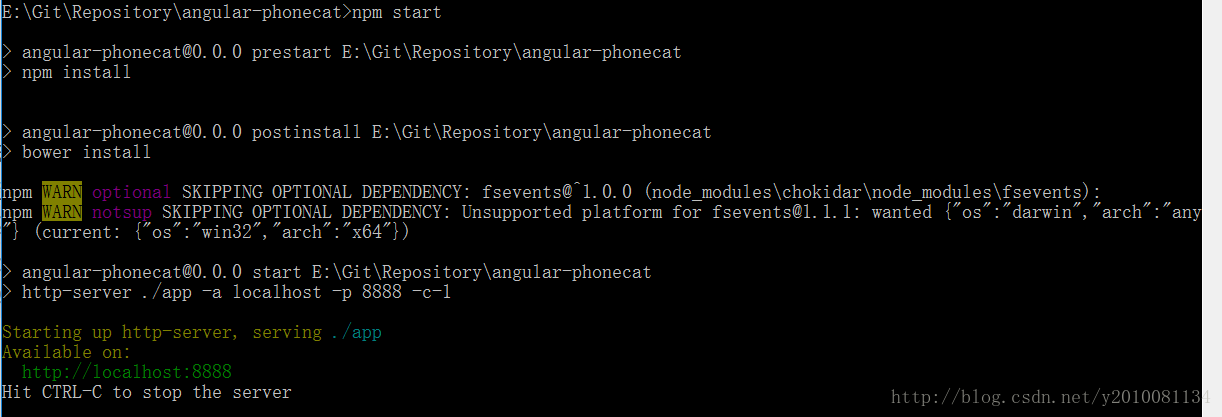
Then execute the command NPM Start from the command line, and it starts successfully
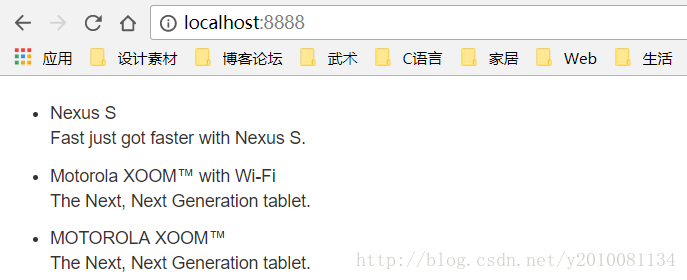
Enter it in the browser
http://localhost:8888
, you can see the successful access
The MySQL load data command parses and handles error 29 (errCode: 13) errors (in the Ubuntu environment)

On the mysql server, you can use the following command:

load data infile 'file_name' into table table_name; 

Stores all data in a text file into the specified table. The crudest form of example:

load data infile 'test.txt' into table test_table;

By default, the Load Data Infile behavior for text is:
A

    row corresponds to a record in the database table separated by the TAB key the value of each field is not enclosed by any characters and the row is not prefixed to ignore

For example, a line of text:
1 test “xx”
reads into the database, and the value of the third field is “xx” instead of xx. Of course these fields can be set, the full Load Data Infile command is:

LOAD DATA [LOW_PRIORITY | CONCURRENT] [LOCAL] INFILE 'file_name.txt'
   [REPLACE | IGNORE]
  INTO TABLE tbl_name
   [FIELDS
    [TERMINATED BY 'string']
   [[OPTIONALLY] ENCLOSED BY 'char']
   [ESCAPED BY 'char' ]
 ]
   [LINES
   [STARTING BY 'string']
  [TERMINATED BY 'string']
  ]
   [IGNORE number LINES]
  [(col_name_or_user_var,...)]
   [SET col_name = expr,...]]

Ignore and replace are used to distinguish between the way in which the text is read and the record in the original table that has a primary key conflict. The terminated by setting field (delimiter) after
fields, enclosed by setting outer enclosing characters, and escape by setting escape characters (this is unclear).
lines, starting by sets the line prefix, will be ignored when reading, and the newline character is set. Refer to the first link for more details.
Then in the process of use, it is easy to have errors:
ERROR 29 (HY000): File ‘test.txt’ not found (Errcode: 13) But it is of no damn use From the command line you can see that errcode 13 refers to the access issue:

xyb@xyb-computer:~$ perror 13
OS error code 13: Permission denied

Even if you change the access to the test.txt file, such as chmod O +r test.txt, the problem will still occur. It involves AppArmor. This is a protection mechanism that restricts each program’s access to specific directories and files. In other words, it is restricted by AppArmor, which provides access to the file for the current mysql program. See link to article 2 about AppArmor (Wikipedia).
can really do is to mysql program reads the file permissions, according to the following steps can be done:
1) open the/etc/apparmor. D/usr. Sbin. Mysqld file
2) can see a lot about mysql can read and write at this time for the directory and file records, such as:

#Other contents
/usr/sbin/mysqld {
    #Other contents
    /var/log/mysql.log rw,
    /var/log/mysql.err rw,

    #Other contents

    #This will be your dir definition
    /tmp/ r,
    /tmp/* rw,

    #Other contents
}

Add the appropriate permissions for the file you want to read and write at the end, save and exit. D/AppArmor reload
. At this point, the problem should be solved. But this can be an unsafe solution and requires caution. Refer to the third link for details.
Reference links:

https://en.wikipedia.org/wiki/AppArmor http://www.2cto.com/database/201108/99655.html https://oldwildissue.wordpress.com/2013/12/11/fixing-mysql-error-29-errcode-13-in-ubuntu/

MySQL data import error 1227, acess denied

Author: Librarian, Tianyi Pavilion
Today, a former colleague in the group has asked MYSQldump for the SQL file which came out, and sent an error error1227 (42000) at line 18: Acess Denied; you need (at least one of) the SUPER privilege(s) for this operation
Set @@session.sql_log_bin=0; set @@session.sql_log_bin=0;
This does not normally happen. This statement simply controls whether the query in the current session writes to the binlog. Everyone in the group thought it was a strange question.
Solution 1:
you can see that this is a permission issue, so say it, or use root. However, the former colleague said that the skip machine passed over, and there was no way to use root, and the right to lift and grant also required root rights. Option 1 was rejected.
Solution 2:
since you can’t use root, you have to do something else, but I wonder why the user can’t control his or her session variable. So I did a search, went to the mysql website, and found this description:
sql_log_bin
This variable controls whether logging to the binary log is done. The default value is 1 (do logging). To change logging for the current session, Change the session value of this variable. The session user must have the [SUPER] (https://dev.mysql.com/doc/refman/5.7/en/privileges-provided.html#priv_super) privilege to set this variable. * Setting this variable to 0 prevents GTIDs from being assigned to transactions in the binary log*. If you are using GTIDs for replication, this means that, Even when binary logging is later enabled once again, the GTIDs written into the log from this point do not account for any transactions that in the Meantime -- in effect, Those transactions are lost.in MySQL5.7, it is not possible to set @session.sql_log_bin within a transaction or subquery. (Bug #53437)
note that the last line says MySQL5.7 has a Bug, Cannot execute set @@session.sql_log_bin in a subquery or transaction. But a book without a book is better than a book without a book. I’ve done it myself in mysql:

mysql> select version();
+-------------------------+
| version()               |
+-------------------------+
| 5.7.16-0ubuntu0.16.04.1 |
+-------------------------+
1 row in set (0.00 sec)

mysql> set @@session.sql_log_bin=0;
Query OK, 0 rows affected (0.03 sec)

Now that this bug has been fixed, is this colleague using the infamous version of mysql5.6?Let him confirm that it is 5.6. Once the root of the problem is found, the solution is there. Simply delete all the set @@session.sql_log_bin statements in the SQL.

An Ajax HTTP error occurred in drupal7 installation occurred.HTTP Result Code

An AJAX HTTP error occurred.HTTP Result Code: 200Debugging information follows.
Path:
http://localhost/drupal/install.php?profile=standard& locale=zh-hans& id=2…

.

There is a solution to drupal7 installation. If you choose Simplified Chinese, there is an error when importing translation due to execution timeout.

Method one:
Modify the php.ini file: memory_limit = 256M (set as actual)
The installation process may be smooth. But there may be an error first… After r the installation is complete, delete these two sentences.

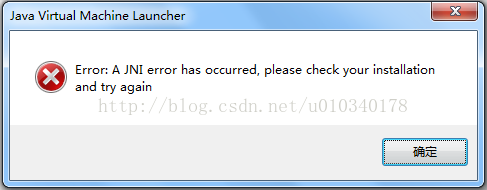
Error: a JNI error has occurred

The first time I ran testNG, I found an Error: Error: A JNI Error has occurred. Please check your installation and try again.

To get to the bottom of this, the JAR package is incomplete. After importing the JCommander -1.48.jar package to run, no more prompt for this error.
Download way: http://download.csdn.net/detail/u010340178/9782044

In addition, in the testNG will often use to another jar package, testNG – 6.8.21. Jar, contains org.testng.Com mandLineArgs, org. TestNG. Annotations. * classes, such as can join together.
Download way: http://download.csdn.net/detail/u010340178/9782050

syntax error on PKG_CHECK_MODULES

From: http://blog.csdn.net/coolper/article/details/12037101

eg.
./configure: line 14956: syntax error near unexpected token `PROTOCOL,'
./configure: line 14956: `PKG_CHECK_MODULES(PROTOCOL, spice-protocol >= 0.6.0)'

answer:
to install pkg-config

Ngixn exception net:: err_ HTTP2_ PROTOCOL_ ERROR 200

First, let’s look at the page error reporting example:

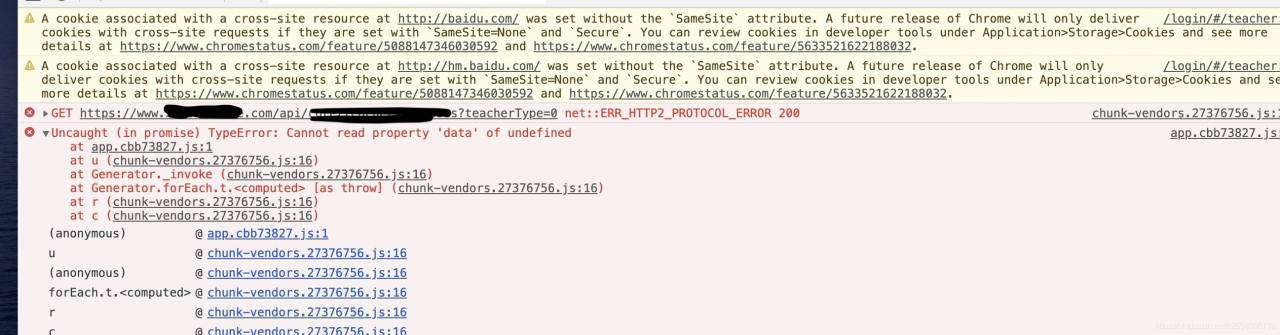
Net ::ERR_HTTP2_PROTOCOL_ERROR 200 shows up after multiple calls from multiple interfaces
Therefore, it is basically concluded that it is not a single interface or database problem, because we used four Nginx for load balancing and forwarding, so it is basically concluded that nginx is the problem, but which machine in Nginx and what causes it?
The positioning strategy in 2 is given below:
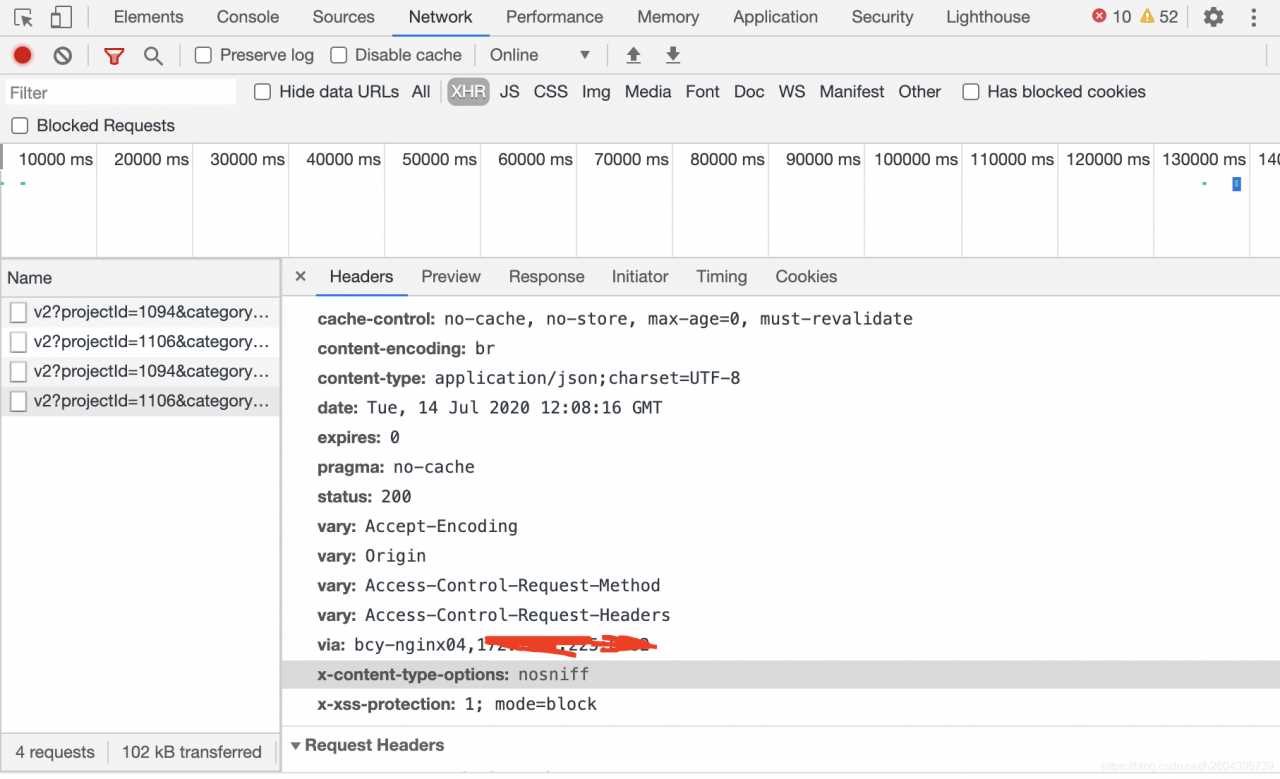
1) Observe the HEADER information in HTTP every time there is an error, and count the nginx information corresponding to via label in the header every time. This method can be derived from the problem of Nginx.
Below:
 
2) In the dead of night, no one else called the service, so I called it by myself. I checked the log files of each Nginx service separately to see which machine would have error information when there was a problem. Here is my machine error log:
2020/07/13 11:45:52 [Error] 20217#0: *85294045 Open () “/usr/local/nginx-1.18/ HTML /50x.html” failed (2: No such File or Directory), Client: 100.97.200.204, Server: www.test.com, Request: “POST/API/core/scratch/exercise/HTTP/1.1”, the host: “www.test.com”, referrer, “https://www.test.com/scratch/v3/?token=aee00163e0b79bf004a0001& projectType=1& practiceType=2& lesson=0172cd54dad800163e0b79bf004a0001& class=7712bc6db96f48febccafe008d9869a1& templateId=65032& category=2& role=1& fr=ts& canSave=1& isOnline=0”
This method gives the specific reason for the error, which I have seen here is that the file does not exist and cannot be opened.
Then I communicated with operation and maintenance and found out that Nginx upgraded today, but only reload was not restarted, so the solution to the problem caused by some cached information was to restart Nginx after operation and maintenance.
Here’s an article on the difference between nginx restart and Reload:
https://www.cnblogs.com/fanggege/p/12145956.html
 

Error: stray ‘- 239’in program solution

The SDK provided by the solution provider compiles and runs normally using GCC on the X86 platform.
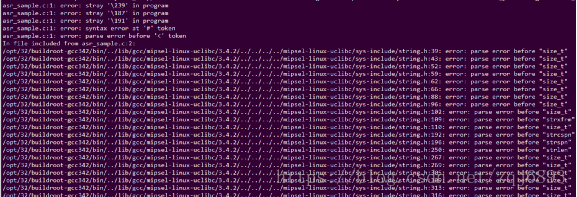
However, when using miPSEL -Linux-GCC cross-compilation, the error is reported from the first line of the code, as shown in the figure below:
Error: stray ‘239 \’ in the program
Error: stray ‘387 \’ in the program

The reason:
Placing boms in UTF-8 files is largely Microsoft’s custom (by the way, it’s also Microsoft’s custom to call a SMALL sequence UTF-16 with A BOM “Unicode” without specifying it). BOM (Byte Order Mark) is prepared for UTF-16 and UTF-32 and is used to mark byte order. Microsoft USES BOM in UTF-8 because it makes a clear distinction between encoding like UTF-8 and ASCII, but such files can cause problems in operating systems other than Windows.
No BOM is required in UTF-8, although the Unicode standard allows the use of Boms in UTF-8. So UTF-8 without BOM is the standard form.
 
Solutions:
Use VI to open the code and set the NoBomb item.
: set nobomb
Save and exit.
 
Or, add Settings to the system’s VIM configuration file and reopen ViM:
vim ~/.vimrc

Error: failed to format “E:”; Diskpart errorlevel – 2147212243

In the afternoon, I made the following mistake when installing Windows PE to usb flash disk:

D:\Windows Kits\10\Assessment and Deployment Kit\Deployment Tools>MakeWinPEMedia /UFD C:\WinPE_amd64 E:
WARNING, ALL DATA ON DISK DRIVE E: WILL BE LOST!
Proceed with Format [Y,N]?Y
Formatting E:...

ERROR: Failed to format "E:"; DiskPart errorlevel -2147212243.

This error is because the size of the USB drive exceeds the maximum size of FAT32 by 32G.
solution is to format the usb disk into FAT32 format.

Error c2143: syntax error: missing ‘;’ before ‘type’

When using VC6.0 to compile. C file, if you define variables in any place in the program, the above error will occur;
Reason: Generally in ANSI C or C++, it is allowed to define variables at any time in executable code, but in K& It’s not allowed in R and C, and that’s why we have this error. VC6.0, VS2008 are used K& R C to implement the C language, so the compilation process will report errors.
In pure C, variable declarations for a block of code are usually at the front end.
Solution: 1. Put all variable declarations at the beginning.
2. Save the file as. CPP file.