Author Archives: Robins

[Solved] org.apache.ibatis.exceptions.PersistenceException: ### Error building SqlSession…

Error Messages:

org.apache.ibatis.exceptions.PersistenceException: ### Error building SqlSession. ### The error may exist in com/zcat/mybatis/mapper/UserMapper.xml ### Cause: org.apache.ibatis.builder.BuilderException: Error parsing SQL Mapper Configuration. Cause: org.


Note that: The typeAliases in mybatis-config.xml are
is the package name of the entity class
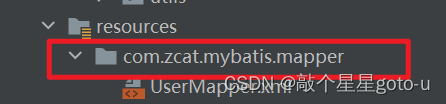
mappers is the package name of the mapping file, so you need to check it carefully.

<?xml version="1.0" encoding="UTF-8" ?>
<!DOCTYPE configuration
        PUBLIC "-//mybatis.org//DTD Config 3.0//EN"
        "http://mybatis.org/dtd/mybatis-3-config.dtd">
<configuration>
    <properties resource="jdbc.properties"></properties>
    <typeAliases>
        <package name="com.zcat.mybatis.pojo"/>
    </typeAliases>
    <environments default="development">
        <environment id="development">
            <transactionManager type="JDBC"/>
            <dataSource type="POOLED">
                <property name="driver" value="${jdbc.driver}"/>
                <property name="url" value="${jdbc.url}"/>
                <property name="username" value="${jdbc.username}"/>
                <property name="password" value="${jdbc.password}"/>
            </dataSource>
        </environment>
    </environments>
    <mappers>
        <package name="com.zcat.mybatis.mapper"/>
    </mappers>
</configuration>

Check the creation of the mapping file. It is different from creating the package. Instead of clicking
, it is/XX/XX

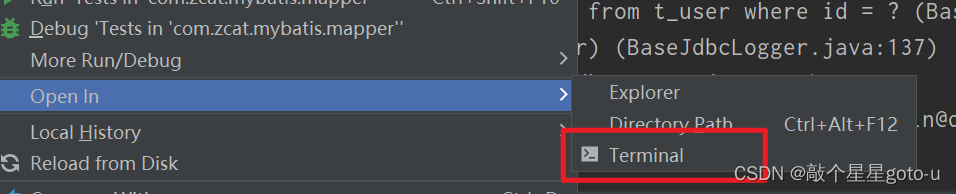
Open in terminal check whether the directory structure generated during creation is correct


[Solved] PDF.js Error: Cannot use the same canvas during multiple render()

Background of the problem: business in the preview pdf file, the pdf to zoom in and out operations, if the frequency of operation is too fast or multiple execution page to display the contents of the pdf file is lost, the display is incomplete, the content is inverted and other phenomena. Open the console to find an error message: ERROR Error: Uncaught (in promise): Error: Cannot use the same canvas during multiple render() operations. use different canvas or Use different canvas or ensure previous operations were cancelled or completed.

Reason analysis: the meaning of the error may be the canvas tag in the display of pdf file content, pdf rendering errors, the problem may be in the scaling operation of the logic code in what operation caused.

Check the code found here to display the pdf file is not paged display, so in the scaling operation, go through all the canvas tags, and then the implementation of the pdf.getPage () this r function, re-modify the width and length of the canvasde rendering pdf. page.render (renderContext) is an asynchronous operation, traversing the canvas to modify the canvas rendering pdf may cause the last asynchronous rendering operation has not yet finished and start a new render, which will report an error resulting in pdf rendering errors.

pdfStreamRenderPage = (num) => { // A string of pdf 64-bit streams with zoom in/out rotation
      if (self.pageRendering) {
        self.pageNumPending = num;
      } else {

        const container = document.getElementById('thisCanvas1').getElementsByTagName('canvas');
        // This traversal operation will result in an error
        for (let i = 1; i <= container.length; i++) {
          self.pageRendering = true;
          self.pdfDoc.getPage(i).then((page) => {
            const viewport = page.getViewport(self.scale, self.rotate);
            container[i - 1].height = viewport.height;
            container[i - 1].width = viewport.width;
            const ctx = container[i - 1].getContext('2d');
            const renderContext = {
              canvasContext: ctx,
              viewport
            };
            const renderTask = page.render(renderContext);
            // You can wait here for rendering to finish before manipulating the next canvas
            renderTask.promise.then(() => {
              self.pageRendering = false;
              if (self.pageNumPending !== null) {
                renderPage(self.pageNumPending);
                self.pageNumPending = null;
              }
            });
          });
        }

      }
    };

Optimize this traversal operation logic to wait for the previous renderTask.promise.then() canvas rendering to finish before executing the next canvas rendering operation.
Modified code:

const pdfStreamRenderPage = (num) => {
      // A string of pdf 64-bit streams with zoom in/out rotation
      if (self.pageRendering) {
        self.pageNumPending = num;
      } else {
        const canvasElementMap = document.getElementById('thisCanvas1').getElementsByTagName('canvas');
        const canvasElement = canvasElementMap[0]
        const pageNum = 1
        scalePdfCanvas(canvasElement, pageNum, canvasElementMap)
      }
    };
 
     /**
     * Scaling the contents of each pdf page
     * @param canvasElement current page canvas
     * @param num current page number
     * @param canvasElementMap the set of all rendering pdf's canvas
     */
    const scalePdfCanvas = (
      canvasElement: HTMLCanvasElement, 
      num: number, 
      canvasElementMap: HTMLCollectionOf<HTMLCanvasElement>
      ) => {
        self.pageRendering = true;
        self.pdfDoc.getPage(num).then((page) => {
        const viewport = page.getViewport(self.scale, self.rotate);
        canvasElement.height = viewport.height;
        canvasElement.width = viewport.width;
        const ctx = canvasElement.getContext('2d');

        // Render PDF page into canvas context
        const renderContext = {
          canvasContext: ctx,
          viewport,
        };

        const renderTask = page.render(renderContext);
        // Wait for rendering to finish
        renderTask.promise.then(() => {
          self.pageRendering = false;
          num++;
          if (num <= canvasElementMap.length) {
            // scale next canvas
            scalePdfCanvas(canvasElementMap[num-1], num, canvasElementMap)
          }
          if (self.pageNumPending !== null) {
            // New page rendering is pending
            pdfStreamRenderPage(self.pageNumPending);
            self.pageNumPending = null;
          }
        });
      });
    }
[Solved] error: (-2:Unspecified error) The function is not implemented. Rebuild the library with Windows

Error: error: (-2:Unspecified error) The function is not implemented. Rebuild the library with Windows

I’m on windows, and when running an image motion blur algorithm from the cv-python library, this error is suddenly reported.
Searching for similar problems has said that the path to read the image is wrong, and reinstalling a higher version of the cv library, but not all of them are useless.
All the functions under the cv2 class are not working.

Solution:
First:

pip uninstall opencv-python 

Then:

pip install opencv-python

Just reinstall this package. I don’t know the cause. The problem occurred after I installed the evaluations package. It should be caused by the conflict between versions
stackoverflow: https://stackoverflow.com/questions/67120450/error-2unspecified-error-the-function-is-not-implemented-rebuild-the-libra

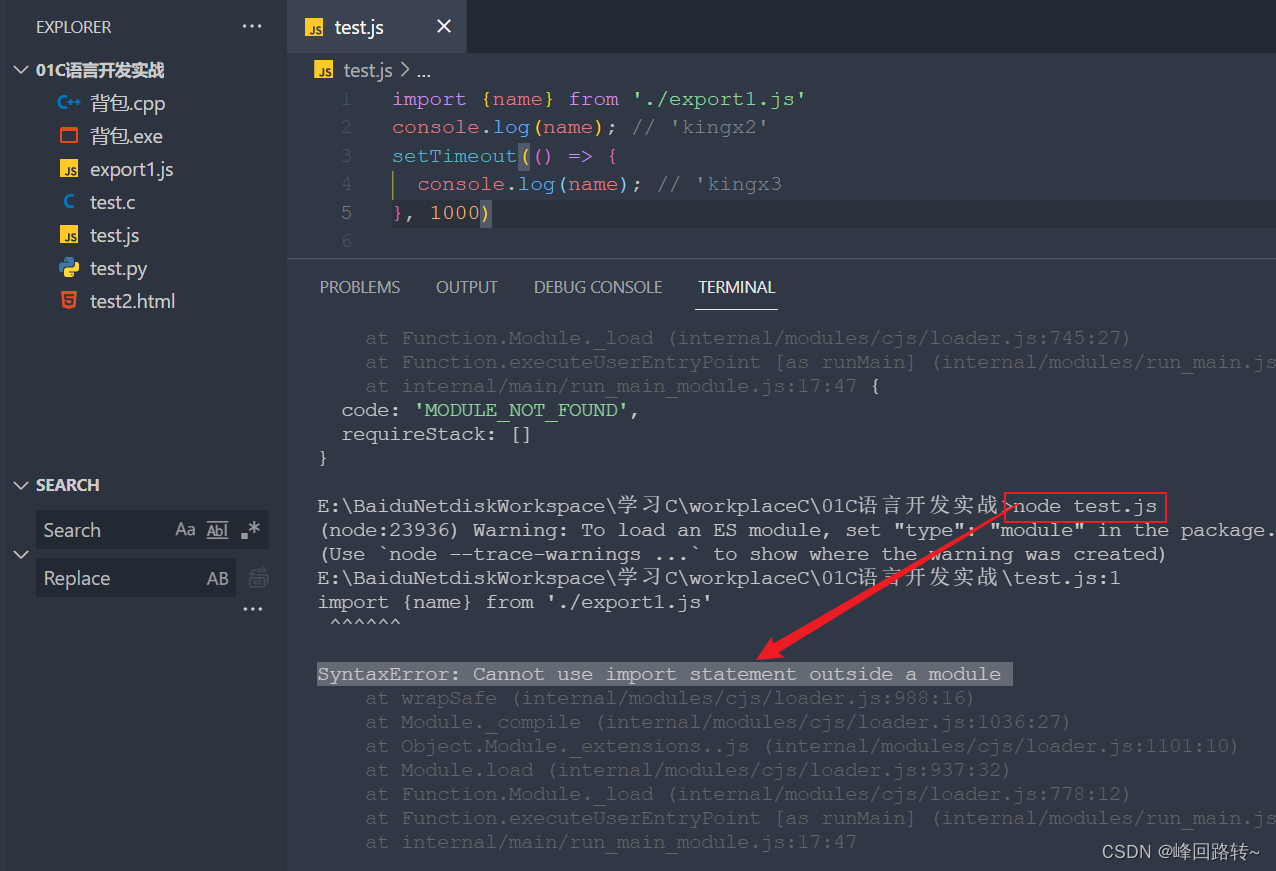
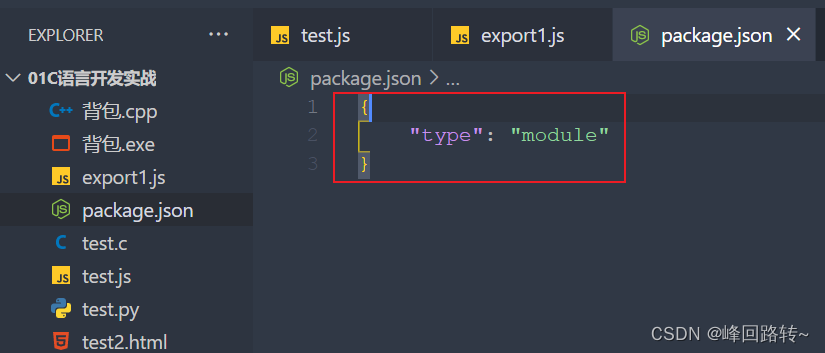
Error Cannot find module ‘worker_threads‘ [How to Solve]

Error: Cannot find module ‘worker_ ‘threads’ solution

Try vite to create Vue project for the first time, and run NPM run dev with an error

This is a node version problem. Version 12 or above is required

PS D:\qian_duan-learn\vue3-learn\vue3demo02> node -v
v10.13.0
PS D:\qian_duan-learn\vue3-learn\vue3demo02> 

Just upgrade the node version

npm install -g n (mac need to add sudo)
n latest

Of course, it is more recommended that you use NVM to install multiple node versions to meet the requirements of different projects

[Solved] org.thymeleaf.exceptions.TemplateInputException: Error resolving template

Error Messages:

org.thymeleaf.exceptions.TemplateInputException: Error resolving template [companyManage/importVillage], template might not exist or might not be accessible by any of the configured Template Resolvers
	at org.thymeleaf.engine.TemplateManager.resolveTemplate(TemplateManager.java:869) ~[thymeleaf-3.0.11.RELEASE.jar:3.0.11.RELEASE]
	at org.thymeleaf.engine.TemplateManager.parseAndProcess(TemplateManager.java:607) ~[thymeleaf-3.0.11.RELEASE.jar:3.0.11.RELEASE]
	at org.thymeleaf.TemplateEngine.process(TemplateEngine.java:1098) [thymeleaf-3.0.11.RELEASE.jar:3.0.11.RELEASE]
	at org.thymeleaf.TemplateEngine.process(TemplateEngine.java:1072) [thymeleaf-3.0.11.RELEASE.jar:3.0.11.RELEASE]
	at org.thymeleaf.spring5.view.ThymeleafView.renderFragment(ThymeleafView.java:362) [thymeleaf-spring5-3.0.11.RELEASE.jar:3.0.11.RELEASE]
	at org.thymeleaf.spring5.view.ThymeleafView.render(ThymeleafView.java:189) [thymeleaf-spring5-3.0.11.RELEASE.jar:3.0.11.RELEASE]
	at org.springframework.web.servlet.DispatcherServlet.render(DispatcherServlet.java:1373) [spring-webmvc-5.2.12.RELEASE.jar:5.2.12.RELEASE]
	at org.springframework.web.servlet.DispatcherServlet.processDispatchResult(DispatcherServlet.java:1118) [spring-webmvc-5.2.12.RELEASE.jar:5.2.12.RELEASE]
	at org.springframework.web.servlet.DispatcherServlet.doDispatch(DispatcherServlet.java:1057) [spring-webmvc-5.2.12.RELEASE.jar:5.2.12.RELEASE]
	at org.springframework.web.servlet.DispatcherServlet.doService(DispatcherServlet.java:943) [spring-webmvc-5.2.12.RELEASE.jar:5.2.12.RELEASE]
	at org.springframework.web.servlet.FrameworkServlet.processRequest(FrameworkServlet.java:1006) [spring-webmvc-5.2.12.RELEASE.jar:5.2.12.RELEASE]
	at org.springframework.web.servlet.FrameworkServlet.doPost(FrameworkServlet.java:909) [spring-webmvc-5.2.12.RELEASE.jar:5.2.12.RELEASE]
	at javax.servlet.http.HttpServlet.service(HttpServlet.java:665) [javax.servlet-api-4.0.1.jar:4.0.1]
	at org.springframework.web.servlet.FrameworkServlet.service(FrameworkServlet.java:883) [spring-webmvc-5.2.12.RELEASE.jar:5.2.12.RELEASE]
	at javax.servlet.http.HttpServlet.service(HttpServlet.java:750) [javax.servlet-api-4.0.1.jar:4.0.1]
	at org.apache.catalina.core.ApplicationFilterChain.internalDoFilter(ApplicationFilterChain.java:231) [tomcat-embed-core-9.0.36.jar:9.0.36]
	at org.apache.catalina.core.ApplicationFilterChain.doFilter(ApplicationFilterChain.java:166) [tomcat-embed-core-9.0.36.jar:9.0.36]
	at org.apache.tomcat.websocket.server.WsFilter.doFilter(WsFilter.java:53) [tomcat-embed-websocket-9.0.36.jar:9.0.36]
	at org.apache.catalina.core.ApplicationFilterChain.internalDoFilter(ApplicationFilterChain.java:193) [tomcat-embed-core-9.0.36.jar:9.0.36]
	at org.apache.catalina.core.ApplicationFilterChain.doFilter(ApplicationFilterChain.java:166) [tomcat-embed-core-9.0.36.jar:9.0.36]
	at org.apache.shiro.web.servlet.OncePerRequestFilter.doFilter(OncePerRequestFilter.java:112) [shiro-web-1.7.1.jar:1.7.1]
	at org.apache.catalina.core.ApplicationFilterChain.internalDoFilter(ApplicationFilterChain.java:193) [tomcat-embed-core-9.0.36.jar:9.0.36]

TemplateInputException

Reason: there is no @ResponseBody annotation on the method when returning JSON data

Solution:

1. Add @ResponseBody to the methods in the Controller layer
2. Add an annotation @RestController directly to the controller class

[Solved] CentOS Start Neo4j Database Error: Error: A JNI error has occurred, please check your installation and try again

CentOS Start Neo4j Database Error: Error: A JNI error has occurred, please check your installation and try again

This is because when installing neo4j, it comes with:

java-11-openjdk-headless-11.0.15.0.9-2.el7_9.x86_64
java-11-openjdk-11.0.15.0.9-2.el7_9.x86_64

This is caused by a conflict with the version of JDK previously installed on the server

So now you just need to uninstall all JDK versions and reinstall neo4j
check the existing JDK

rpm -qa | grep jdk

Uninstall all jdks (it’s easy to uninstall some files in CUDA, but it doesn’t affect deep learning and GPU training model)

yum -y remove(Uninstall all the packages that appear above)

Reinstall neo4j

sudo yum install neo4j

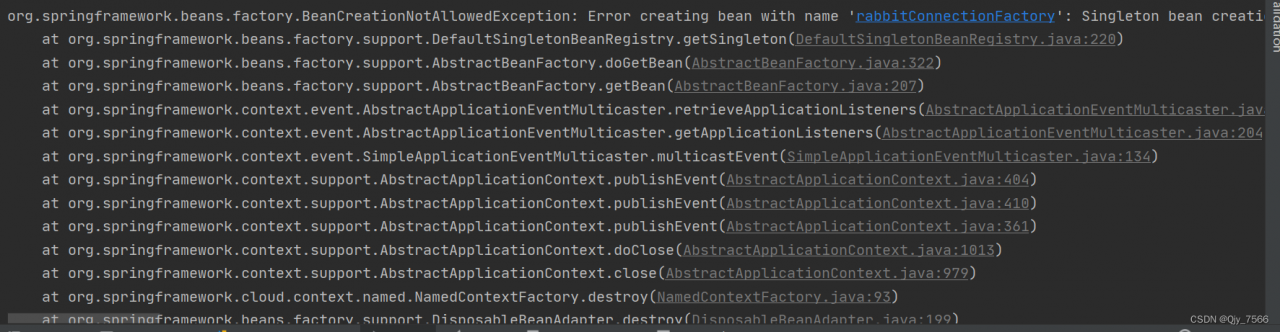
[Solved] BeanCreationNotAllowedException:Error creating bean with name ‘rabbitConnectionFactory‘:

BeanCreationNotAllowedException:Error creating bean with name ‘rabbitConnectionFactory‘:

BeanCreationNotAllowedException: Error creating bean with name 'rabbitConnectionFactory': Singleton bean creation not allowed while singletons of this factory are in destruction (Do not request a bean from a BeanFactory in a destroy method implementation!)

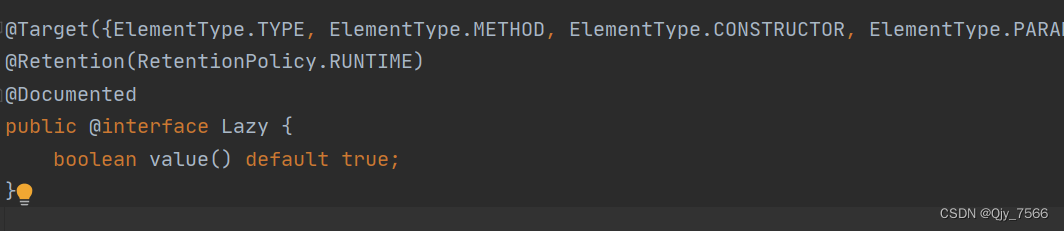
My reason is: my timer class UnlockOverNumCrontab and DemoServiceImpl class at the same time @Autowired active injection of private IDemoService.
Solution: Add @Lazy annotation to the method name of the UnlockOverNumCrontab class, the default annotation is true

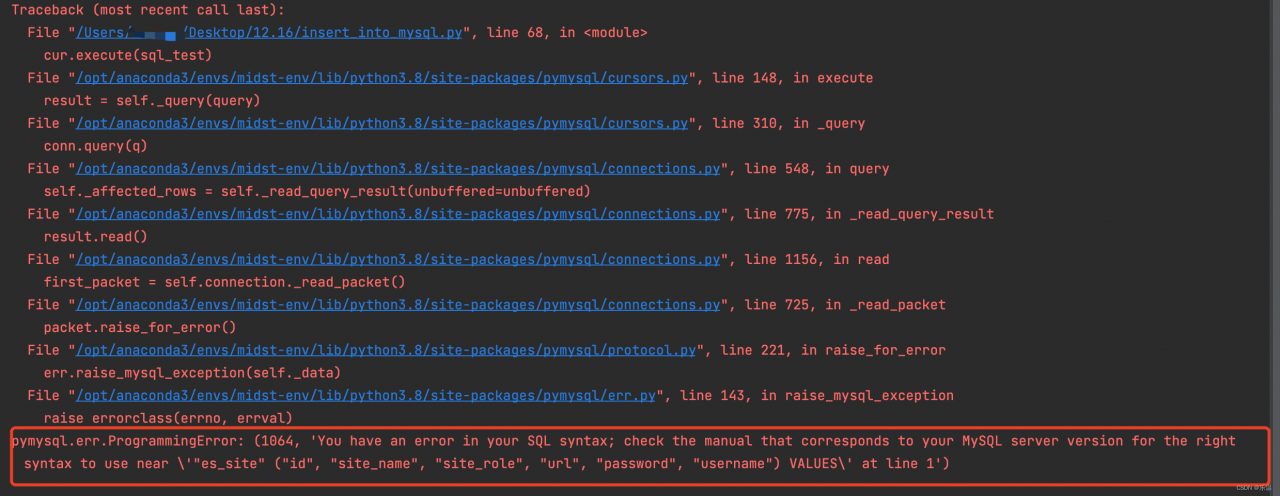
[Solved] pymysql.err.ProgrammingError: (1064, ‘You have an error in your SQL syntax;

[Solved] pymysql.err.ProgrammingError: (1064, ‘You have an error in your SQL syntax;

Purpose

Use pymysql to insert data into the MySQL database.

Abnormal information

code

sql_test = '''INSERT INTO "es_site" ("id", "site_name", "site_role", "url", "password", "username") VALUES (1, 'test', 'test', 'https://test.com', 'passwd', 'estest');'''
cur.execute(sql_test)
conn.commit()
cur.close()
conn.close()

Solution

The field name in sql cannot be enclosed in quotation marks. Just remove the quotation marks of the field and table name

[Solved] CMake Error: CMAKE_C_COMPILER not set, after EnableLanguage

CMake Error: CMAKE_C_COMPILER not set, after EnableLanguage

1. Error report Description:

Error reporting when building C + + program with cmake:

$ cmake .
-- Building for: NMake Makefiles
CMake Deprecation Warning at CMakeLists.txt:1 (cmake_minimum_required):
  Compatibility with CMake < 2.8.12 will be removed from a future version of
  CMake.

  Update the VERSION argument <min> value or use a ...<max> suffix to tell
  CMake that the project does not need compatibility with older versions.


CMake Error at CMakeLists.txt:2 (project):
  Running

   'nmake' '-?'

  failed with:

   The system cannot find the specified file.


CMake Error: CMAKE_C_COMPILER not set, after EnableLanguage
CMake Error: CMAKE_CXX_COMPILER not set, after EnableLanguage
-- Configuring incomplete, errors occurred!
See also "C:/Users/eren.luo/Desktop/test/CMakeFiles/CMakeOutput.log".

2. Solution:

P. S. mingw64/bin and cmake have been added to the environment variable.

Modify

cmake .

to:

cmake -G "MinGW Makefiles" .

Use the following commands to run:

mingw32-make.exe all

3. the version of C++ and cmake:

  1. cmake-3.23.1-windows-x86_64.msi
  2. mingw-w64-install.exe

System: Windows 10

[Solved] FlutterIOS CDN trunk Repo update failed – 34 error(s)

FlutterIOS CDN trunk Repo update failed – 34 error(s)

Add the following codes behind the Podfile:
[!] CDN: trunk Repo update failed – 34 error(s):

source 'https://github.com/CocoaPods/Specs.git'

First, you have to execute the following commands

git clone https://github.com/CocoaPods/Specs.git ~/.cocoapods/repos/master

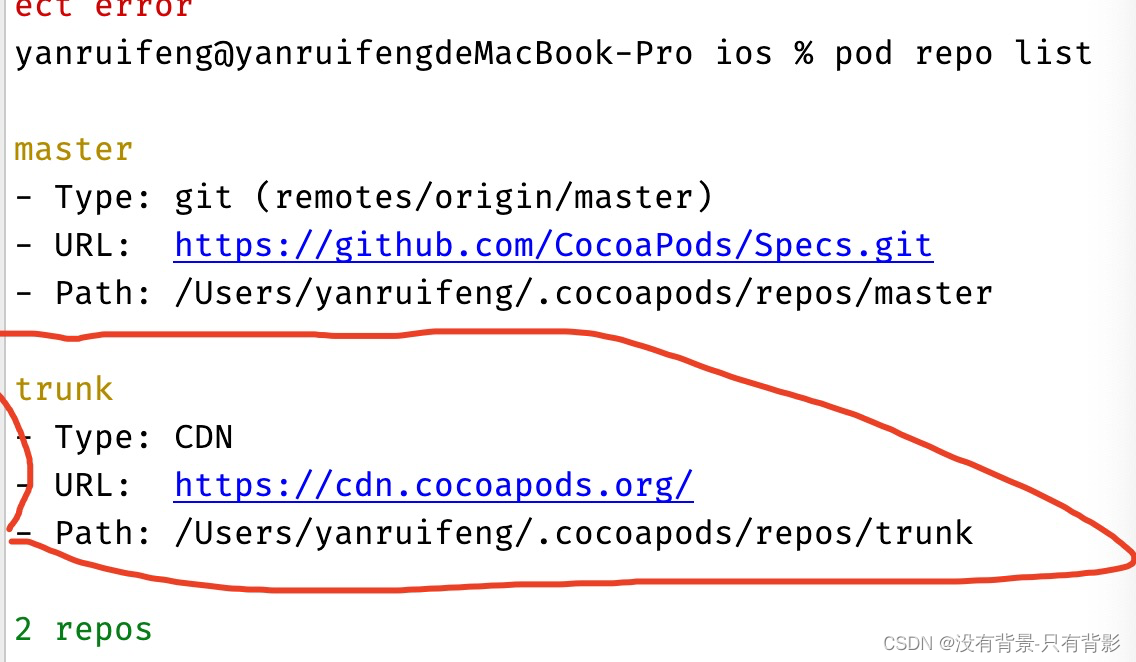
Then view the pod repo list

remove the selected
by executing pod repo remove trunk. Finally, execute pod install

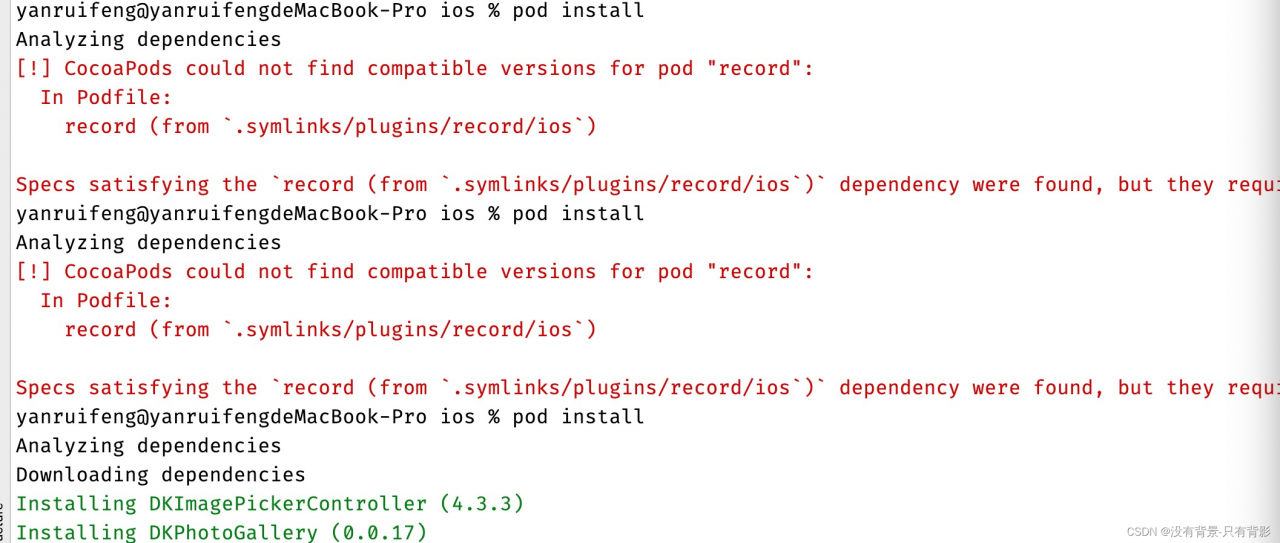
If this problem occurs

just change the platform in podfile: IOS, ‘13.0’
adapt to the IOS version of cocoapods