Author Archives: Robins

NPM run dev Error Module build failed: Error: Cannot find module ‘node-sass’

For a project, you may pull it from another library, change a computer, or for other reasons, you need to re install the dependency environment,

Sometimes the node sass installation fails. This phenomenon is too normal, for example:
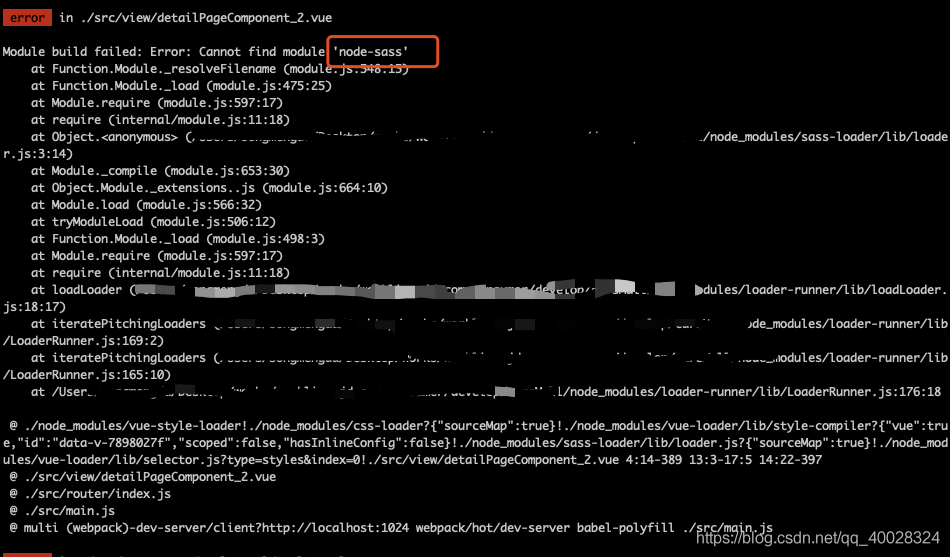
Don’t panic when you report an error. You can usually find the answer by reading the beginning of the error report. He said that he didn’t find the module node sass

In this case, you can go to the project dependency node_ Look inside the module and find that there is no such bag. Please reload it

npm install node-sass –save
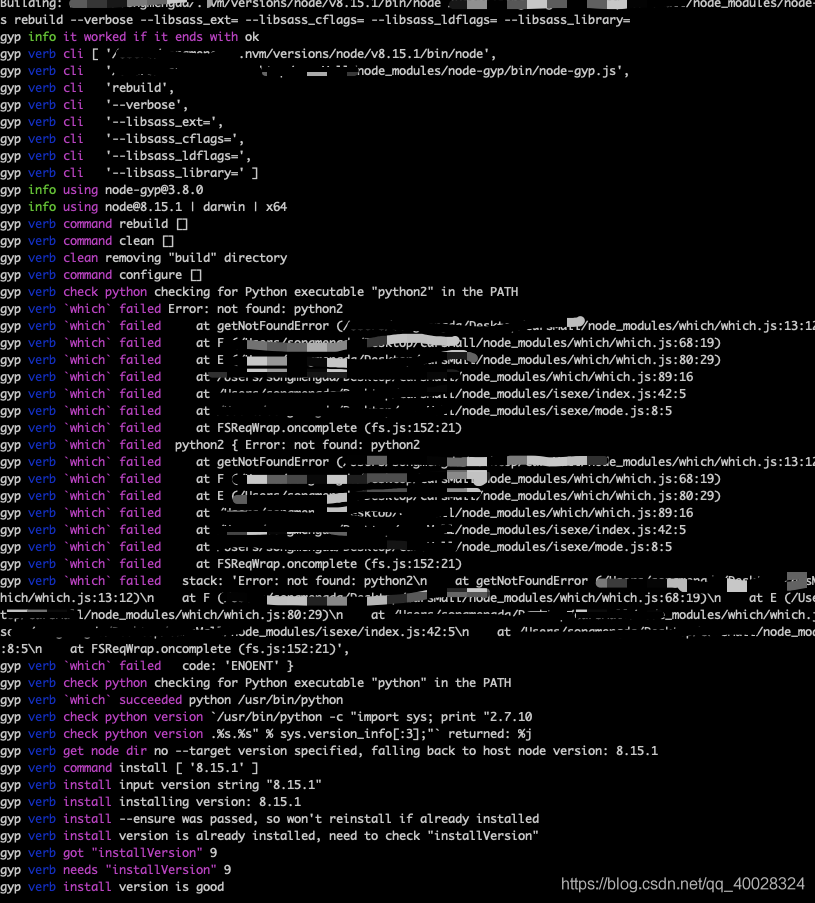
This kind of error report is coming. This node sass package should be on a foreign site. It is very easy to fail in the process of pulling. If it is broken in the middle, it will be over. So the Taobao team made an image of NPM, called cnpm. They will mirror the packages on NPM to their own site. It is relatively smooth for the domestic ones to pull the domestic ones, so you need to have the function of cnpm first, and then use cnpm to install

1.npm install -g cnpm –registry= https://registry.npm.taobao.org

2.cnpm install node-sass –save

Check the node after loading_ Modules found that the installation was successful

Run NPM run dev
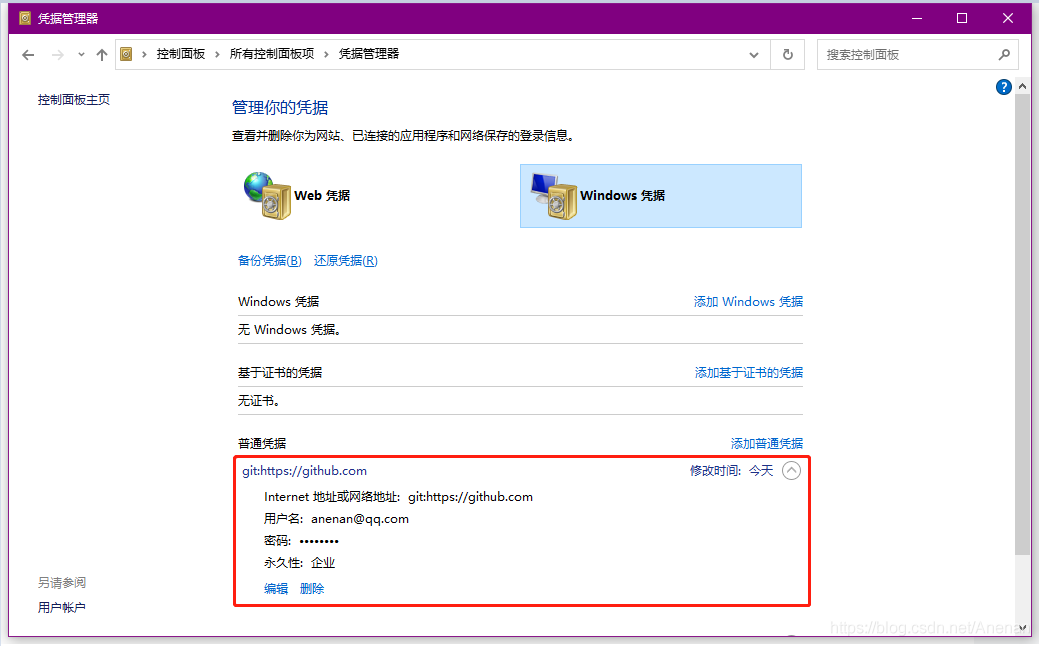
Push failed Unable to access ‘https://github.com/‘: Failed to connect to github.com port 443: Timed

Remote push error to GitHub warehouse:

Push failed Unable to access ‘ https://github.com/ ‘: Failed to connect to github.com port 443: Timed out

terms of settlement:

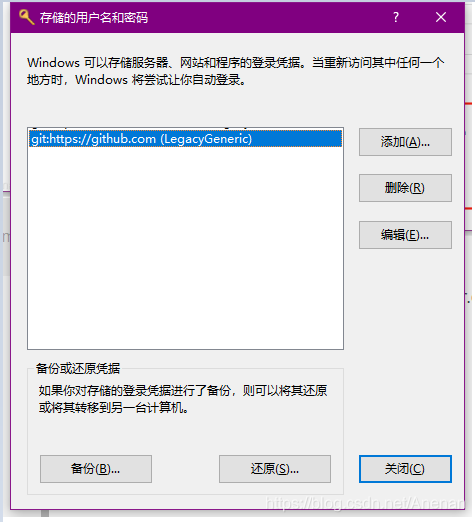
Find the GitHub login Certificate in the certificate manager of the control panel and modify the account password.

You can also open it quickly through the CMD window, enter: rundll32.exe keymgr.dll ,KRShowKeyMgr

Android studio compilation error: style attribute ‘@ android:attr/windowEnterAnimation ‘not found the ultimate solution

Import project, compile error as follows:

error: style attribute '@android:attr/windowEnterAnimation' not found.
Message{kind=ERROR, text=error: style attribute '@android:attr/windowEnterAnimation' not found., sources=[/Users/***/projects/AndroidStudioProjects/treader-master/app/src/main/res/values/styles.xml:26:5-29:13], original message=, tool name=Optional.of(AAPT)}

Solution:
– in Project/ gradle.properties Add to android.enableAapt2=false
- search the reference location of the string windowenteranimation and remove the @ in item , as follows & lt; item name=“ android:windowEnterAnimation " >@anim/bottom</item >

Error in created hook: “typeerror: cannot read property ‘cm’ of undefined”

At the beginning, I put the initialization and instance of the map in the created hook function. As a result, I reported an error

Error in created hook: “TypeError: Cannot read property ‘CM’ of undefined”

When ecarts was used before, it would report an error when it was put in created at the beginning. Later, it was put in mounted after Baidu, so it was directly put in mounted, and the effect was realized.

Learn the difference between these two hook functions and make a record to deepen your impression

Error in ODBC connection of Dameng database, [ISQL] error: could not SQLConnect

In the process of learning Dameng database, install ODBC driver process record.
Operating system environment: Qilin 6.0 server

1. UNIX ODBC installation
tar – xzvf UNIX odbc-2.3.0 tar.gz
CD unixodbc-2.3.0
./configure — enable GUI = no
make
make install
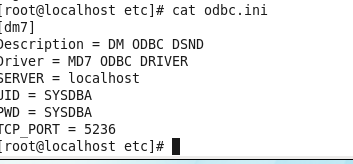
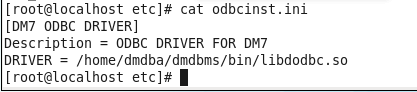
all the way down OK, there are two configuration files for ODBC configuration ODBC.ini and odbcinst.ini By default, you can log in and edit in/usr/local/etc
root user, as shown in the figure:


3. Test the ODBC connection
Su – dmdba
execute ISQL Dm7
report an error, [ISQL] error: could not SQLConnect

in order to see the cause of the error, execute ISQL – V Dm7, prompt:

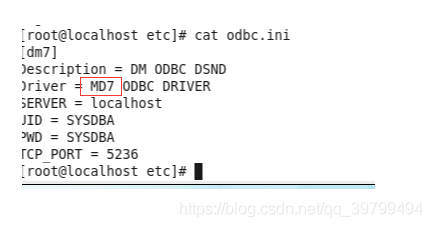
according to the cause of the error, guess that there is an error in the configuration file. After careful inspection, it is found that:

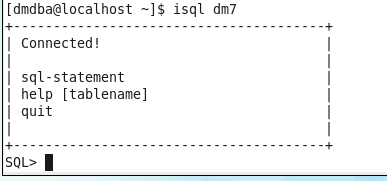
after the problem is solved, execute ISQL Dm7, the correct result comes out:

Error: enoent: no such file or directory, stat ‘/ usr / local / var / www / /_ book/gitbook/git

Every time a gitbook is edited, there will be an error that causes the service that has been started through gitbook serve to stop. The error message is: error: enoent: no such file or directory, stat ‘/ usr/local/var/www//_ book/gitbook/gitbook-plugin-livereload/ plugin.js ‘

The background is that a new gitbook has been installed. Every time I edit the MD file in the project, I will hold the above error. As a result, the service I started through gitbook serve will stop and I can’t browse the edited gitbook normally

At the beginning, I didn’t care when I reported the error. The back office revised and edited the file several times, and found that the gitbook service would stop and report the above error after each modification. I found that this was not a mistake in my operation, but a problem with gitbok. After looking for the problem for a while, I didn’t have any idea, so I Baidu found out the bug in gitbook itself, The original configuration of gitbook is wrong. The specific modification method is as follows:

1. Find the configuration file address of gitbook (MAC system) in the user directory: Cd ~ to jump to the user directory of the current user

2. Find ~ /. Gitbook/versions/3.2.3/lib/output/website/ copyPluginAssets.js File, and then find all the confirm configuration items in this file (a total of 2 places), and change the original value of true to false

confirm: false

There are two places in total. Just change them

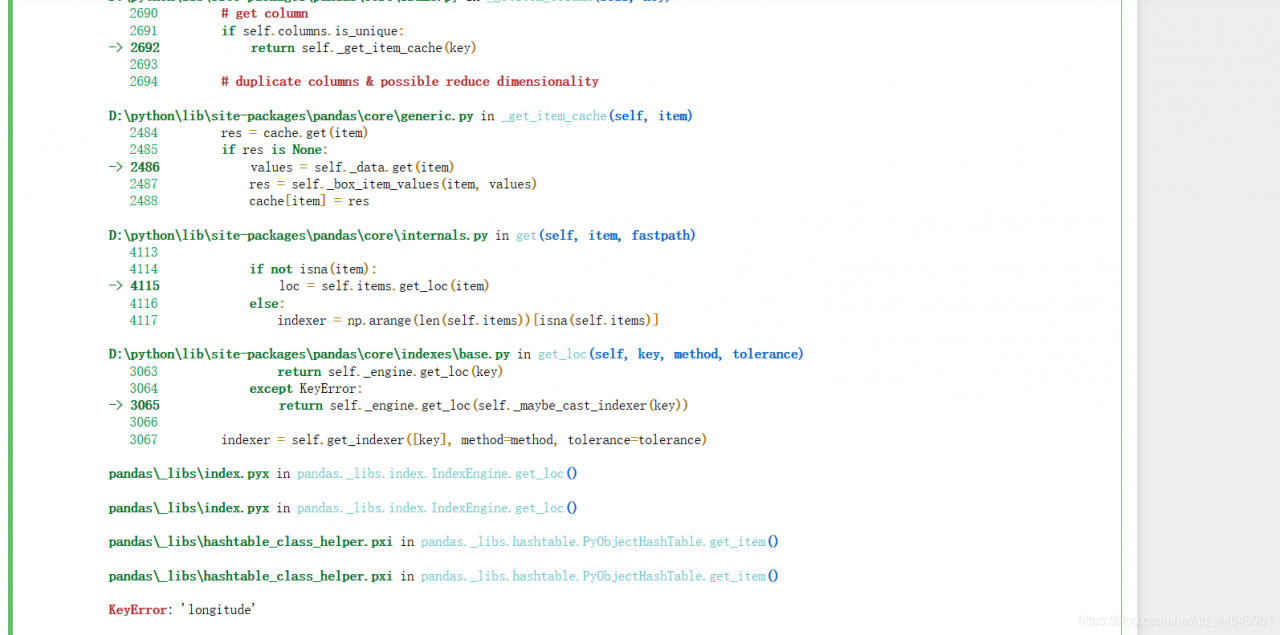
Python reported an error with keyerror: ‘longitude’

The error reporting interface of Python is shown in the following figure:
. I found a solution on the Internet, which may be useful to you. But I tried it, but it didn’t work. So when I looked at it, I found that it was caused by my carelessness. Ah, as shown in the figure below, there is a comma missing in front of longitude, as shown in the figure below:
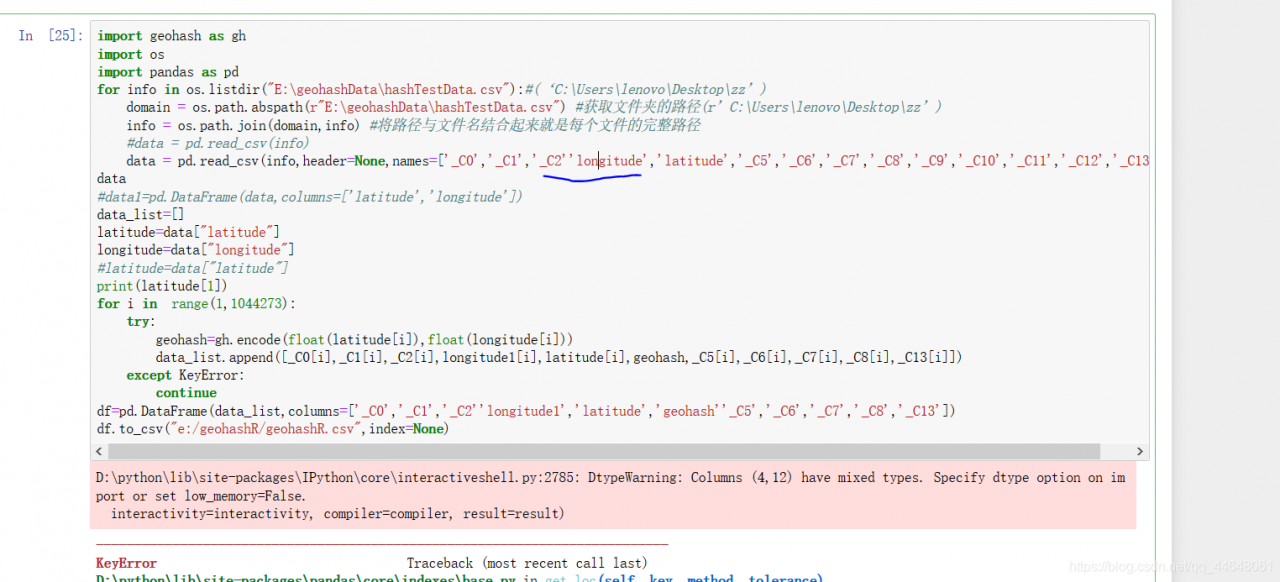
, so this problem is solved. OK, I will continue my course design.
[Android] button uses the custom drawable file to set the background, and runs “error inflating class button”

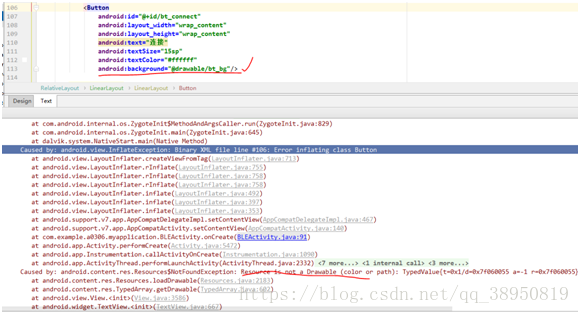
(Android studio 3.1) when setting the background for the button control, the user-defined drawable file is used. No error is reported when running on Android 8.0, but an error is reported when running on Android 4.42. The error is as follows:


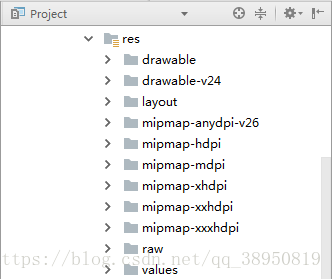
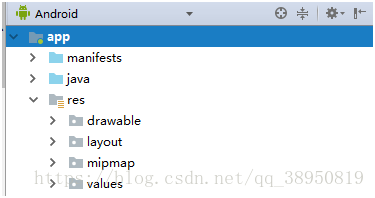
Finally, we find that when we switch to project mode, we can customize our own drawable file BT_ bg.xml The file is placed in the drawable-v24 folder, so BT_ bg.xml Move the file into the drawable folder (drawable-v24 can only be seen in project mode, but not in Android mode, as shown in the figure above). Run it again and the problem is solved.