There is a project that needs to use UMI, so it is decided to use the scaffolding method of UMI to create the project, which can save a lot of things, although it should not be advocated. But there is the problem of line and surface
PS F:\data-train> yarn create umi
yarn create v1.21.1
[1/4] Resolving packages...
[2/4] Fetching packages...
error An unexpected error occurred: "C:\\Users\\num\\AppData\\Local\\Yarn\\Cache\\v6\\npm-doctrine-2.1.0-5cd01fc101621b42c4cd7f5d1a66243716d3f39d-integrity\\node_modules\\doctrine\\.yarn-metadata.json: Unexpected end of JSON input".
info If you think this is a bug, please open a bug report with the information provided in "C:\\Users\\num\\AppData\\Local\\Yarn\\Data\\global\\yarn-error.log".
info Visit https://yarnpkg.com/en/docs/cli/create for documentation about this command.
PS F:\data-train> npm create umi
npm ERR! code ENOLOCAL
npm ERR! Could not install from "Data\npm-cache\_npx\13476" as it does not contain a package.json file.

npm ERR! A complete log of this run can be found in:
npm ERR!     d:\user\工号\Application Data\npm-cache\_logs\2019-12-21T09_22_57_009Z-debug.log
install create-umi@latest error, error code:1
The error an unexpected error occurred: "C:\\users\\job number\\appdata\\local\\yarn\\cache\\ V6\\npm-document-2.1.0-5cd01fc101621b42c4cd7f5d1a66243716d3f39d integrity\\node_ modules\\doctrine\\.yarn- metadata.json : unexpected end of JSON input "." yarn "is found after changing the\\in to \- metadata.json Delete this file and re execute yarn create UMI to install it
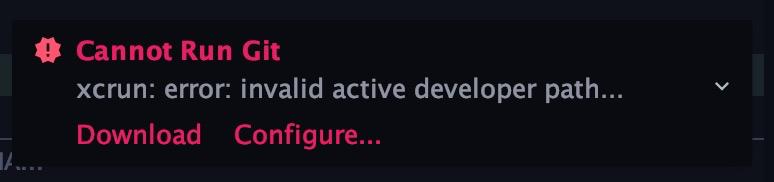
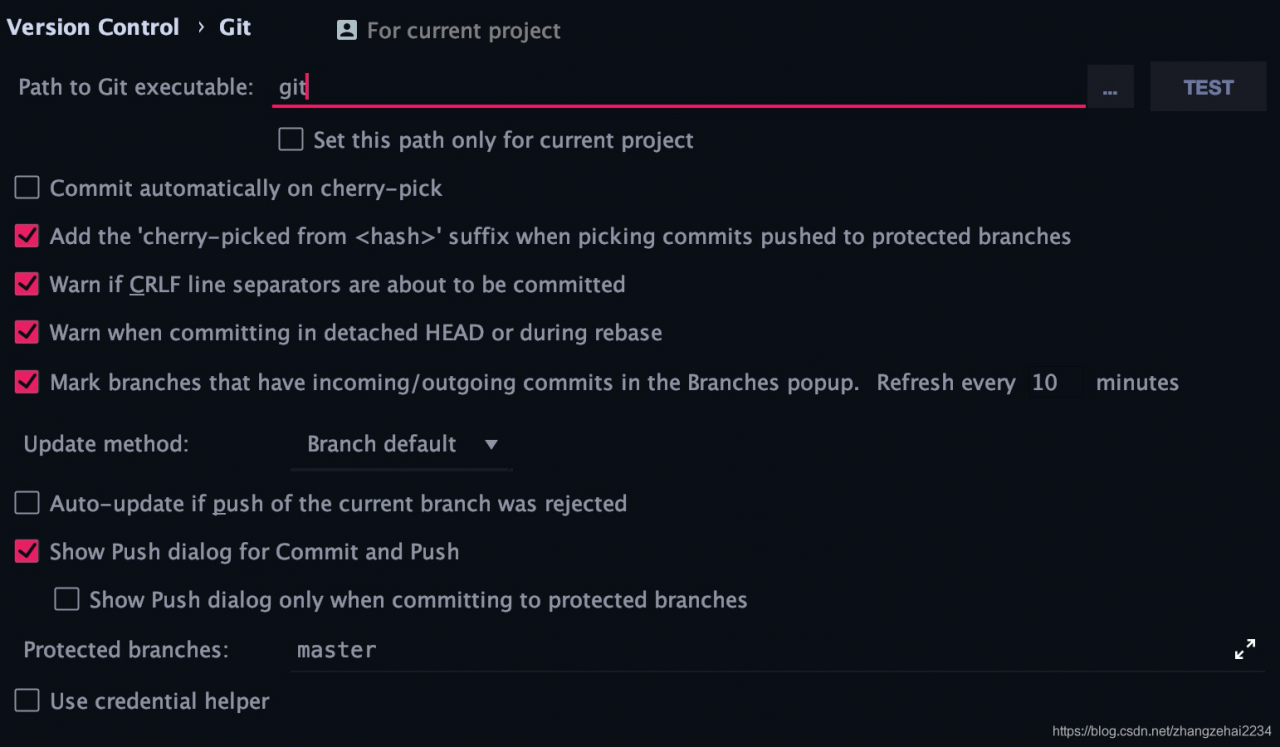 , and then click apply Submit the configuration information just now. Next, close the configuration page. It’s time to witness the miracle. The error message disappears. In this way, the configuration of GIT error message in the whole system is completed