*Direct error: syntax error; do not know # *
in the request sent by Ajax, $(“#…” )If there is a problem in, look it up in HTML;
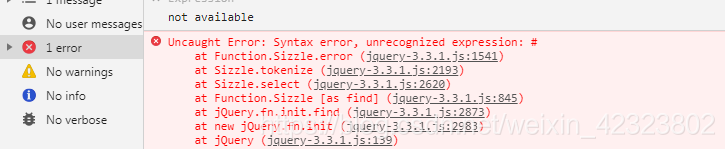
the error is as follows:
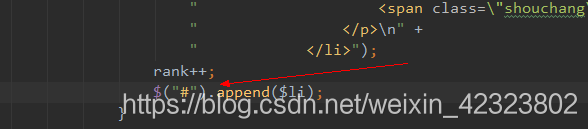
if there is no tag ID, just add the tag ID;
Author Archives: Robins
Ruby Install Error running ‘requirements_osx_brew_update_system ruby-2.3.1
Operating system: macOS 10.12.1
Install Ruby 2.3.1 error
The specific error message is as follows.
chaorenbuhuifeideMacBook-Air:~ chaorenbuhuifei$ rvm install 2.3.1
Searching for binary rubies, this might take some time.
Found remote file https://rubies.travis-ci.org/osx/10.12/x86_64/ruby-2.3.1.tar.bz2
Checking requirements for osx.
Installing requirements for osx.
Updating system…….
Error running ‘requirements_osx_brew_update_system ruby-2.3.1′,
showing last 15 lines of /Users/chaorenbuhuifei/.rvm/log/1481424365_ruby-2.3.1/update_system.log
https://github.com/Homebrew/homebrew/wiki/Common-Issues
and make sure `brew update` works before continuing.’
++ rvm_pretty_print stderr
++ case “${rvm_pretty_print_flag:=auto}” in
++ case “${TERM:-dumb}” in
++ case “$1” in
++ [[ -t 2 ]]
++ return 1
++ printf %b ‘Failed to update Homebrew, follow instructions here:
https://github.com/Homebrew/homebrew/wiki/Common-Issues
and make sure `brew update` works before continuing.\n’
Failed to update Homebrew, follow instructions here:
https://github.com/Homebrew/homebrew/wiki/Common-Issues
and make sure `brew update` works before continuing.
++ return 1
Requirements installation failed with status: 1.
Error running ‘requirements_osx_brew_update_system ruby-2.3.1’
How to Solve:
Step 1:
$ brew install autoconf automake libtool pkg-config apple-gcc42 libyaml readline libxml2 libxslt libksba openssl sqlite
This method will report error
Error: No available formula with the name “apple-gcc42”
==> Searching for similarly named formulae…
Error: No similarly named formulae found.
==> Searching taps…
This formula was found in a tap:
homebrew/dupes/apple-gcc42
To install it, run:
brew install homebrew/dupes/apple-gcc42
Step 2:
$brew install homebrew/dupes/apple-gcc42
then re-install
$rvm install 2.3.1
DVWA Uncaught Error: Call to undefined function mysql_connect() in /Applications/XAMPP/xampp
DVWA connection error after installation
Fatal error: Uncaught Error: Call to undefined function mysql_ connect() in /Applications/XAMPP/xamppfiles/htdocs/dvwa/dvwa/includes/ dvwaPage.inc.php:461 Stack trace: #0 /Applications/XAMPP/xamppfiles/htdocs/dvwa/ login.php (8): dvwaDatabaseConnect() #1 {main} thrown in /Applications/XAMPP/xamppfiles/htdocs/dvwa/dvwa/includes/ dvwaPage.inc.php on line 461

The reason is: Line 461 here is mysql_ Connect() is no longer used, but mysqli instead_ Just connect (), and add an I
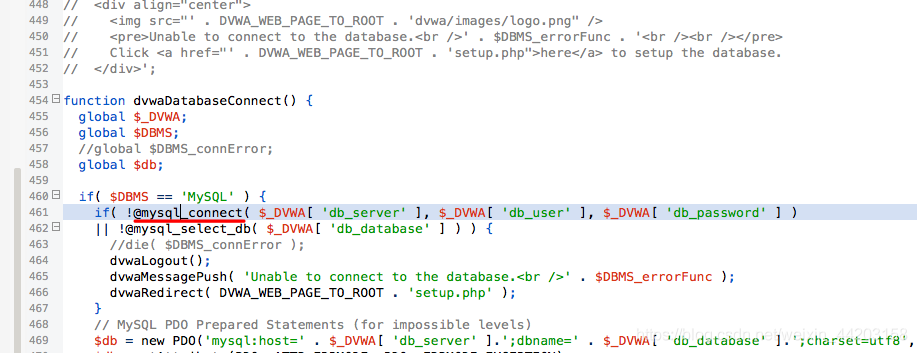 to MySQL
After modification,
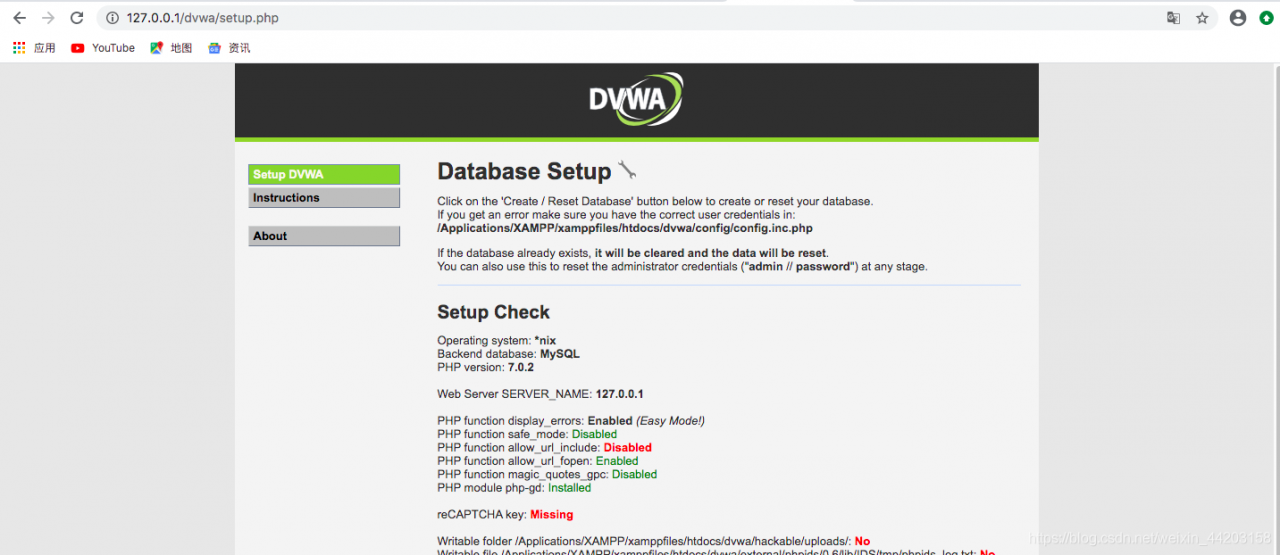 was successfully connected
If there is a similar error, open the corresponding file and change Mysql to mysqli
An error occurred: Sorry,Faithfully yours, nginx Error
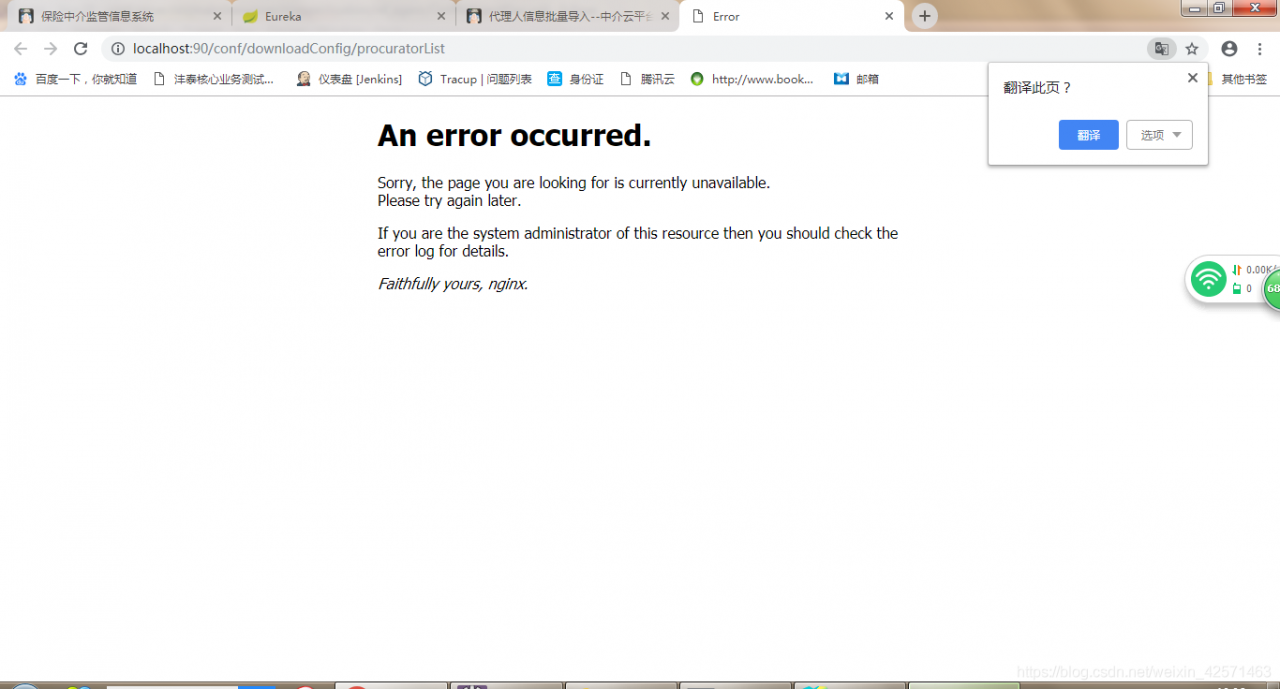
Many reasons are analyzed as follows:
1. Before the system using the network cable internal test no problem, at this time the error reported using the cell phone hotspot, the network IP can not be obtained.
2. The request path of the page does not point to the specified background service address: http://localhost : port number
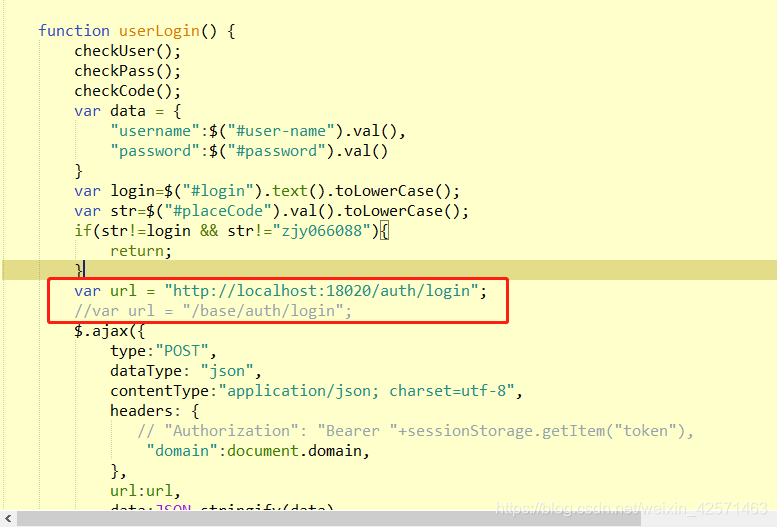
3. Due to the caching mechanism of nginx, restart nginx and clean the browser’s cache:
stop command: nginx.exe -s stop;
Start command: start nginx;
4. The most serious problem is (key):
the previous nginx was not closed, but it was restarted, or this is: at that time, the CMD window was directly closed, thinking that it had been completely closed. In fact, the process is not closed at all.
As shown in the following figure:
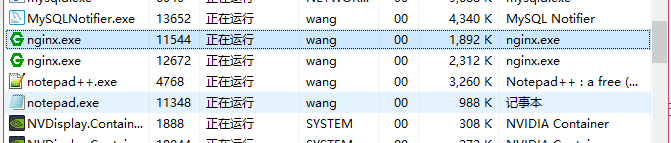
if there are multiple processes, the front-end will visit the back-end and there will be multiple turns. If an error is reported, the process must be killed and nginx will be OK.
Uncaught SyntaxError: Cannot use import statement outside a module
Uncaught syntax error: cannot use import statement outside a module & lt; analysis and solution
Error message:
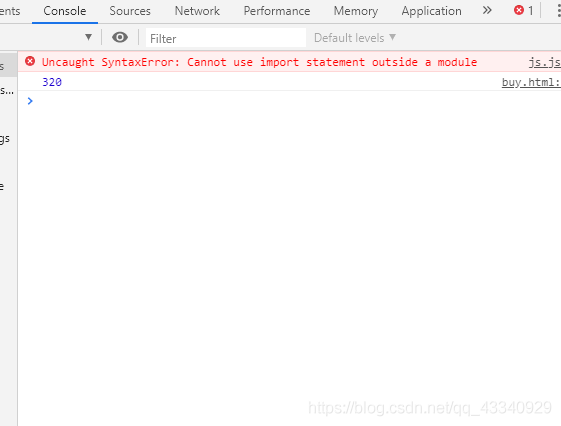
Error analysis:
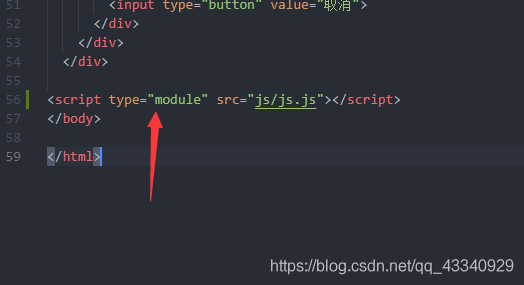
In HTML web page, browser loads JavaScript script through script tag. Since the default language of browser scripts is JavaScript, type = “application/JavaScript” can be omitted. We learned from the error report that the import statement cannot be used outside the module, because the loading of the module implements ES6 syntax. Therefore, when the browser loads the HTML file, it is necessary to add the attribute of type = “module” to the script tag.
terms of settlement:
How to Solve Error occurred during initialization of boot layer
problem
When using jdk9 or above, eclipse will report an error when running the program, indicating: error occurred during initialization of boot layer, that is, an error occurred during initialization of boot layer
this is because we cannot execute a single class
solve
Delete module directly- info.java This document
VUE Error: Cannot find module ‘webpack/bin/config-yargs’
For a Vue project downloaded from the Internet, when the terminal executes NPM run dev, an error is reported, as shown in the figure below:
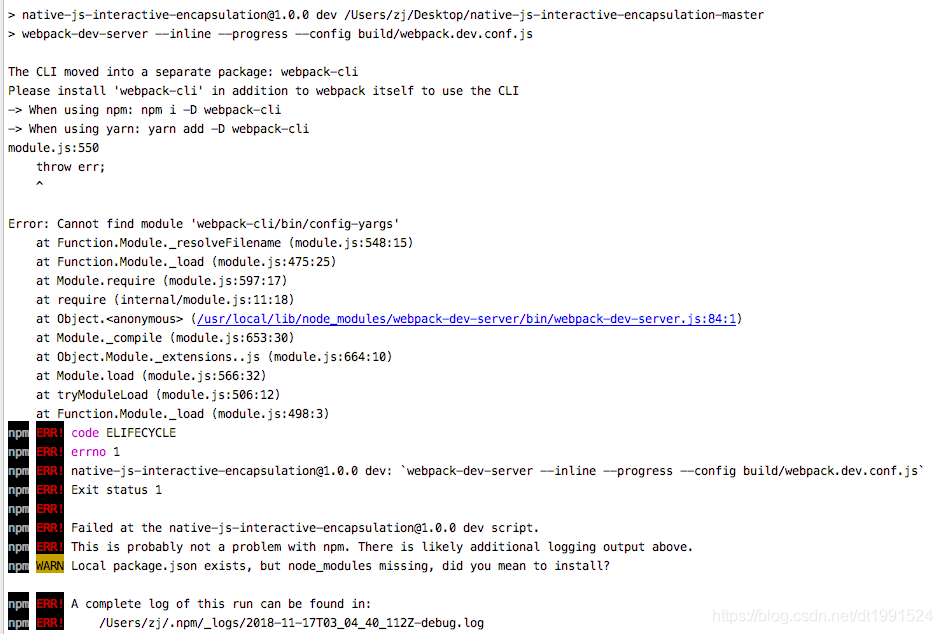
As can be seen from the above error report, webpack cli needs to be installed
Terminal input: NPM install webpack cli
Then execute: NPM run dev OK! It’s ready to run!
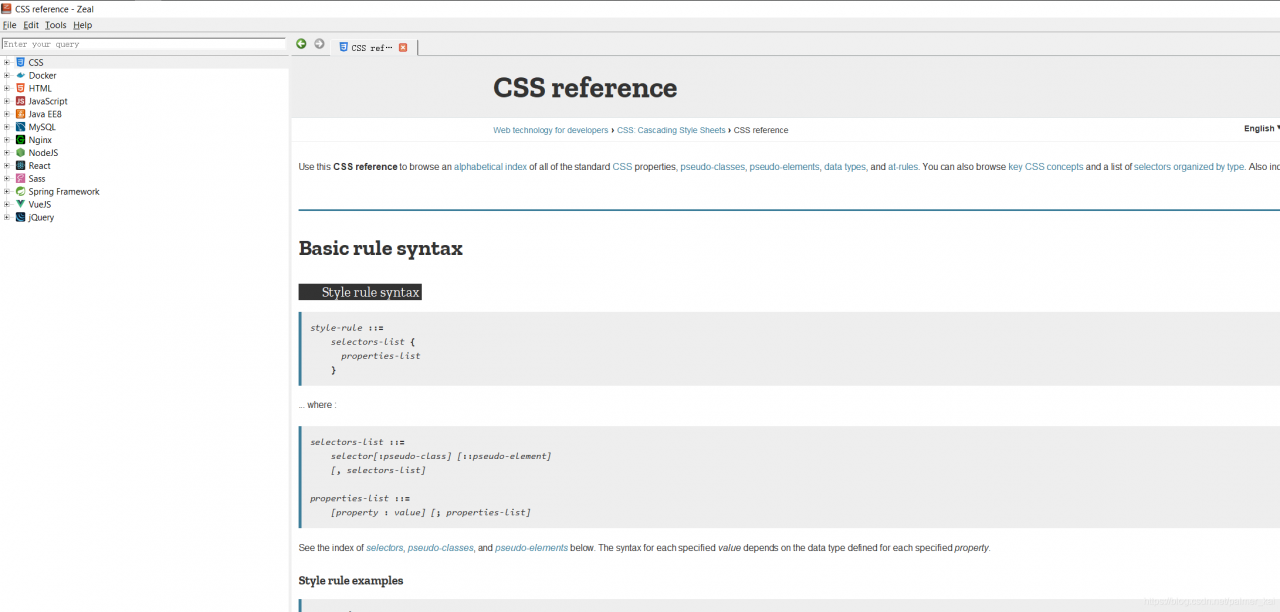
Zeal Open html,css, javascript Error: Content rendering error
Problem
Recently, after updating html,css,javascript, the following Content rendering error occurs
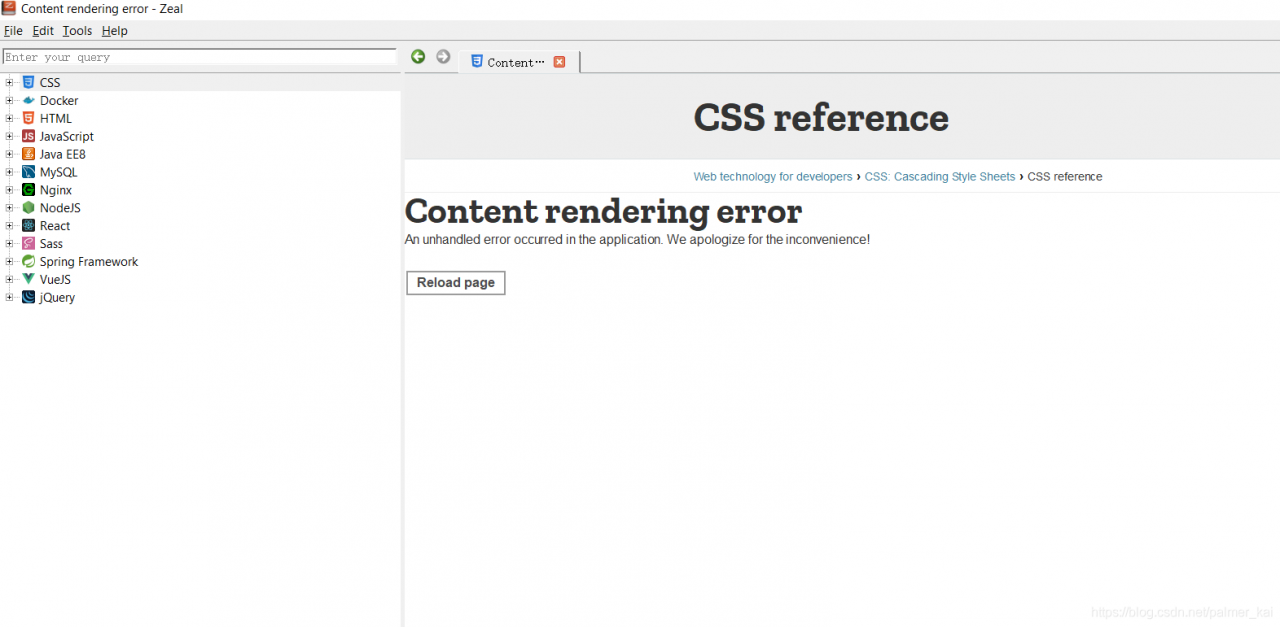
Solution
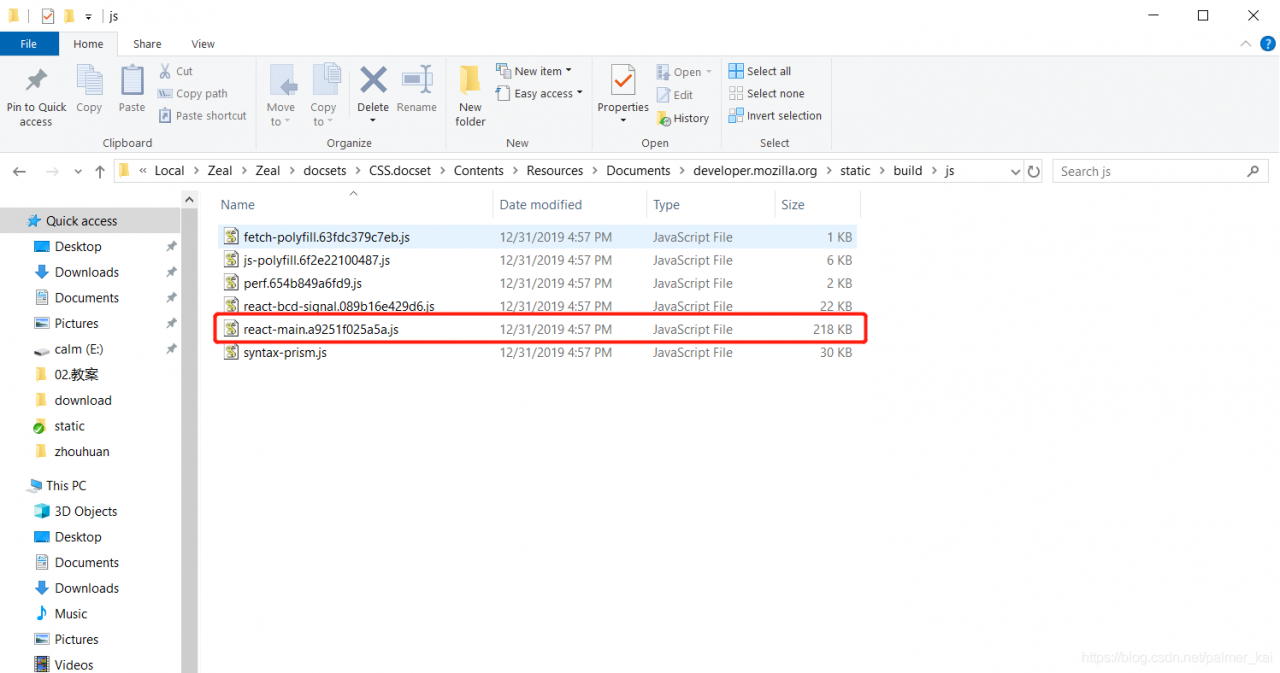
Delete the corresponding files in the following resource folder
JavaScript.docset\Contents\Resources\Documents\developer.mozilla.org\static\build\js\react-main.e49be9481ede.jsCSS.docset\Contents\Resources\Documents\developer.mozilla.org\static\build\js\react-main.e49be9481ede.jsHTML.docset\Contents\Resources\Documents\developer.mozilla.org\static\build\js\react-main.e49be9481ede.js
js file named similarly to react-main.<hashcode>.js
Take the css docs fix as an example
Edit --> Preferences
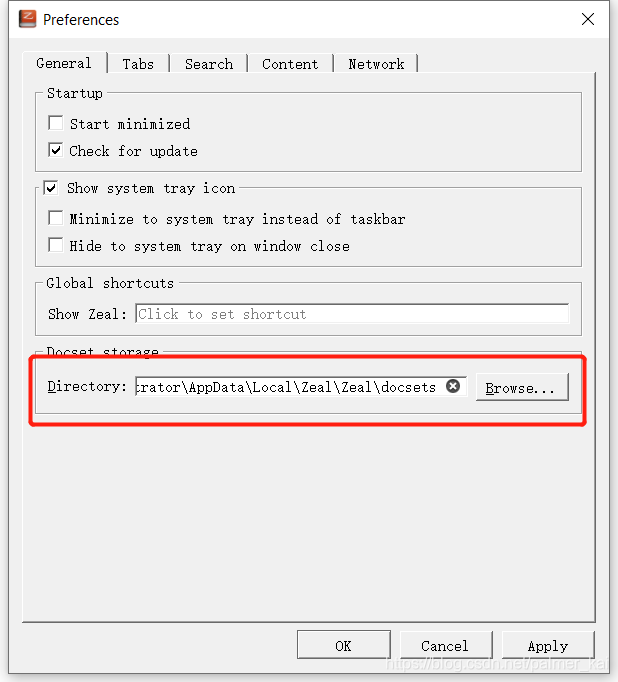
Delete the files in the corresponding folder
ok
Running shell script reports an error: “syntax error near unexpected token solution ‘”
Running shell script reports an error: “syntax error near unexpected token solution ‘”
Today, I wrote a cshell script to run syntax error near unexpected token ‘. There is no problem with the script syntax. Finally, I found the problem
Open your SHELL script file with the command vi -b and you will. You will find an extra ^M at the end of each line of the script.
Old teletypewriters used two characters to start a new line. One character moves the carriage back to the first position (called carriage return, ASCII code 0d), and the other character moves one line on the paper (called line feed, ASCII code 0A). When computers came out, memory used to be very expensive. Some people don’t think it’s necessary to use two characters at the end of a line. UNIX developers decided that they could use a single character to indicate the end of a line. Linux follows UNIX, too. Apple developers have defined the use of. The guys who developed MS-DOS and windows decided to use the old-fashioned.
Because MS-DOS and windows use carriage return + line feed to indicate line feed, you can use VIM under Linux to view the code written in VC under windows. The “^ m” symbol at the end of the line indicates the symbol.
To solve this problem in VIM is very simple. You can kill all “^ m” by using the replacement function in vim. Type the following replacement command line:
1)vi -b setup.sh
2) On the command line & lt; press ESC, and then shift +: Colon & gt; enter% s/^ m// g
Note: the “ m” character in the above command line is not “</ sup>” plus “m”, but generated by “Ctrl + V” and “Ctrl + m” keys.
After this replacement, the save can be executed. Of course, there are other alternatives, such as:
a. Some Linux versions have dos2unix programs that can be used to remove ^ M.
b. Cat filename1 | tr – D “\ R” & gt; newfile removes ^ m to generate a new file, as well as sed command. All replaceable commands can be used to generate a new file.
according to the above, deleting the mshell script will run normally. Later, I asked my colleagues that he had modified the program path in his Windows Notepad, resulting in an extra </ sup> m in each line.
Linux: tar Unpack .tar.bz2 File Error tar: Child returned status 2 tar: Error is not recoverable: exiting now
tar -jxvf xxxx.tar.bz2
as 下reward:
tar (child): bzip2: invalid exec: no file or catalog
tar (child): Error is not recoverable: exiting now
tar: Child returned status 2
tar: Error is not recoverable: exiting now
Cause:bzip is not installed
yum -y install bzip2
JS Mobile Page to determine whether it is iPhone X, and then set the corresponding height of the element?
In developing H5 projects, it is sometimes necessary to judge the iPhone model and distinguish whether it is iPhone X or not. The implementation is as follows:
methods: {
 isIPhoneX() {
   let u = navigator.userAgent;
   let isIOS = !!u.match(/\(i[^;]+;( U;)?CPU.+Mac OS X/);
   if (isIOS) {
     if (screen.height == 812 && screen.width == 375) {
       //is iphoneX
     } else {
       //not iphoneX
     }
   }
 }
}
Then set the element height dynamically according to ref, as follows:
methods: {
 isIPhoneX() {
    let u = navigator.userAgent;
    let isIOS = !!u.match(/\(i[^;]+;( U;)?CPU.+Mac OS X/);
    if (isIOS) {
      if (screen.height == 812 && screen.width == 375) {
        //is iphoneX
        this.$refs.punchcontent.style.height = "calc(100vh - 114px)"
      } else {
        //not iphoneX
        this.$refs.punchcontent.style.height = "calc(100vh - 80px)"
      }
    }else{
      //android
      this.$refs.punchcontent.style.height = "calc(100vh - 80px)"
    }
  }
}
Note: when the
isIPhoneX() method is called, it needs to be invoked in the mounted method, otherwise the setting height is invalid (the first step is to get the DOM node).
C#: How to Use Httpclient to upload files with other parameters
Httpclient and multipartformdatacontent are at least suitable for. Net Framework version 4.5
Sender code
using (HttpClient client = new HttpClient())
{
  var content = new MultipartFormDataContent();
  //Add a string parameter named qq
  content.Add(new StringContent("123456"), "qq");

  string path = Path.Combine(System.Environment.CurrentDirectory, "1.png");
  //add a file parameter named files, the file name is 123.png
  content.Add(new ByteArrayContent(System.IO.File.ReadAllBytes(path)), "file", "123.png");

  var requestUri = "http://192.168.1.108:56852/api/Test/SaveFile";
  var result = client.PostAsync(requestUri, content).Result.Content.ReadAsStringAsync().Result;

  Console.WriteLine(result);
}
Receiver code
[HttpPost]
public async Task<JsonResult> SaveFile([FromForm]string qq, IFormFile file)
{
  return await Task.Run(() =>
  {
    try
    {
      //save the file
      var filefullPath = Path.Combine(Directory.GetCurrentDirectory(), file.FileName);
      using (FileStream fs = new FileStream(filefullPath, FileMode.Create))
      {
        file.CopyTo(fs);
        fs.Flush();
      }
    }
    catch (Exception ex)
    {
      return Fail(file.FileName + "---" + ex.Message);
    }
    return Success();
  });
}
Note: if you want to receive data in the form of parameters, you need to make sure that the parameter name is consistent with the name set in the sending request above. Otherwise, it cannot be automatically bound to the parameter, and you need to mark the parameter with [fromform].
Using model object to receive data
public class SaveFileModel
{
  public string qq { get; set; }
  public IFormFile File { get; set; }
}
public async Task<JsonResult> SaveFile([FromForm]SaveFileModel model)
{
  //......
}
Use httpcontext to get data from the requested form
public async Task<JsonResult> SaveFile()
{
  return await Task.Run(() =>
  {
    var files = HttpContext.Request.Form.Files;
    var qq = HttpContext.Request.Form["qq"];
    //......
  });
}
Summary
this problem is encountered when writing a. Net core project. In the past, in. Net framework 4.0, string was used to splice the contents of files in the form, and there were boundary lines everywhere. Multipartformdatacontent is used for form submission. The upload file of C # tutorial helps us to splice this complex content. (you can grab the request with Fiddler) EMM I’ll find out how to upload the original file, and update this article if there is one.
The above is the details of C # using httpclient to upload files with other parameters