Author Archives: Robins

Webpack Pack and compress ES6 files with errors: ERROR in js/xxxxxx.js from UglifyJs Unexpected token punc ()

Build project, the following error appears

ERROR in js/xxxxxx.js from UglifyJs
Unexpected token: [xxxx.js], expected: punc

It was found that uglifyjs could not resolve the problem of ES6

Solutions:

Upgrade uglifyjs version and modify package.json

  "uglifyjs-webpack-plugin": "^1.0.0-beta.3",

Prod.conf.js

var UglifyJSPlugin = require('uglifyjs-webpack-plugin')
# Modify the plugin in plugins
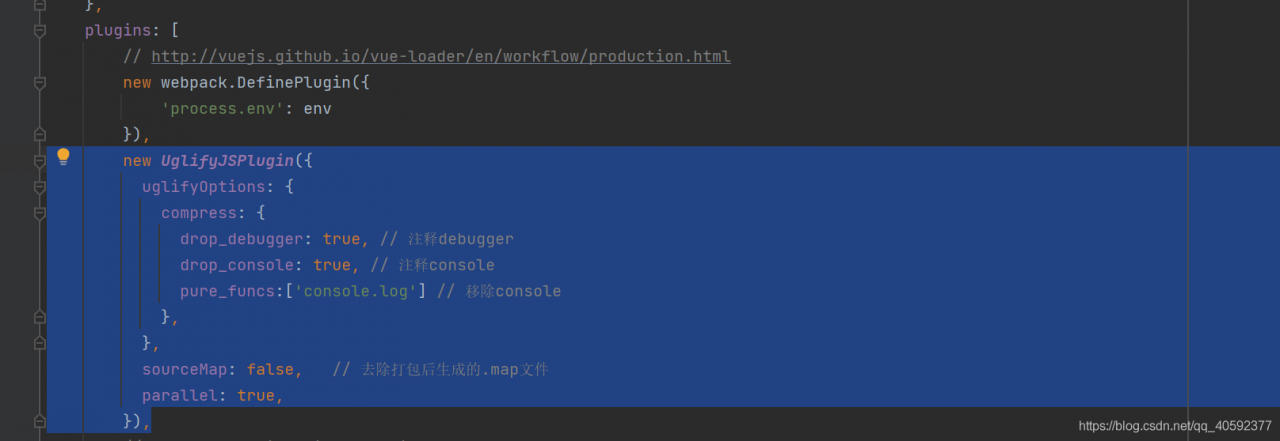
        new UglifyJSPlugin({
          uglifyOptions: {
            compress: {
              drop_debugger: true, // Note debugger
              drop_console: true, // Note console
              pure_funcs:['console.log'] // remove console
            },
          },
          sourceMap: false,   // Removing the .map file generated after packaging
          parallel: true,
        }),


Runnpm run build, Done!

After SpringBoot starts, exit the console directly and display Process finished with exit code 1

Problem Description:

When this problem occurs, there is no output from the console, and the process exits Process finished with exit code 1

problem solved:

Use try catch to catch the exception and find that there is still no log

public  static  void main( String [] args) {
        try {
            SpringApplication.run(ApiBdszApplication. class , args);
        } catch ( Exception e){
            e.printStackTrace();
        }
    }
But as a Java programmer with countless pits, we know that Exception is not the top exception class, so we replaced it with Throwable 

public  static  void main( String [] args) {
        try {
            SpringApplication.run(ApiBdszApplication. class , args);
        } catch ( Throwable e){
            e.printStackTrace();
        }
    }
At this time, except for the error content in the log printing, follow the log prompts to solve

At last

During the search for this problem, I read many online solutions, and finally came up with three solutions:
1. Use the above capture method
2. Check whether the springboot version and springcloud version match
3. Check whether you have written some configuration files wrong.

PLSQL even oracle11g problem on 64-bit machine: SQL*Net not properly installed and ORA-12154:TNS: cannot handle service name

Today, a colleague encountered a problem when installing our system to a customer.

Background: colleagues installed as follows:

       The server is a small machine, a virtual machine made on the small machine. WIN2003 operating system is installed with 64 bits.

       Database: oracle11g.

       PLSQL7.5

On a 64-bit machine, the following error is reported when PLSQL is accessed:

Initialization error
SQL*Net not properly installed

OracleHomeKey:
OracleHomeDir:

I searched on the Internet and found that it is a 64-bit machine, and a 32-bit Oracl client needs to be installed for PLSQL to access it correctly.

After installing the Oracl client, this problem was solved.

Then came another problem: when logging in with PLSQL, an error ORA-12154: TNS: Unable to process the service name was reported . I changed the listener.ora and tnsname.ora under D:\Oracle\product\11.2.0\dbhome_1\NETWORK\ADMIN, but it still doesn’t work. After various attempts, the error persisted.


I have no choice but to install an Oracl client and PLSQL7.5 on another LAN machine. When installing PLSQL7.5, the default path is c:\program files (x86)\PLSQLDeveloper, but an error will be reported, roughly Saying that NET might have a problem, I changed the path to D:\tool\PLSQLDeveloper. After configuring tnsname.ora of an Oracl client, run PLSQL again, and it is normal and connected.


Go back, check the PLSQL on the server, the installation path is the default path c:\program files (x86)\PLSQLDeveloper, uninstall and reinstall. The installation path has been changed. After finishing, run PLSQL again, it is normal. Haha
Python Error: pip install mysql-connector-python failed

Python pip install mysql-connector-python 2.0.1 failed

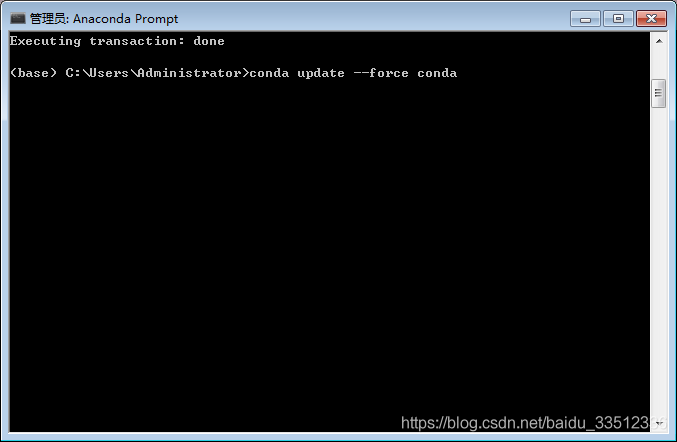
As shown in the figure:
Error display

Tried: pip install mysql-connector-python==2.0.1 The error remains

Solution:

wget https://cdn.mysql.com/Downloads/Connector-Python/mysql-connector-python-2.0.3.zip
unzip mysql-connector-python-2.0.3.zip
cd mysql-connector-python-2.0.3
python setup.py install

Reference: stackoverflow

[Solved] Python Image Library fails with message “decoder JPEG not available” – PIL

It is possible that the version of the pillow package is incorrect. Installing the latest one can solve the problem.

# install libjpeg-dev with apt
sudo apt-get install libjpeg-dev
# if you're on Ubuntu 14.04, also install this
sudo apt-get install libjpeg8-dev

# reinstall pillow
pip install --no-cache-dir -I pillow

Python Requests Error: Max retries exceeded with url

Use the requests library to request url, this error will occur, the reason is:

The server is overloaded, and no more links can be established. There are 4 possibilities:

  1. Too many http connections are not closed.
  2. The machine’s memory is insufficient.
  3. Another possibility is that the IP is blocked by the target website due to the high request frequency
  4. The requested URL address is wrong

Solution:

1. increase the number of retry connections
requests.adapters.DEFAULT_RETRIES = 5

2. close redundant connections
requests uses the urllib3 library, the default http connection is keep-alive, requests set False to close.
Operation method:
s = requests.session()
s.keep_alive = False