Author Archives: Robins

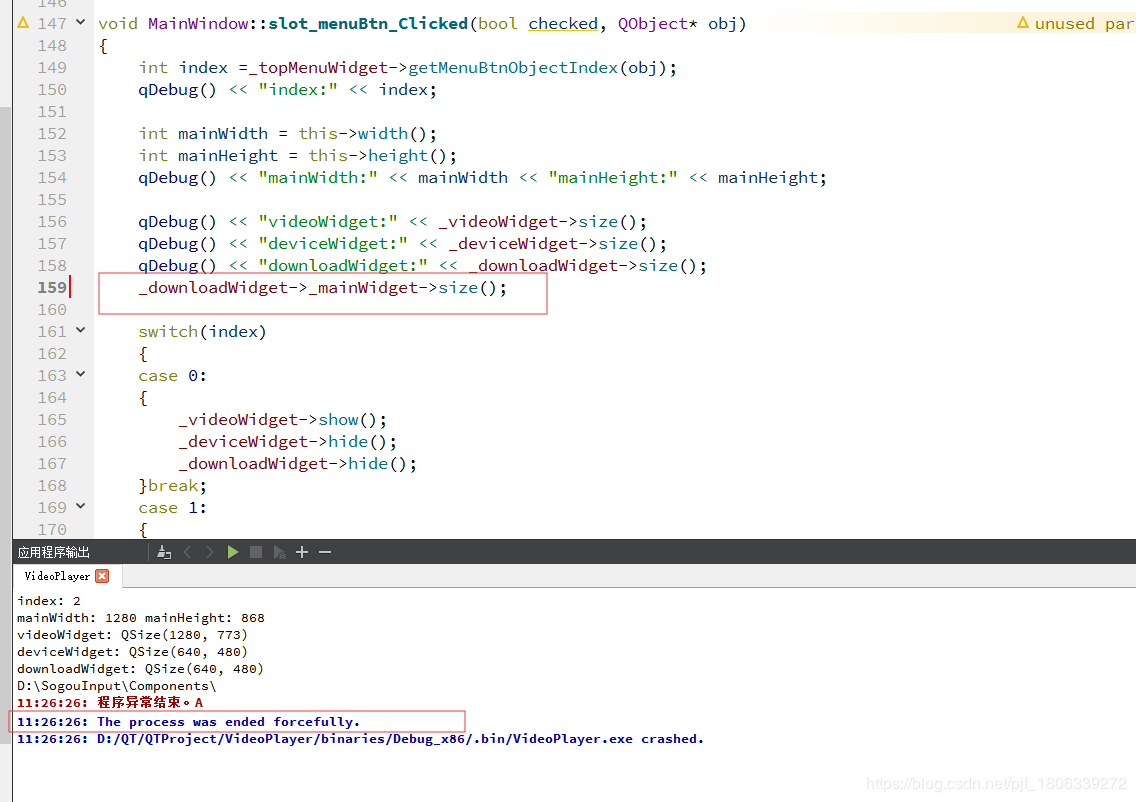
QT operation directly crashes, and the error is the process was ended forcefully

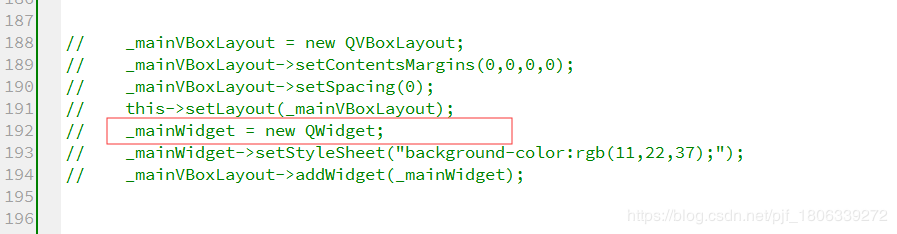
1. The possible causes are: a variable is declared but not initialized, but a variable declared but not initialized is called directly somewhere, which will cause the QT operation to crash directly and report the error the process was ended forcefully

Figure 1

For personal reasons, the initialization of declared variables is annotated, so the operation will directly crash and report an error

Figure 2

NPM installØin sprintf- [email protected] Wealth: not available https://github.com/nhn/raphael.git/ “

npm install –registry= https://registry.npm.taobao.org
Command installation error
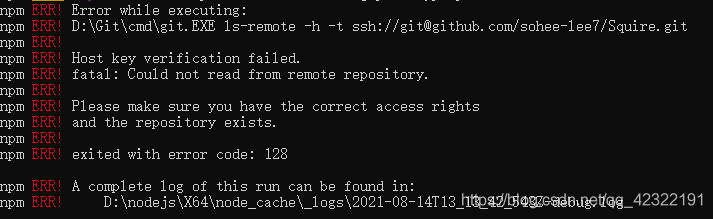
stuck in sprintf- [email protected] Checking installable status for a short time, Then an error is reported as follows (the domestic network speed of this link should be slow):
fatal: unable to access‘ https://github.com/nhn/raphael.git/ ’

test according to the online method: search the. Gitconfig file (generally in the user directory of Disk C, such as C: \ users * \ path), Then add the following paragraph:
[url “HTTPS://”]
instead of = git://
then the following error is reported:

it can be seen from the above figure that there are problems in the installation of some other packages because HTTPS is replaced with git, that is, HTTPS and git cannot be used all. In addition, I guess that the above paragraph of code should mean replacing the website, So I changed the above code as follows:
[url]“ https://github.com/nhn/raphael.git/ ”]
insteadOf = git://github.com/nhn/raphael.git/

Then
NPM install — registry= https://registry.npm.taobao.org
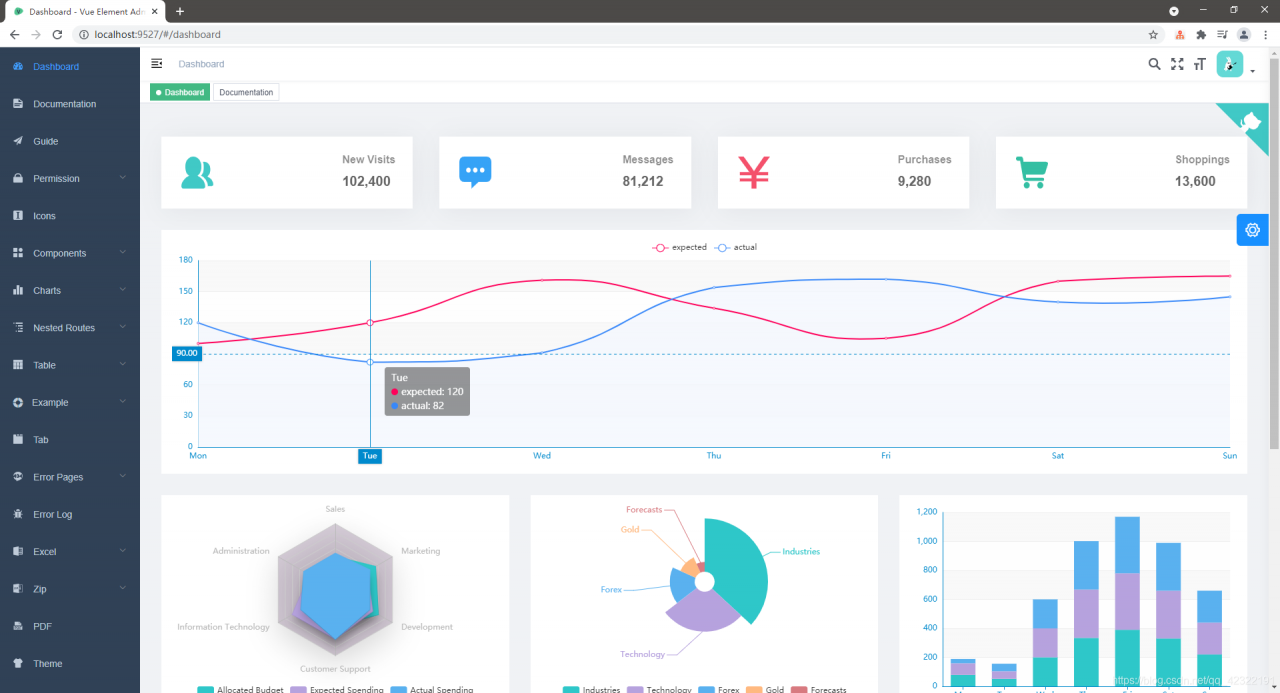
Then you can run Vue element admin successfully. The screenshot after success is as follows:

Springboot Files Upload Limit Error: The field file exceeds its maximum permitted size of 1048576 bytes

An error is reported in file upload, and the interface breakpoint does not go because of the default limit of Tomcat

Spring Boot:The field file exceeds its maximum permitted size of 1048576 bytes.

The configuration file can be changed. I use YML configuration

spring:
  servlet:
    multipart:
      max-file-size: 50MB
      max-request-size: 100MB

Please like it and form good habits!

Please leave a message for questions, communication and encouragement!

The online method is not easy to use, as follows

Solution 1: Prompt for expired methods!!!

Add the following code to the startup class.

@Bean
public MultipartConfigElement multipartConfigElement() {
  MultipartConfigFactory factory = new MultipartConfigFactory();
  // single file maximum
  factory.setMaxFileSize("10240KB"); // KB,MB
  // Set the total upload data size
  factory.setMaxRequestSize("102400KB");
  return factory.createMultipartConfig();

}

Solution 2: red line burst, prompt too long

Depending on the version of spring boot, add different configurations to the application file

Spring Boot 1.3 or earlier, the configuration:

  multipart.maxFileSize = 100Mb

multipart.maxRequestSize=150Mb

Spring Boot 1.4 or later, the configuration:

  spring.http.multipart.maxFileSize = 100Mb
  spring.http.multipart.maxRequestSize = 150Mb


Spring Boot 2.0 or later: Mb change to MB

spring.servlet.multipart.max-file-size = 100MB
spring.servlet.multipart.max-request-size = 150MB

“EncoderDecoder: ‘mit_b1 is not in the backbone registry‘“ [How to Solve]

Open source network:

https://github.com/NVlabs/SegFormer

When you train segformer, you report an error:

“EncoderDecoder: ‘mit_ b1 is not in the backbone registry'”

The direct cause of this exception is:

Find MIT in the dictionary_ B1, throw exception if not found:

    obj_type = args.pop('type')
    if isinstance(obj_type, str):
        obj_cls = registry.get(obj_type)
        if obj_cls is None:
            print(obj_type)
            raise KeyError(
                f'{obj_type} is not in the {registry.name} registry')

mit_ B1 is a class,

@BACKBONES.register_module()
class mit_b1(MixVisionTransformer):
    def __init__(self, **kwargs):
        super(mit_b1, self).__init__(
            patch_size=4, embed_dims=[64, 128, 320, 512], num_heads=[1, 2, 5, 8], mlp_ratios=[4, 4, 4, 4],
            qkv_bias=True, norm_layer=partial(nn.LayerNorm, eps=1e-6), depths=[2, 2, 2, 2], sr_ratios=[8, 4, 2, 1],
            drop_rate=0.0, drop_path_rate=0.1)

Self simulation exception:

Method 1, put the class MIT_ If B1 is commented out, the above exception will be reported, MIT_ B1 not registered

Method 2:

In mmseg/Models/builder.py

Add test code:

bbb= BACKBONES.get(‘mit_ b2’)

print(“bbb”,bbb)

Complete as follows:

import warnings

from mmcv.utils import Registry, build_from_cfg
from torch import nn

BACKBONES = Registry('backbone')
NECKS = Registry('neck')
HEADS = Registry('head')
LOSSES = Registry('loss')
SEGMENTORS = Registry('segmentor')

bbb= BACKBONES.get('mit_b2')

print("bbb",bbb)

The result BBB is empty, MIT_ B1 not registered

Method 3:

# from mmseg.models import BACKBONES
from mmseg.models.builder import BACKBONES

bbb= BACKBONES.get('mit_b1')

print("bbb",bbb)

The result BBB is empty, MIT_ B1 not registered

Find and quote MIT again_ B1 file

mix_transformer.py

You can register successfully. The code is as follows:

Create a registry under the root directory_ Demo.py, the test code is as follows:

# from mmseg.models import BACKBONES
from mmseg.models.backbones import mix_transformer
from mmseg.models.builder import BACKBONES

# from .mix_transformer import *


bbb= BACKBONES.get('mit_b1')

print("bbb2",bbb)

bbb2 < class ‘mmseg.models.backbones.mix_ transformer.mit_ b1’>

Normal test method:

In the root directory,

Create a registry_ Demo.py, the test code is as follows:

If the registration is successful, bbb2 is not empty. If the registration is not successful, bbb2 is empty.

from mmseg.models import BACKBONES

bbb= BACKBONES.get('mit_b1')

print("bbb2",bbb)
React-native Error: Make sure you have the Android development environment set up [Solved]

The error message is as follows

Run gradlew tasks to get a list of available tasks. Run with --stacktrace option to get the stack trace. Run with --info or --debug option to get more log output. Run with --scan to get full insights.

error Failed to install the app. Make sure you have the Android development environment set up: https://reactnative.dev/docs/environment-setup. Run CLI with --verbose flag for more details.
Error: Command failed: ./gradlew app:installDebug -PreactNativeDevServerPort=8081

Error source: my RN code from the company’s computer clone is normal, and the above errors occur in yarn install and yarn Android, both in virtual machine running and real machine running. In order to try and error, I init a project again, and the result is such an error, but I can still run individual RN projects, of course.

Consult the document solution 1:
just start it directly with Android studio and let Android studio automatically integrate some Android environments and then run applications. However, I personally gave up because I was not very proficient in as running Android, but I thought it would be troublesome if I needed to run as every time I created an RN project

Solution 2:
the blogger said that it is necessary to configure the ADB environment. After a review, it is found that almost all the configured Android environments have been configured

%ANDROID_HOME%\platform-tools
%ANDROID_HOME%\emulator
%ANDROID_HOME%\tools
%ANDROID_HOME%\tools\bin

Document review solution 3:

Place the following line in your Android/gradle.properties file:

android.useAndroidX=true
android.enableJetifier=true

What do bloggers mean when they post the above sentence?In fact, the support community is messy. Google launched Android X and gradually shifted its focus and migrated, so our project depends on the package and needs to be migrated
Android. Useandroidx = true indicates that androidx is enabled for the current project. Android. Enablejetifier = true indicates that dependent packages will also be migrated to androidx. If the value is false, it means that the dependent package will not be migrated, but there may be problems when using the content in the dependent package. Of course, if no three-party dependency is used in my project, this item can be set to false
in fact, these two pieces of code were already there when we created the RN project

Solution 4 (feasible):
in fact, I just saw that the blogger posted several strings of English, one of which was

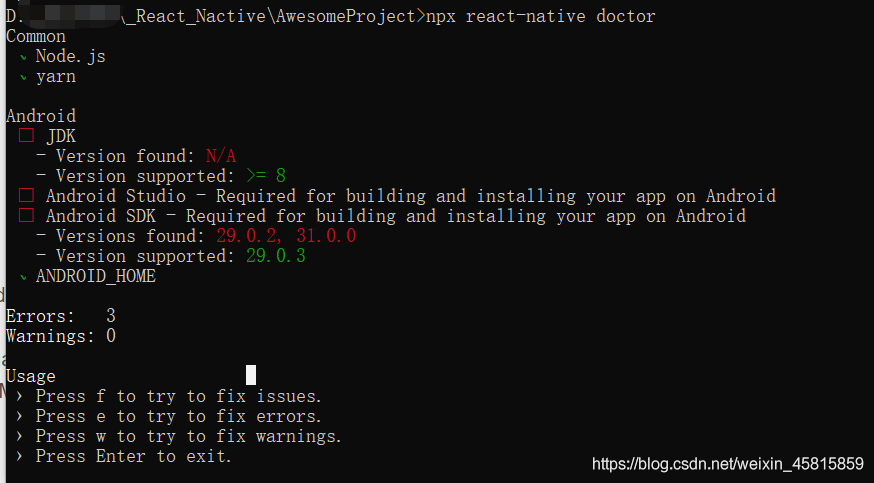
# npx react-native doctor

I knew that the NPX react native doctor command should be similar to the fluent doctor command. Check whether the current running environment meets the requirements

So I ran the command on the command line. I found that the doctor told me that I lacked the java8 environment (in fact, I do have it, but he said that I must lack it) and Android tools 29.2. So I uninstalled java8, reinstalled and reconfigured Java_ Home go to as to download 29.2
just come back and check it again

GCC Error:(.text+0x24): undefined reference to `main‘collect2: error: ld returned 1 exit status [Solved]

I can’t remember why I solved it like this. I searched again and didn’t find a similar answer.

Due to the needs of the experiment, I need to compile this example:

https://github.com/grimm-co/GEARSHIFT/blob/trunk/examples/simple.c

However, if you run directly:

gcc simple.c -O0 -o simple

otherwise will report an error:

/usr/bin/ld: /usr/lib/gcc/x86_64-linux-gnu/7/../../../x86_64-linux-gnu/Scrt1.o: in function `_start’:
(.text+0x24): undefined reference to `main’
collect2: error: ld returned 1 exit statu

Solution:

Change to

gcc -shared simple.c -O0 -o simple

Just. I suddenly remembered how I solved it. I referred to this: https://github.com/grimm-co/GEARSHIFT/blob/trunk/examples/Makefile

The online solutions are different from this, so here’s a simple record. It’s hard to say that it can help other basin friends.

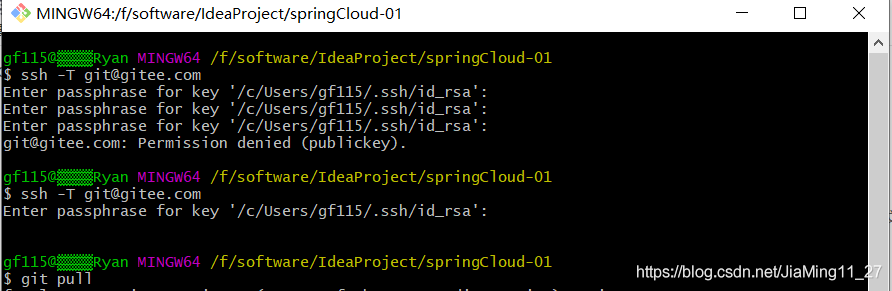
Enter passphrase for key ‘/c/Users/**/.ssh/id_rsa‘ [How to Solve]

Create SSH key first

ssh-keygen -t rsa -C "[email protected]"

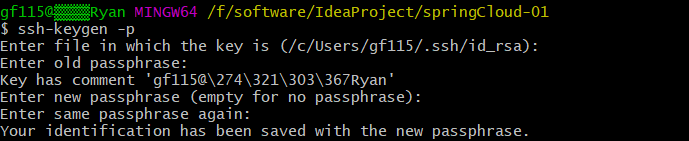
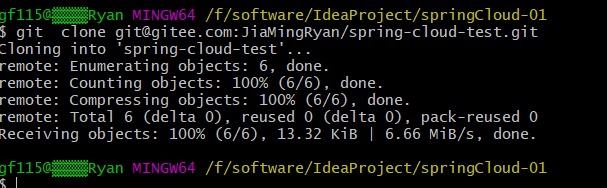
When generating SSH keys, if you accidentally set the passphrase, you will be prompted Enter passphrase for key '/ C/users/gf115 /. SSH/ID every time git pull and git push are used to clone remote warehouses_ RSA ', you need to manually enter the password every time to continue the operation. You can enter SSH keygen - P on the command line to reset it. Enter directly. If it is blank, there will be no password


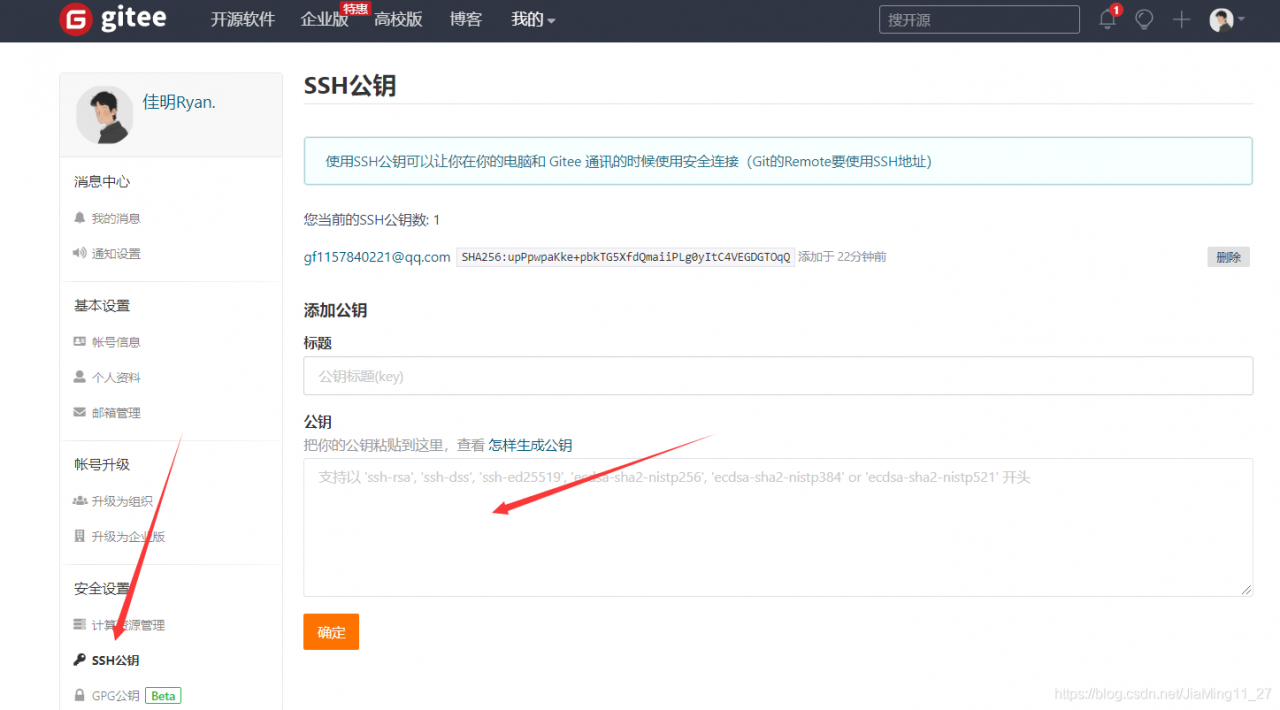
then add the public key in Git
here are the specific steps:

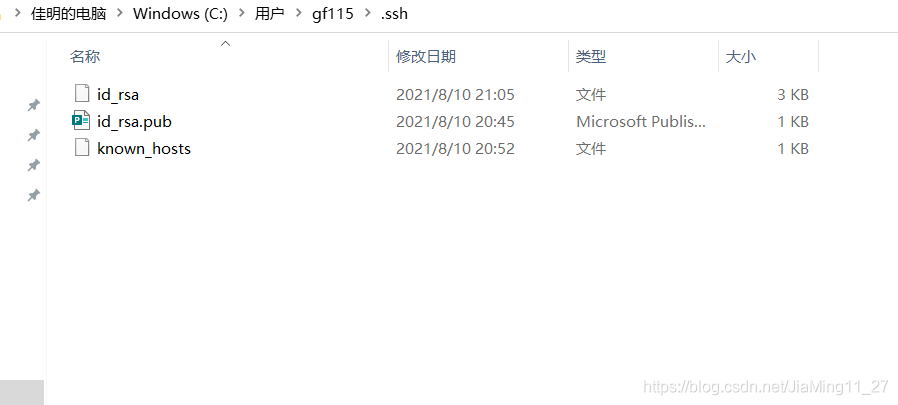
insert the ID in. SSH in drive C_ Ras.pub file can be copied to git public key

test it and find that you can clone files in a remote warehouse directly without a password

[Solved] Cv2.imshow Error: window.cpp:1274: error: (-2:Unspecified error) The function is not implemented.

Traceback (most recent call last):
File “/home/data/PJS/test_bed/img_show.py”, line 18, in
cv2.imshow(‘img’, img)
cv2.error: OpenCV(4.5.3) /tmp/pip-req-build-9gwtlx3c/opencv/modules/highgui/src/window.cpp:1274: error: (-2:Unspecified error) The function is not implemented. Rebuild the library with Windows, GTK+ 2.x or Cocoa support. If you are on Ubuntu or Debian, install libgtk2.0-dev and pkg-config, then re-run cmake or configure script in function ‘cvShowImage’
Solution:

$ sudo apt install libgtk2.0-dev pkg-config
$ pip uninstall opencv-python opencv-contrib-python
$ pip install opencv-python

[Solved] CAP_IMAGES: can‘t find starting number (in the name of file)

Solve cap_ IMAGES: can’t find starting number (in the name of file)

1. Solutions

1. Confirm that the output file type matches FourCC. For details, please refer to the official website http://www.fourcc.org/codecs.php 。
simply use. Avi with videowriter:: FourCC (‘m ‘,’ J ‘,’ p ‘,’ g ‘)
I found a post on the Internet saying that FourCC was used in the old version, but it’s not used now. It’s wrong. For opencv4.3. X, FourCC is still used. When compiling, add videowriter:: FourCC (‘x’, ‘x’, ‘x’, ‘x’) to the class name.

2. If step 1 is correct but still reports an error:
linux platform: reinstall ffmpeg, then recompile opencv and install it. When compiling opencv, cmake needs to add the parameter – dwith_ FFMPEG=ON。
window platform: the output file type can be changed to. MP4. This method is lazy and does not need to install ffmpeg.

The following explains in detail why the lazy law can take effect.

2. Error code

#define VIDEO_OUTPUT_PATH "D:\\test_project\\output.avi" 

int main()
{
	Mat frame;

	frame = imread("xxx.jpg");

	VideoWriter vWriter(VIDEO_OUTPUT_PATH, CAP_OPENCV_MJPEG, 30, Size(frame.cols, frame.rows));
	//Using CAP_OPENCV_MJPEG for the above parameters is wrong haha, VideoWriter::fourcc('M', 'J', 'P', 'G') is the correct parameter
	int frameNum = 90;  
	while (frameNum) {
		vWriter << dst;
		frameNum--;
	}

	return 0;
}
	

3. Error log

[ERROR:0] global C:\build\master_winpack-build-win64-vc14\opencv\modules\videoio\src\cap.cpp (563) cv::VideoWriter::open VIDEOIO(CV_IMAGES): raised OpenCV exception:

OpenCV(4.5.1) C:\build\master_winpack-build-win64-vc14\opencv\modules\videoio\src\cap_images.cpp:253: error: (-5:Bad argument) CAP_IMAGES: can't find starting number (in the name of file): D:\\test_project\\output.avi in function 'cv::icvExtractPattern'

4. Error analysis

The above two sentences are error messages at runtime
the first sentence is the exception received when videowriter:: open is running
the second sentence is the specific exception content:

OpenCV(4.5.1) C:\build\master_ winpack-build-win64-vc14\opencv\modules\videoio\src\cap_ images.cpp:253: error: (-5:Bad argument) CAP_ IMAGES: can’t find starting number (in the name of file): D:\test_ Project \ output.avi in function ‘CV:: icvextractpattern’
we can get the following information from the error log:

    the error log is generated by the file cap_ Images.cpp line 253 is printed. It seems that there is a problem with the file name. Specifically, it is the </ OL> printed in the CV:: icvextractpattern function

Next, let’s look at the opencv source code and find out what’s wrong with my file name

5. Opencv source code analysis

//The icvExtractPattern function is found in opencv\modules\videoio\src\cap.cpp
std::string icvExtractPattern(const std::string& filename, unsigned *offset)
{
     size_t len = filename.size(); //record the length of the filename


	。。。。。。 // a bunch of operations, don't care


        pos = filename.rfind('/'); //find the last "/" in the file name
#ifdef _WIN32
        if (pos == std::string::npos)
            pos = filename.rfind('\\'); //for window systems, find the last "\\" in the filename
#endif
        if (pos ! = std::string::npos)
            pos++;
        else
            pos = 0;

        while (pos < len && !isdigit(filename[pos])) pos++; //key point of filename error

        if (pos == len) //throw exception if position is equal to filename length

Translated with www.DeepL.com/Translator (free version)
        {
            CV_Error_(Error::StsBadArg, ("CAP_IMAGES: can't find starting number (in the name of file): %s", filename.c_str()));
        }

}

The above code should find the file type to be output from the output file name
because the key point while (POS & lt; len && amp; ! isdigit(filename[pos])) pos++; The implementation here is that if the character referred to by POS in the file name is not a number, then POS will point to the next character with + +. It seems that the reason is to find the file name with number of children
therefore, an idea occurred. Set the file type of the output file to MP4, and then the problem was solved.

#define VIDEO_ OUTPUT_ PATH “D:\test_ Project \ output. Avi ”
is changed to:
#define video_ OUTPUT_ PATH “D:\test_ project\output.mp4”

If it is helpful, you may wish to praise and pay attention to support.

Keras:KeyError:‘Failed to format this callback filepath:{val_loss:.4f}.h5. Reason: \‘val_loss\‘‘

If you use keras’s imagedatagenerator for image enhancement, it is as follows:

validataion_generator = validation_datagen.flow_from_directory(validation_dir,
                                                               target_size=target_size,
                                                               batch_size=batch_size,
                                                               class_mode='categorical',
                                                               subset="validation")

In addition, your training set and verification set are two different folders, and the file name of the saved model is required to include the loss of the model above the verification set, then the error described in the title is likely to occur:

Keras:KeyError:'Failed to format this callback filepath:{val_loss:.4f}.h5. Reason: \'val_loss\''

At this time, you only need to delete the subset parameter. The subset parameter is generally used for training and verification. It is a batch of data and has been passed into validation_ Subset needs to be defined only when split is used for data division. The specific modifications are as follows:

validataion_generator = validation_datagen.flow_from_directory(validation_dir,
                                                               target_size=target_size,
                                                               batch_size=batch_size,
                                                               class_mode='categorical')

Re run the program, there will be no error, normal training!

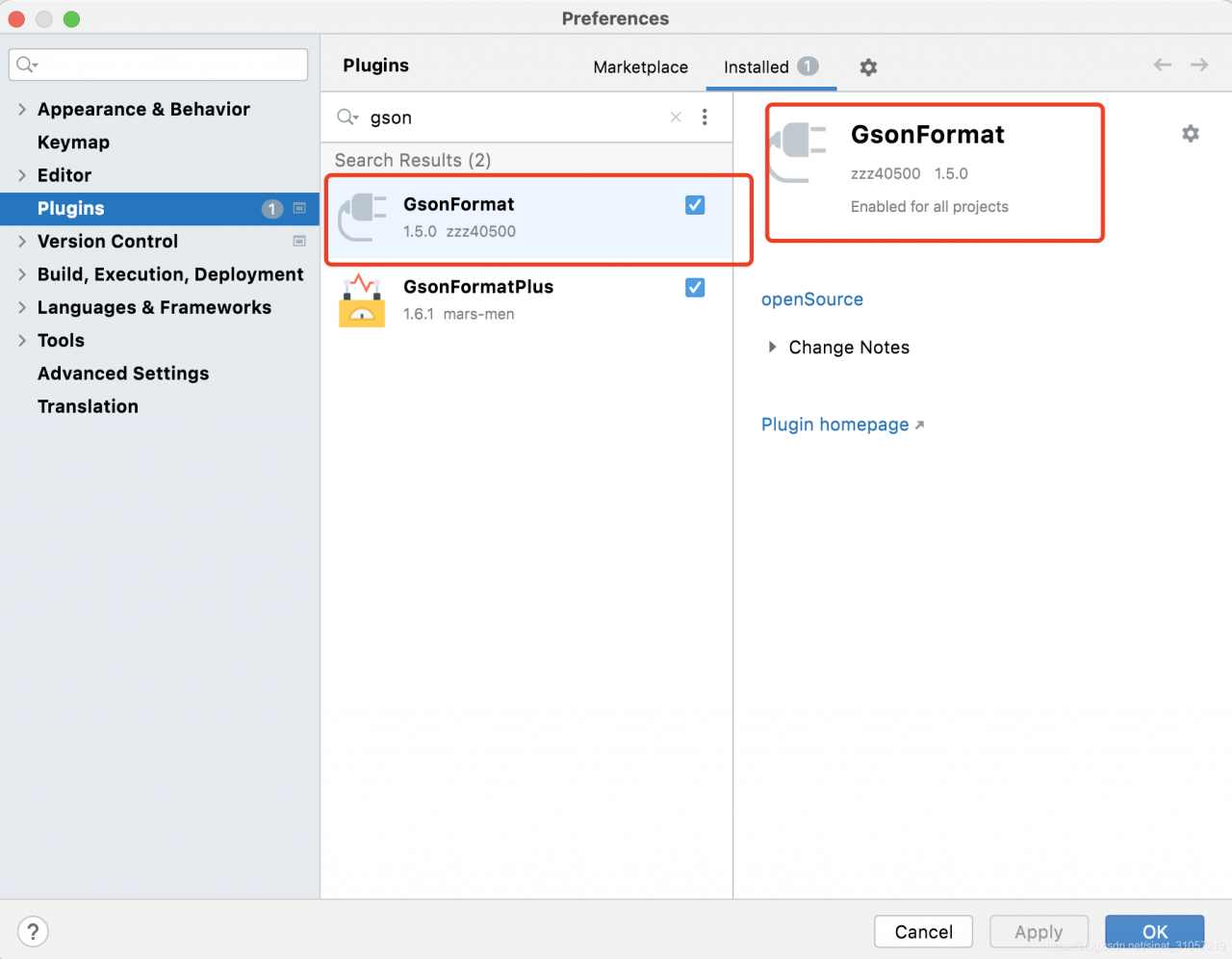
Solution to the expiration and unavailability of Android studio plug-in plugin

Gsonformat: plugins official website

GsonFormat : github

We use the import prompt to download expired.

solve

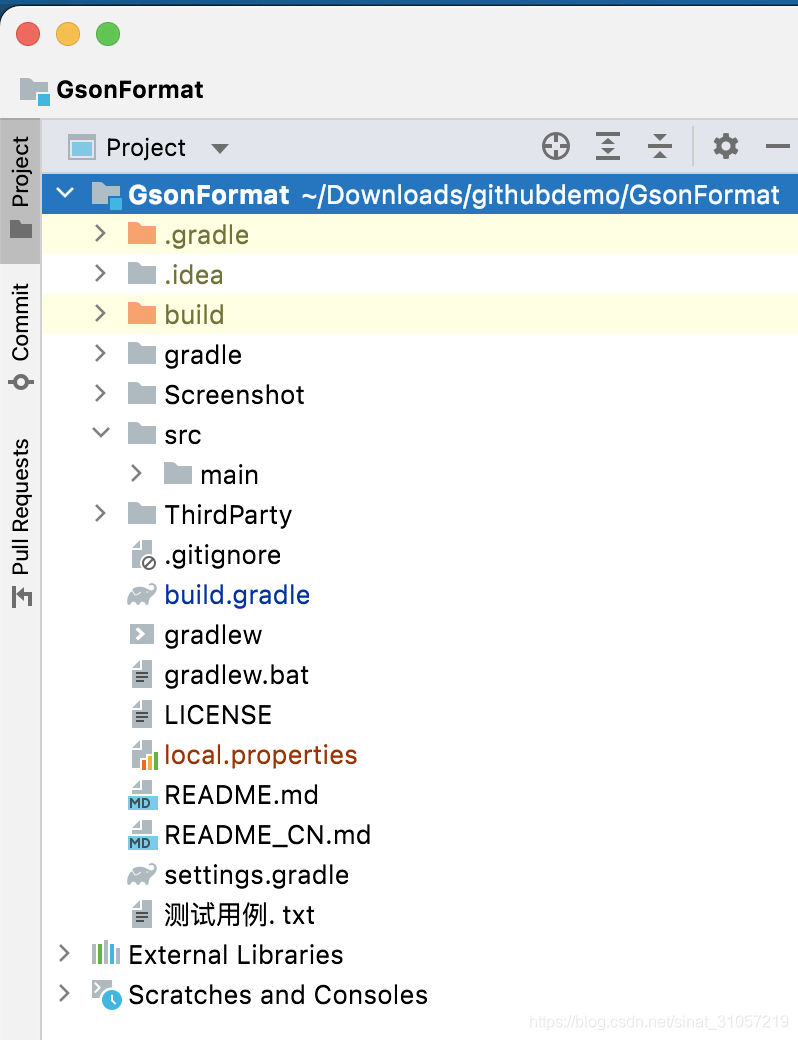
Download the source code to idea:

Modify the following two points:

1、gradle-wrapper.properties

Change the version to the one on your computer:

distributionUrl=https\://services.gradle.org/distributions/gradle-7.1-bin.zip

2、build.gradle

Change the version to the one on your computer:

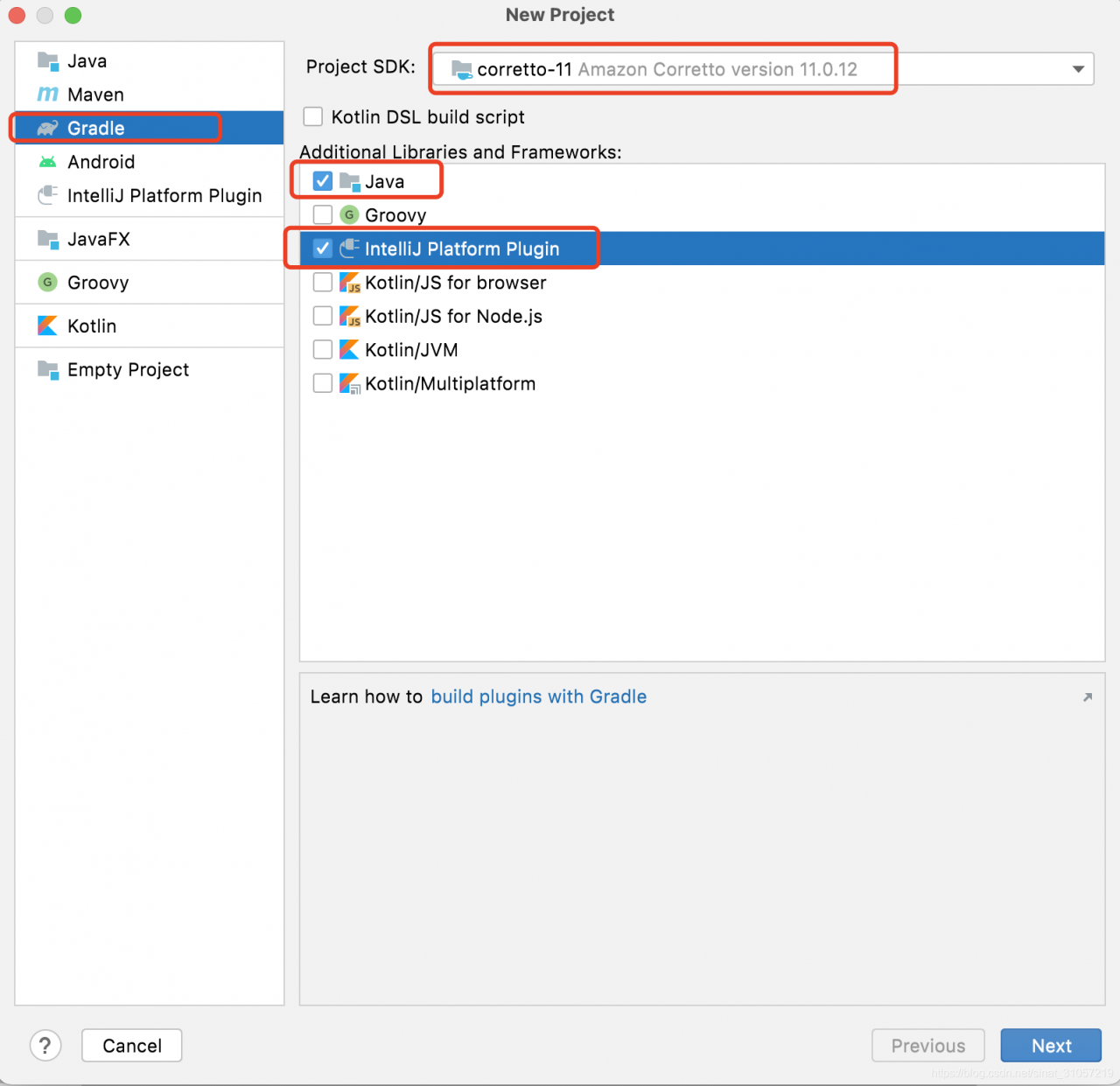
1. Org.jetbrains.intellij version: after creating gradle project, you can view:

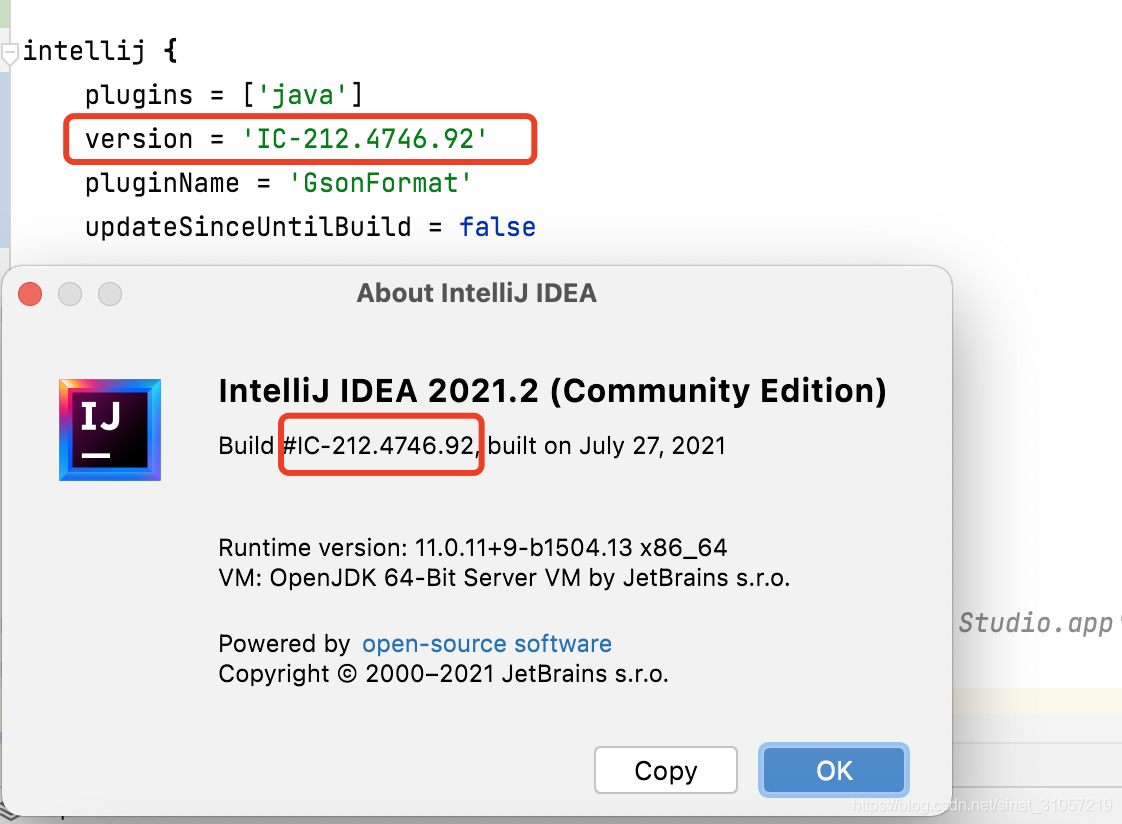
2. Intellij.version can be viewed through idea about:

be careful:

The key value pair key = valueplugins in the IntelliJ tag is an array

The final document is as follows:

buildscript {
    repositories {
        mavenCentral()
        maven {
            url "https://oss.sonatype.org/content/repositories/snapshots/"
        }
        maven {
            url 'https://dl.bintray.com/jetbrains/intellij-plugin-service'
        }
    }
}
plugins {
    id 'org.jetbrains.intellij' version '1.1.4'
}

apply plugin: 'org.jetbrains.intellij'
apply plugin: 'java'
// dependencies {
//     compile project(':ThirdPart:checktreetable')
//     compile project(':ThirdPart:json')
// }
sourceSets {
    main {
        java {
            srcDir "${project.rootDir.absolutePath}/ThirdParty/json/java/src"
            srcDir "${project.rootDir.absolutePath}/ThirdParty/treetable/java/src"
        }

    }
}

//IntelliJ IDEA 2021.2 (Community Edition)
//Build #IC-212.4746.92, built on July 27, 2021
//Runtime version: 11.0.11+9-b1504.13 x86_64
//VM: OpenJDK 64-Bit Server VM by JetBrains s.r.o.
//macOS 11.1
//GC: G1 Young Generation, G1 Old Generation
//Memory: 1024M
//Cores: 8
//Non-Bundled Plugins: GsonFormatPlus (1.6.1), com.godwin.json.parser (1.4.2), cn.yiiguxing.plugin.translate (2.9.2)
//Kotlin: 212-1.5.10-release-IJ4746.92

intellij {
    plugins = ['java']
    version = 'IC-212.4746.92'
    pluginName = 'GsonFormat'
    updateSinceUntilBuild = false

//    publish {
//        pluginId '7910'
//        username publishUsername
//        password publishPassword
//    }

//     Uncomment to test against Android Studio
//     intellij.alternativeIdePath = '/Applications/Android Studio.app'
}

repositories {
    mavenCentral()
    maven {
        url "https://oss.sonatype.org/content/repositories/snapshots/"
    }
    maven {
        url 'https://dl.bintray.com/jetbrains/intellij-plugin-service'
    }
    maven { url "https://www.jetbrains.com/intellij-repository/releases" }
    maven { url "https://www.jetbrains.com/intellij-repository/snapshots" }
}

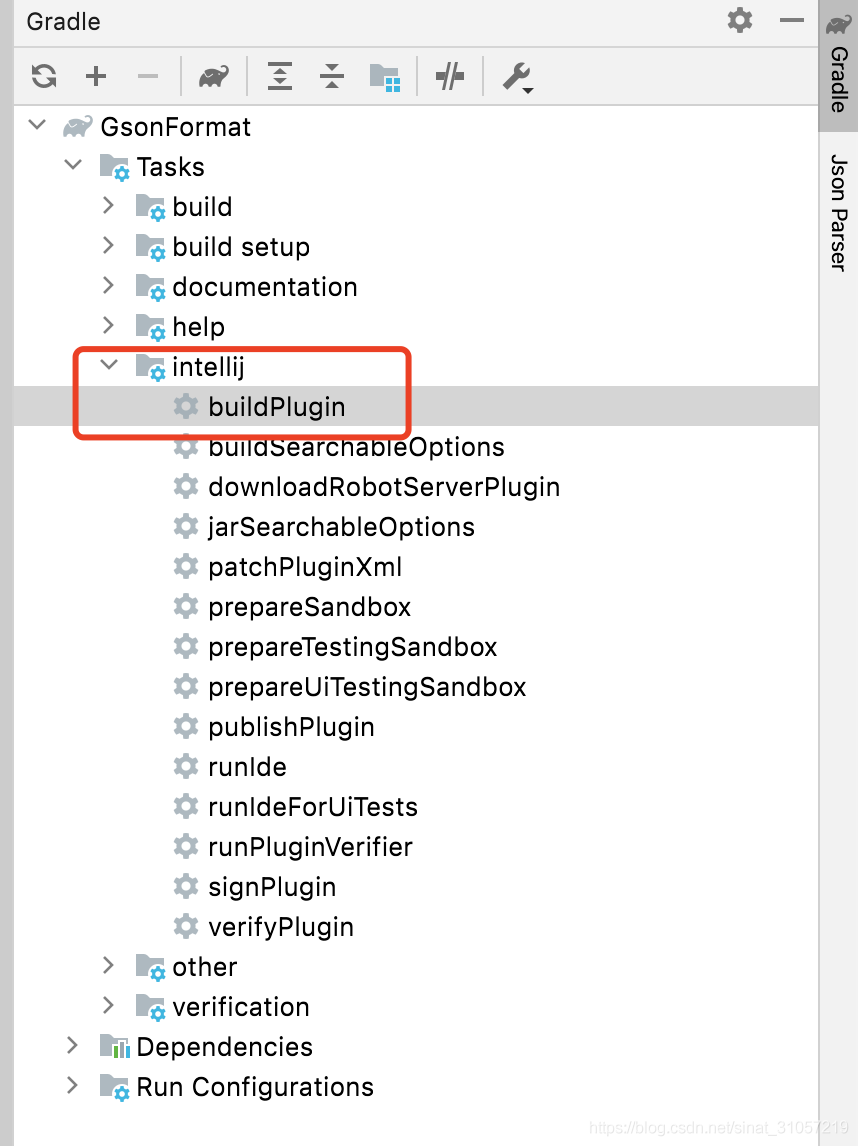
Repackage:

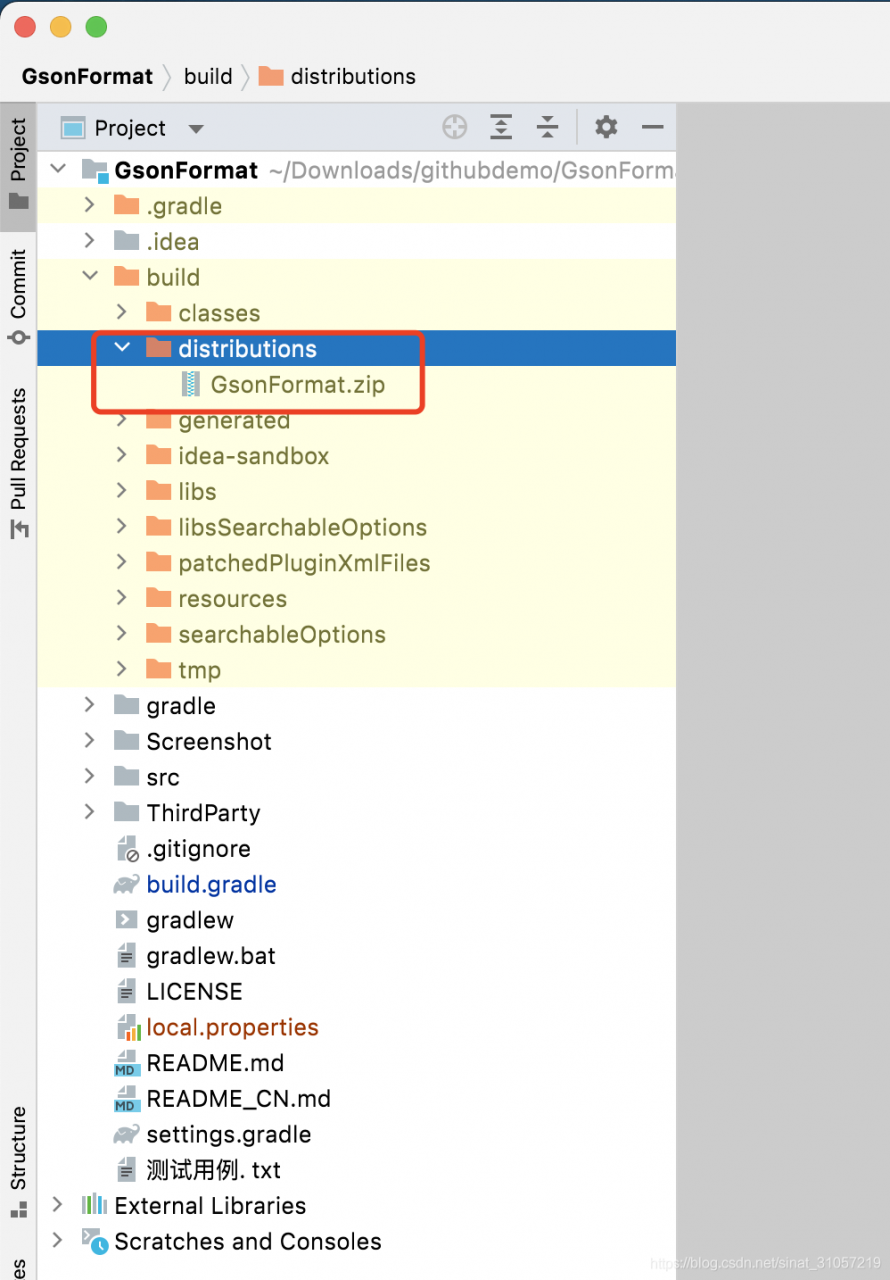
The generated file is in:

The generated plug-in can be imported into the zip package locally.

Zip file

It has been uploaded here