Author Archives: Robins

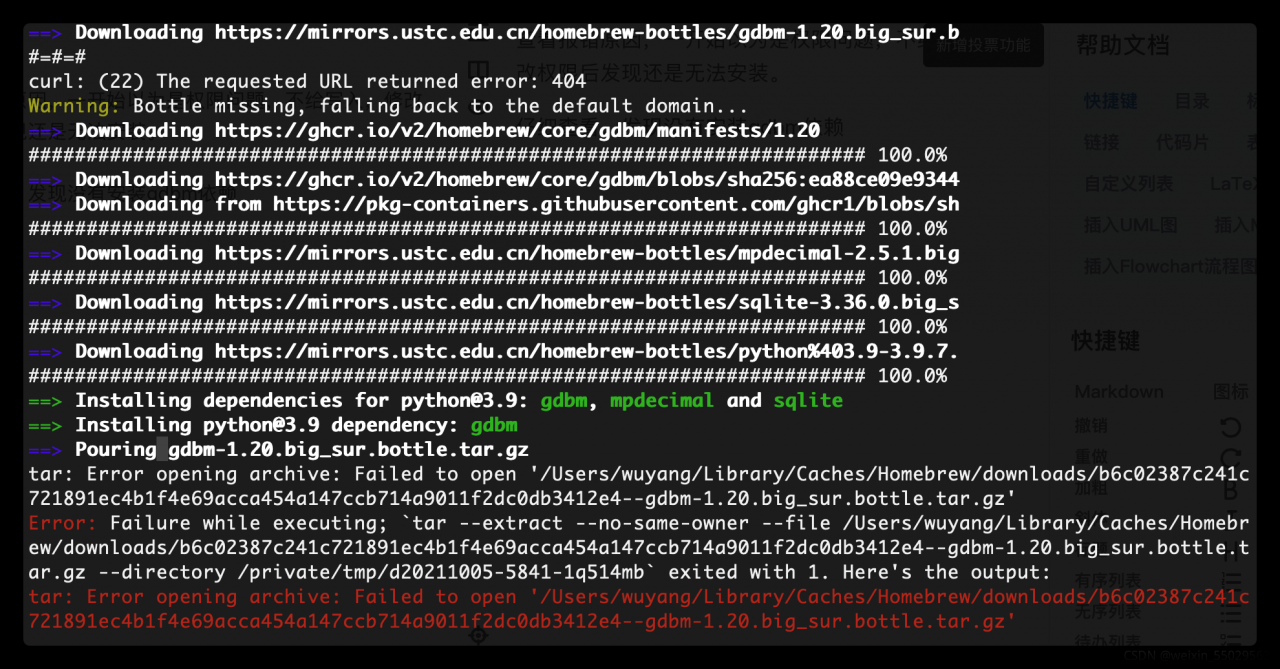
Brew Install python Error: tar: Error opening archive: Failed to open’***‘

Check the reason for the error. At first, I thought it was a permission problem and didn’t write it. After modifying the permission, I found that it still couldn’t be installed.

Check carefully and find that gdbm dependency is not installed.

terms of settlement

To install gdbm dependencies, enter the command line

brew install gdbm

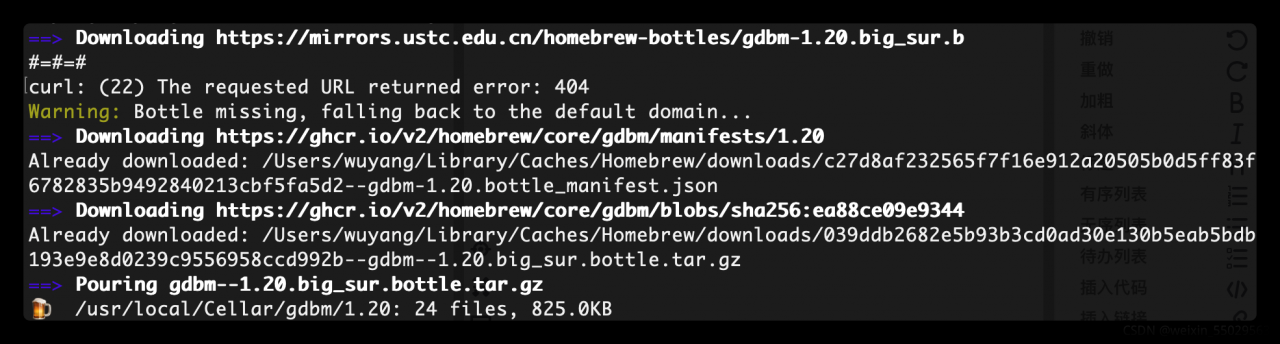
The following indicates that the installation is successful

Finally, execute the command brew install again [email protected]

Installation succeeded!

[Error] invalid operands to binary ^ (have ‘double‘ and ‘float‘)

C. It cannot be used directly in C + +^

In C and C + +, you can’t use ^ to represent the index, only * can be used. If you want to use the index, you can only establish a cycle to multiply multiple times or write multiple directly by multiplication. The following is my code. The comment part is the original index form, and the above error will be reported.

Or reference mathematical functions and add #include & lt; math.h>;

Pow (x, y) is used to solve the Y power of X;

#include <stdio.h>
#include <stdlib.h>
#include <math.h>

/* run this program using the console pauser or add your own getch, system("pause") or input loop */

int main(int argc, char *argv[]) {
	double p0=1000,r1=0.0036,r2=0.0225,r3=0.0198,p1,p2,p3;
	p1=p0*(1+r1)*(1+r1)*(1+r1)*(1+r1)*(1+r1)*(1+r1);
	//p1=p0*(1+r1)^6;
	p2=p0*(1+r2)*(1+r2)*(1+r2);
	//p2=p0*(1+r2)^3;
	p3=p0*(1+r3)*(1+r3);
	//p3=p0*(1+r3)^2;
	double x=1,y=2,p;
	p = pow(x+1,y);  //Find the yth power of x+1, which is the exponent 
	printf("The square of 1+1 is %lf",p);
	printf("deposit 1 year %lf, deposit 2 years %lf, deposit 3 years %lf",p1,p2,p3);
	return 0;
}
Run hadoop fs -put Command Error: java.io.IOException: Got error, status message , ack with firstBadLink

After the Hadoop cluster is set up, the following port error occurs on one node when the Hadoop FS – put command is executed

location:org.apache.hadoop.hdfs.DFSOutputStream$DataStreamer.createBlockOutputStream(DFSOutputStream.java:1495)
throwable:java.io.IOException: Got error, status message , ack with firstBadLink as ip:port
at org.apache.hadoop.hdfs.protocol.datatransfer.DataTransferProtoUtil.checkBlockOpStatus(DataTransferProtoUtil.java:142)
at org.apache.hadoop.hdfs.DFSOutputStream$DataStreamer.createBlockOutputStream(DFSOutputStream.java:1482)
at org.apache.hadoop.hdfs.DFSOutputStream$DataStreamer.nextBlockOutputStream(DFSOutputStream.java:1385)
at org.apache.hadoop.hdfs.DFSOutputStream$DataStreamer.run(DFSOutputStream.java:554)

First, check whether the firewalls of the three nodes are closed

firewall-cmd --state

Turn off firewall command

systemctl stop firewalld.service

If this situation still occurs after the firewall is closed, it may be that the ports of ECs are not open to the public. Take Alibaba cloud server as an example (Tencent cloud opens all ports by default):

After setting, execute the command again to succeed.

[Solved] JAVA Error: Error occurred during initialization of boot layer java.lang.module.FindException

Create new project error:
Error occurred during initialization of boot layer
java.lang.module.FindException: Error reading module: /Users/chenyue/eclipse-workspace/FirstBlood/bin
Caused by: java.lang.module.InvalidModuleDescriptorException: operear_test.class found in top-level directory (unnamed package not allowed in module)

Solution:
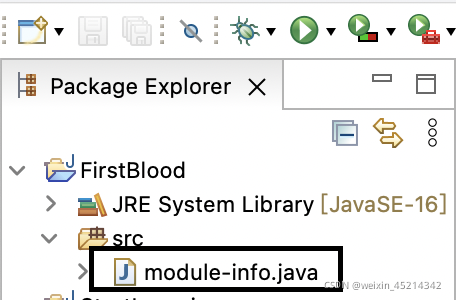
Delete the module-info.java in the directory bar

[2021-10-05] Python Error: AttributeError: ‘NoneType‘ object has no attribute ‘append‘

Traceback (most recent call last):
File “D:\C world\py\实验03.py”, line 36, in <module>
APPEND=APPEND.append(random.randint(1,100000))
AttributeError: ‘NoneType’ object has no attribute ‘append’

Change APPEND=APPEND.append(random.randint(1,100000)) to

APPEND=APPEND.append(random.randint(1,100000))
#Wrong
    
APPEND.append(random.randint(1,100000))
#Right

alike

print(a.reverse)
#Wrong
a=a.reverse
#Wrong

a.reverse
print(a)
#Right

Spring-boot Use dubbo Error: ERROR 8404 o.s.boot.SpringApplication:Application run failed

Error reporting is shown in the figure above

Results after carefully checking the error information, it is found that:

at demo0929.UserServiceApplication.main(UserServiceApplication.java:12) ~[classes/:na]

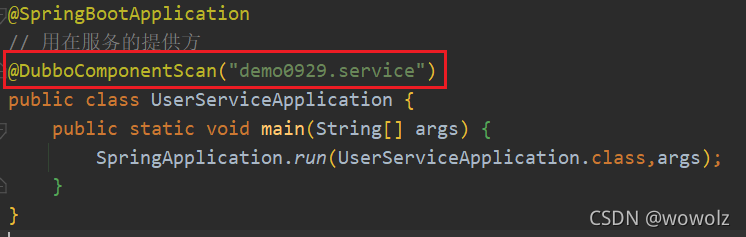
The format of package scanning configuration is incorrect, as shown in the following figure:

import org.apache.dubbo.config.spring.context.annotation.DubboComponentScan;
import org.springframework.boot.SpringApplication;
import org.springframework.boot.autoconfigure.SpringBootApplication;

@SpringBootApplication
@DubboComponentScan(basePackages = {"demo0929.service"})
public class UserServiceApplication {
    public static void main(String[] args) {
        SpringApplication.run(UserServiceApplication.class,args);
    }
}

Then delete the cache in the target

[Solved] Add-apt-repository Command Error: AttributeError: ‘Thread‘ object has no attribute ‘isAlive‘

Question:

Today, when installing the software package, I found that an error occurred when executing the add apt repository command, and the software source could not be added

Traceback (most recent call last):
  File "/usr/bin/add-apt-repository", line 191, in <module>
    if not sp.add_source_from_shortcut(shortcut, options.enable_source):
  File "/usr/lib/python3/dist-packages/softwareproperties/SoftwareProperties.py", line 777, in add_source_from_shortcut
    if worker.isAlive():
AttributeError: 'Thread' object has no attribute 'isAlive'

reason:

The file softwareproperties.py refers to “isalive”. The python version installed on the computer is 3.9.2. This method is no longer supported in 3.9.

Solution:

Modify the “/ usr/lib/python3/dist packages/softwareproperties/softwareproperties. Py” file, and change the “isalive” in line 777 to “is_live”.

[Solved] springmvc:Error creating bean with name ‘org.springframework.cache.interceptor.CacheInterceptor

Error creating bean with name 'org.springframework.cache.interceptor.CacheInterceptor#0’
Speaking of this is a bit of a pitfall, spring configuration file add annotation scan **

<mvc (as long as this is checked again):annotation-driven

** /> After that, idea will automatically add a reference to you, but it adds a reference to xmlns:mvc="http://www.springframework.org/schema/cache", which causes problems. It should be changed to xmlns:mvc=”http://www.springframework.org/schema/mvc”