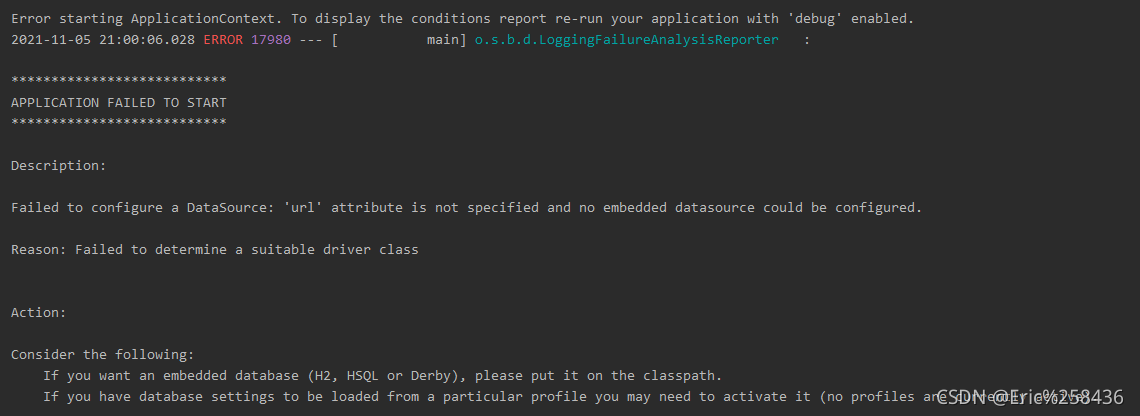
The following error occurs in Git clone Linux source code:

Solution:
Enter in the terminal:
git config –global http.sslverify false
git config –global https.sslverify false
xport GIT_SSL_NO_VERIFY=1
Then the download is normal

The following error occurs in Git clone Linux source code:
Solution:
Enter in the terminal:
git config –global http.sslverify false
git config –global https.sslverify false
xport GIT_SSL_NO_VERIFY=1
Then the download is normal
The solution to this problem eventually returns to the problem of version synchronization
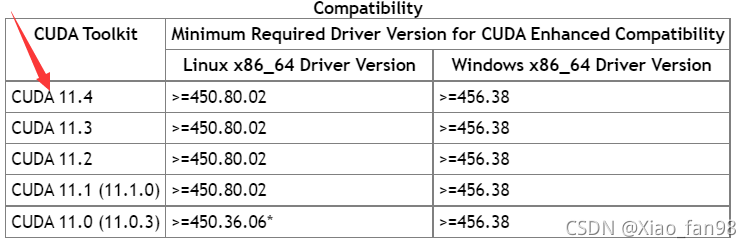
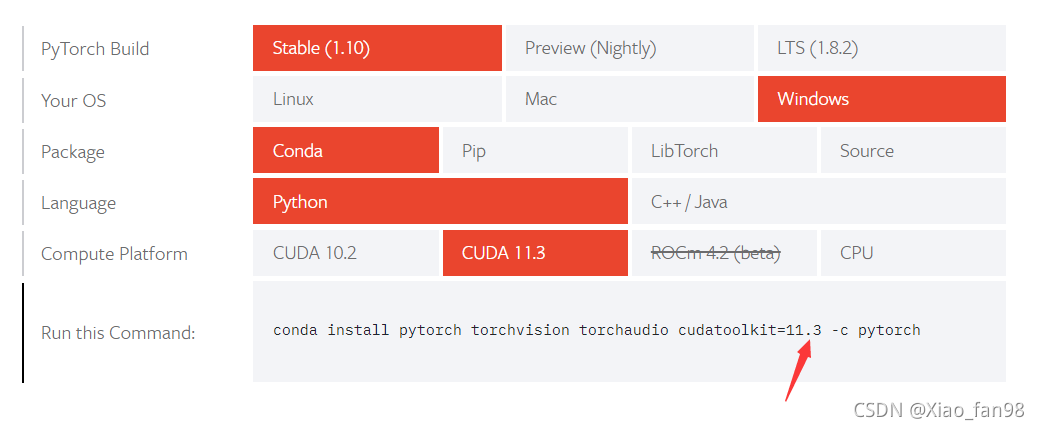 The versions at the two arrows should be consistent.
#Accident scene
Git submitted push with enrollment error:
Enumerating objects: 448, done.
Delta compression using up to 4 threads
Total 424 (delta 109), reused 0 (delta 0), pack-reused 0
POST git-receive-pack (433422517 bytes)
Error: RPC failed; HTTP 413 curl 22 The requested URL returned error: 413
#Solution
As can be seen from the above error message, the code size submitted by Git is 433422517 bytes, about 400m; It is suspected that the submitted documents are too large.
1. First, modify the GIT global configuration
git config –global http.postBuffer 524288000
The result is pushed again, which is invalid
it is suspected that the size of the transfer file is limited in other places. In retrospect, the server where Git is located was accessed directly, but later it was accessed after being forwarded by Nginx. Therefore, I think there may be a problem with the Nginx configuration.
2. View git related configuration of Nginx
	location ~ /git(/.*) {
	    # others

	    client_max_body_size 200M;
	}
The client_max_body_Size modify the configuration to 500m and restart Nginx
push again to solve the problem.
Question page

Error message in log
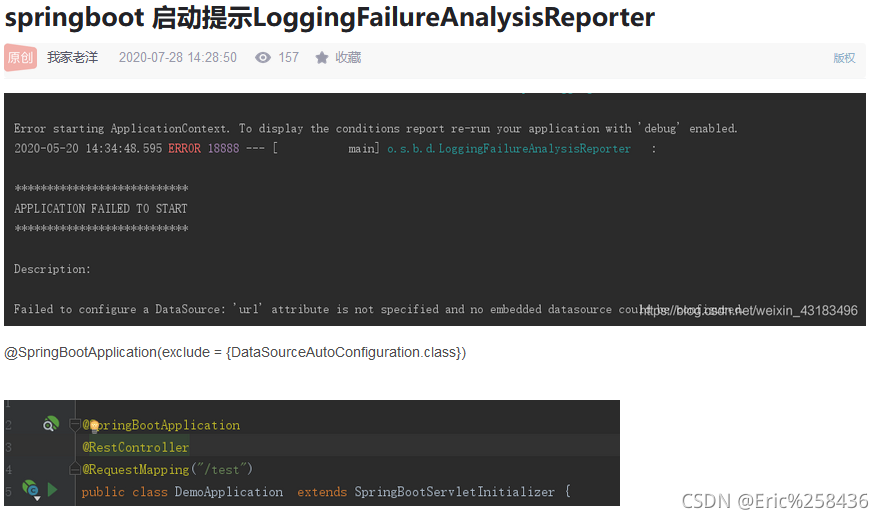
no mybatis mapper was found in ‘[com. Ego]’ package. Please check your
configuration. Will not attempt to authenticate using SASL (unknown error)
Console output
Solution 1
Solution 1. I read many blogs, most of which are this solution. But it didn’t solve my problem
Solution 2
1. Because the versions of spring web and spring webmvc in POM are inconsistent, unify the dependent versions
2. If there are no database related things configured, comment out the POM dependencies of mybatis and MySQL first
I cited the problem caused by mapper’s Maven dependency in the consumermodel. Just delete it.
Request processing failed; nested exception is com.alibaba.fastjson.JSONException: can not cast to JSONObject.
The probability is that the string is not in json format, resulting in JSONObject map = JSON.parseObject(OrderBO.getTime());
Conversion Times Error
string time = “123123131”;
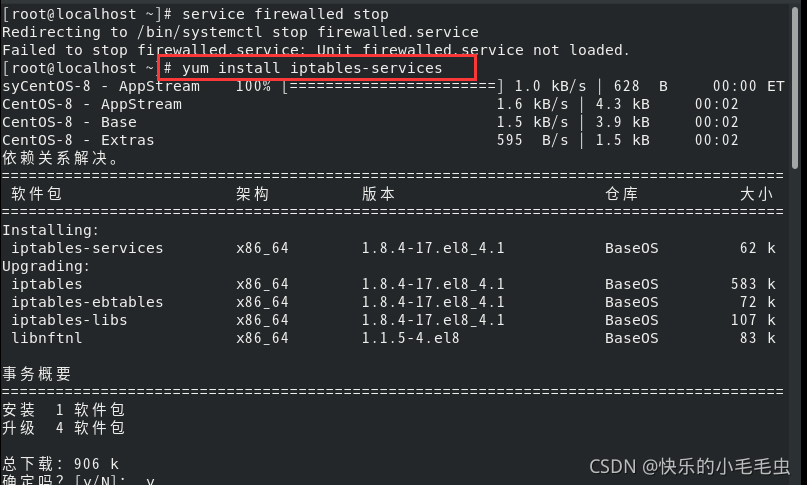
Failed to close firewall vm8:
Step 1:
yum install iptables-services
Step 2:
systemctl stop firewalld

After going out for a while, QT couldn’t open the project when he came back, so Baidu took it
it turns out that the plug-in is not enabled, so just check it
the top menu bar – help – about plug-ins
check QBs, qmake and support for project construction
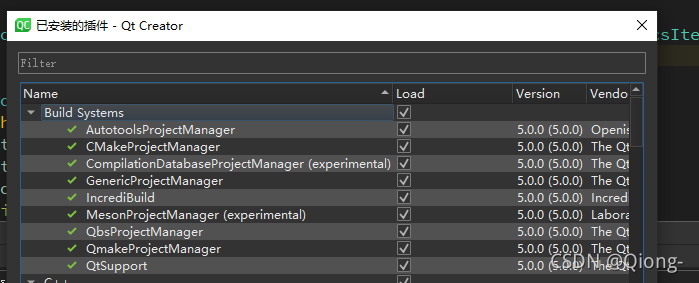
Restart QT creator and try to build again. It is successful.
Version number:
vue/cli:4.5.12
vant:^3.0.10
Question:
Failed to resolve component: van-cell-group
  at <Home onVnodeUnmounted=fn<onVnodeUnmounted> ref=Ref< undefined > key=0 >
Reason: the van cell group component is not imported
Solution:
You can import it in the ‘main. JS’ file and then use it on the page
The details are as follows:
import {
	createApp
} from 'vue'
import {
	CellGroup
} from 'vant'
createApp(App).use(CellGroup)Problem: slf4j: failed to load class “org. Slf4j. Impl. Staticloggerbinder” error occurs when creating Maven project with idea for unit test
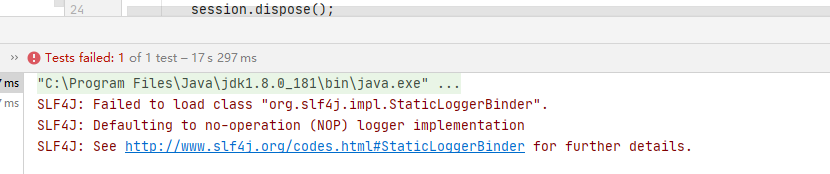
solution: add dependency in pom.xml. Because it is in the test environment, the scope tag is test. If it is running in main, you can change test.
<dependency>
            <groupId>org.slf4j</groupId>
            <artifactId>slf4j-simple</artifactId>
            <version>1.7.25</version>
            <scope>test</scope>
        </dependency>
Caused by: org.flywaydb.core.api.FlywayException: Validate failed: Migration checksum mismatch for migration version 700013
When spring boot integrates flyway for database version management, the startup service reports an error org.flywaydb.core.api.flywayexception: validate failed: detected failed migration to version 1.1 (fixusername)
reason:
Because I modified SQL in the original version, this error is mainly due to flyway_ schema_ The recorded data in history affects the startup and needs to be checked
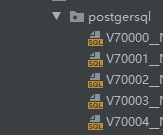
Solution 1:
If you don’t want to recreate a version,
you need to find the relevant table in the database, delete the data related to this version, modify and restore the fields related to this version, and then reload it
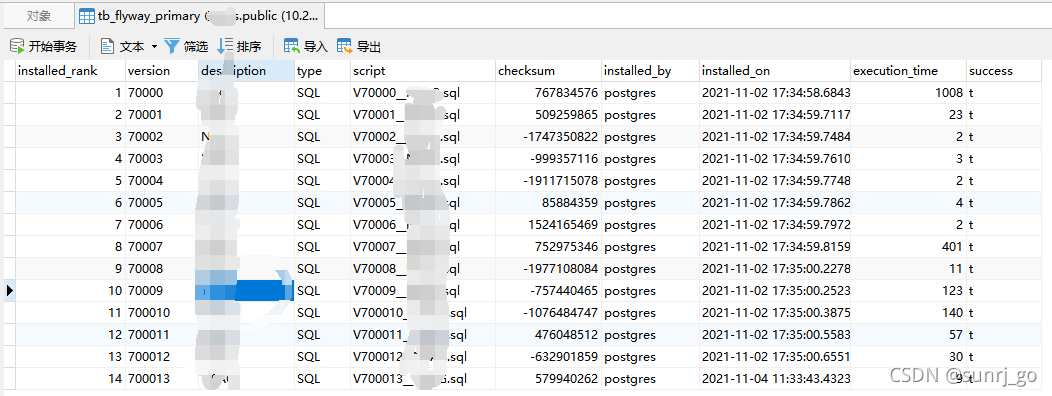
Solution 2
Create a new version, write the relevant data changes to the version, and restart the project
This is an error when the server creates a site. The original server is uninstalled and reinstalled. The final solution is to delete all data in this directory, restart the server, and then create it successfully.
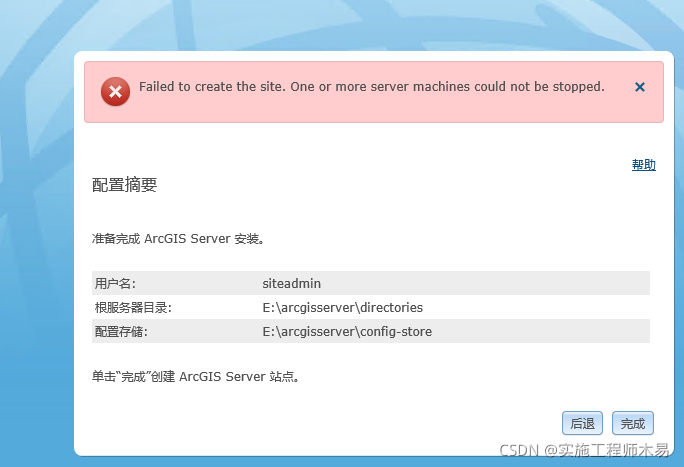
Specific error
Execution failed for task ':usbCameraTest:lintVitalRelease'.
> Lint found fatal errors while assembling a release target.

* Try:
Run with --stacktrace option to get the stack trace. Run with --info or --debug option to get more log output. Run with --scan to get full insights.
terms of settlement
Add in build.gradle:
android {

	lintOptions {
		checkReleaseBuilds false
		abortOnError false
	}