Lombok is used, and the compilation is normal, but the idea cannot be started, saying that the builder method does not exist. At this time, just set the idea:
-Djps.track.ap.dependencies=false
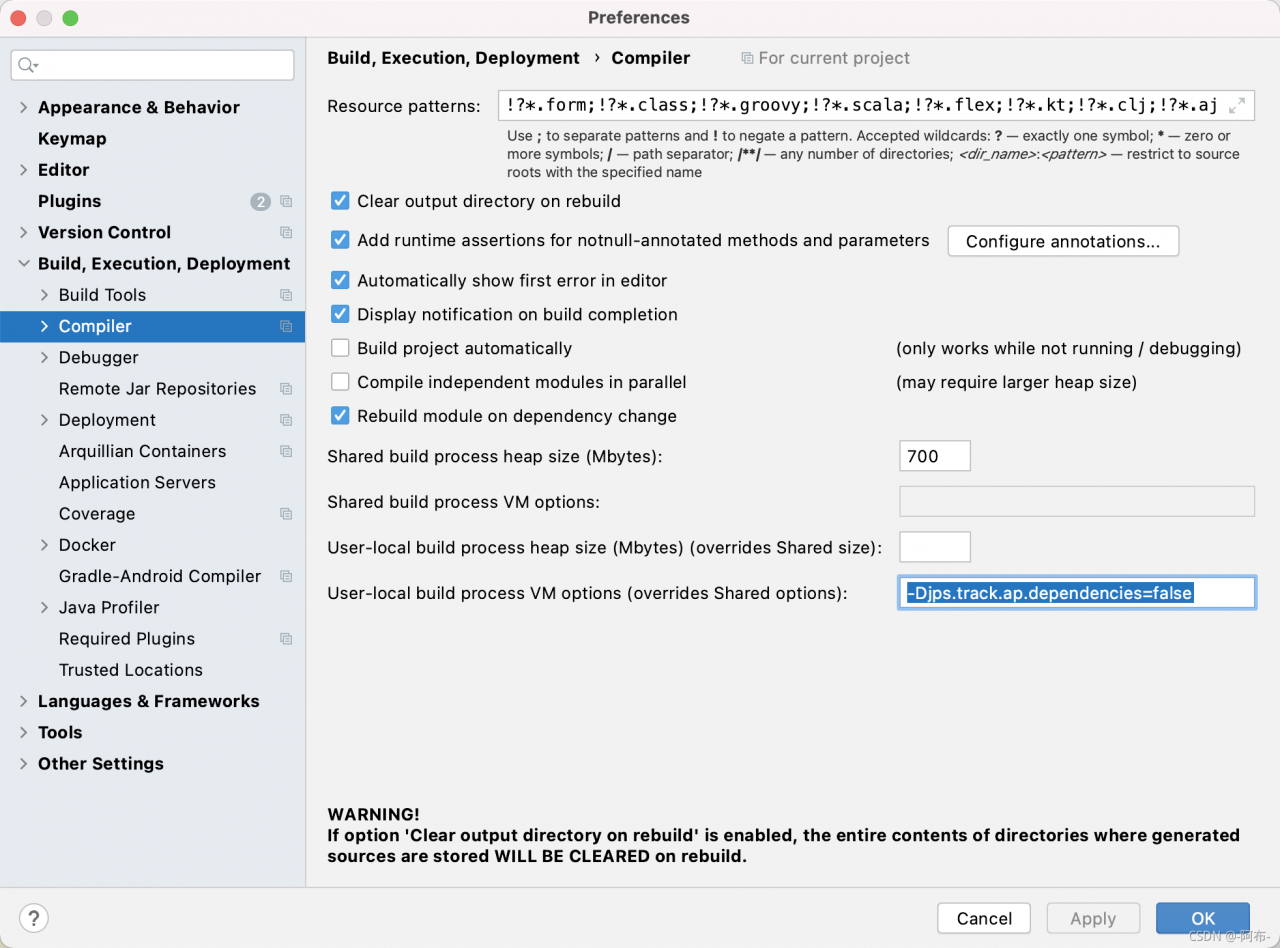
Lombok is used, and the compilation is normal, but the idea cannot be started, saying that the builder method does not exist. At this time, just set the idea:
-Djps.track.ap.dependencies=false
Connected to: Oracle Database 11g Enterprise Edition Release 11.2.0.1.0 – 64bit Production
With the Partitioning, OLAP, Data Mining and Real Application Testing options
ORA-39002: invalid operation
ORA-39070: Unable to open the log file.
ORA-29283: invalid file operation
ORA-06512: at “SYS.UTL_FILE”, line 536
ORA-29283: invalid file operation
Cause: Oracle failed to read the default backup directory
Solution:
1. Recreate the logical directory with an administrator such as system (if you want to have the same name as the original logical directory, you need to delete the directory and recreate it first)
Create directory mydata as’ logical directory path ‘;
For example: create directory mydata as’/data/Oracle/mydata ‘;
Delete directory: drop directory mydata
2. Check whether the logical directory is created successfully
select * from dba_directories
3. Re expdp export or impdp import data. If the default logical directory used before needs to specify the directory
impdp system/ ddddd@orcl remap_schema=mydb:testdb directory=mydata DUMPFILE=data1.dmp table_exists_action=replace
After Vue creates the project, run the error report. After using the following commands, no error will be reported.
Run these commands in turn at the terminal.
npm install -g webpack-cli
npm install -g [email protected]
npm install -g webpack-dev-serverUnity error library\packagecache… Followed by the error prompt of version number
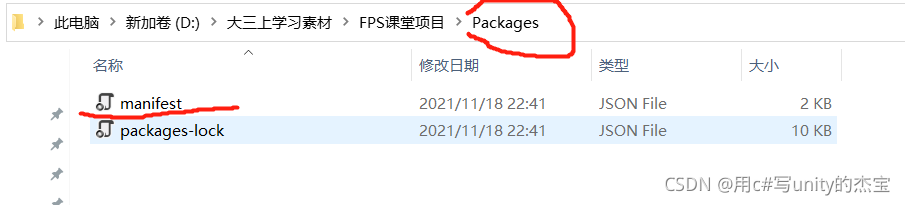
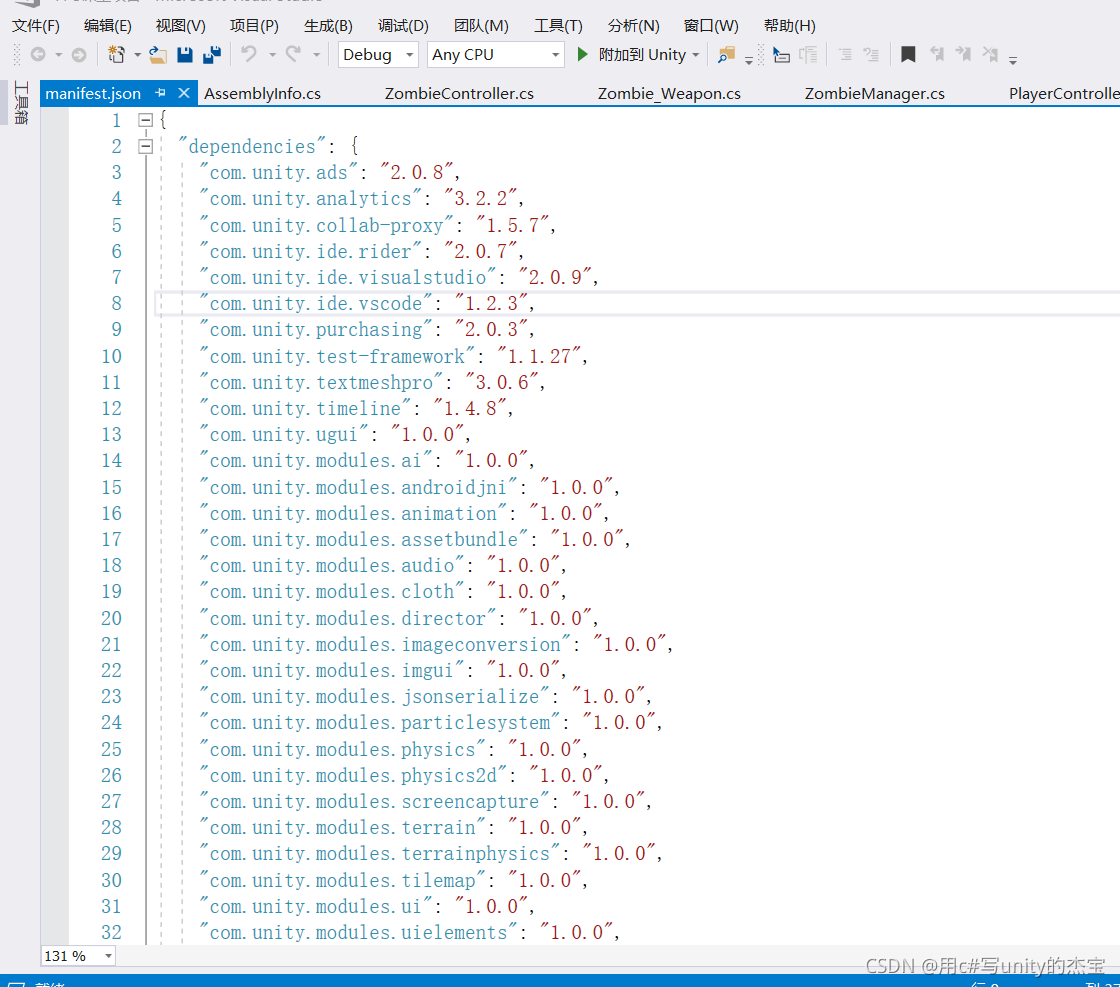
Just find the packages folder in the project root directory, open the JSON file of the manifest, find the corresponding version number in the error report, delete and save it
ImportError: libGL.so.1: cannot open shared object file: No such file or directory

Solution:
Yum install mesa-libGL.x86 64
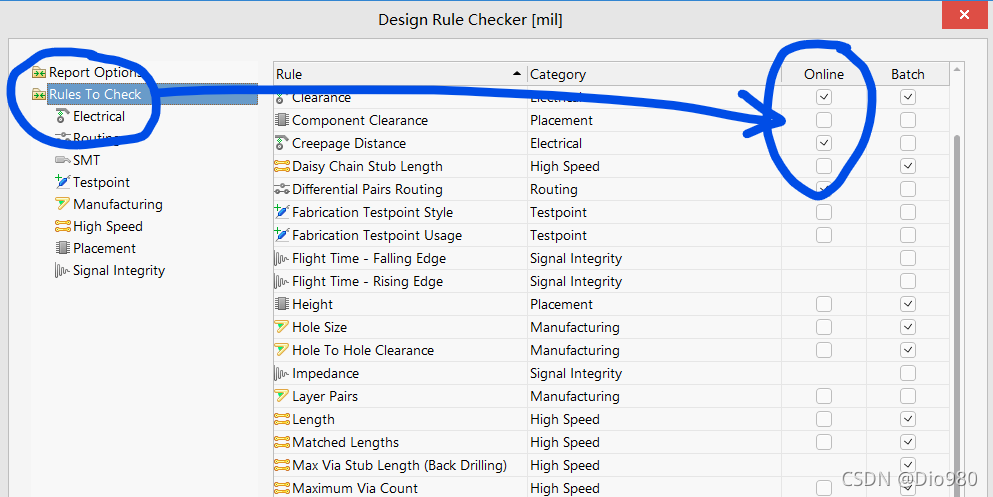
Today, I found my ad lying flat on the drawing board. No matter how inhumane I operate, I won’t display a green fork to report an error.
Reason 1: press the shortcut key D + R to check whether enable in rules and constraints is checked
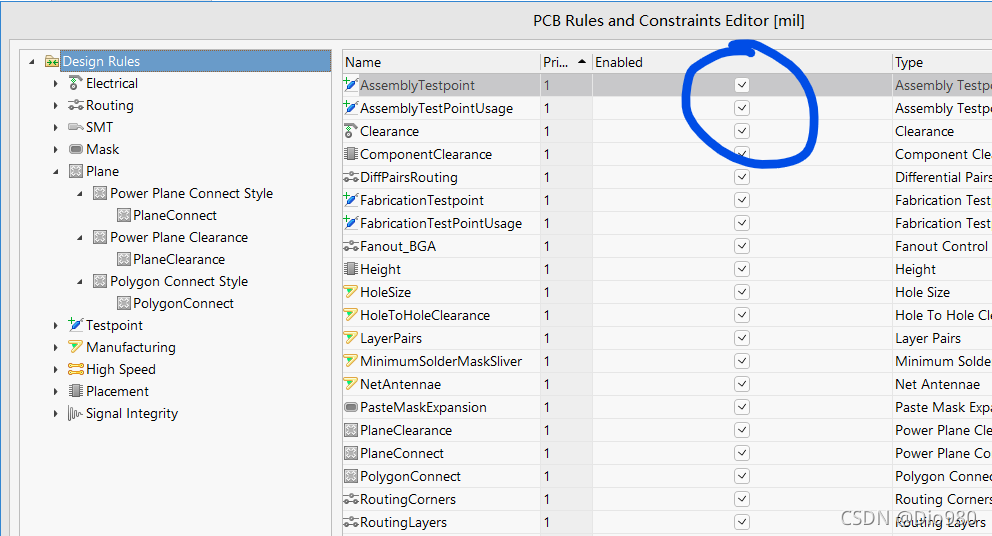
Reason 2: the shortcut key t + D determines whether all rules in the rules to check of the rule checker are online. My ad doesn’t know when the online tick is gone, so the rule checker directly fishes, resulting in no error reporting.
According to the pytorch document, when loading the model, you can specify to load the tensor of the model to a specific target GPU
the loading methods are:
>>> torch.load('tensors.pt')
# 1. Load all tensors onto the GPU 0
>>> torch.load('tensors.pt', map_location=torch.device('cuda:0'))
# 2. Load all tensors onto GPU 1
>>> torch.load('tensors.pt', map_location=lambda storage, loc: storage.cuda(1))
# 3. Map tensors from GPU 1 to GPU 0
>>> torch.load('tensors.pt', map_location={'cuda:1':'cuda:0'})
The actual measurement shows that
method 1 is not loaded into the target card at all. The original card on which the model was trained is still loaded into the original old card number, so the assignment fails
in method 3, errors are reported between codes. Location. Startswitch (‘cuda ‘): attributeerror:’ nonetype ‘object has no attribute’ startswitch ‘. After analyzing the code, it is found that this is a bug of torch itself! Pit father
method 2: normally load the tensors on cuda1.
When you need to generate the package and corresponding version required by a project, you can first CD it to the project directory, and then enter:
pipreqs ./
Code error is reported as follows:
Traceback (most recent call last):
  File "f:\users\asus\anaconda3\lib\runpy.py", line 193, in _run_module_as_main
    "__main__", mod_spec)
  File "f:\users\asus\anaconda3\lib\runpy.py", line 85, in _run_code
    exec(code, run_globals)
  File "F:\Users\asus\Anaconda3\Scripts\pipreqs.exe\__main__.py", line 7, in <module>
  File "f:\users\asus\anaconda3\lib\site-packages\pipreqs\pipreqs.py", line 470, in main
    init(args)
  File "f:\users\asus\anaconda3\lib\site-packages\pipreqs\pipreqs.py", line 409, in init
    follow_links=follow_links)
  File "f:\users\asus\anaconda3\lib\site-packages\pipreqs\pipreqs.py", line 122, in get_all_imports
    contents = f.read()
  File "f:\users\asus\anaconda3\lib\codecs.py", line 321, in decode
    (result, consumed) = self._buffer_decode(data, self.errors, final)
UnicodeDecodeError: 'utf-8' codec can't decode byte 0xbb in position 570: invalid start byte
Find line 122 of pipreqs.py and modify the coding format to iso-8859-1.
with open_func(file_name, "r", encoding='ISO-8859-1') as f:
	contents = f.read()
After trying many encoding formats, such as GBK, GB18030, etc., errors are still reported until iso-8859-1 is used. The specific reason is that the parameter setting of decode is too strict. It is set to igonre, but it is not found where the decode function is changed. Change it when you find it later.
cnpm install -g @vue/cli
Cnpm: the file D:\program files\nodejs\cnpm.ps1 cannot be loaded because running scripts is prohibited on this system. For more information, see about in HTTPS:/go.Microsoft
oft.COM/fwlink /?LINKID = 135170_Execution_Policies。
location line: 1 character: 1
+ cnpm install – G @ Vue/cli
+ ~ ~ ~
+ CategoryInfo : SecurityError: (:) [],PSSecurityException
+ FullyQualifiedErrorId : UnauthorizedAccess
cmd: enter Start-Process powershell -Verb runAs
Continue to re execute set-ExecutionPolicy RemoteSigned. Select Y
Then re-execute cnpm install -g @vue/cli
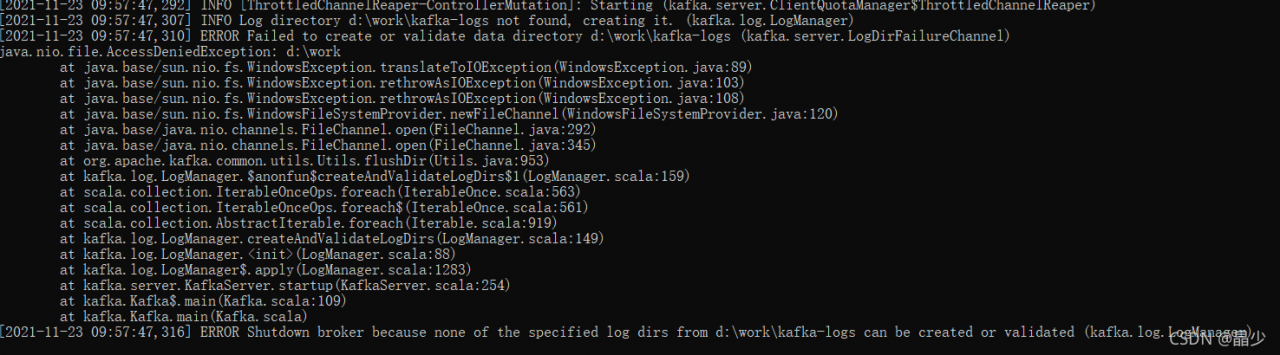
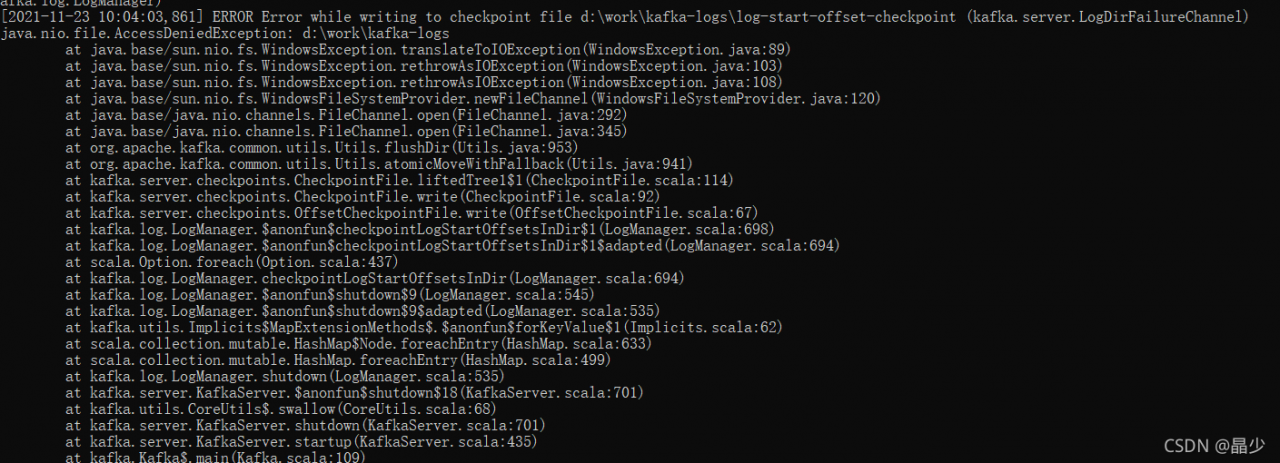
Kafka creates and writes logs with an error
Running bin\windows\kafka-server-start.bat config\server.properties reports an error when creating logs, but viewing the directory file has been created successfully. Error reason: no permission.
Solution: modify the folder permissions
Run bin\windows\kafka-server-start.bat config\server.properties to report an error when creating logs, but check that the directory file has been created successfully
Error reporting reason: no permission
Solution: modify folder permissions
Error Messages:
java.lang.NoSuchMethodError: org.springframework.aop.scope.ScopedProxyUtils.isScopedTarget(java/lang/String;)Z
at org.springframework.context.event.EventListenerMethodProcessor.afterSingletonsInstantiated(EventListenerMethodProcessor.java:79)
at org.springframework.beans.factory.support.DefaultListableBeanFactory.preInstantiateSingletons(DefaultListableBeanFactory.java:781)
at org.springframework.context.support.AbstractApplicationContext.finishBeanFactoryInitialization(AbstractApplicationContext.java:866)
at org.springframework.context.support.AbstractApplicationContext.refresh(AbstractApplicationContext.java:542)
at org.springframework.context.support.ClassPathXmlApplicationContext.<init>(ClassPathXmlApplicationContext.java:139)
at org.springframework.context.support.ClassPathXmlApplicationContext.<init>(ClassPathXmlApplicationContext.java:83)
at com.wt.test.AopTest.test1(AopTest.java:14)
at sun.reflect.NativeMethodAccessorImpl.invoke0(Native Method)
at sun.reflect.NativeMethodAccessorImpl.invoke(NativeMethodAccessorImpl.java:62)
at sun.reflect.DelegatingMethodAccessorImpl.invoke(DelegatingMethodAccessorImpl.java:43)
at java.lang.reflect.Method.invoke(Method.java:498)
at org.junit.platform.commons.util.ReflectionUtils.invokeMethod(ReflectionUtils.java:725)
at org.junit.jupiter.engine.execution.MethodInvocation.proceed(MethodInvocation.java:60)
at org.junit.jupiter.engine.execution.InvocationInterceptorChain$ValidatingInvocation.proceed(InvocationInterceptorChain.java:131)
at org.junit.jupiter.engine.extension.TimeoutExtension.intercept(TimeoutExtension.java:149)
at org.junit.jupiter.engine.extension.TimeoutExtension.interceptTestableMethod(TimeoutExtension.java:140)
at org.junit.jupiter.engine.extension.TimeoutExtension.interceptTestMethod(TimeoutExtension.java:84)
at org.junit.jupiter.engine.execution.ExecutableInvoker$ReflectiveInterceptorCall.lambda$ofVoidMethod$0(ExecutableInvoker.java:115)
at org.junit.jupiter.engine.execution.ExecutableInvoker.lambda$invoke$0(ExecutableInvoker.java:105)
at org.junit.jupiter.engine.execution.InvocationInterceptorChain$InterceptedInvocation.proceed(InvocationInterceptorChain.java:106)
at org.junit.jupiter.engine.execution.InvocationInterceptorChain.proceed(InvocationInterceptorChain.java:64)
at org.junit.jupiter.engine.execution.InvocationInterceptorChain.chainAndInvoke(InvocationInterceptorChain.java:45)
at org.junit.jupiter.engine.execution.InvocationInterceptorChain.invoke(InvocationInterceptorChain.java:37)
at org.junit.jupiter.engine.execution.ExecutableInvoker.invoke(ExecutableInvoker.java:104)
at org.junit.jupiter.engine.execution.ExecutableInvoker.invoke(ExecutableInvoker.java:98)
at org.junit.jupiter.engine.descriptor.TestMethodTestDescriptor.lambda$invokeTestMethod$7(TestMethodTestDescriptor.java:214)
at org.junit.platform.engine.support.hierarchical.ThrowableCollector.execute(ThrowableCollector.java:73)
at org.junit.jupiter.engine.descriptor.TestMethodTestDescriptor.invokeTestMethod(TestMethodTestDescriptor.java:210)
at org.junit.jupiter.engine.descriptor.TestMethodTestDescriptor.execute(TestMethodTestDescriptor.java:135)
at org.junit.jupiter.engine.descriptor.TestMethodTestDescriptor.execute(TestMethodTestDescriptor.java:66)
at org.junit.platform.engine.support.hierarchical.NodeTestTask.lambda$executeRecursively$6(NodeTestTask.java:151)
at org.junit.platform.engine.support.hierarchical.ThrowableCollector.execute(ThrowableCollector.java:73)
at org.junit.platform.engine.support.hierarchical.NodeTestTask.lambda$executeRecursively$8(NodeTestTask.java:141)
at org.junit.platform.engine.support.hierarchical.Node.around(Node.java:137)
at org.junit.platform.engine.support.hierarchical.NodeTestTask.lambda$executeRecursively$9(NodeTestTask.java:139)
at org.junit.platform.engine.support.hierarchical.ThrowableCollector.execute(ThrowableCollector.java:73)
at org.junit.platform.engine.support.hierarchical.NodeTestTask.executeRecursively(NodeTestTask.java:138)
at org.junit.platform.engine.support.hierarchical.NodeTestTask.execute(NodeTestTask.java:95)。
Solution:
Upgrade the AOP dependency in POM. It must be above version 4.0
 <dependency>
      <groupId>org.springframework</groupId>
      <artifactId>spring-aop</artifactId>
      <version>4.2.2.RELEASE</version>
    </dependency>
Commands: List
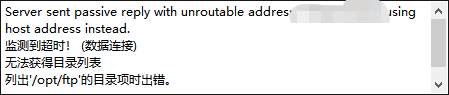
Solution: change FileZilla settings, edit – Settings – connect – FTP – passive mode, and change “use the external IP address of the server instead” to “return to active mode”.