Author Archives: Robins

[Solved] Vue 3 Script Setup ESLint Error: ‘defineProps‘ is not defined

Solution: when using Vue 3 script setup, eslint reports the error ‘defineprops’ is not defined


Vue 3’s script setup syntax introduces compiler macros of defineprops, definemits, defineexpose, withdefaults. However, in some cases, eslint will report an error. The above compiler macro functions are not defined.

This article will introduce two solutions to solve this problem (assuming that your project is initialized with Vue CLI).


Step 1. Check the version of eslint-plugin-Vue

npm list eslint-plugin-vue

If the version is in V8 Above 0.0, jump to step 2, otherwise go directly to the content of step 3.


Step 2. Version is V8.0.0+

Open eslintrc.JS file and modify it as follows:

  env: {
    node: true,
    // The Follow config only works with eslint-plugin-vue v8.0.0+
    "vue/setup-compiler-macros": true,
  },

Step 3. Version is V8 Below 0.0

Open eslintrc.JS file and modify it as follows:

  // The Follow configs works with eslint-plugin-vue v7.x.x
  globals: {
    defineProps: "readonly",
    defineEmits: "readonly",
    defineExpose: "readonly",
    withDefaults: "readonly",
  },

If your version of  eslint-plugin-vue is under V8, I don’t recommended you to upgrade the version,especially you had used a lot of ts dependency.
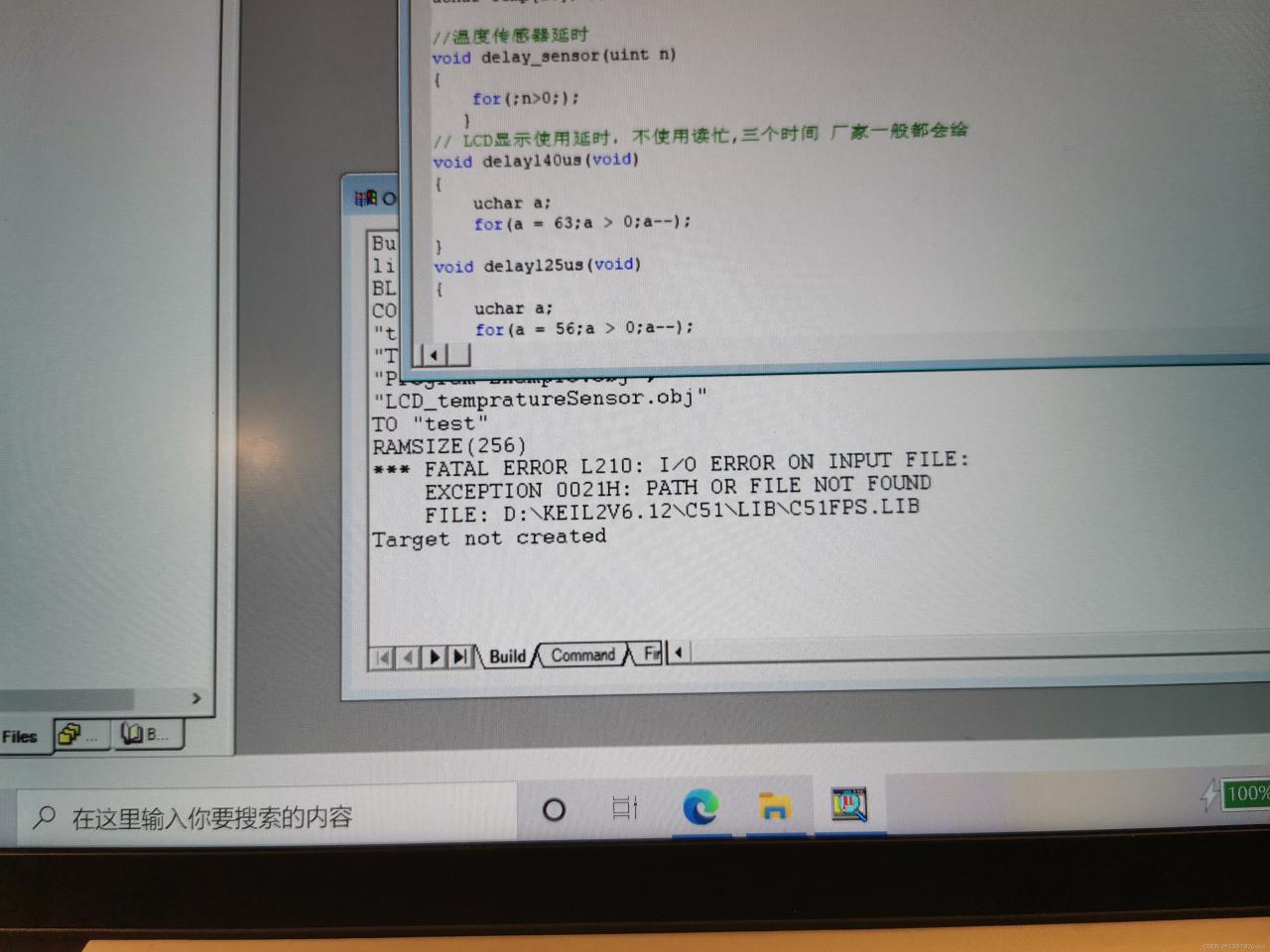
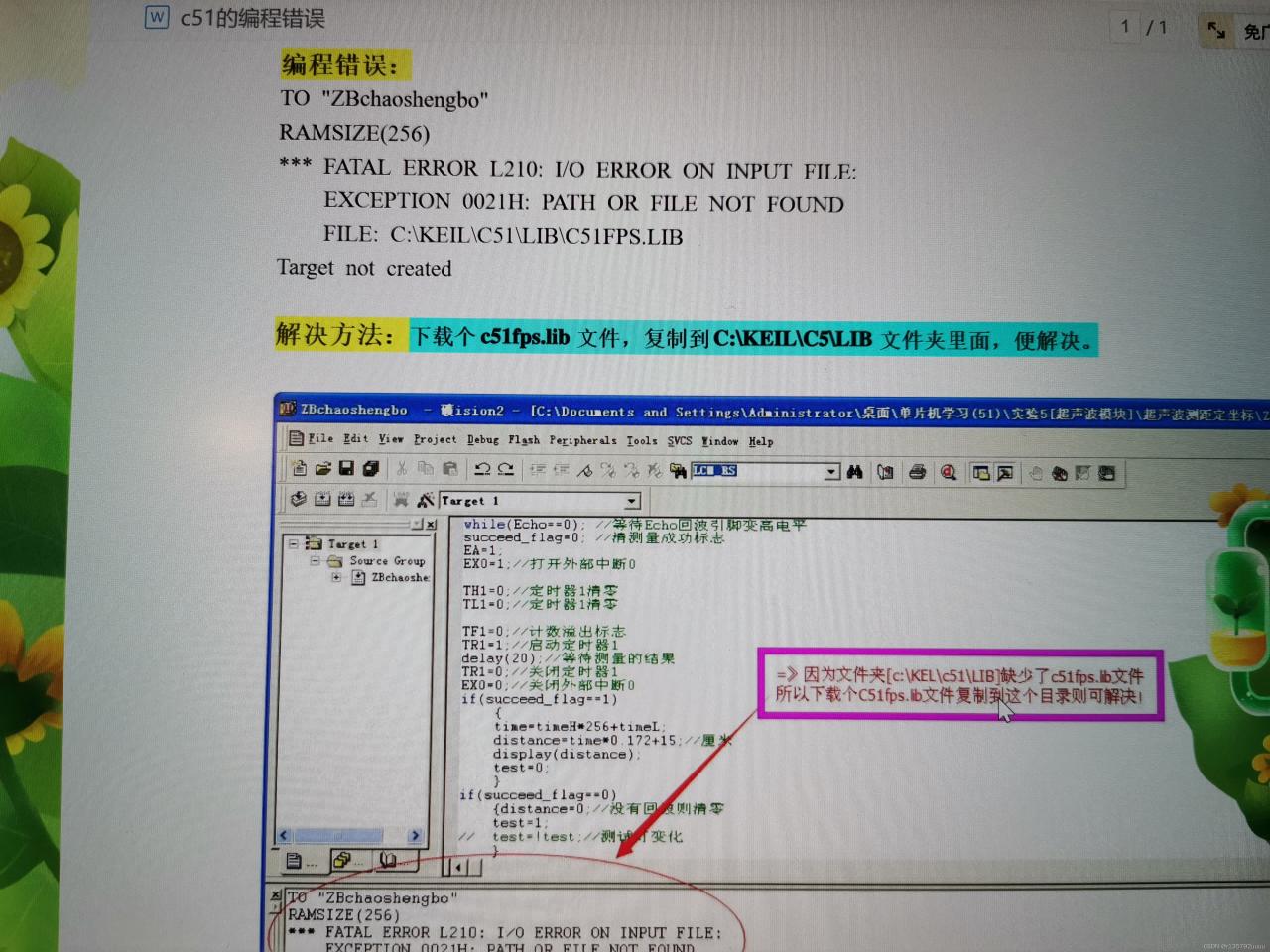
[Solved] keil2 Error: FATAL ERROR L210: I/O ERROR ON INPUT FILE

As shown in the figure: test is the name of the file, and the error message is displayed after * * *

FATAL ERROR L210

Solution: Google and download the file c51fps.lib, then find the Lib of your keil folder. For example, my address is: D:\Keil C51 v6.12\c5\LIB

Different versions may have different folder names. If you’re not sure, copy more and put them all.

Reason: This is the library of floating-point operation. The decimal KEIL2 download package is used. The library without decimal operation needs to be downloaded by yourself.

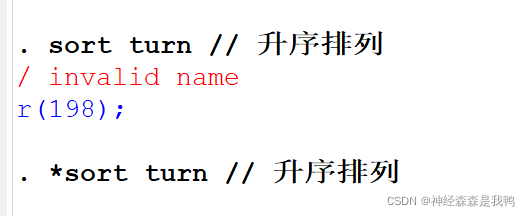
Stata Comment // Error / invalid name r(198); [How to Solve]

Stata common notes

Method 1: * enter * at the front of a single line to indicate the comment of this line
method 2:// enter anywhere in a single line.// the content after// is commented

Annotation usage scenario

For mode 1 *, you can use it in the command line or do file
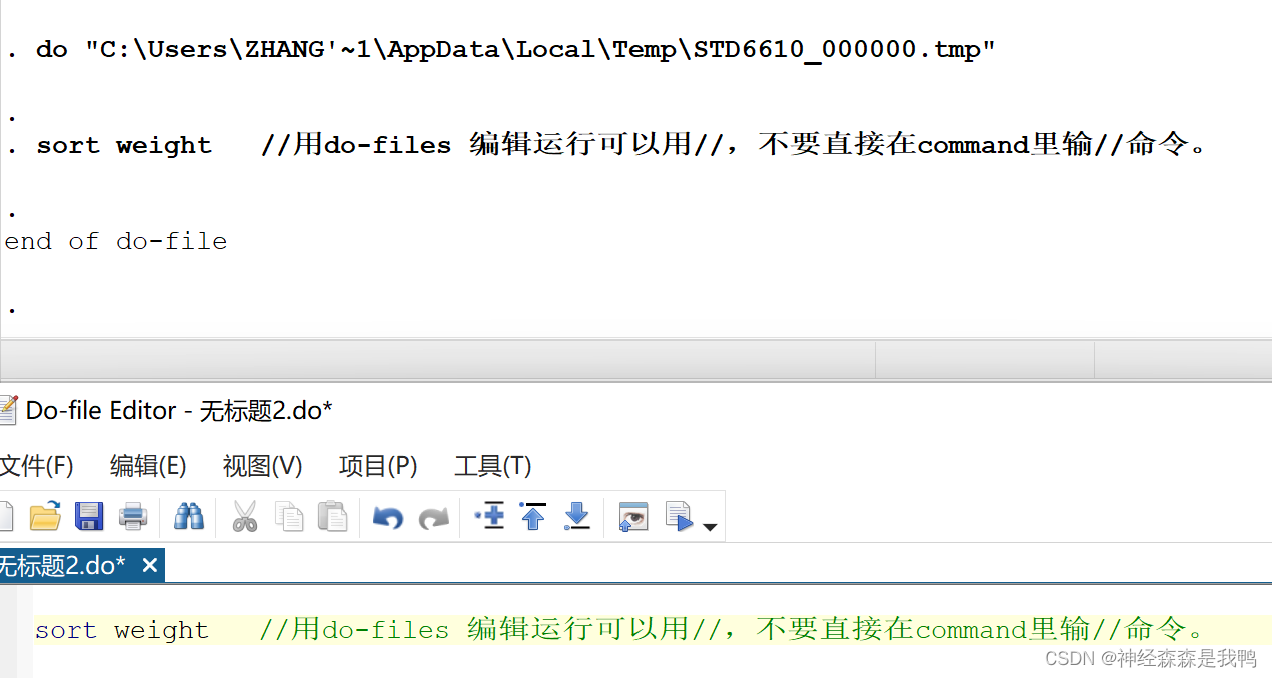
for mode 2//, the error “/ invalid name R (198)” will be reported in the command line (as shown in the figure below), but it is completely normal to use it in the do file. So, there is a small concept of losing small difference!


[Solved] Ubuntu: su Switch root Error: Authentication failure

[Ubuntu] solve the problem of error reporting when switching root with Su: authentication failure user authentication failure

Question:

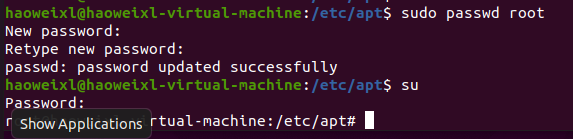
Authentication failure occurs when Ubuntu uses Su to switch root. Authentication fails

Error reporting reason:

Because the Ubuntu system does not activate the root user by default, you need to activate it manually and then use the Su command

Solution:

Enter the following code to set the root password

sudo passwd root

[Solved] npm Error: Can‘t find Python executable “python“, you can set the PYTHON env variable.

1. NPM error reporting

npm ERR! code 1
npm ERR! path D:\Workspaces\WebstormProjects\shop-ui\buyer\node_modules\node-sass
npm ERR! command failed
npm ERR! command C:\Windows\system32\cmd.exe /d /s /c node-gyp rebuild
npm ERR! gyp info it worked if it ends with ok
npm ERR! gyp info using [email protected]
npm ERR! gyp info using [email protected] | win32 | x64
npm ERR! gyp ERR! configure error
npm ERR! gyp ERR! stack Error: Can't find Python executable "python", you can set the PYTHON env variable.
npm ERR! gyp ERR! stack     at PythonFinder.failNoPython (D:\Workspaces\WebstormProjects\shop-ui\buyer\node_modules\node-gyp\lib\configure.js:484:19)
npm ERR! gyp ERR! stack     at PythonFinder.<anonymous> (D:\Workspaces\WebstormProjects\shop-ui\buyer\node_modules\node-gyp\lib\configure.js:509:16)
npm ERR! gyp ERR! stack     at callback (D:\Workspaces\WebstormProjects\shop-ui\buyer\node_modules\graceful-fs\polyfills.js:299:20)
npm ERR! gyp ERR! stack     at FSReqCallback.oncomplete (node:fs:198:21)
npm ERR! gyp ERR! System Windows_NT 10.0.19042
npm ERR! gyp ERR! command "D:\\Program Files\\nodejs\\node.exe" "D:\\Workspaces\\WebstormProjects\\shop-ui\\buyer\\node_modules\\node-gyp\\bin\\node-gyp.js" "rebuild"
npm ERR! gyp ERR! cwd D:\Workspaces\WebstormProjects\shop-ui\buyer\node_modules\node-sass
npm ERR! gyp ERR! node -v v16.13.2
npm ERR! gyp ERR! node-gyp -v v3.8.0
npm ERR! gyp ERR! not ok

npm ERR! A complete log of this run can be found in:
npm ERR!     D:\Program Files\nodejs\node_cache\_logs\2022-01-28T09_54_16_535Z-debug.log

2. Solution
npm install --global --production windows-build-tools

[Solved] ECharts Console Error: `resize` should not be called during main process

When using ecarts, the console reports an error ` resize ` should not be called during main process


This situation may occur in the scenario where echarts is used in combination with Vue 3, especially after the echarts instance is wrapped with Ref.

This article is excerpted from another blog post, the use of echarts 5 in the development of Vue 3


1. Problem analysis

In general, the encapsulation of ecarts chart does not need to expose the ecarts object to the rendering context. If you do intend to declare an echots object as a response, use shallowref instead of ref:

// GOOD
const chart = shallowRef<echarts.ECharts>(); 

// BAD
const chart = ref<echarts.ECharts>();

If you do not use shallowref, the command line may report an error ‘resize’ should not be called during main process; In fact, any instance created by a third-party library should be processed responsively using shallowref instead of ref.

[Solved] ubuntu Boot Error: /dev/nume0n1p2:clean

This is an error that cannot be reported in the graphical interface. Sometimes this problem occurs when the driver or program is updated.

Solution:
Ctrl + Alt + F2 enter the command line, enter the user name and password, and then enter the update library: sudo apt update

update kernel:
sudo apt upgrade

check for updates:
sudo apt install - f

delete old kernel:
sudo apt autoremove

Restart: reboot
Congratulations on your success!

[Solved] Vue Error: /sockjs-node/info?t=

Error reporting description

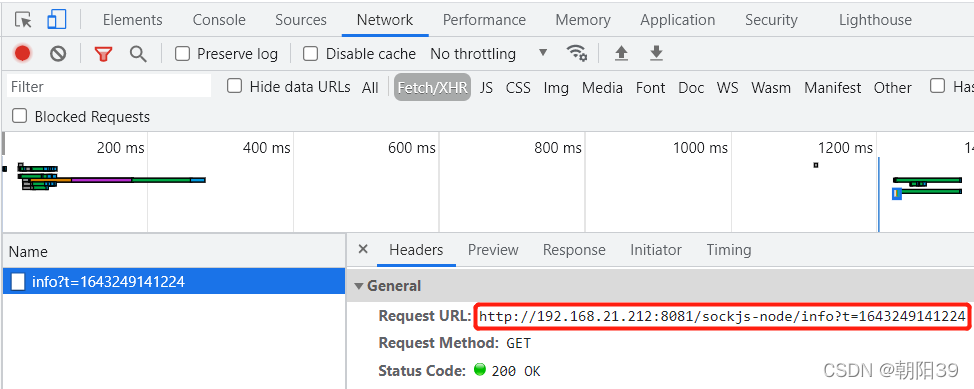
After running NPM run serve, the interface has been called in the network: http:// * * */sockjs node/info?t=***

Error reporting reason

Sockjs node is a JavaScript library that provides cross browser JavaScript APIs and creates a low latency, full duplex communication channel between browsers and web servers.

There are related calls in the dependent source code

Solution

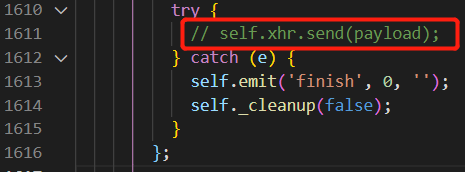
CTRL + P open file node_modules\sockjs-client\dist\sockjs.JS
Ctrl + G jump to line 1611
refer to the figure below, comment out the call of line 1611, and restart the project

IDEA Error: lombok.extern.slf4j is not exist [How to Solve]

Idea reports an error Lombok extern. Slf4j is not exist no solution exists

Problem background solution summary Lyric: maltose wine

Problem background

When you start the idea project, you suddenly report an error Lombok extern. It’s been a long time since I found that the version of 4fj is compatible with Maven

Solution

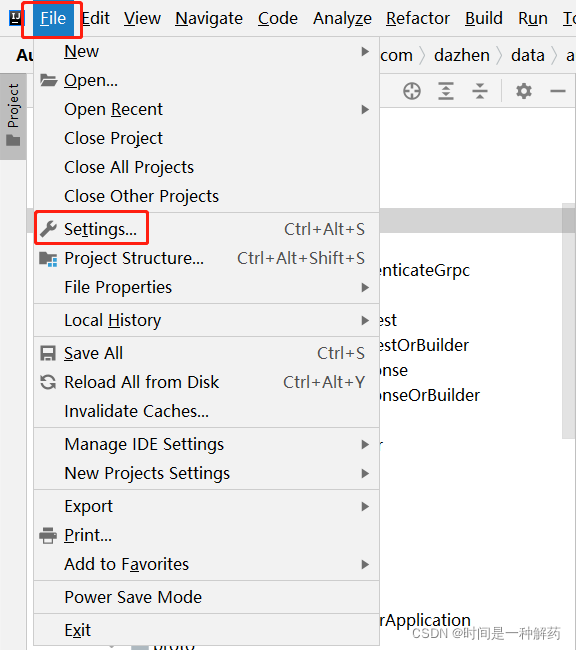
1 file → setting

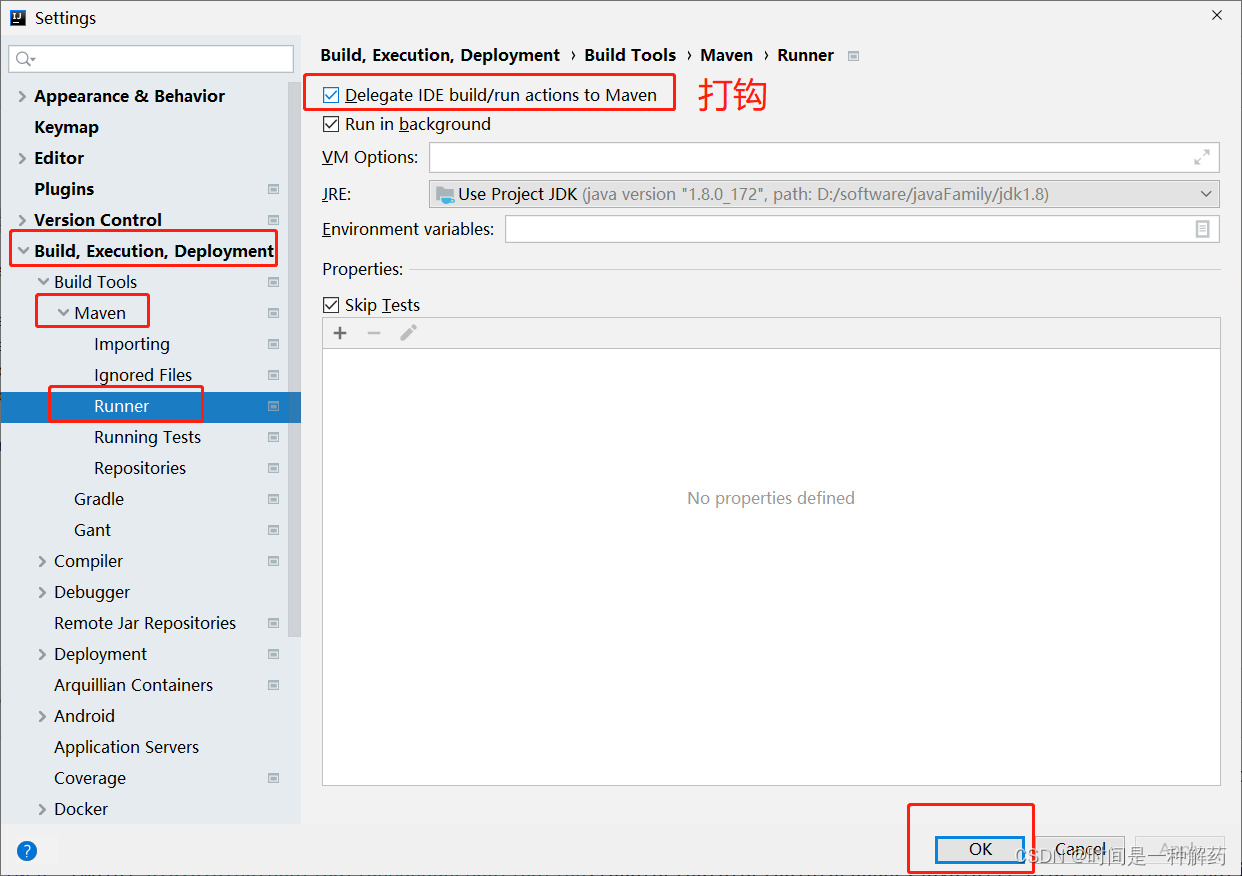
2 build → build tools → maven → runner, check delegate ide build and click OK