Author Archives: Robins

[Solved] catkin_make Error: pkg_resources.DistributionNotFound: pyparsing

A new workspace is created and catkin_make gives the following error:

Base path: /home/caohaojie/ros_ws
Source space: /home/caohaojie/ros_ws/src
Build space: /home/caohaojie/ros_ws/build
Devel space: /home/caohaojie/ros_ws/devel
Install space: /home/caohaojie/ros_ws/install
####
#### Running command: "cmake /home/caohaojie/ros_ws/src -DCATKIN_DEVEL_PREFIX=/home/caohaojie/ros_ws/devel -DCMAKE_INSTALL_PREFIX=/home/caohaojie/ros_ws/install -G Unix Makefiles" in "/home/caohaojie/ros_ws/build"
####
-- The C compiler identification is GNU 9.3.0
-- The CXX compiler identification is GNU 9.3.0
-- Check for working C compiler: /usr/bin/cc
-- Check for working C compiler: /usr/bin/cc -- works
-- Detecting C compiler ABI info
-- Detecting C compiler ABI info - done
-- Detecting C compile features
-- Detecting C compile features - done
-- Check for working CXX compiler: /usr/bin/c++
-- Check for working CXX compiler: /usr/bin/c++ -- works
-- Detecting CXX compiler ABI info
-- Detecting CXX compiler ABI info - done
-- Detecting CXX compile features
-- Detecting CXX compile features - done
CMake Error at CMakeLists.txt:22 (message):
  Search for 'catkin' in workspace failed (catkin_find_pkg catkin
  /home/caohaojie/ros_ws/src): Traceback (most recent call last):
    File "/home/caohaojie/.local/bin/catkin_find_pkg", line 5, in <module>
      from pkg_resources import load_entry_point
    File "build/bdist.linux-x86_64/egg/pkg_resources.py", line 2603, in <module>
    File "build/bdist.linux-x86_64/egg/pkg_resources.py", line 666, in require
    File "build/bdist.linux-x86_64/egg/pkg_resources.py", line 565, in resolve
  pkg_resources.DistributionNotFound: pyparsing

-- Configuring incomplete, errors occurred!
See also "/home/caohaojie/ros_ws/build/CMakeFiles/CMakeOutput.log".
Invoking "cmake" failed


Solution:
Downgrade the version of catkin-pkg
$pip3 install catkin-pkg==0.4.16 

[Solved] source /etc/profile Error: not a valid identifier

During the recent web automation test, I used Jenkins, a continuous integration tool, and then added my own alicloud server as the node, which is CentOS server. I am ready to install allure and configure the environment variables for it. I have set the environment variables myself, as shown below

-Use the source command to activate the environment variable

source /etc/profile

As a result, the following errors are reported


Solution:

Go directly to ~/.bash_profile to add environment variables, then go to activate it, and finally use the following command, go to enter, you can see my alure installation successfully

allure --version

[Solved] Error contacting service. It is probably not running.

First, check whether more than half of the servers start zookeeper. If yes, use the JPS command and find that the quorumpeermain main class is not started

[atguigu@Hadoop103 zookeeper-3.5.7]$ jps
14850 Jps

The most likely cause: Zookeeper decompression path in the conf folder zoo.cfg (I am here after changing the name) configuration when adding the content after the addition of a space and the creation of myid up and down there are empty lines or left and right spaces, enter the file deleted, and then check the jps

#######################cluster########################## 
server.2=hadoop102:2888:3888 
server.3=hadoop103:2888:3888 
server.4=hadoop104:2888:3888

[Solved] springboot Project Run Error: HikariPool-1 – Exception during pool initialization.

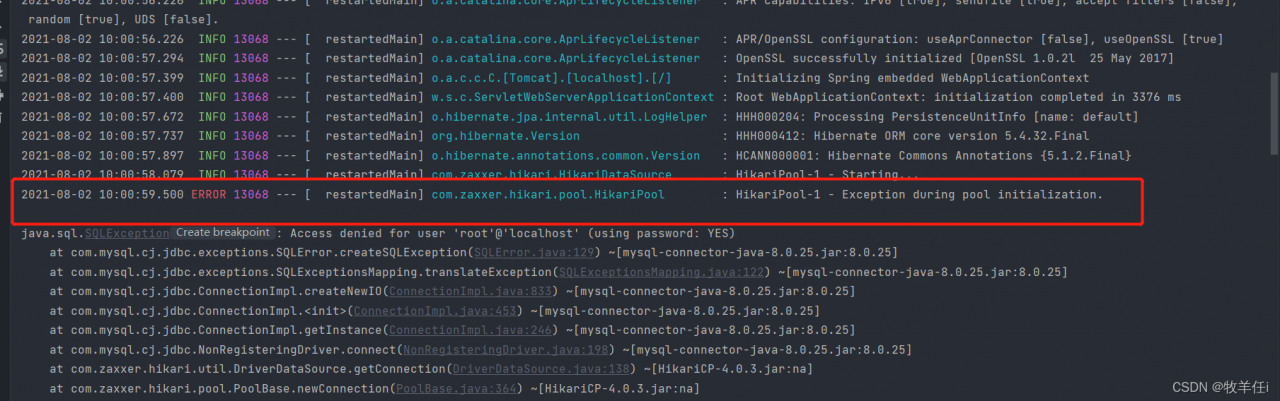
Let’s take a look at the screenshot of the error report first:
he said that an exception occurred during the initialization of hikaripool-1-pool, which led to the failure of project startup

reason: JDBC connection failed

solution:

Step 1: check the application first After the URL in yaml is 3360/(database name), check whether there is this name in your database
Step 2: check whether the username and password are the same as when designing the database. Usually, we use root and 123456 when designing. Because when you import a new project, these things are easy to forget to change and report errors. So check whether the address, port and database name are the same as your own

in addition, if you are using springboot 2.0 or above

Should be configured as driver ‐ class ‐ Name: com.mysql.cj.jdbc.Driver

 datasource:
    #                              //PATH     PORT   DATABASE_NAME
    url: jdbc:mysql://${MYSQL_HOST:localhost}:3306/studentmanagement
    username: root
    password: 123456
    driver-class-name: com.mysql.cj.jdbc.Driver

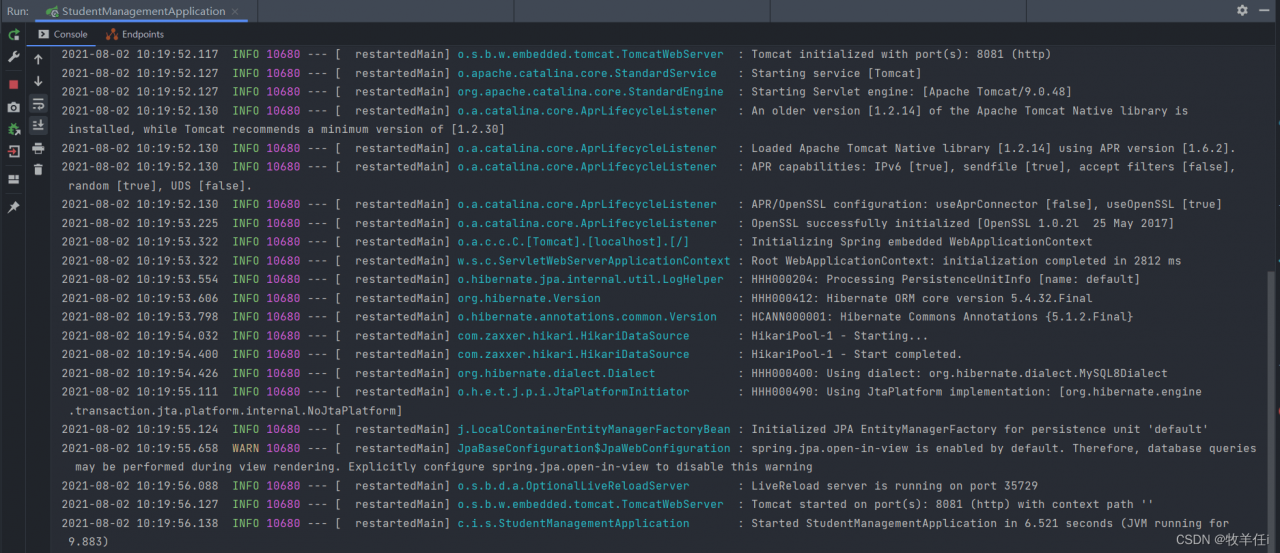
After we finish the modification, let’s check the operation again:

The project is running successfully

[Solved] torchvision Error: UserWarning: Failed to load image Python extension: Could not find module

Tochvision error: userwarning: failed to load image Python extension: could not find module

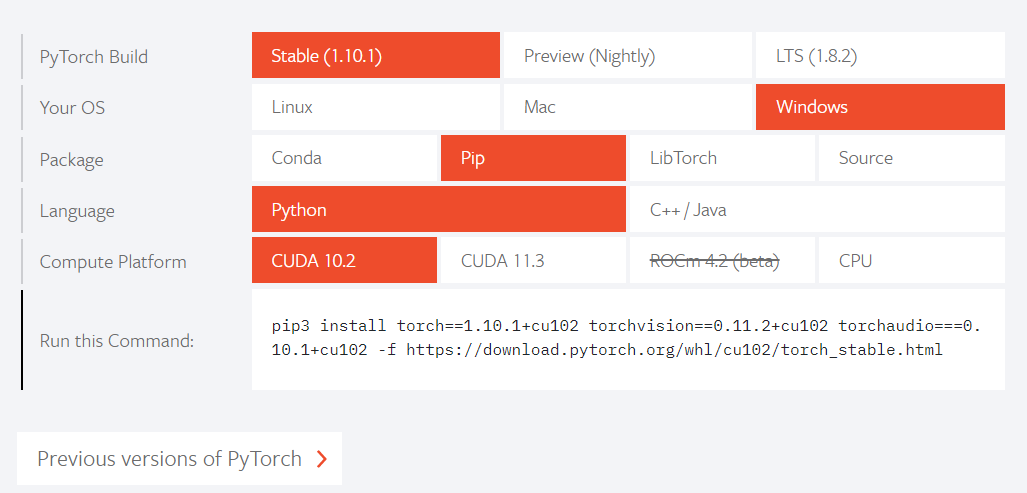
One reason is that the version of torchvision is too high. It is suspected that the new version of torchvision has its own pot. At first, according to the official website

pip3 install torch==1.10.1+cu102 torchvision==0.11.2+cu102 torchaudio===0.10.1+cu102 -f https://download.pytorch.org/whl/cu102/torch_stable.html

After that, the error of image will be reported. You only need to reduce the version of torch vision. For example, you can enter it in your Anaconda prompt

conda activate ltorch # ltorch is the name of the virtual environment I created
pip install torchvision==0.10.1+cu102 -f https://download.pytorch.org/whl/cu102/torch_stable.html

It was 0.11.2, but I reduced it to 0.10.1. Import without error:

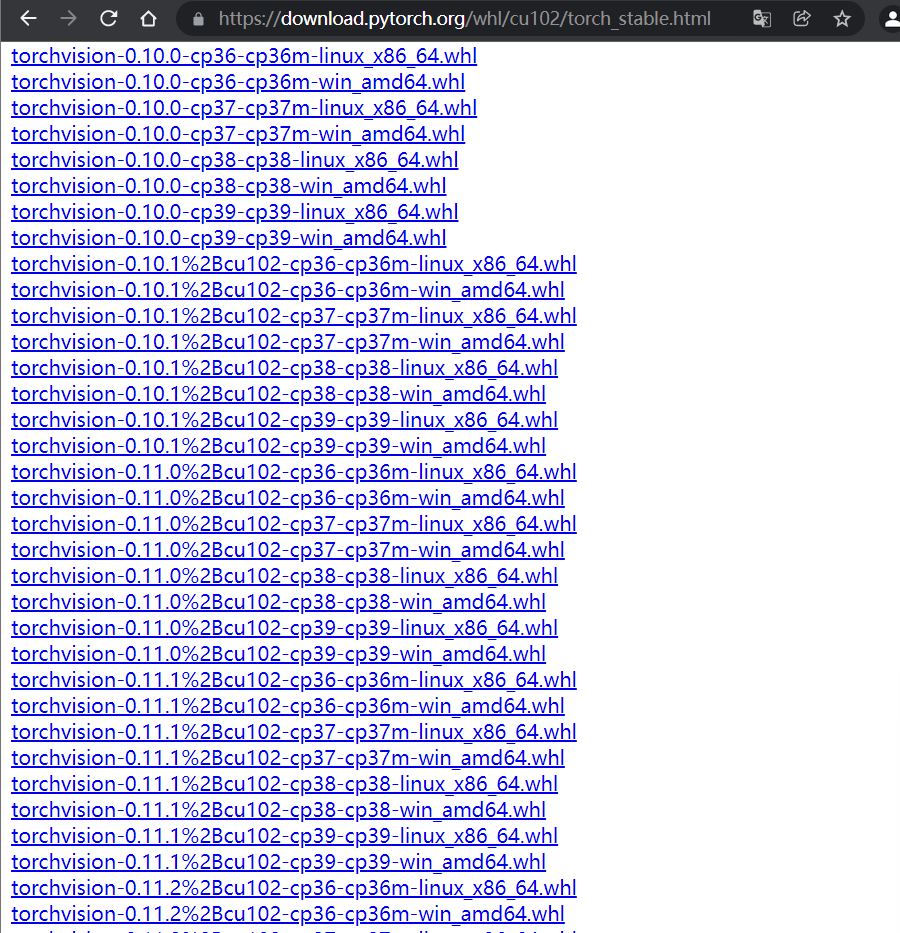
Of course, you can change the version according to the following link

https://download.pytorch.org/whl/cu102/torch_stable.html

[Solved] Idea 2021.3 Maven 3.8.1 Error: Blocked mirror for repositories

The blocked mirror for repositories problem is due to Maven 3 8.1 from the beginning, the HTTP connection is blocked in the configuration file by default
idea has the following solutions to solve this problem
1. Replace the use of Maven for version 3.6.3 https://dlcdn.apache.org/maven/maven-3/3.6.3/binaries/apache-maven-3.6.3-bin.zip

2. When idea loads external configuration files, it will load the settings.xml in the \plugins\maven\lib\maven3\conf folder in the installation directory first, comment the file

<mirror>
      <id>maven-default-http-blocker</id>
      <mirrorOf>external:http:*</mirrorOf>
      <name>Pseudo repository to mirror external repositories initially using HTTP.</name>
      <url>http://0.0.0.0/</url>
      <blocked>true</blocked>
    </mirror>

It will take effect

[Solved] POI Read excel Error: Your InputStream was neither an OLE2 stream, nor an OOXML stream

When Java uses POI to read Excel files with XLS suffix, an error is reported:

Your InputStream was neither an OLE2 stream, nor an OOXML stream

Error code:

Workbook wb = WorkbookFactory.create(is);

Click the Create method to see the source code of POI:

public static Workbook create(InputStream inp) throws IOException, InvalidFormatException {
        if (!((InputStream)inp).markSupported()) {
            inp = new PushbackInputStream((InputStream)inp, 8);
        }

        if (POIFSFileSystem.hasPOIFSHeader((InputStream)inp)) {
            return new HSSFWorkbook((InputStream)inp);
        } else if (POIXMLDocument.hasOOXMLHeader((InputStream)inp)) {
            return new XSSFWorkbook(OPCPackage.open((InputStream)inp));
        } else {
            throw new IllegalArgumentException("Your InputStream was neither an OLE2 stream, nor an OOXML stream");
        }
    }

The haspoofshade and hasooxmlreader in the two IFS are to read the first 8 bytes of the excel file stream to determine the file information. If it is not an excel type file or a binary type file, the exception “your InputStream was neither an ole2 stream, nor an OOXML stream” will be thrown directly

Analysis:
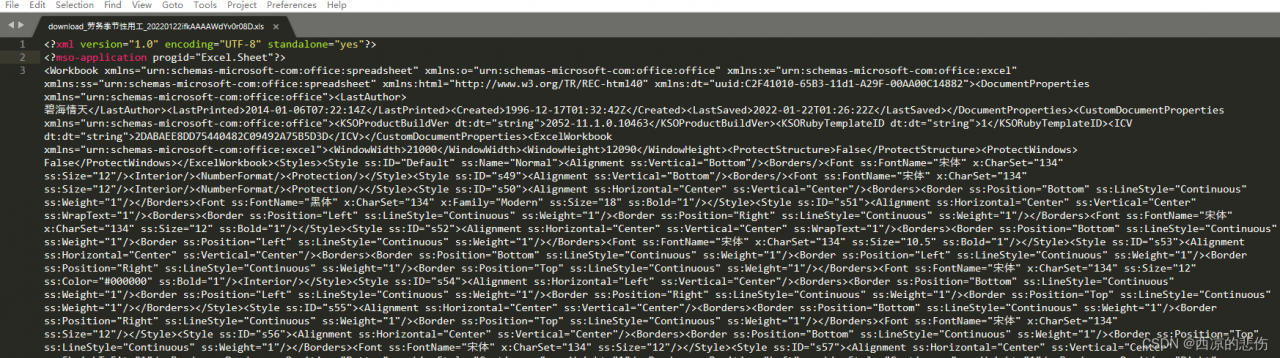
open the problematic XLS file with sublime text text editor or Notepad + +, which is XML in text form:

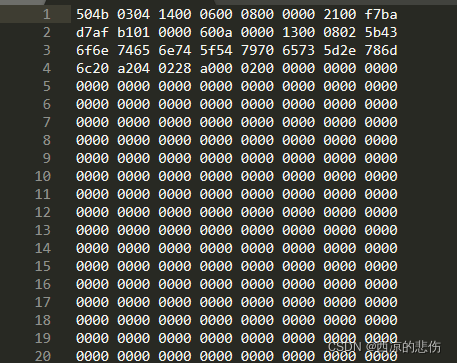
Open other normal XLS files with sublime text text editor as follows, which are binary:

Reason for the problem:
the XLS file in question is actually an office openxml file, also known as spreadsheetml format (XML format of Excel). Its suffix should be XML instead of XLS. It is not a standard excel file, so it will report an error when reading with POI.

Solution:
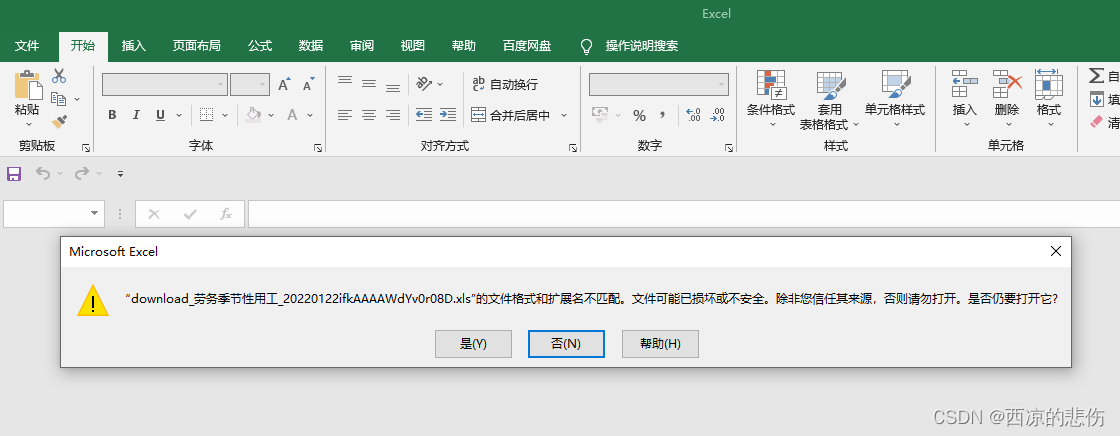
use Excel to open the problematic XLS file, as follows:
select Yes, then save the file as XLS format, and then use POI analysis to avoid reporting errors

[Solved] Mybatis insert Error: Cause: java.sql.SQLException: SQL String cannot be empty

Mybatis insert error cause: Java sql. SQLException: SQL String cannot be empty

1. Error description

Scenario reproduction: when using mybatis to import a list for batch insertion, the code is as follows:

mapper

void insertTest(List<Test> list);

mapper.xml

<insert id="insertTest" parameterType="java.util.List">
	<if test="list != null and list.size() > 0"> 
		INSERT INTO test (test1, test2)
                VALUES
                <foreach collection="list" index="index" item="item" separator=",">
                    (#{item.test1}, #{item.test2})
                </foreach>
	</if>
</insert>

The reason for the error is that the list is passed in The list with size () 0 causes the SQL statement to be empty and an error is reported

Solution:

1. Make non empty judgment (list! = null &&! List. Isempty()) before using mapper, and set mapper If statement removal in XML

2. Use the choose, when and otherwise tags to judge. If it is empty, give a statement to query the empty string

Specific examples are as follows

	<insert id="insertTest" parameterType="java.util.List">
        <choose>
            <when test="list != null and list.size() > 0">
                INSERT INTO test (test1, test2)
                VALUES
                <foreach collection="list" index="index" item="item" separator=",">
                    (#{item.test1}, #{item.test2})
                </foreach>
            </when>
            <otherwise>
                select ""
            </otherwise>
        </choose>

    </insert>

If the scenario needs to implement the insert statement multiple times, it will not be elegant to judge the space multiple times in the code. You can consider using the following solutions for reference only. If there are better methods, you can exchange and discuss them

[Solved] eclipse Error: org.apache.hadoop.hbase.NotServingRegionException:

Error1: org.apache.hadoop.hbase.NotServingRegionException:
Error 2: Can’t get master address from ZooKeeper; znode data == null

[root@hadoop01 bin]# sh hbase hbck
2022-01-29 16:48:49,797 INFO  [main] client.HConnectionManager$HConnectionImplementation: getMaster attempt 9 of 35 failed; retrying after sleep of 10044, exception=java.io.IOException: Can't get master address from ZooKeeper; znode data == null

Solution:

Stop HBase and go to the bin directory of HBase

sh stop-hbase.sh

Start the zookeeper client and delete the/HBase node

[root@hadoop01 bin]# sh zkCli.sh
[zk: localhost:2181(CONNECTED) 1] rmr /hbase

Restart HBase cluster

sh start-hbase.sh