Error handling response: TypeError: self.processResponse is not a function 报错

The reason for the error is that the extension whatruns is enabled, and the error will not be reported when it is closed 
Error handling response: TypeError: self.processResponse is not a function 报错
The reason for the error is that the extension whatruns is enabled, and the error will not be reported when it is closed
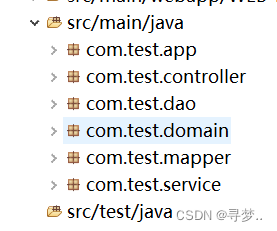
Error creating bean with name 'sqlSessionFactory' defined in class path resource [applicationContext.xml]: Initialization of bean failed; nested exception is
Could not resolve resource location pattern [classpath:com/test/mapper/*.xml]: class path resource [com/test/mapper/] cannot be resolved to URL because it does not exist
Version: MacOS 12.3.1 Monterey
Error message:
crun: error: invalid active developer path (/Library/Developer/CommandLineTools), missing xcrun at: /Library/Developer/CommandLineTools/usr/bin/xcrun
It is generally caused by system update. Enter the following command in the terminal and agree to install after a dialog box pops up.
xcode-select --installAfter installation, reopen the terminal and input the command to operate normally.
JSP Project request.getParameter Error
When running JSP project in IDEA, request.getParameter report error:
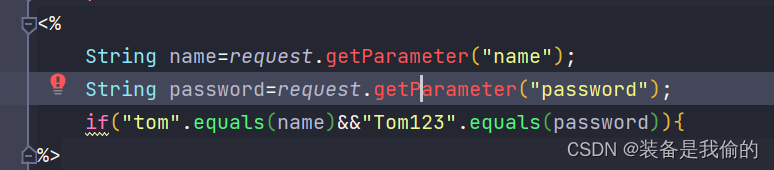
Solution:
Add Tomcat dependency package
Step 1
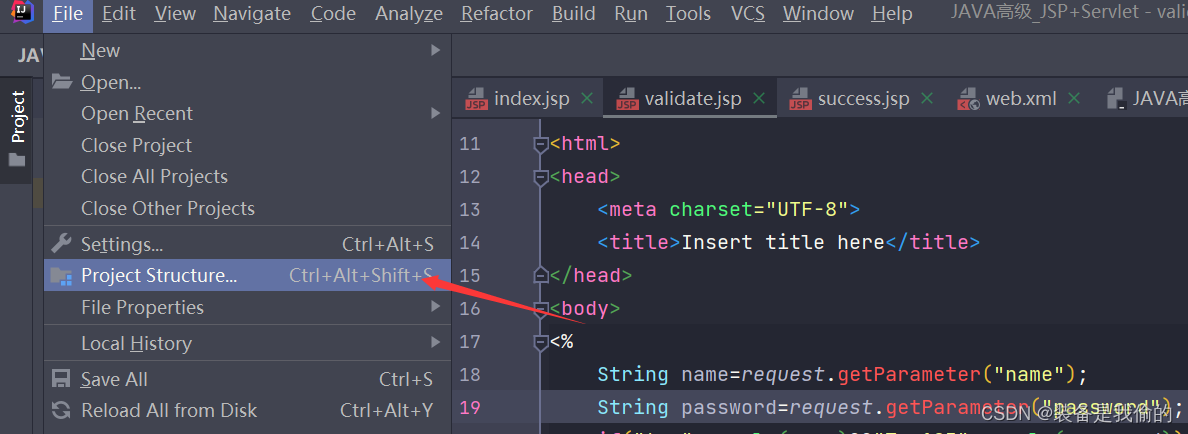
Step 2 (click the dependency plus sign)
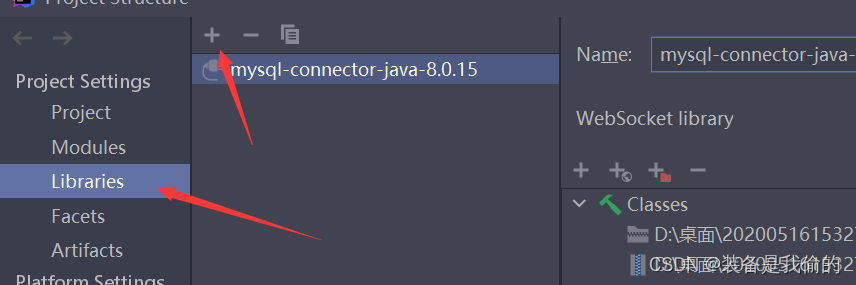
Step 3
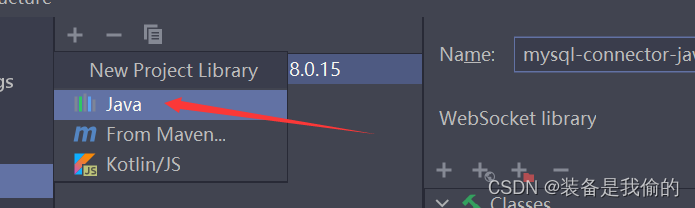
Step 4
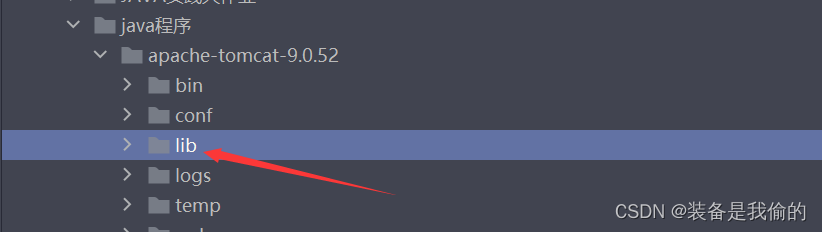
be accomplished

‘Converting circular structure to JSON‘ error
Problem Description: the project needs to transfer strings to the background, so the object needs to be converted,
but JSON is used There is a bug of circular reference in the object during stringify (data) conversion, and we can’t find out where the copy is wrong.
The plug-in CircularJSON is used here to ignore circular references and force conversion
// install
npm install -S circular-json
// import
import CircularJSON from 'circular-json'
// conversion
let data= CircularJSON.stringify(data)
let data= CircularJSON.parse(data)
typescript Error: Cannot find name ‘__dirname‘
Solution:
Add “node” to the tsconfig.json file compilerOptions.types
{
 "compilerOptions": {
  ...
  "types": [
    "node"
  ]
  ...
  }
}
Install @types/node
npm install @types/node --save-devError: X_LINK_COMMUNICATION_NOT_OPEN or X_LINK_ERROR
Error message:
couldn’t read data from stream: ‘RGB’ (x_link-error)
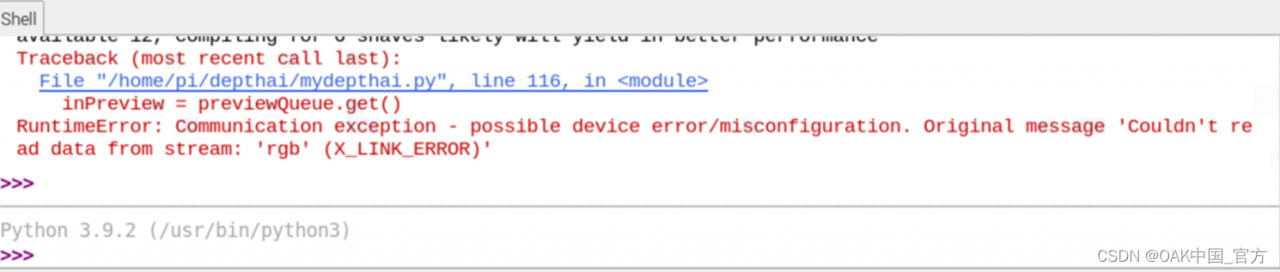
or couldn’t read data from stream: ‘Preview’ (x_link-error)
Solution:
possible causes:
1 The connection is unstable. Try another cable or computer
2. Linux uses dmesg – w to check whether the oak is connected normally. If the device is connected, you will see the following similar results:
/~$ dmesg -w

[223940.862544] usb 1-3.2: new high-speed USB device number 120 using xhci_hcd
[223940.963357] usb 1-3.2: New USB device found, idVendor=03e7, idProduct=2485, bcdDevice= 0.01
[223940.963364] usb 1-3.2: New USB device strings: Mfr=1, Product=2, SerialNumber=3
[223940.963368] usb 1-3.2: Product: Movidius MyriadX
[223940.963371] usb 1-3.2: Manufacturer: Movidius Ltd.
[223940.963373] usb 1-3.2: SerialNumber: 03e72485
3. Pipeline setting error, please check whether the input and output are set correctly
4. You have not set udev rules.
5. If the oak device cannot be connected yet, please execute: lsusb | grep 03e7 . If it is connected, you will see the following similar results:
$ lsusb | grep 03e7
Bus 001 Device 120: ID 03e7:2485 Intel Movidius MyriadXERROR: ./depthai_sdk is not a valid editable requirement.
Error Messages:
ERROR: ./depthai_sdk is not a valid editable requirement. It should eit her be a path to a local project or a VCS URL (beginning with bzr+http, bzr+http?:, bzr+ssh, bzr+sftp, bzr+ftp, bzr+lp, bzr+file, git+http, git +https, git+ssh, git+git, git+filr, hg+file, hg+http, hg+https, hg+«sh, hg+static-http, svn+ssh, svn+http, svn+https, svn+svn, svn+file).
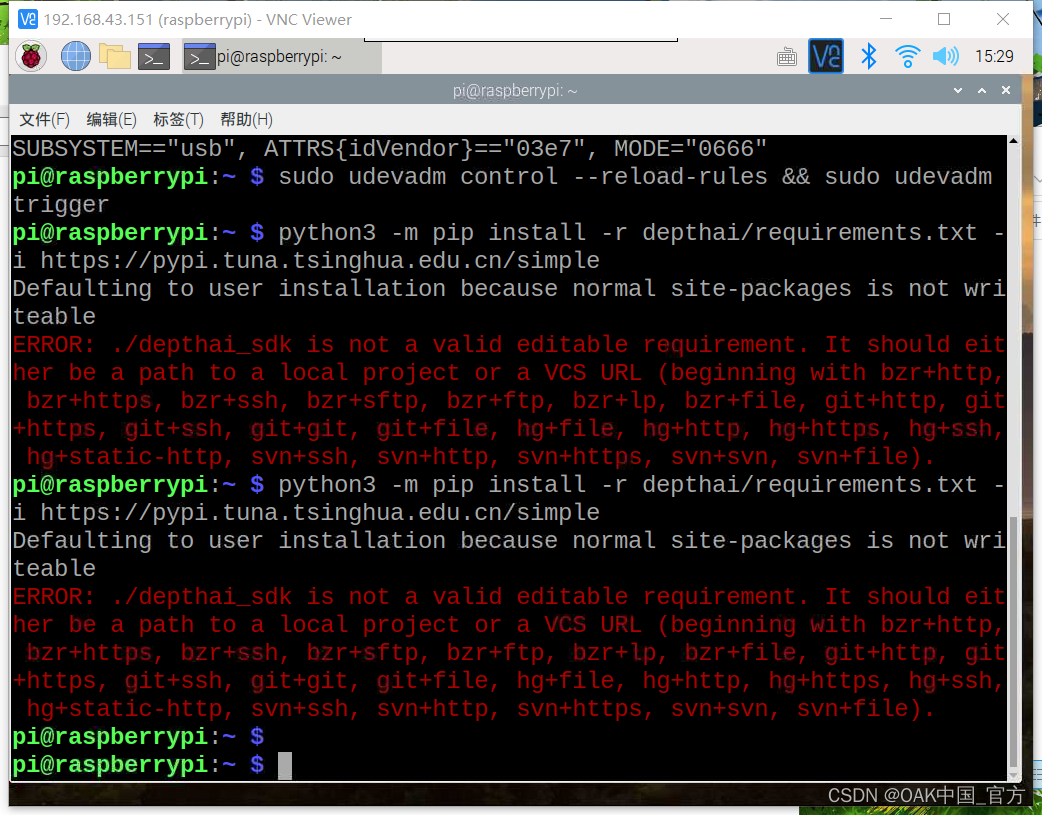
Solution:
Go to the depthai directory, then execute python3 -m pip install -r . /requirements.txt
Please be sure to execute the relevant commands in the depthai folder, otherwise you will get errors such as file not found, not editable, etc.
[system] [error] Attempted to start Color camera – NOT detected
Error message:
OAK-1 run script depthai_movenet_main/examples/yoga_pose_recognition/demo.py error: [system] [error] Attempted to start Color camera – NOT detected!

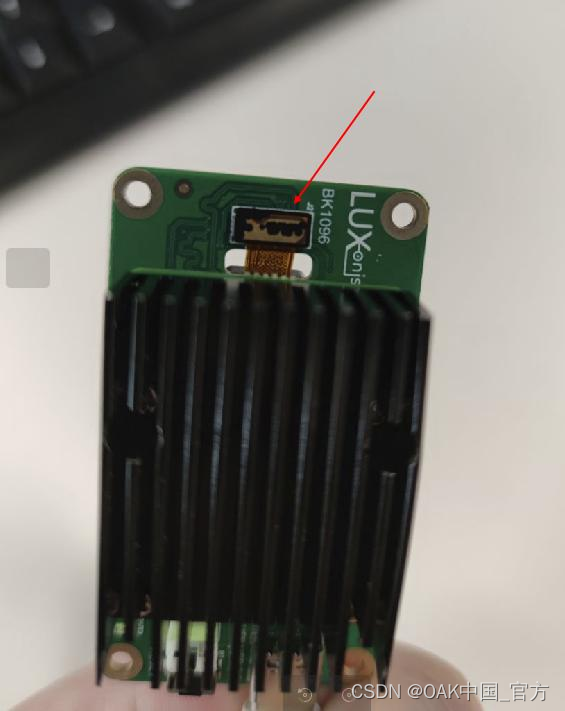
Solution:
please check whether the camera inside the oak is connected to the motherboard normally and whether the camera is loose. Try upgrading depthai
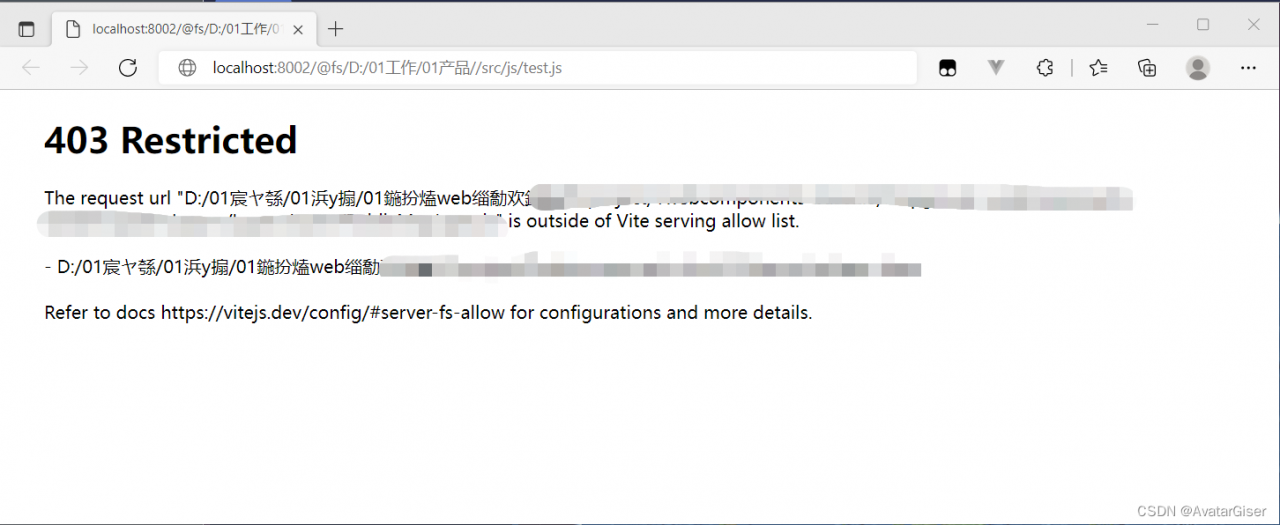
Vite Bulk Import import.meta.glob Error: ERR_ABORTED 403 (Forbidden)
You need to set Vite server.fs.strict to false
Vite restricts access to files outside the workspace root path.
import { defineConfig  } from 'vite'

export default defineConfig({
  base: './', //PATH
  plugins: [
    createVuePlugin()
  ],
  server: {
    port: 8002, // Set the service startup port number
    open: true, // Set whether to open the browser automatically when the service is started
    fs: {
        strict: false
    }
  }
})
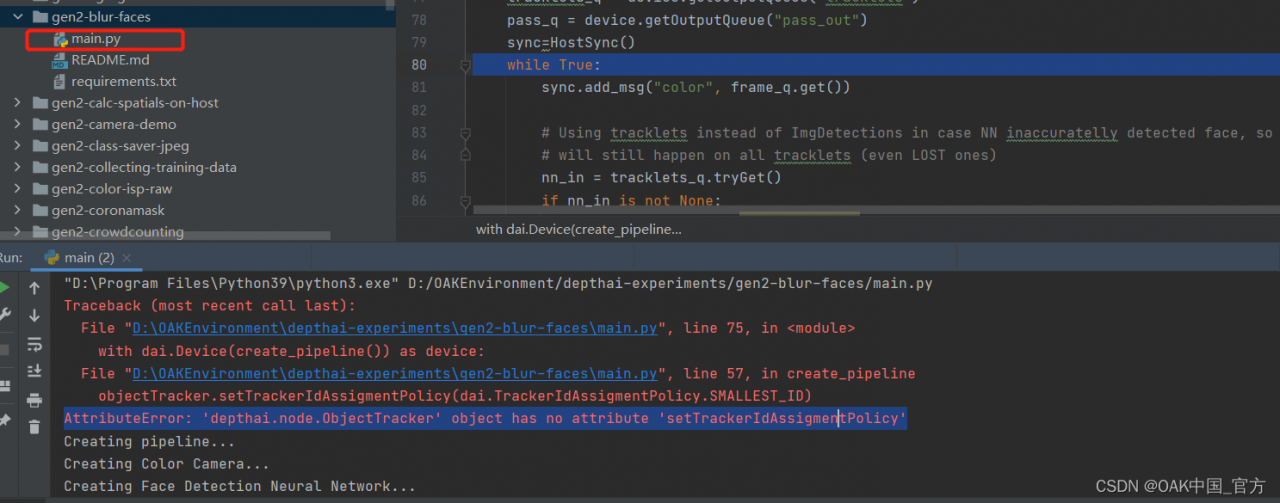
Error: AttributeError: ‘depthai.node.ObjectTracker‘ object has no attribute ‘setTrackerIdAssigmentPolicy‘
Error Messages:
gen2 blur faces error: AttributeError: ‘depthai.node.ObjectTracker’ object has no attribute ‘setTrackerIdAssigmentPolicy’
Solution:
This is the old version of api, new version: objectTracker.setTrackerIdAssignmentPolicy(dai.TrackerIdAssignmentPolicy.SMALLEST_ID)
eggjs error: Warning: Current Server Discovery and Monitoring engine is deprecated, and will be rem…
Errors are reported as follows:
Warning: Current Server Discovery and Monitoring engine is deprecated, and will be removed in a future version. To use the new Server Discover and Monitoring engine, pass option { useUnifiedTopology: true } to the MongoClient constructor

Cause of error reporting:
Mongoose the old parser is going to be discarded and the new parser should be used
Solution:
Add a configuration in the directory config/config.default.js:
	config.mongoose = {
	    url: 'mongodb://127.0.0.1:27017/userLog',
      options: {
         useUnifiedTopology:true
      },
	};