Category Archives: How to Fix

Module build failed: SyntaxError: Unexpected token

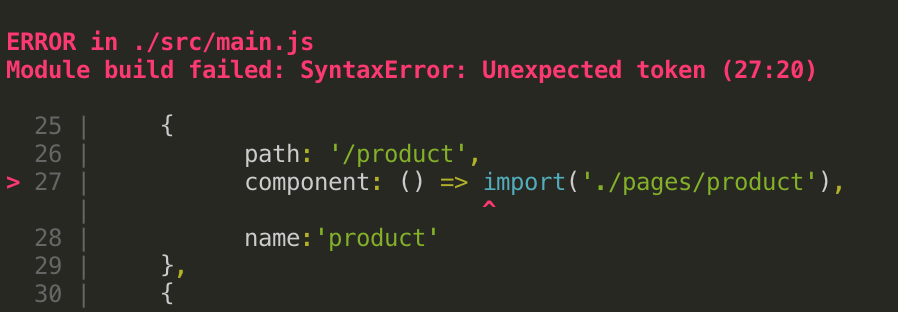
vue router loading on demand times error

{
	path: '/product',
	component: () => import('./pages/product'),
},

error: Module build failed: SyntaxError: Unexpected token

solution:

1. In the beginning, I was in a hurry to write something, but instead of studying it carefully, I changed it to another way:
{
	path: '/product',
	component:resolve => require(['./pages/product'], resolve),
},

found no error and ran successfully. Later baidu checked that the original Babel needs to be added with syntax-dynamic-import plug-in, so that the Babel can correctly parse the syntax.

2. Download the plug-in
npm install babel-plugin-syntax-dynamic-import --save-dev
3. Then modify the loader configuration

in webpack

{
	test: /\.js$/,
	loader:'babel-loader',
	options:{
		plugins:['syntax-dynamic-import']
	},
},

so far, problem solved

my personal blog, drop by sometime

Failed to build gem native extension encountered while installing sass

error message

sudo gem install sass encountered the following error message

Building native extensions. This could take a while...
ERROR:  Error installing sass:
    ERROR: Failed to build gem native extension.

    current directory: /var/lib/gems/2.5.0/gems/ffi-1.11.1/ext/ffi_c
/usr/bin/ruby2.5 -r ./siteconf20190522-24821-9c6o4.rb extconf.rb
mkmf.rb can't find header files for ruby at /usr/lib/ruby/include/ruby.h

extconf failed, exit code 1

Gem files will remain installed in /var/lib/gems/2.5.0/gems/ffi-1.11.1 for inspection.
Results logged to /var/lib/gems/2.5.0/extensions/x86_64-linux/2.5.0/ffi-1.11.1/gem_make.out

solution

looked at some of the solutions on the web, and finally solved by installing the full ruby.

: sudo apt install ruby

use the command sudo apt install ruby-full to install ruby, and then use the command sudo gem install sass to successfully install sass.

diff:

Replace the gem with the installation source

//1.删除原gem源
gem sources --remove https://rubygems.org/

//2.添加国内镜像
gem source -a https://gems.ruby-china.com

//3.打印是否替换成功
gem sources -l

//4.更换成功后打印如下
*** CURRENT SOURCES ***
 https://gems.ruby-china.com

【Oracle】IMP-00010: not a valid export file, header failed verification

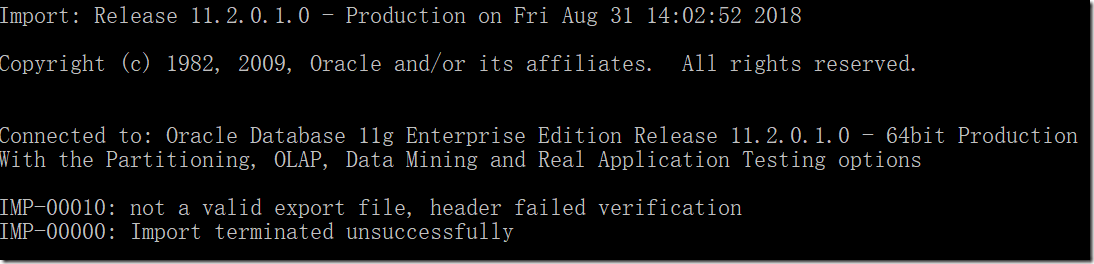
someone else gave an Oracle file, the result was found when importing the problem, the error was reported as follows:

IMP-00010: not a valid export file, header failed verification

after searching on the Internet, I found that it was caused by the version database problem. I opened the DMP file with UE editor and saw the first line as follows:

the figure above indicates that the database version is: Oracle12c version

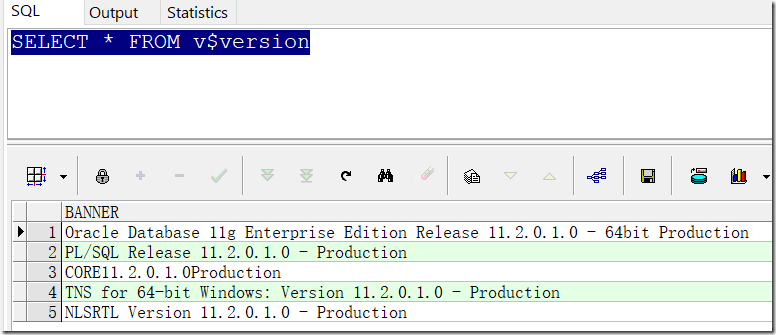
use SQL:select * from v$version to query the current database version

we modified the TEXPORT:V12.02 of the DMP file to V11.02 and imported it again to solve the problem perfectly.

reproduced in: https://www.cnblogs.com/OliverQin/p/9565569.html

Resolve git clone error fatal: http request failed

problem background:

git clone https://github.com/VundleVim/Vundle.vim.git ~/.vim/bundle/Vundle.vim

problem phenomenon:

error after execution:

1. error while processing: https://github.com/VundleVim/Vundle.vim.git/info/refs

2. fatal: HTTP request failed

problem search:

your browser requests directly https://github.com/VundleVim/Vundle.vim.git/info/refs, the browser returns:

 
  1. Please upgrade your git client.
  2. GitHub.com no longer supports git over dumb-http: https://github.com/blog/809-git-dumb-http-transport-to-be-turned-off-in-90-days

problem cause:

To sum up, it is because git version is too low that

is caused

problem solved:

upgrade git client version

 
  1. yum安装curl
  2. yum安装curl-devel
  3. yum安装zlib-devel
  4. yum安装openssl-devel
  5. 0

  6. 1 yum安装cpio
  7. 3 yum安装expout -devel

    4

  8. 5 yum安装gettext-devel
  9. 6

    7

     
    1. wget http://www.codemonkey.org.uk/projects/git-snapshots/git/git-latest.tar.xz
    2. xz -d git-latest.tar.xz
    3. tar xvf git-latest.tar
    4. cd git-xxxx-xx-xx
    5. autoconf
    6. ./configure
    7. make && make install

A fatal error occurred: Failed to connect to ESP32: Timed out waiting for packet header

can’t burn the arduino burn esp32 module, the clock can’t burn the following prompts

The

search later finds a solution in the following connection:

https://github.com/espressif/esptool/issues/226

is as follows:

appears on the interface as

Connecting… Hold the “boot” button when the word appears, and then release

reproduced in: https://www.cnblogs.com/gtsup/p/9559770.html

Authentication failed under GitHub desktop


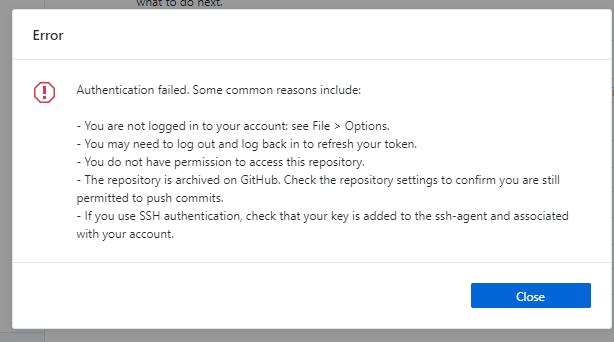
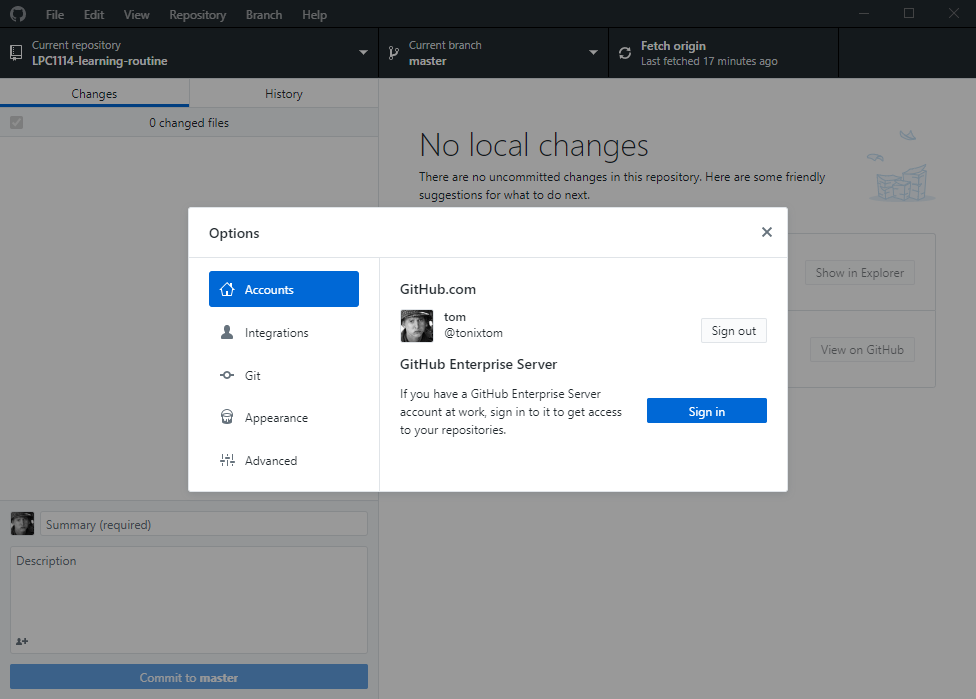
after analysis, due to the change of the name of the computer host, resulting in the failure of authentication, directly exit the client account, login again is ok.


If still fails, you can try to delete the Windows corresponding github related credentials to solve the authentication faild problem.

PING[ARC2]: Heartbeat failed to connect to standby ‘jzhddg’. Error is 16032.

rebuild Data Guard encountered an error
PING[ARC2]: Heartbeat failed to connect to standby ‘jzh
ddg’. Error is 16032.

archivelog in the main library cannot be transferred to the backup library. The main library is reporting the following error:


FAL[server, ARC0]: FAL archive failed, see trace file.

ARCH: FAL archive failed. Archiver continuing

ORACLE Instance jzhd1 – Archival Error. Archiver continuing.

Thu Apr 07 14:45:11 2016

FAL[server, ARC0]: FAL archive failed, see trace file.

ARCH: FAL archive failed. Archiver continuing

ORACLE Instance jzhd1 – Archival Error. Archiver continuing.

Thu Apr 07 14:51:46 2016

FAL[server, ARC0]: FAL archive failed, see trace file.

ARCH: FAL archive failed. Archiver continuing

ORACLE Instance jzhd1 – Archival Error. Archiver continuing.

Thu Apr 07 14:52:28 2016

FAL[server, ARC0]: FAL archive failed, see trace file.

ARCH: FAL archive failed. Archiver continuing

ORACLE Instance jzhd1 – Archival Error. Archiver continuing.

Thu Apr 07 14:56:28 2016

PING[ARC2]: Heartbeat failed to connect to standby ‘jzhddg’. Error is 16032.

Thu Apr 07 15:02:14 2016

Thread 1 advanced to log sequence 7110 (LGWR switch)

Current log# 2 seq# 7110 mem# 0: +DATA3/ JZHD /redo02.log

Thu Apr 07 15:02:14 2016

Archived Log entry 17363 added for thread 1 sequence 7109 ID 0x68b07be9 dest 1:

Thu Apr 07 15:02:14 2016

FAL[server, ARC3]: Error 16032 creating remote archivelog file ‘jzhddg’

FAL[server, ARC3]: FAL archive failed, see trace file.

ARCH: FAL archive failed. Archiver continuing

ORACLE Instance jzhd1 – Archival Error. Archiver continuing.

Thu Apr 07 15:06:46 2016
red font displays hearbeat failed, seems to be a network problem, but tnsping didn’t ask, up sqlplus connection is no problem, parameters all checked no problem, then check the TRC files found:
*** TRACE FILE RECREATED AFTER BEING REMOVED ***
Redo shipping client performing standby login
OCIServerAttach failed -1
.. Detailed OCI error val is 12154 and errmsg is ‘ORA-12154: TNS:could not resolve the connect identifier specified

OCIServerAttach failed -1
.. Detailed OCI error val is 12154 and errmsg is ‘ORA-12154: TNS:could not resolve the connect identifier specified

OCIServerAttach failed -1
.. Detailed OCI error val is 12154 and errmsg is ‘ORA-12154: TNS:could not resolve the connect identifier specified*** 2015-12-14 12:04:06.749 4320 KRSH. C
Error 12154 received logging on to the 749 915 krsu. C Error 12154 connecting to destination LOG_ARCHIVE_DEST_2 standby host ‘JZHDDG ‘Error 12154 749 2932 krsi.c
krsi_dst_fail: dest:2 err: dest: 12154 force:0 blast:1
KCRRWKX: 587*** 2015-12-14 13:57:17.587** 2015-12-14 13:57:17.587 4645 krsu. C

0 1 Client logon and security negotiation successful!
Standby parameter STANDBY_ARCHIVE_DEST string is invalid at host ‘jzhddg’
Error 16032 attaching to destination LOG_ARCHIVE_DEST_2 standby host 592 2932 krsi.ckrsi_dst_fail: dest:2 err:16032 force:0 blast:1
KCRRWKX: Unknown error:16032

STANDBY_ARCHIVE_DEST
0 alter system set 1 This entry was posted in How to Fix and tagged on by .

Execution failed for task ‘:app:processDebugManifest’.

using the new version of the Android Studio import project before, there will be a Execution failed for task ‘: app: processDebugManifest.’ error

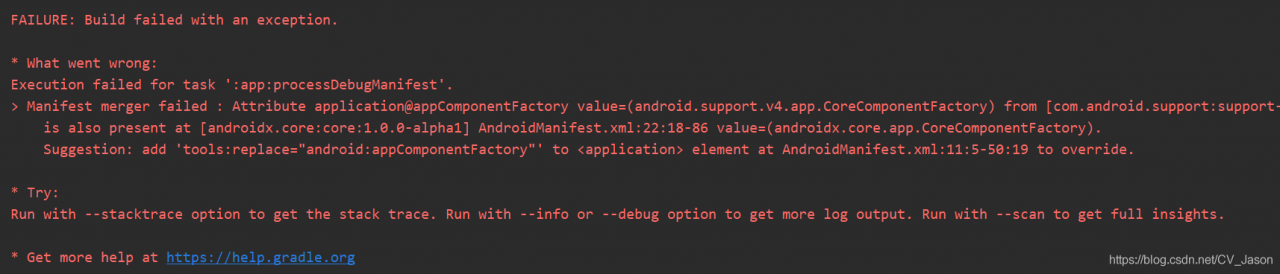
* What went wrong:
Execution failed for task ‘: app: processDebugManifest’.
the Manifest merger failed: Attribute application @ appComponentFactory value = (. Android support. The v4. App. CoreComponentFactory) from [com. Android. Support: support – compat: 28.0.0] AndroidManifest. XML: make haste – 91
is also present at [androidx. Core: the core: 1.0.0-1] AndroidManifest. XML: value = “- 86 (androidx. Core. App. CoreComponentFactory).
the Suggestion: Add ‘tools: replace = “android: appComponentFactory” element to the at AndroidManifest. XML: behold – graze to override.

, modified AS provided by the androidmanifest.xml file, add the following fields —

<application

 android:appComponentFactory=""
 tools:replace="android:appComponentFactory">

if the toolsfield is not bound, a prompt appears when you hover over tools, then simply click Alt+Enter to add. Then Rebuild project, problem resolved.

How to solve the problem of requirements check failed for JDK 8 when Cordova 9.0 is built

the economy of the motherland is recovering, and people of all ethnic groups are actively engaged in the task of restoring production. As a codemaker, I have also been nervous for a long time. Recently, I have been busy with several projects, including an app, which needs to be quickly set up for preview and test, so I directly listed Cordova. However, I am surprised to step on it.

, there’s nothing wrong with building the project, it just came to me during the build:

Requirements check failed for JDK 8 ('1.8.*')! Detected version:11.0.7

Check your ANDROID_SDK_ROOT/JAVA_HOME/PATH environment variables.

indicates clearly that jdk11 does not match the required jdk8 for cordova. The reason is also clear, as the native environment was upgraded from JDK8 to JDK11 a while ago.

the problem now is that I don’t want to change java_home back to 8, because all the compiled versions of all the items on the machine have changed to jdk11, which would take me half a day to fix. (and a lot of history projects in Eclipse)

I use [email protected], which was released a year ago, but the latest cordova10 in NPM, which is still at nightly (compiled daily), is not even rc and is obviously not recommended in a production environment. In other words, Cordova9 is the latest stable edition, so I can’t expect to change the status quo by upgrading Cordova9.

also tried to set java.home in IDE (vscode), but it was useless. This setting is only valid for the Java plug-in of VSC, but it is incapable of cordova.

after many thoughts, if cordova cannot be surrendered, I will have to fall back to jdk8.

since cordova is based on nodejs, it occurs to me that all the hints should be in the clear text code. So a hard-hearted search keyword Requirements check failed for the whole project.

is actually retrieved:

in platforms/android cordova/lib/check_reqs js files in the module. Exports. The run method, related to the one and only one place!

and it says:

// Returns a promise.
module.exports.run = function () {
    return Q.all([this.check_java(), this.check_android()]).then(function (values) {
        console.log('Checking Java JDK and Android SDK versions');
        console.log('ANDROID_SDK_ROOT=' + process.env['ANDROID_SDK_ROOT'] + ' (recommended setting)');
        console.log('ANDROID_HOME=' + process.env['ANDROID_HOME'] + ' (DEPRECATED)');

        if (!String(values[0]).startsWith('1.8.')) {
            throw new CordovaError(
                'Requirements check failed for JDK 8 (\'1.8.*\')! Detected version: ' + values[0] + '\n' +
                'Check your ANDROID_SDK_ROOT/JAVA_HOME/PATH environment variables.'
            );
        }

        if (!values[1]) {
            throw new CordovaError('Requirements check failed for Android SDK! Android SDK was not detected.');
        }
    });
};

sees the 1.8 criterion, and the check_java method also makes it clear that the Java environment is being judged. So the “1.8.” directly changed to “11.”, and the compilation passed smoothly.

postscript:

first of all, I do not recommend arbitrary changes to the dependent framework source code, which will not only affect subsequent updates to the framework, but also cause unknown exceptions. But there is no way, this is only a temporary solution.

I don’t know if cordova9 has a key piece that relies only on jdk8, and I don’t know what effect jdk11 will have on cordova9, but I do think it’s clear that if you want to minimize the impact by changing one piece of code, the impact is really small.
Failed to start docker.service : unit not found

Failed to start docker.service: Unit not found (docker service cannot be started)

welcome to discuss WeChat: 986739453

Linux deployment Docker appears: Failed to start Docker. Service: Unit not found

fix:
direct yum update
make sure to restart Linux
yum install Docker
systemctl start docker.service