Category Archives: How to Fix

R language loading xlsx error error: JAVA_HOME cannot be determined from the Registry

OnLoad failed for ‘XLSX’ :
loadNamespace() calculate ‘rJava’; onLoad failed,
call: fun(libname, pkgname)
error: JAVA_HOME cannot be determined from the Registry
This is because my computer is not installed the JAVA environment, right now I need to download and install the JDK, website download address: https://www.oracle.com/java/technologies/javase-downloads.html, the website need to register account and download speed is slow, there are baidu network location 64 downloads: link: https://pan.baidu.com/s/1WQvo3UyVPtBypGcCLLCLzQ extracted code: wg5o
After downloading, which contains the method to install the JDK, introduce a public number, commonly used in all kinds of software download source and installation methods ~
After installing the JDK, first find the location of R installation package. Generally in the library document under R-4.0.2, delete the packages that were not installed successfully before. Here, I will delete RJava, Xlsxjars, and XLSX
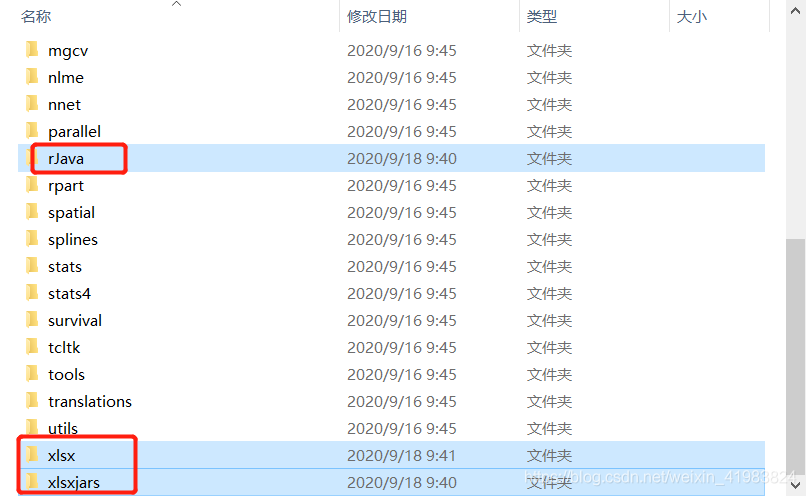
After you delete it, go back to the Rstudio window and install it in the order rJava, XlsXJars, and XLSX. There are two ways to install the Package of R, either way
Method 1: Run the script
Install. Packages (” rJava “)
install. Packages (” xlsxjars “)
install. Packages (” XLSX “)
Method 2:

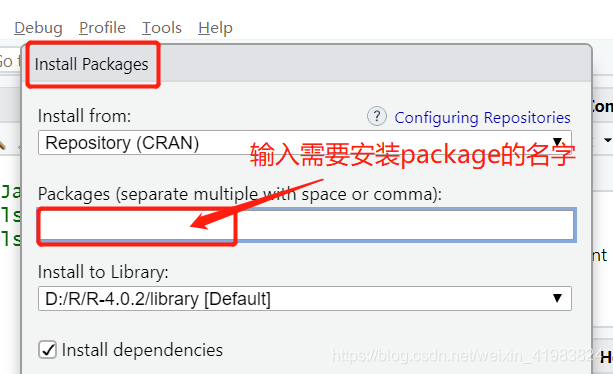
After installing library(XLSX), there will be no errors!!
emulator: ERROR: x86 emulation currently requires hardware acceleration! Abnormal problem solved

Start this exception after the AS configuration simulator:
emulator: ERROR: x86 emulation currently requires hardware acceleration!
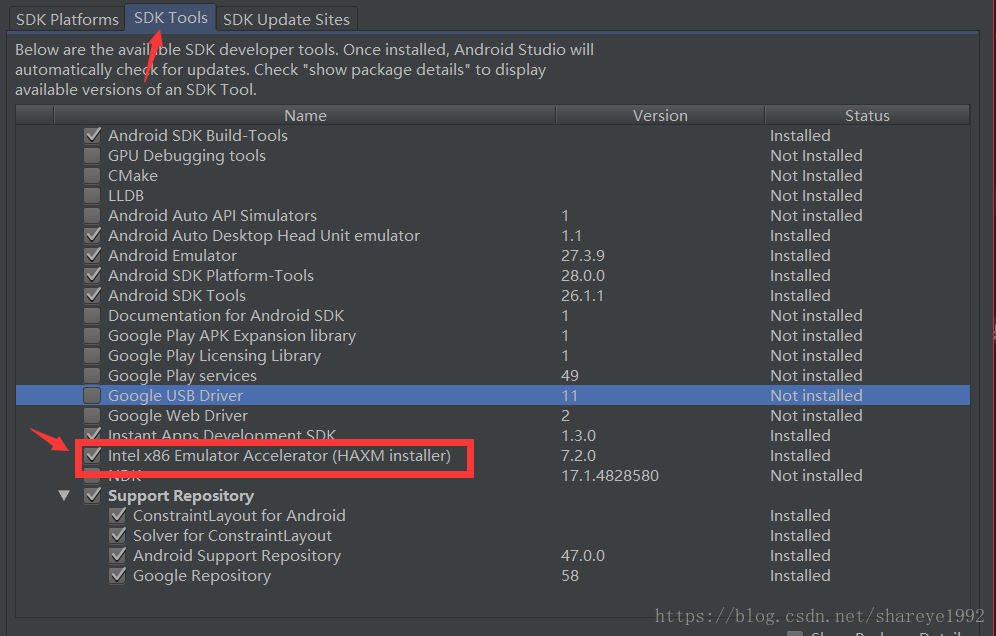
Because you need an Intel hardware Accelerator, check the three steps
1, check the Intel x86 Emulator Accelerator(HAXM installer) in SDK Tools is installed;

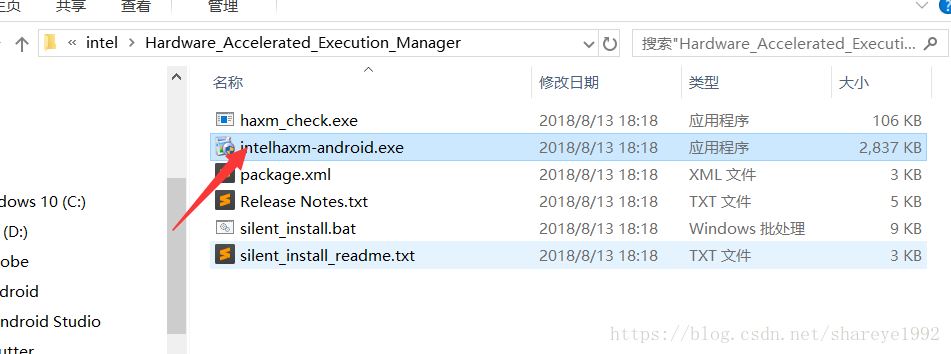
Go to the SDK \ Extras \ Intel \Hardware_Accelerated_Execution_Manager folder and double-click to install Intel HaXm-Android.exe.
if the installation is successful, just go to AS to reinstall the emulator.

Ubuntu fixes the missing dependency packages of the system (Error: Broken Count>0)

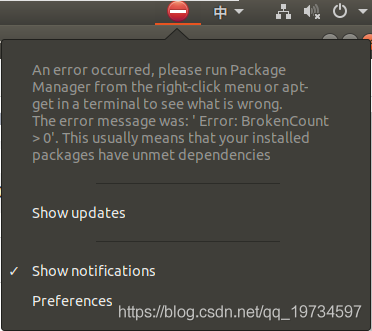
If ubuntu has a package that does not meet the dependency criteria, Error is reported :Broken Count> 0, as shown below:

The following command will automatically fix the packages on which the installation package depends:

    $ sudo apt-get install -f 

The -f parameter stands for Fix Broken.
If the fix fails and there is still a problem, confirm which application was installed earlier and then execute the following command to uninstall:

    $ apt remove xxx

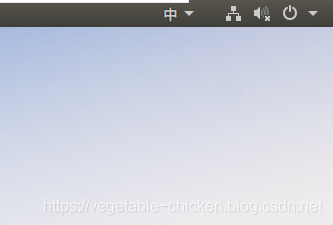
After the unloading is completed, it is found that no error is reported. The figure is as follows:

Ubuntu fixes the system’s missing dependency package to this solution.

Tomcat9 Error: Could not find or load main class org.apache.catalina.startup.Bootstrap

First I login is tomcat website, select the source package download, wget HTTP:// http://apache.fayea.com/tomcat/tomcat-9/v9.0.0.M26/src/apache-tomcat-9.0.0.M26-src.tar.gz
The tar xf – apache tomcat – 9.0.0. M26 – SRC. Tar. Gz
Mv apache tomcat – 9.0.0. M26 – SRC/MNT/tomcat
cd /mnt/tomcat/bin
Perform/startup. Sh
The results show that the startup is normal
Using CATALINA_BASE:/MNT /tomcat
Using CATALINA_HOME:/MNT /tomcat
Using CATALINA_TMPDIR:/MNT /tomcat/temp
Using JRE_HOME: /usr/ Java/JDK 1.8.0_77
Using CLASSPATH: /mnt/tomcat/bin/bootstrap.jar:/mnt/tomcat/bin/tomcat-juli.jar
Tomcat started.
But with netstat LNTP | grep 8080 will find no start tomcat, view/MNT/tomcat/logs/catalina out, an error:
Error: Could not find or load main class org.apache.catalina.startup.Bootstrap
I feel very strange, first check the/MNT/tomcat/bin/bootstrap jar does not exist, and then use the find/-name the bootstrap. The jar can’t find it in the local. So where does that come from?
 
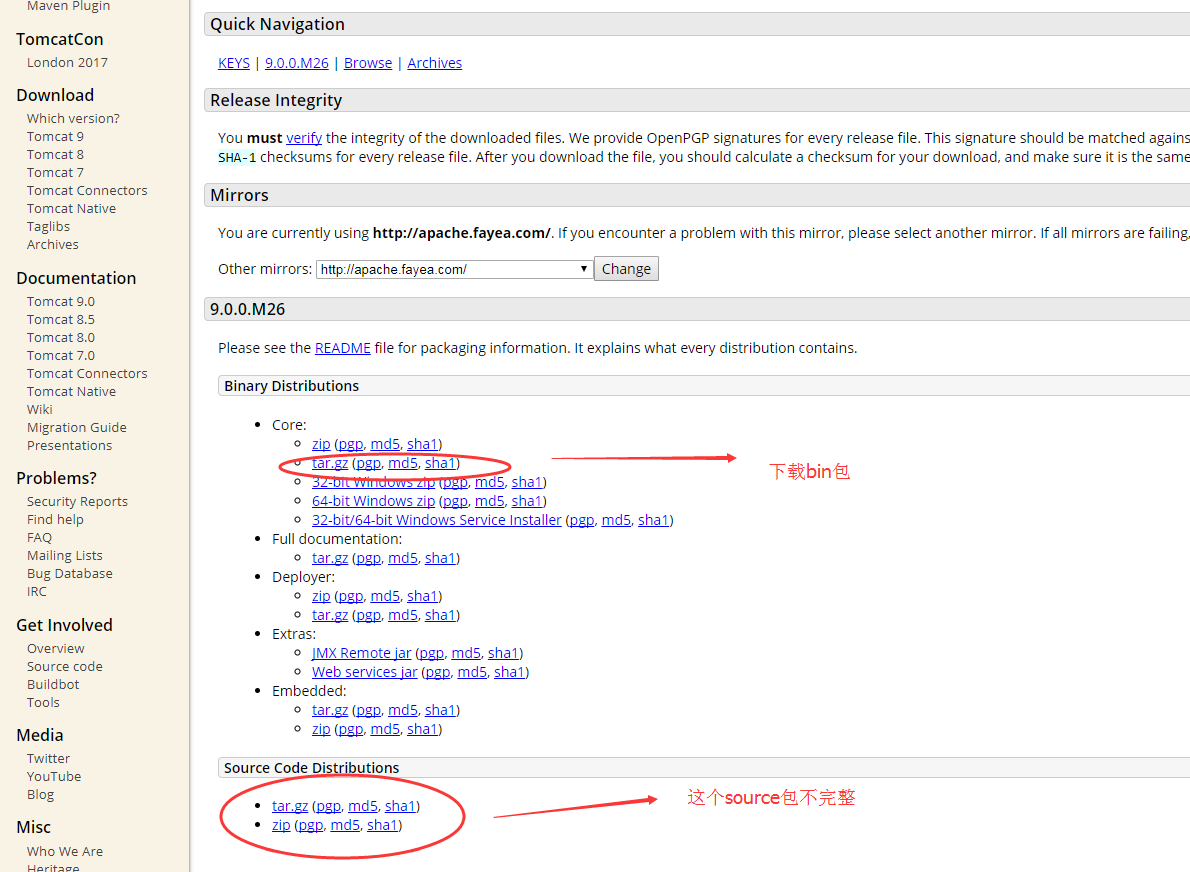
After looking at the post on the Internet, I realized that the source package in the official website of Tomcat was incomplete. The logs folder and some important files of bootstrap.jar were not available. The correct Tomcat should download its bin package

Write it down so you don’t waste time checking your journal!

Cannot find module ‘body-parser’

bug:Cannot find module ‘body-parser’
For obvious reasons, this module isn’t available, and if you look in the node_modules directory, it isn’t

Solution: Reinstall the module;
CMD switch to node installation directory:

npm install --save body-parser

​​​​​​​(Copy python package, the problem generated) pip Fatal error in launcher: Unable to create process using

Today I cut the Python installation from disk C to disk D,
The corresponding disk character in the Path environment variable is then modified: D:\Python27\; D:\Python27\Scripts;
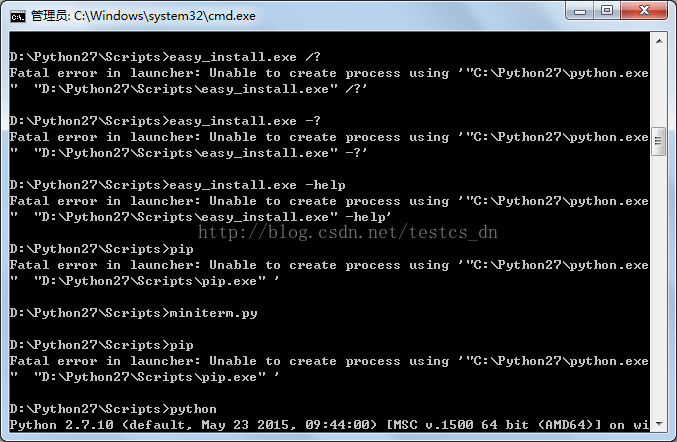
In either directory, Python is ready to execute, but Pip is an error!
D:\Python27\Scripts> PIP
Fatal error in launcher: incapable of creating process using ‘”C:\Python27\python.exe
“”D:\Python27\Scripts\pip.exe” ‘

The Path environment variable has been changed, and I’m surprised that it’s still looking for the C disk.
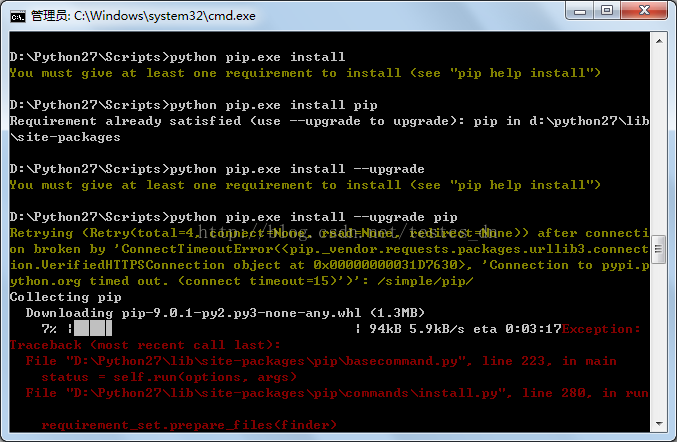
It’s ok to try “Python PIp.exe install”, but it’s a bit of a hassle to use, so you want to figure it out! I don’t want to reinstall it!
A web search for “where did PIP read the Python installation directory from?” failed, and an error message was found!
Some netizens in CMD under the implementation of “Python-M PIP install — Upgrade PIP” to solve the problem, I this is not.

Oh, I didn’t add the -m parameter.
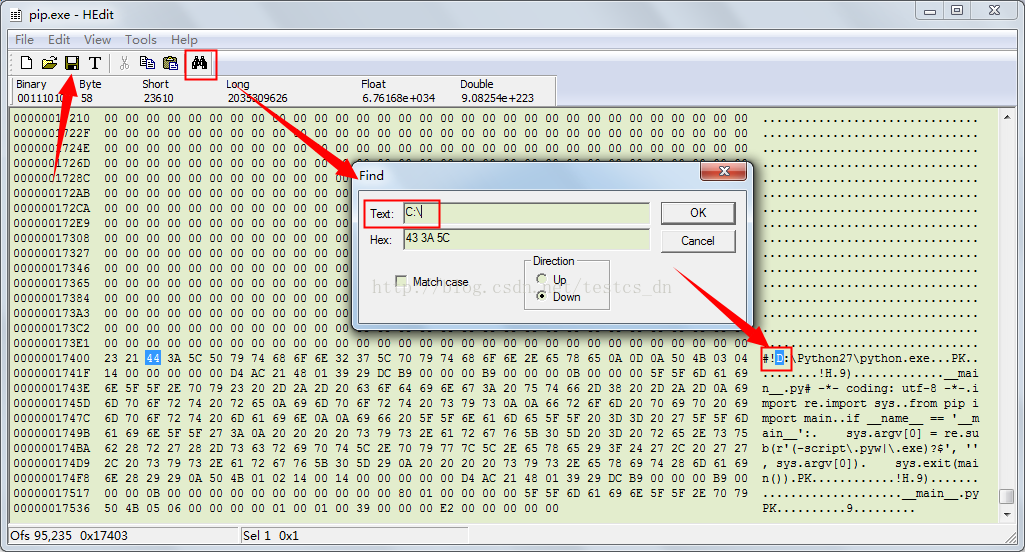
My solution, which is a little more barbaric, is to use the binary editing tool “pip.exe,”
Reference: http://stackoverflow.com/questions/24627525/fatal-error-in-launcher-unable-to-create-process-using-c-program-files-x86
Open with HEdit, search for “C:\”, find the corresponding location, change the disk to “D”, save, and then execute the “PIP” command.

There are multiple files in the “D:\Python27\Scripts” directory that do this, so it’s easy to change them.
 

Prometheus 500 Internal Privoxy Error exception resolution

Prometheus 500 Internal Privoxy Error exception resolution
An exception while accessing Prometheus web-ui

Privoxy encountered an error while processing your request:
Could not load template file no-server-data or one of its included components.
Please contact your proxy administrator.
If you are the proxy administrator, please put the required file(s)in the (confdir)/templates directory. The location of the (confdir) directory is specified in the main Privoxy config file. (It's typically the Privoxy install directory).

The solution
, over the wall software is abnormal because the global agent is opened. Change the global agent to automatic agent to solve

npm error resolution

1, the Error: both Please install mysql2 package manually
A lot of what is said on the Internet is wrong, in fact, as long as the implementation of this sentence can solve the problem.

npm install mysql2 --save


Julia install and use the extension package package (ERROR: UndefVarError: Pkg not defined)

Julia1.0 has just been installed and I want to take the first step:

Pkg.add("PyPlot")

ERROR: ERROR: UndefVarError: Pkg not defined
 
Problem description:
Since Julia’s extension pack is installed using a Pkg extension pack, you must import Julia’s extension pack Pkg before installing the extension pack
 
Solutions:
Import the Pkg package
Then use the pkg. add() command

using Pkg
Pkg.add("Packagename")


mysql ERROR 1025 (HY000): Error on rename of

Today, when I was working on mysql, I wanted to drop the primary key, but there was an ERROR: mysql ERROR 1025 (HY000): ERROR on rename of… After searching the data, the solution is to remove the auto_increment if the primary key is auto_increment before dropping xx. If the primary key also has a foreign key constraint, the foreign key constraint is removed first. Once all of these additional constraints are removed, the primary key can be dropped safely.

Error watching file for changes: EMFILE

An error was reported during compilation when running the ReactNative project
Error watching file for changes: EMFILE

Fault cause:
Watchman is no longer available after upgrading. You need to reinstall watchman.
Solution
 
The first solution is to open the terminal and type the following commands in turn:
1. Uninstall the original installed Watchman:

brew uninstall --force watchman

2. Delete the original installation file: rm – rf/usr/local/var/run/watchman /
3. Reinstall watchman:
brew install watchman

brew install watchman

 
If the BREW command is prompted to report an error, please reinstall BREW, for specific reference
ReactNative environment configuration
 

Reproduced in: https://www.cnblogs.com/YooHoeh/p/9095406.html